

Avast Cleanup Premium is an optimization tool that includes a range of scans that are designed to detect unnecessary items and performance issues, helping to free up disk space and improve the speed of your system. It is a component within Avast One, which serves as a central hub for Avast applications.
This article explains how to download, install, and activate Avast Cleanup Premium in Avast One.
Install Avast One
To install Avast One, follow the steps below:
- Use the download option in your confirmation email or on your Avast Account to download the Avast One setup file, then save it to a familiar location on your Windows device (by default, downloaded files are saved to the Downloads folder). Alternatively, click the button below to download the Avast One setup file.
Download Avast One Cleanup Premium for Windows - Right-click the downloaded setup file
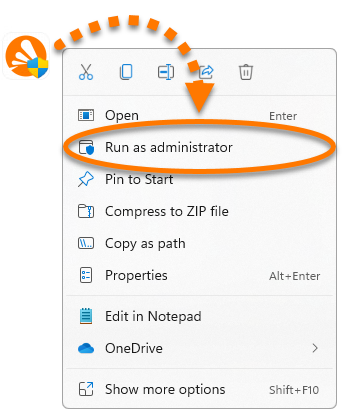
avast_one_cleanup.exeand select Run as administrator from the context menu. If you are unable to authorize the installation of Avast One, refer to the following article for advice: Managing administrative accounts on your Windows device.
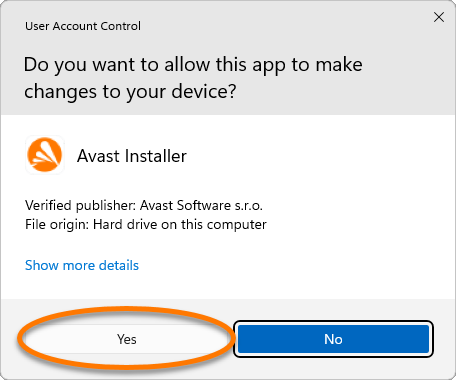
 - If prompted for permission by the User Account Control dialog, click Yes.
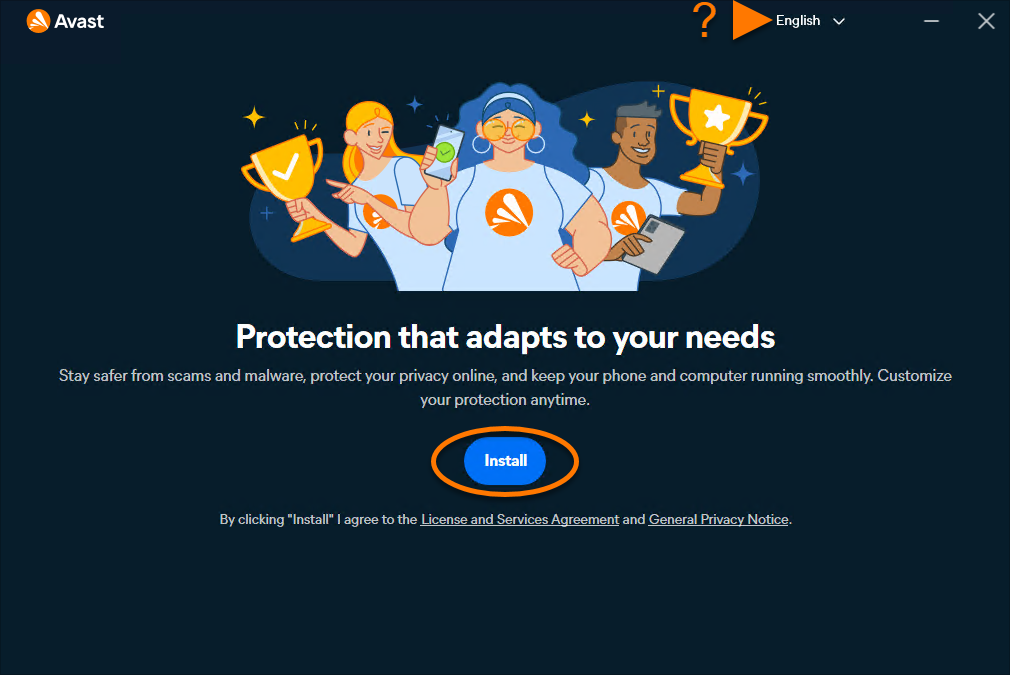
- To change the default setup language, click the current language in the top-right corner of the screen and select your preferred language. Then click Install.
At this step, you may be prompted to move installed standalone Avast apps into Avast One.
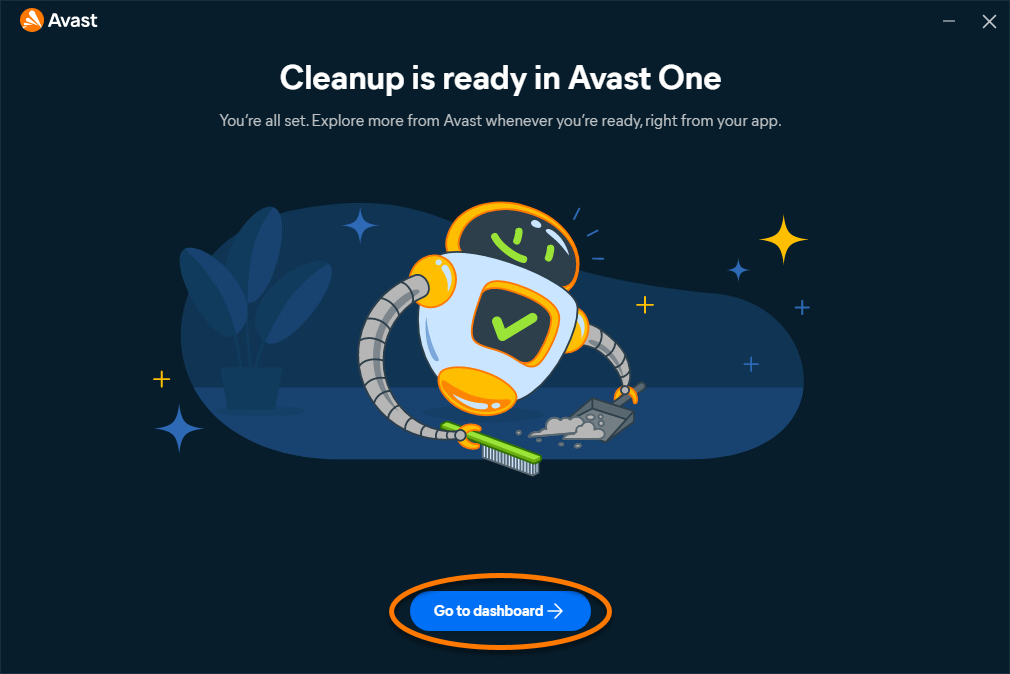
- Wait while setup installs Avast One on your Windows device, then click Go to dashboard.
Avast One is installed. To verify whether your Avast Cleanup Premium subscription is active, or to activate it manually if needed, refer to the section below.
- Use the download option in your confirmation email or on your Avast Account to download the Avast One setup file, then save it to a familiar location on your Mac (by default, downloaded files are saved to the Downloads folder). Alternatively, click the button below to download the Avast One setup file.
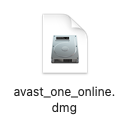
Download Avast One Cleanup Premium for Mac - Double-click the downloaded setup file
avast_one_cleanup.dmg.
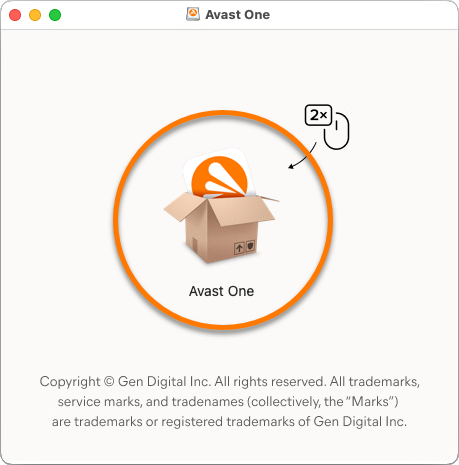
- Double-click the Avast One icon.
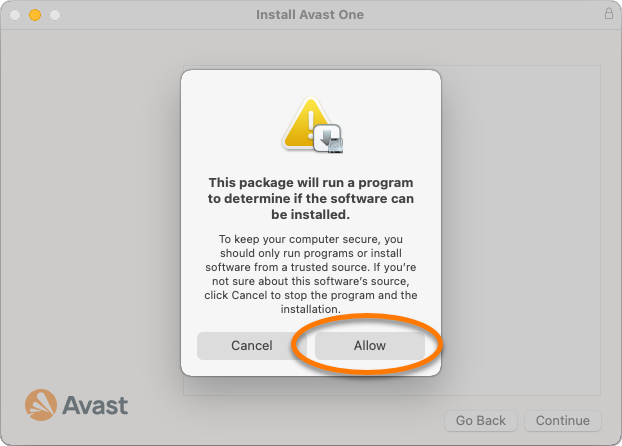
- In the new window, click Allow.
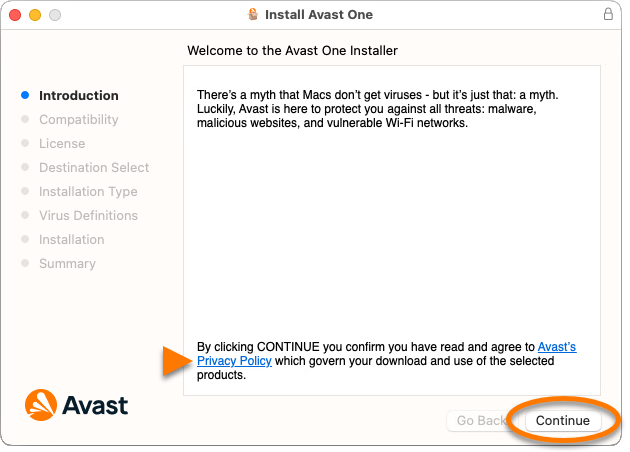
- Click Continue to confirm that you accept the Avast Privacy Policy.
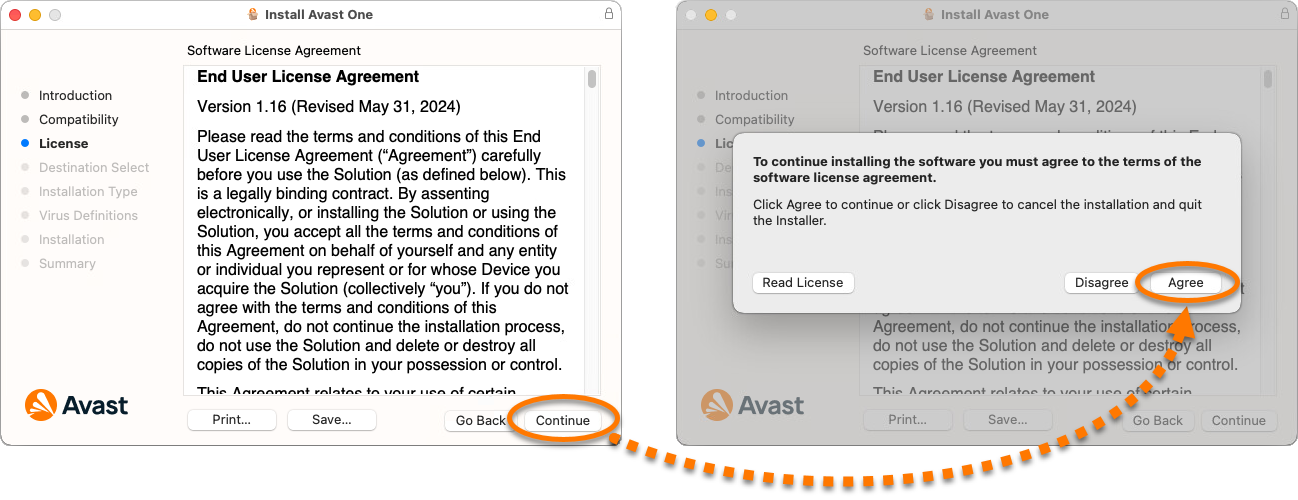
- Click Continue to confirm that you have read the End User License Agreement, then click Agree to confirm that you accept the terms.
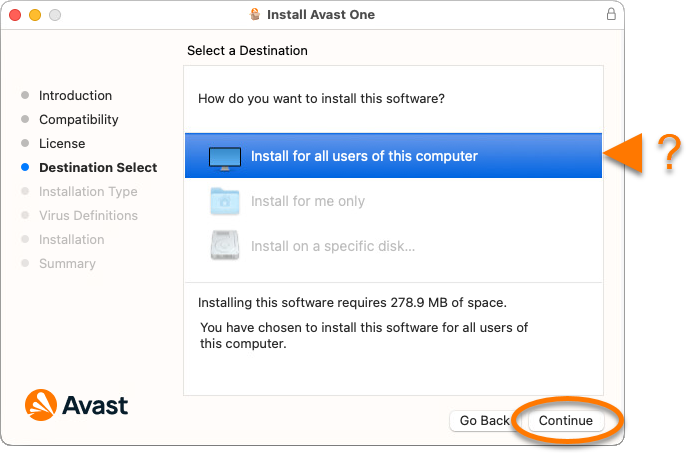
- Select the users who should have access to Avast One, then click Continue.
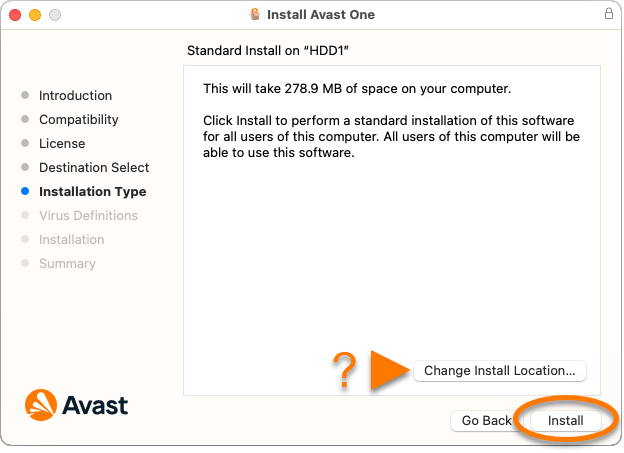
- Click Install to proceed with default installation. Alternatively, click Change Install Location... if you want to make changes to the default setup.
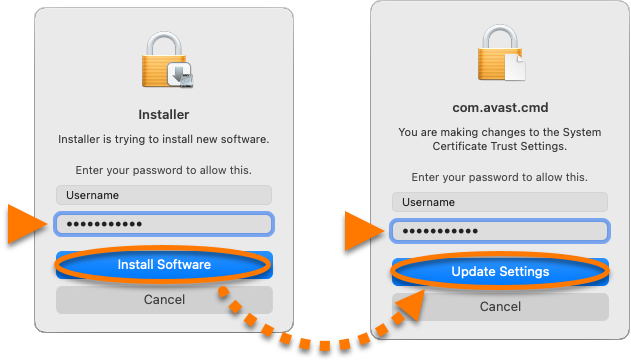
- Enter the password that you use when you start your Mac, then click Install Software. If prompted, enter this password again, and click Update Settings.
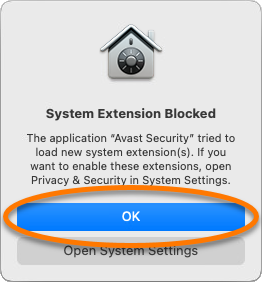
- When the System Extension Blocked notification appears, click OK.
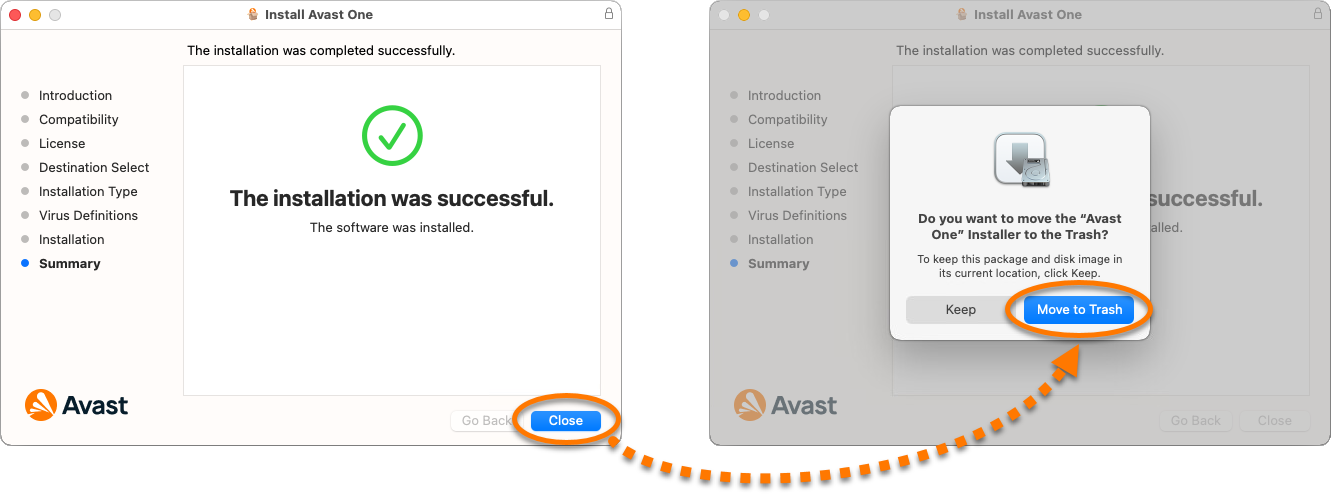
- Click Close ▸ Move to Trash.
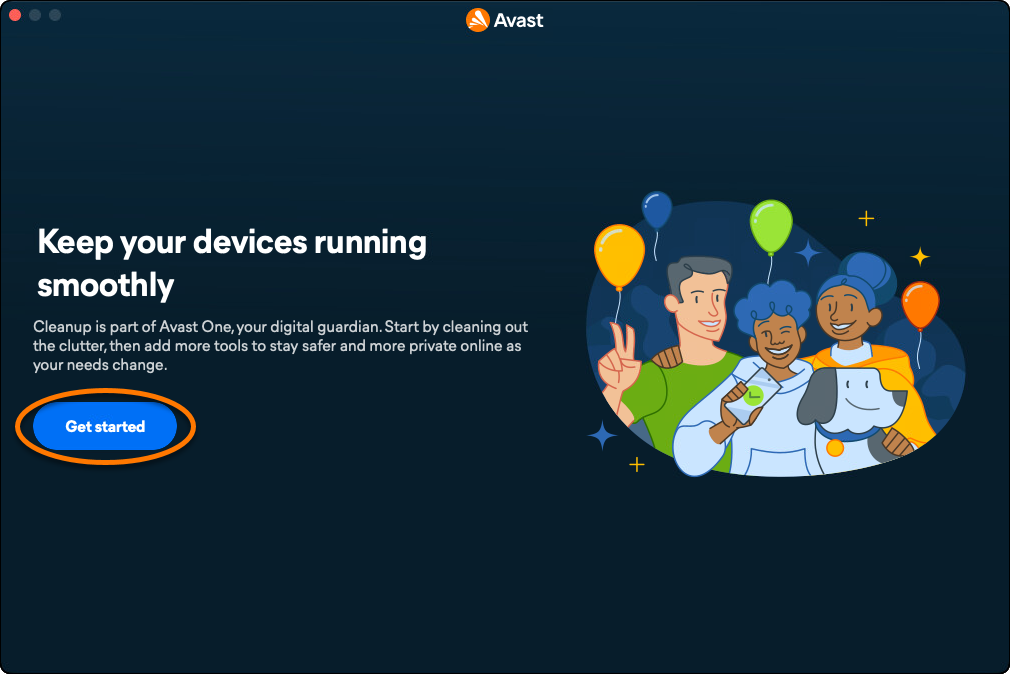
- Click Get started.
At this step, you may be prompted to move installed standalone Avast apps into Avast One.
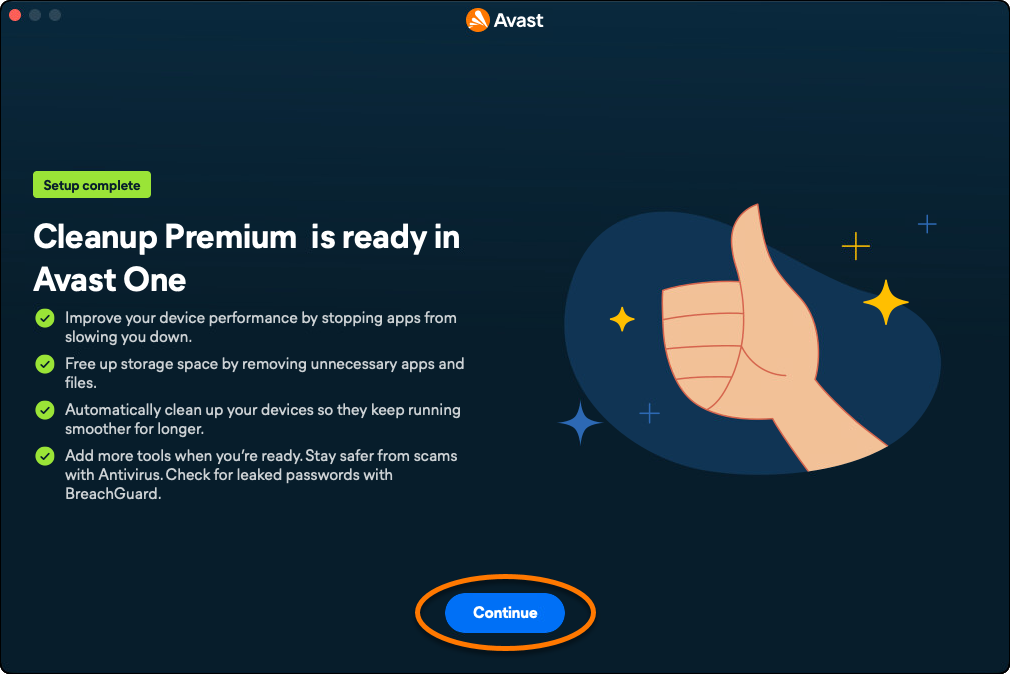
- Click Continue.
Avast One is installed. To verify whether your Avast Cleanup Premium subscription is active, or to activate it manually if needed, refer to the section below.
Activating Avast Cleanup Premium
Automatic Activation
If you downloaded the installer file from your Avast Account or a confirmation email, Avast One Cleanup Premium is usually activated automatically after installation.
To confirm that Cleanup Premium is active, follow the steps below:
- Open Avast One, then go to
•••Menu ▸ My Account.
- Check whether Cleanup Premium is listed under Active subscriptions.
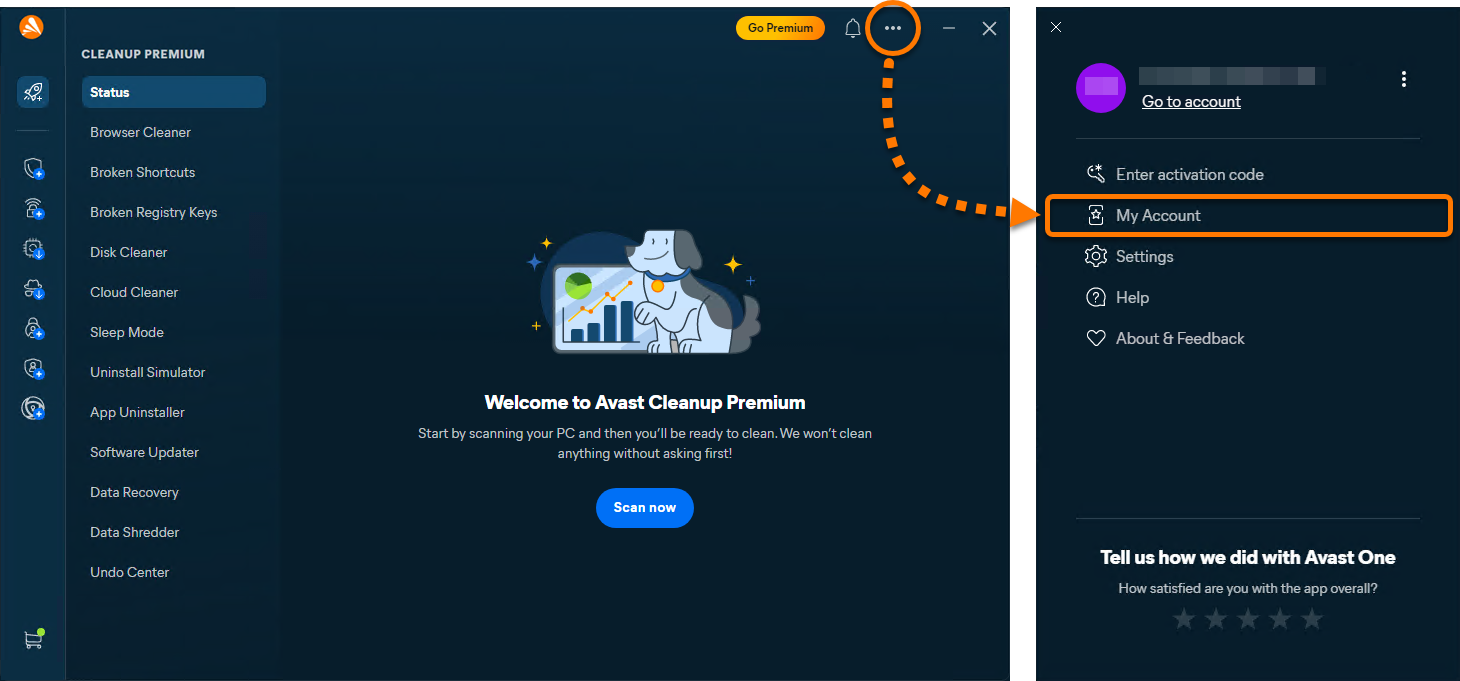
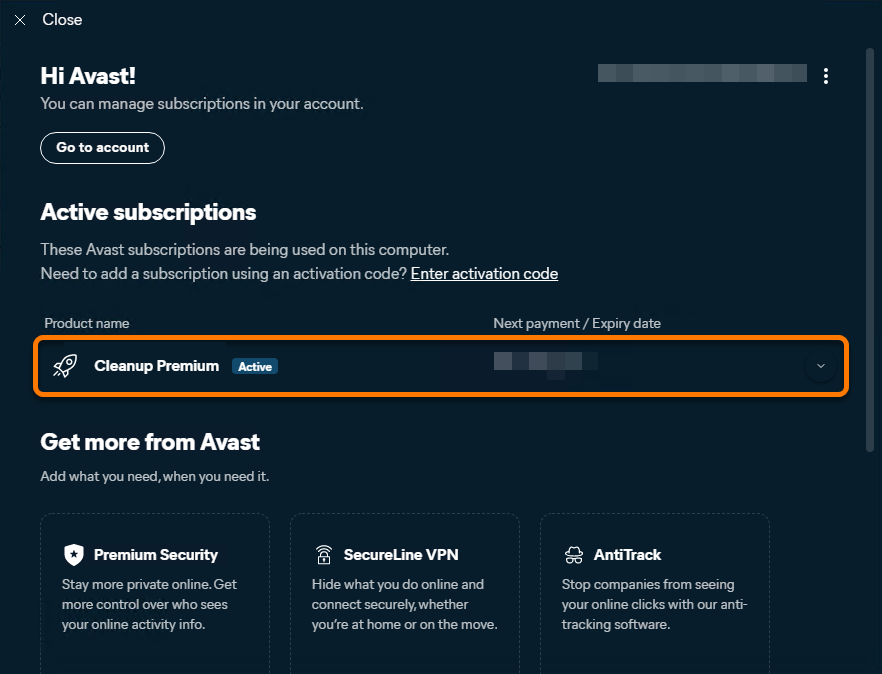
If Avast Cleanup Premium is listed as active, no further action is required. If Free Cleanup is still shown, follow the steps to either sign in to an Avast Account associated with a valid subscription or enter a valid activation code. This article includes instructions for both methods.
Activate via Avast Account
To activate Avast Cleanup Premium in Avast One using an Avast Account:
- Open Avast One, then go to
•••Menu ▸ Sign in.
- Enter the email address associated with your Avast Account, then click Continue.
- Enter the password associated with your Avast Account, then click Sign In.
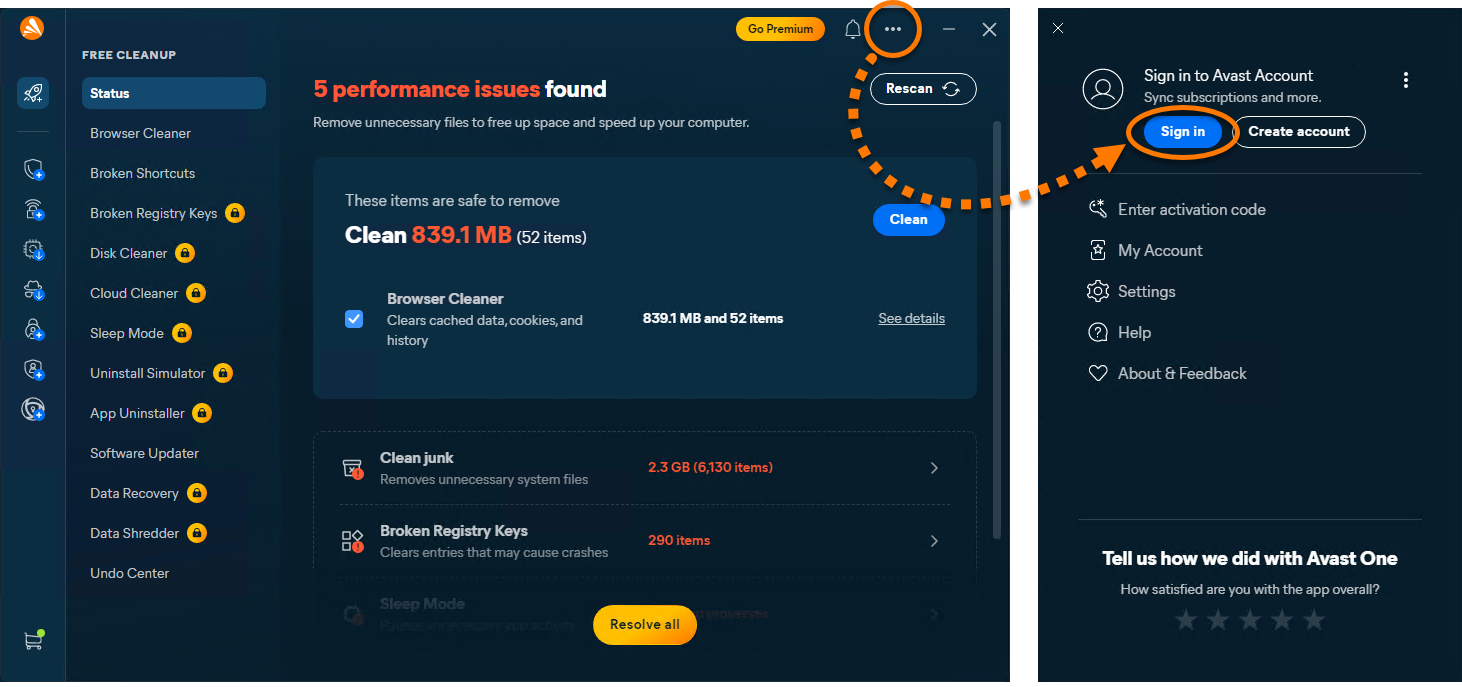
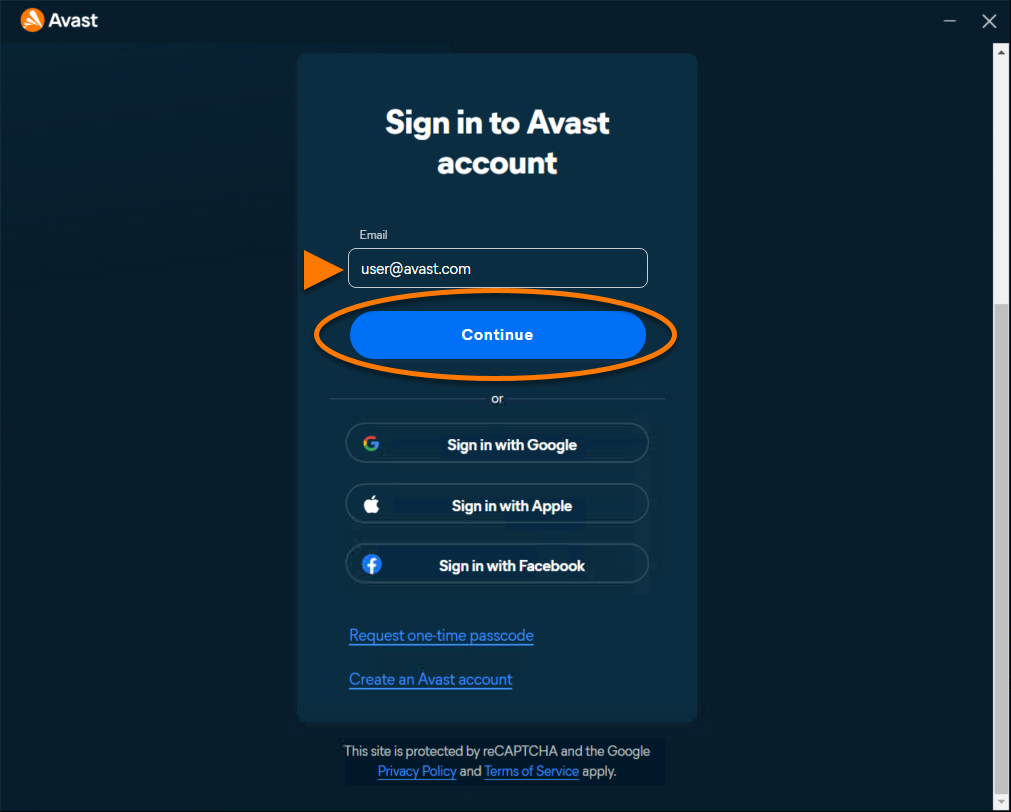
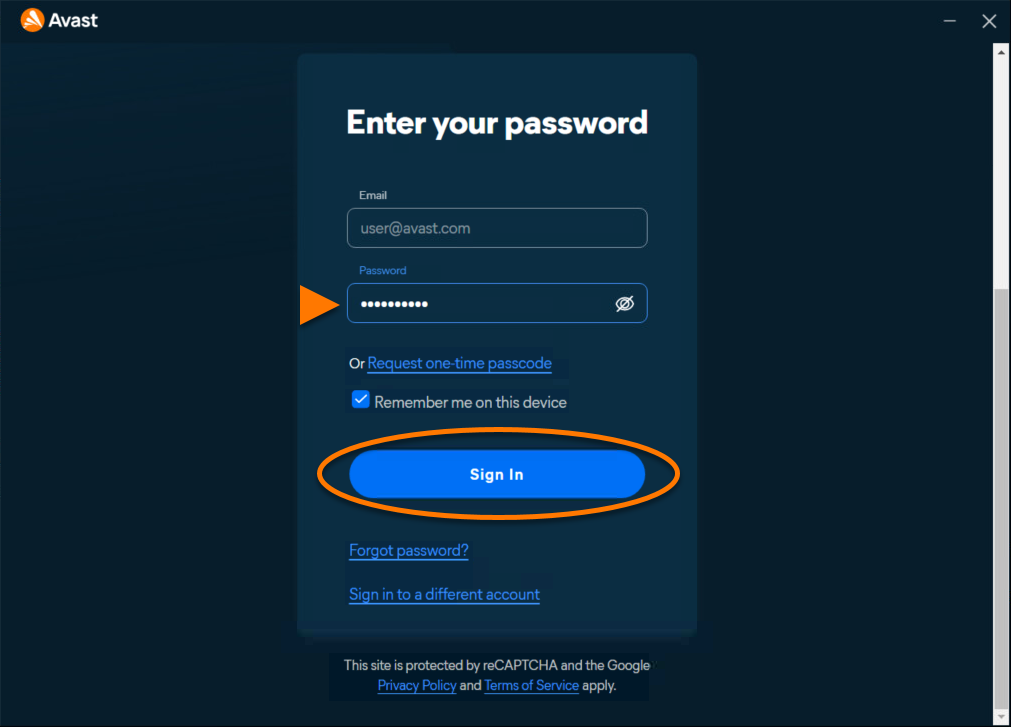
Avast Cleanup Premium is now active. To view your subscription details, go to ••• Menu ▸ My Account. The renewal date or the expiration date of your subscription appear under Active subscriptions. You can activate your app on the number of devices you specified when making the purchase.
If activation is unsuccessful, refer to the Troubleshoot activation issues section below.
Activate via activation code
To activate Avast Cleanup Premium in Avast One using an activation code:
- Open Avast One, then go to
•••Menu ▸ Enter activation code.
- Type or paste your activation code (including hyphens) into the text box, then click Next twice.
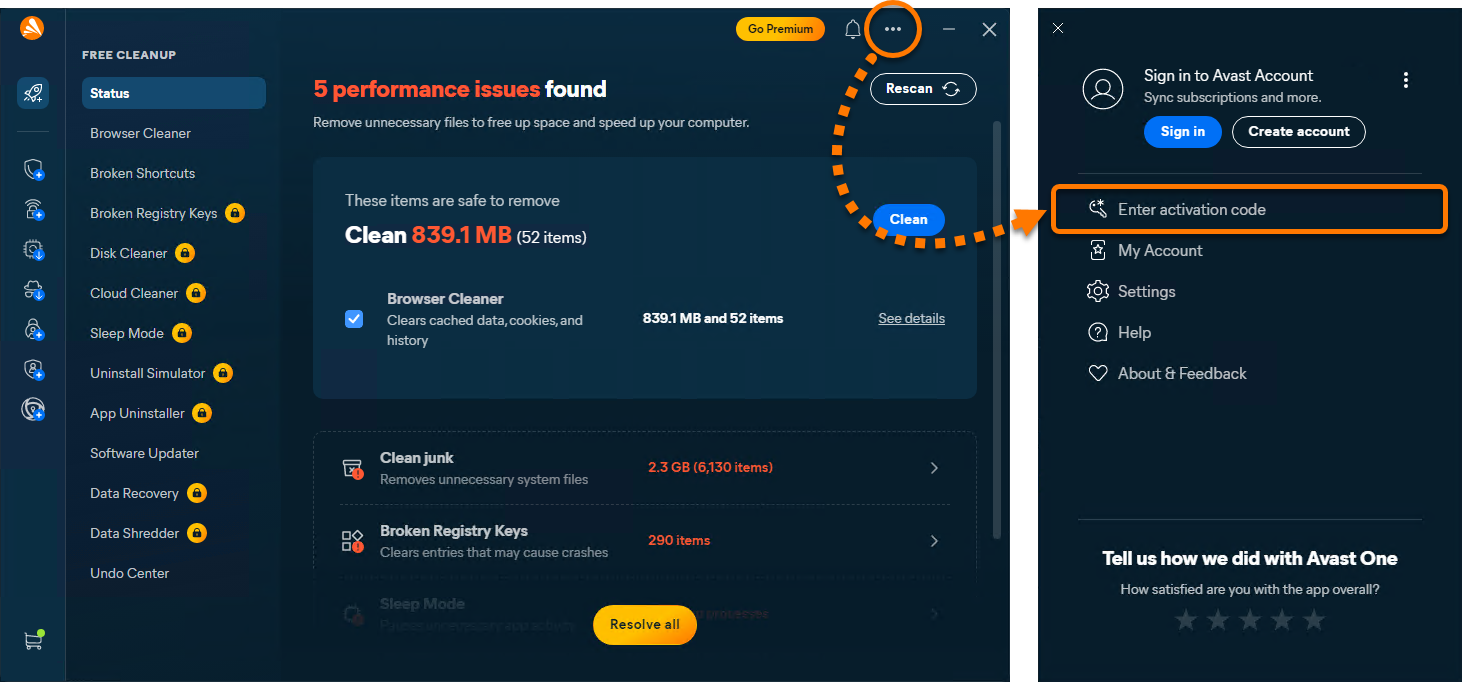
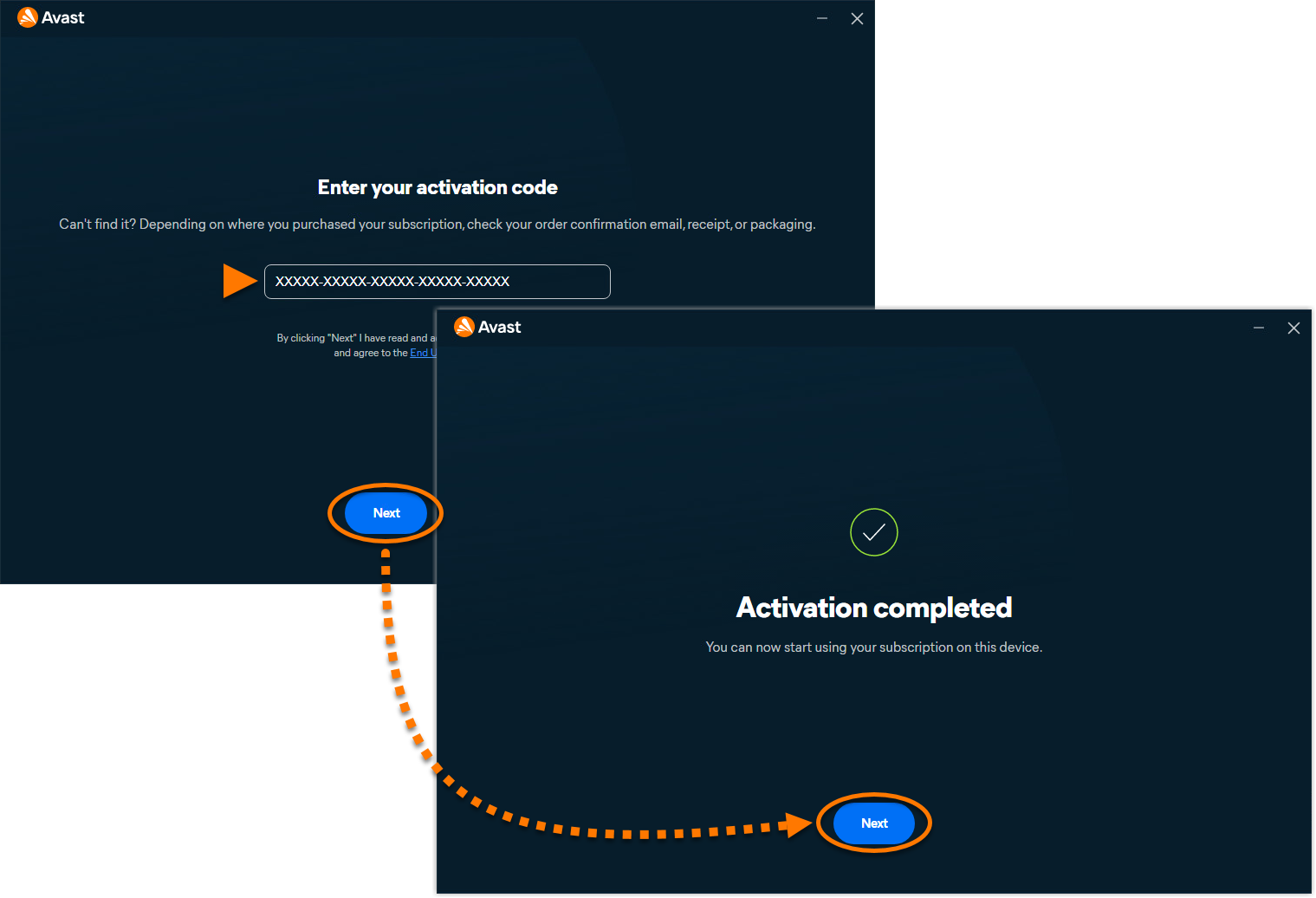
Avast Cleanup Premium is now active. To view your subscription details, go to ••• Menu ▸ My Account. The renewal date or the expiration date of your subscription appear under Active subscriptions. You can activate your app on the number of devices you specified when making the purchase.
If activation is unsuccessful, refer to the Troubleshoot activation issues section below.
Automatic Activation
To confirm that Cleanup Premium is active, follow the steps below:
- Open Avast One, then go to
☰Menu ▸ My subscriptions.
- Check whether Cleanup Premium appears under Active subscriptions.
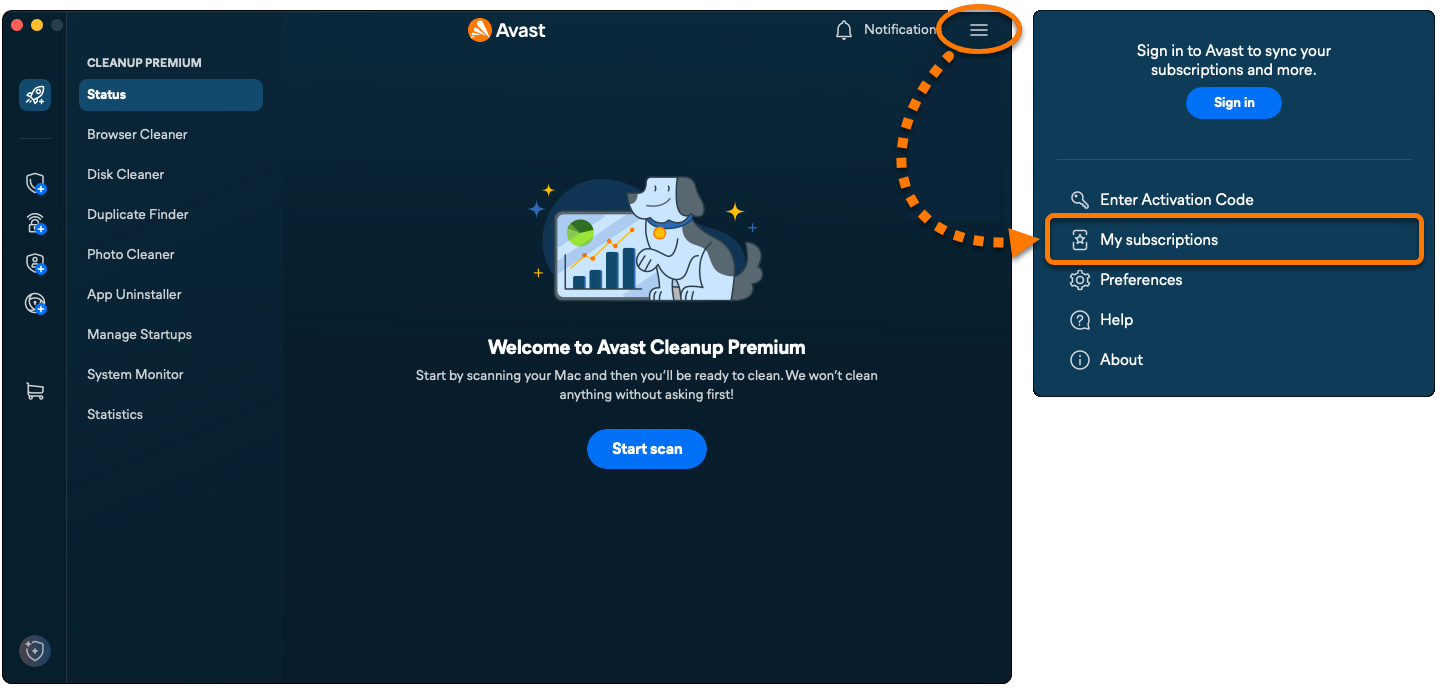
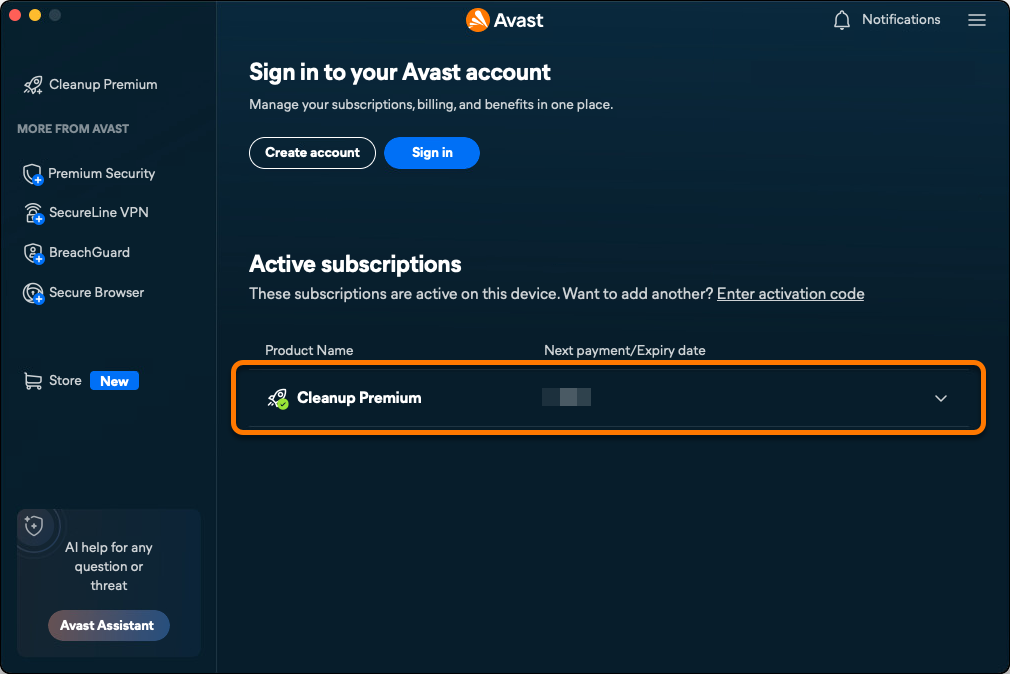
If Avast Cleanup Premium is listed as active, no further action is required. If Free Cleanup is still shown, follow the steps to either sign in to an Avast Account associated with a valid subscription or enter a valid activation code. This article includes instructions for both methods.
Activate via Avast Account
To activate Avast Cleanup Premium in Avast One using an Avast Account:
- Open Avast One, then go to
☰Menu ▸ Sign in.
- Enter the email address associated with your Avast Account, then click Continue.
- Enter the password associated with your Avast Account, then click Sign In.
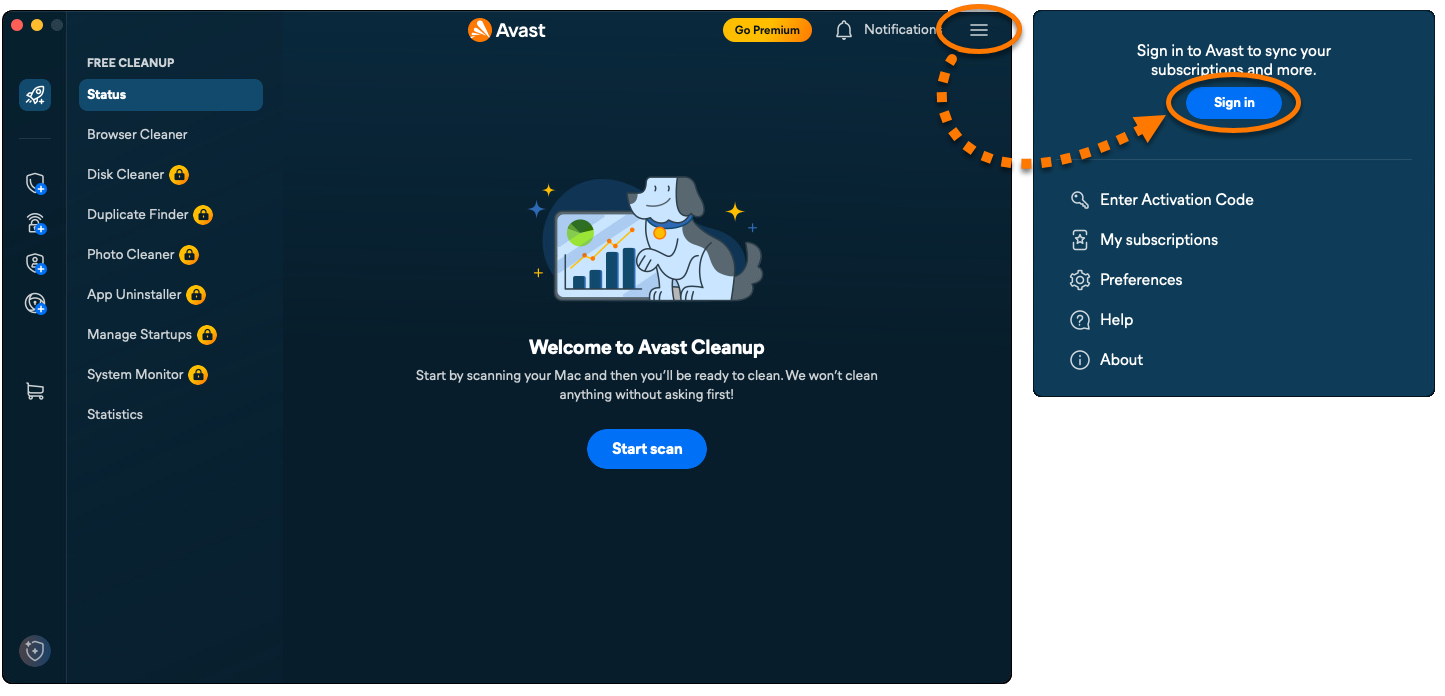
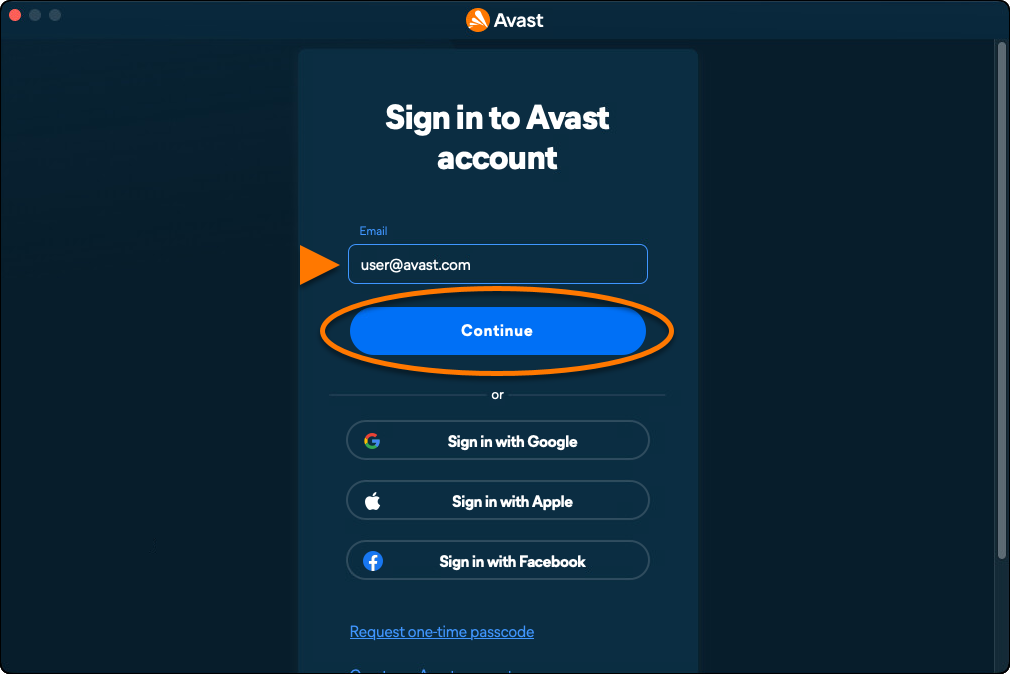
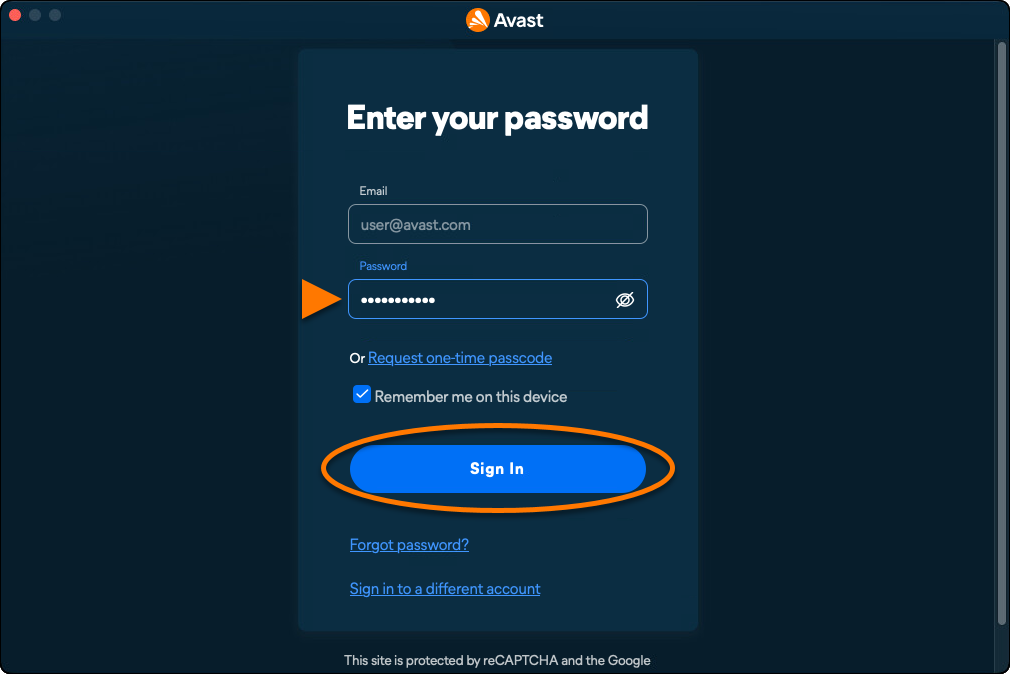
Avast Cleanup Premium is now active. To view your subscription details, go to ☰ Menu ▸ My subscriptions. The renewal date or the expiration date of your subscription appear under Active subscriptions. You can activate your app on the number of devices you specified when making the purchase.
If activation is unsuccessful, refer to the Troubleshoot activation issues section below.
Activate via activation code
To activate Avast Cleanup Premium in Avast One using an activation code:
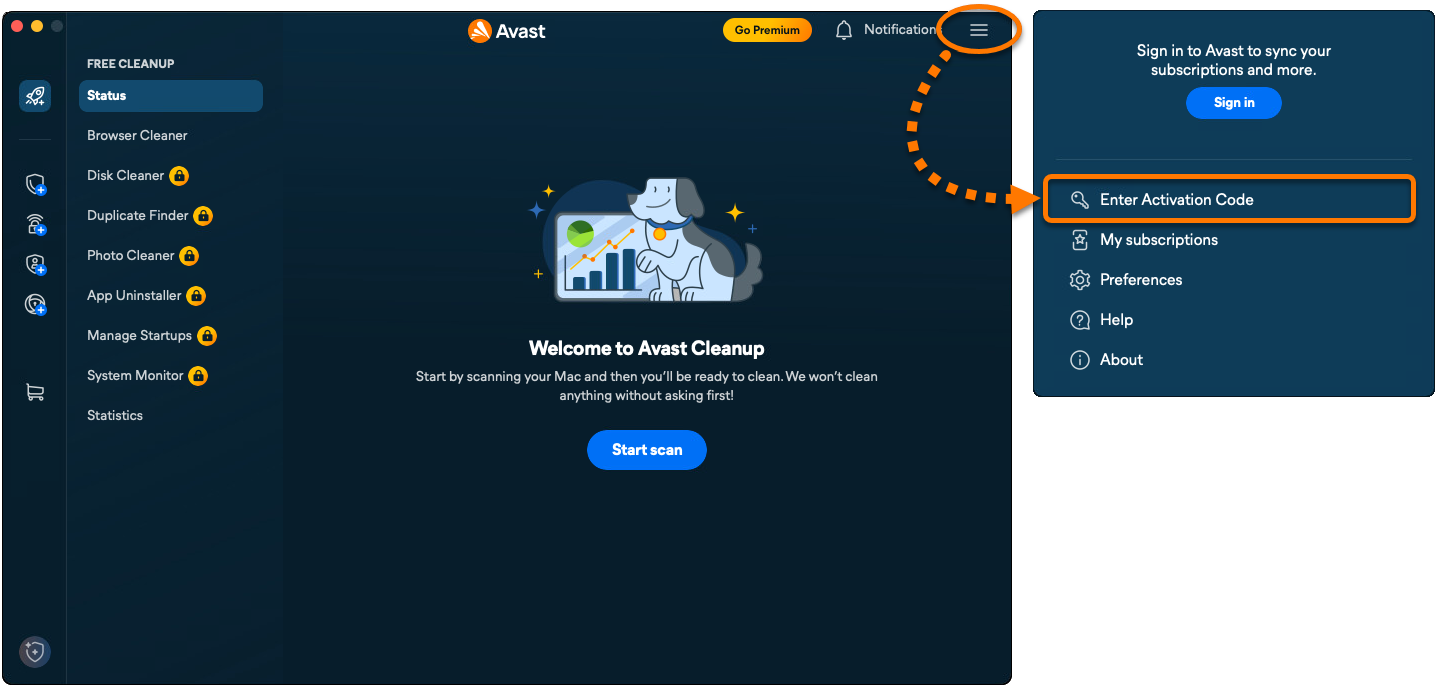
- Open Avast One, then go to
☰Menu ▸ Enter Activation Code.
- Type or paste your activation code (including hyphens) into the text box, then click Next twice.
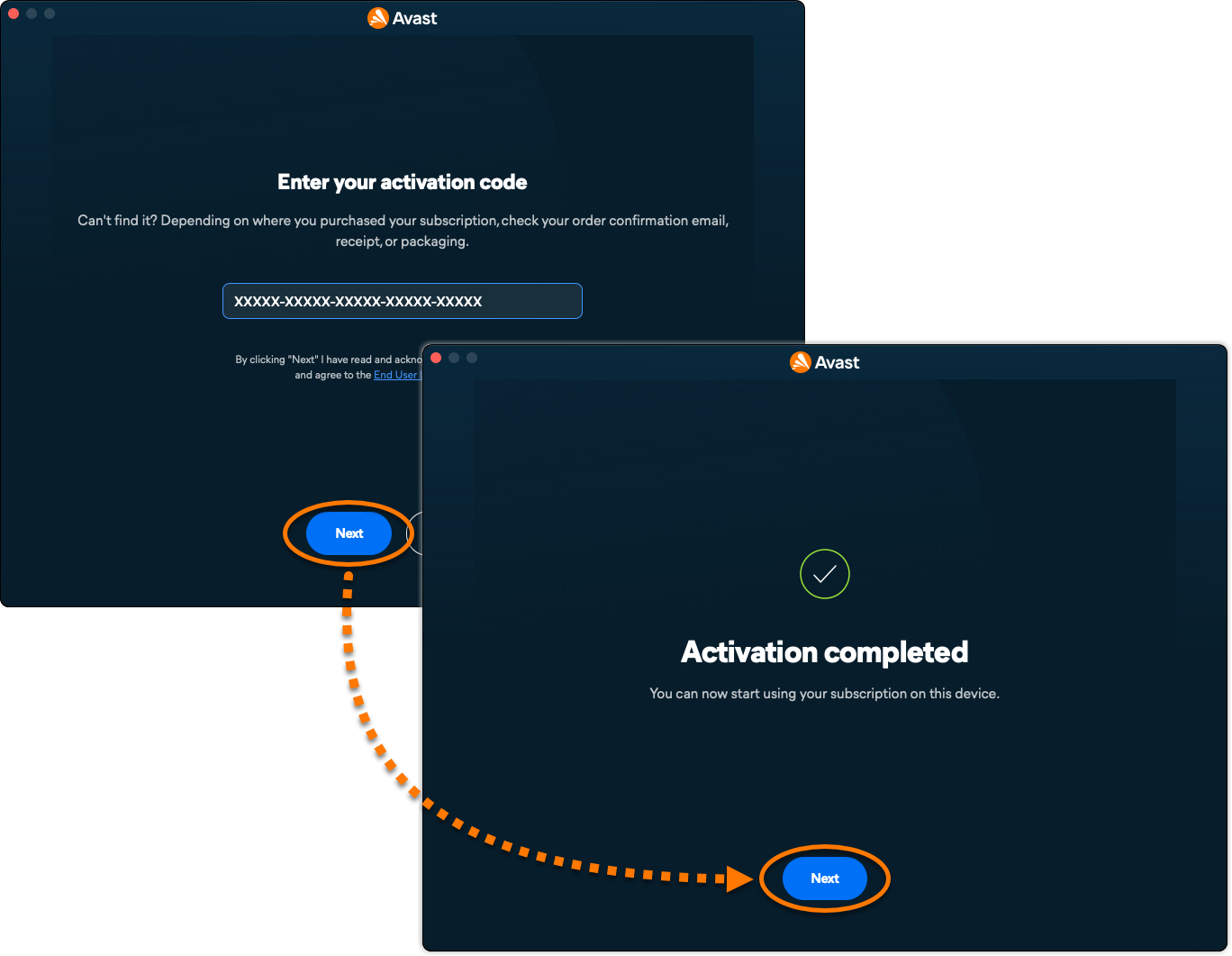
Avast Cleanup Premium is now active. To view your subscription details, go to ☰ Menu ▸ My subscriptions. The renewal date or the expiration date of your subscription appear under Active subscriptions. You can activate your app on the number of devices you specified when making the purchase.
If activation is unsuccessful, refer to the Troubleshoot activation issues section below.
Troubleshoot activation issues
If you experience activation issues, review the information below, which explains how to resolve some of the most common activation issues.
Avast Cleanup for Android is a mobile app designed to help you improve the performance of your device and preserve storage space by removing unnecessary media, files, and apps. Remove these items by transferring them to cloud storage and/or deleting them from your device. You can also optimize your photos, so they consume less space.
Install Avast Cleanup
To install Avast Cleanup, follow the steps below:
- On your Android device, tap the button below to open the Avast Cleanup app page in Google Play Store.
Go to Google Play Store - Tap Install to download and install the app. When the installation is complete, tap Open.
- Tap Already purchased?.
- The following options are available:
- Use an activation code: Enter the activation code for your Avast Cleanup Premium subscription.
- Connect: Connect your subscription using your Avast Account credentials.
Once Avast Cleanup is installed, for detailed activation instructions, refer to the section below.
Activate Avast Cleanup Premium
To activate Avast Cleanup Premium, you can sign in with an Avast Account linked to a valid subscription or enter an activation code. This article provides instructions for both activation methods.
Sign in to Avast Account
To activate Avast Cleanup Premium using your Avast Account:
- Tap Connect.
- Select Email.
- Enter the credentials for the Avast Account that contains your Avast One - Cleanup subscription, then tap Login.
Avast Cleanup Premium is now active. If activation is unsuccessful, refer to the Troubleshooting section below.
Enter activation code
To activate Avast Cleanup Premium using an activation code:
- Tap Use an activation code.
- Type or paste your activation code (including hyphens) into the text box, then tap Use this code.
Avast Cleanup Premium is now active. If activation is unsuccessful, refer to the Troubleshooting section below.
Troubleshooting
If you experience any installation issues, refer to the following article to ensure your Android device meets the minimum system requirements:
If you experience an issue with activation, refer to the following articles:
- Troubleshooting activation issues in Avast mobile apps
- Troubleshooting common activation error messages
- Troubleshooting activation issues in Avast apps
If you are unable to resolve your issue, contact Avast Support.
- Avast One
- Avast Cleanup Premium
- Windows, macOS, and Android
Updated on: 19/10/2026


 © 2025 Gen Digital Inc.