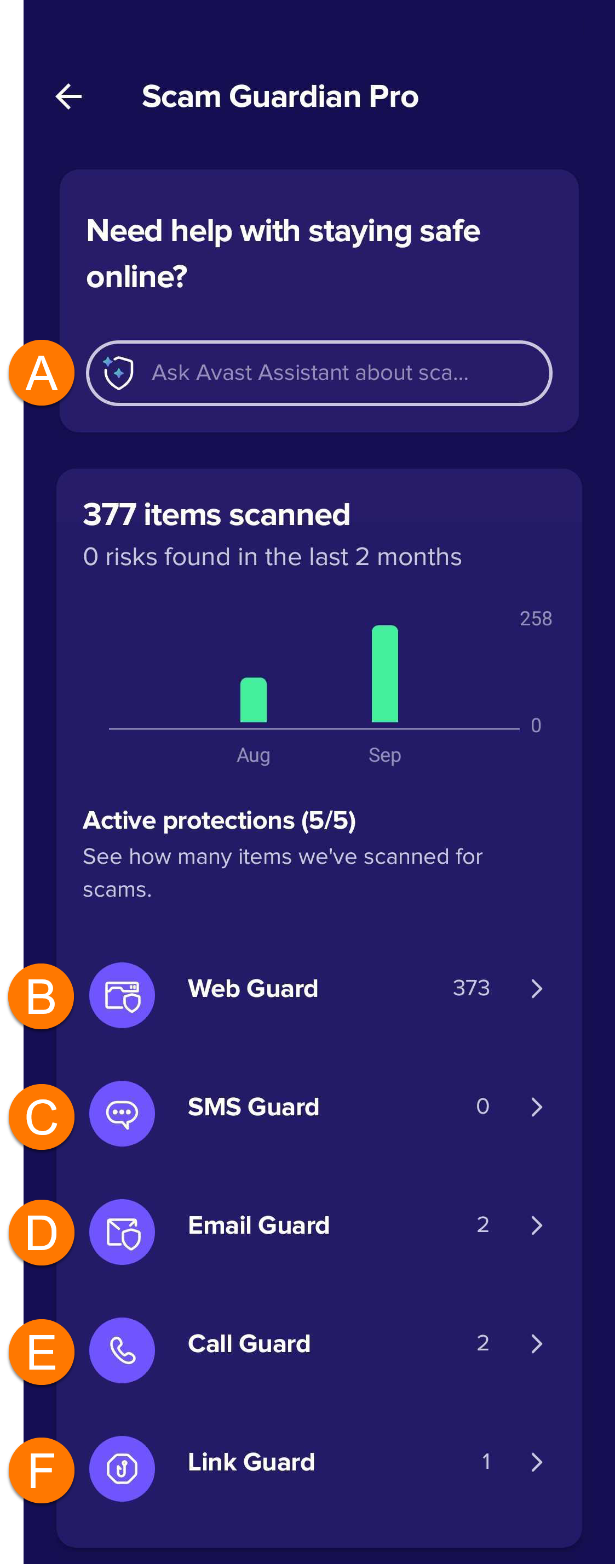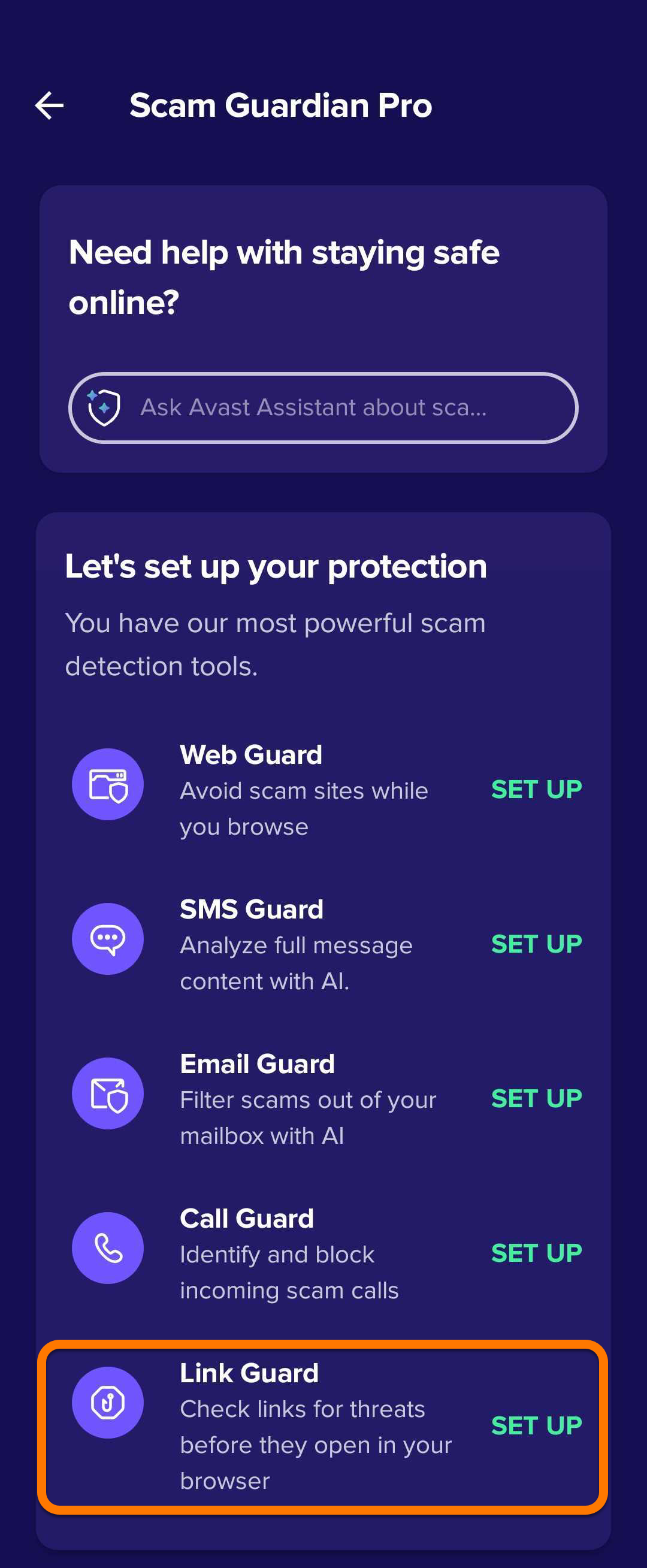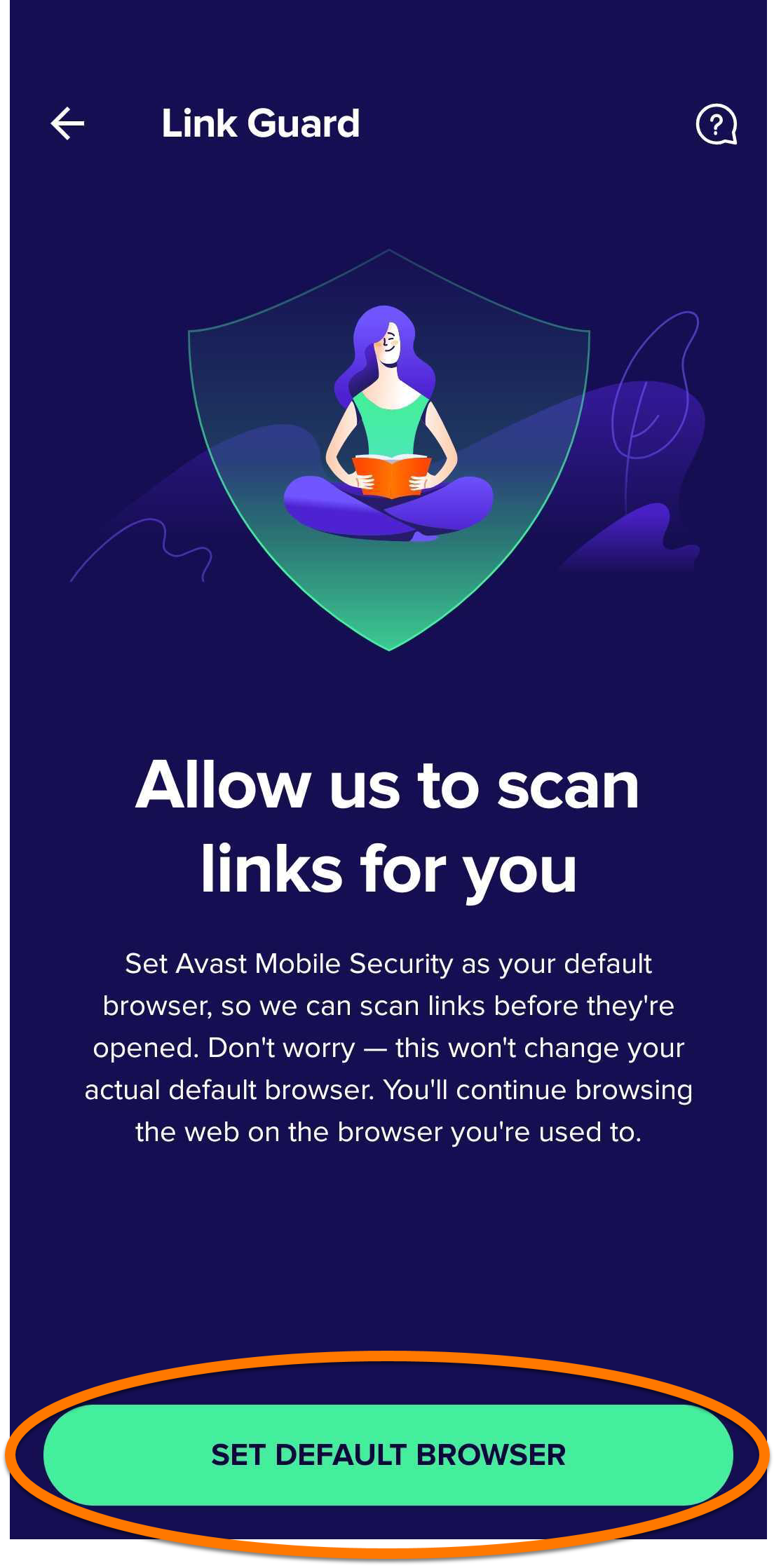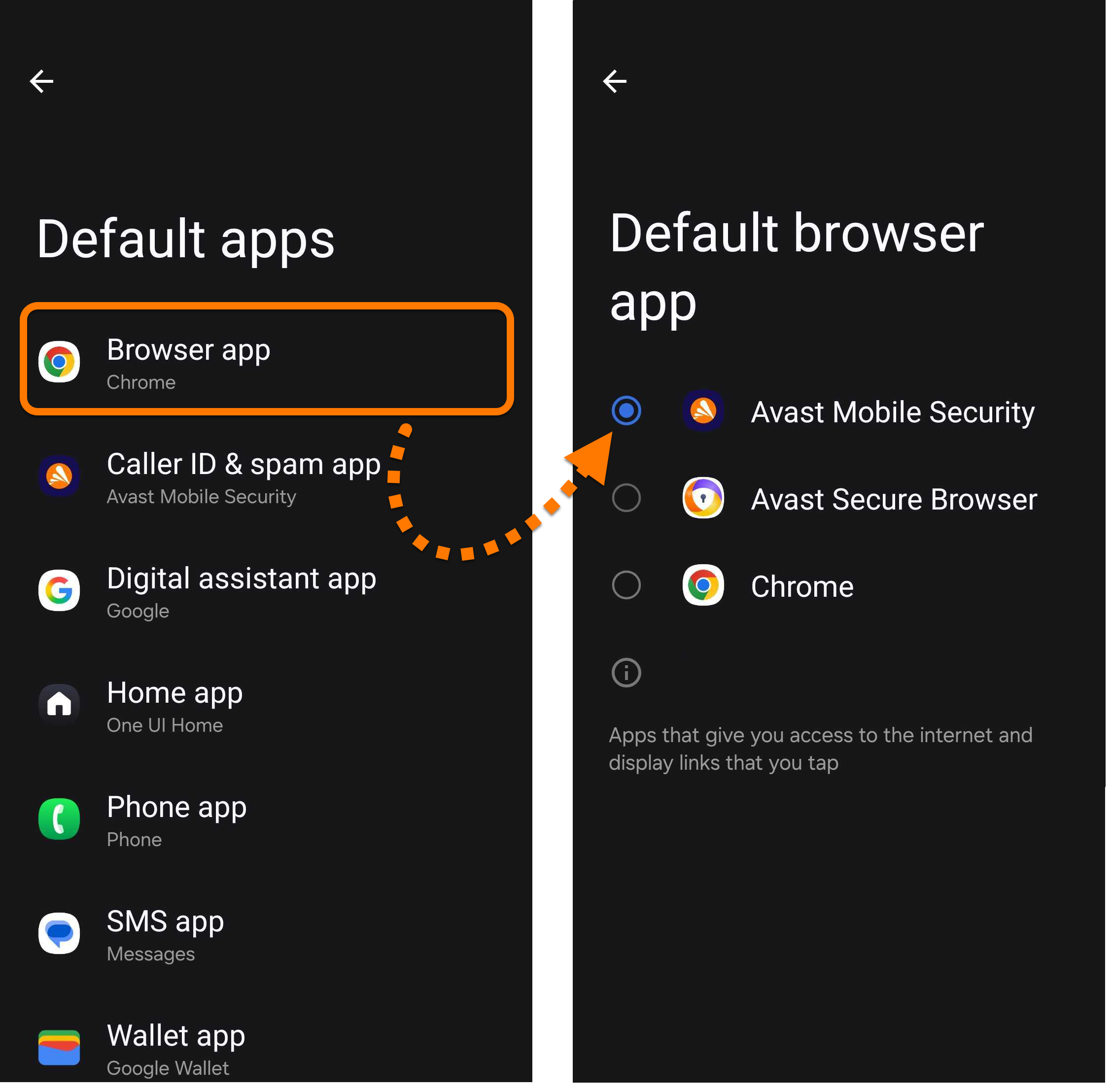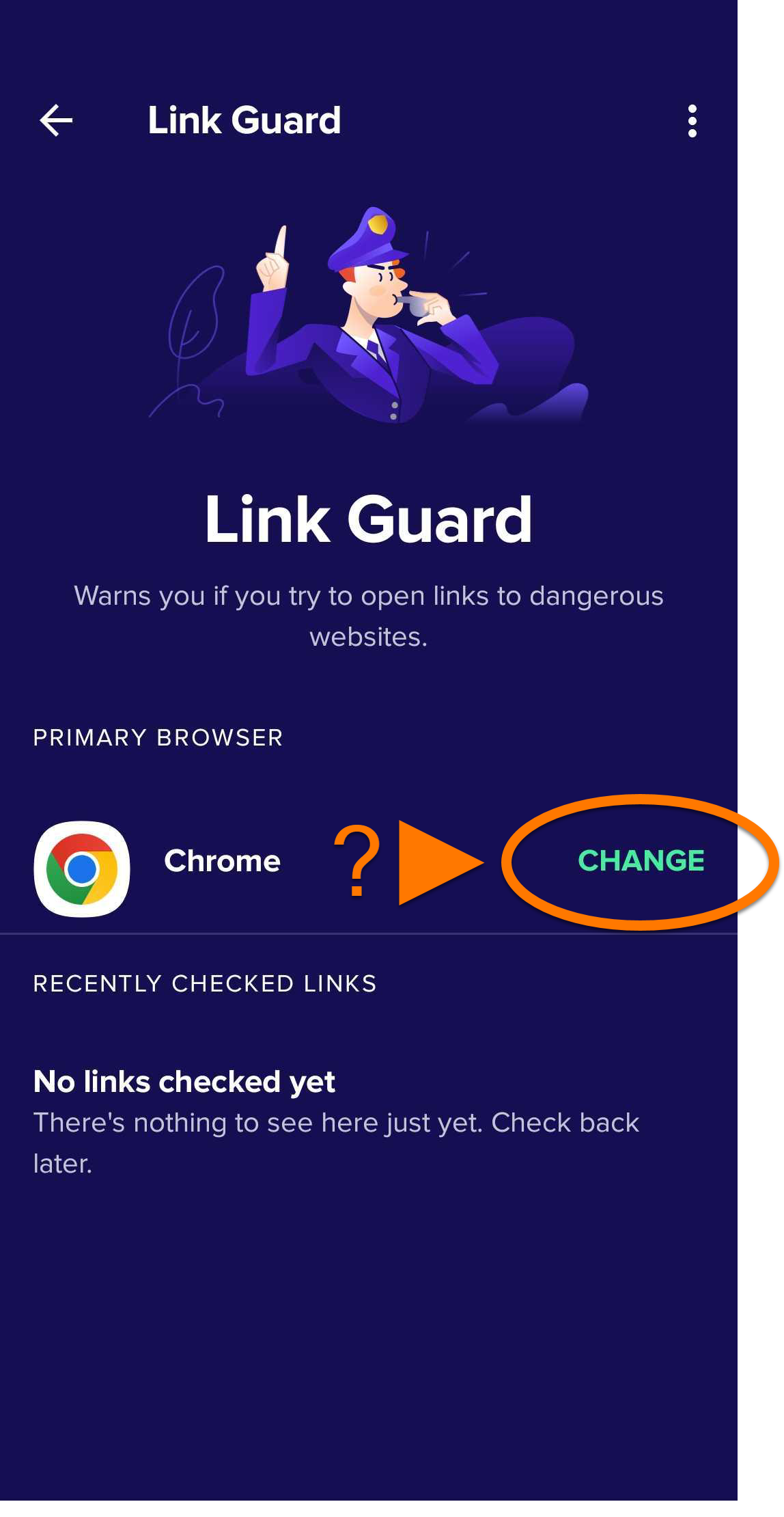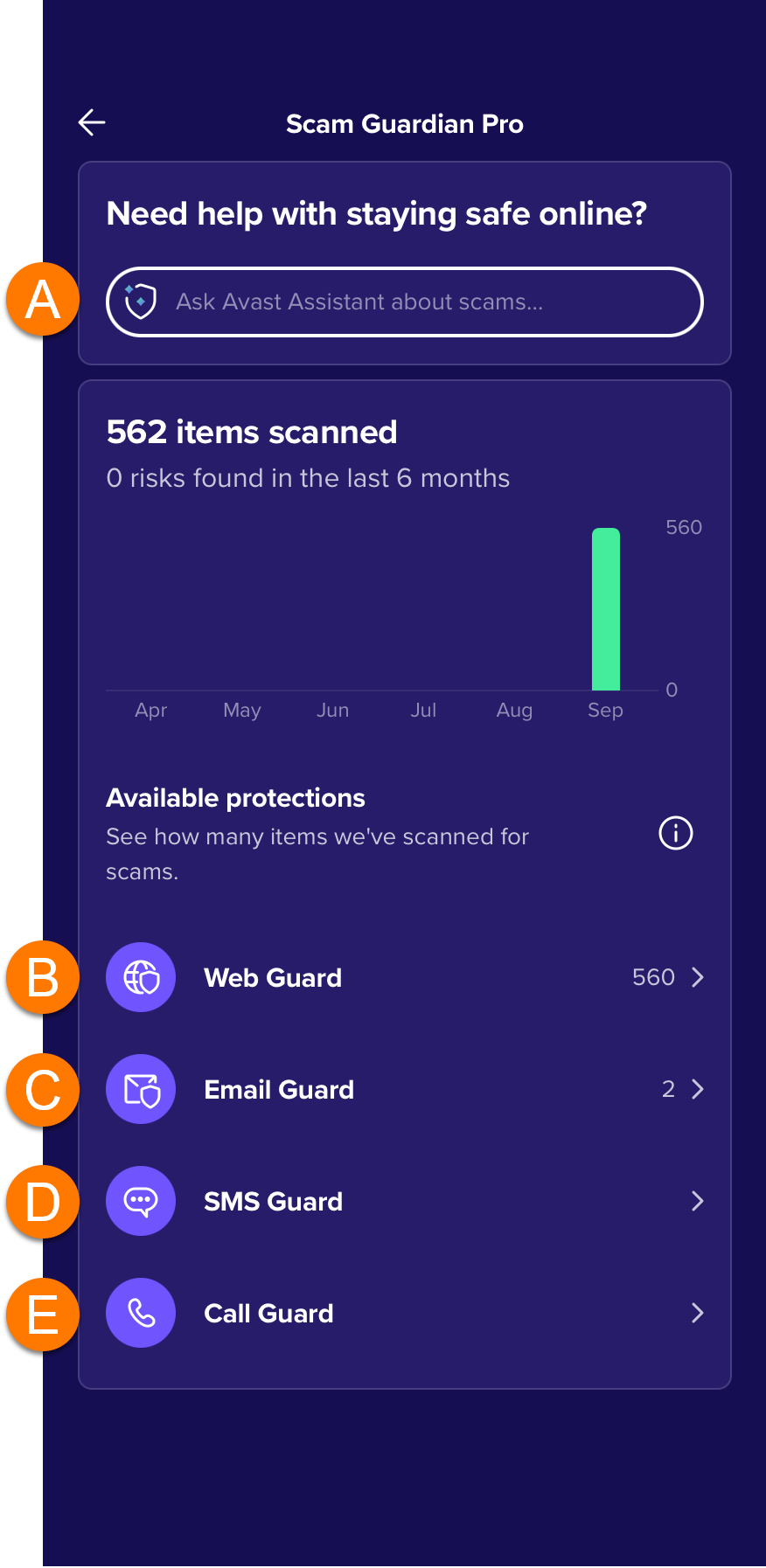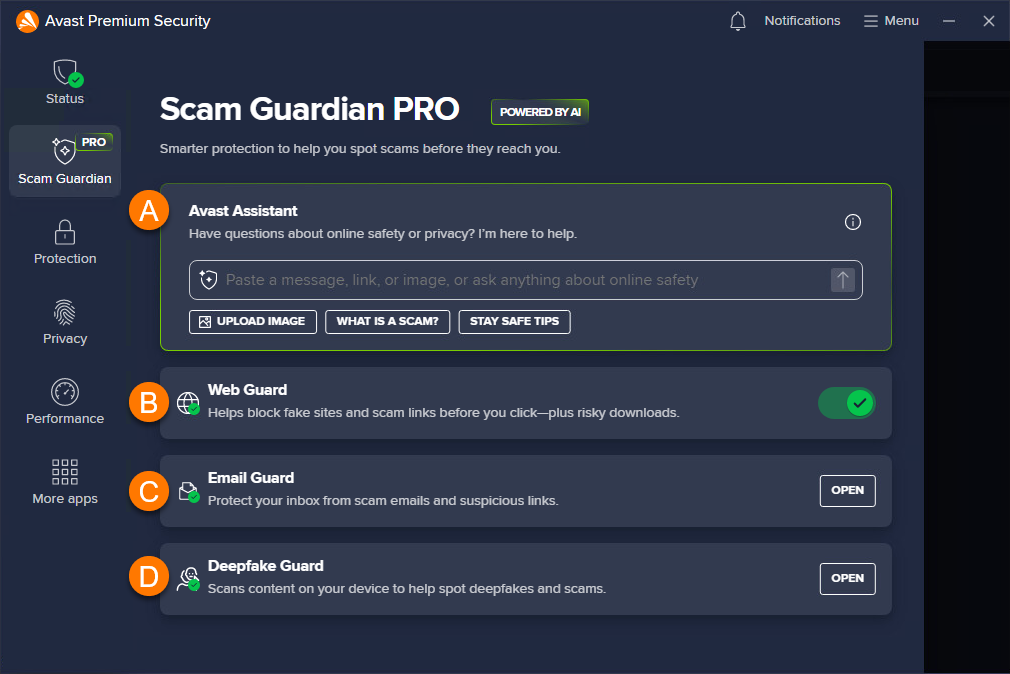

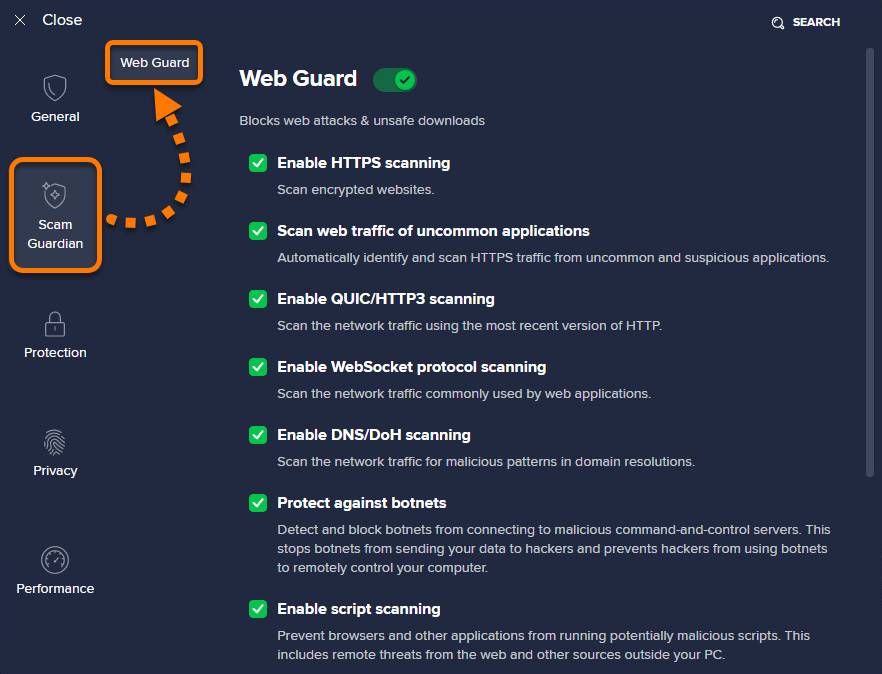
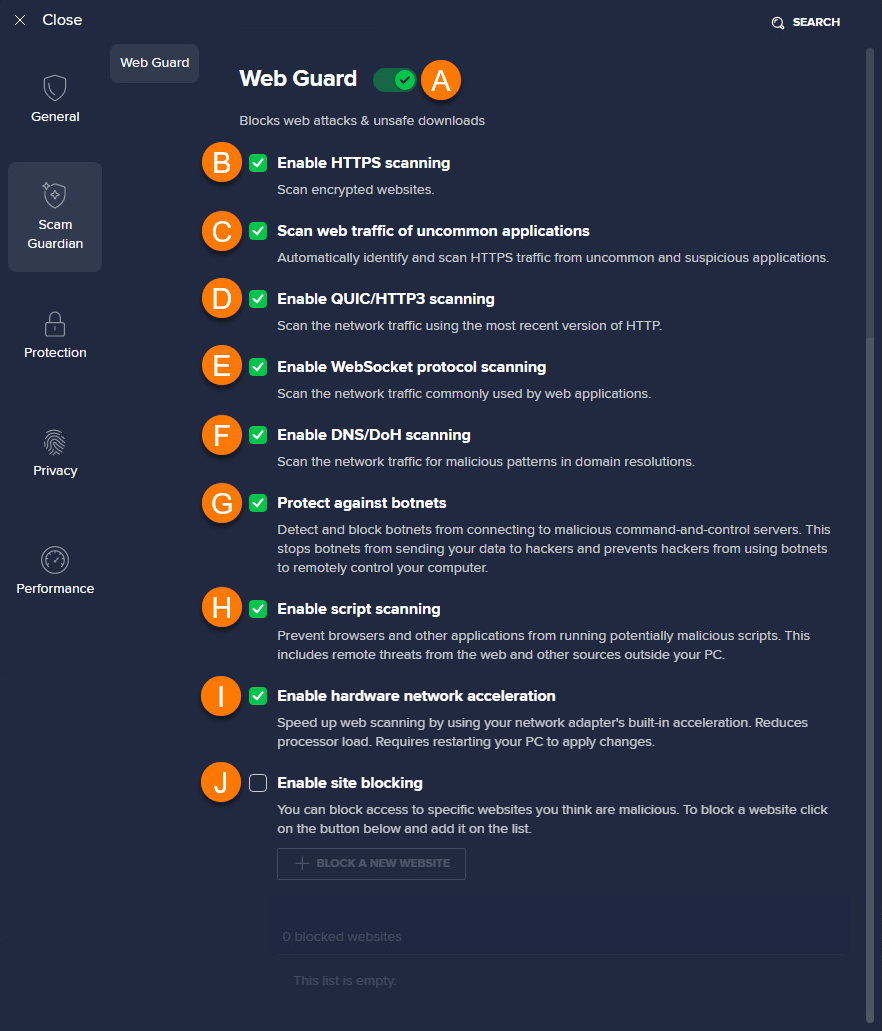
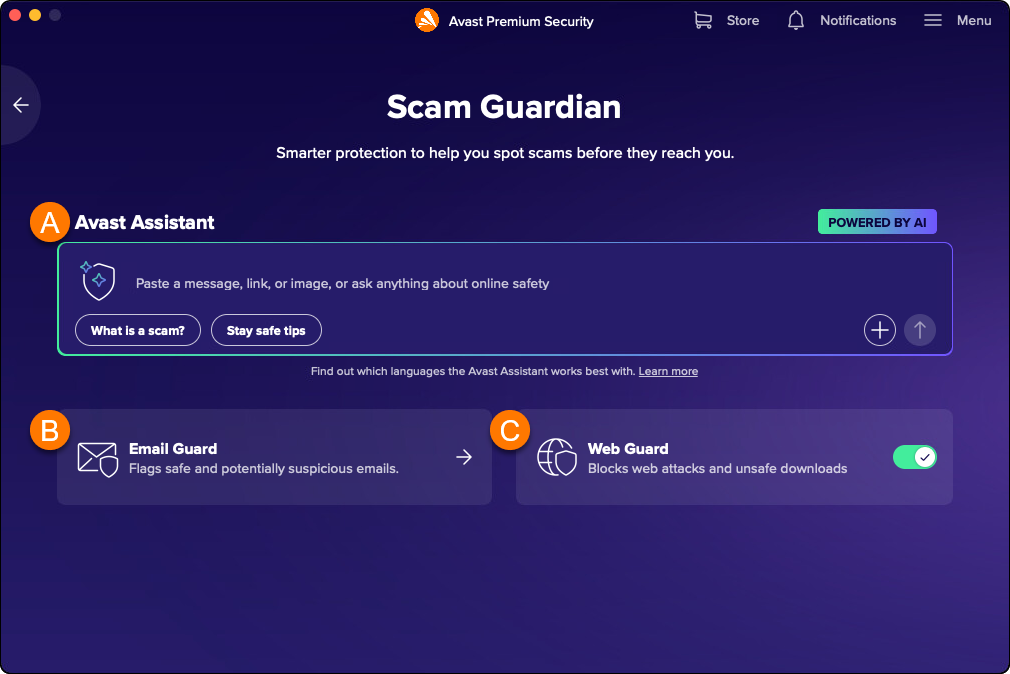
Scam Guardian Pro is a feature of Avast Antivirus that provides users with the following tools to recognize and avoid online threats, improving digital security:
For a list of differences between the free version, Scam Guardian, and the paid version, Scam Guardian Pro, visit the following article: Scam Guardian Pro - FAQs.
- Avast Assistant: An AI-powered cybersecurity assistant that analyzes texts, emails, and links for potential scams and cybersecurity concerns. It can also be used for any online safety related questions.
- Email Guard: A feature that scans incoming emails in your online accounts to help detect potential scam and phishing risks, with AI-powered detection available as an optional setting.
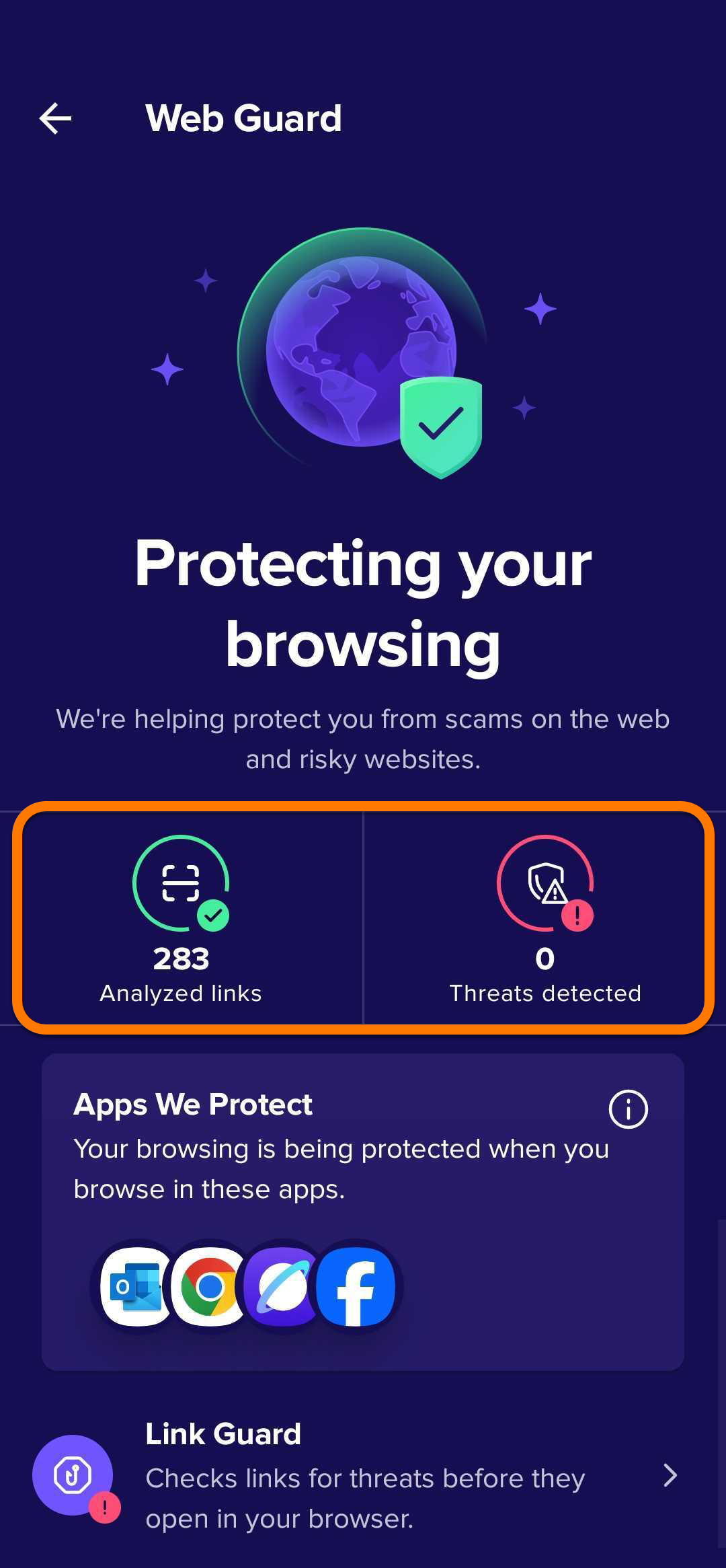
- Web Guard: This tool scans internet activity in real time to prevent malware from downloading onto devices and help you avoid suspicious websites.
Refer to the sections below to learn how to use these features.
Use Avast Assistant
Avast Assistant is designed to work in all languages but currently performs best in the following: English, French, German, Japanese, and Spanish.
These languages were chosen based on factors such as user demand, the availability of cybersecurity threat data, and the linguistic complexity involved in scam detection. Language support is continuously expanding, with future updates expected to include additional languages as the system learns and evolves.
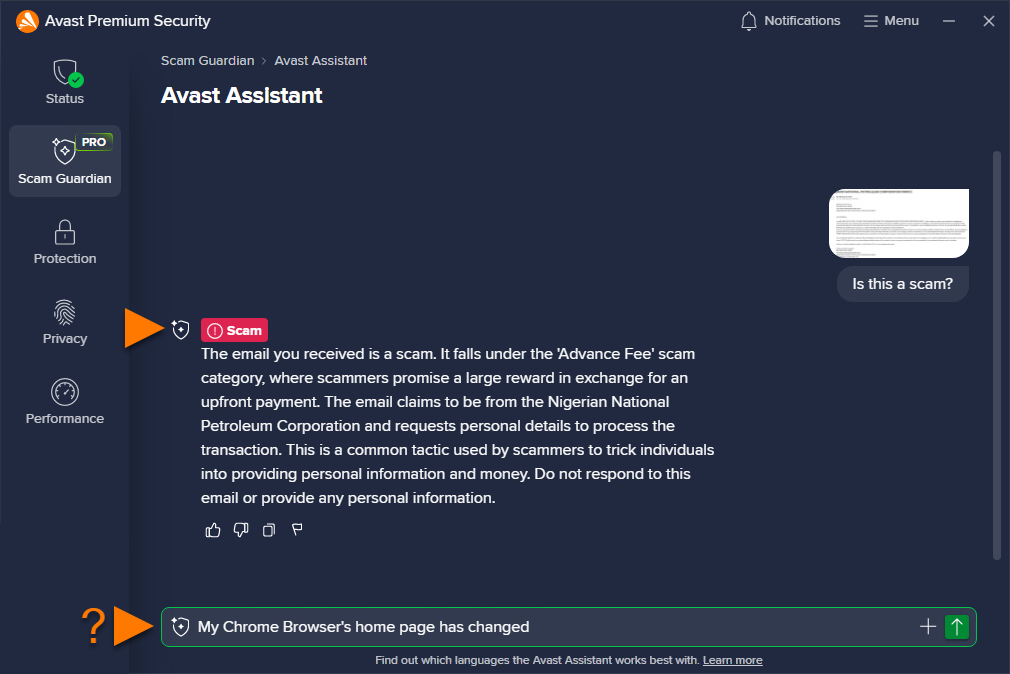
Avast Assistant is an AI-powered virtual support tool that helps users stay safe online. It analyzes text messages, emails, links, and images to detect potential scams, phishing attempts, and other cybersecurity threats. Aside from identifying suspicious content, the assistant provides practical guidance to help users understand and appropriately respond to safety concerns.
To use Avast Assistant, follow the steps below:
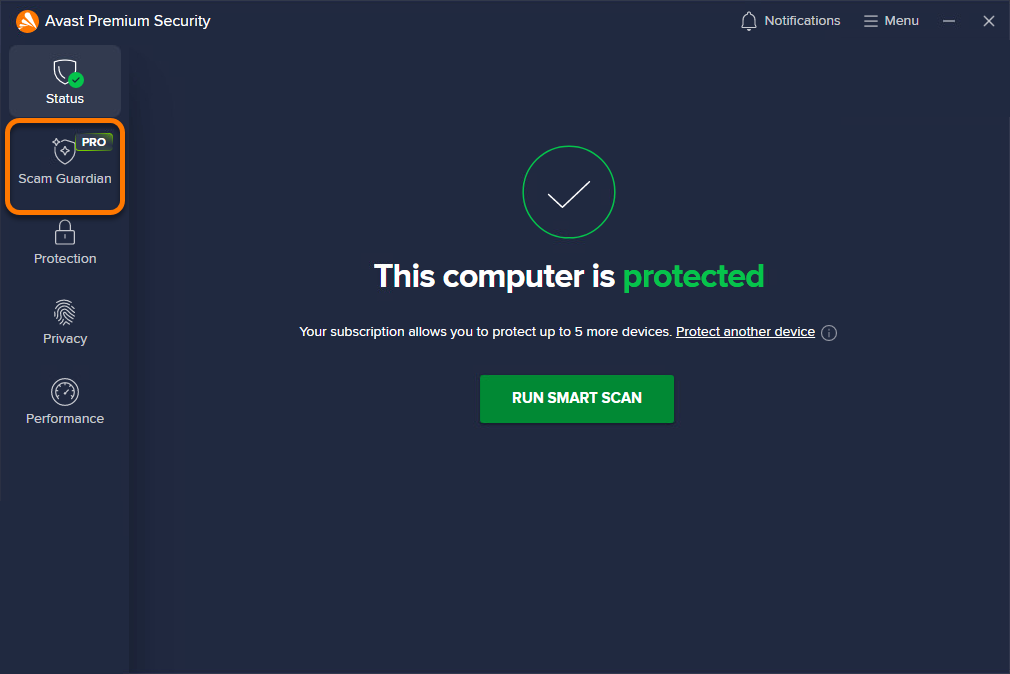
- Open Avast Antivirus and go to Scam Guardian Pro.
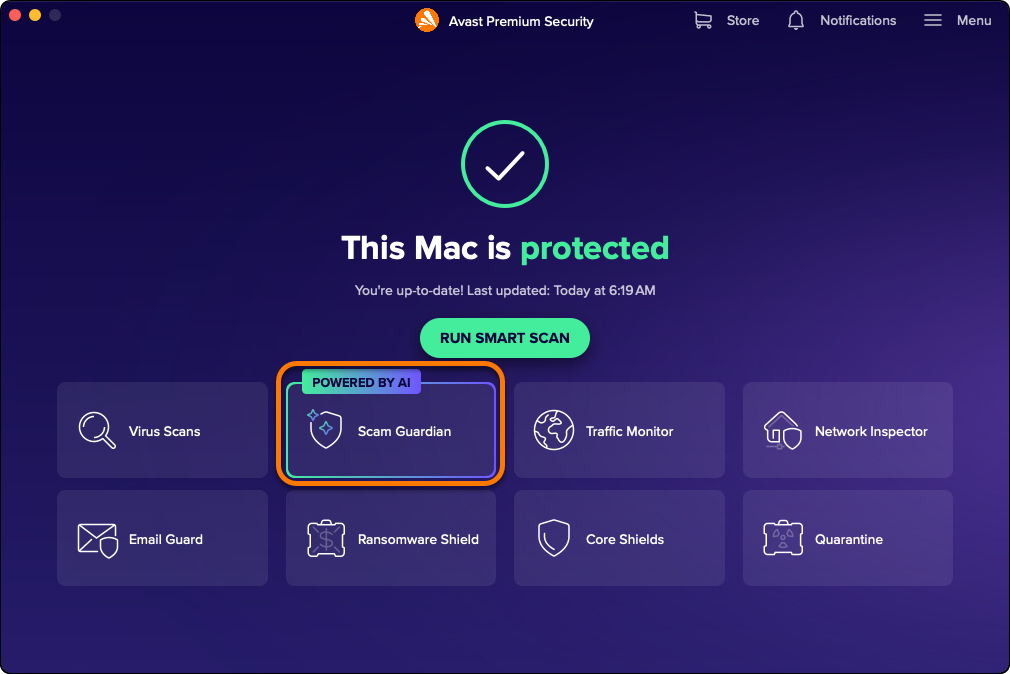
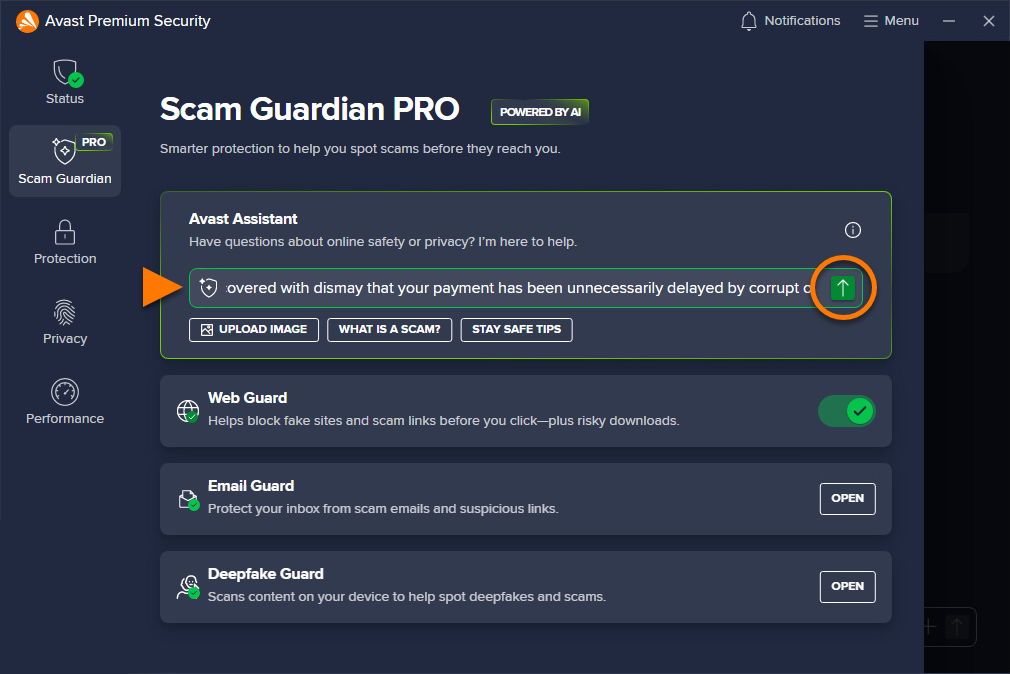
- In the Avast Assistant panel, you can:
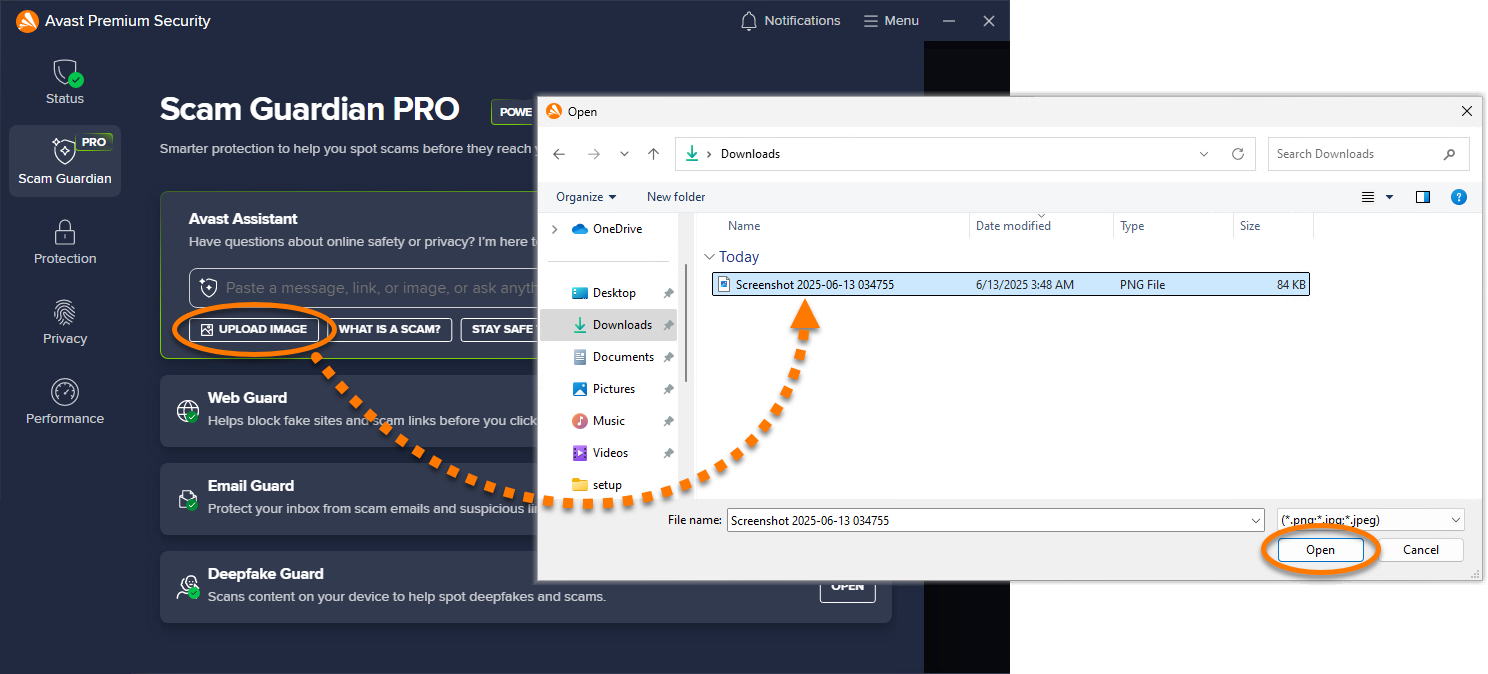
- Upload an image showing suspicious text, email, or webpage for analysis by Avast Assistant.
- Enter text from a suspicious email or message, or a suspect URL for analysis by Avast Assistant.
- Ask a question about any cybersecurity topic.
For more information about these options, refer to the sections below:
Upload an image to Avast Assistant
Supported image formats include PNG, JPG, and JPEG. The maximum file size limit is 5 MB.
- Click the
+icon. Locate the file on your Mac, then click Open.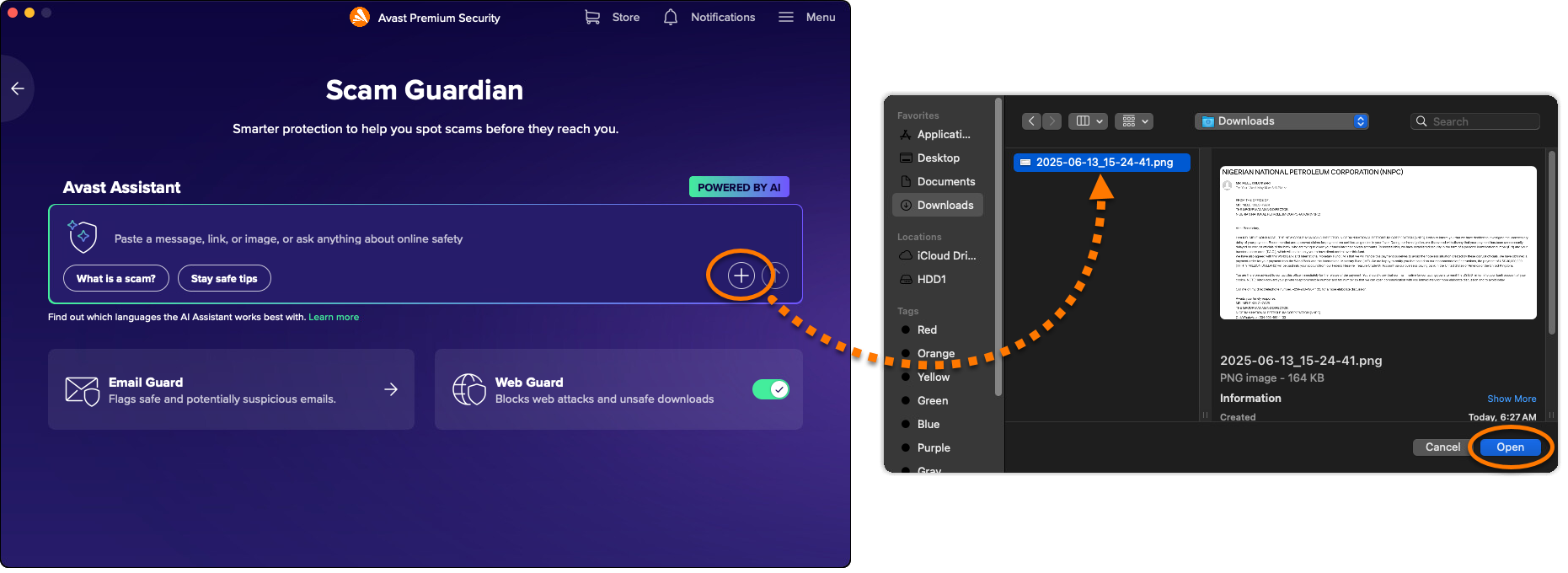
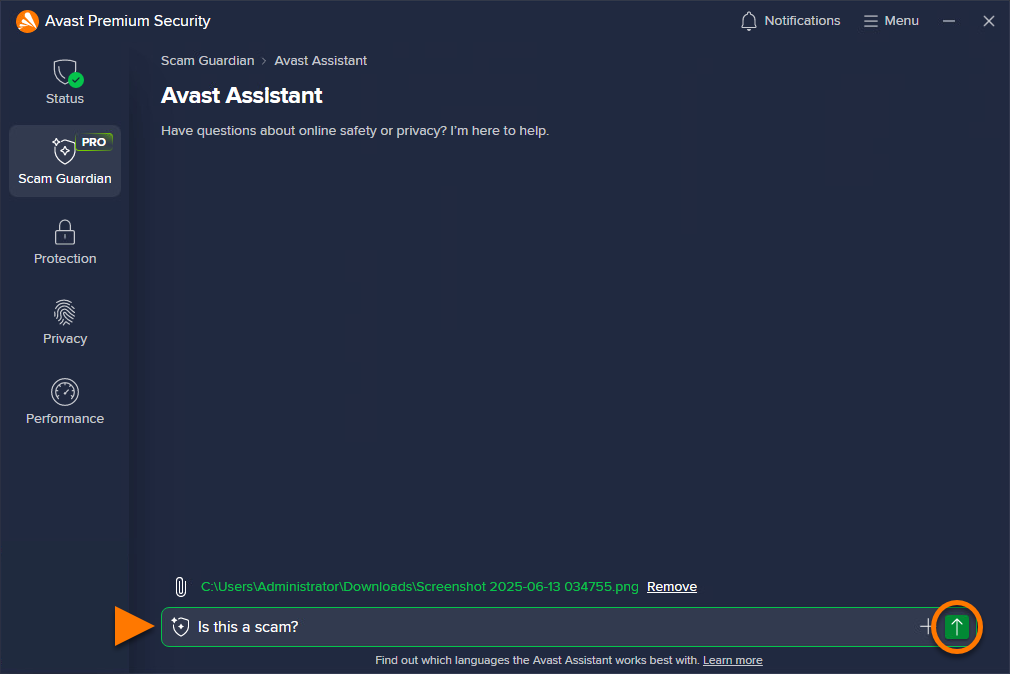
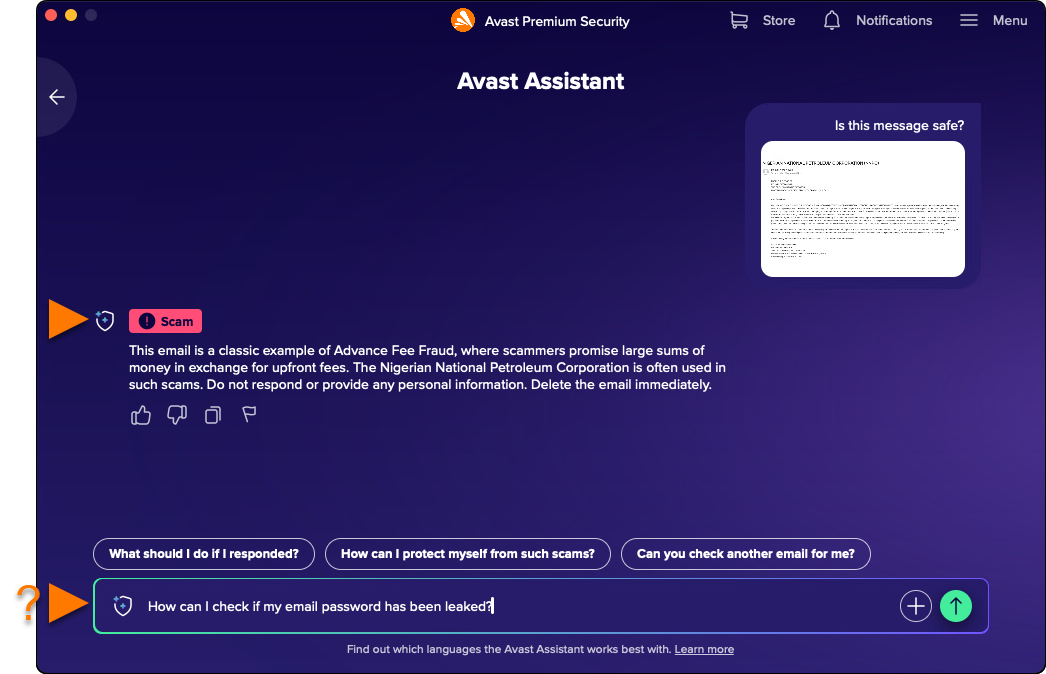
- Avast Assistant analyses the submitted image. If a scam is detected, an explanation is provided along with advice on the next steps to take. You can continue to ask furtherer questions or upload additional images in the same conversation.
Paste text or ask a question
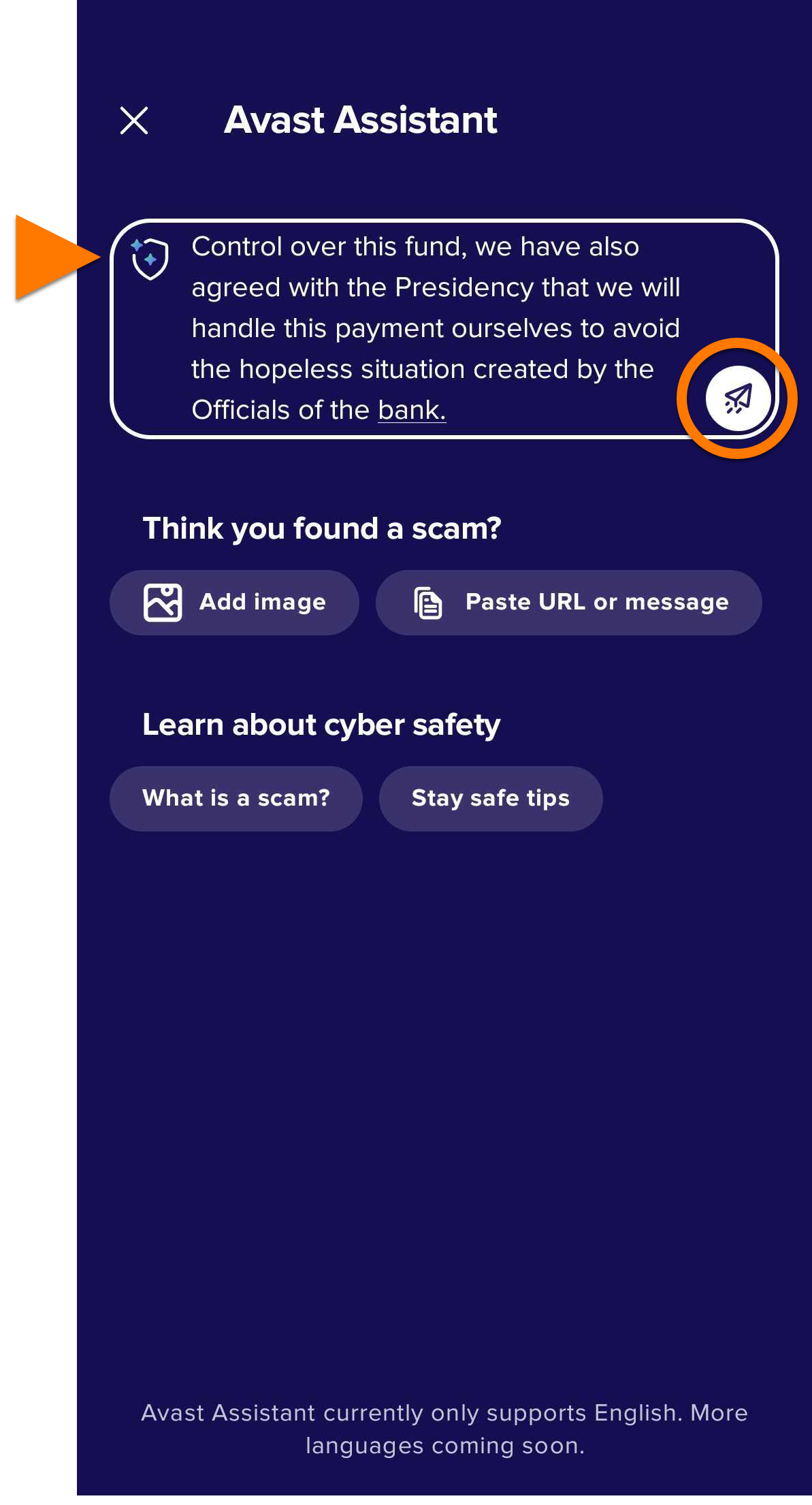
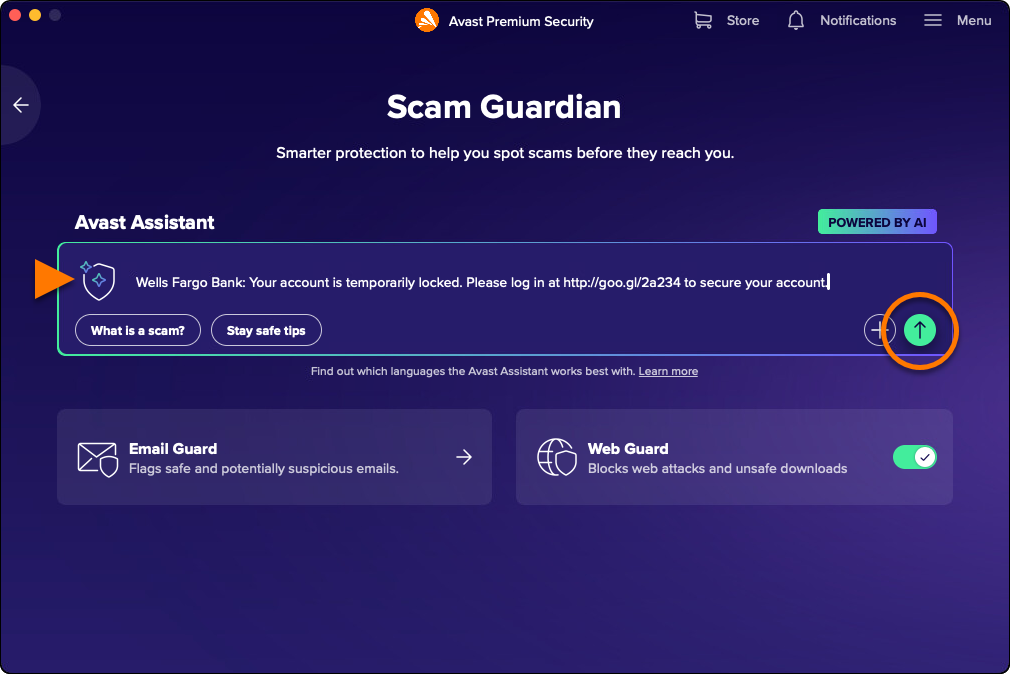
- Write your question or paste a suspicious message or a link in the Avast Assistant field, then click Submit (the arrow icon).
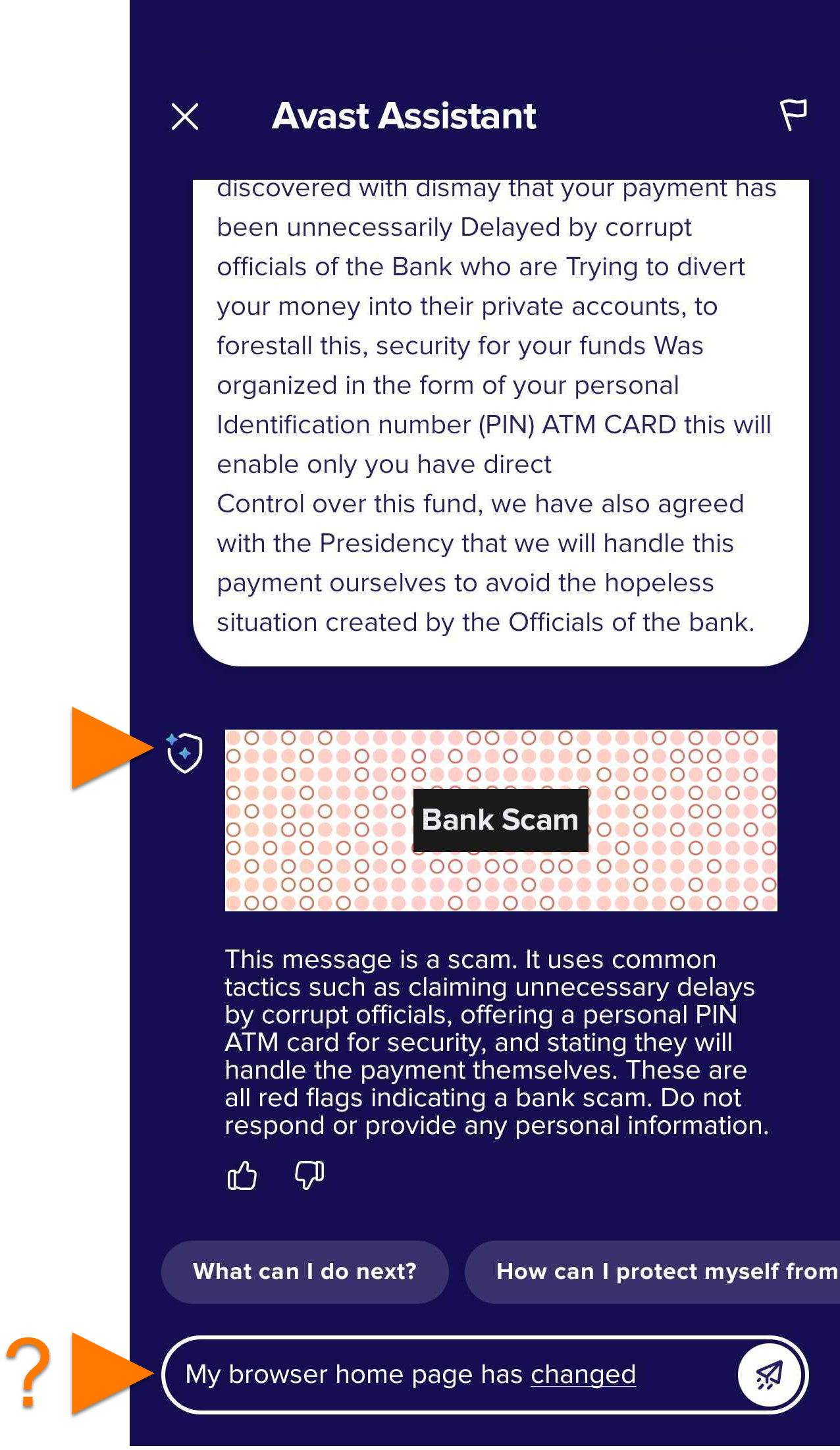
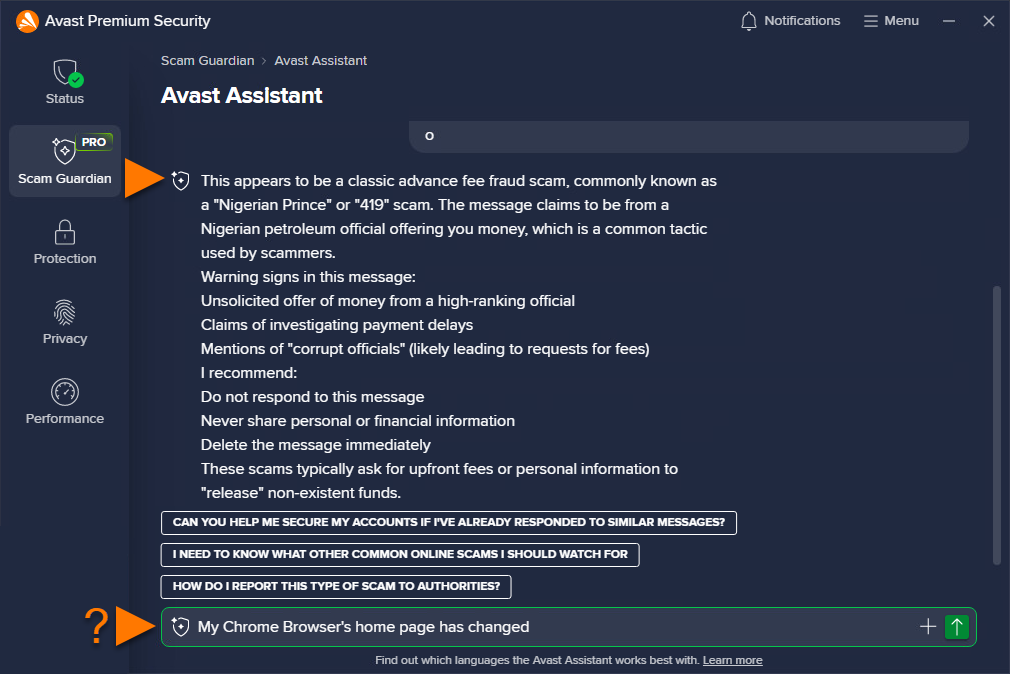
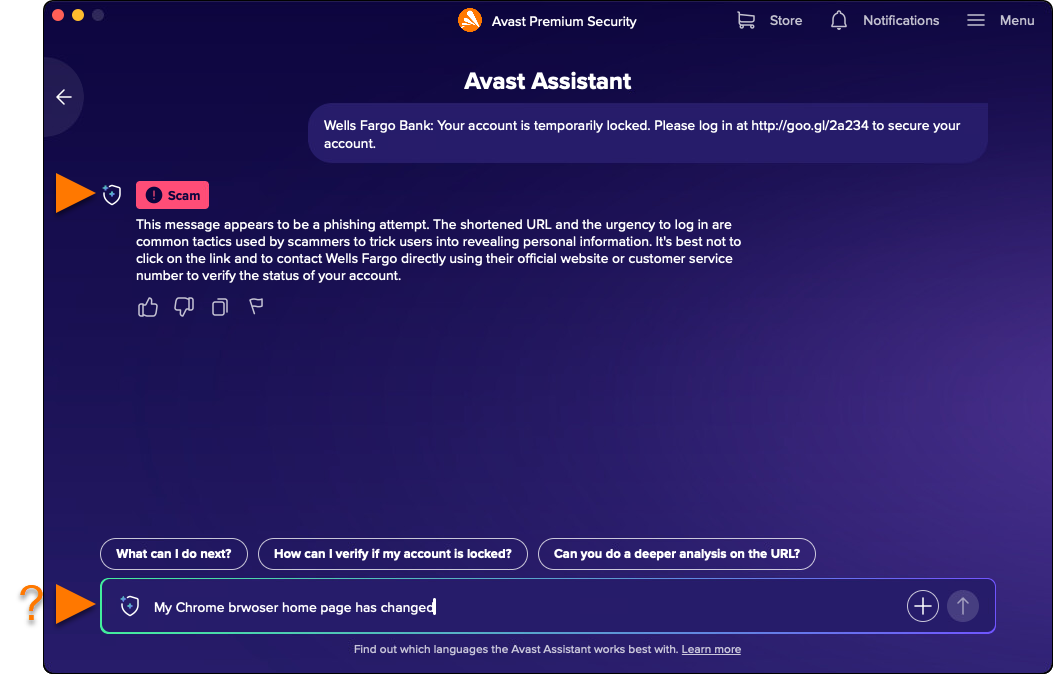
- Avast Assistant will provide an answer to your question or an analysis of the submitted text or link. You can continue asking further questions in the same conversation.
Use Web Guard
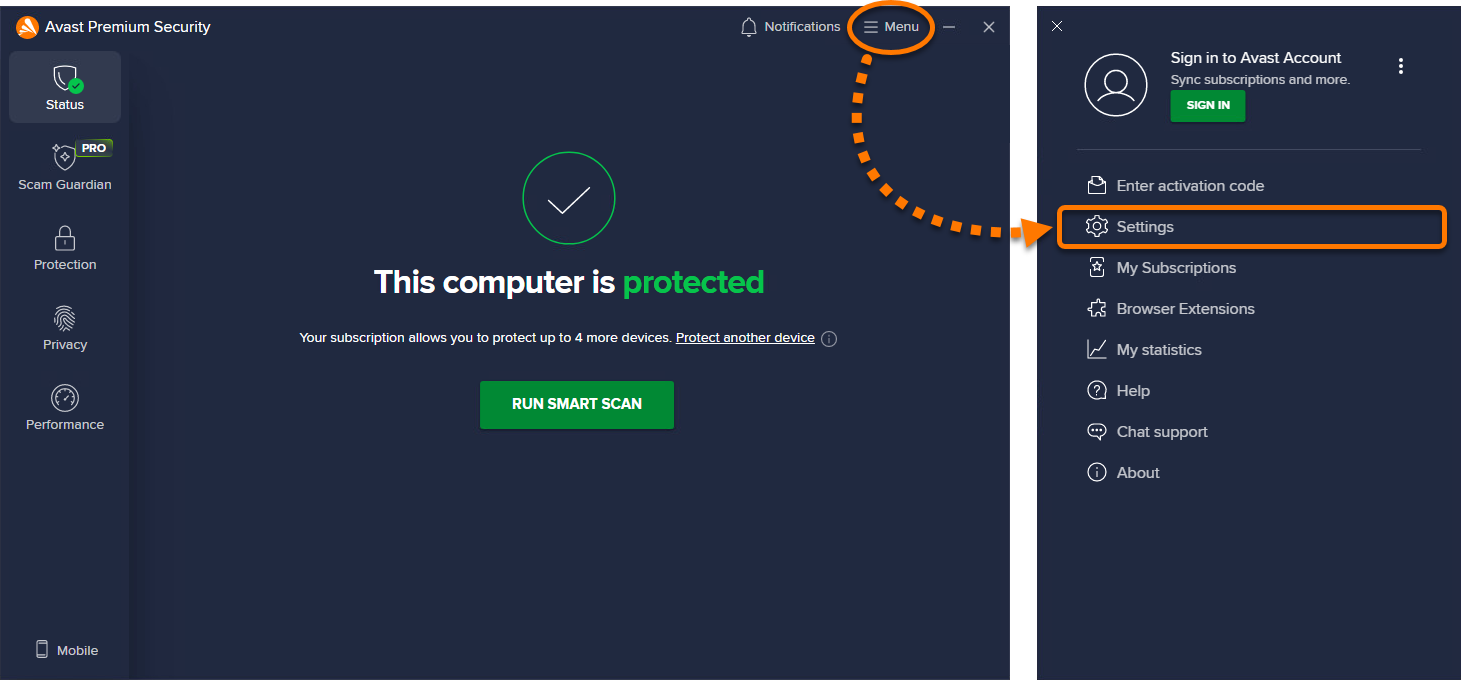
Web Guard (formerly known as Web Shield) is a core protection feature in Avast Antivirus that scans internet activity in real-time to block malware like malicious scripts and help you avoid suspicious websites. It is enabled by default to help ensure robust security. However, users can adjust settings for detection sensitivity and malware handling. Refer to the following articles for customization options:
Use Email Guard
Email Guard is a premium feature that requires a paid subscription.
Email Guard scans incoming emails and labels them as safe or unsafe to highlight potential scam and phishing threats. These labels are added directly in your online email account, enhancing your safety when checking emails on any device or browser. Refer to the following articles for more information:
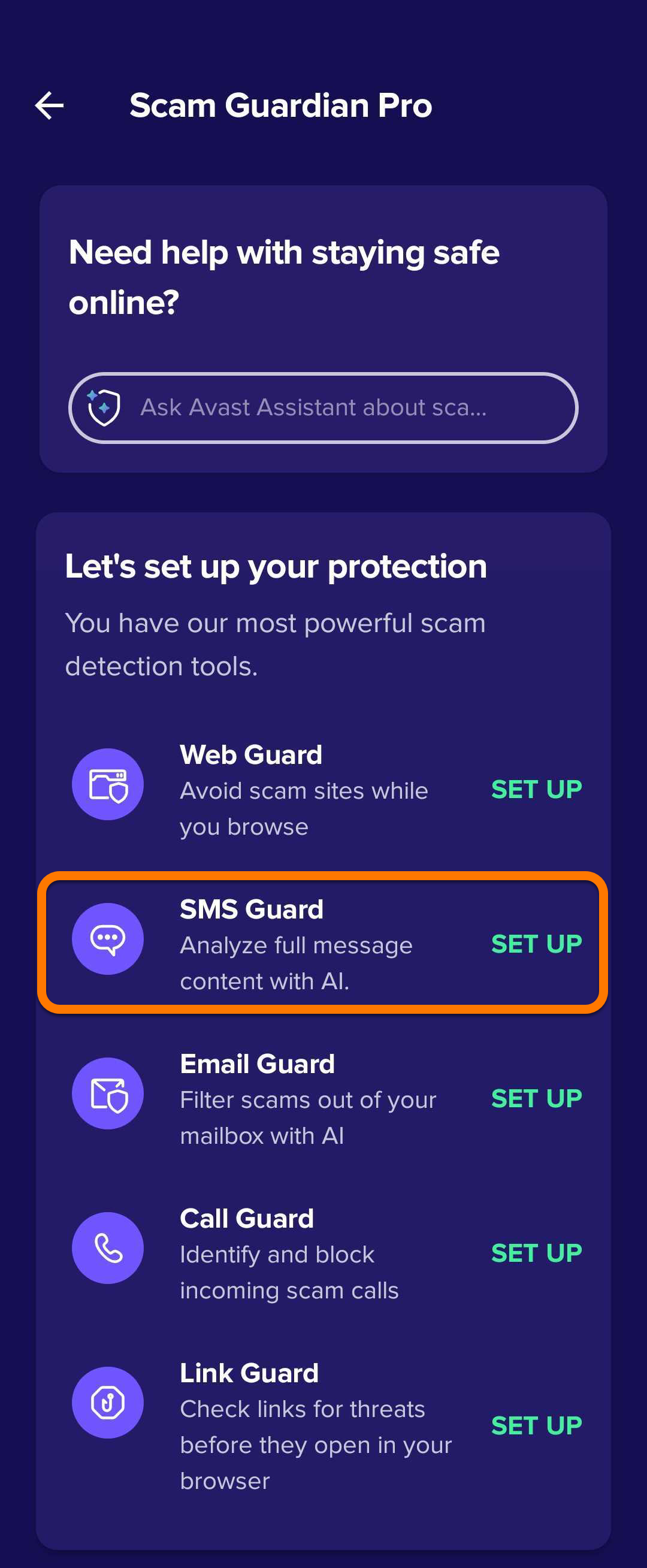
Scam Guardian Pro is a feature of Mobile Security that provides users with the following tools to recognize and avoid online threats, improving digital security:
For a list of differences between the free version, Scam Guardian, and the paid version, Scam Guardian Pro, visit the following article: Scam Guardian Pro - FAQs.
Refer to the sections below to learn how to use these features.
Use Avast Assistant
Avast Assistant is designed to work in all languages but currently performs best in the following: English, French, German, Japanese, and Spanish.
These languages were chosen based on factors such as user demand, the availability of cybersecurity threat data, and the linguistic complexity involved in scam detection. Language support is continuously expanding, with future updates expected to include additional languages as the system learns and evolves.
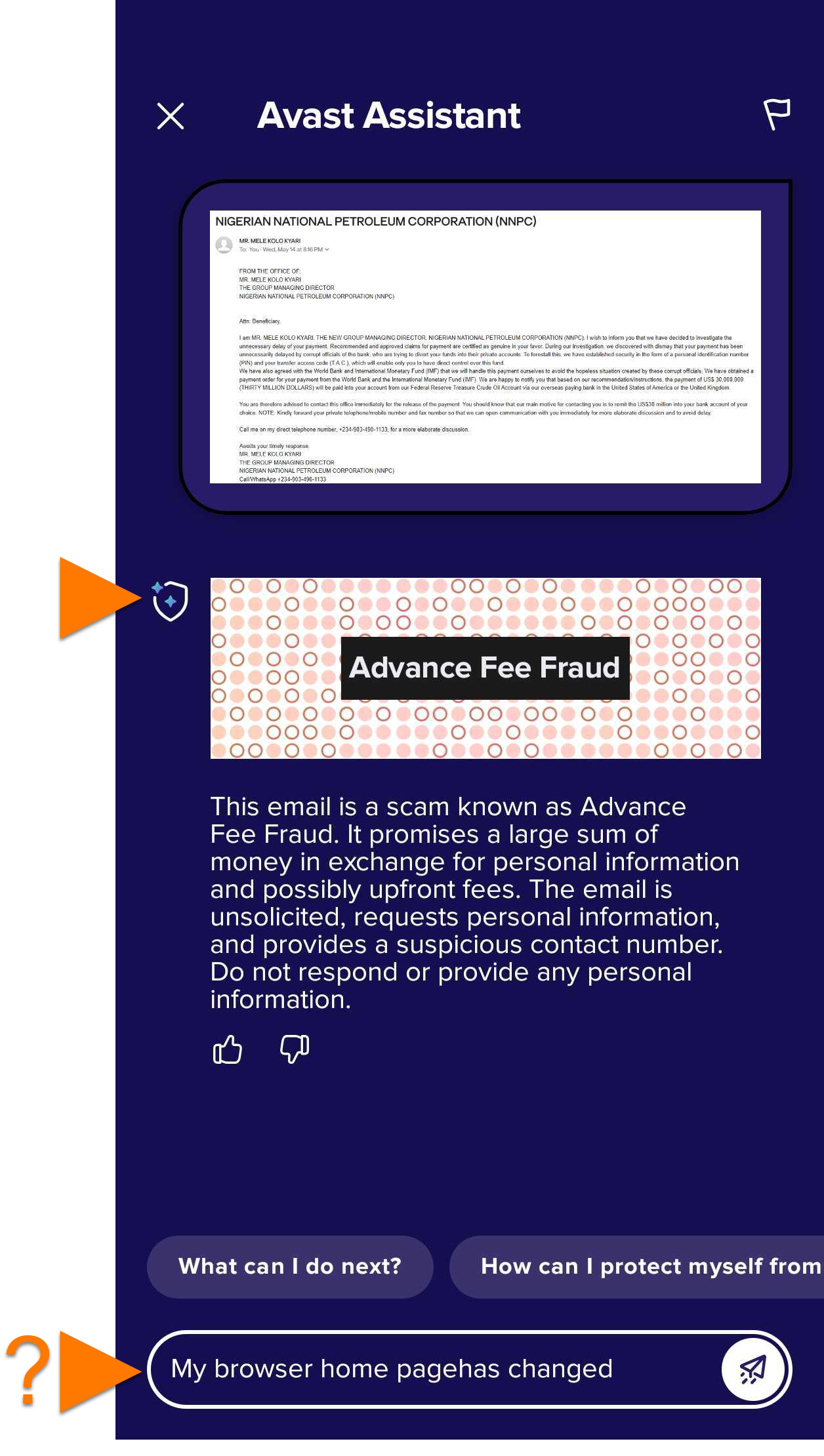
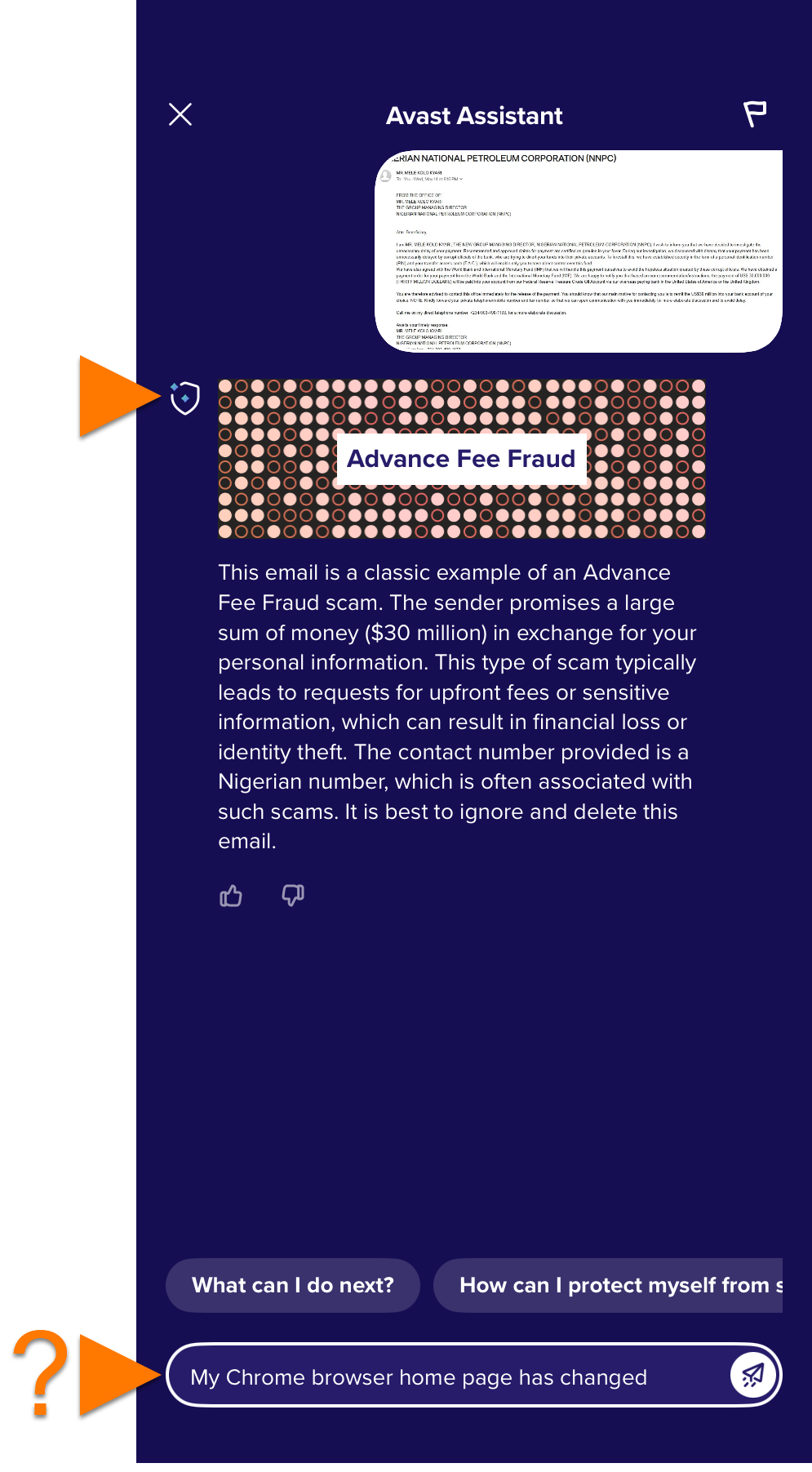
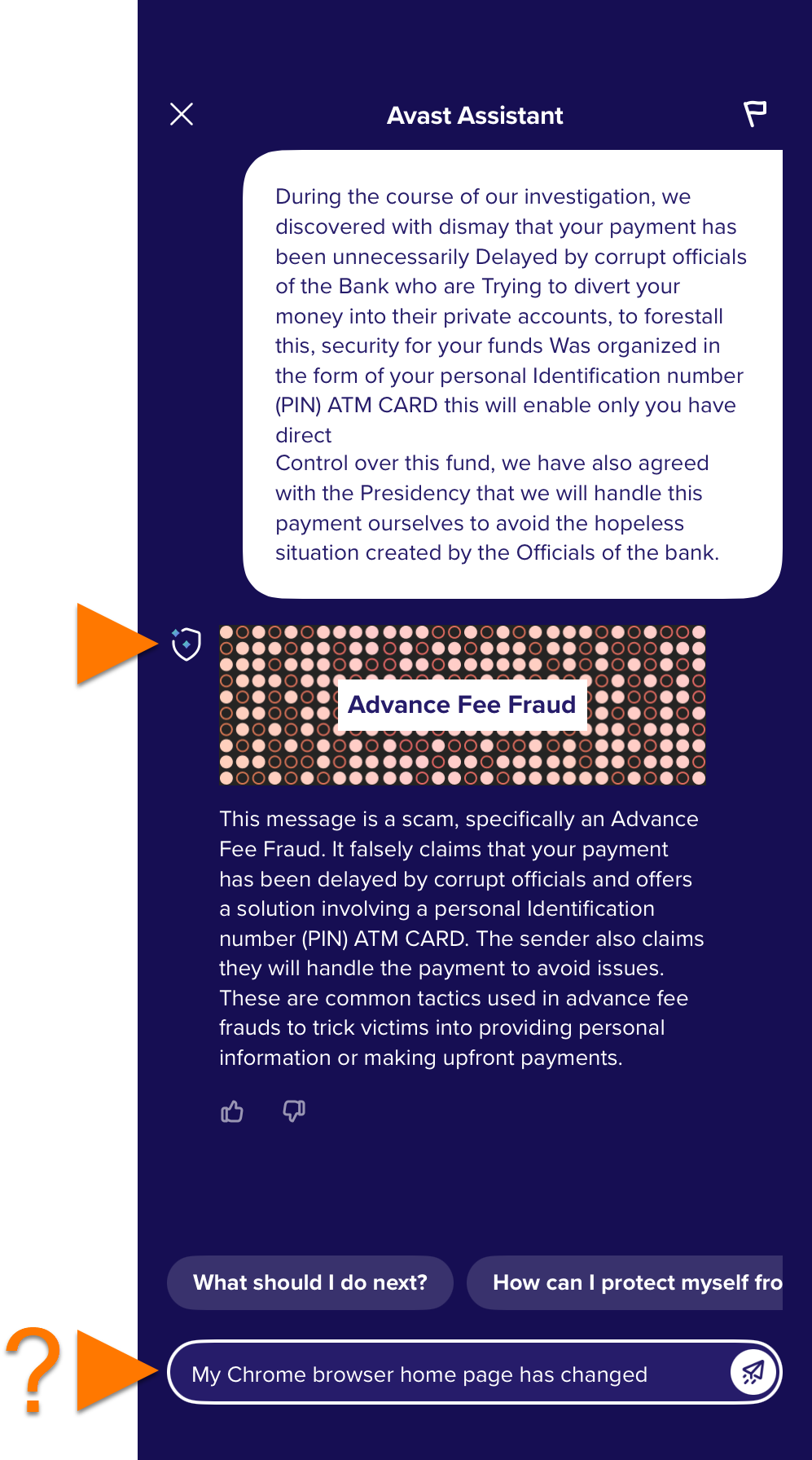
Avast Assistant is an AI-powered virtual support tool that helps users stay safe online. It analyzes text messages, emails, links, and images to detect potential scams, phishing attempts, and other cybersecurity threats. Aside from identifying suspicious content, the assistant provides practical guidance to help users understand and appropriately respond to safety concerns.
To use Avast Assistant, follow the steps below:
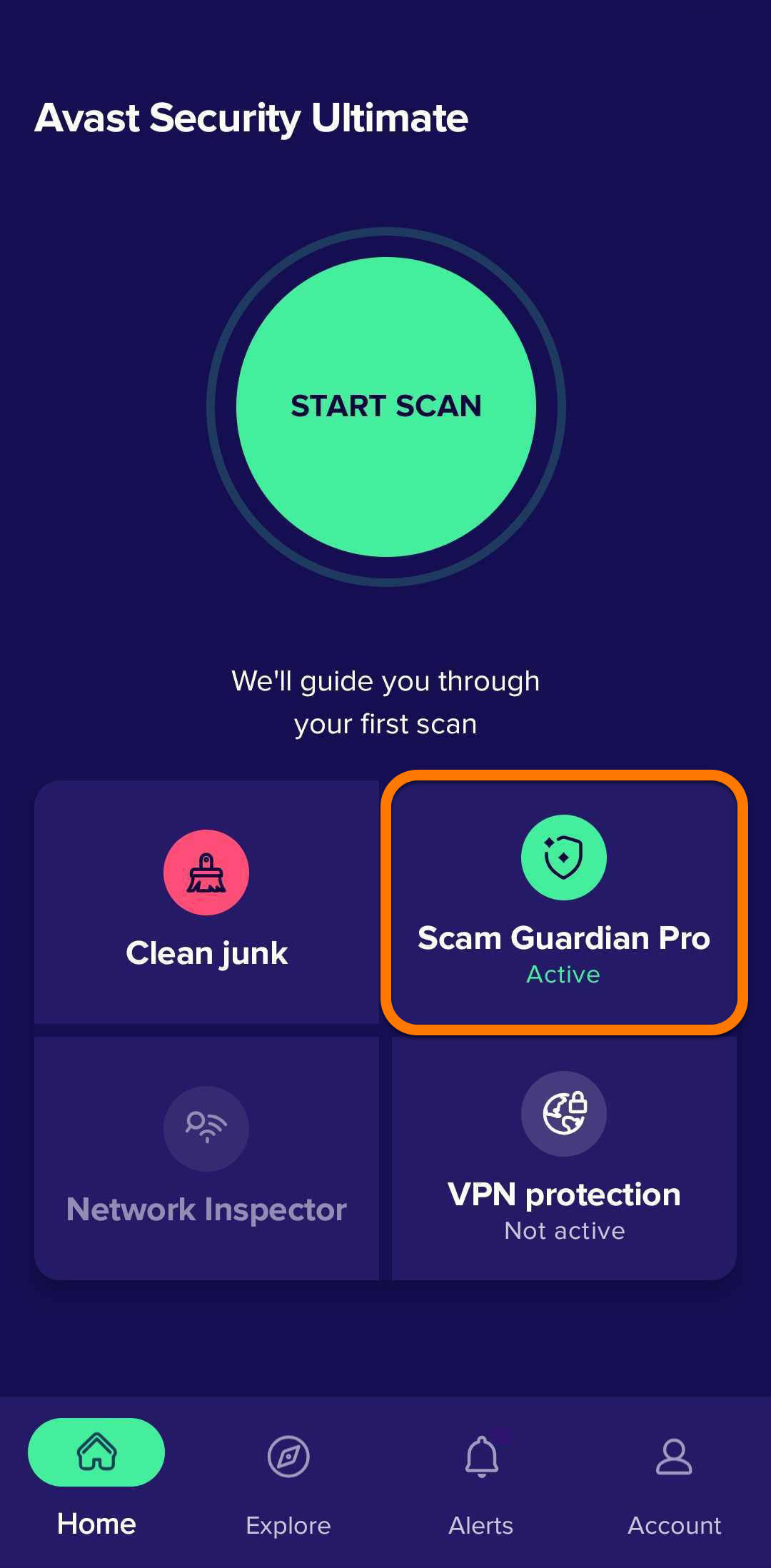
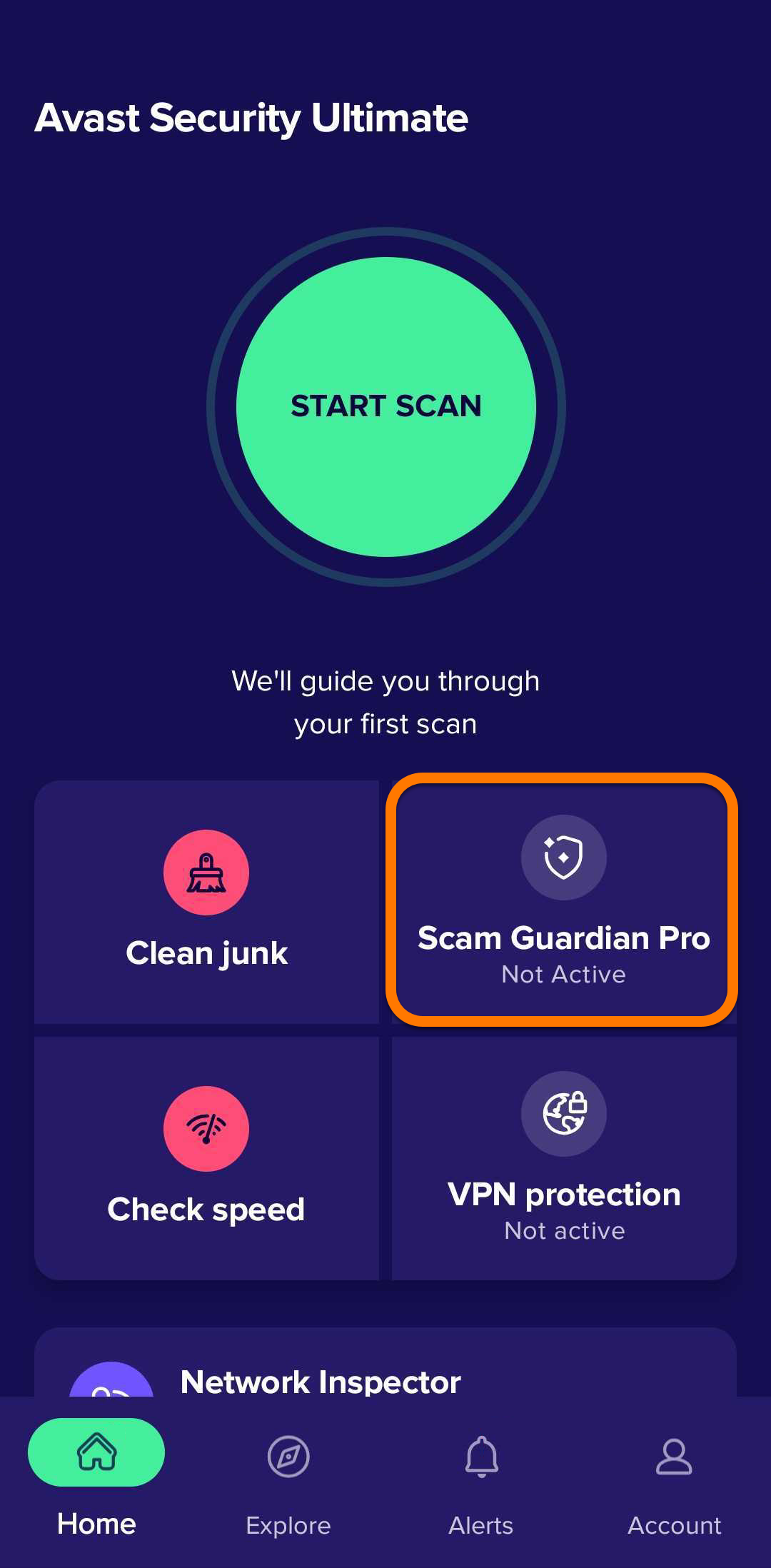
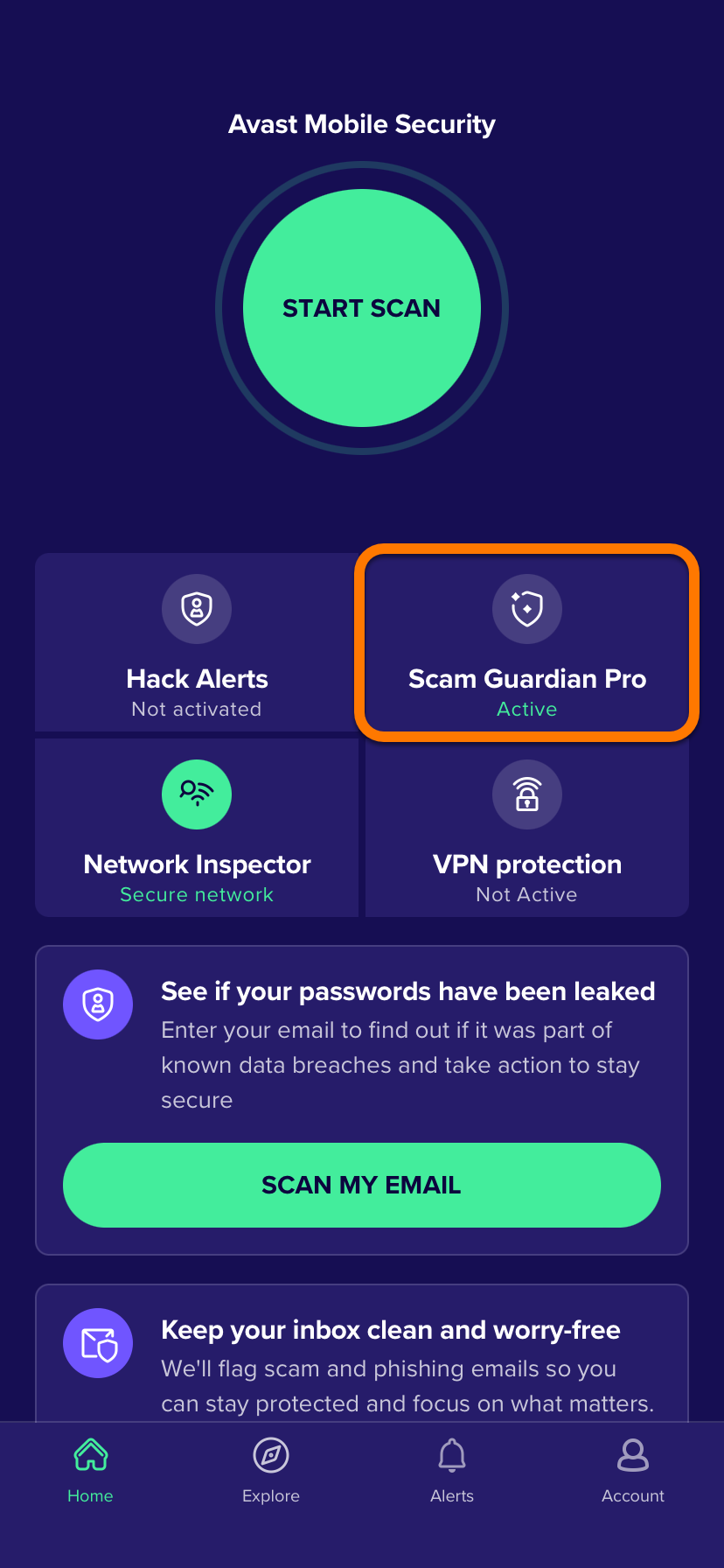
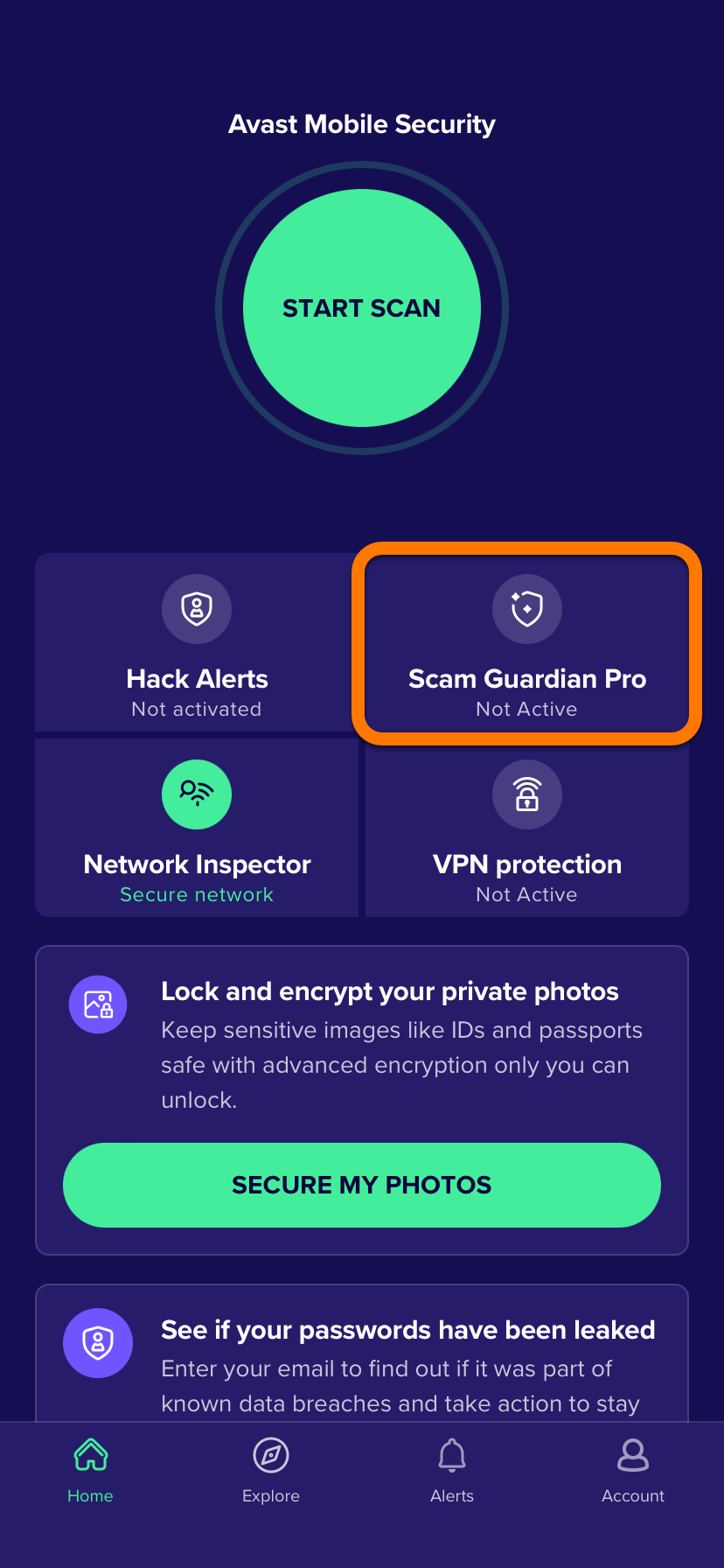
- Open Avast Mobile Security and tap Scam Guardian Pro.
- In the Avast Assistant panel, you can:
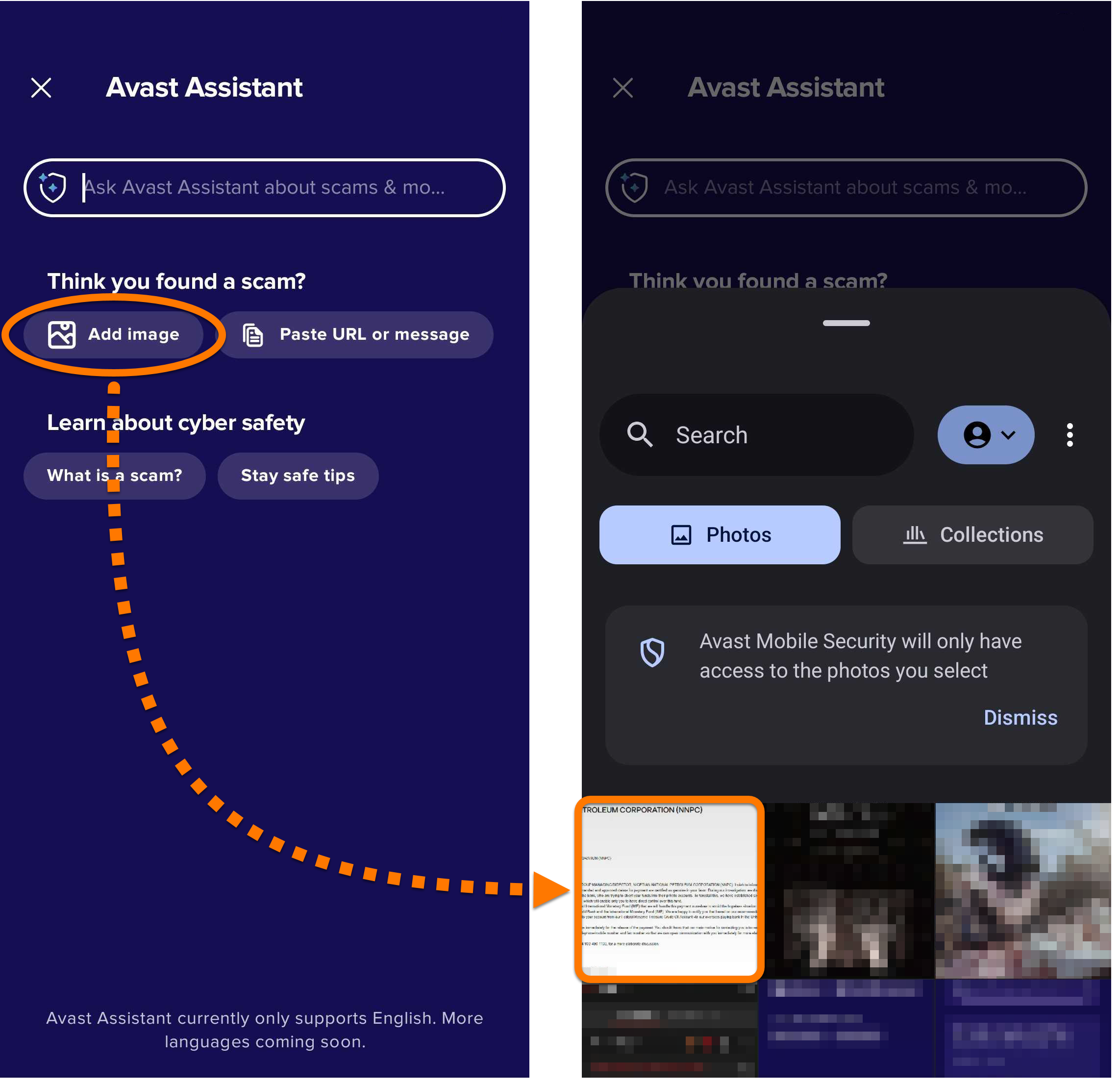
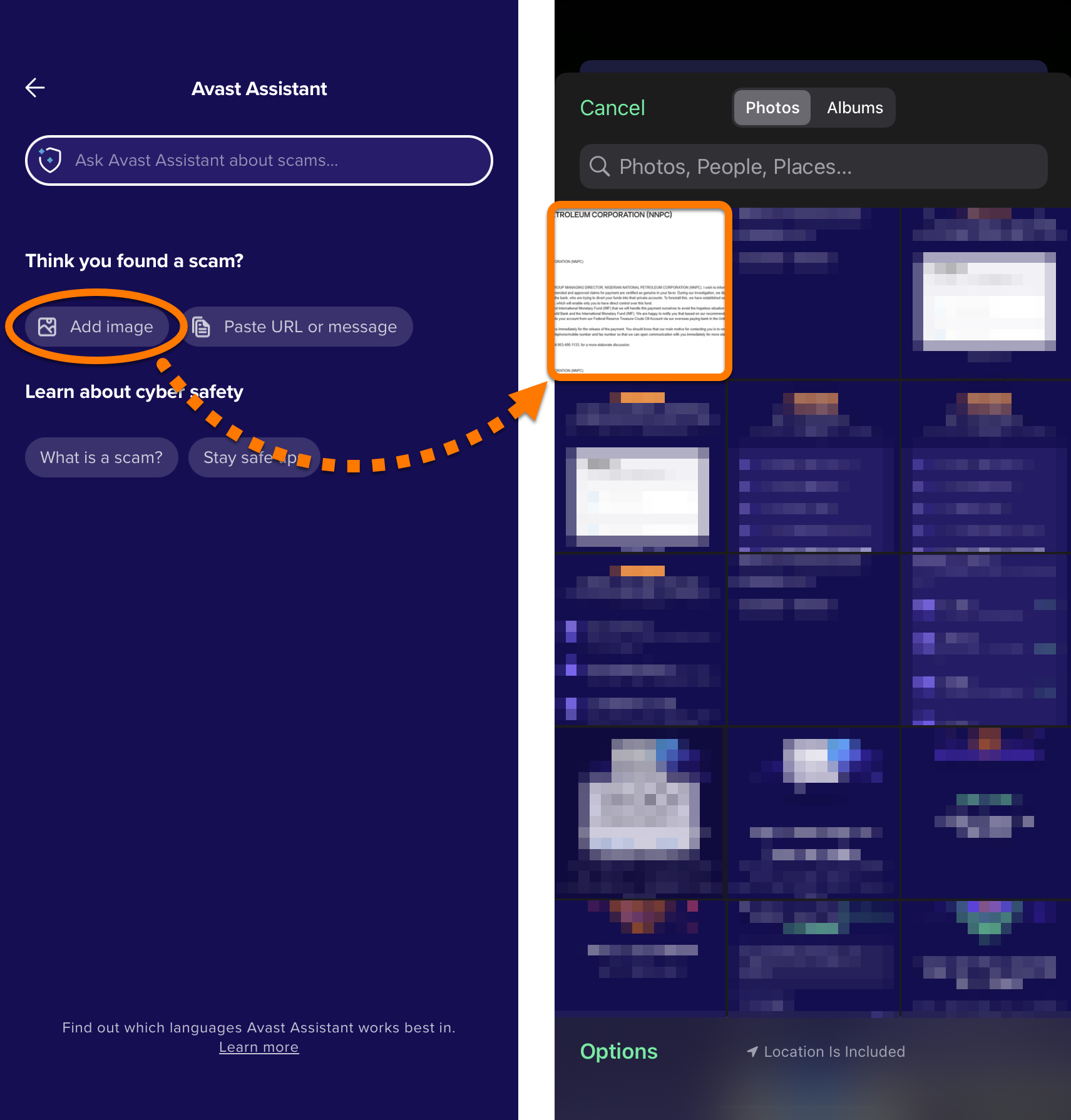
- Upload an image showing suspicious text, email, or webpage for analysis by Avast Assistant.
- Enter text from a suspicious email or message, or a suspect URL for analysis by Avast Assistant.
- Ask a question about any cybersecurity topic.
For more information about these options, refer to the sections below:
Upload an image to Avast Assistant
Paste text or ask a question
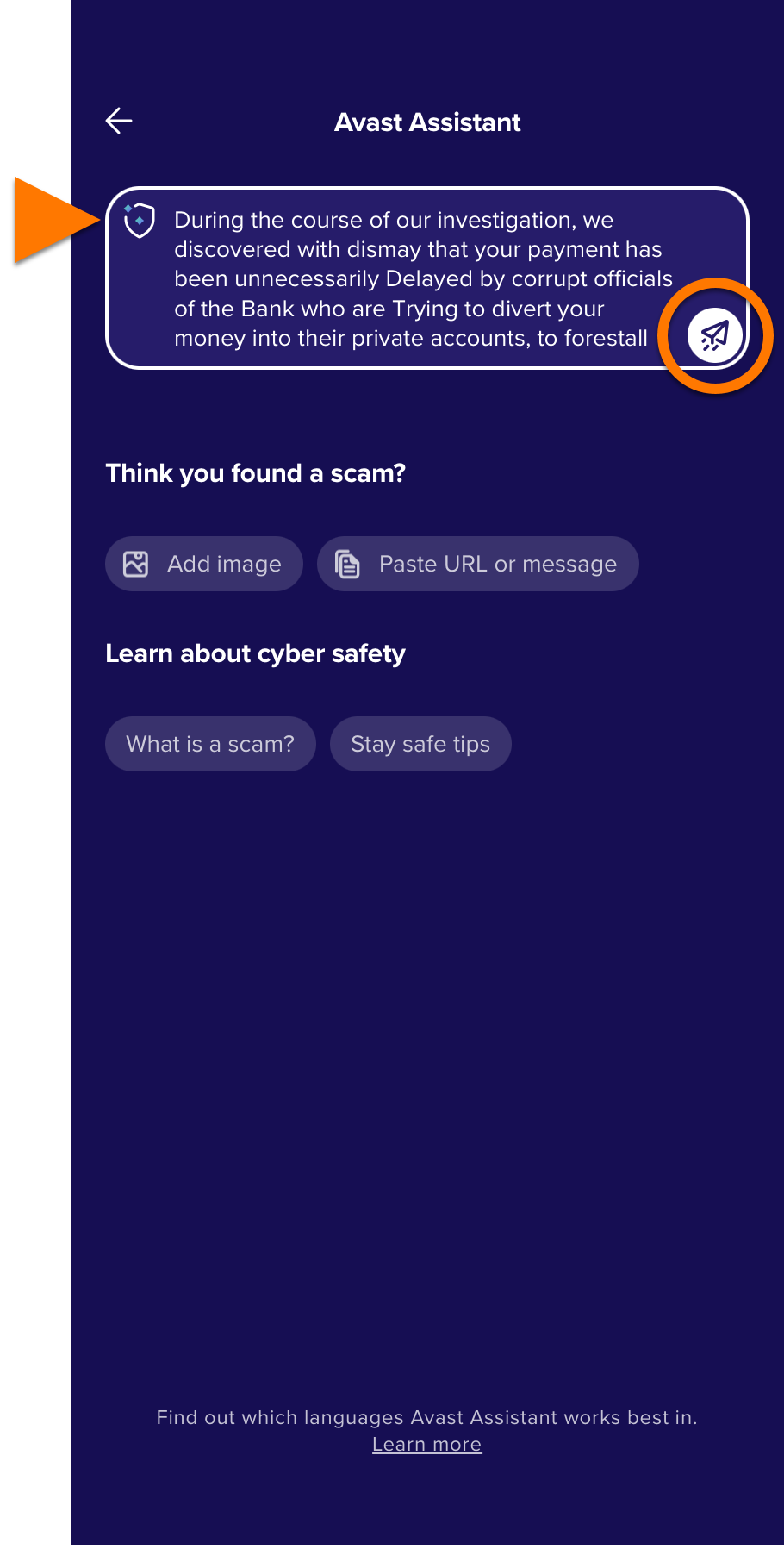
- Write your question or paste a suspicious message or a link in the Avast Assistant field, then tap the Submit icon.
- Avast Assistant will provide an answer to your question or an analysis of the submitted text or link. You can continue asking further questions in the same conversation.
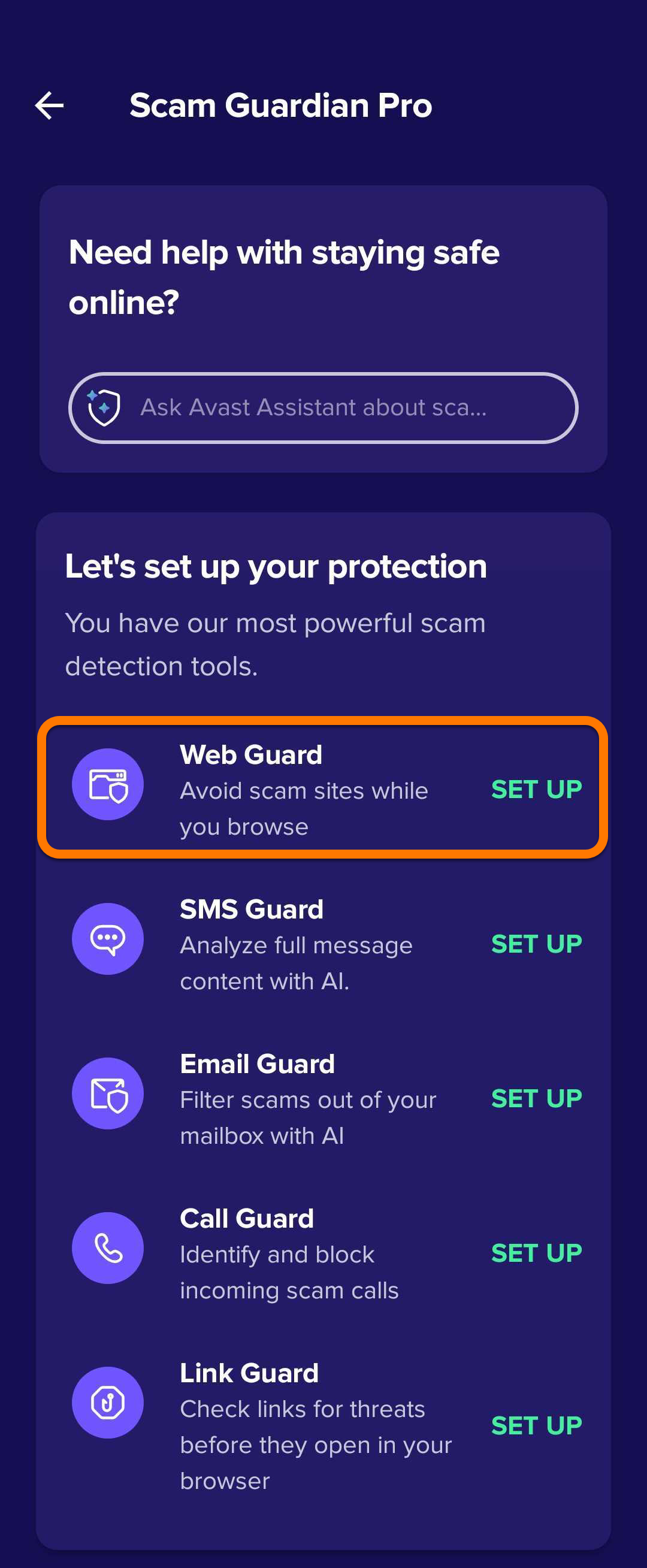
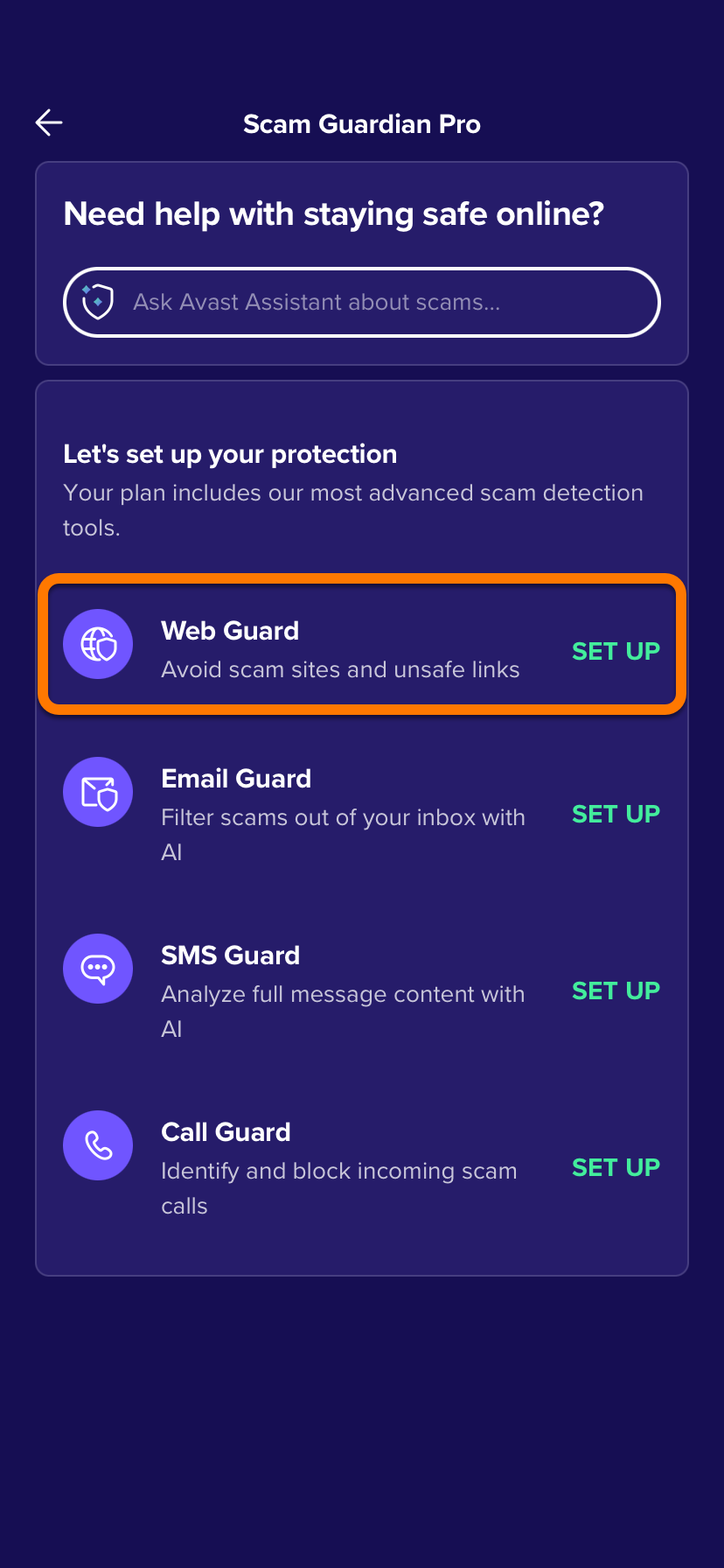
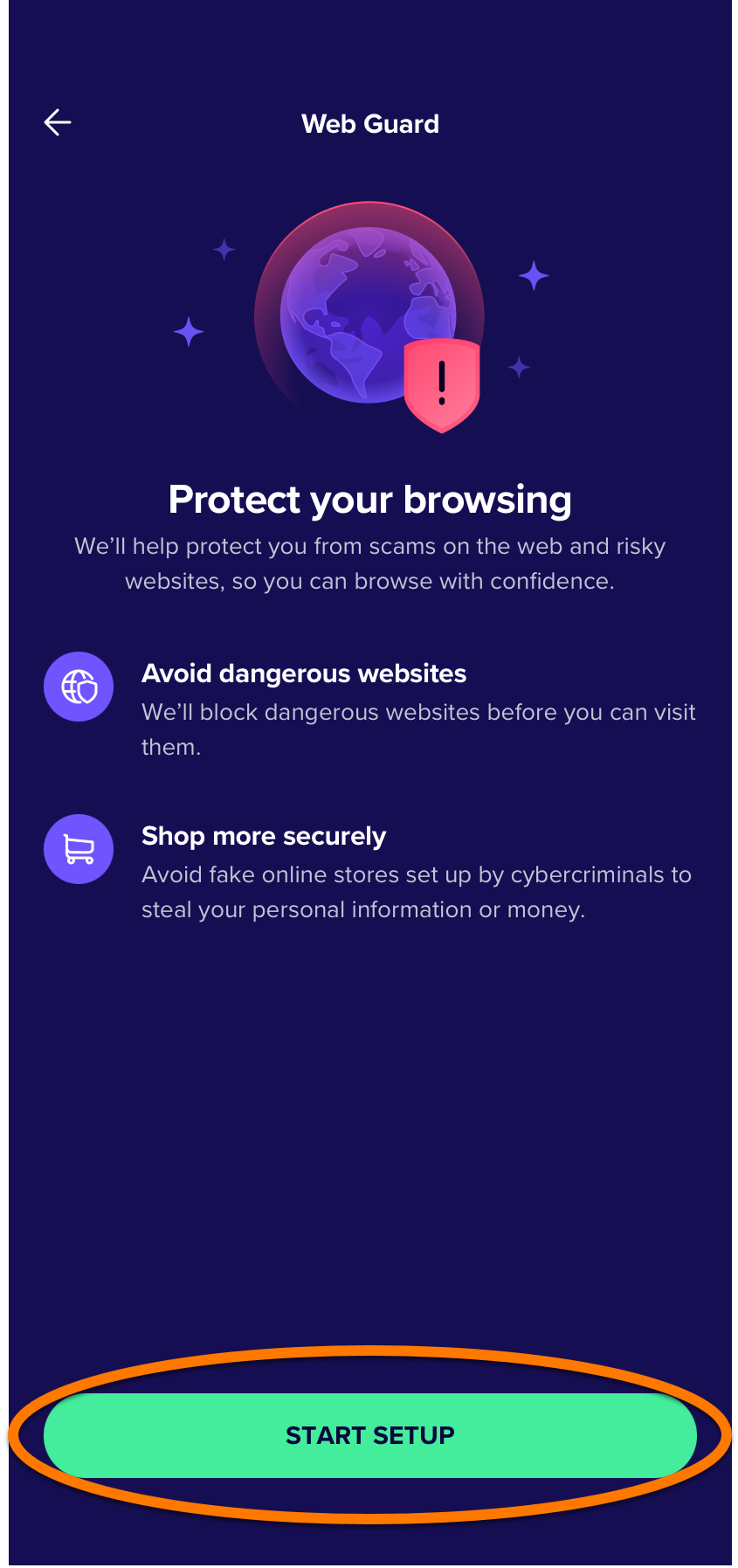
Set up Web Guard
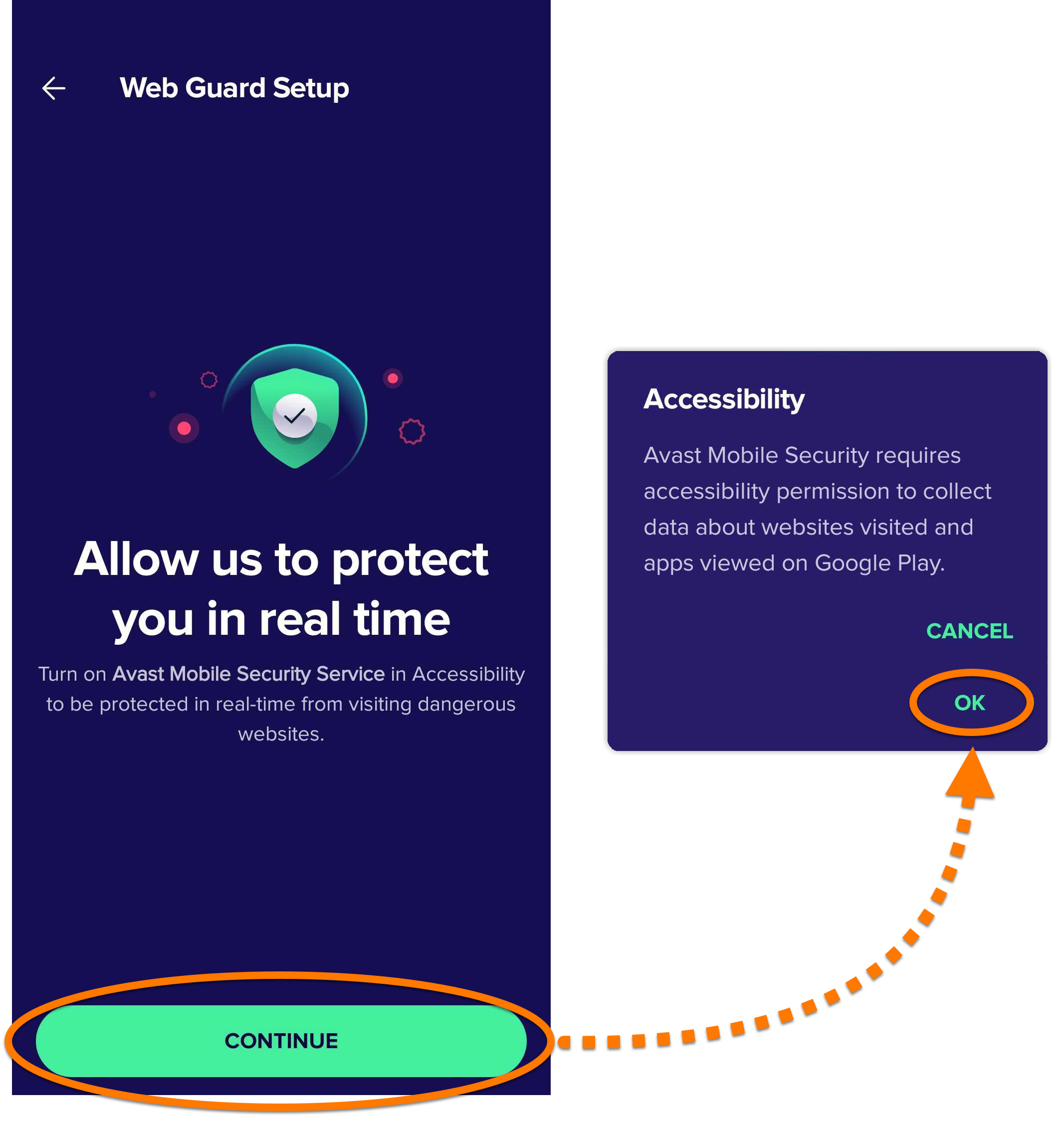
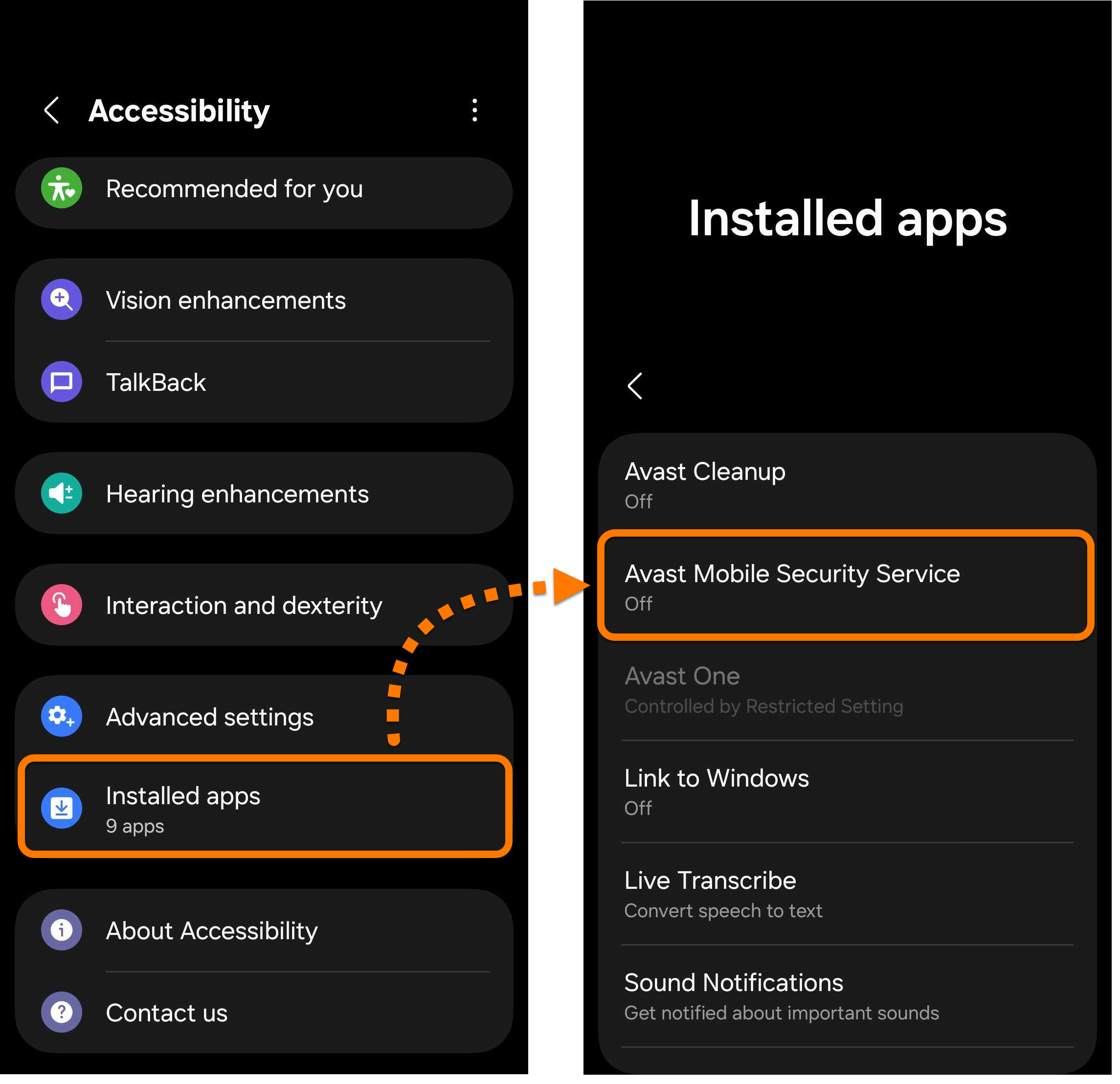
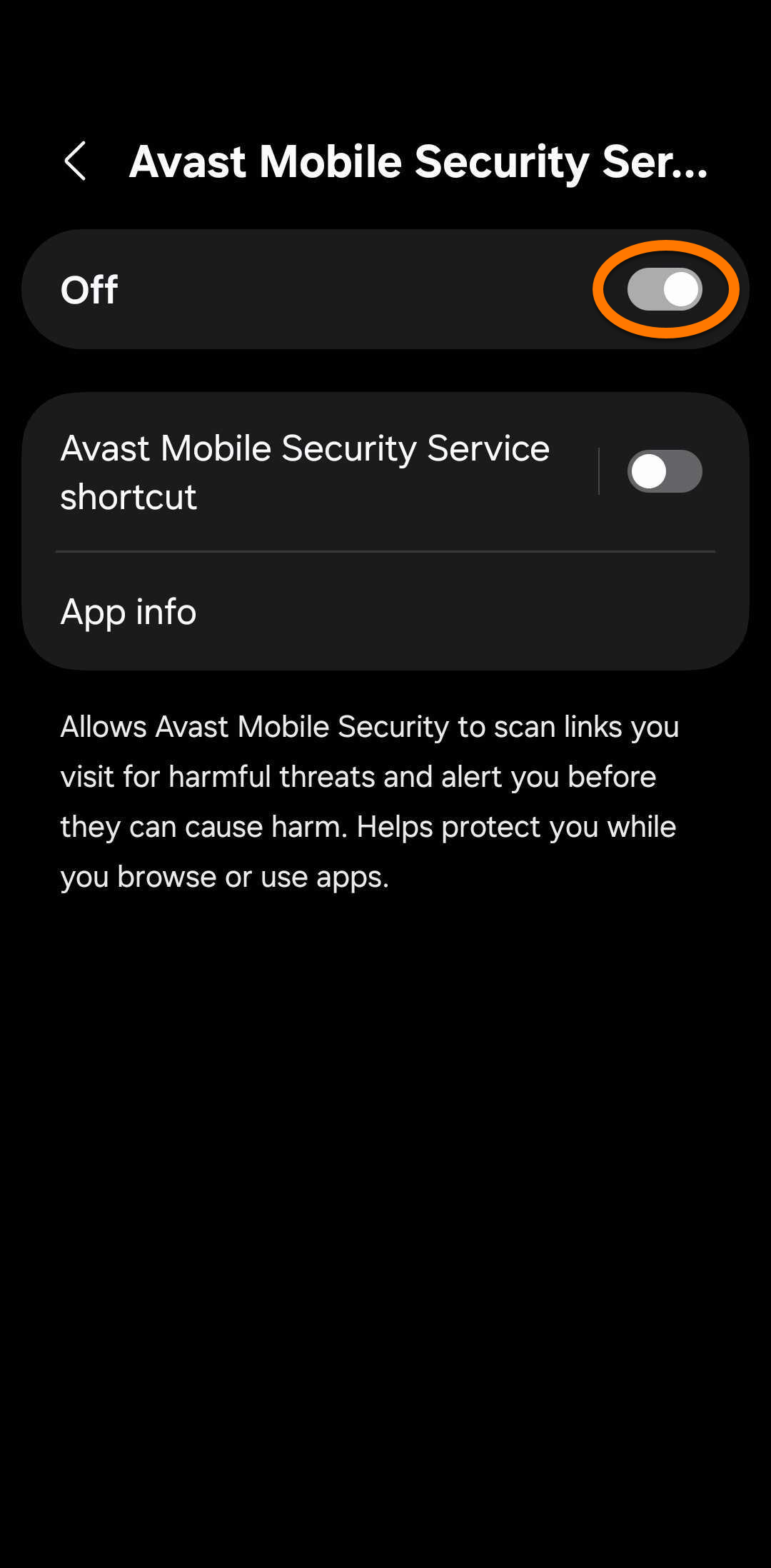
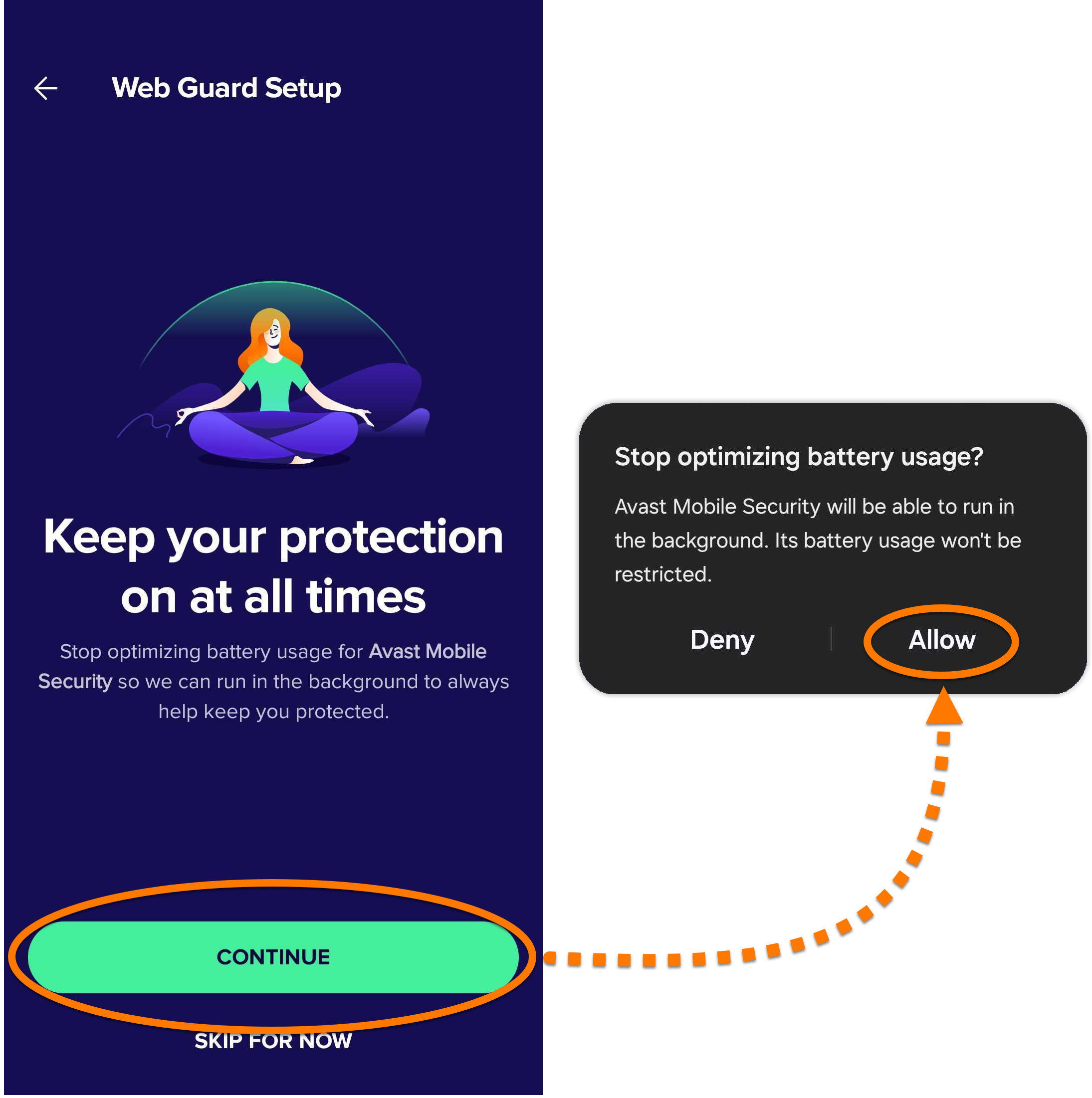
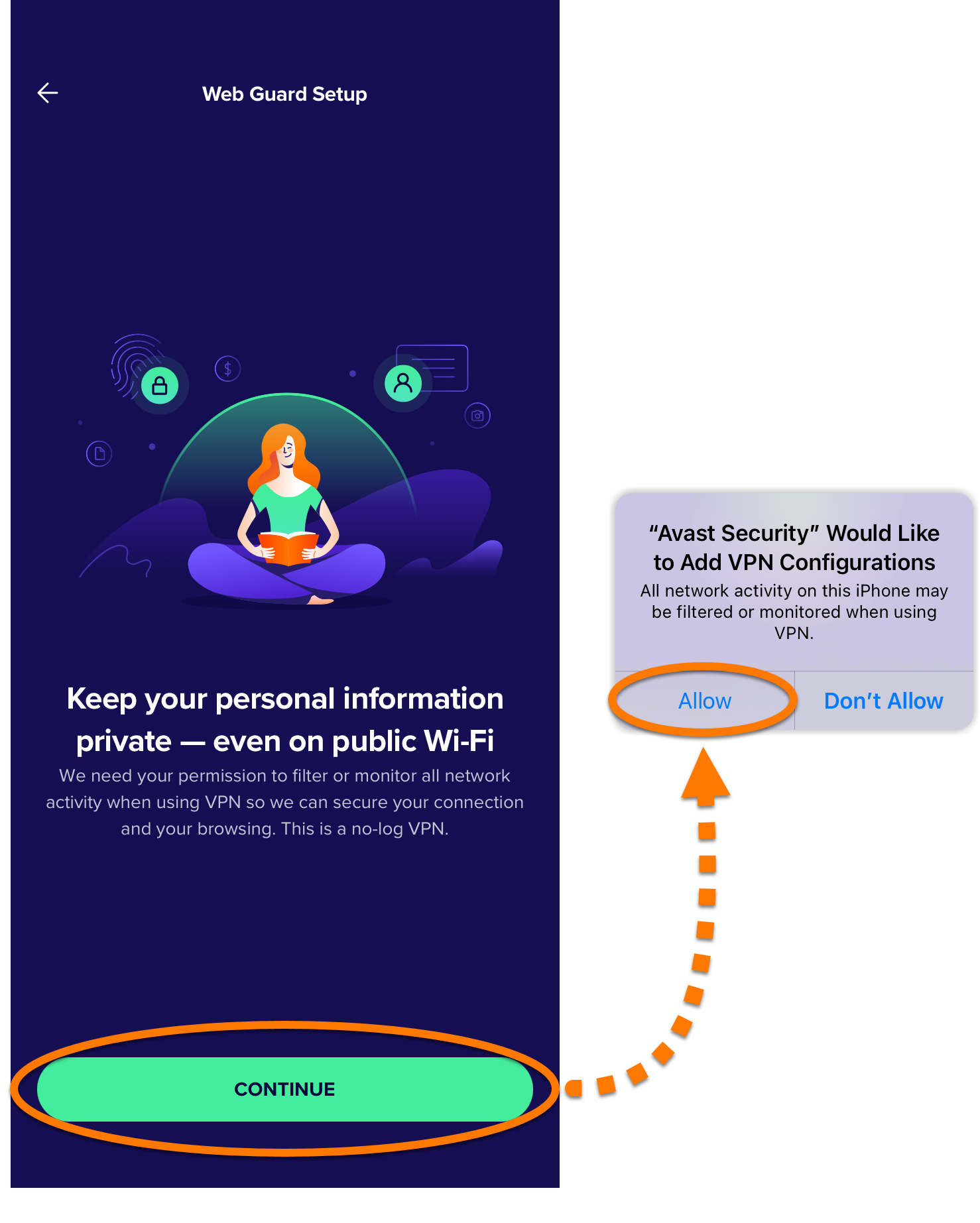
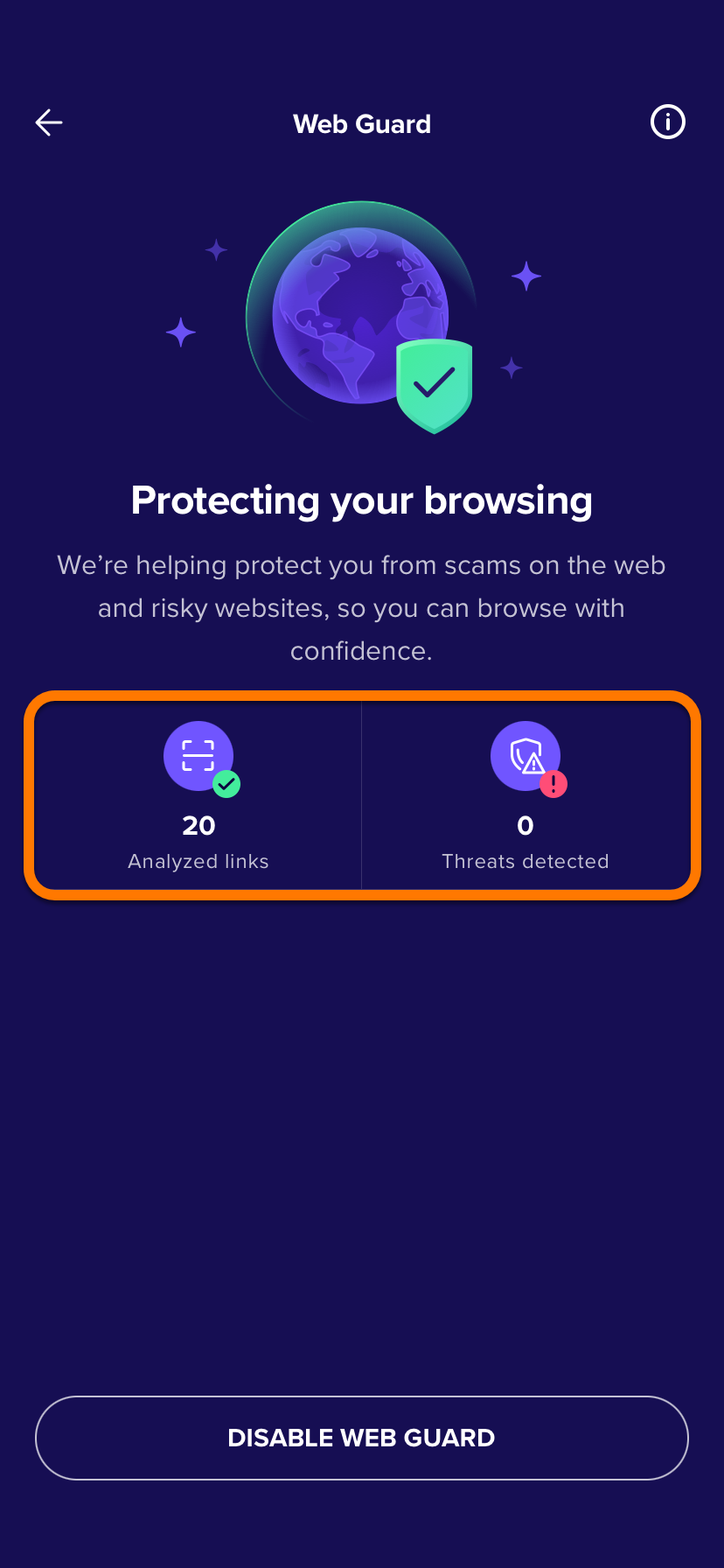
To enable Web Guard:
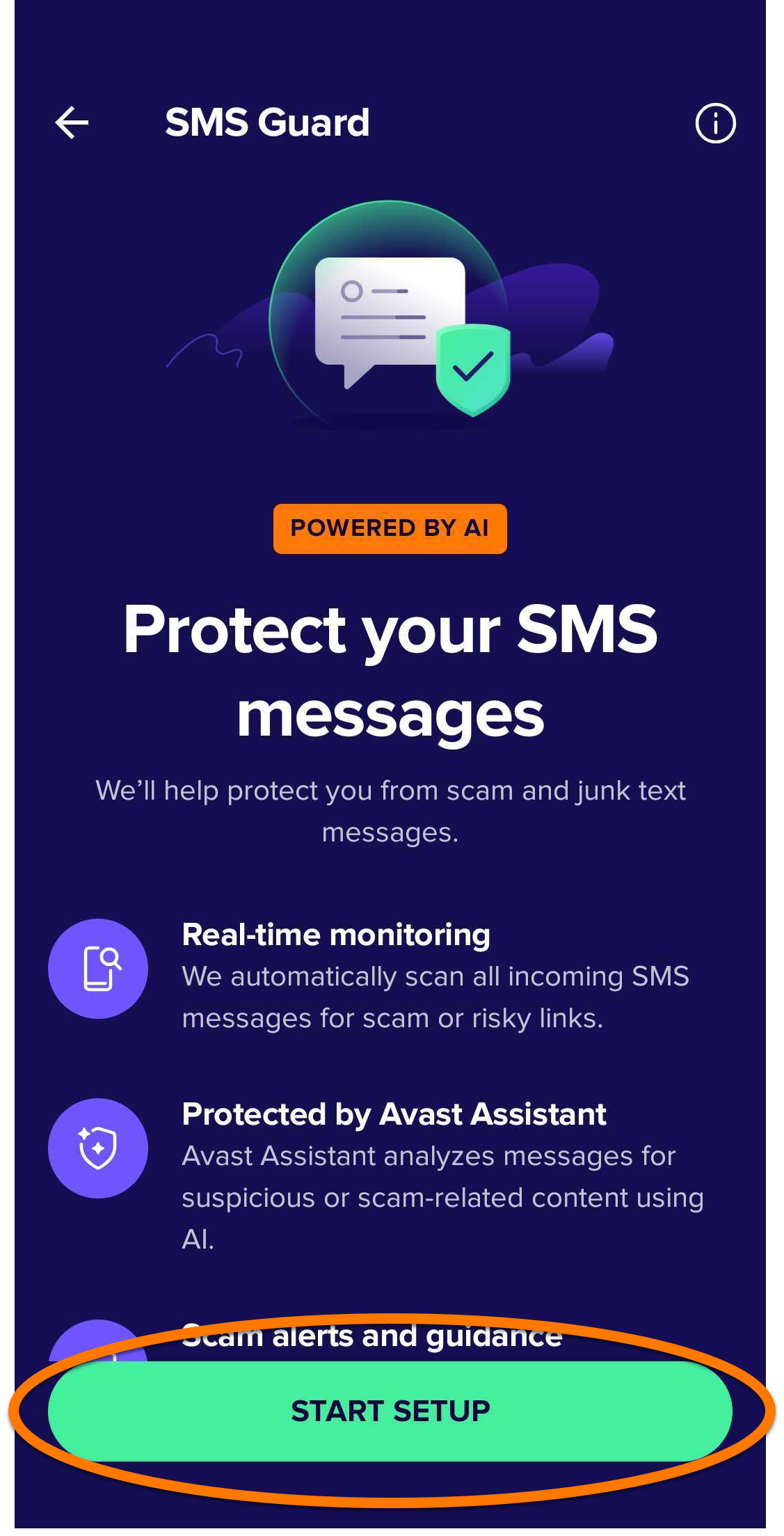
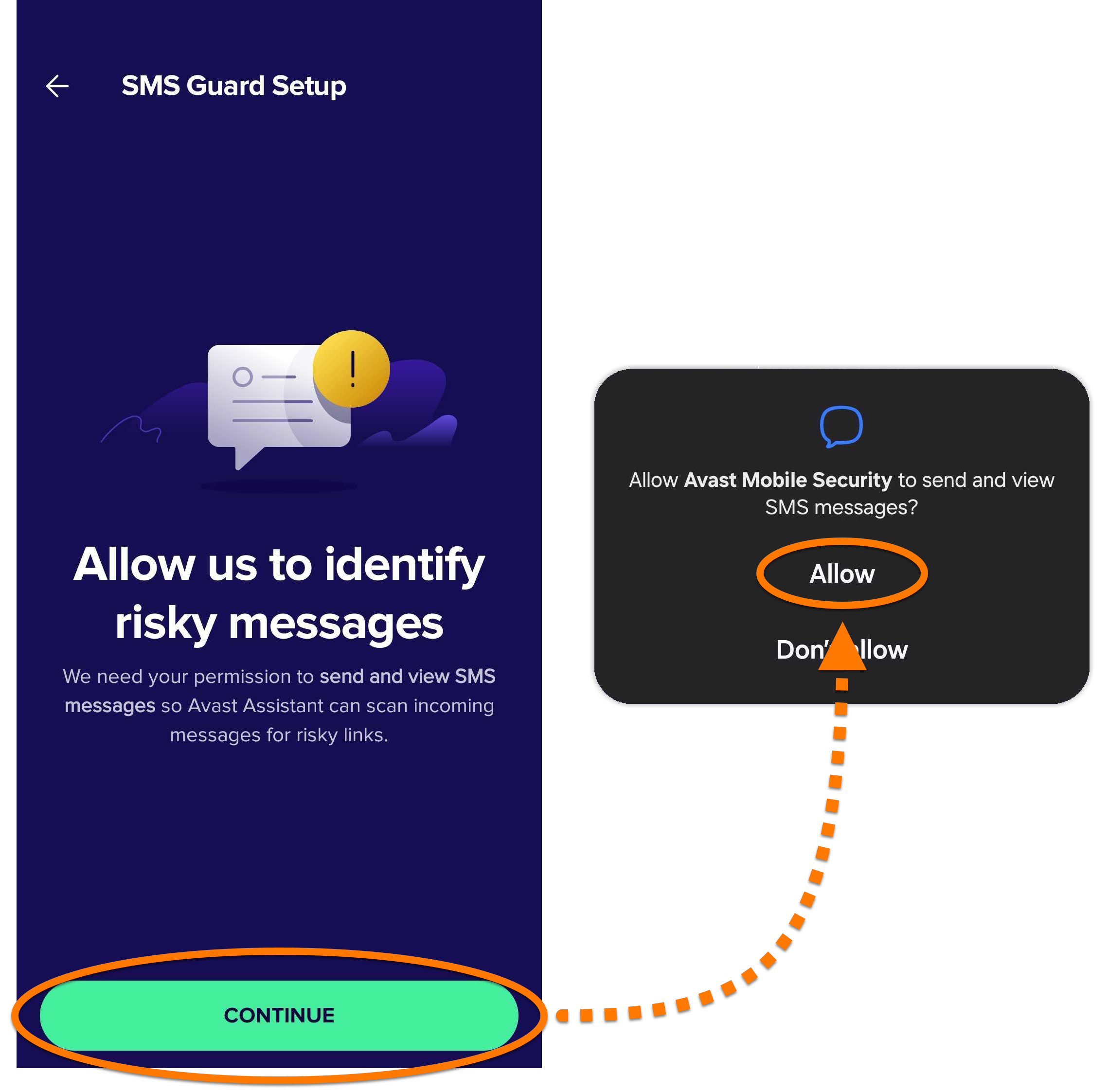
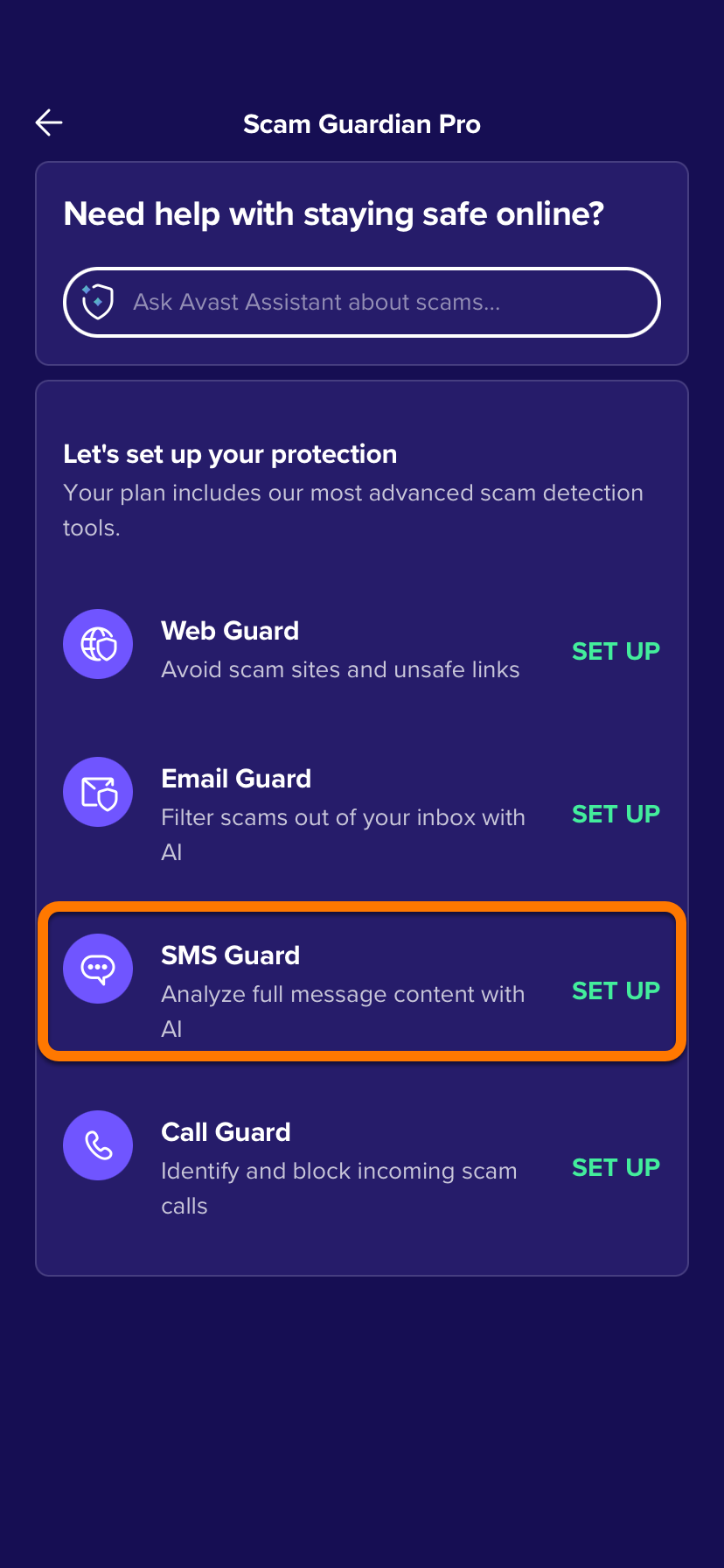
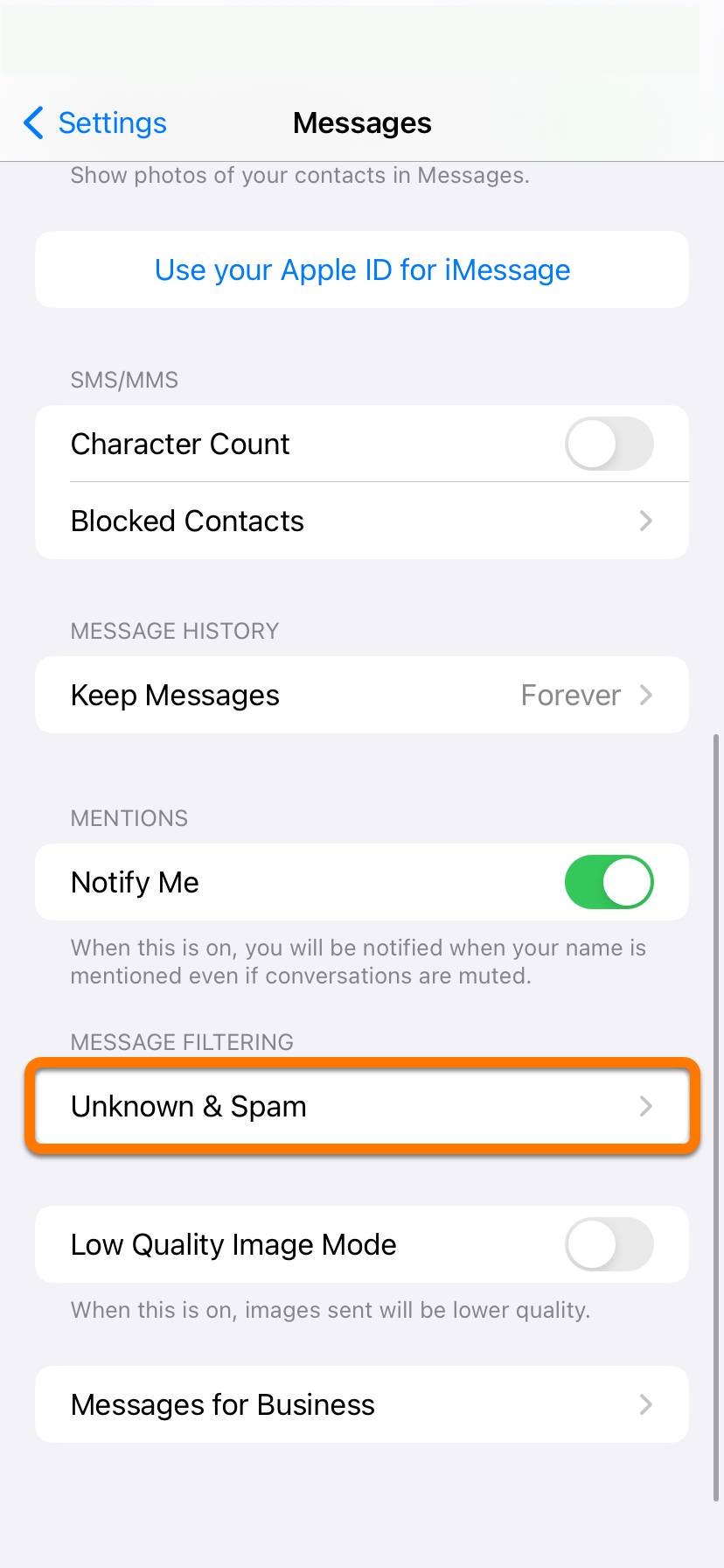
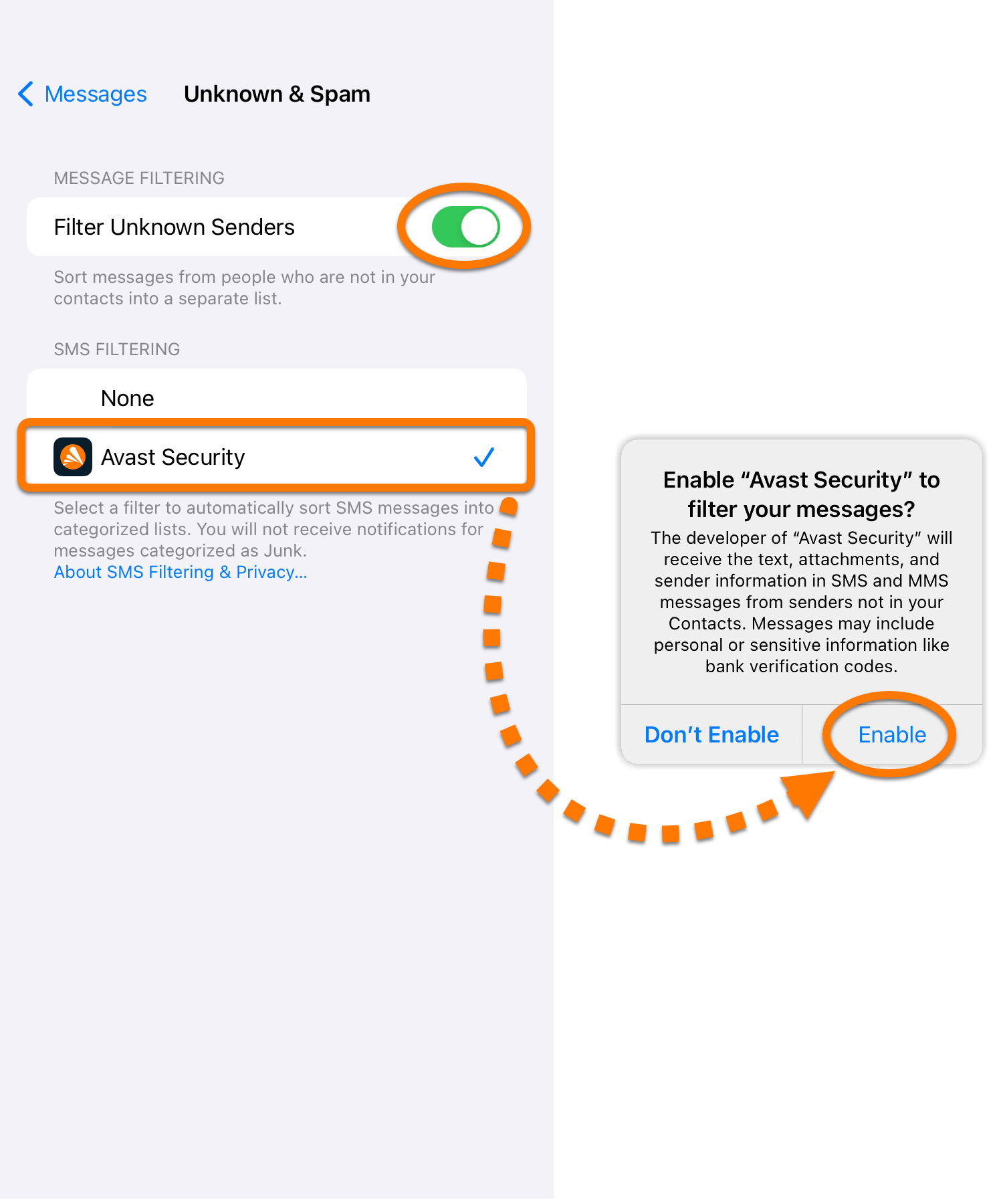
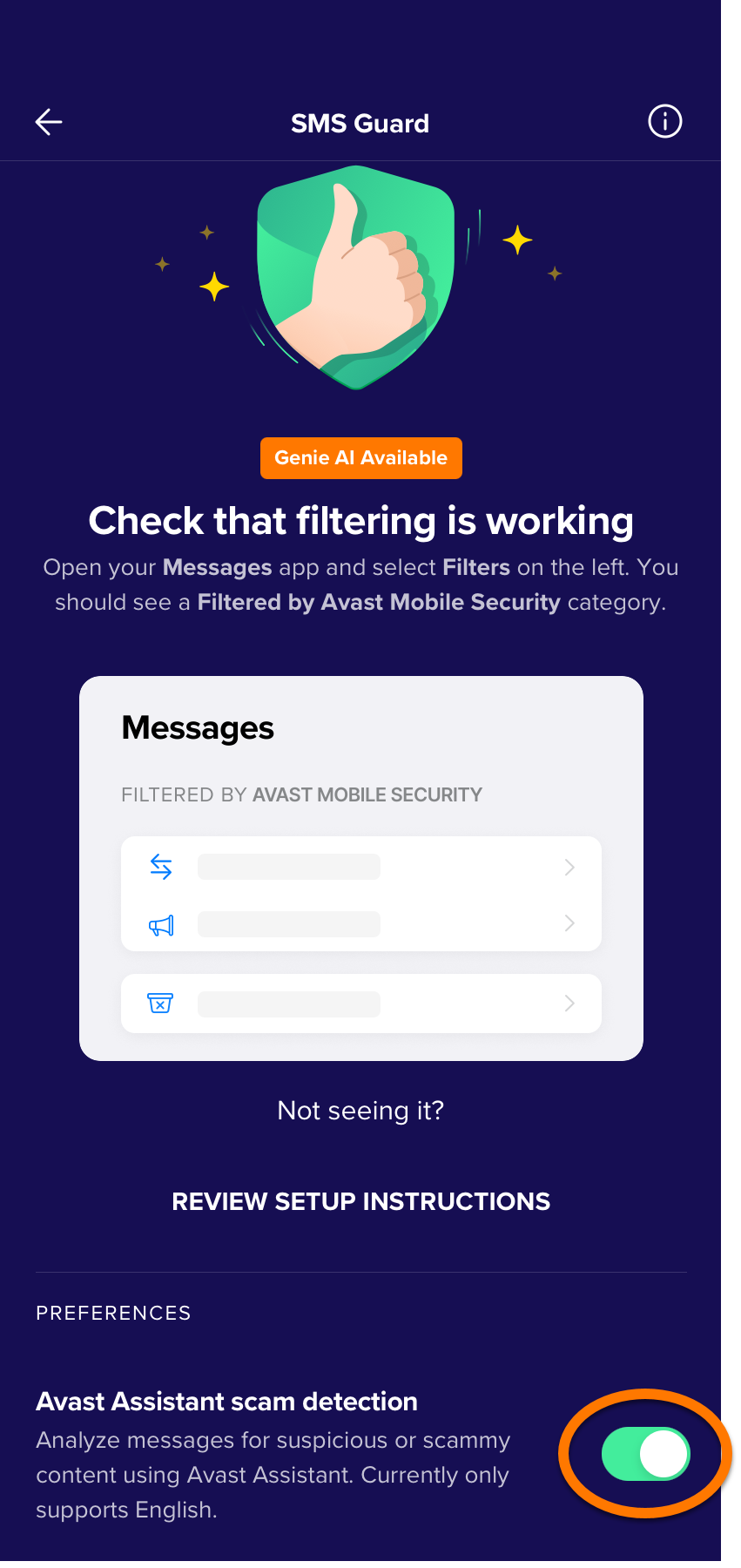
Set up SMS Guard
SMS Guard is a premium feature that requires a paid subscription.
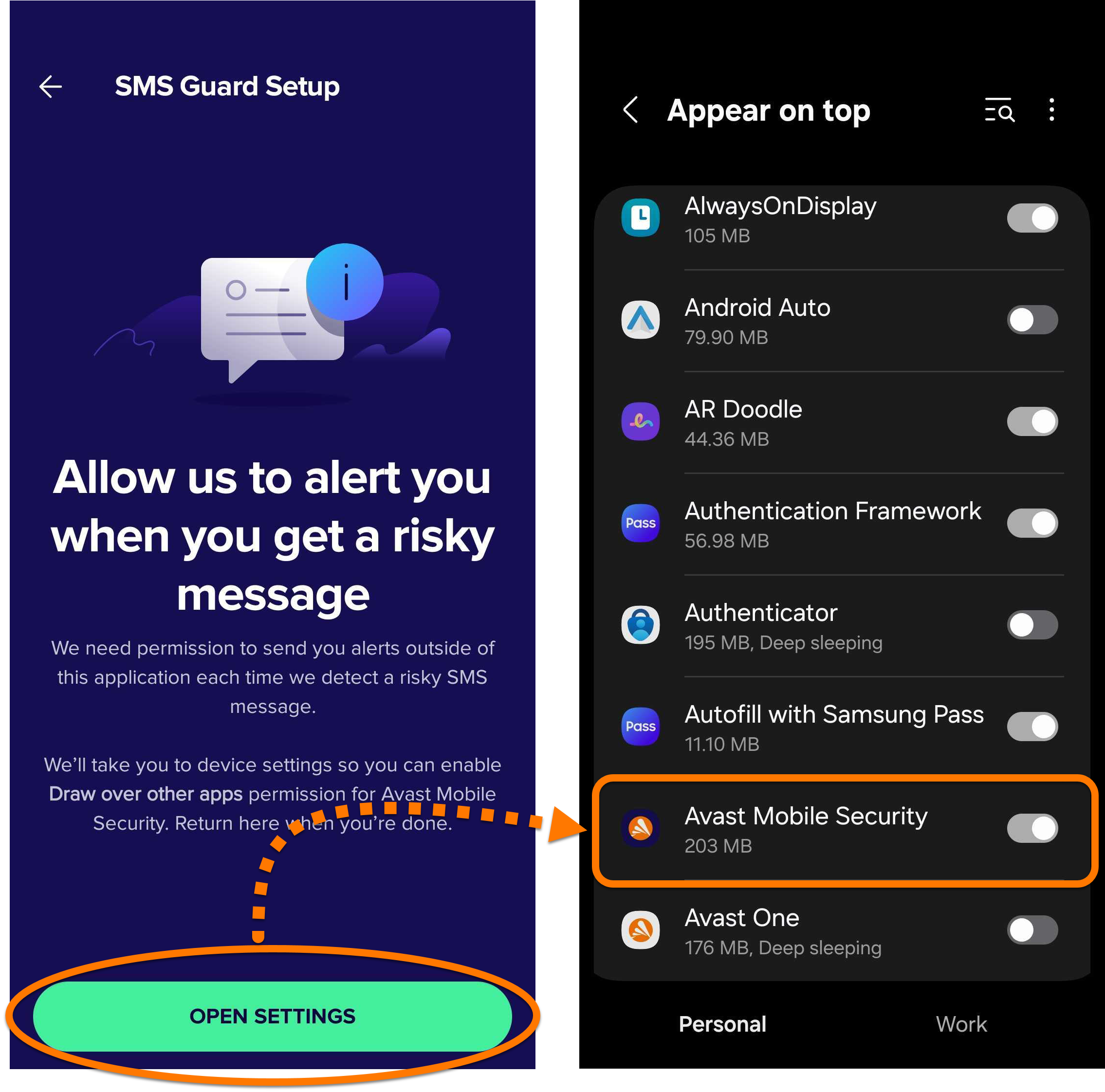
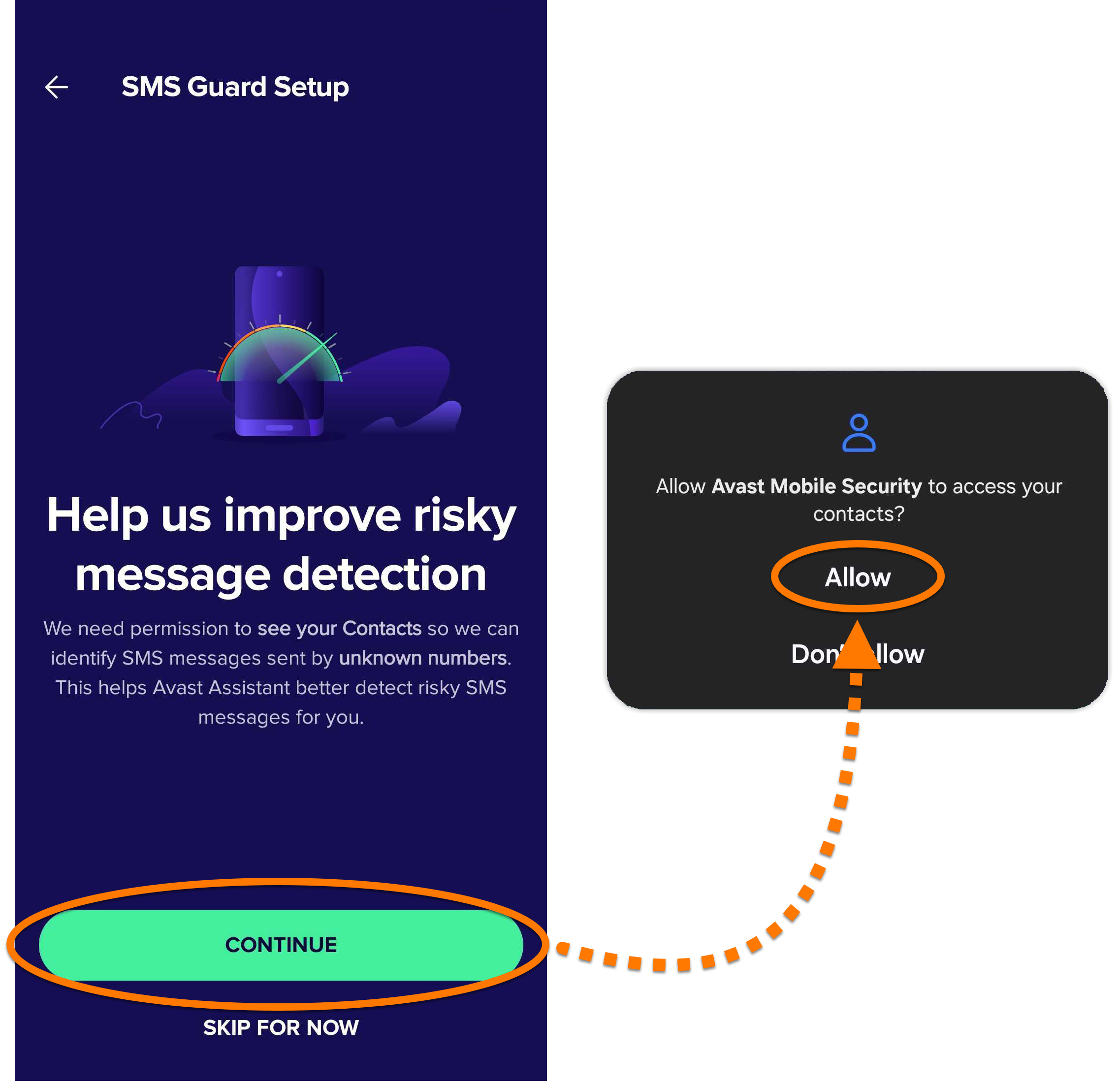
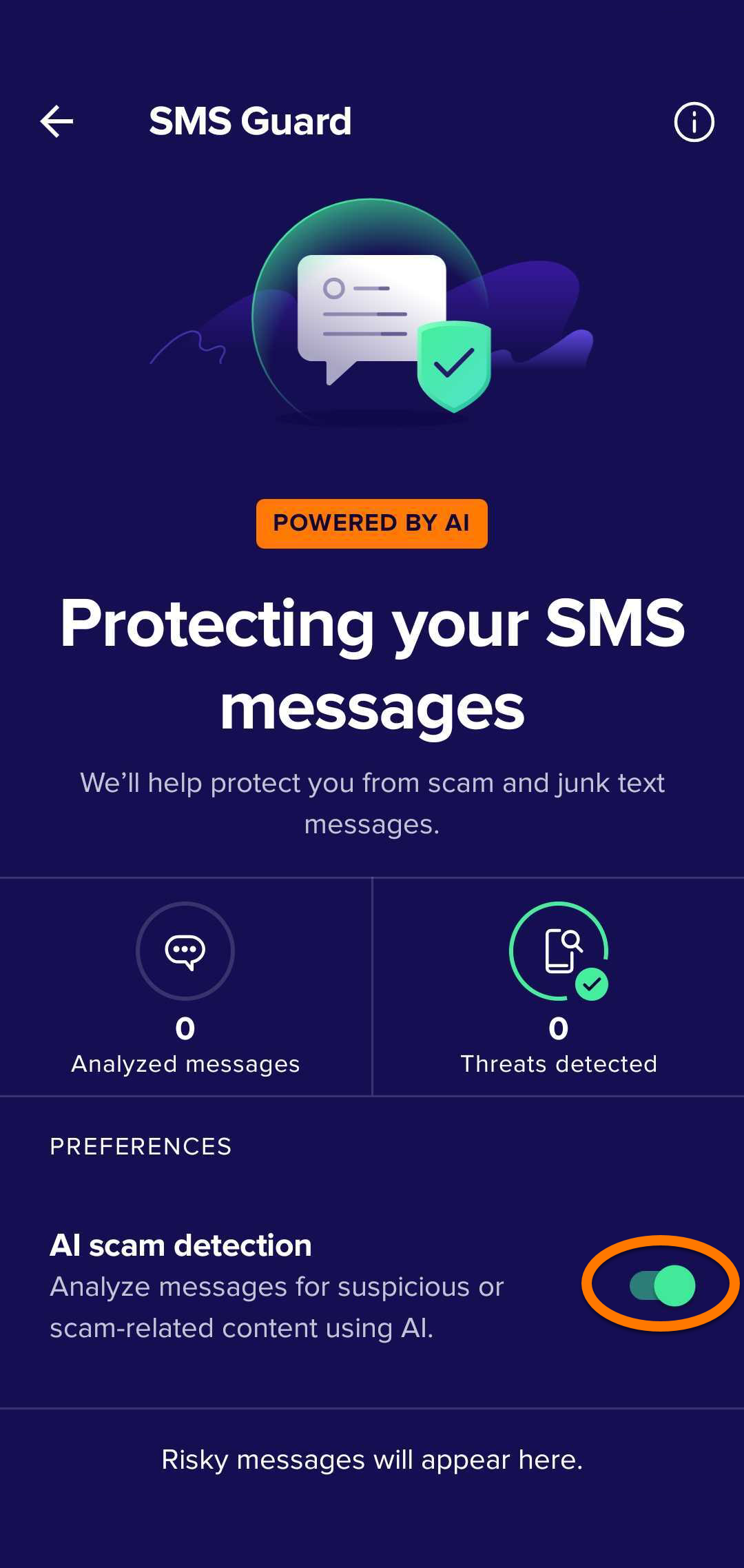
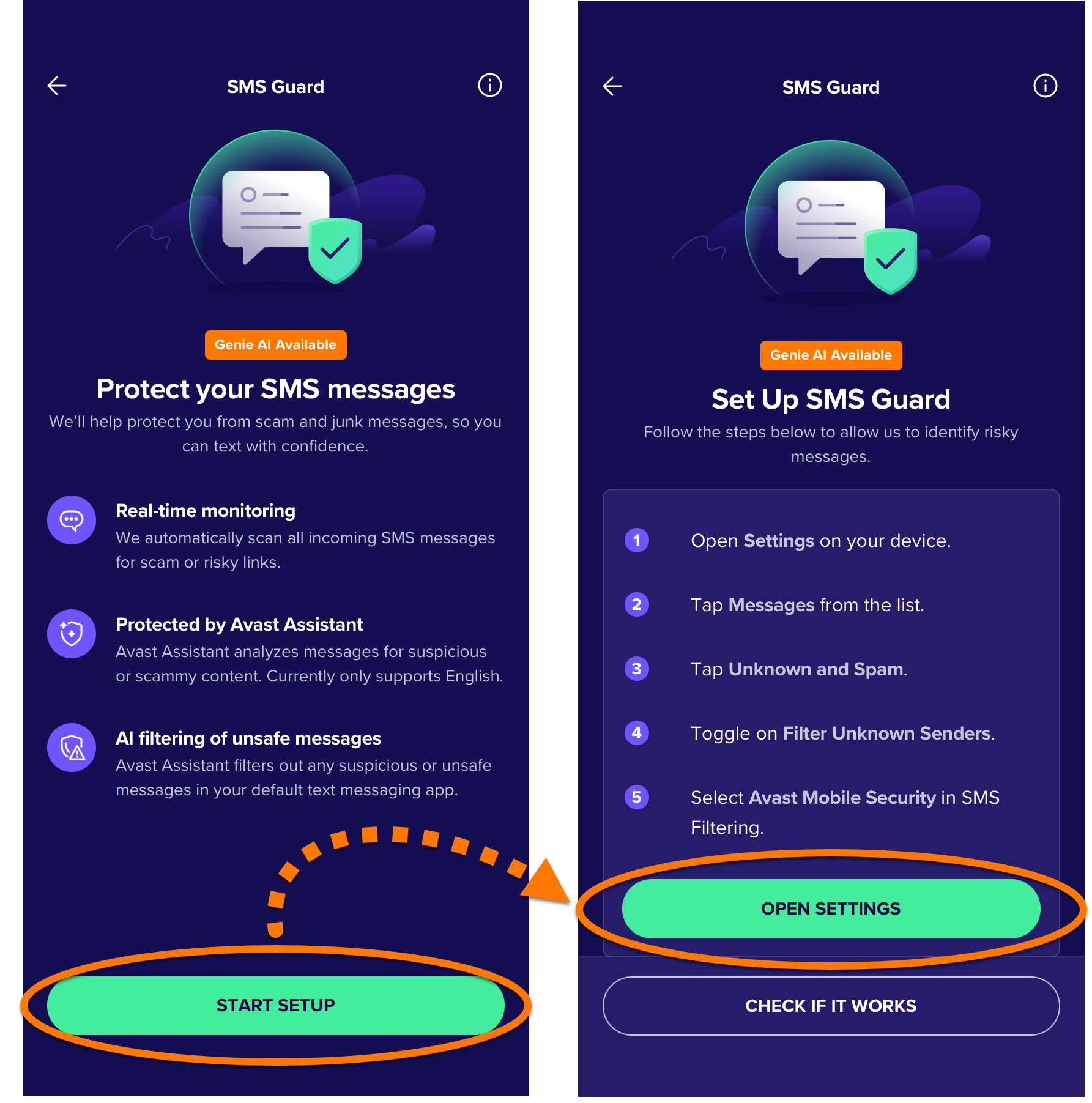
To enable SMS Guard:
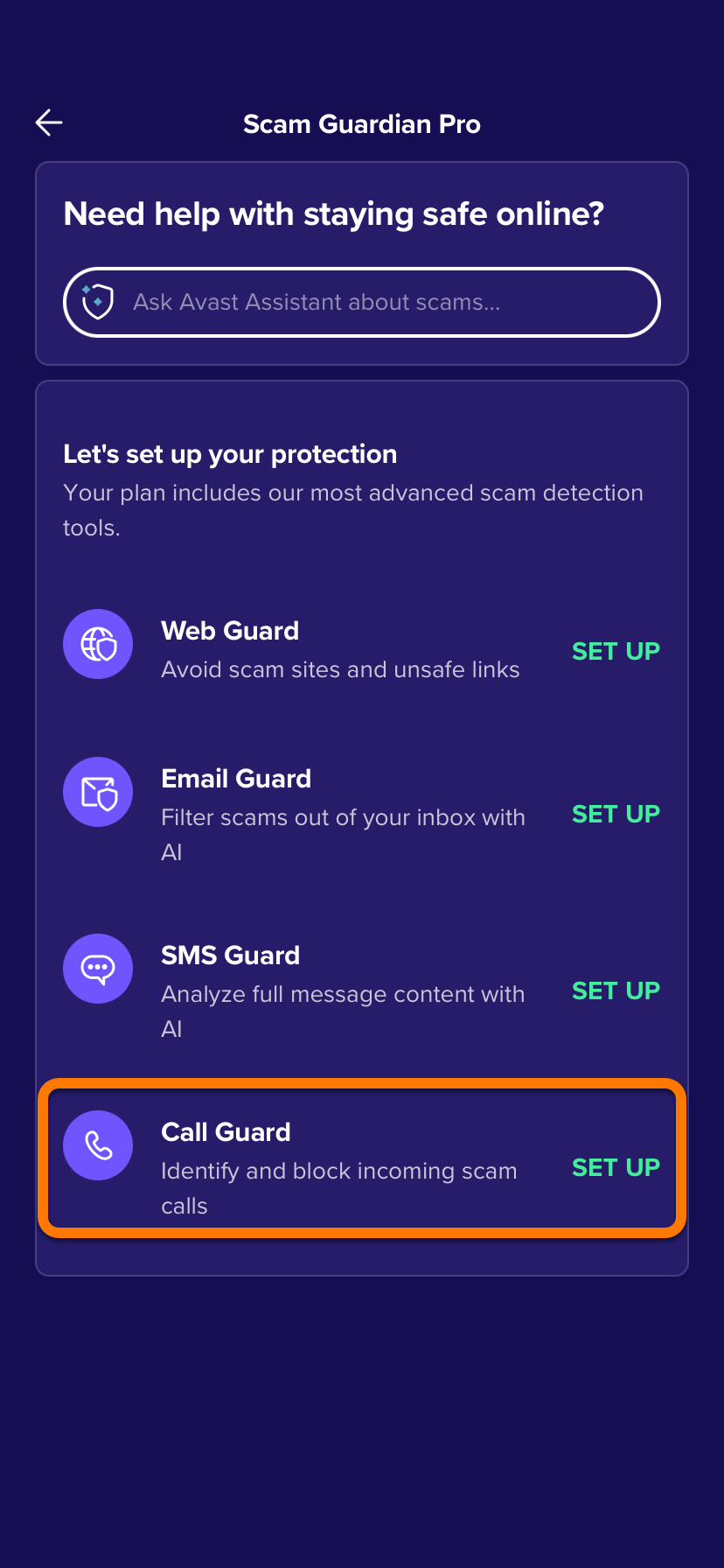
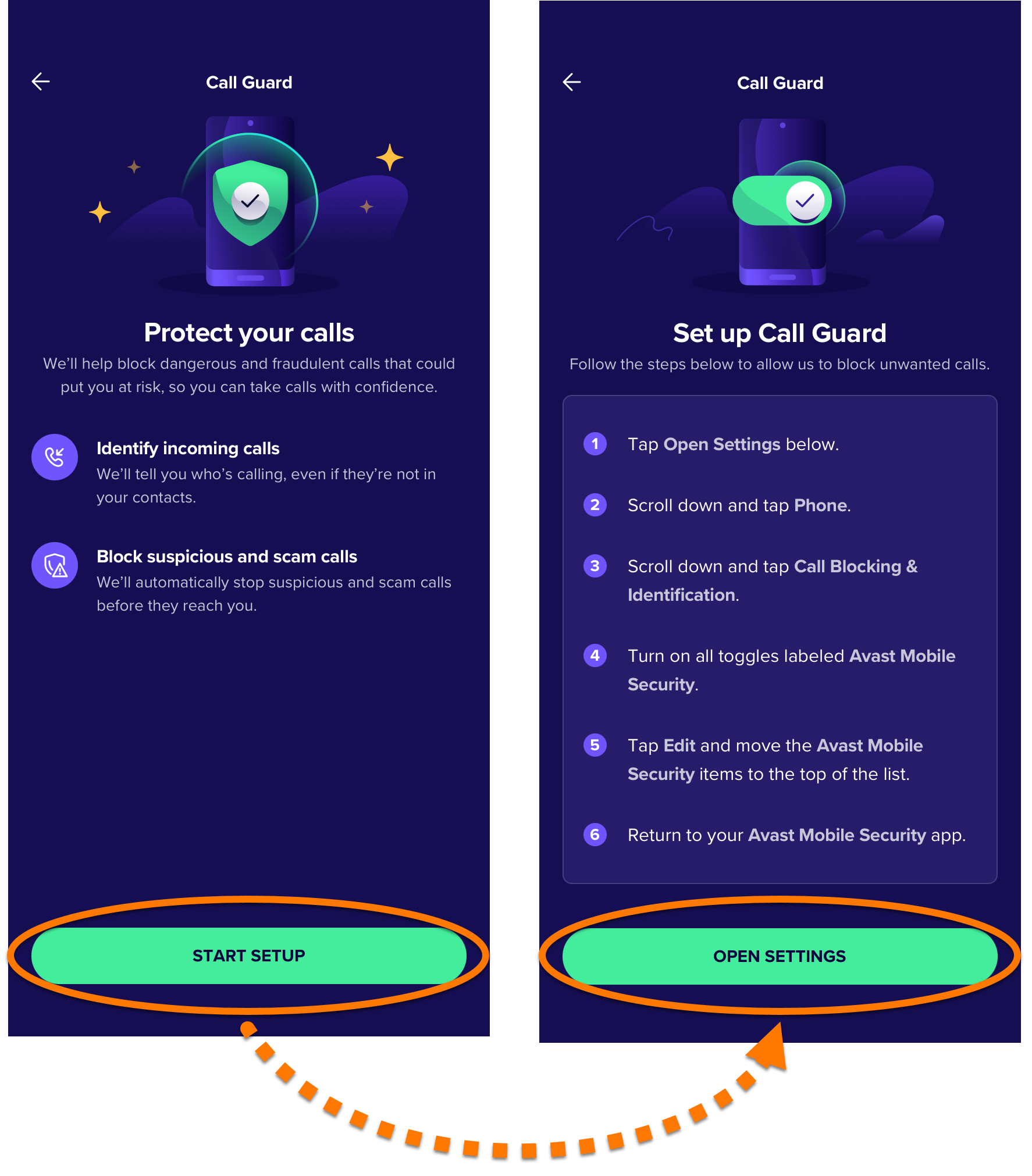
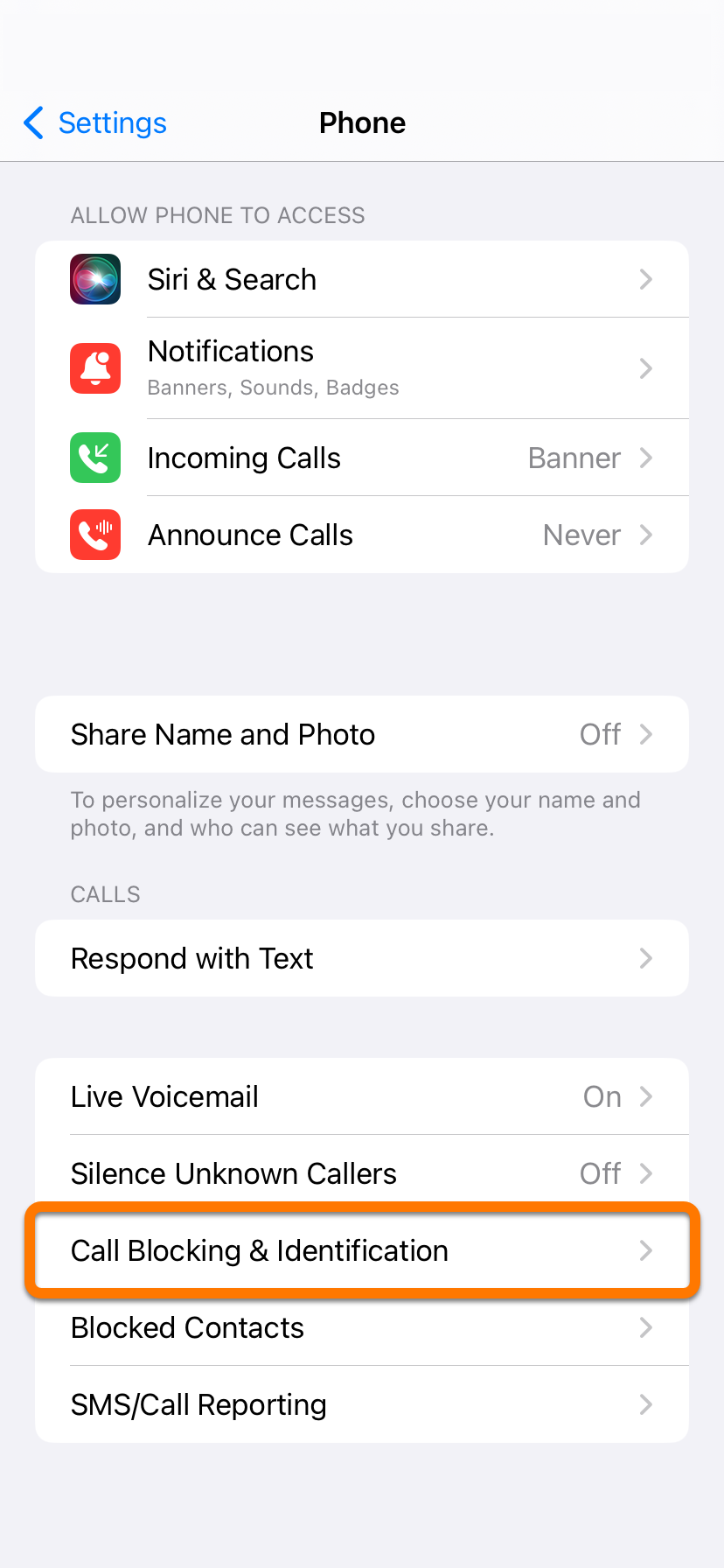
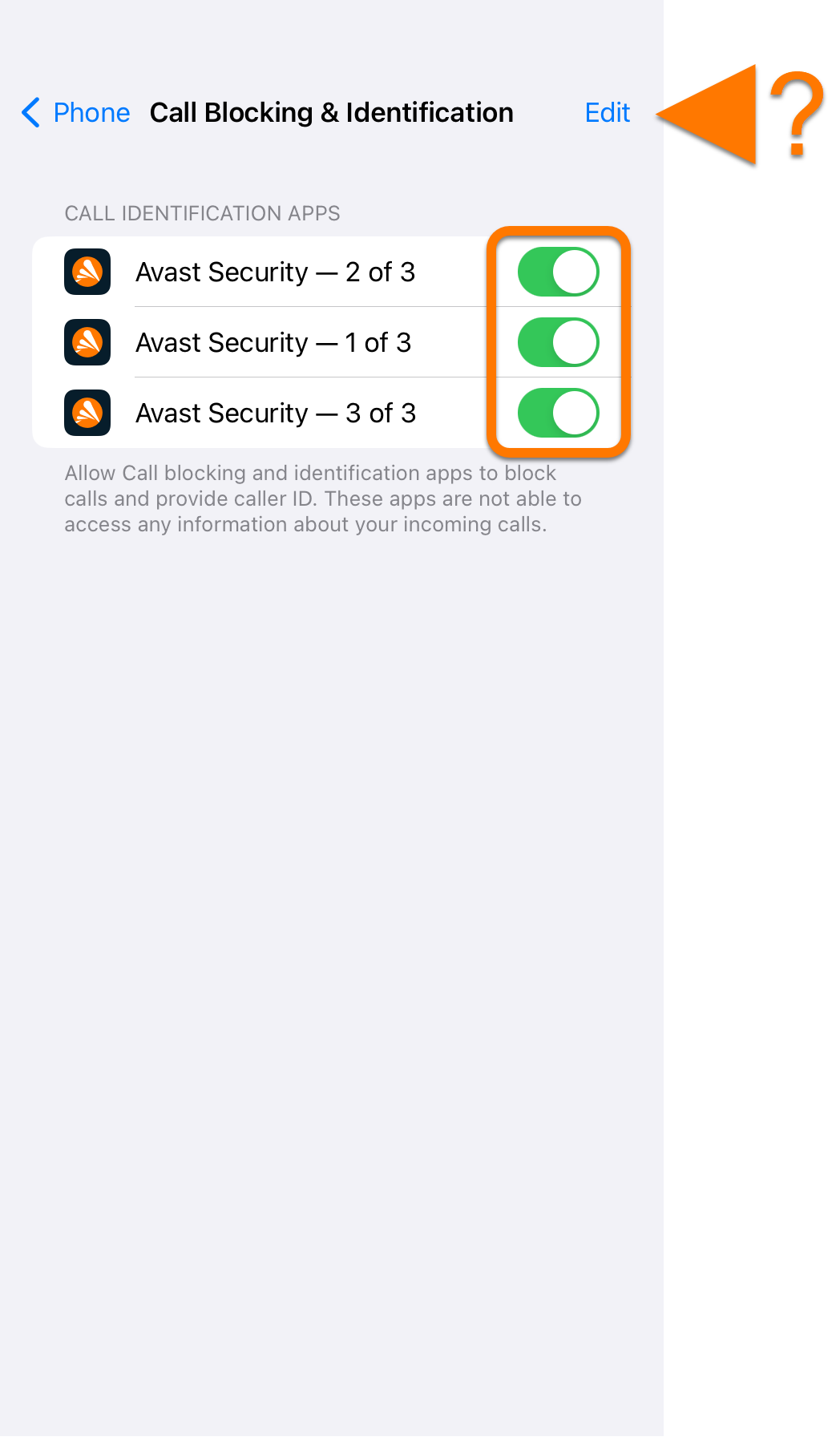
Set up Call Guard
Call Guard is a premium feature that requires a paid subscription.
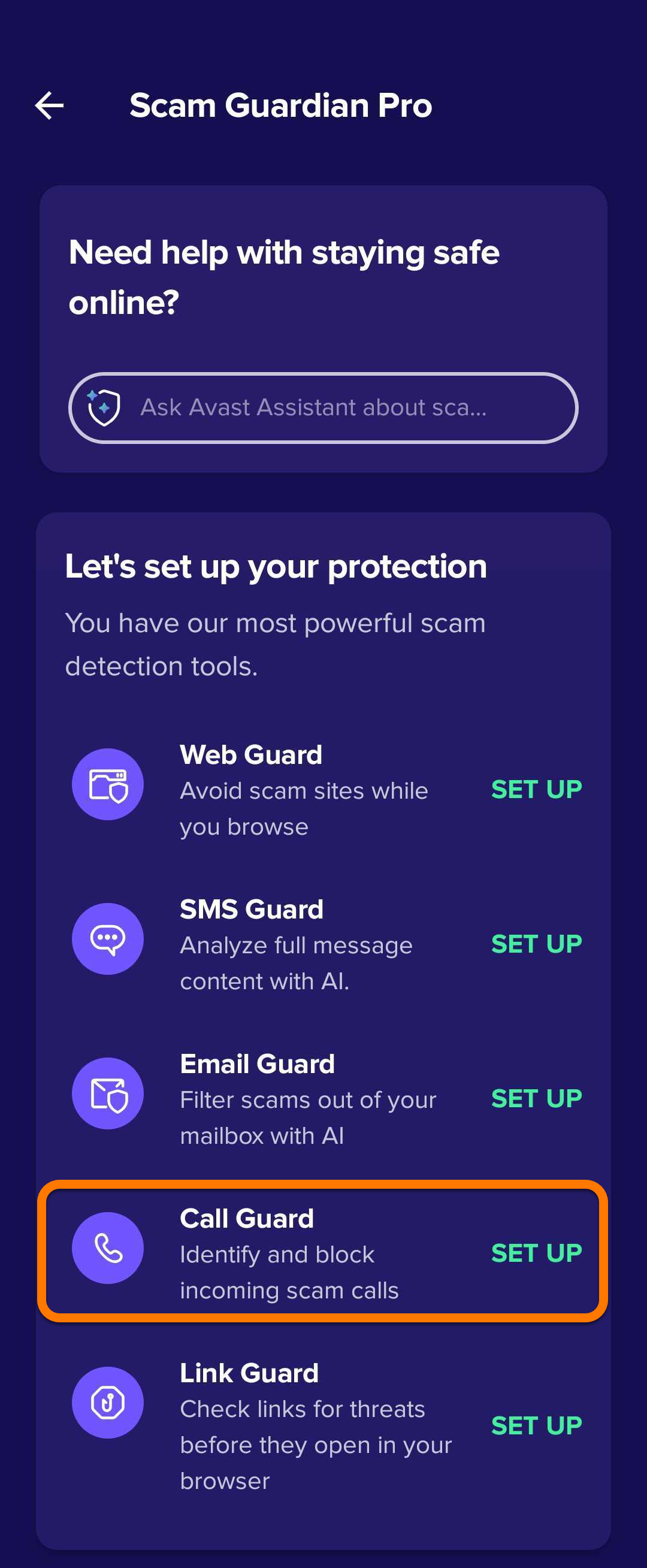
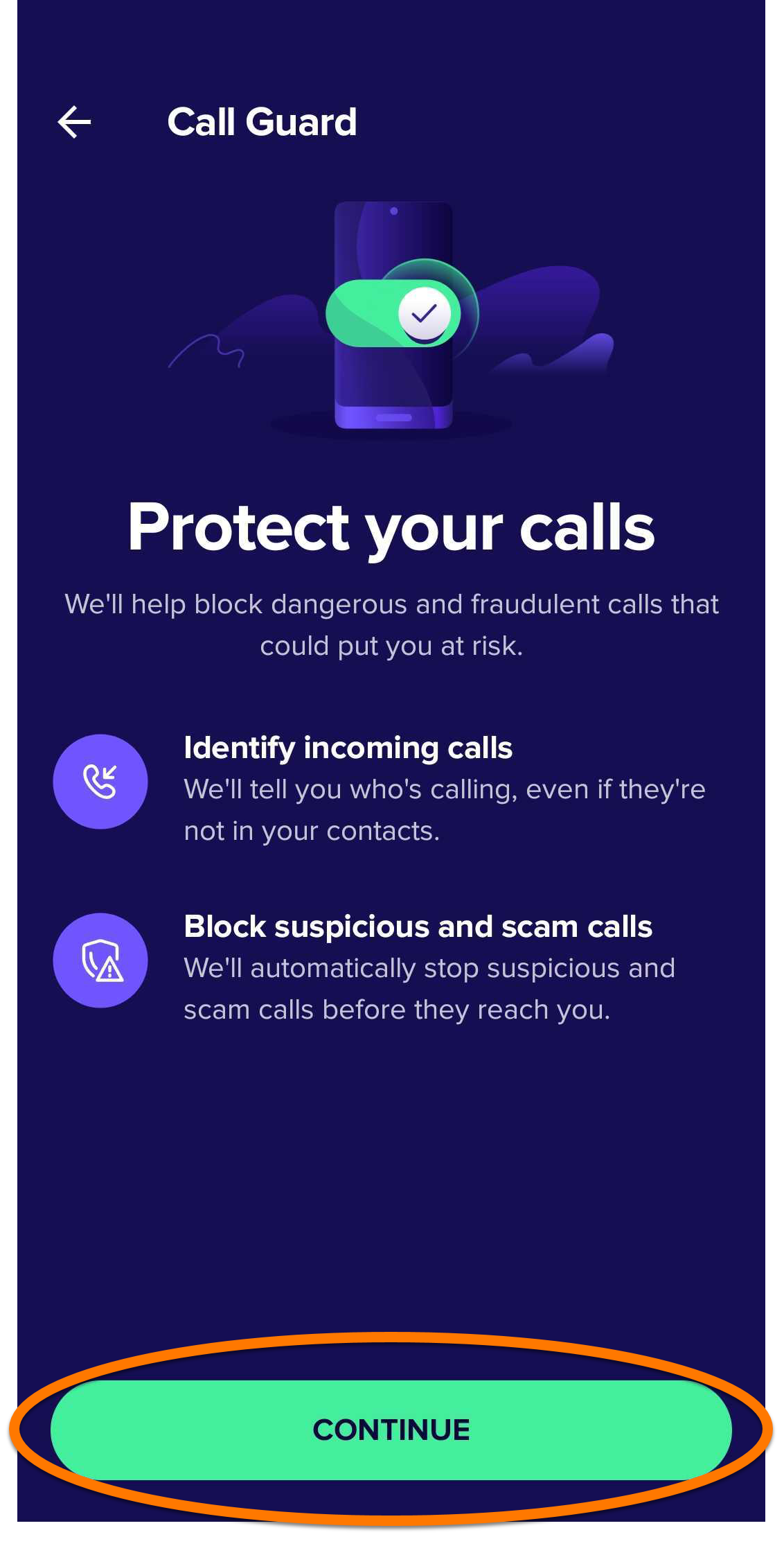
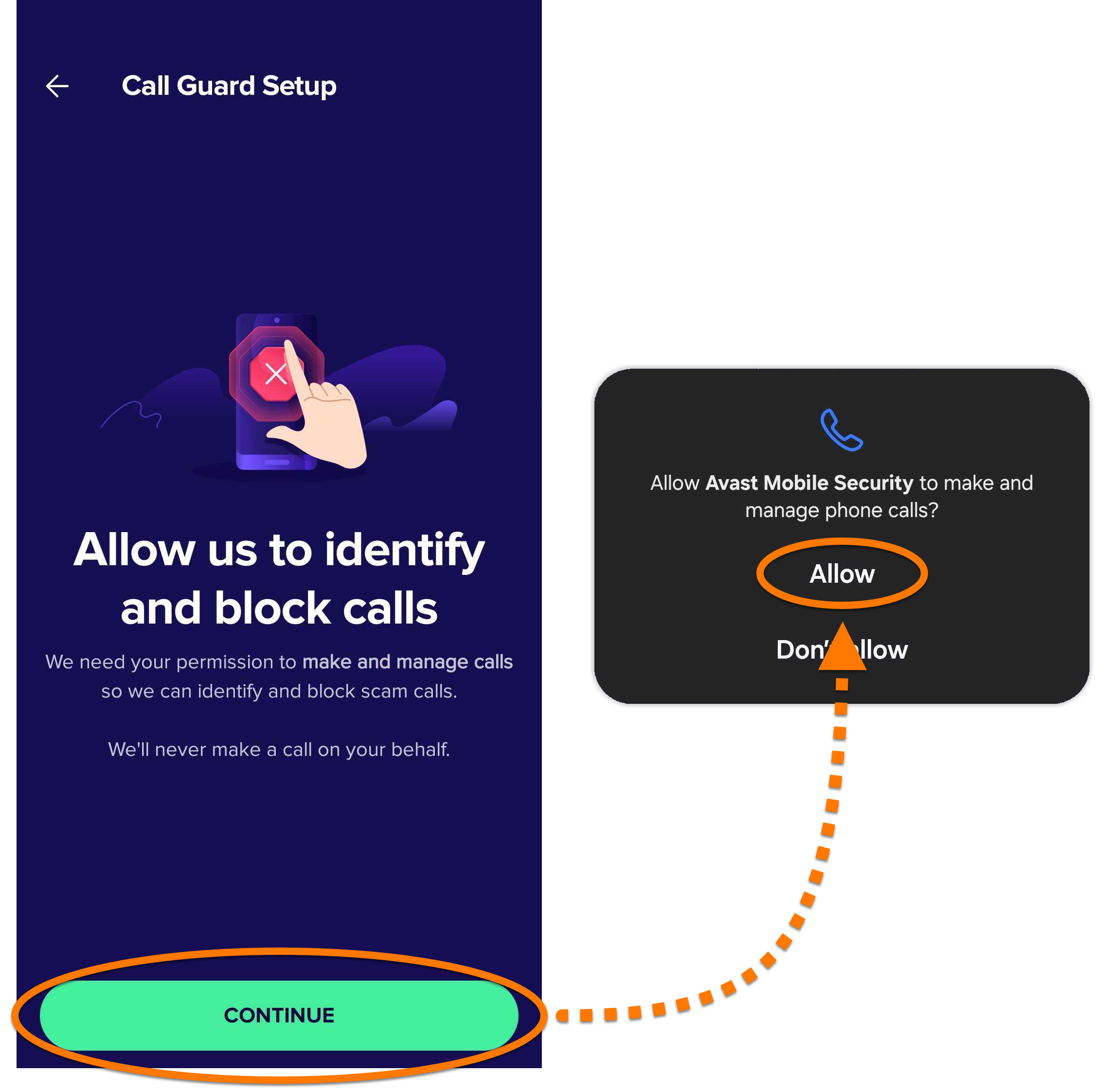
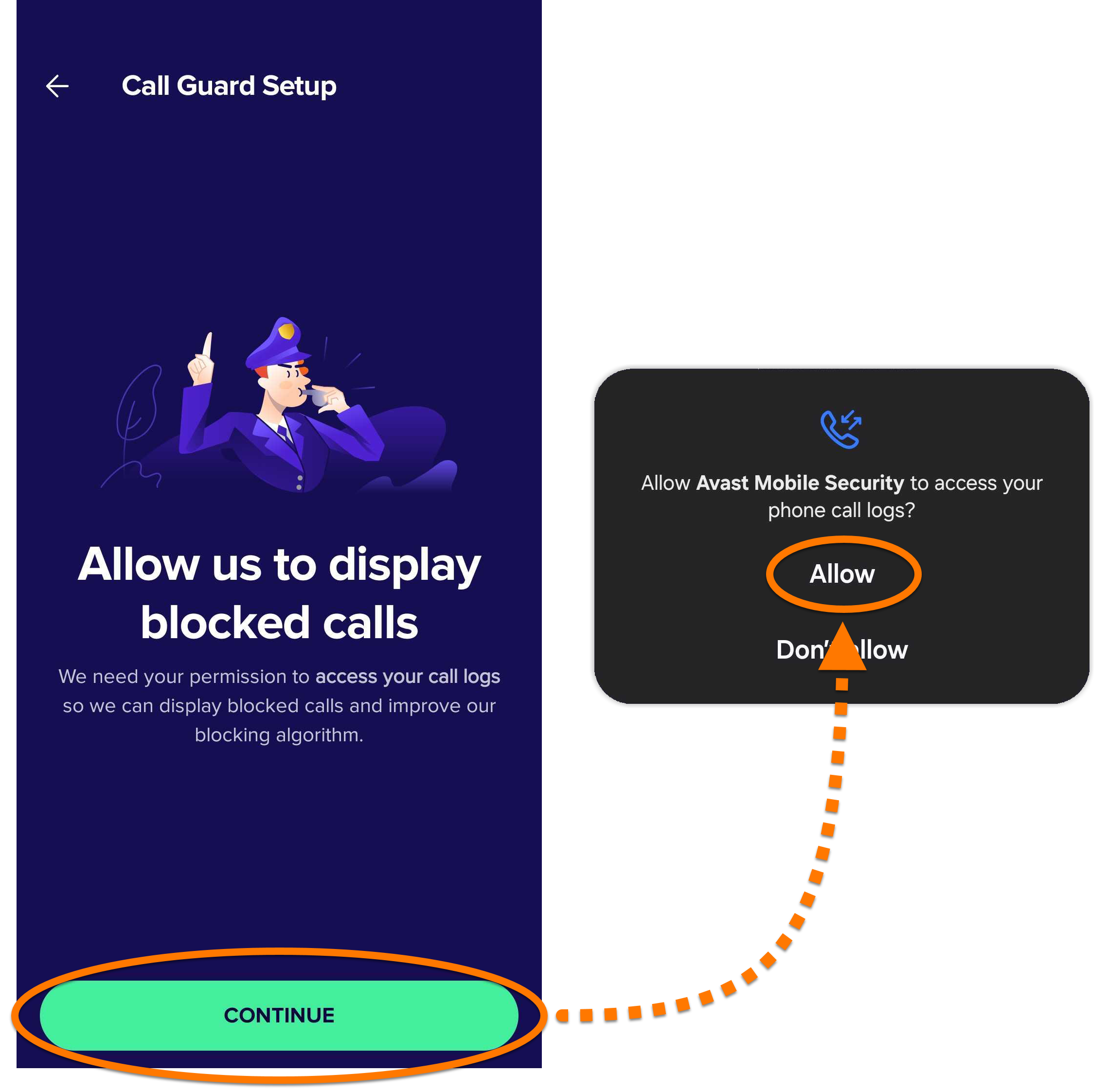
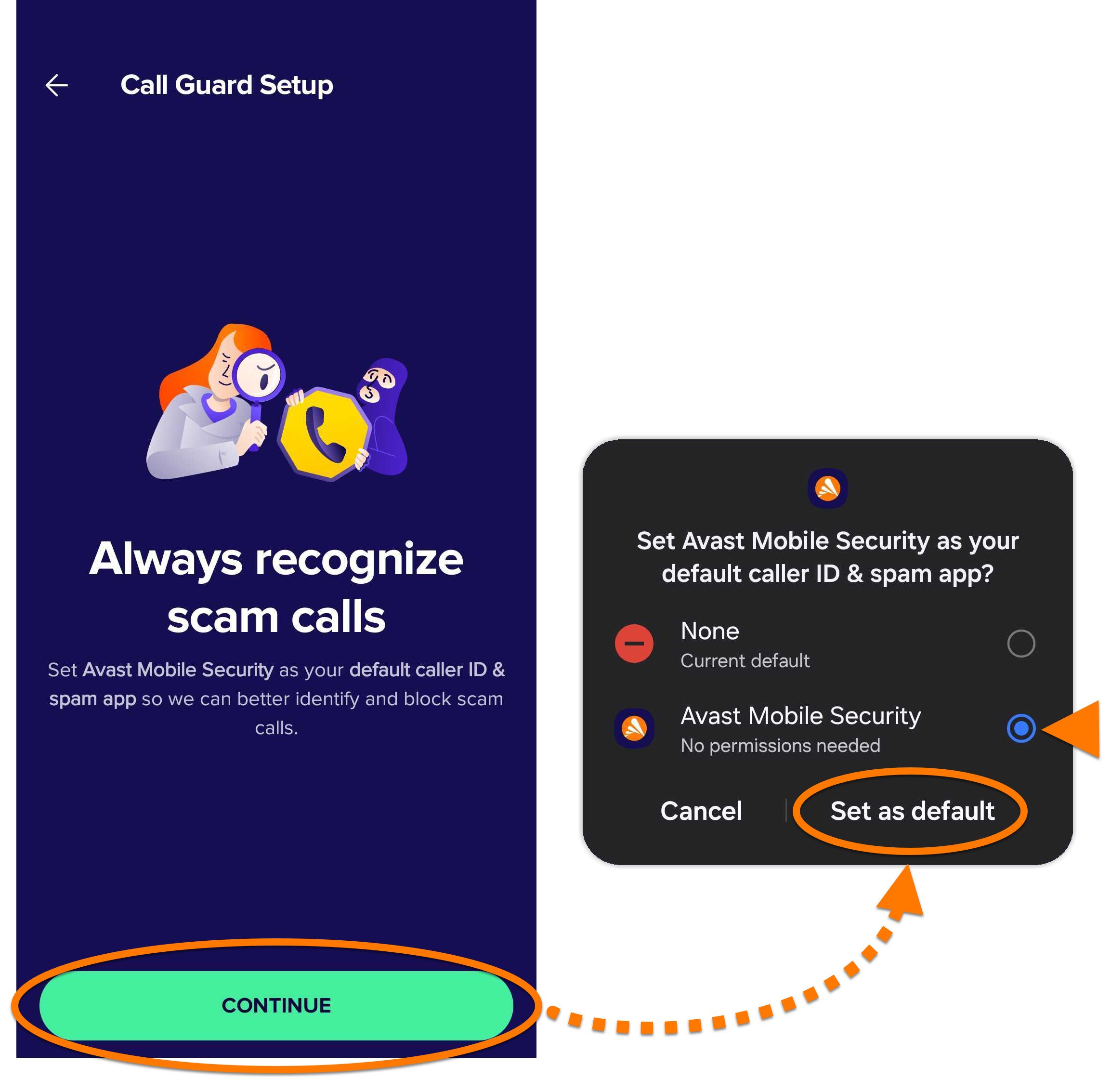
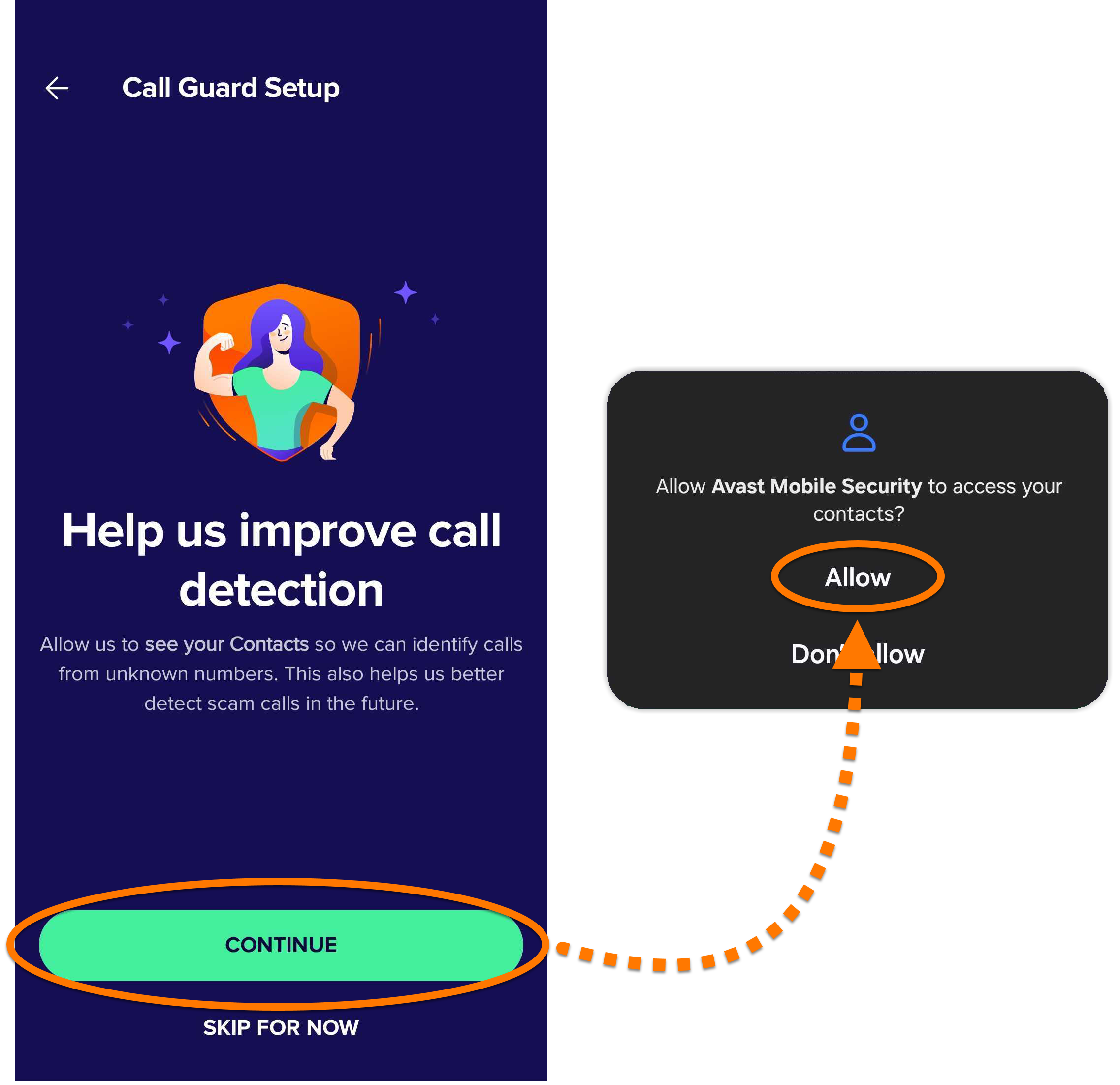
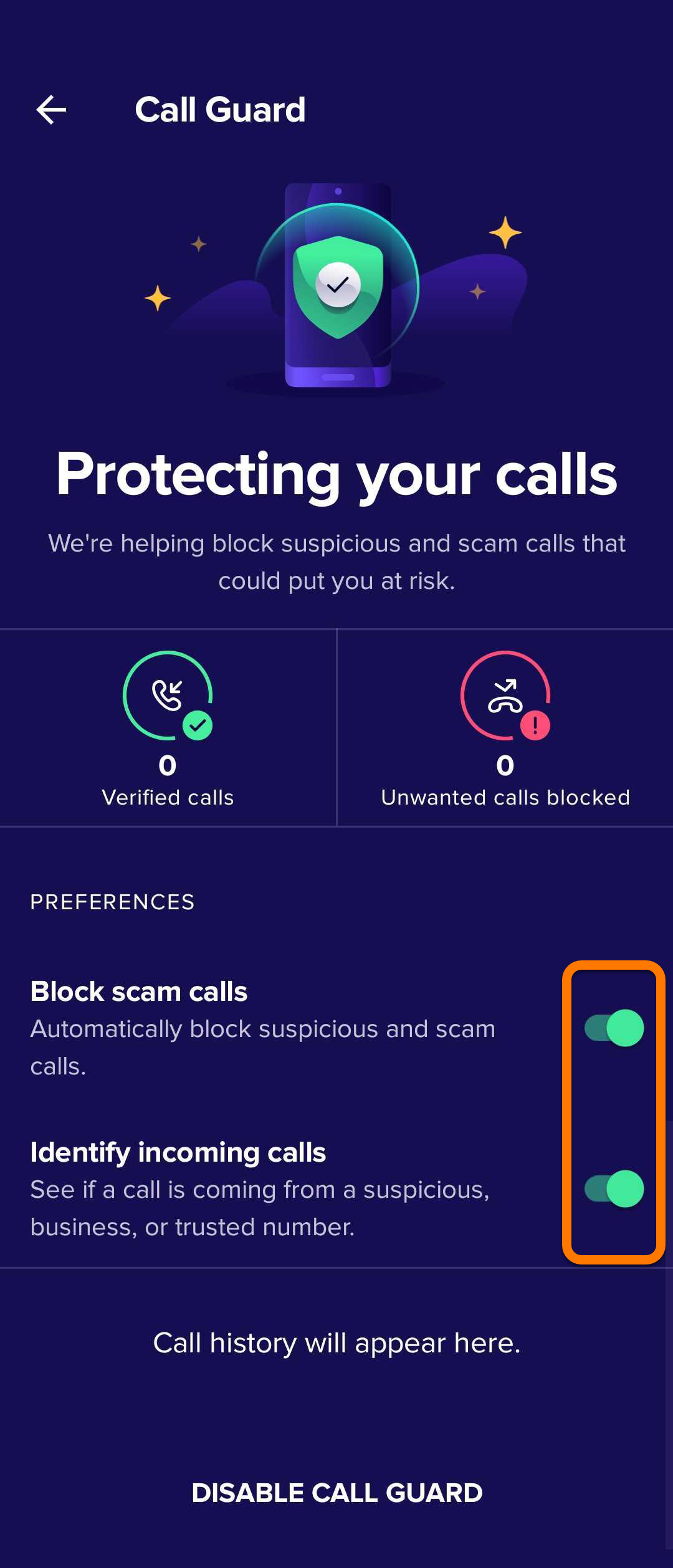
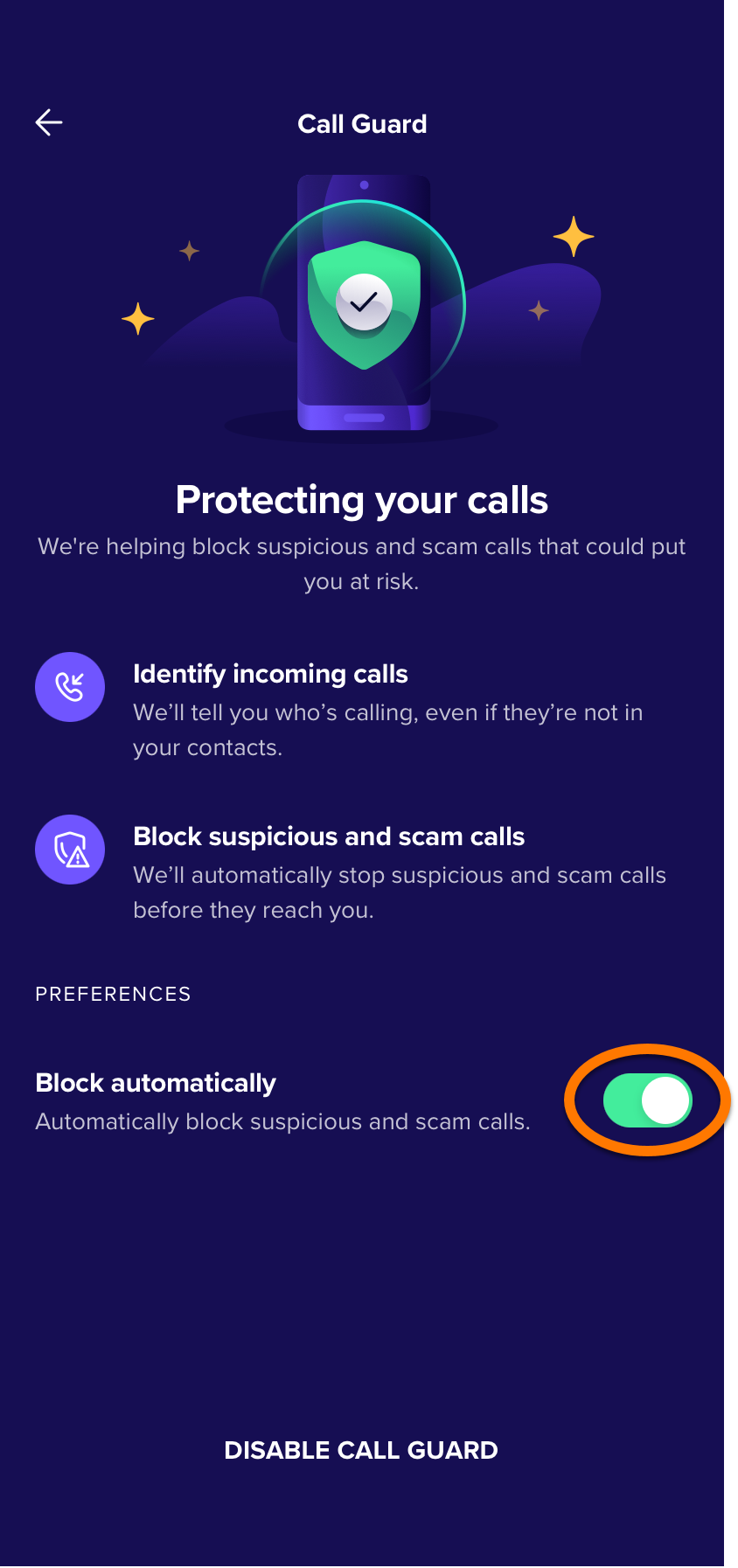
To enable Call Guard:
To disable Call Guard, tap Disable Call Guard.
Further recommendations
For more information about Avast Antivirus, refer to the following article: