
IS YOUR COMPUTER SLOW? RUN LIKE NEW
If they are not maintained, computers lose performance over time. Avast Cleanup Premium can help significantly improve the performance of your computer.
Deepfake Guard - Getting Started
Windows
Deepfake Guard is a feature available in Avast Premium Security which uses the AI technology of Avast to detect malicious deepfakes and identify video-based scams. It runs on your device, analyzing audio and video content in real time to spot synthetic voices and alert you to potential fraud.
Deepfake Guard is a premium feature within Scam Guardian Pro on Windows and is available through both the standalone version of Avast Premium Security and the Avast One version of this app.
A deepfake is a highly realistic but fabricated piece of media created with AI techniques that manipulate video or audio to replace or alter faces and voices. While deepfakes can be used for entertainment, they are increasingly exploited for scams, such as giveaway scams, cryptocurrency fraud, and investment schemes. These scams often involve AI-generated voice impersonations or fake video streams of public figures promoting fraudulent offers, tricking victims into sharing sensitive information or sending money.
System requirements
Deepfake Guard is available only on Windows 11 devices that meet the following specifications:
To check your device's full specifications, press
Windows and
Rkeys on your keyboard, typemsinfo32, and press theEnter.
AI Windows devices
- Windows Copilot+ device with Qualcomm Snapdragon X Series, AMD Ryzen AI chips, or Intel Core Ultra Series chips that contain NPU.
- CPU: Minimum of 8 or more physical cores.
- RAM: Minimum of 16 GB RAM.
- Internet connection.
Traditional Windows devices
Recommended system requirements:
- CPU: Minimum of 6 or more physical cores.
- RAM: Minimum of 16 GB RAM.
- Internet connection.
Minimum system requirements:
- CPU: Minimum of 4 or more physical cores.
- RAM: Minimum of 8 GB RAM.
- Internet connection.
With minimum system requirements, Deepfake Guard needs to be enabled manually. Open your Avast app and select Scam Guardian Pro. Under Deepfake Guard, click Set up, then click Install anyway ▸ Yes, install.

Supported languages and platforms
Deepfake Guard currently supports video scanning in Czech, English, French, German, Japanese, and Spanish languages. However, language support is continuously expanding, with future updates expected to include additional languages as the system learns and evolves.
Supported video platforms: Automatic Deepfake Guard works only on YouTube, Facebook, X, TikTok, Vimeo, Instagram, Dailymotion, and Twitch. Manual scan be used on other platforms.
On Qualcomm ARM chips only YouTube is supported.
Supported browsers
YouTube: All browsers.
Other video platforms: Google Chrome (64-bit), Microsoft Edge, Mozilla Firefox.
Using Deepfake Guard
Manual scan
To manually scan a video playing on your device:
- Open your Avast app, and select Scam Guardian Pro ▸ Deepfake Guard.
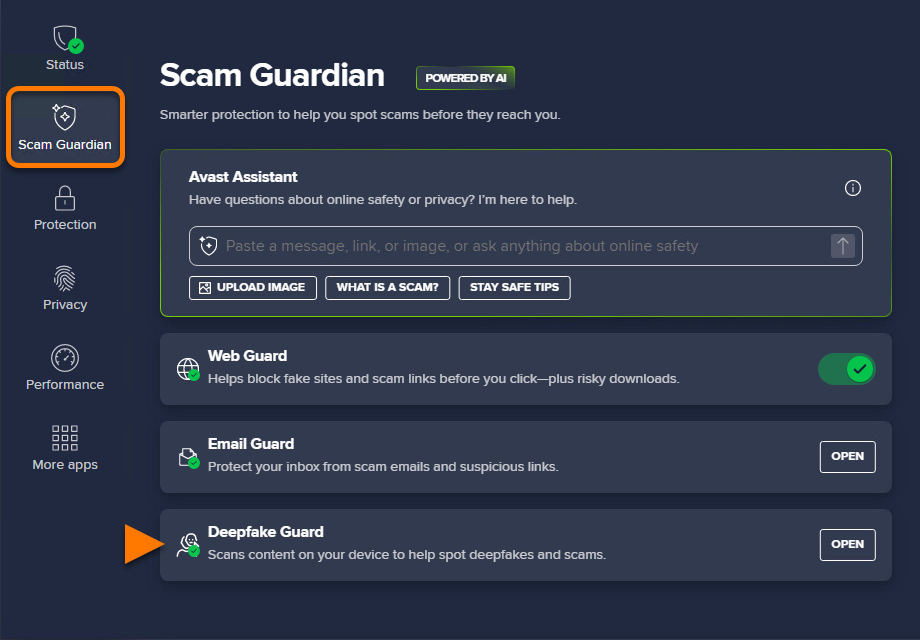
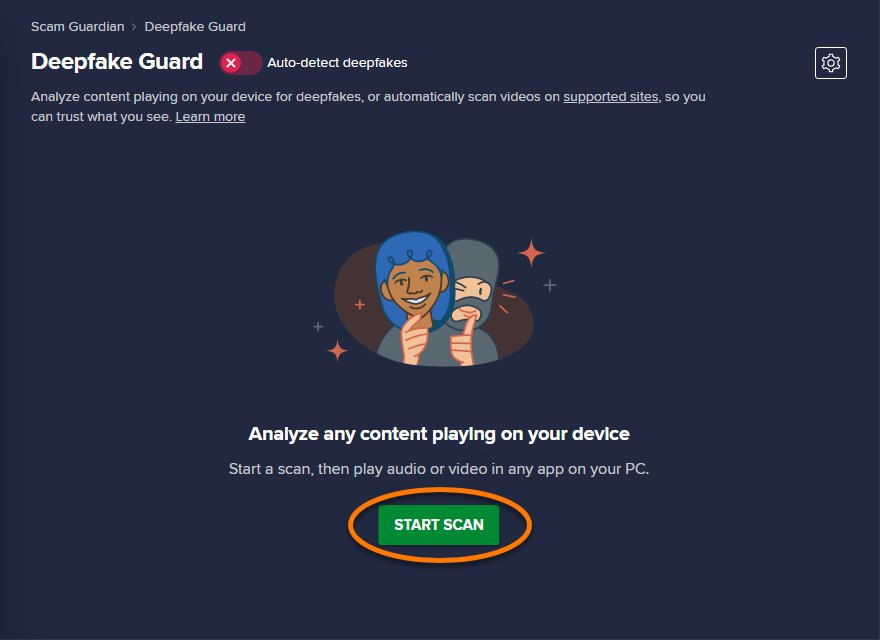
- Click Start scan.
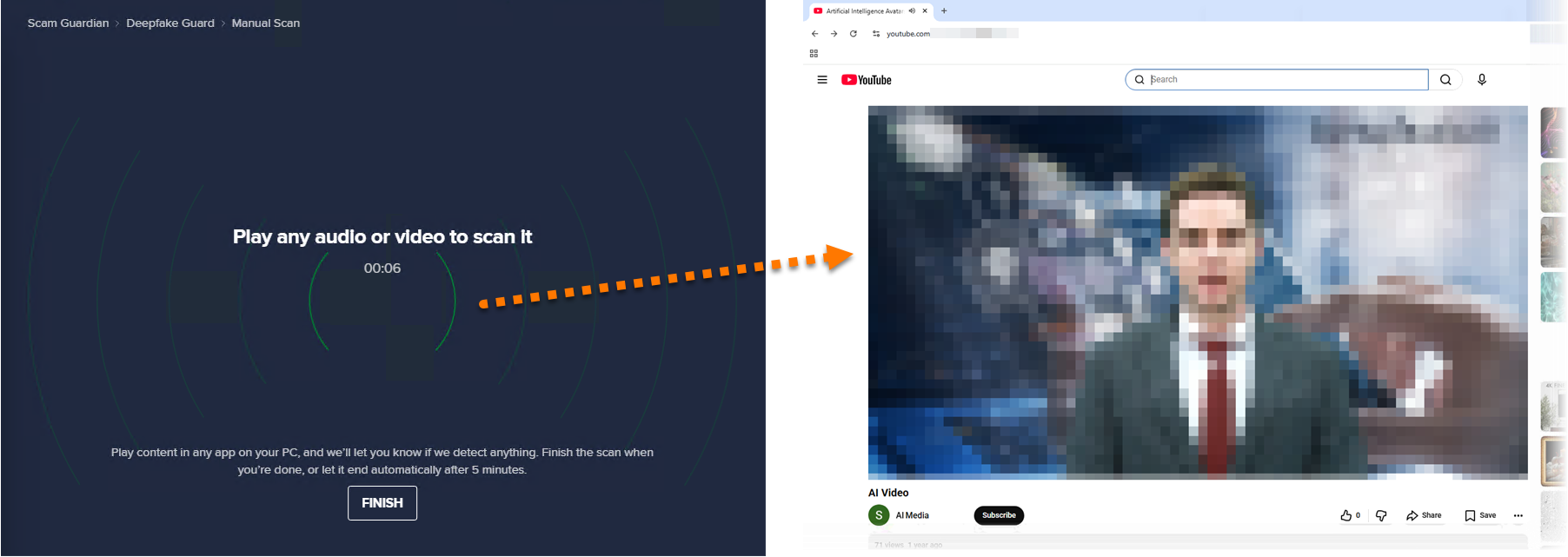
- Deepfake Guard begins scanning. Open your browser and play the video you want to check, ensuring the sound is turned on.
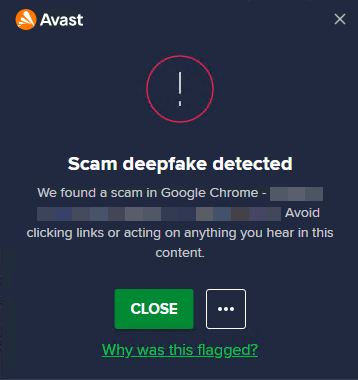
- If a suspicious video is detected, a notification alert appears.
- After the scan finishes, review detections on the main Deepfake Guard screen. Click the down arrow next to the detected video for more details.
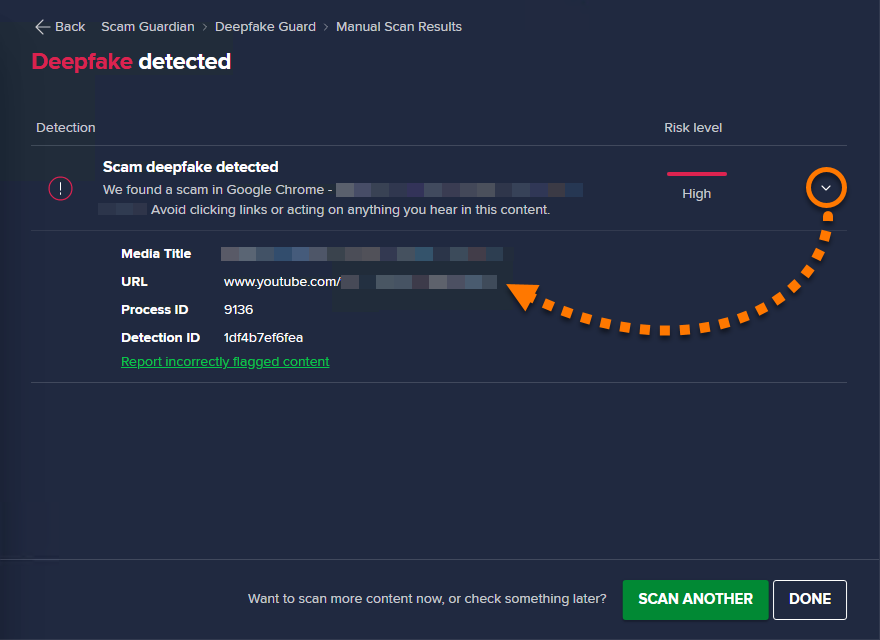
Enabling auto-detection
To turn on automatic scanning:
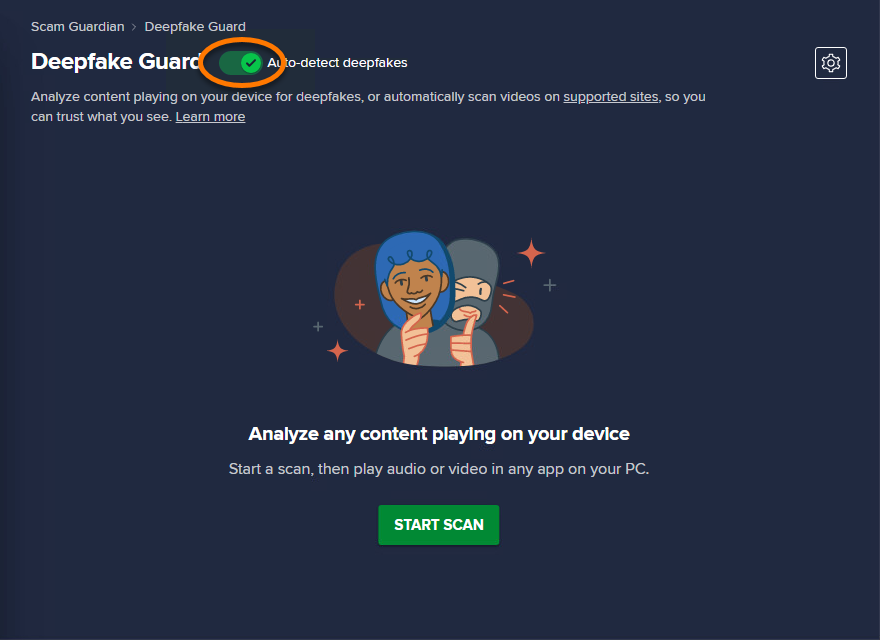
- On the Deepfake Guard screen, click the red (OFF) Auto-detect deepfakes slider so that it changes to green (ON).
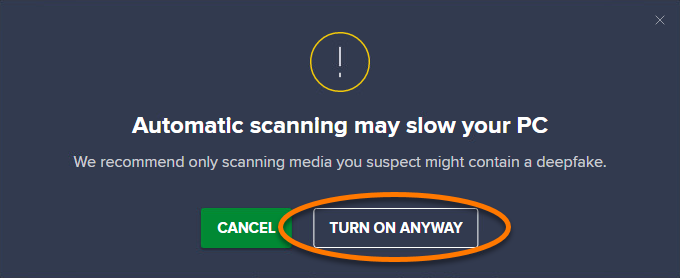
- If prompted, click Turn on anyway (enabling this may slow down your Windows device).
Auto-detection is enabled, and Deepfake Guard automatically scans videos on supported platforms.
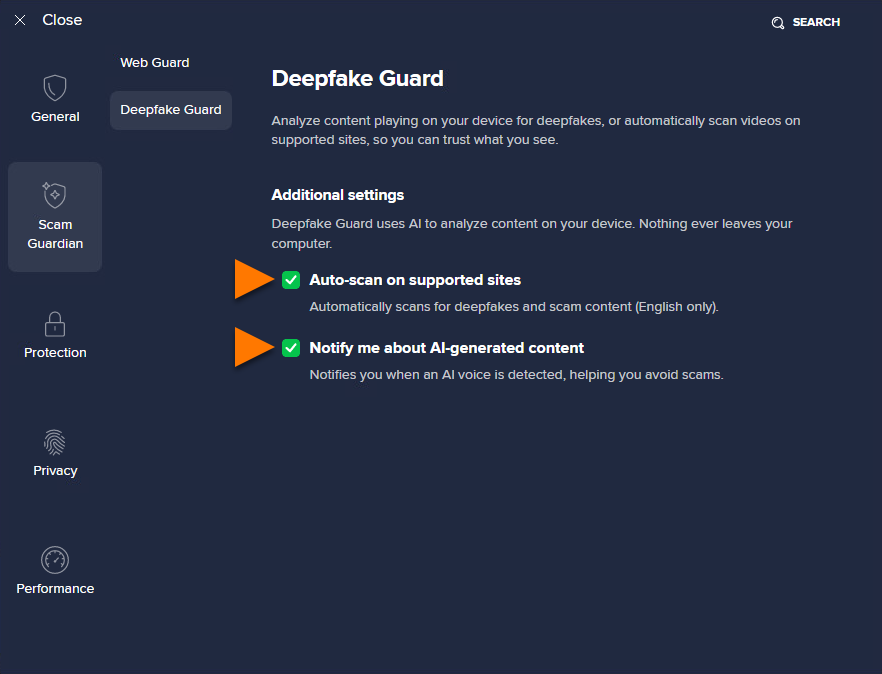
Deepfake Guard Settings
To configure settings:
- On the Deepfake Guard screen, click
 Settings (the gear icon).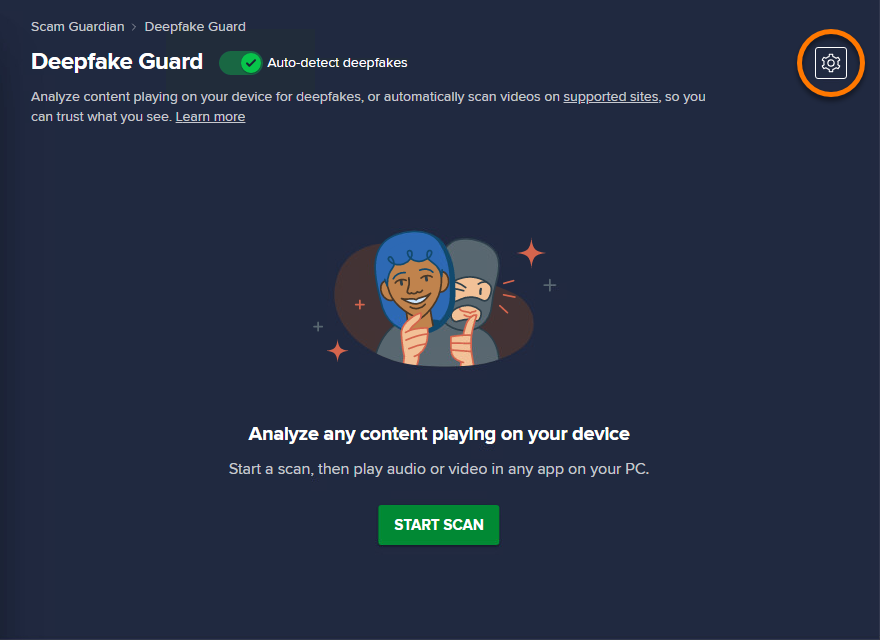
- The following options are available:
- Auto-scan on supported sites: Tick the box next to this option to automatically scans videos on supported platforms.
- Notify me about AI-generated content: Tick the box next to this option to have Deepfake Guard show a notification when suspicious content is detected.
Further recommendation
For more information about Scam Guardian Pro and related features, refer to one of the following articles:
- Avast Premium Security:
- Avast One:
Was this article helpful?

Keep your online identity private!
Browse like no one’s watching with Avast anti-tracking software.