
IS YOUR COMPUTER SLOW? RUN LIKE NEW
If they are not maintained, computers lose performance over time. Avast Cleanup Premium can help significantly improve the performance of your computer.
Managing HTTPS scanning in Web Guard in Avast Antivirus
Windows
HTTPS scanning is a component of Web Guard in Avast Antivirus. HTTPS scanning protects your Windows device against malware delivered by TLS and SSL encrypted HTTPS traffic when you browse the internet. This feature is enabled by default to ensure your full security. If you disable HTTPS scanning, any malware delivered by HTTPS traffic is hidden by TLS/SSL encryption and your computer is more vulnerable to threats.
Web Guard was formerly known as Web Shield.
Manage HTTPS scanning in Web Guard
Follow the steps below to disable HTTPS scanning:
- Open Avast Antivirus and go to
☰Menu ▸ Settings.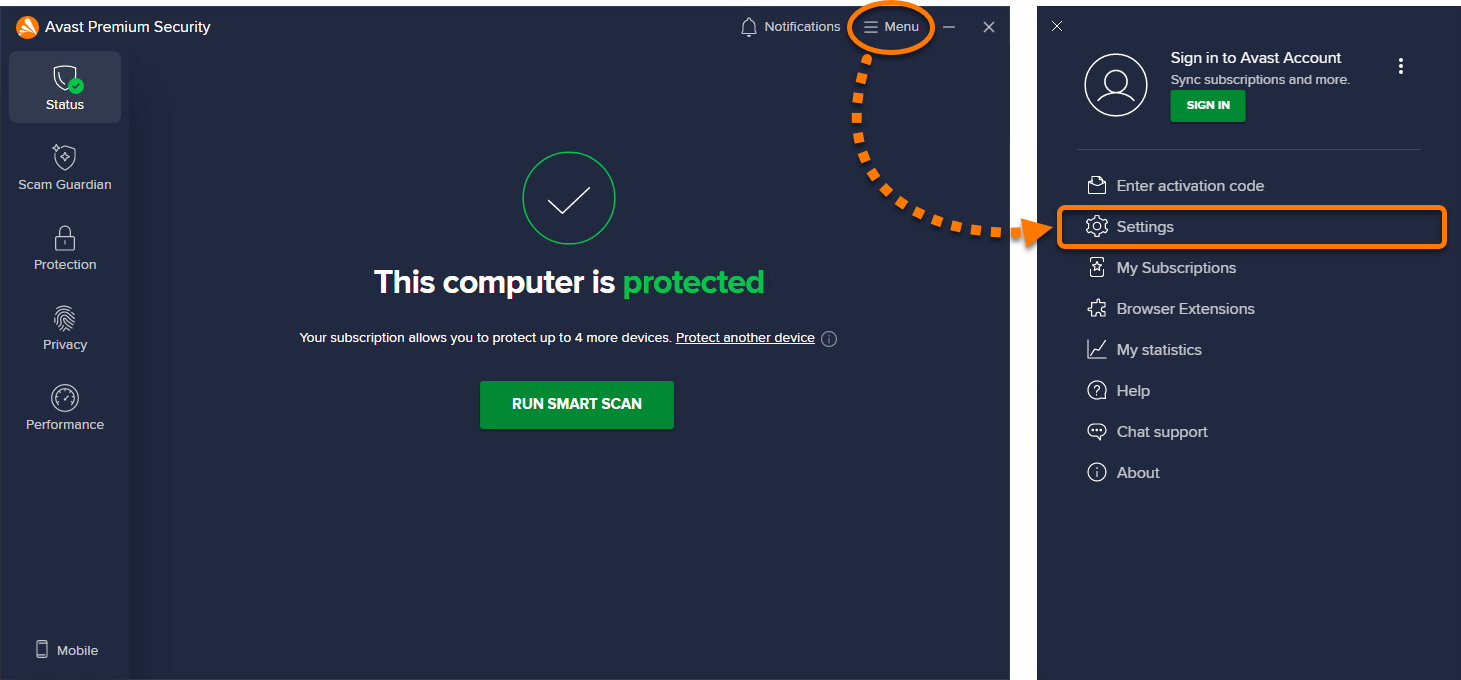
- Select Scam Guardian ▸ Web Guard.
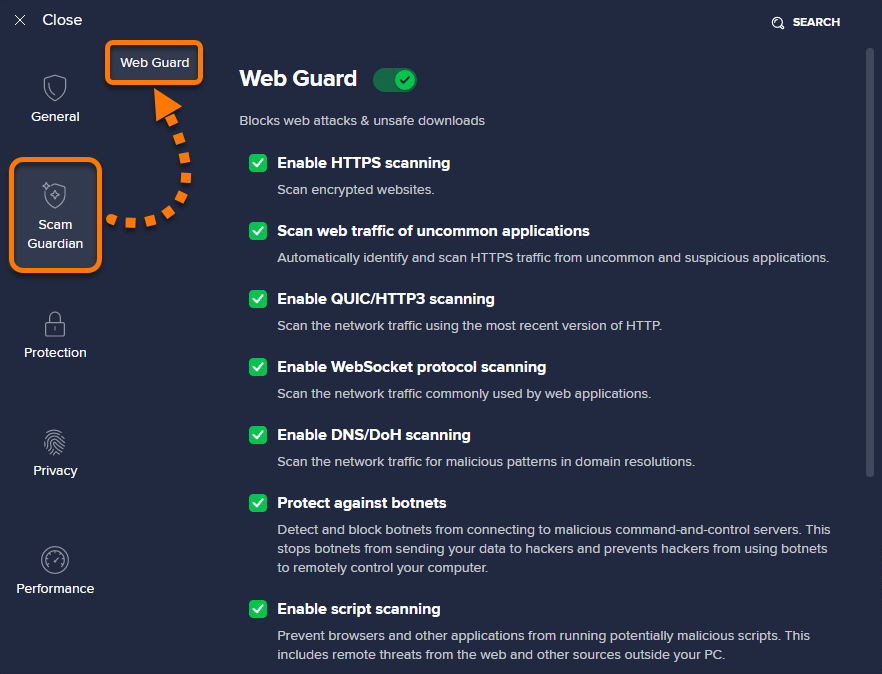
- Untick the box next to Enable HTTPS scanning.
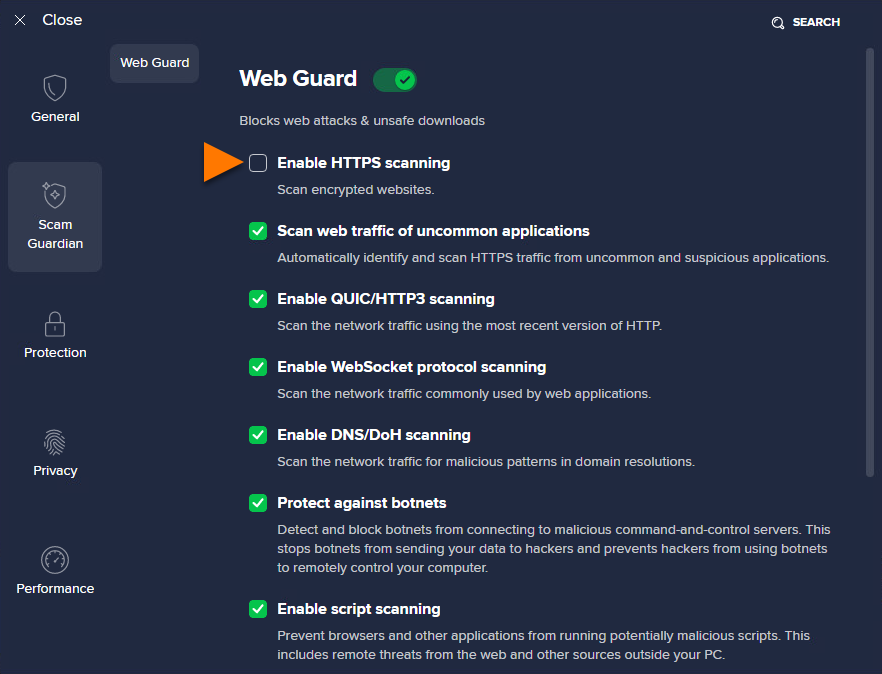
HTTPS scanning is now disabled. To enable it again, follow steps 1-2 above, then tick the box next to Enable HTTPS scanning.
Was this article helpful?

Keep your online identity private!
Browse like no one’s watching with Avast anti-tracking software.