
IS YOUR COMPUTER SLOW? RUN LIKE NEW
If they are not maintained, computers lose performance over time. Avast Cleanup Premium can help significantly improve the performance of your computer.
Sensitive Data Shield - Getting Started
Windows
This article is about the Sensitive Data Shield in Avast Premium Security. For information about the Avast One version of the Sensitive Data Shield, refer to the following article: Avast One Sensitive Data Shield - Getting Started.
Sensitive Data Shield provides an extra layer of protection for your sensitive documents against malware and unauthorized access. Refer to the sections in this article to learn how to use and manage all Sensitive Data Shield settings.
Scan for sensitive documents
Perform a scan of your Windows device to identify documents that contain personal information and are not already protected by Avast.
- Open Avast Premium Security, then select Privacy ▸ Sensitive Data Shield.
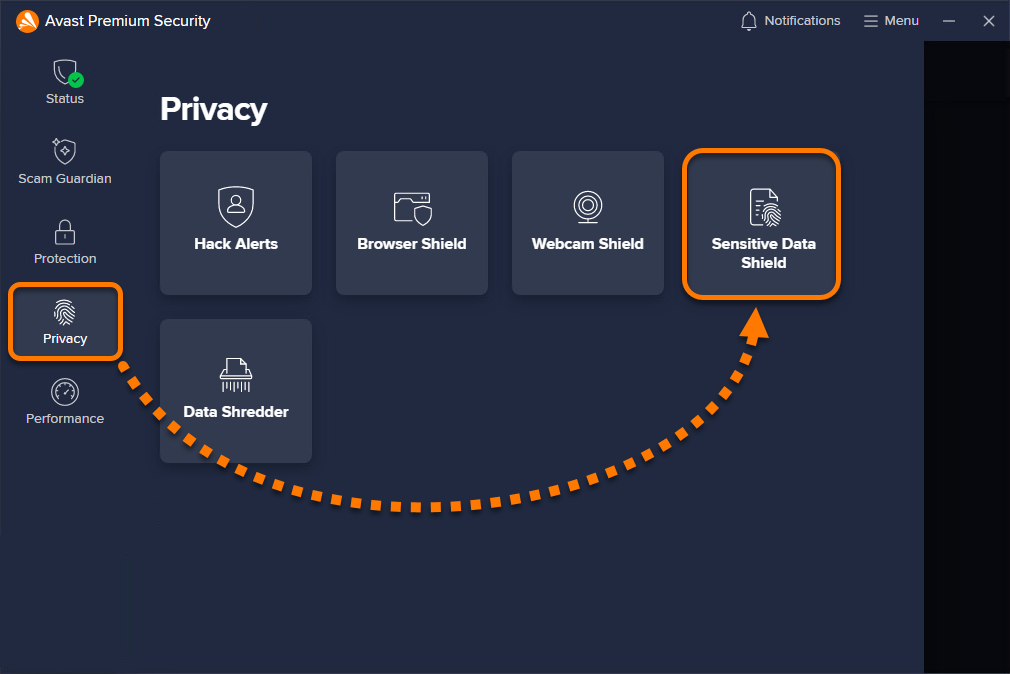
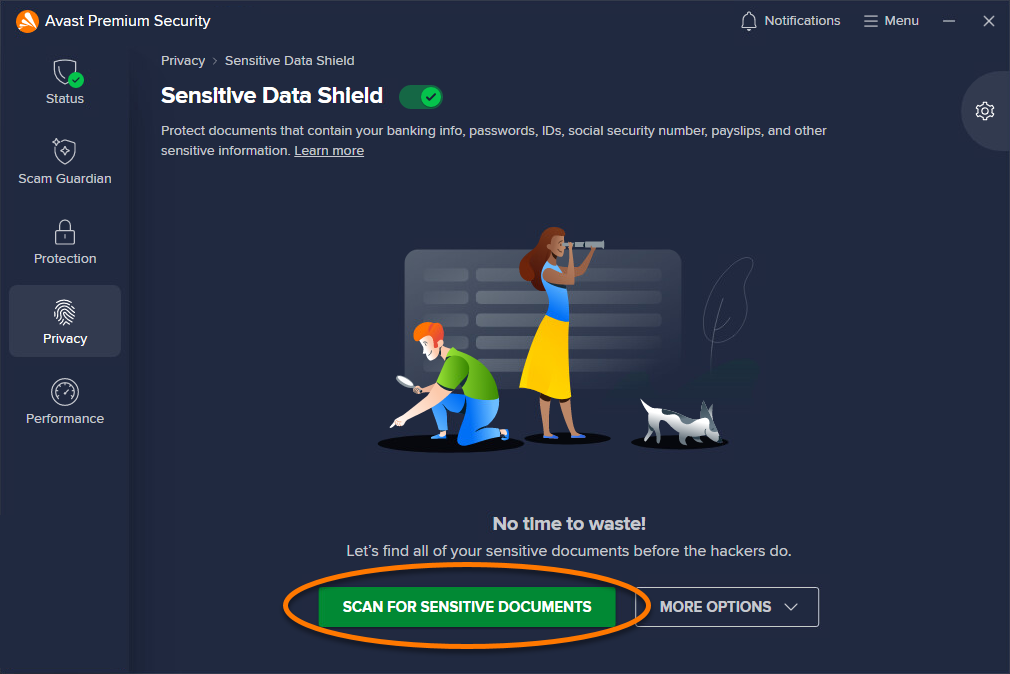
- Click Scan for sensitive documents.
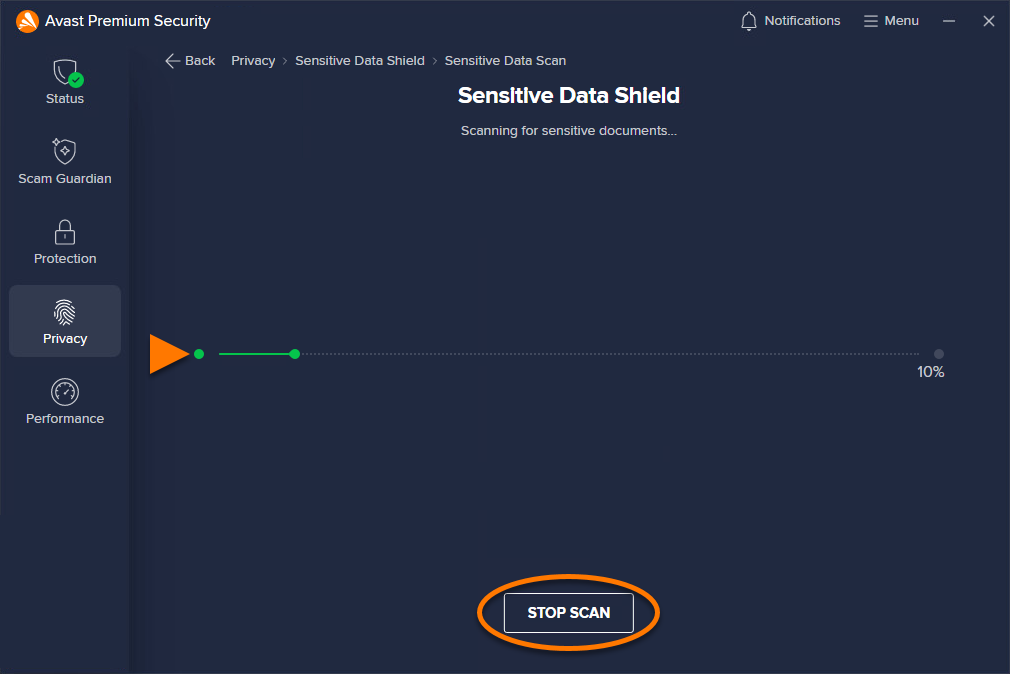
- Wait for Sensitive Data Shield to scan your Windows device for sensitive documents. If you want to cancel the scan, click Stop scan.
- When the scan completes, Sensitive Data Shield displays a list of unprotected files that may contain your personal data. This list includes the Vulnerable document name, Location, and Type.
All found files are selected by default. Optionally, untick the box next to a file to deselect it. Click Protect all or Protect selected to start protecting all selected documents.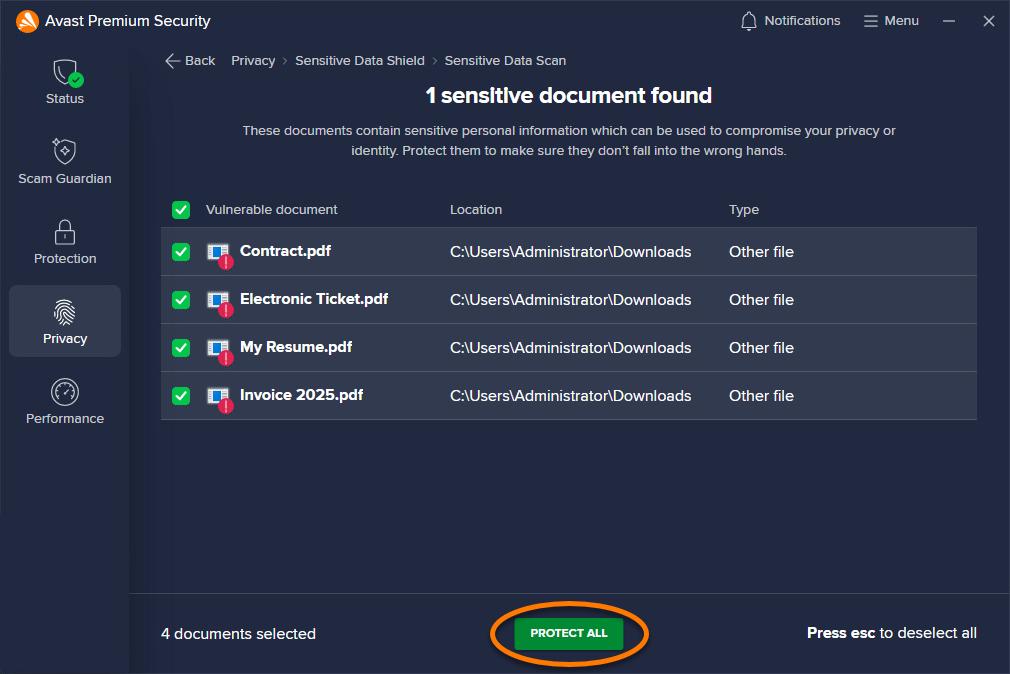
- Click Done to finish and return to the main Sensitive Data Shield screen.
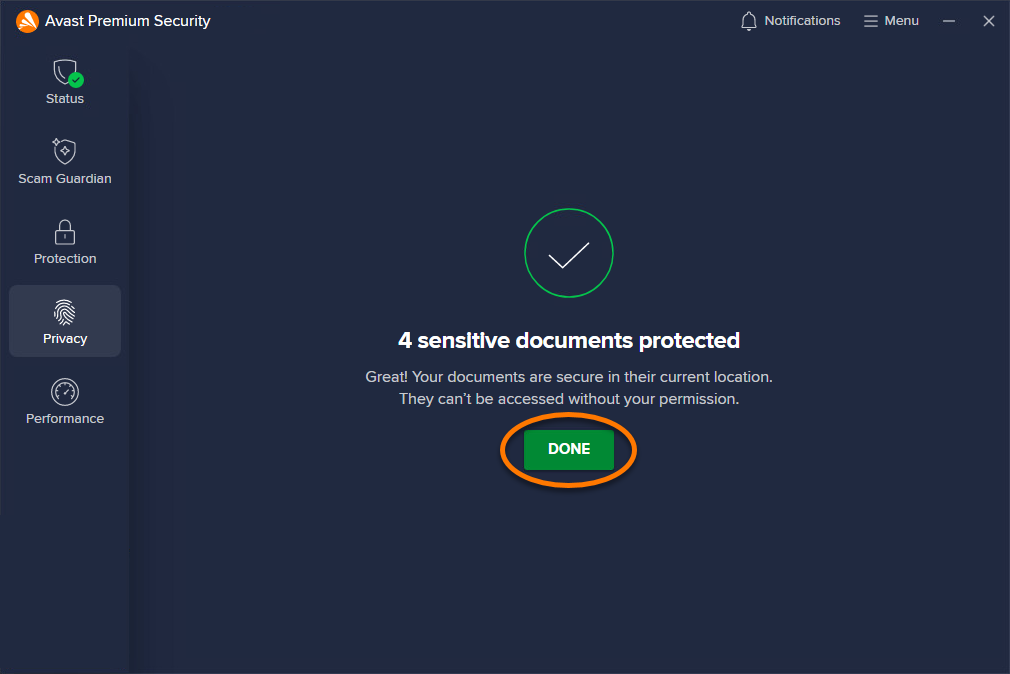
Your selected sensitive data is now protected. If any untrusted application, malware, or unauthorized user tries to access your protected files, Sensitive Data Shield blocks access or prompts you to confirm if the attempt should be blocked.
To stop protecting a sensitive document, tick the box next to the document, then click Stop protecting ▸ Yes, stop protecting.

Protect new documents
To protect a new document, you can manually add it to the protected documents tab:
- Open Avast Premium Security, then select Privacy ▸ Sensitive Data Shield.
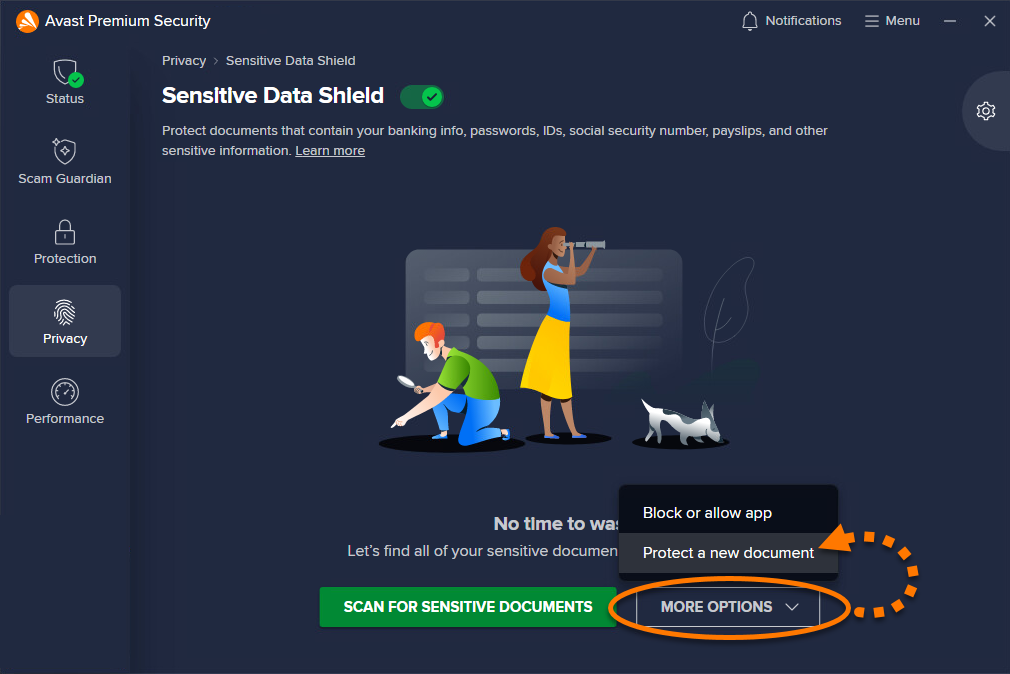
- Click More options ▸ Protect a new document.
- Select the document you want to protect and click Open.
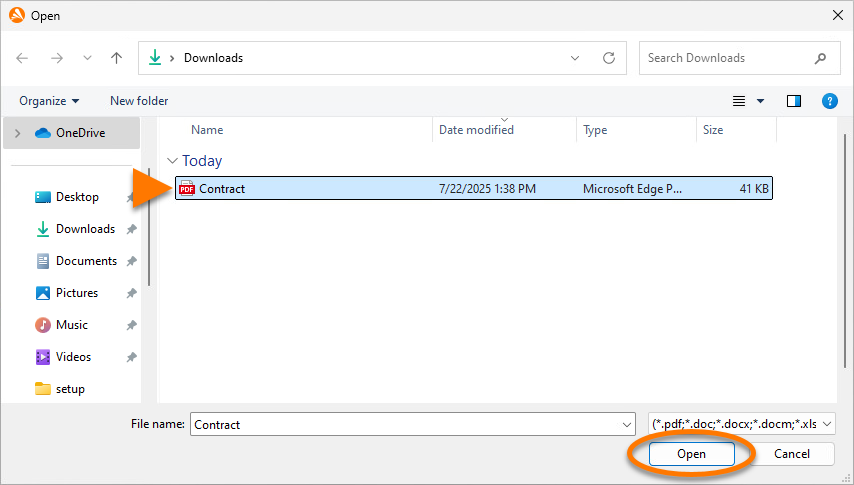
Your selected document is now protected by Sensitive Data Shield. If any untrusted application, malware, or unauthorized user tries to access the file, Sensitive Data Shield blocks access or prompts you to confirm if the attempt should be blocked.
To stop protecting a sensitive document, hover your cursor over the document in the Protected documents list, then click the X icon that appears on the right. Click Yes, stop protecting to confirm.

Manage settings
- Open Avast Premium Security, then select Privacy ▸ Sensitive Data Shield.
- Click
 Settings (the gear icon) in the top-right corner of the screen.
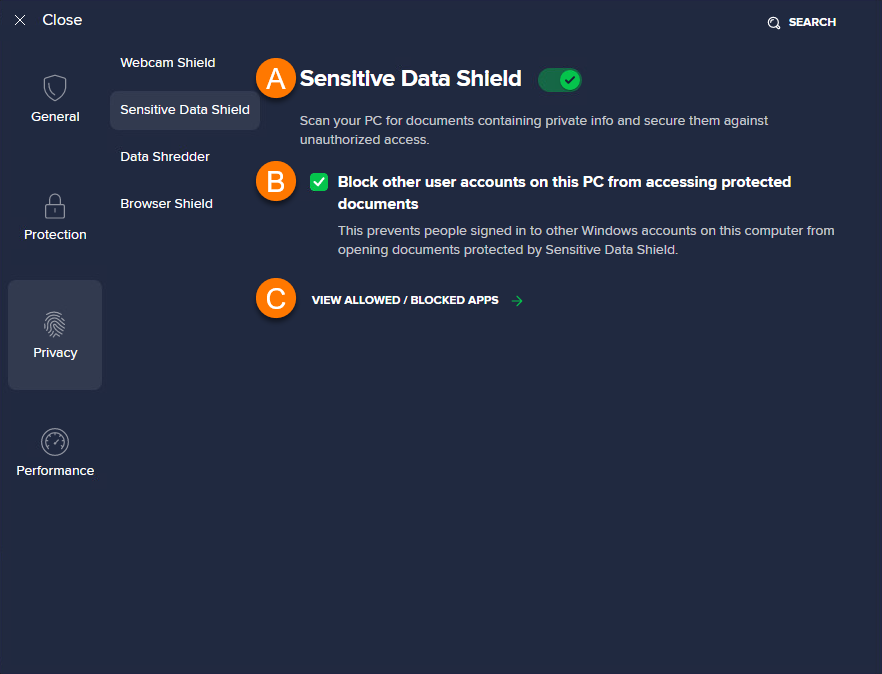
- Manage the following Settings:
- Disable Sensitive Data Shield: Click the green (ON) slider so it changes to red (OFF). We recommend always keeping Sensitive Data Shield enabled, and only disabling it temporarily for troubleshooting purposes.
- Block other user accounts on this Windows device from accessing protected documents (ticked by default): We recommend keeping this option ticked at all times to ensure only authorized users have access to your sensitive documents.
If you share your user account login details with someone else, they will be able to view your protected files.
- View allowed / blocked apps: Open and modify the list of applications that are always blocked or allowed by Sensitive Data Shield. For more information, refer to the following article: Using the Blocked & Allowed apps screen in Avast Antivirus.
Further recommendations
For more information about Sensitive Data Shield, refer to the following article:
Was this article helpful?

Keep your online identity private!
Browse like no one’s watching with Avast anti-tracking software.