

In other regions, the legacy Avast Secure Identity is available. For more information about the legacy version, refer to the following article: Legacy Avast Secure Identity - FAQs.
Avast Secure Identity is an identity protection solution that helps monitor your personal data for exposure, detect potential fraud, and alert you to suspicious activity. This article explains how to start using Avast Secure Identity in Avast One on Windows or Mac, including both the free and Premium versions.
Set up Free Secure Identity
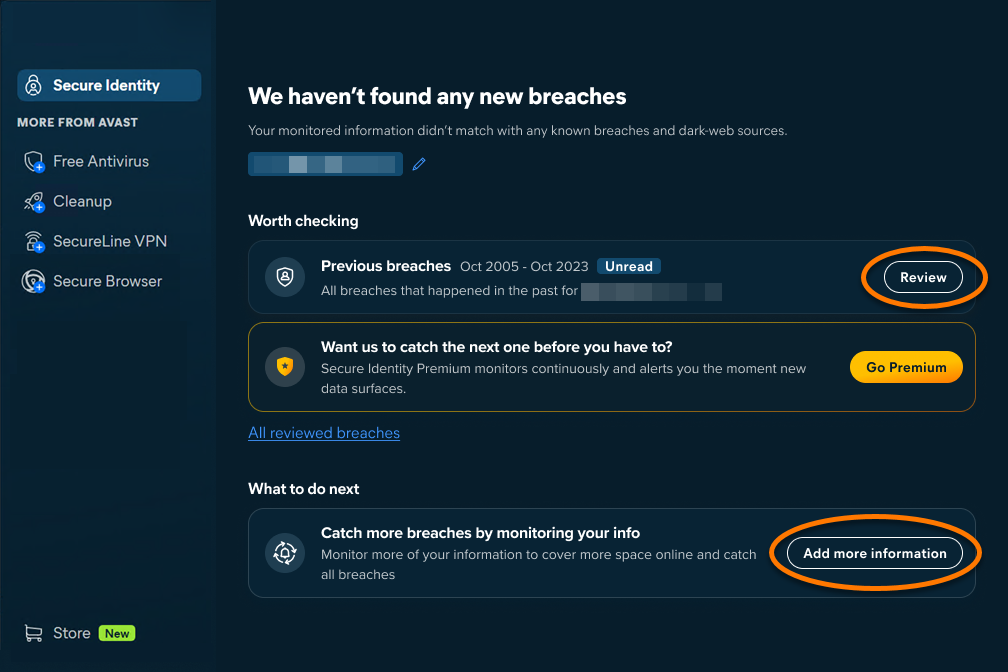
The free version of Secure Identity allows you to use Dark Web Monitoring to check if your email address has been involved in a data breach. In addition, you can continuously monitor up to 3 email addresses and 1 phone number if you sign in to your Avast Account through Avast One. For detailed setup instructions, refer to the steps below:
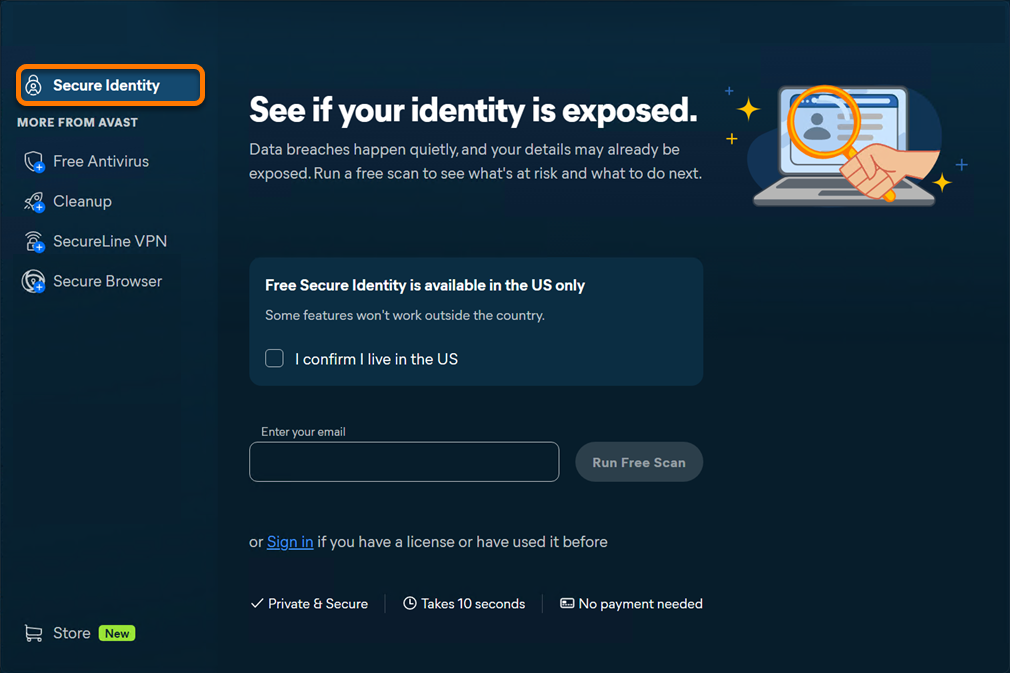
- Open Avast One, hover your cursor over the side menu, and select Secure Identity.

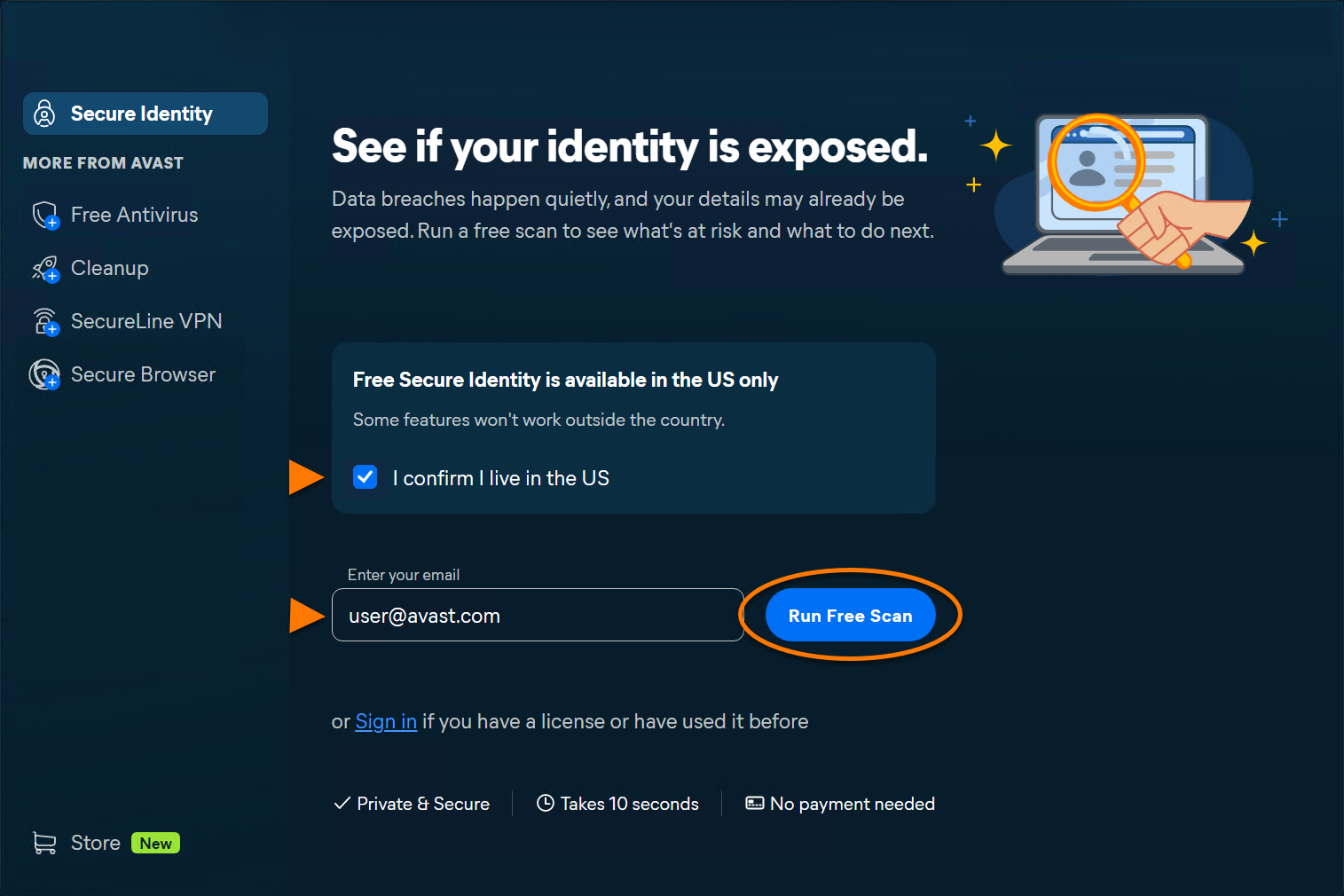
- Tick the box next to I confirm I live in the US, then enter your email address and click Run Free Scan.
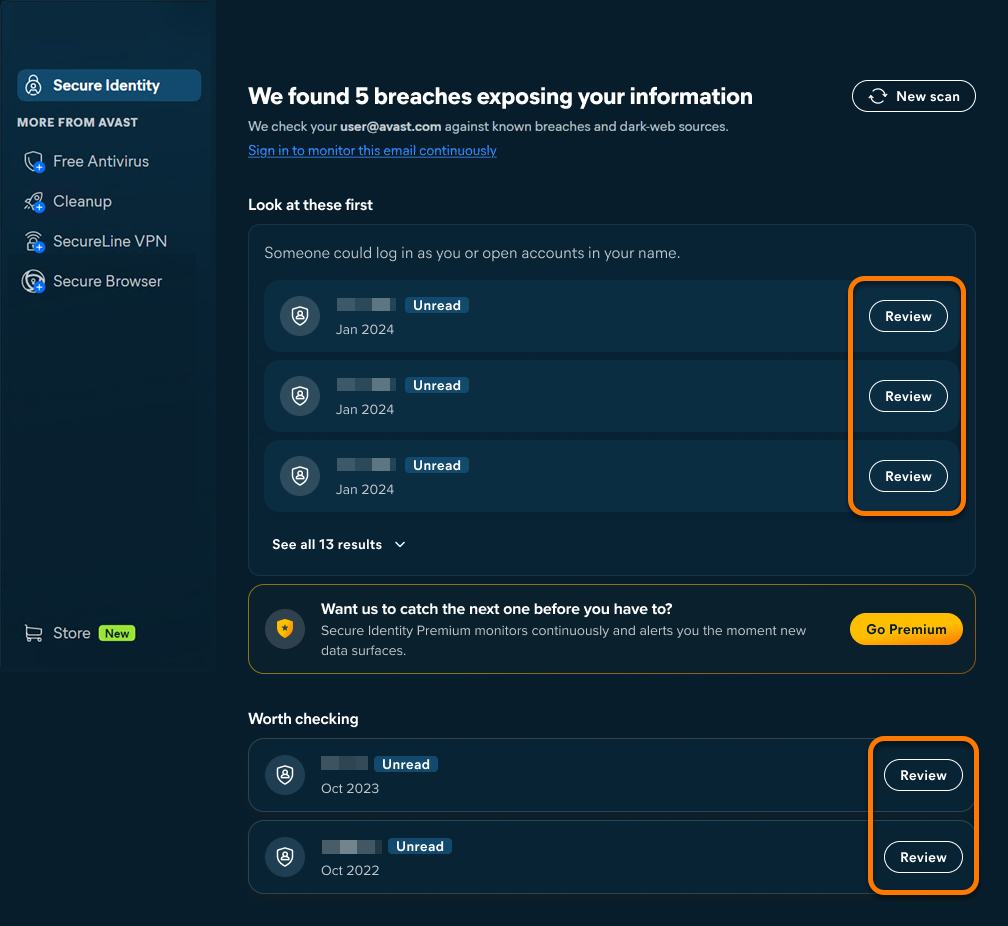
- If breaches are found, click Review next to each item to view details about the breach, including what information was exposed, potential risks, and recommended actions.
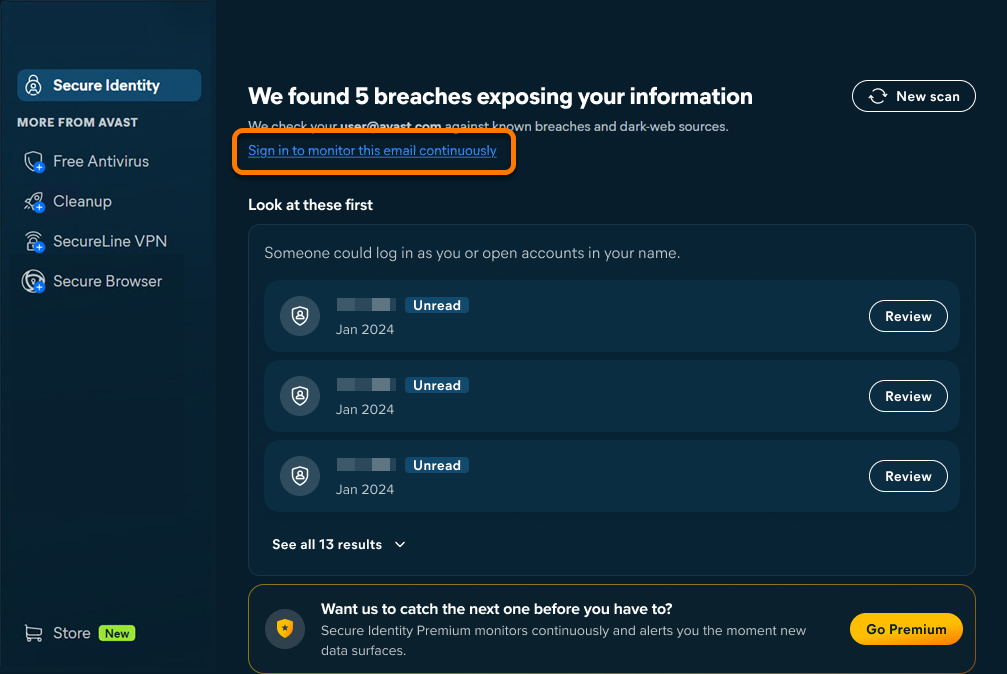
- Optionally, sign in to your Avast Account to enable continuous monitoring for the entered email address.
- After signing in, you can review detected breaches on the Previous breaches tab and optionally add more email addresses or a phone number by clicking Add more information.
Set up Premium Secure Identity
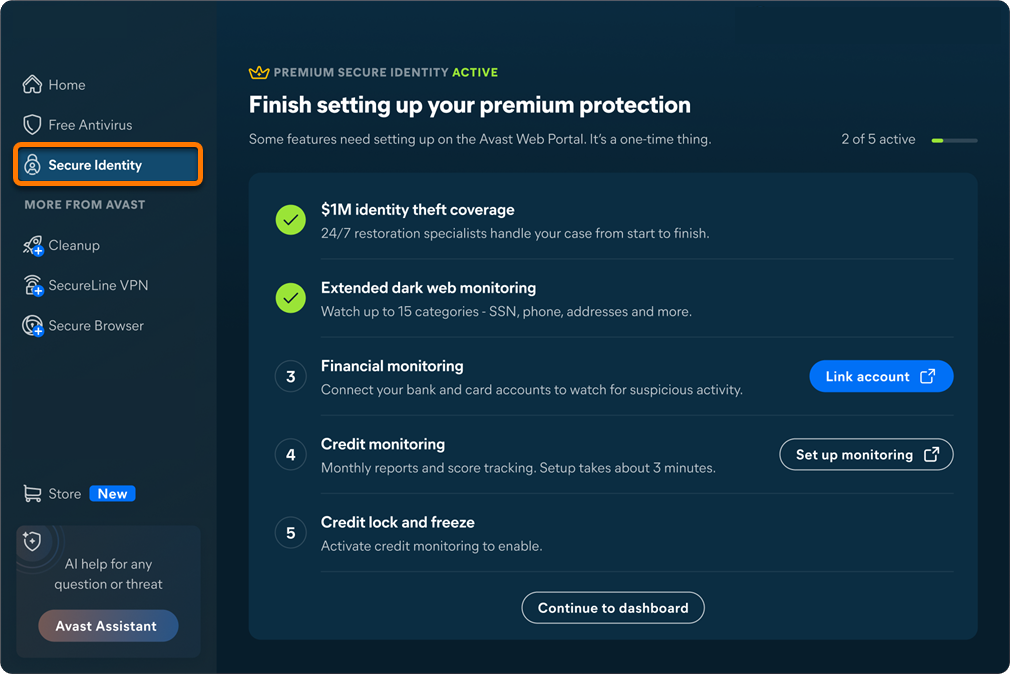
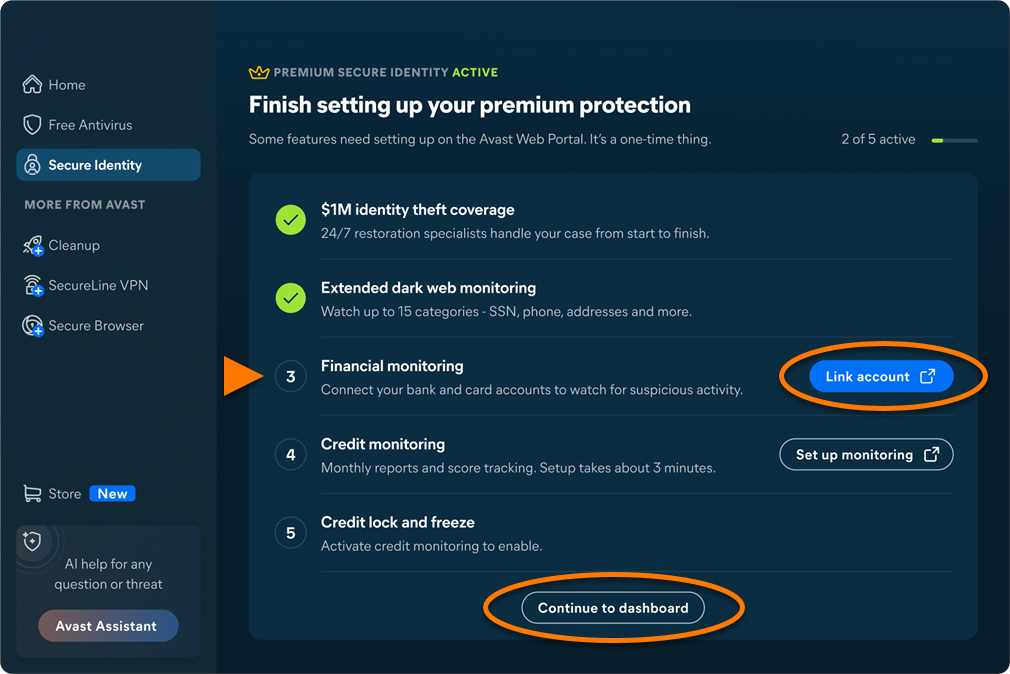
The Premium version of Secure Identity gives you access to advanced features such as improved Dark Web Monitoring, Financial Monitoring, Credit, Checking & Savings Activity Alerts, etc. Most Premium Secure Identity features are managed through your Avast Account portal. To set up Premium Secure Identity:
- Open Avast One, hover your cursor over the side menu, and select Secure Identity.
- Follow the on-screen instructions to configure each feature in your Avast Account portal. When finished, click Continue to dashboard.
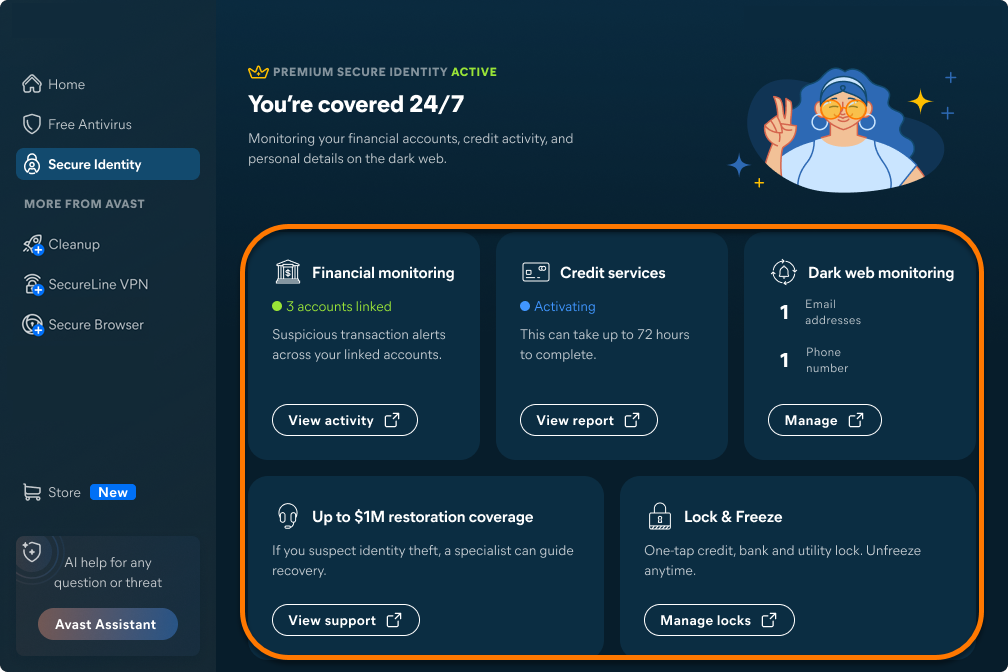
The Avast One dashboard provides an overview of Premium Secure Identity features, with direct links to each feature in your Avast Account portal.
Secure Identity Web Portal
You can access the Secure Identity Web Portal in the Avast Account using the tiles on your Avast One Secure Identity dashboard.
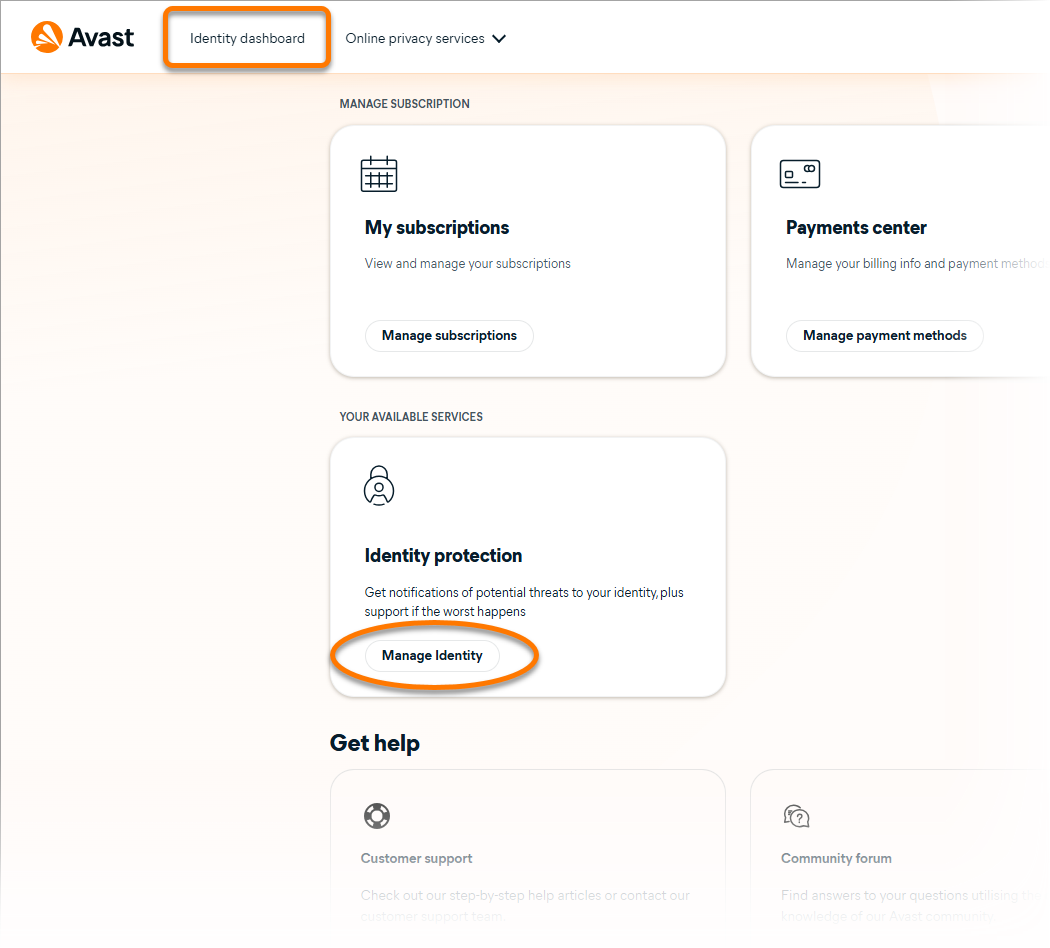
Alternatively, sign in to your Avast Account, then click Identity Dashboard in the top-left corner, or Manage identity in the Identity Protection tab.
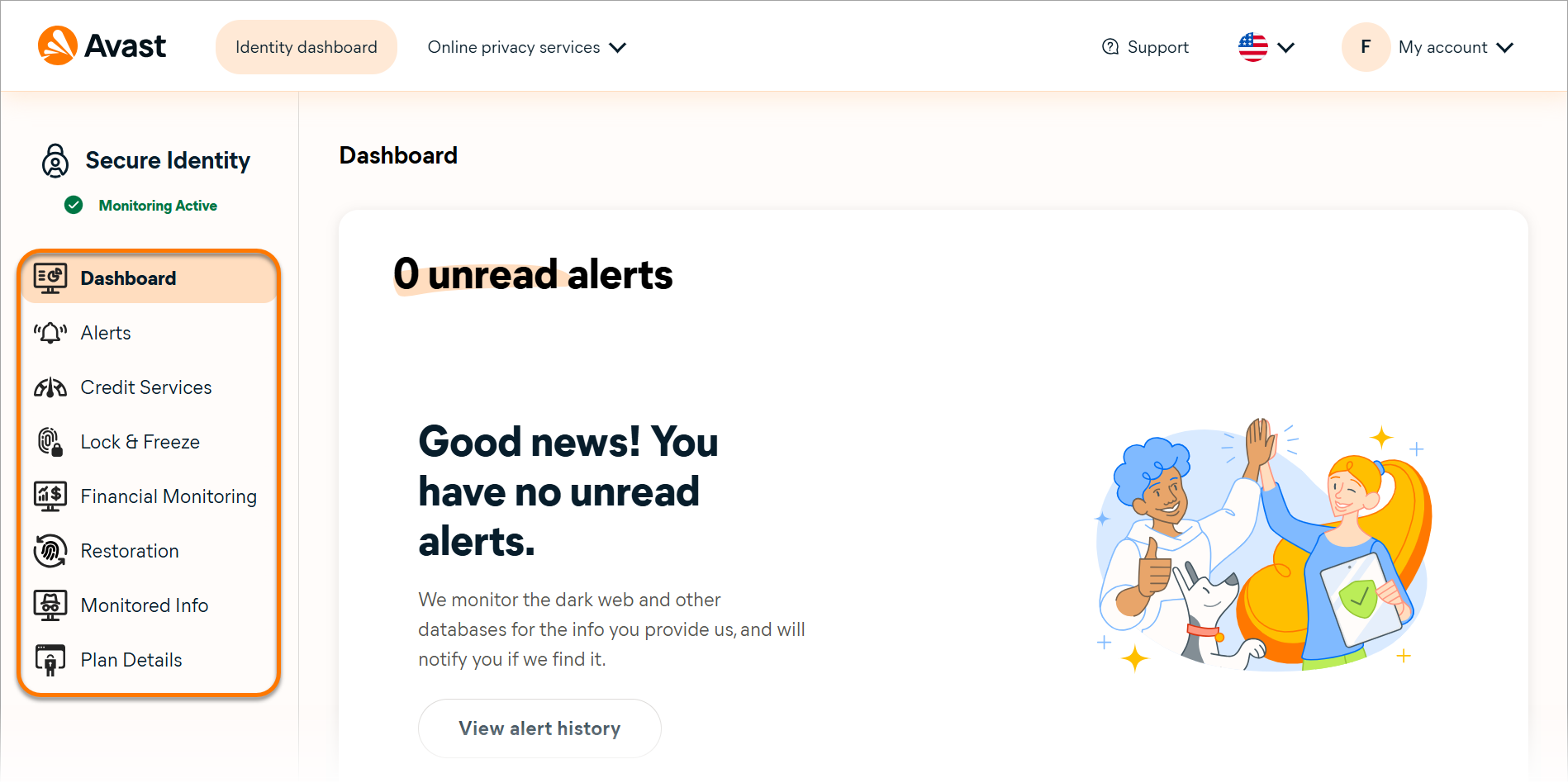
On the dashboard, use the menu on the left-hand side to navigate through Secure Identity features.
Further recommendations
For more information on Avast One and Avast Secure Identity, refer to the following articles:
- Avast One
- Avast Secure Identity
- Windows and macOS
Updated on: 10/08/2026


 © 2025 Gen Digital Inc.