Software Updater eliminates potential security risks by keeping commonly used third-party software up to date. Malicious attacks often exploit holes in outdated software to access your PC. This feature searches for the most popular applications installed on your PC and allows you to easily update them, either manually or automatically.
Update software manually
- Open Avast Antivirus, then select Performance ▸ Software Updater.
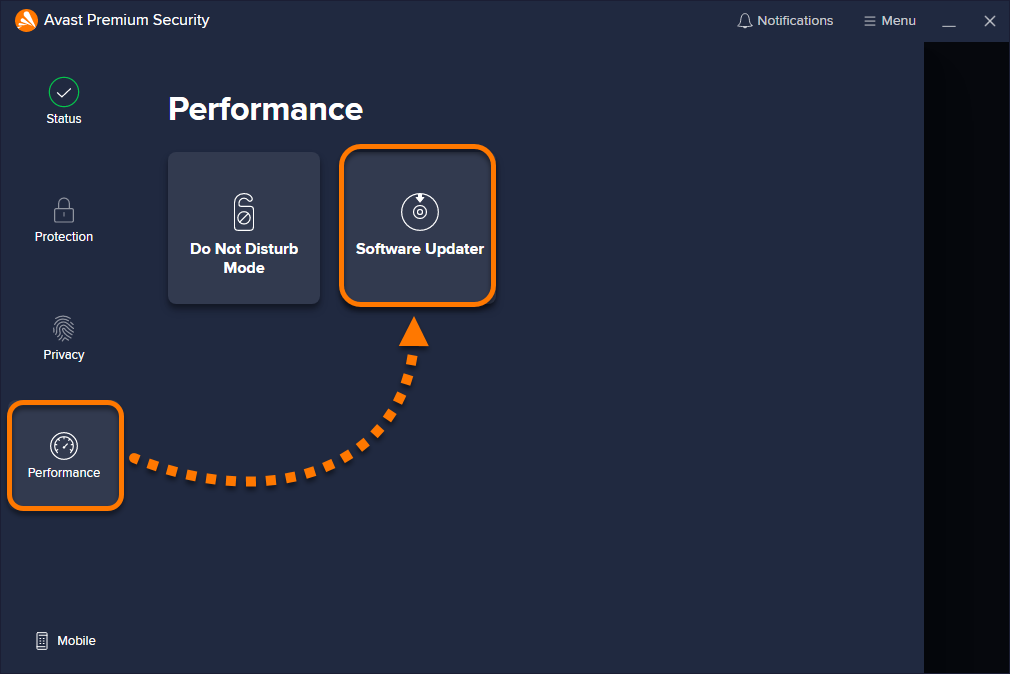
- Click Update now next to an application in the outdated apps list.
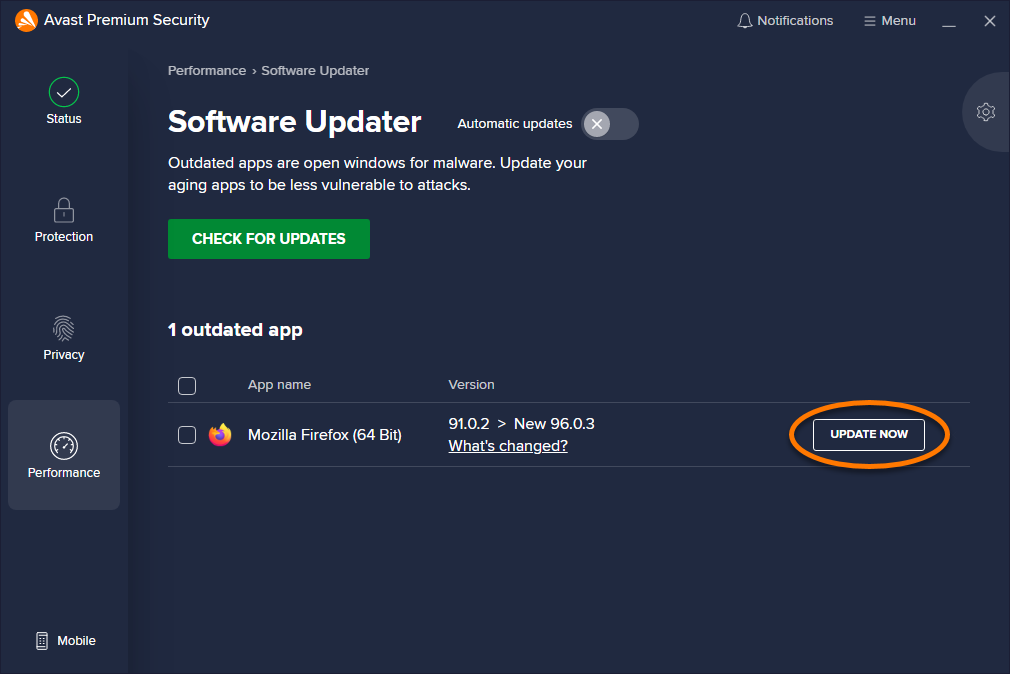
Avast Antivirus installs the update and removes the application from the outdated apps list.
If your Avast Antivirus is unable to directly download and install an update, you are redirected to the vendor's website or another appropriate site to download the update.
Turn on automatic updates
This feature is only available in Avast Premium Security.
- Open Avast Premium Security, then select Performance ▸ Software Updater.
- Next to Automatic updates, click the gray (OFF) slider so that it changes to green (ON).
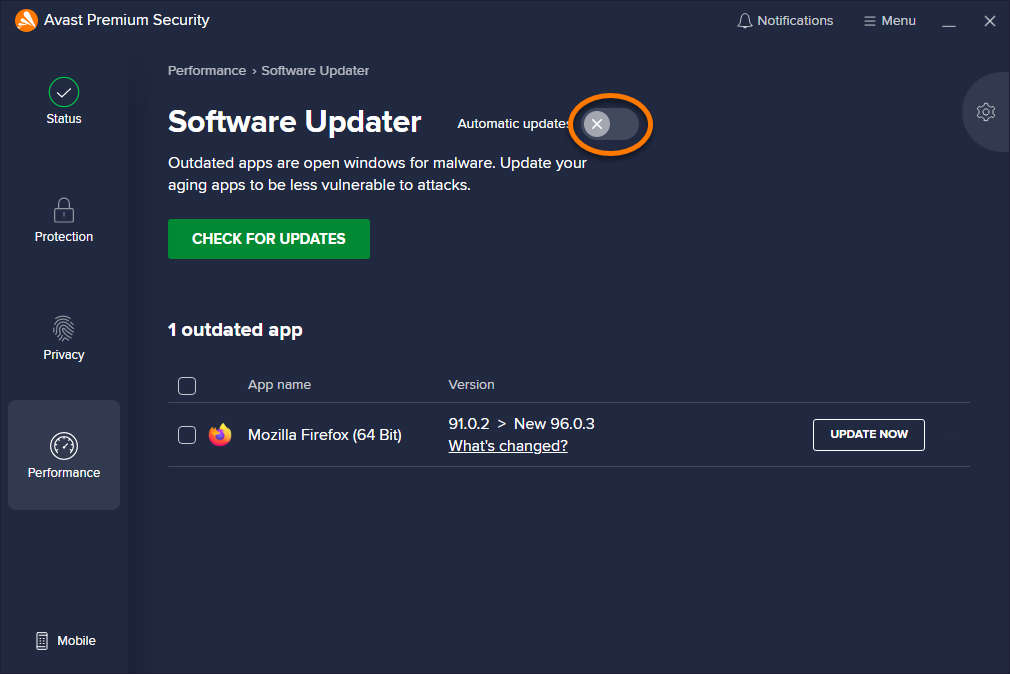
This action enables Avast Premium Security to automatically download and install updates.
Ignore individual application updates
We strongly recommend you do not ignore updates, as outdated software is highly vulnerable to hacker attacks.
- Open Avast Antivirus, then select Performance ▸ Software Updater.
- Tick the box next to an application, then click Ignore updates.
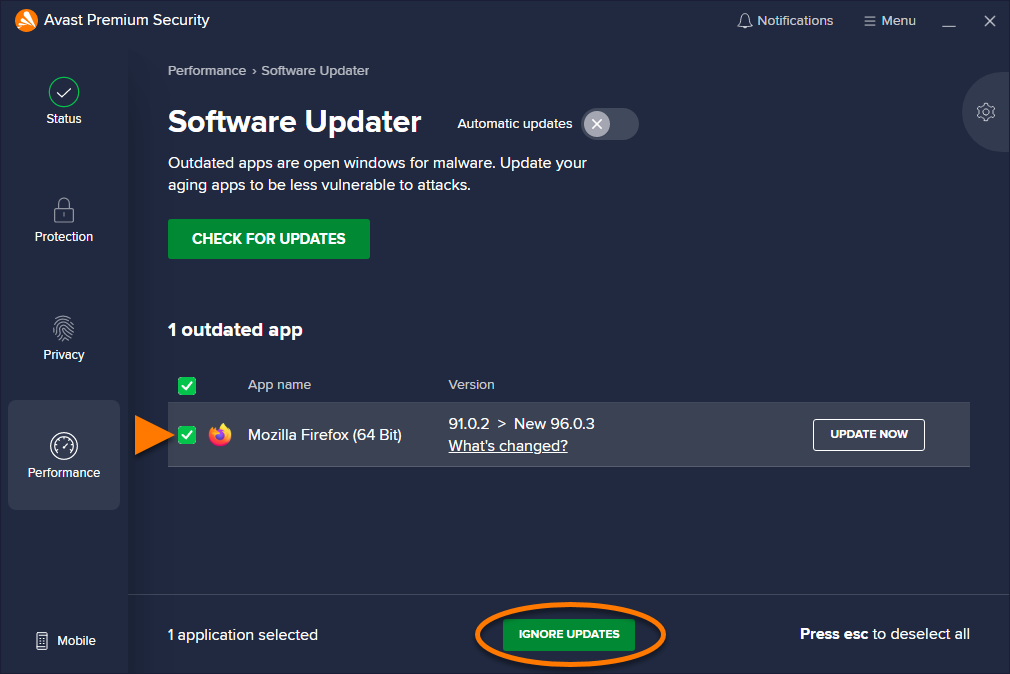
Avast Antivirus no longer notifies you when an update is available for the ignored application.
Remove an application from the ignore list
- Click
 Settings (the gear icon) in the top right of the Software Updater screen.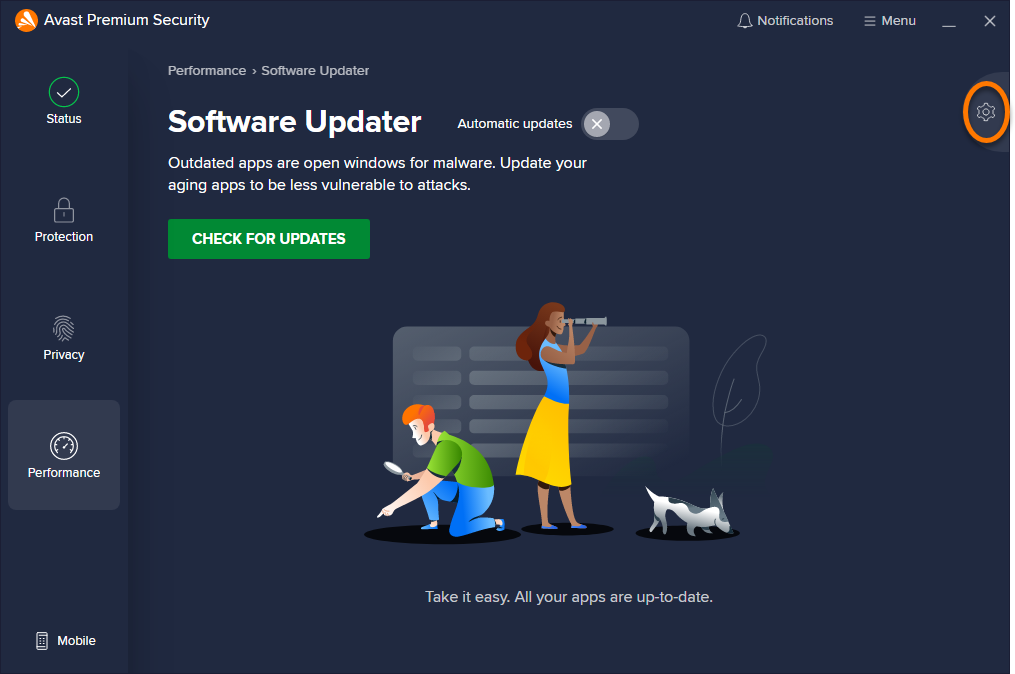
- Hover your cursor over the ignored software, then click the trash icon that appears.
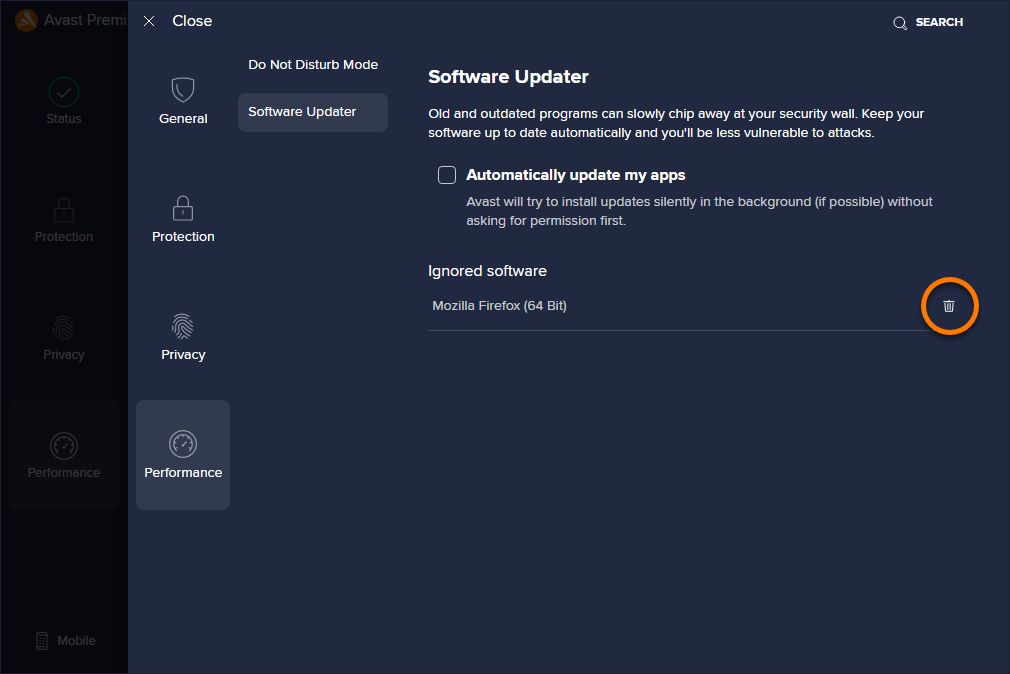
The application is removed from the ignore list.
Troubleshoot update issues
If Software Updater doesn't work as expected, refer to the following article to troubleshoot the issue by resetting the internal database of Software Updater to the default values:
Software Updater eliminates potential security risks by keeping commonly used third-party software up to date. Malicious attacks often exploit holes in outdated software to access your PC. This feature searches for the most popular applications installed on your PC and allows you to easily update them, either manually or automatically.
Update software manually
- Open Avast One, then select
 Explore ▸ Software Updater.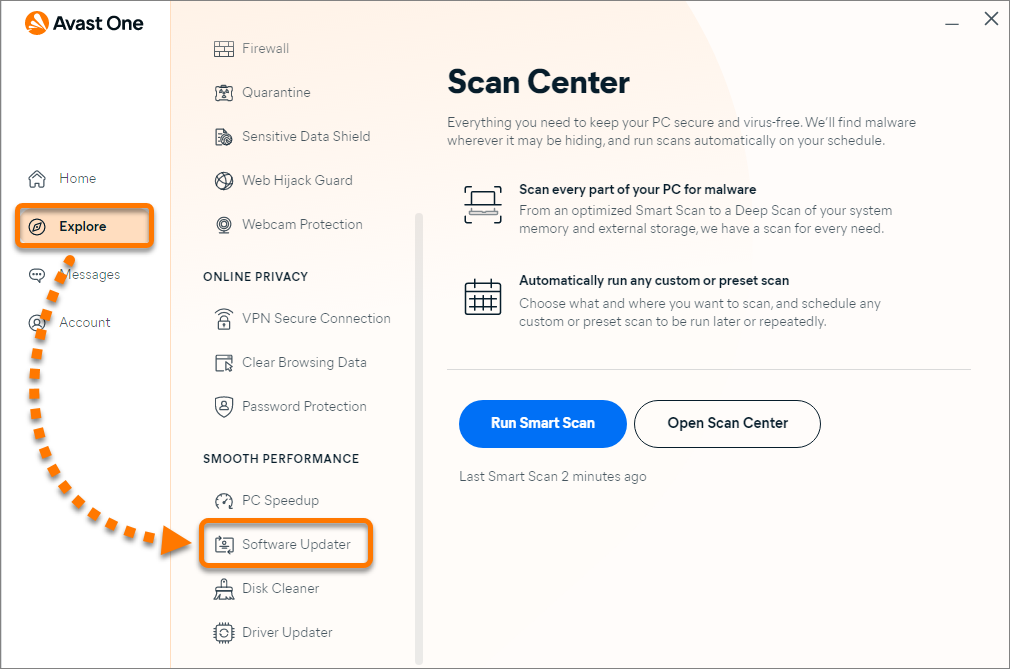
- Click Open Software Updater (or Review outdated apps).
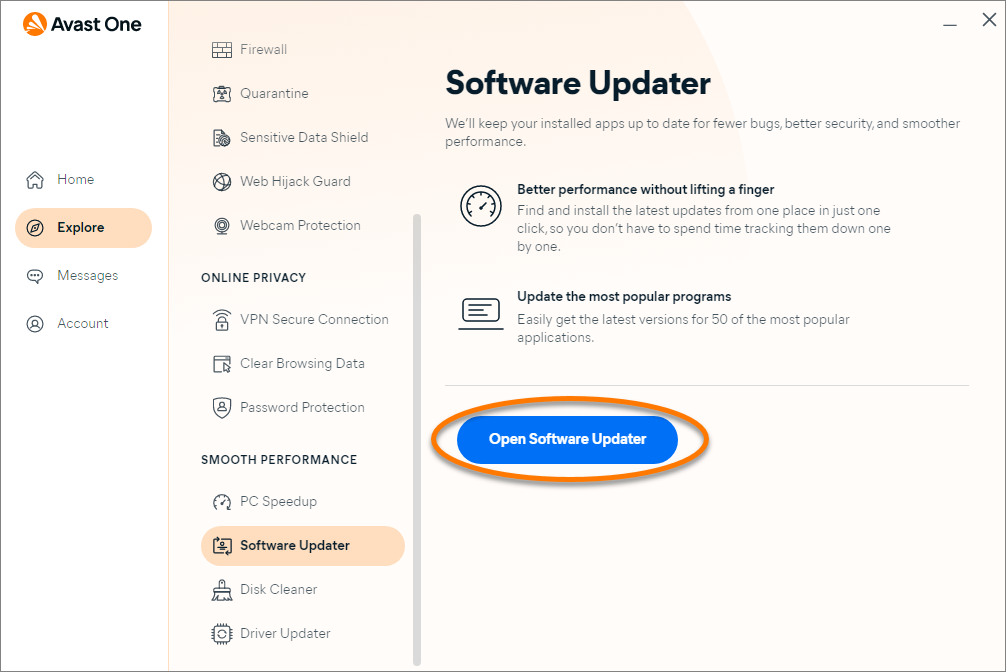
- Click Update next to an application in the outdated apps list.
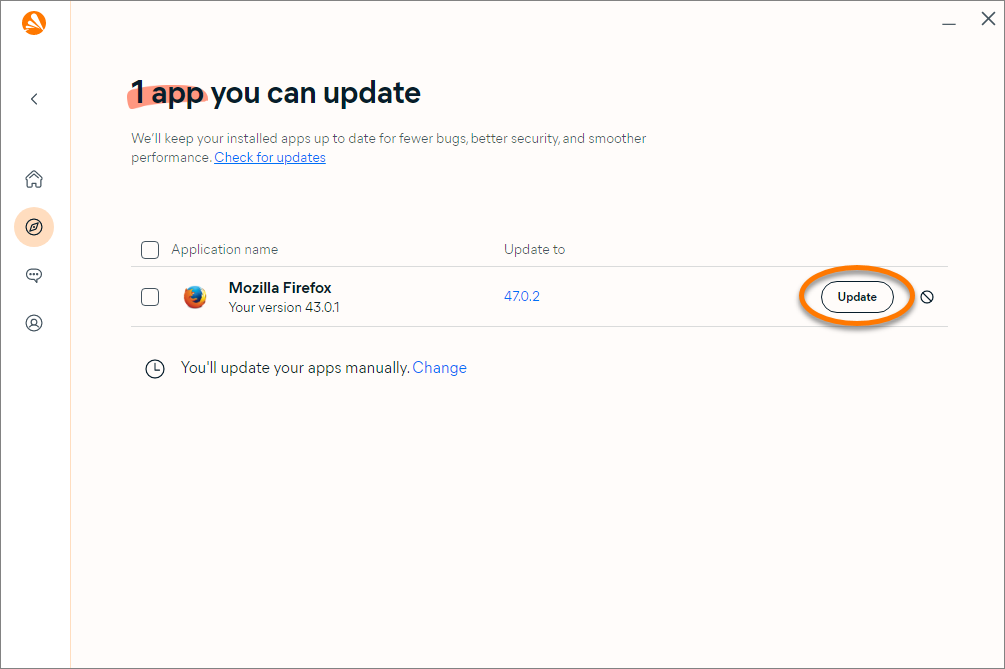
Avast One installs the update and removes the application from the outdated apps list.
If Avast One is unable to directly download and install an update, you are redirected to the vendor's website or another appropriate site to download the update.
Turn on automatic updates
- Open Avast One, then select Explore ▸ Software Updater.
- Click Open Software Updater (or Review outdated apps).
- Next to You'll update your apps manually, click Change.
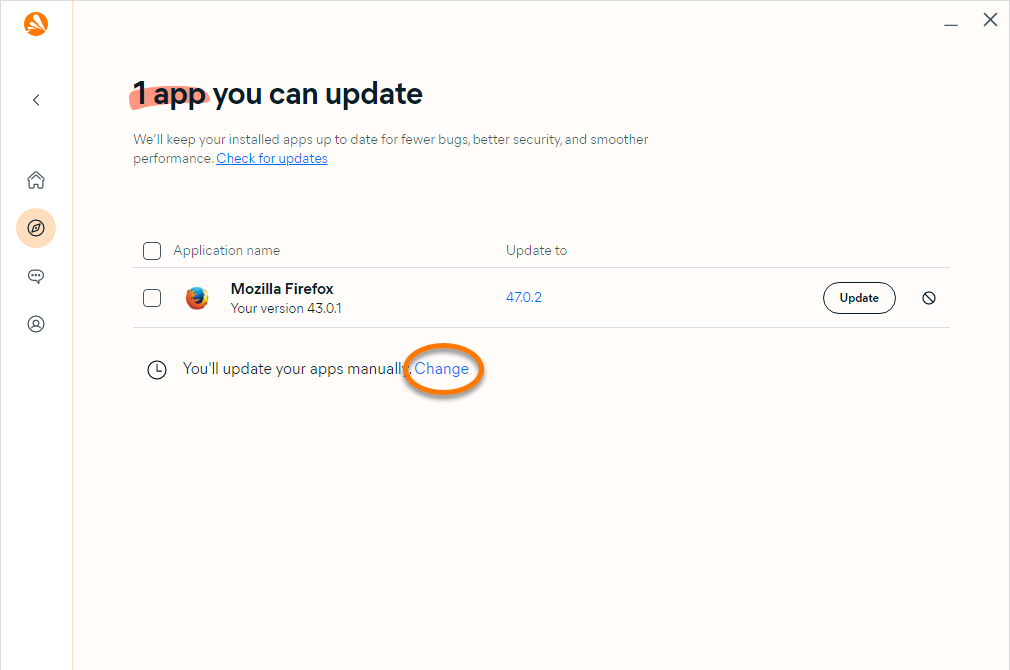
- Select Automatic updates, then click Save.
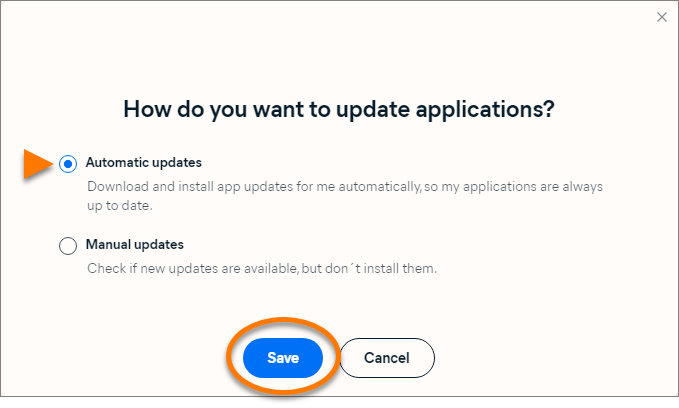
This action enables Avast One to automatically download and install updates.
Ignore individual application updates
We strongly recommend you do not ignore updates, as outdated software is highly vulnerable to hacker attacks.
- Open Avast One, then select Explore ▸ Software Updater.
- Click Open Software Updater (or Review outdated apps).
- Next to an application, click
 Ignore updates.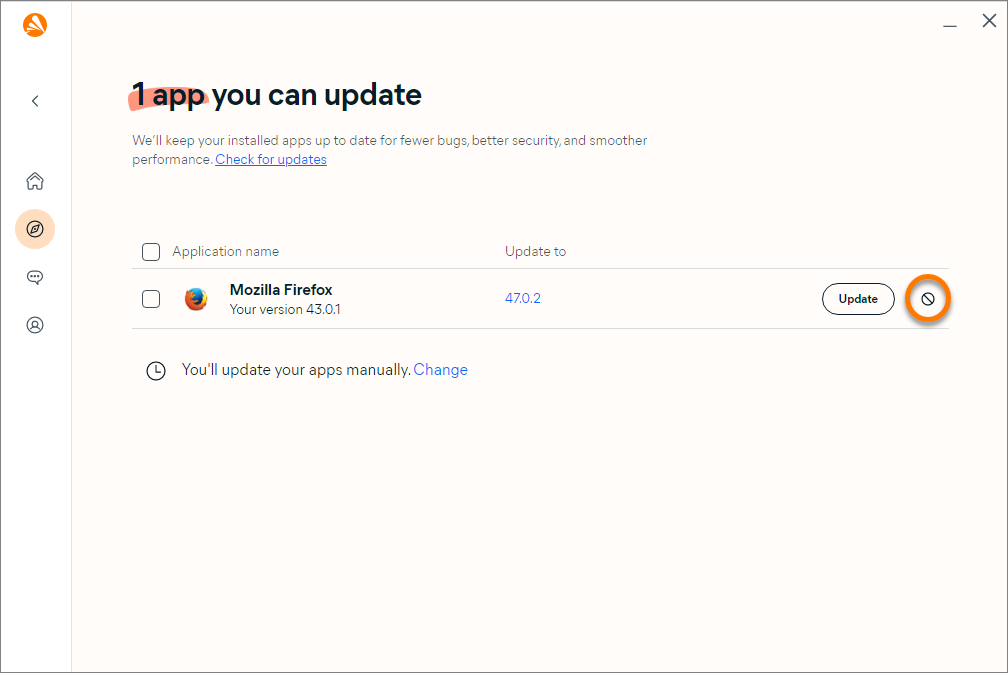
Avast One no longer notifies you when an update is available for the ignored application.
To remove an application from the ignore list: follow steps 1-2 above, then click the down arrow next to Ignoring updates, and click Stop ignoring next to the relevant application.


