
IS YOUR COMPUTER SLOW? RUN LIKE NEW
If they are not maintained, computers lose performance over time. Avast Cleanup Premium can help significantly improve the performance of your computer.
Resetting Software Updater in Avast Antivirus
Windows
Software Updater helps keep commonly used third party software up-to-date to eliminate potential security risks. Malicious threats or attackers often use leaks in outdated software to access your PC. Software Updater displays the most popular programs installed on your PC and allows you to easily update them.
If Software Updater doesn't work as expected, for example, if an application update goes wrong, or an invalid application status/version is shown, you can try resetting the internal database of Software Updater to the default values.
Reset the Software Updater database
Follow the GIF or steps below to reset the Software Updater database:

- Open Avast Antivirus and go to
☰Menu ▸ Settings.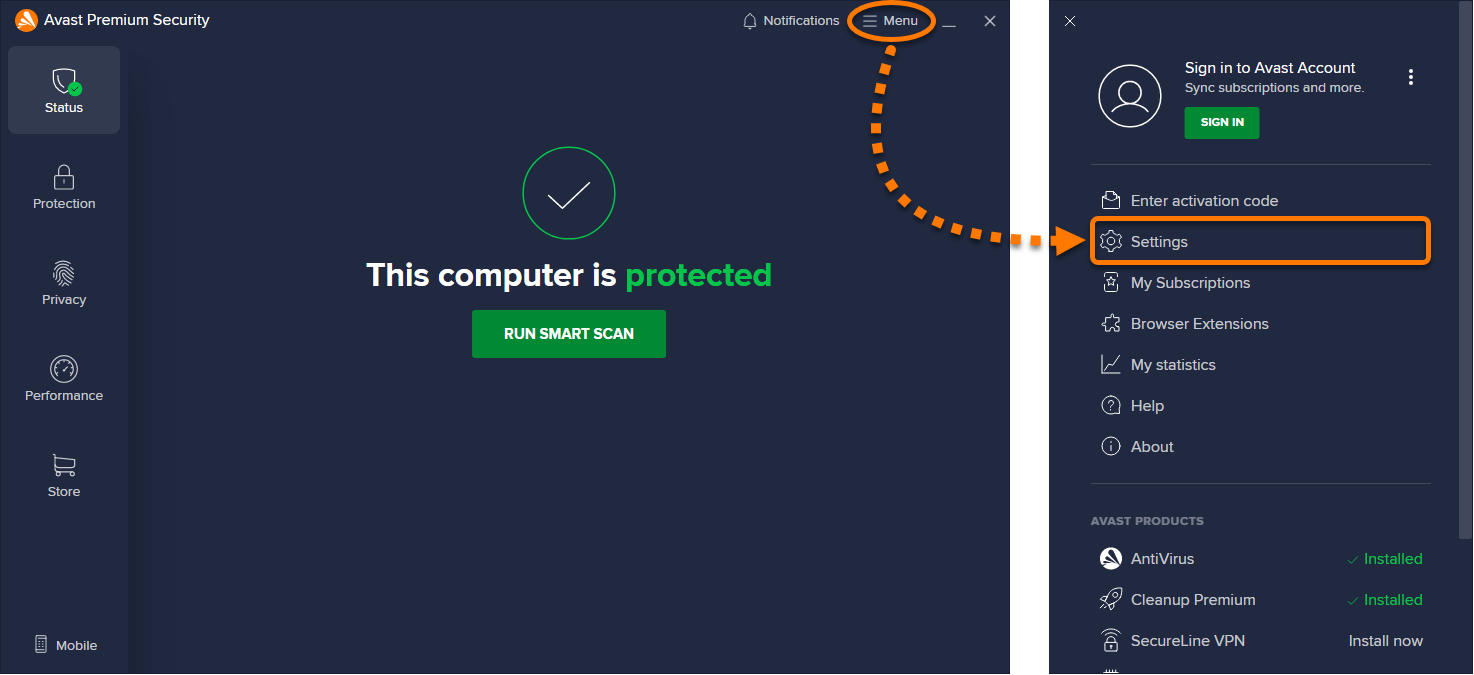
- Click Search in the top-right corner.
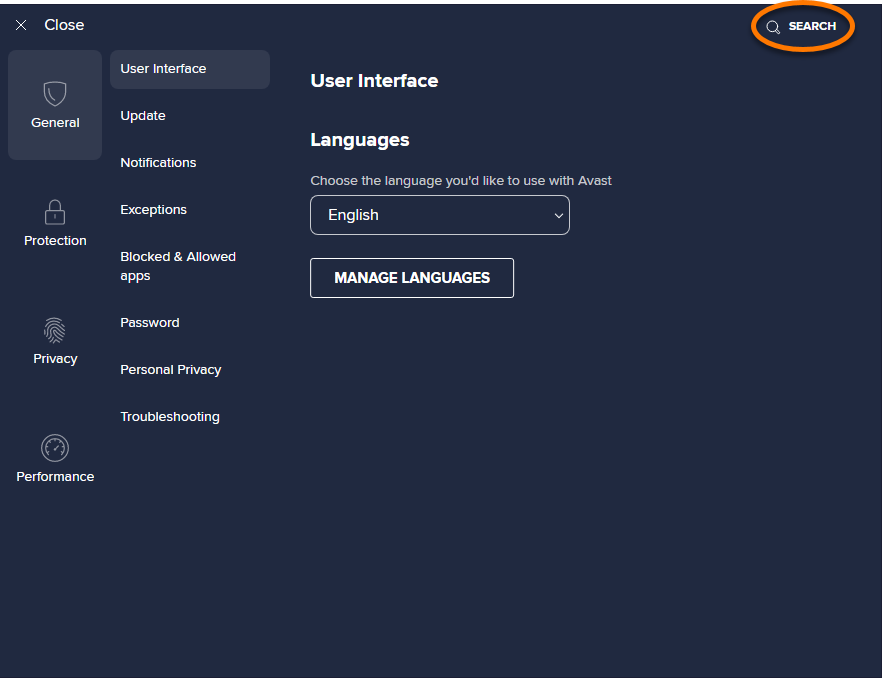
- Type
geek:areainto the search box and select Avast Geek from the search results.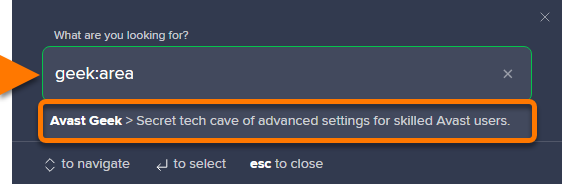
- Scroll to the Software Updater section, then click Perform next to Database reset (troubleshooting).
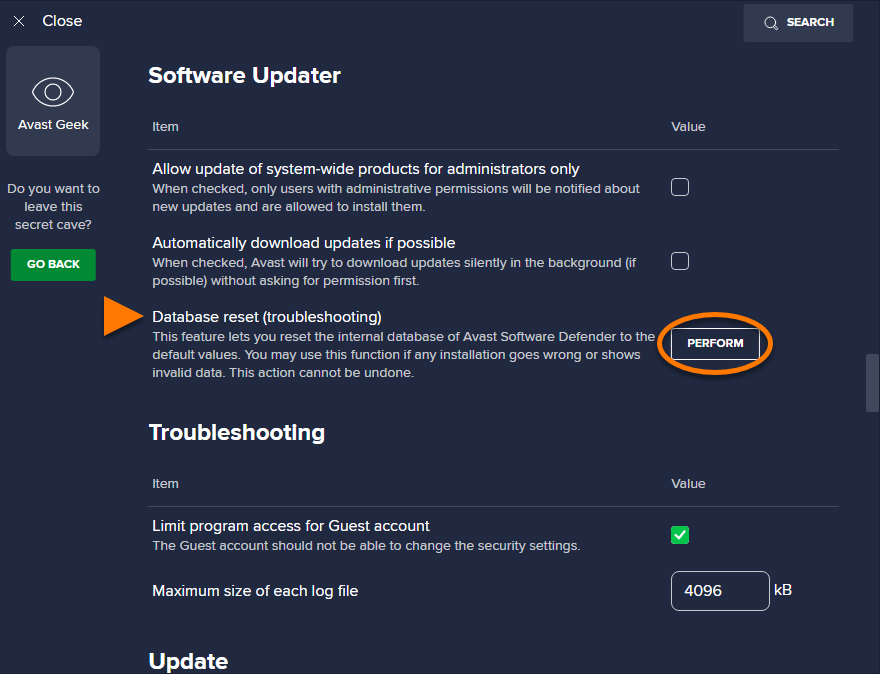
The internal database for Software Updater is reset.
Was this article helpful?

Keep your online identity private!
Browse like no one’s watching with Avast anti-tracking software.