
IS YOUR COMPUTER SLOW? RUN LIKE NEW
If they are not maintained, computers lose performance over time. Avast Cleanup Premium can help significantly improve the performance of your computer.
Managing CyberCapture in Avast Antivirus
Windows
CyberCapture is a feature in Avast Premium Security, and Avast Free Antivirus that detects and analyzes rare, suspicious files. CyberCapture is enabled by default to block all unrecognized files.
Manage a detected file
When you open an unrecognized file, CyberCapture runs an immediate scan to check if the file is safe to open.

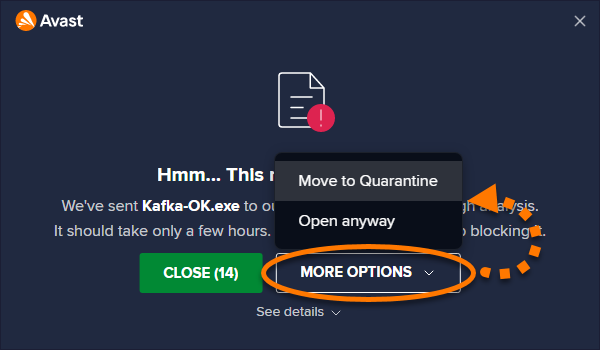
If CyberCapture is unable to confirm that the file is safe, you see the message Hmm... This needs a closer look. By default, Avast secures the potentially malicious file and sends it to Avast Threat Labs, where it is analyzed in a safe, virtual environment. Click Close to exit the dialog without opening the file, and wait for Threat Labs to verify whether or not the file is safe.

Alternatively, the following additional options are available via More options:
- Move to Quarantine: Move the potentially malicious file to Quarantine, where it cannot harm your system.
- Open anyway (not recommended): Immediately run the file without waiting for Avast Threat Labs to verify whether or not the file is safe.
We strongly recommend waiting for verification from Avast Threat Labs before running a file that CyberCapture has flagged as potentially malicious.
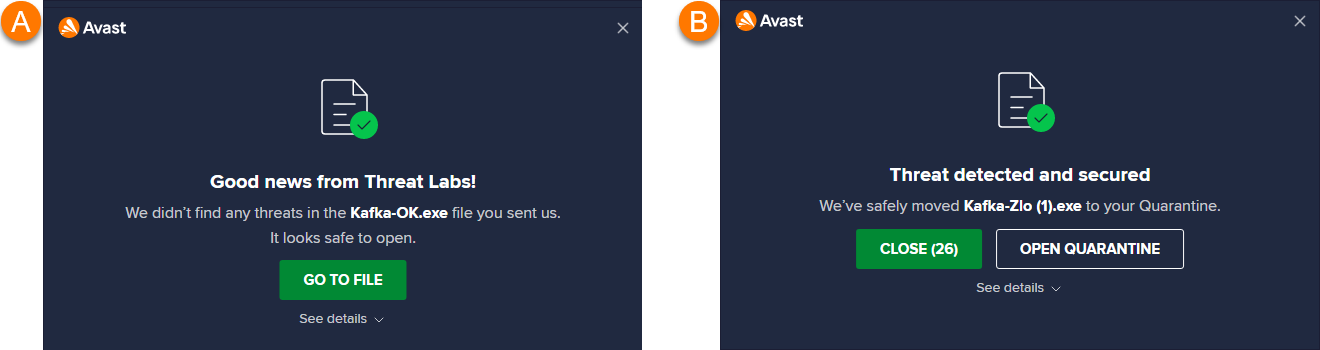
Once the analysis is complete, you receive a notification (normally within a few hours) informing you whether or not the file is safe to open.
You receive one of the following notifications:
- Good news from Threat Labs: The file is not malicious and you can safely open it by clicking Go to file.
- Threat detected and secured: The file is malicious and not safe to open. Avast automatically secures the file in Quarantine, where it cannot harm your system.
Adjust default behavior
By default, a file that CyberCapture flags as potentially malicious is automatically sent to Avast Threat Labs for analysis. You can change this behavior via your application settings:
- Open Avast Antivirus and go to
☰Menu ▸ Settings.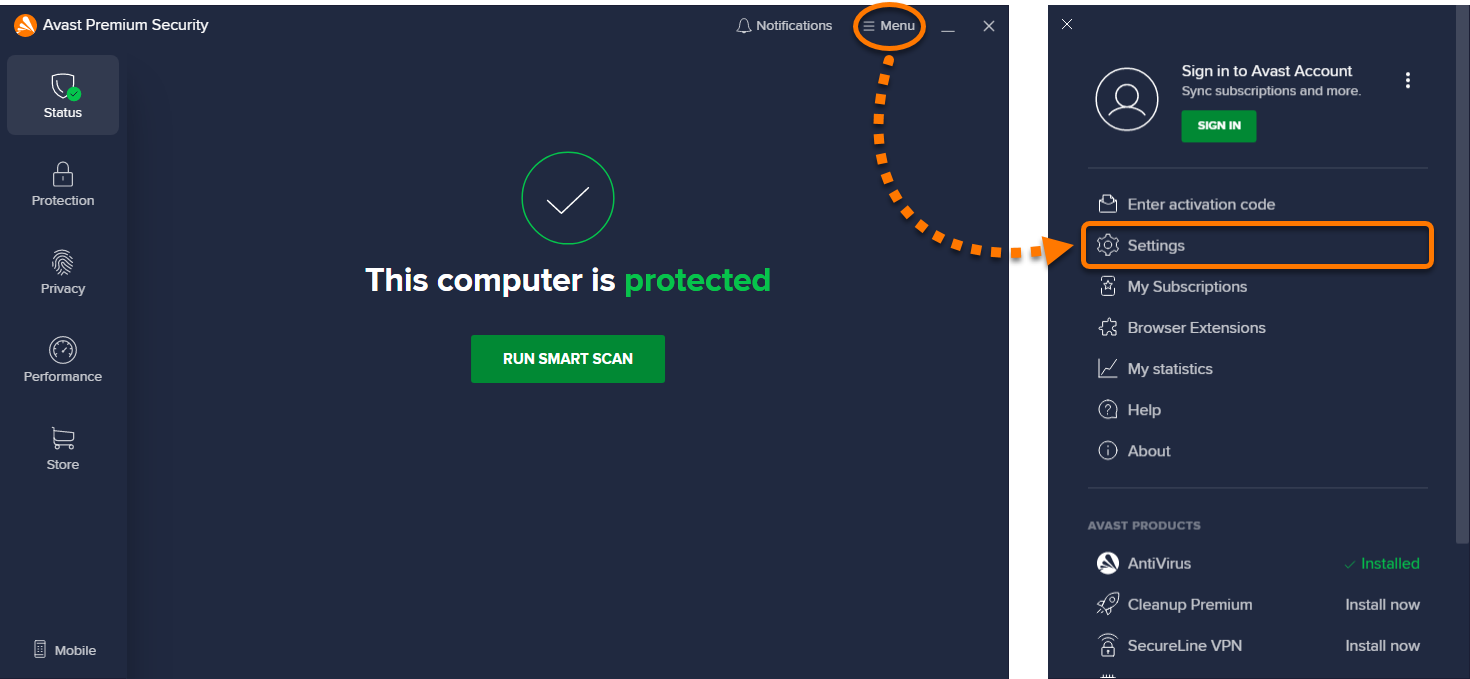
- Select Protection ▸ Core Shields.
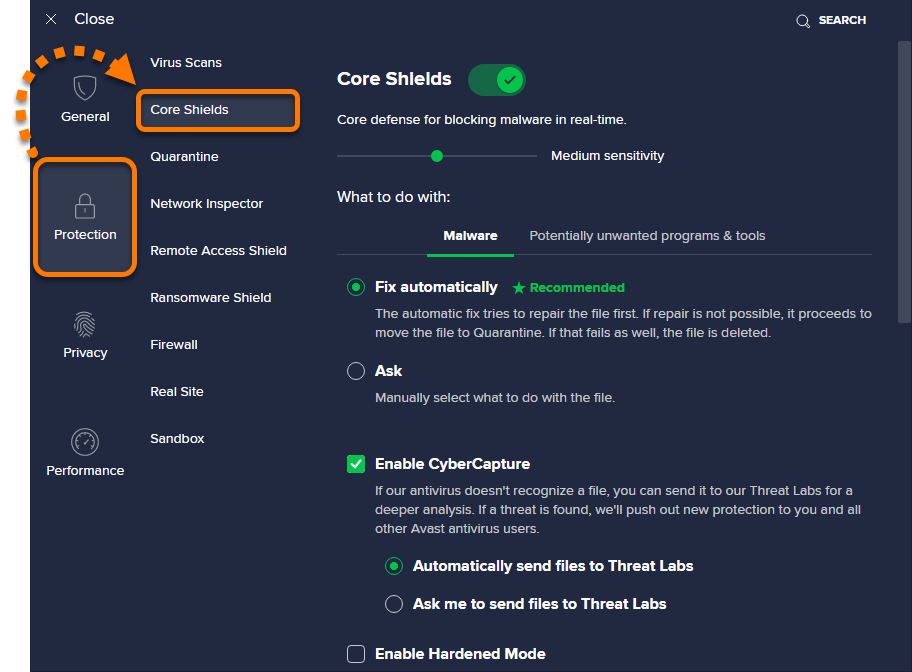
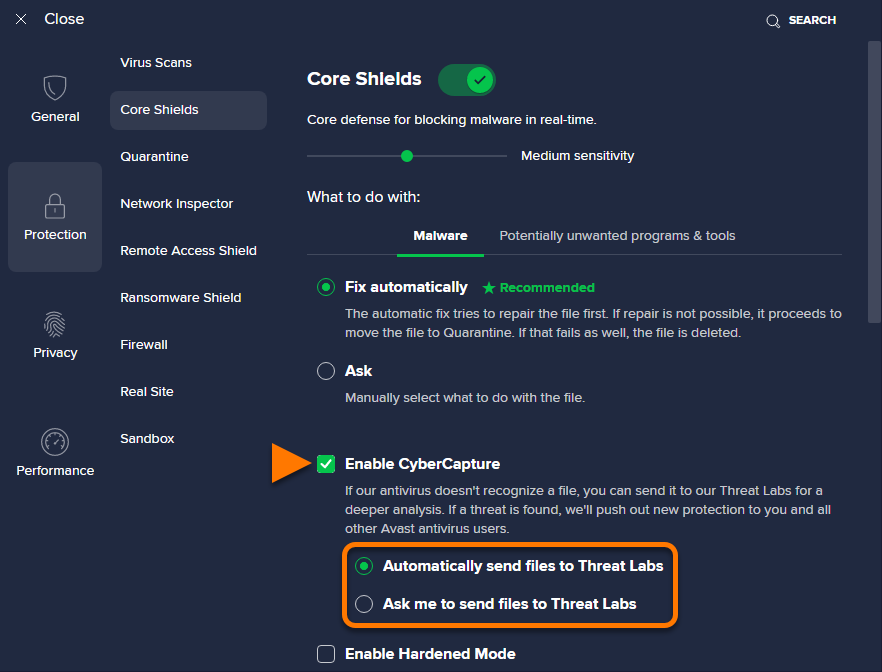
- Scroll to Enable CyberCapture and select your preferred option:
- Automatically send files to Threat Labs (selected by default): When CyberCapture detects a potentially malicious file, the file is always sent to Avast Threat Labs for analysis. After the file is analyzed, you receive a notification from Avast Threat Labs, informing you whether or not the file is malicious.
- Ask me to send files to Threat Labs: Each time CyberCapture detects a potentially malicious file, you are prompted to specify whether or not the file is sent to Avast Threat Labs for analysis.
CyberCapture now behaves according to your preferences.
If you selected Ask me to send files to Threat Labs, you need to select one of the following options each time CyberCapture detects a potentially malicious file:
- Send for analysis: Send the file to Avast Threat Labs for analysis.
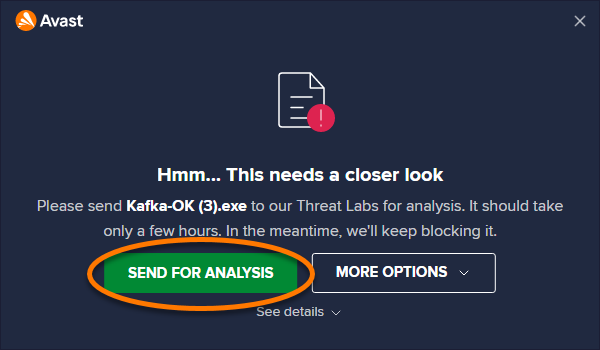
- More options: Move the file to Quarantine, or click Open anyway to immediately run the file.

We do not recommend selecting Open anyway, unless you are certain that the file is safe.
Exclude a file from scanning
We do not recommend excluding files from any scan to ensure optimal protection for your PC. However, this option is available if you need to exclude a file temporarily for troubleshooting purposes. You can exclude certain files temporarily from all scans, shields, and CyberCapture at once:
- Open Avast Antivirus and go to
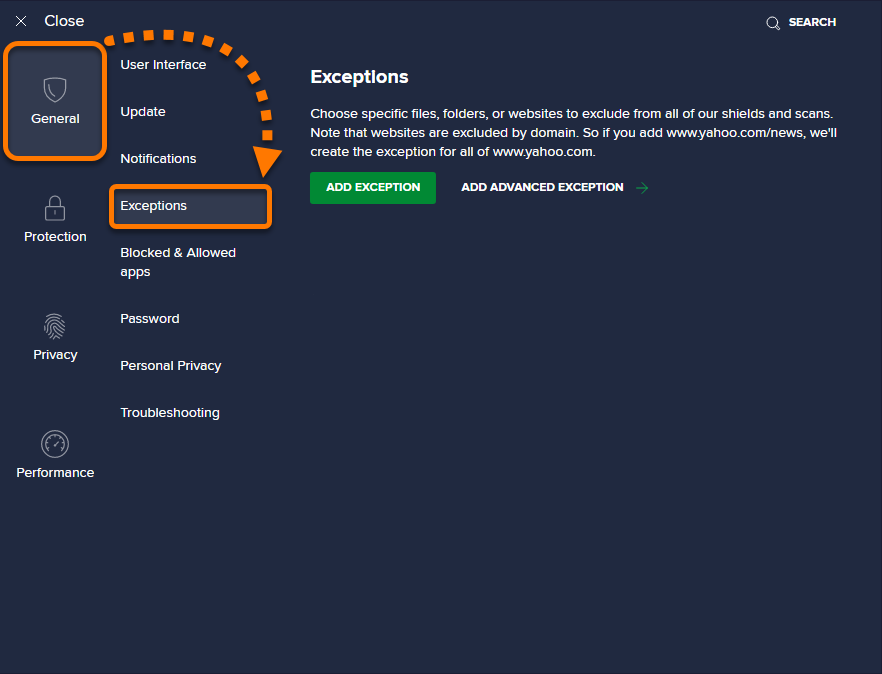
☰Menu ▸ Settings. - Select General ▸ Exceptions.
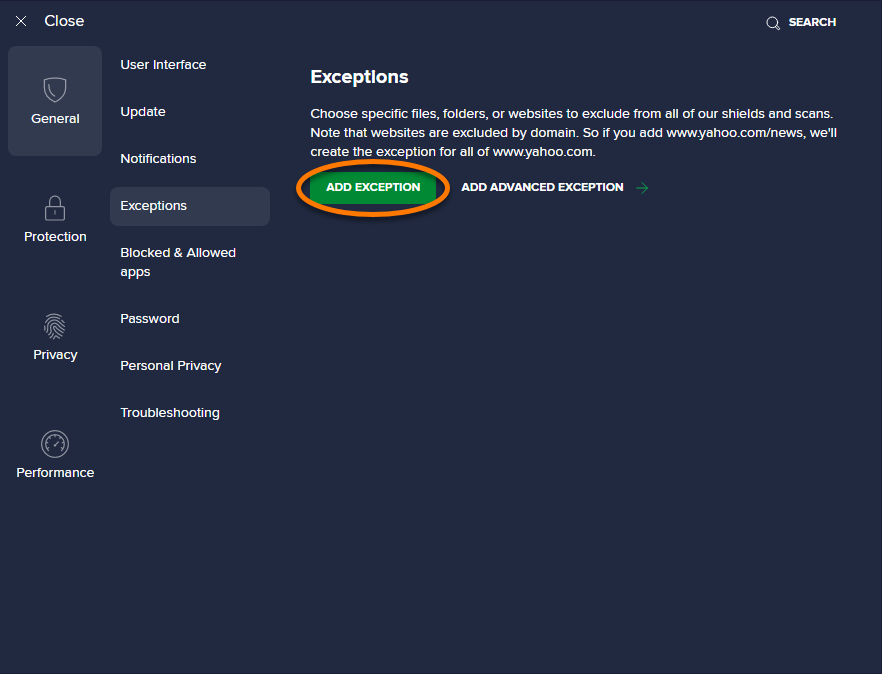
- Click the Add exception button.
- Add an exception using either Option A or Option B below:
- Option A: Type the file path, folder path, or URL into the text box, and click Add exception.
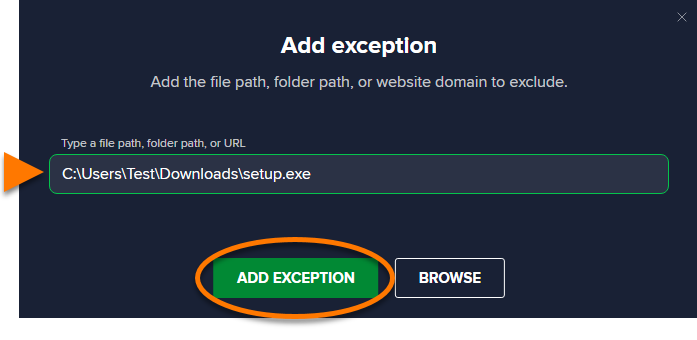
- Option B: Click Browse, tick the box next to the file or folder you want to add to the exceptions list, then click OK.
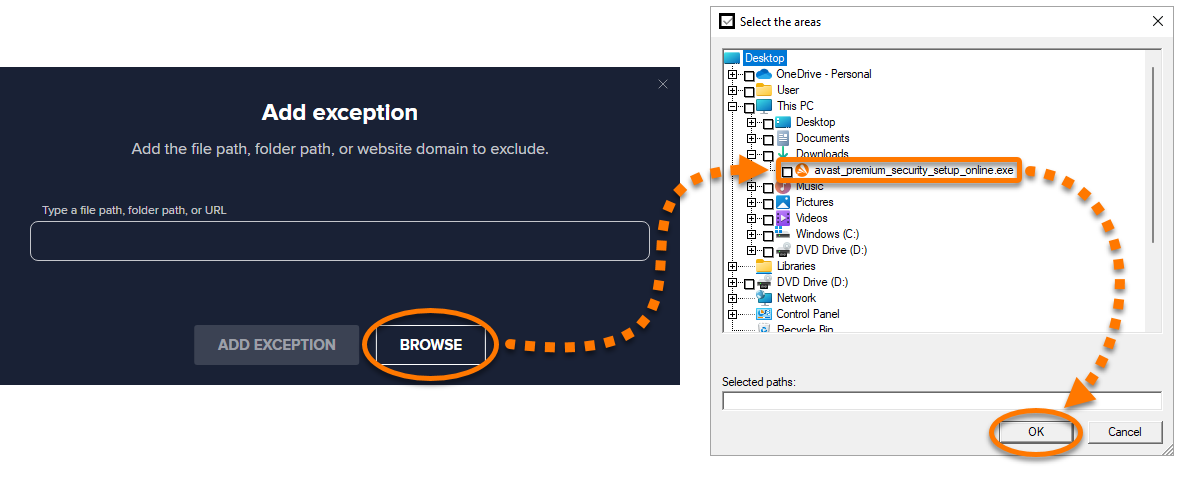
- Option A: Type the file path, folder path, or URL into the text box, and click Add exception.
The selected file is now ignored during CyberCapture scanning.
Disable CyberCapture
We do not recommend disabling CyberCapture. However, this option is available for temporary troubleshooting purposes.
- Open Avast Antivirus and go to
☰Menu ▸ Settings. - Select Protection ▸ Core Shields.
- Untick the box next to Enable CyberCapture.
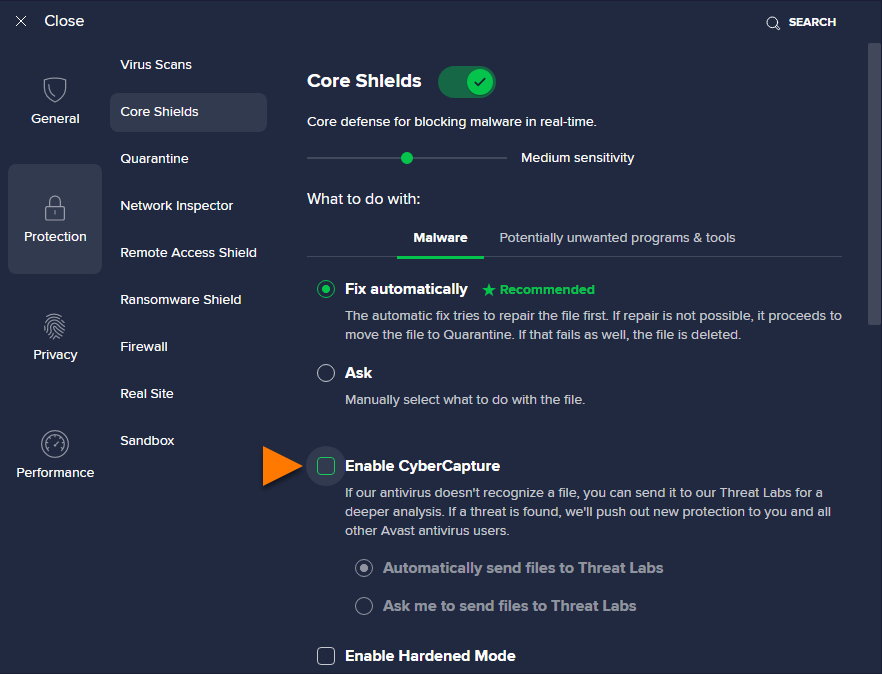
CyberCapture is now disabled.
Was this article helpful?

Keep your online identity private!
Browse like no one’s watching with Avast anti-tracking software.