
IS YOUR COMPUTER SLOW? RUN LIKE NEW
If they are not maintained, computers lose performance over time. Avast Cleanup Premium can help significantly improve the performance of your computer.
Troubleshooting when Bank Mode in Avast Secure Browser does not open
Windows
If you experience issues accessing Bank Mode via the  Security & Privacy Center in Avast Secure Browser, refer to the sections below to resolve the issue.
You cannot use Bank Mode in Avast Secure Browser unless you have an Avast Antivirus product installed on your PC. For installation instructions, refer to the relevant article: Installing Avast Premium Security or Installing Avast Free Antivirus.
If you are trying to open the Bank Mode feature in Avast Premium Security without Secure Browser installed, ensure that your default browser is set to Google Chrome, Mozilla Firefox, or Microsoft Edge.
Open using an alternative method
We recommend opening Bank Mode using one of the methods below:
-
Open Avast Secure Browser, and go to
⋮Menu (three dots) ▸ New Bank Mode Window.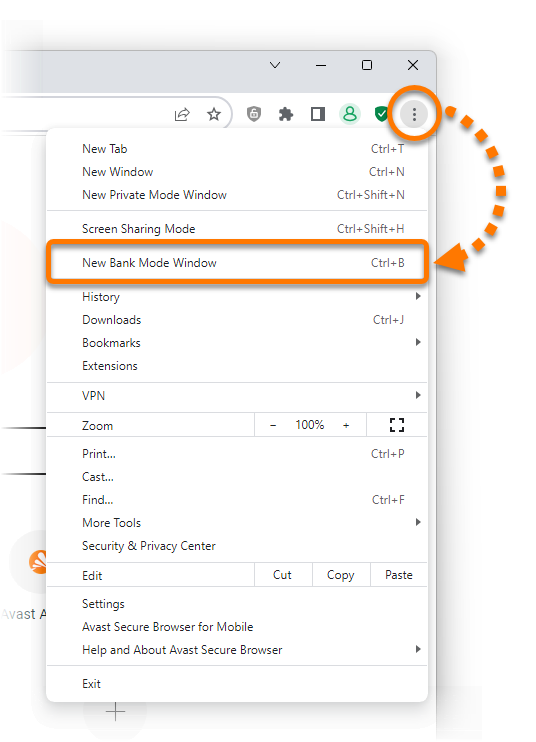
-
In the notification area of your Windows taskbar, right-click the
 Avast Antivirus icon and select Run Bank Mode.
-
Open Avast Secure Browser and press the
Ctrlkey andBkey simultaneously on your keyboard.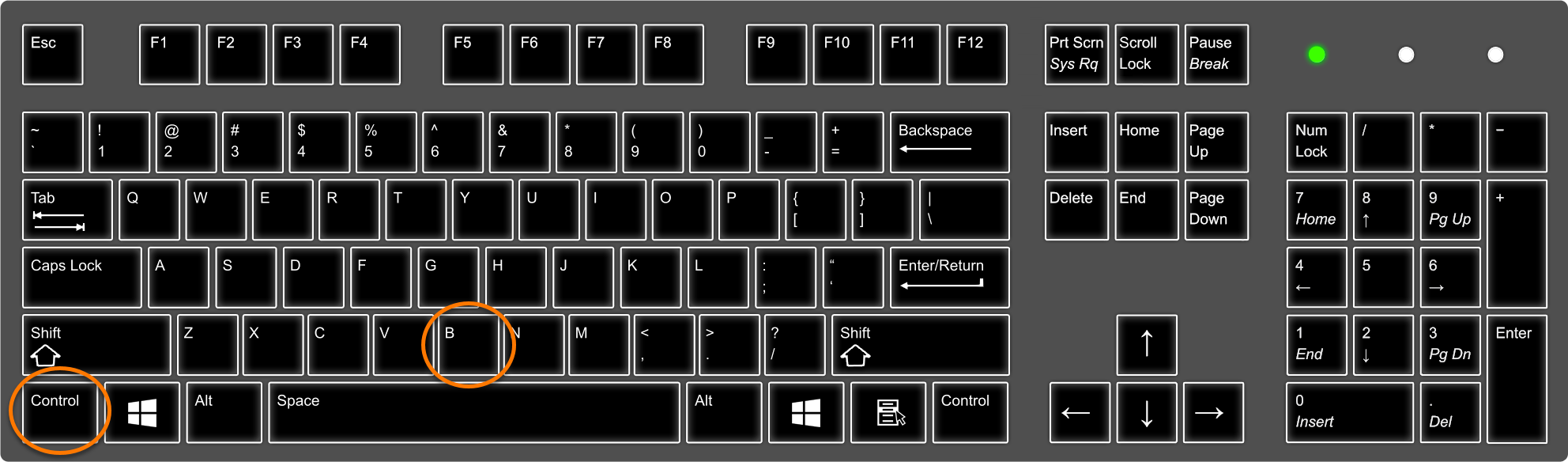
Bank Mode is now open and you can continue to use the feature as normal.
Update extensions
You may be able to resolve the issue by updating your Avast Secure Browser extensions. Follow the steps below:
-
Open Avast Secure Browser and enter
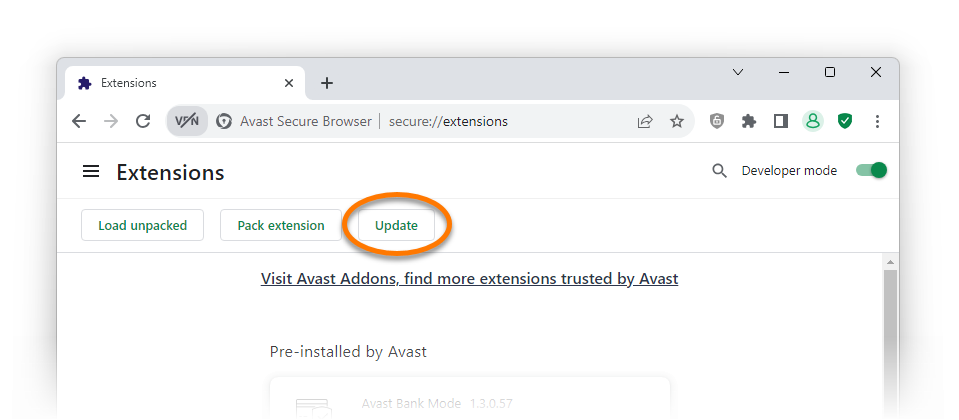
secure://extensionsin the address bar, then press theEnterkey on your keyboard.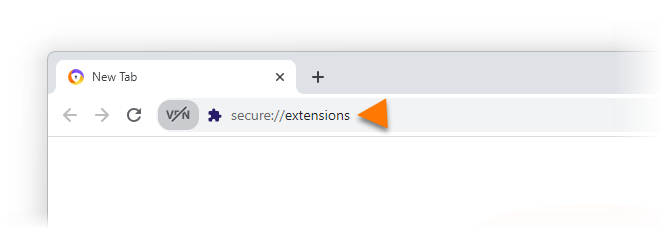
-
Next to Developer mode, click the gray (OFF) slider so that it changes to green (ON).
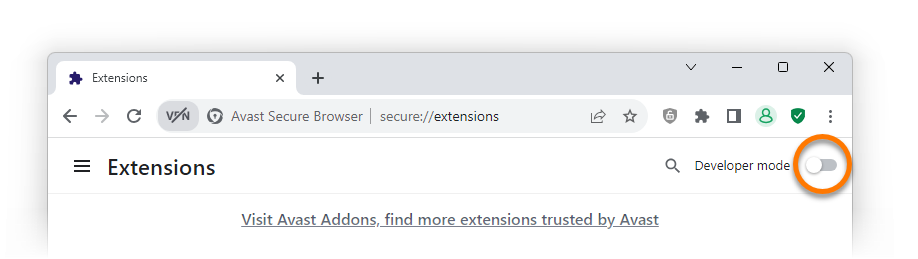
-
Click the Update button.
-
After you see the Extensions updated message at the bottom of the screen, try again to open Bank Mode via the
Security & Privacy Center.
Bank Mode should now open normally.
Troubleshooting
If the issue persists, try these possible solutions:
-
Ensure the latest version of your Avast Antivirus application is installed on your PC. For instructions, refer to the following article: Updating Avast Antivirus and Avast One.
-
Repair your Avast Antivirus application. For instructions, refer to the following article: Repairing Avast Antivirus.
If you still cannot open Bank Mode via the Security & Privacy Center or using an alternative method, we recommend reporting the issue.
.
Was this article helpful?

Keep your online identity private!
Browse like no one’s watching with Avast anti-tracking software.