

VPN Mode
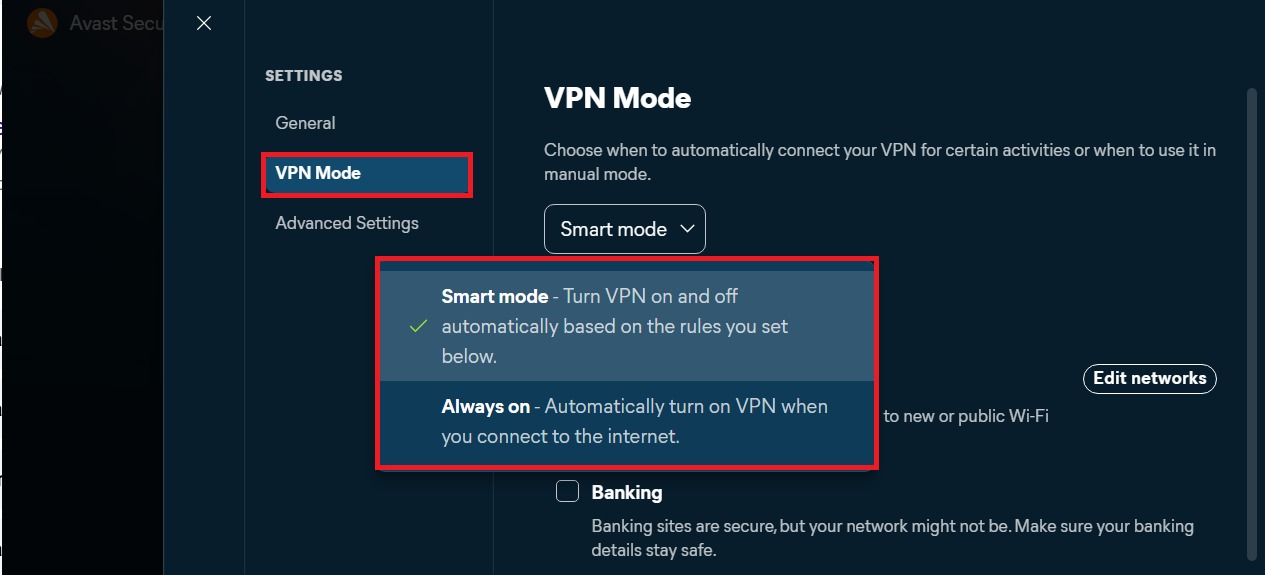
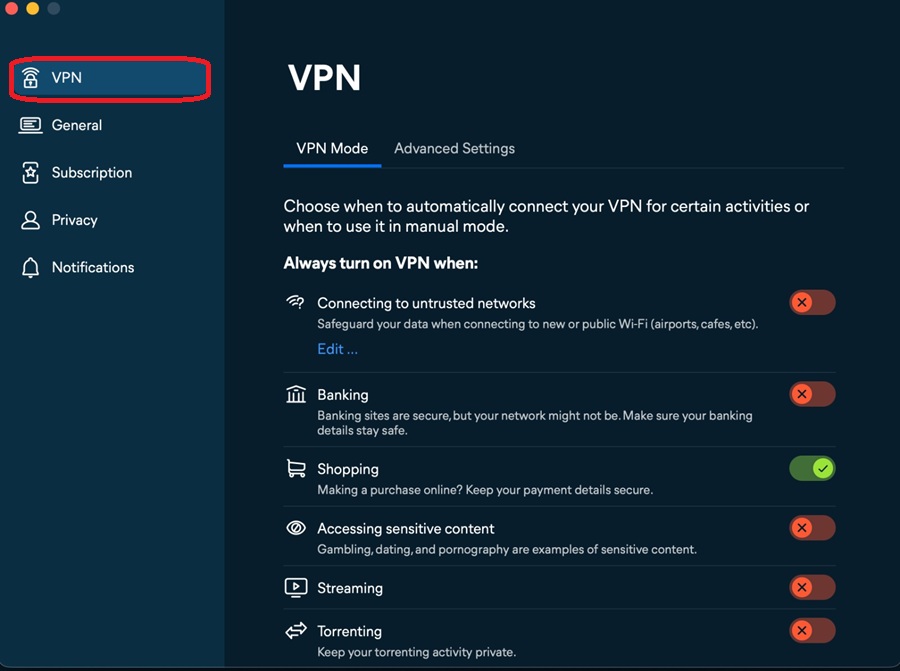
The VPN mode in Avast SecureLine VPN allows you to choose when to automatically connect your VPN for certain activities. You can always turn on your VPN when:
- Connecting to untrusted networks
- Banking
- Shopping
- Accessing sensitive content
- Streaming
- Torrenting
To enable the VPN mode in Avast SecureLine VPN:
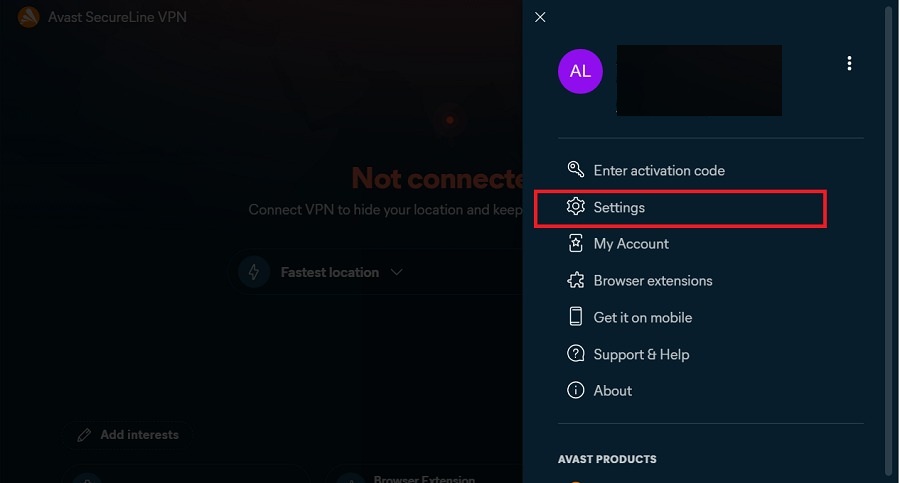
- Open Avast SecureLine VPN and go to
☰Menu ▸ Preferences.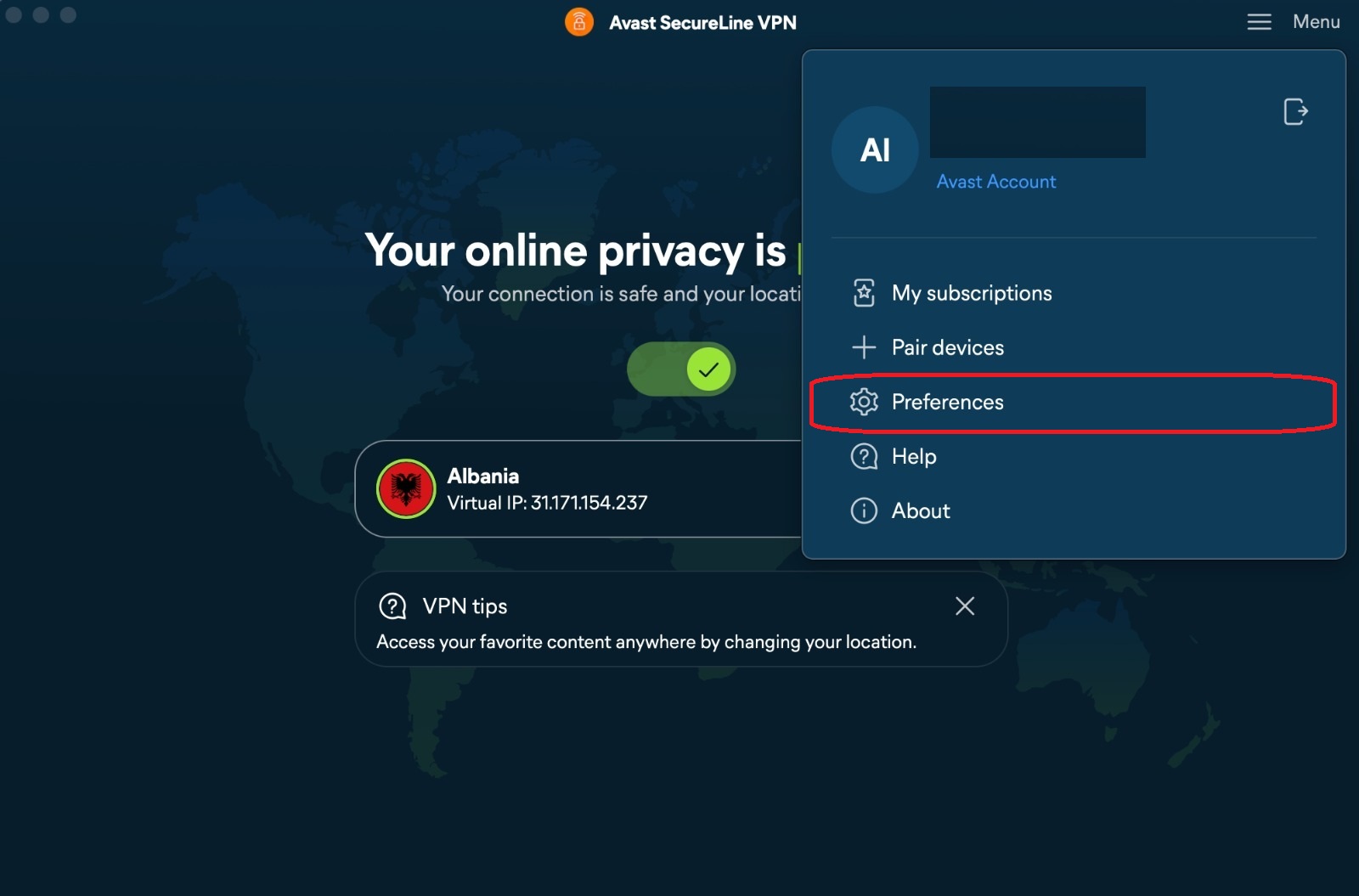
- Ensure VPN is selected in the left panel.
Connect to the VPN
Avast SecureLine VPN can be used any time you want to connect to the internet with extra security and privacy, and is especially recommended when you are connected to a public or unsecured Wi-Fi network.
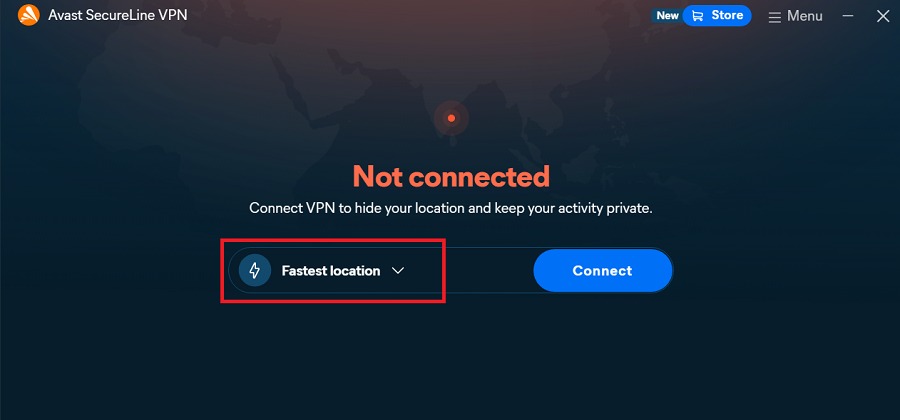
To connect to Avast SecureLine VPN, click the red (OFF) slider so that it changes to green (ON). 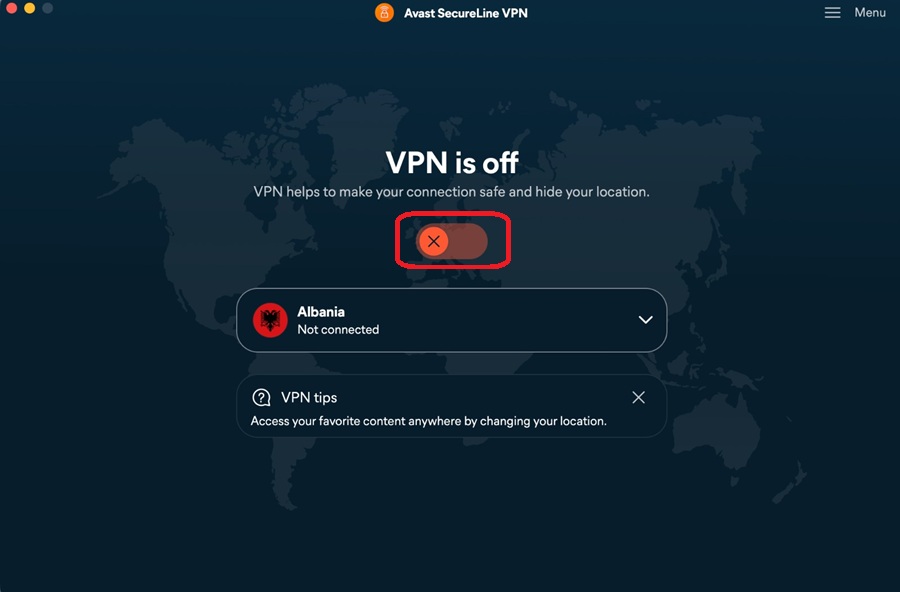
You are now connected to the Avast SecureLine VPN default server. You can connect to a different location if needed.
If Avast SecureLine VPN is unable to establish a connection, refer to the article: What should I do if Avast SecureLine VPN is unable to establish a connection?.
Connect to a different location
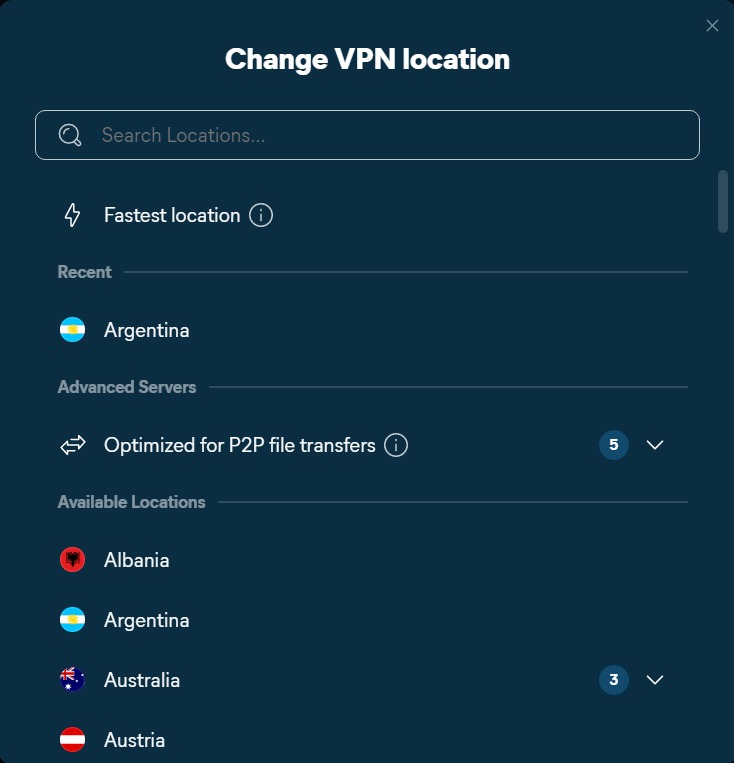
Avast SecureLine VPN has servers in several locations, meaning you can bypass geolocation restrictions and access your favorite content while traveling.
To connect to a different location:
- Click the drop-down list of the country in which you have connected your VPN.
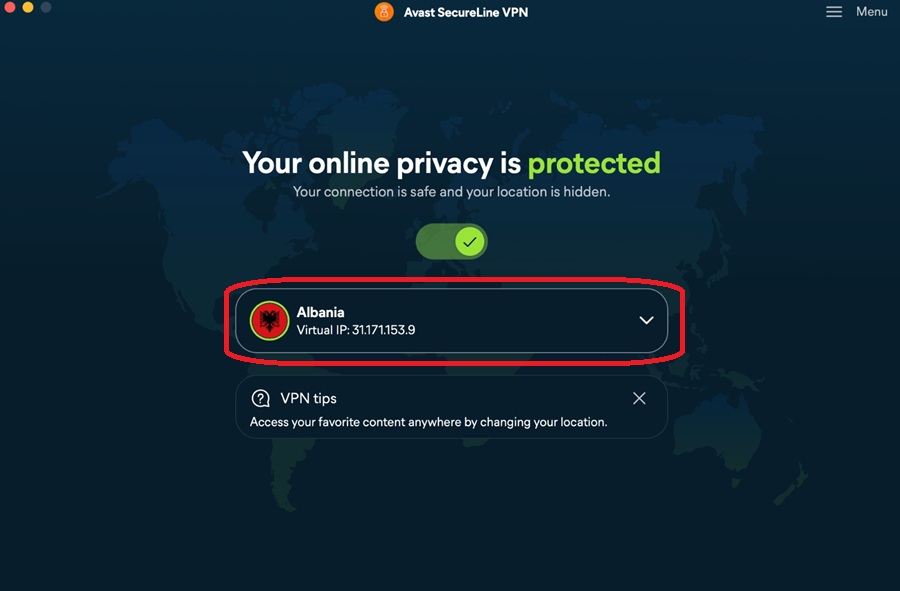
- Select a country. For countries that offer multiple cities, click the down arrow and select your preferred city.
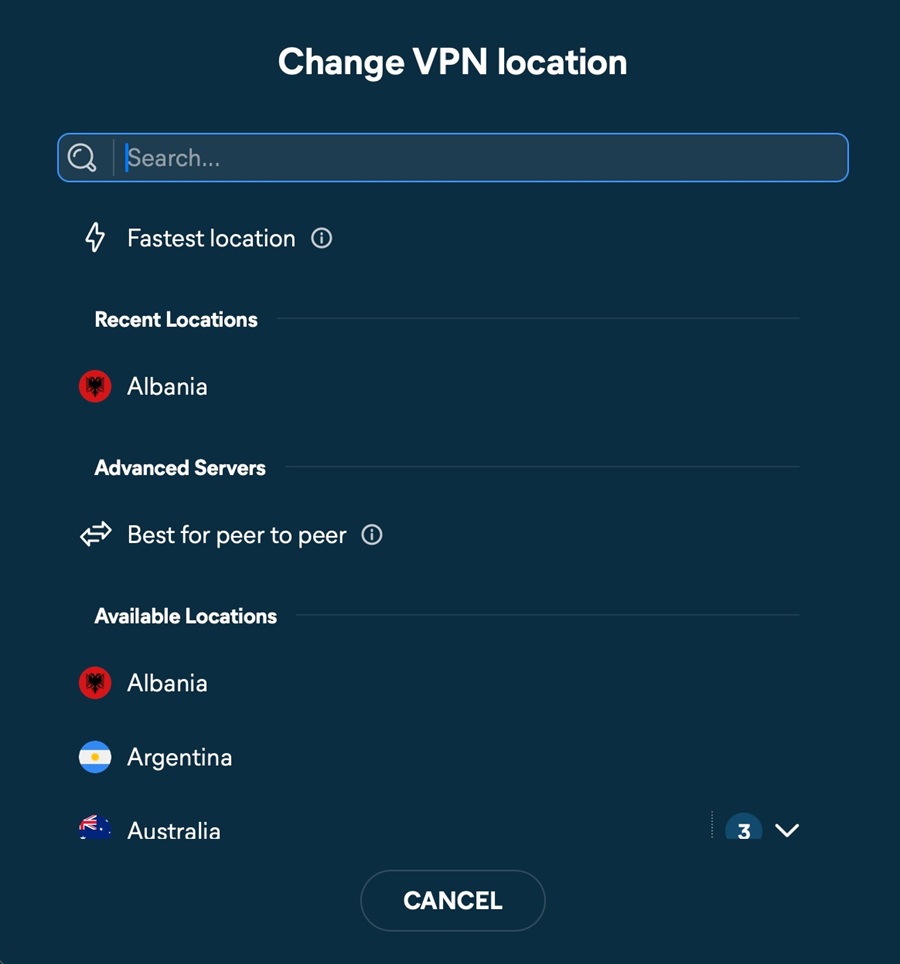
Your location now shows as the country and city that you selected.
If certain websites claim that you are connected to a different city than the city you selected as your VPN location, refer to the article: Checking your real location is hidden.
Manage Advanced Settings
- Open Avast SecureLine VPN and go to
☰Menu ▸ Preferences. - Select VPN on the left-side of the screen and click Advanced Settings.
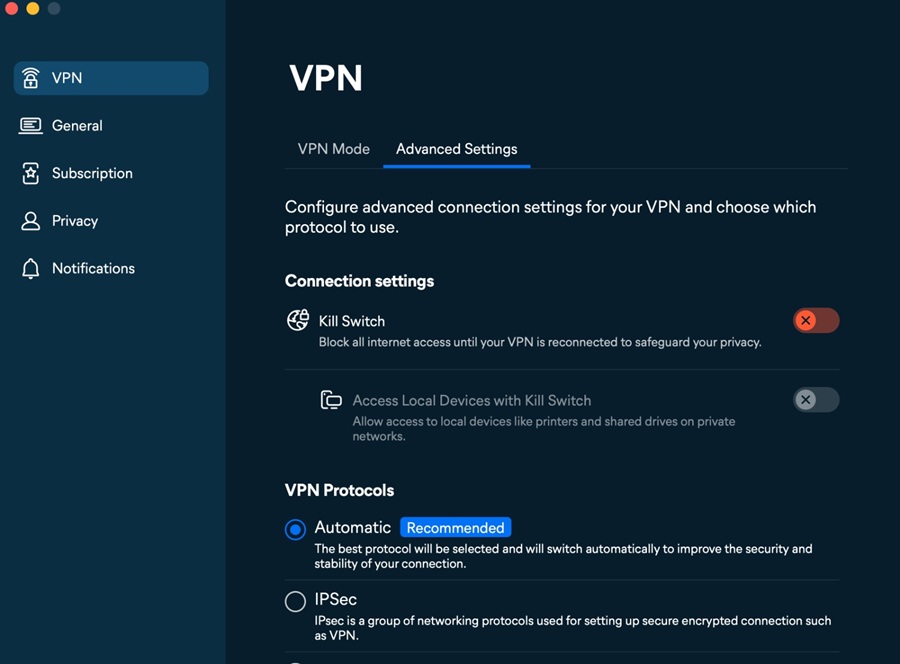
- You can configure the following options in Advanced Settings:
- Kill Switch: Blocks all Internet access until your VPN is reconnected to safeguard your privacy.
- Access Local Devices with Kill Switch: Allows access to local devices like printers and shared devices on private networks.
- VPN Protocols: Allows you to choose between Automatic, IPSec, and Mimic protocols.
Browser integration
The Avast SecureLine VPN browser extension is currently not available on MacOS. The extension will be available on MacOS very soon.
