
IS YOUR COMPUTER SLOW? RUN LIKE NEW
If they are not maintained, computers lose performance over time. Avast Cleanup Premium can help significantly improve the performance of your computer.
Troubleshooting when Windows reports Avast Antivirus and/or Firewall is turned off
Windows
In some cases, the Action Center or Security Center in Windows detects that Avast Antivirus is installed, but reports that Avast Antivirus and/or Firewall is turned off. When this issue occurs, Windows may display the following notification:
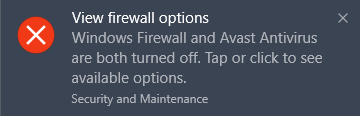
To resolve this issue, refer to the sections in this article for instructions.
If Windows does not detect Avast Antivirus installation, refer to the article: Troubleshooting when Windows does not detect Avast Antivirus installation.
Ensure that Avast Antivirus is turned on
Ensure that the following conditions are met to confirm that your Avast Antivirus is turned on and actively protecting your PC:
-
Avast Antivirus is installed.
-
Your Avast Antivirus subscription is active.
-
The Avast Antivirus application version and virus definitions are updated.
-
Avast Antivirus reports that This computer is protected.
For detailed instructions, refer to the following article: Ensuring Avast Antivirus is installed and actively protecting your PC.
Ensure that Firewall is enabled
Firewall is only included in Avast Premium Security. If you are using another version of Avast Antivirus or another firewall (for example, Windows Firewall), skip these steps.
To determine whether Firewall is installed and enabled:
-
Open Avast Antivirus and go to
☰Menu ▸ Settings.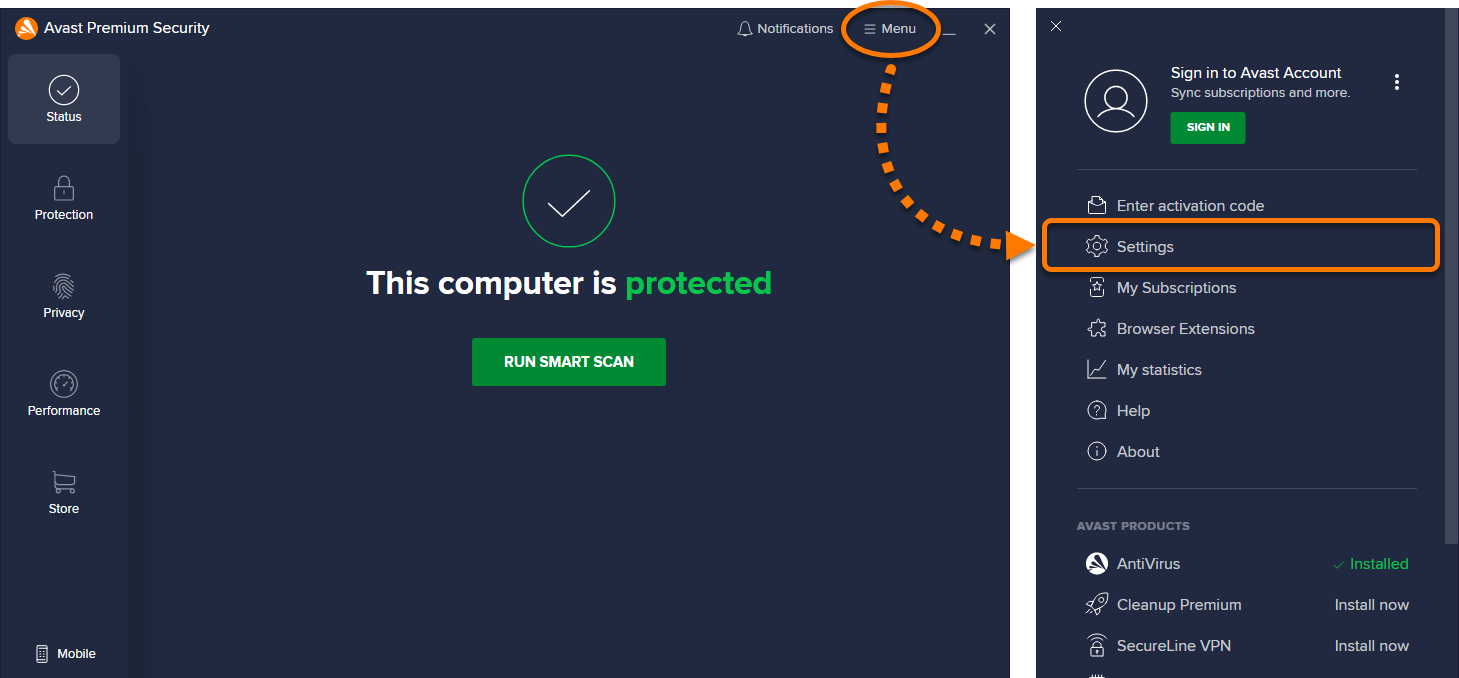
-
Select Protection in the left panel, then click Firewall.
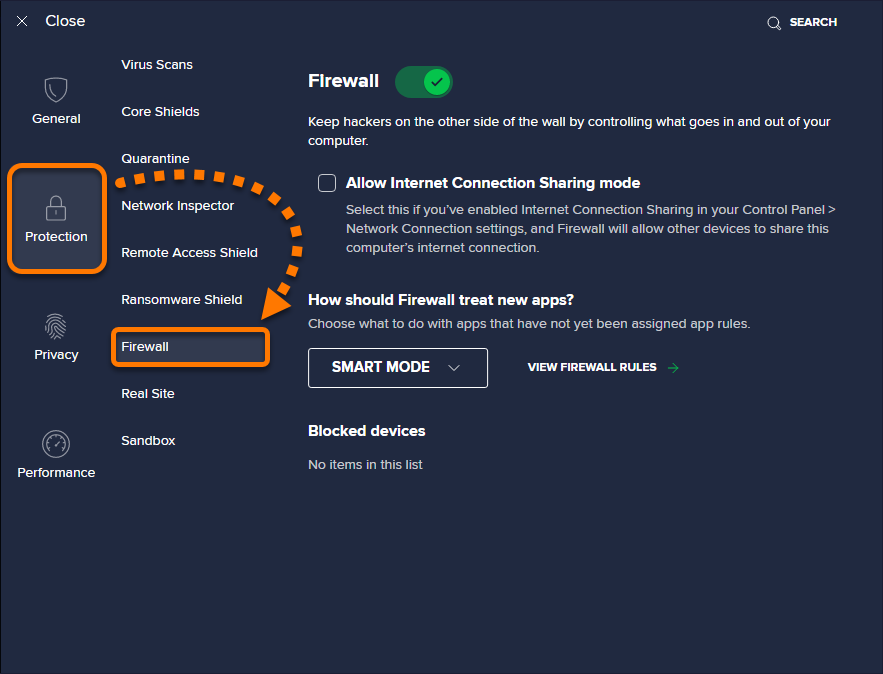
-
Check that the Firewall slider is green (ON).
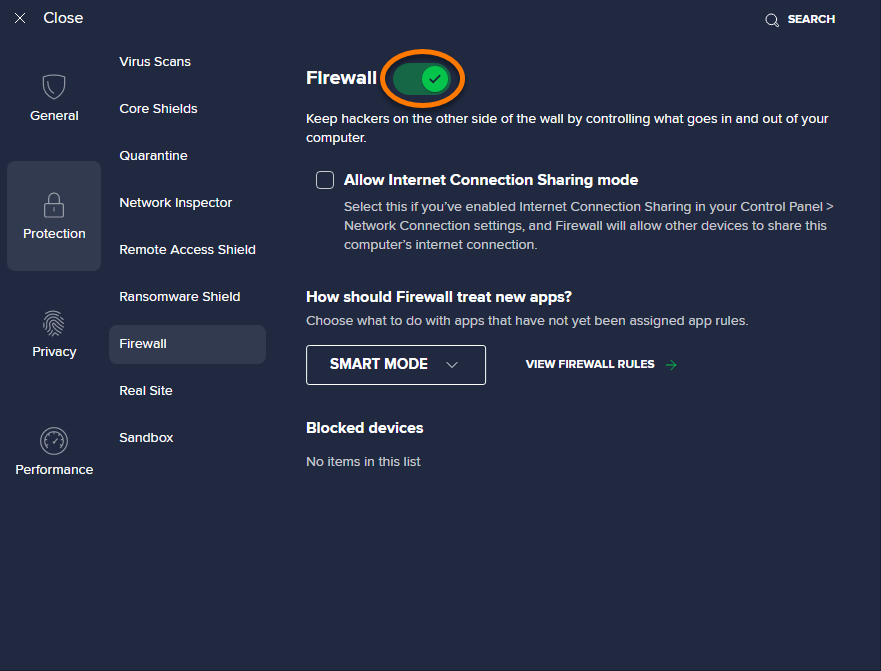
Enable Avast Antivirus and/or Firewall in the Action Center
If Avast Antivirus is properly installed, activated, up to date, and actively protecting your PC, try to enable Avast Antivirus and/or Firewall directly in the Action / Security Center.
-
Click the Security and Maintenance notification.
-
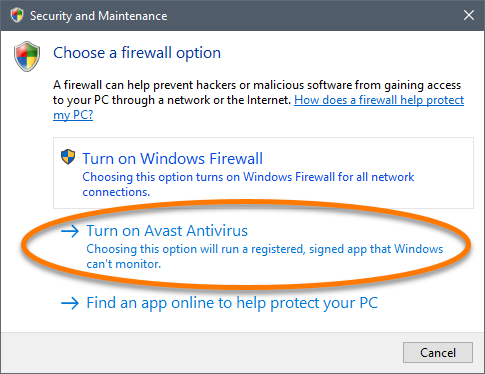
Click Turn on Avast Antivirus (or Turn on Avast Firewall).
-
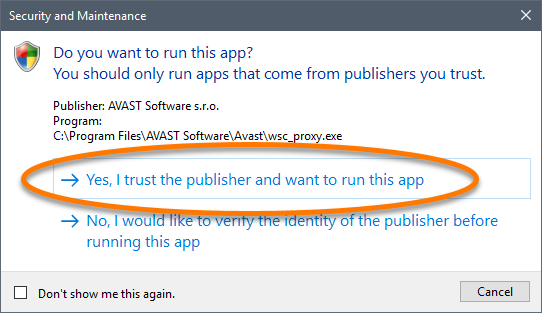
Click Yes, I trust the publisher and I want to run this app.
Scan and repair the WMI Repository
The Action Center / Security Center acquires information about the current status of installed antivirus software by using Windows Management Instrumentation (WMI). If there is a problem in the WMI Repository, or the WMI service is not started, the Action Center reports outdated or misleading information.
To resolve this issue, follow the steps to scan and repair the WMI Repository in the following article:
Was this article helpful?

Keep your online identity private!
Browse like no one’s watching with Avast anti-tracking software.