
Sign in to Avast Account
An Avast Account was created using the email address that you provided during the subscription purchase. To sign into your Avast Account for the first time, refer to the following article: Activating your Avast Account.
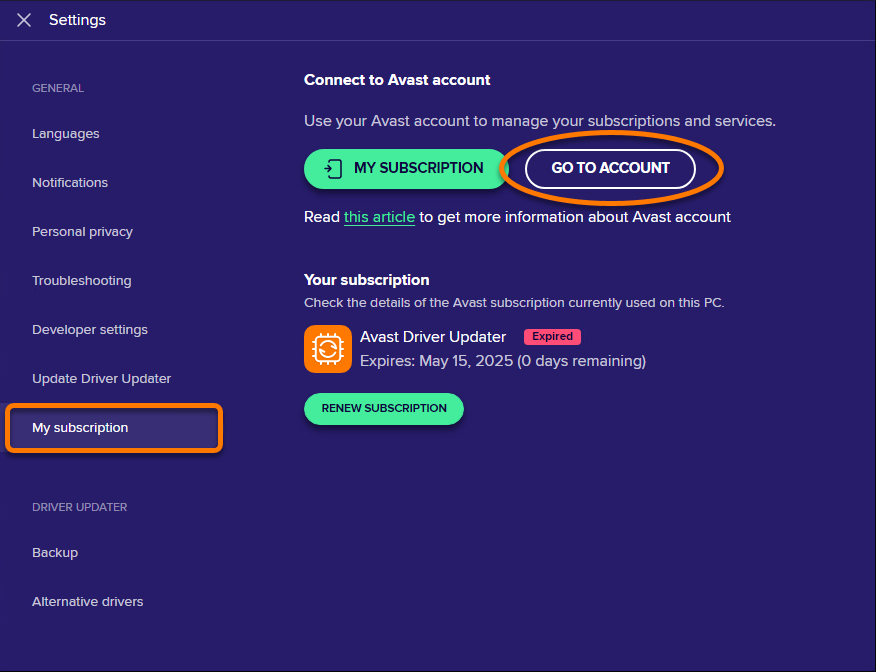
- Open Avast Driver Updater and go to
☰Menu ▸ Settings.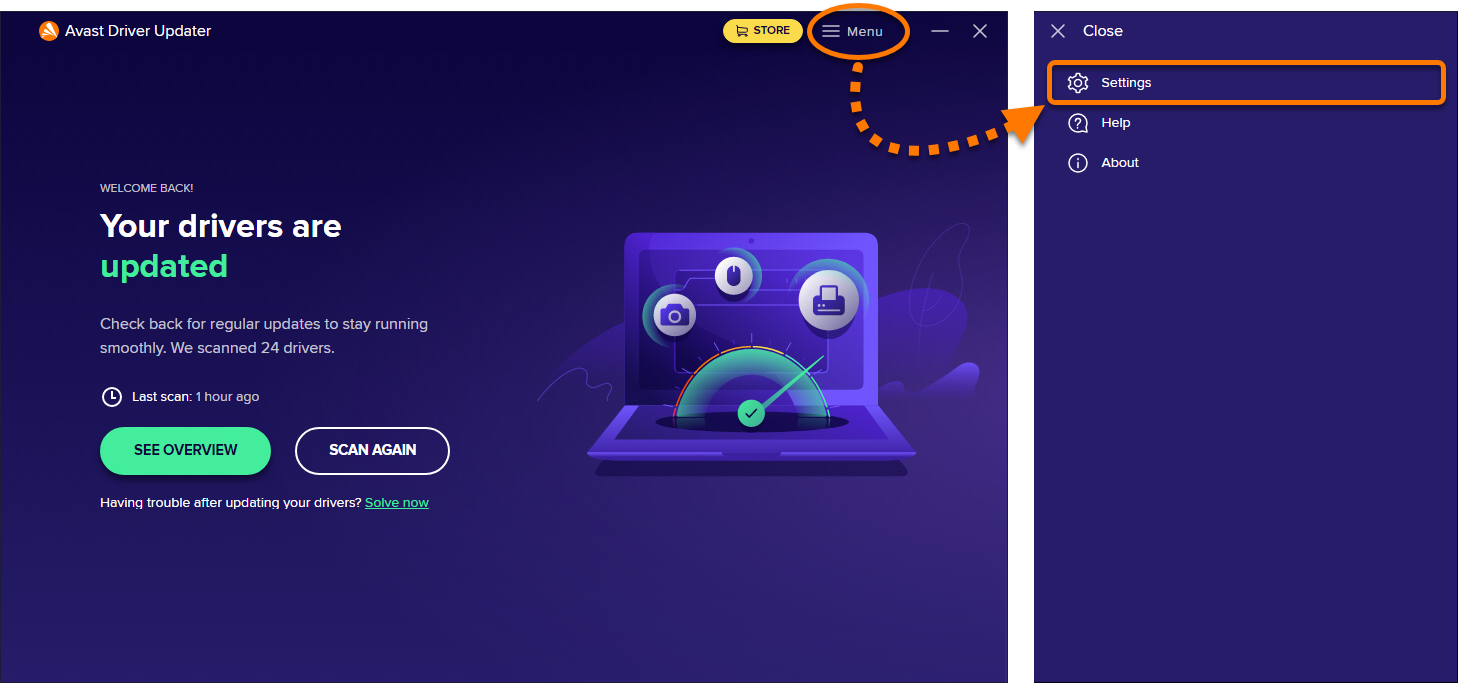
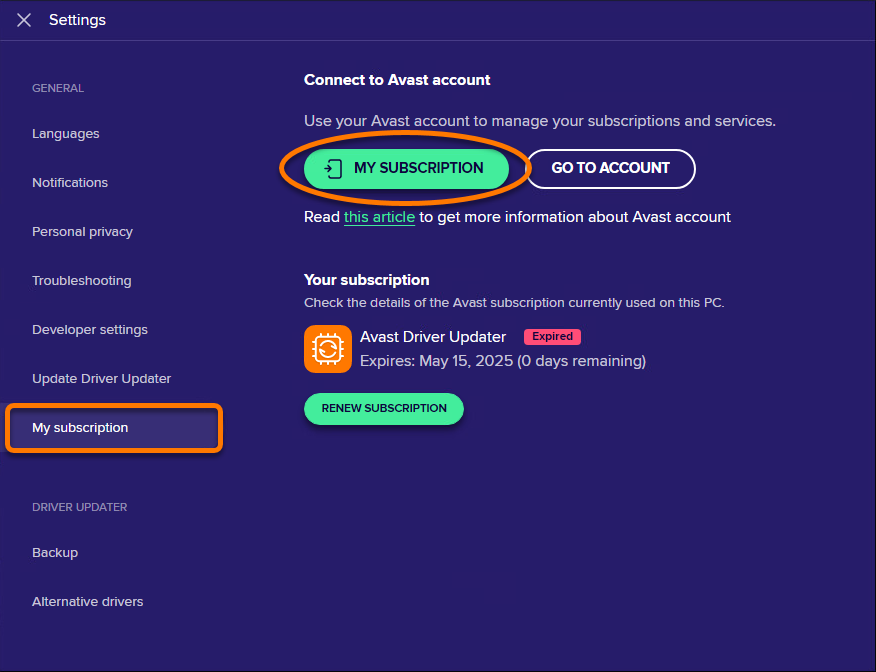
- Select the My subscription tab, then click Go to account.
- Follow the relevant step below (option A or option B) in your browser:
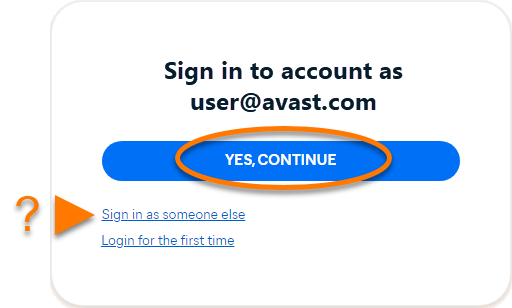
- Option A: Check that the listed Avast Account is the one that contains your Avast Driver Updater subscription, then click Yes, continue. Alternatively, click Sign in as someone else.
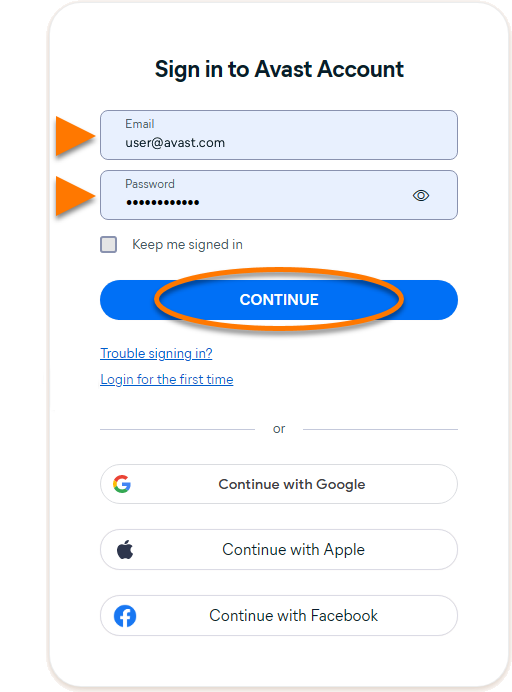
- Option B: Enter the Avast Account credentials containing your Avast Driver Updater subscription, then click Continue.
- Option A: Check that the listed Avast Account is the one that contains your Avast Driver Updater subscription, then click Yes, continue. Alternatively, click Sign in as someone else.
- When prompted by your browser, follow the on-screen instructions to re-open Avast Driver Updater.
- If more than one application is associated with your activation code, ensure the apps you want to use are selected, then click Activate & install.
The applications you select are installed and activated automatically.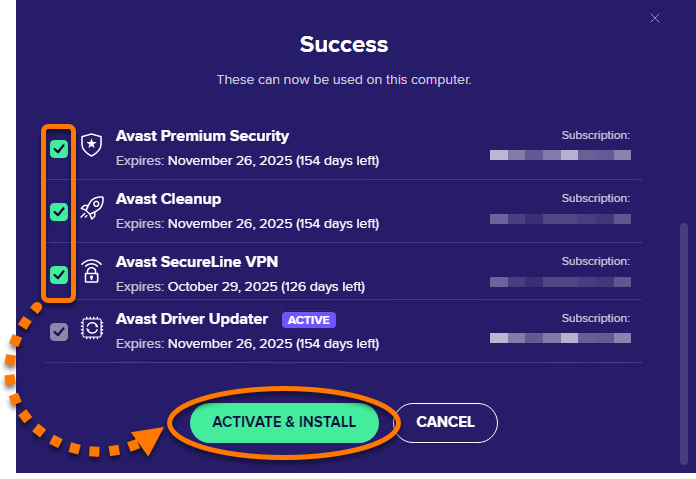
Your Avast Driver Updater subscription is now active. If activation fails, refer to the Activate via sign-in key section below.
Activate via sign-in key
If activation via Avast Account fails, you can activate Avast Driver Updater using the sign-in key from your web browser. To use this alternative activation method, follow the steps below:
- Open Avast Driver Updater, then go to
☰Menu ▸ Sign in. Your default web browser opens. - Follow the relevant step below (option A or option B) in your default web browser:
- Option A: Check that the listed Avast Account is the one that contains your Avast Driver Updater subscription, then click Yes, continue. Alternatively, click Sign in as someone else.
- Option B: Enter the Avast Account credentials containing your Avast Driver Updater subscription, then click Continue.
- Option A: Check that the listed Avast Account is the one that contains your Avast Driver Updater subscription, then click Yes, continue. Alternatively, click Sign in as someone else.
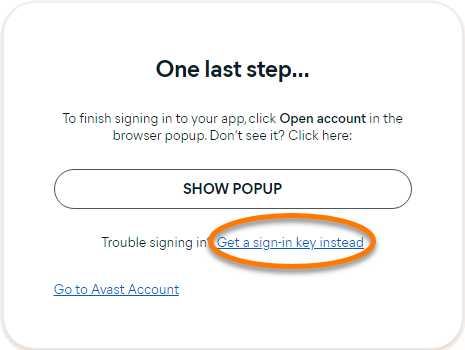
- Click Get a sign-in key instead.
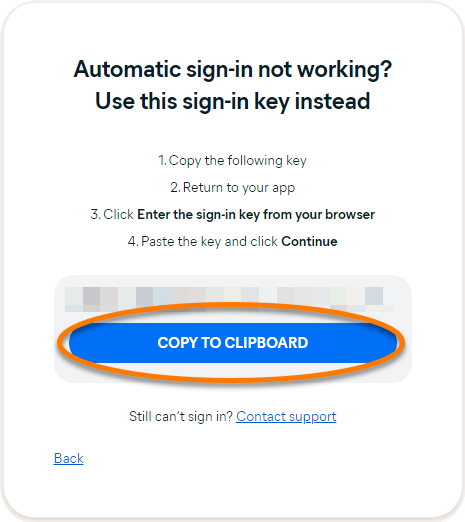
- Click Copy to clipboard.
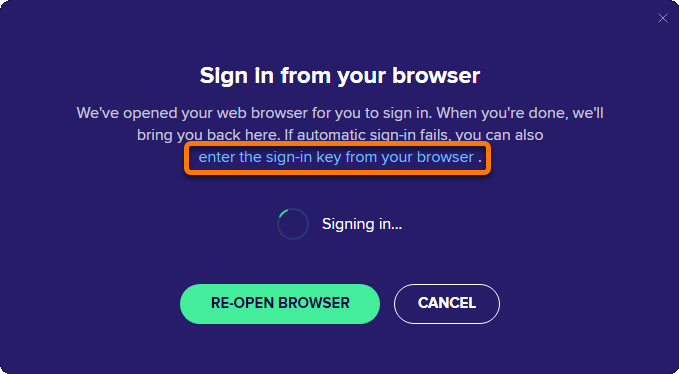
- Go to Avast Driver Updater, and click enter the sign-in key from your browser.
- Click in the text box, then press the
Ctrlkey and theVkey on your keyboard simultaneously to paste the sign-in key. Click Continue.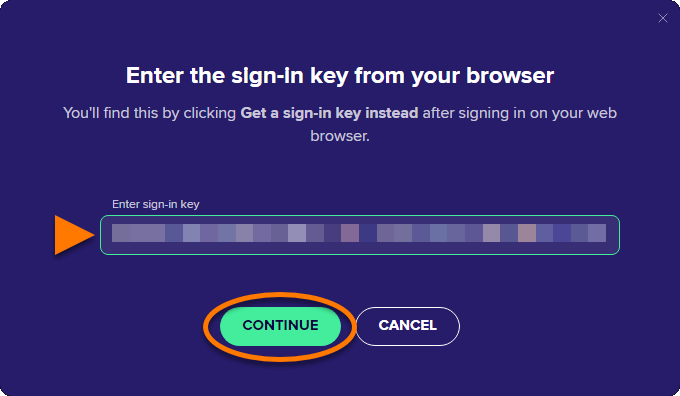
- If more than one application is associated with your activation code, ensure the apps you want to use are selected, then click Activate & install.
The applications you select are installed and activated automatically.
Your Avast Driver Updater subscription is now active. If activation fails, refer to the Troubleshoot activation issues section below.
