Promotional banner image

IS YOUR COMPUTER SLOW? RUN LIKE NEW

If they are not maintained, computers lose performance over time. Avast Cleanup Premium can help significantly improve the performance of your computer.

Updating Avast Secure Browser

Windows

Avast Secure Browser automatically updates to enhance your security and privacy online. You can also check if your browser is up to date and manually update it by following the steps below:

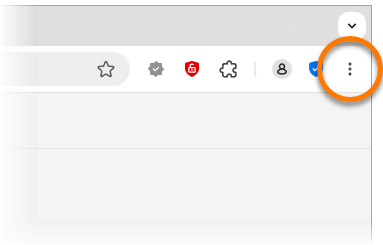
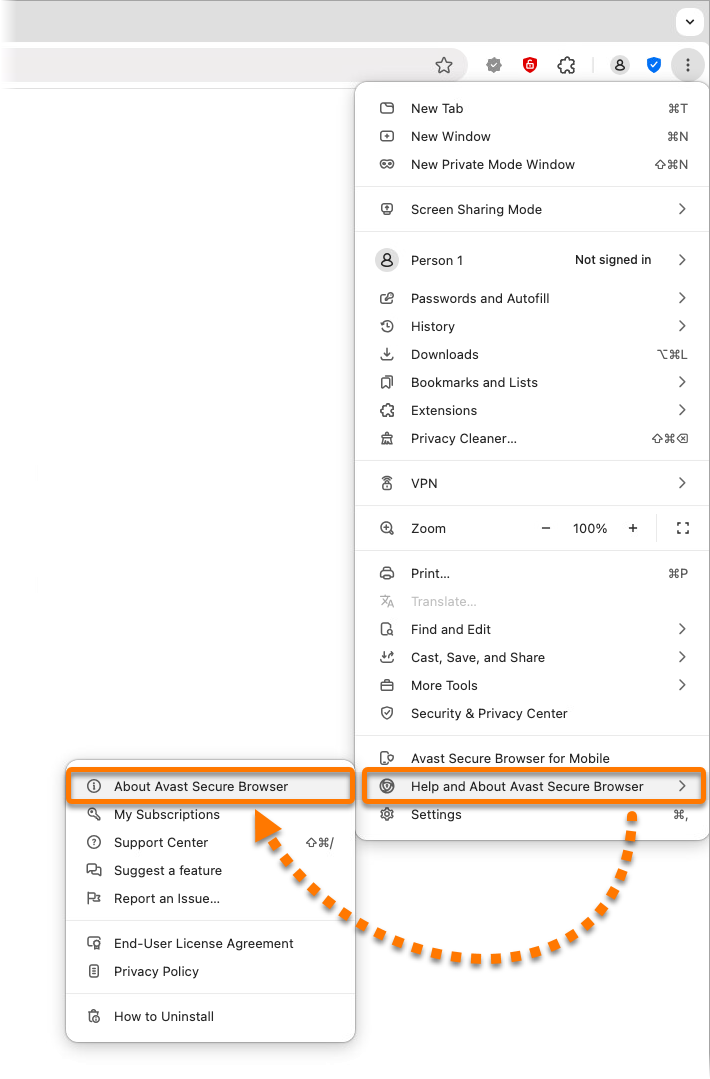
  1. In the top-right corner of Avast Secure Browser, click ⋮ Options (the three dots).
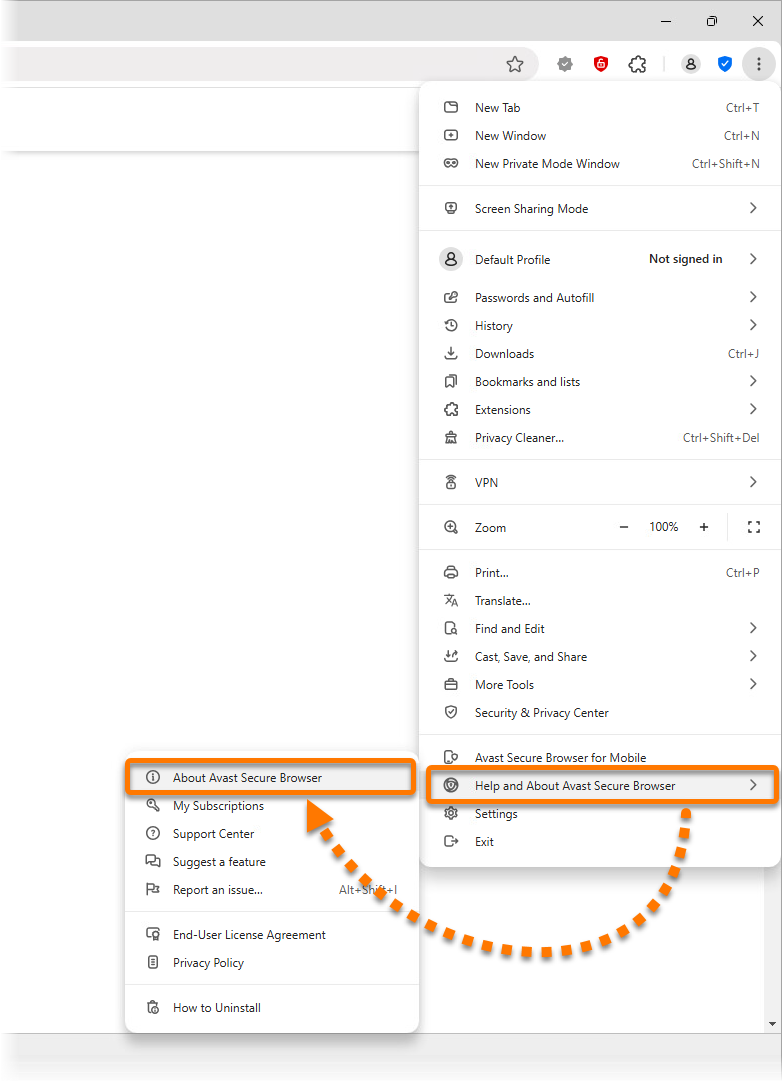
  2. Select Help and About Avast Secure Browser ▸ About Avast Secure Browser to manually check for updates.
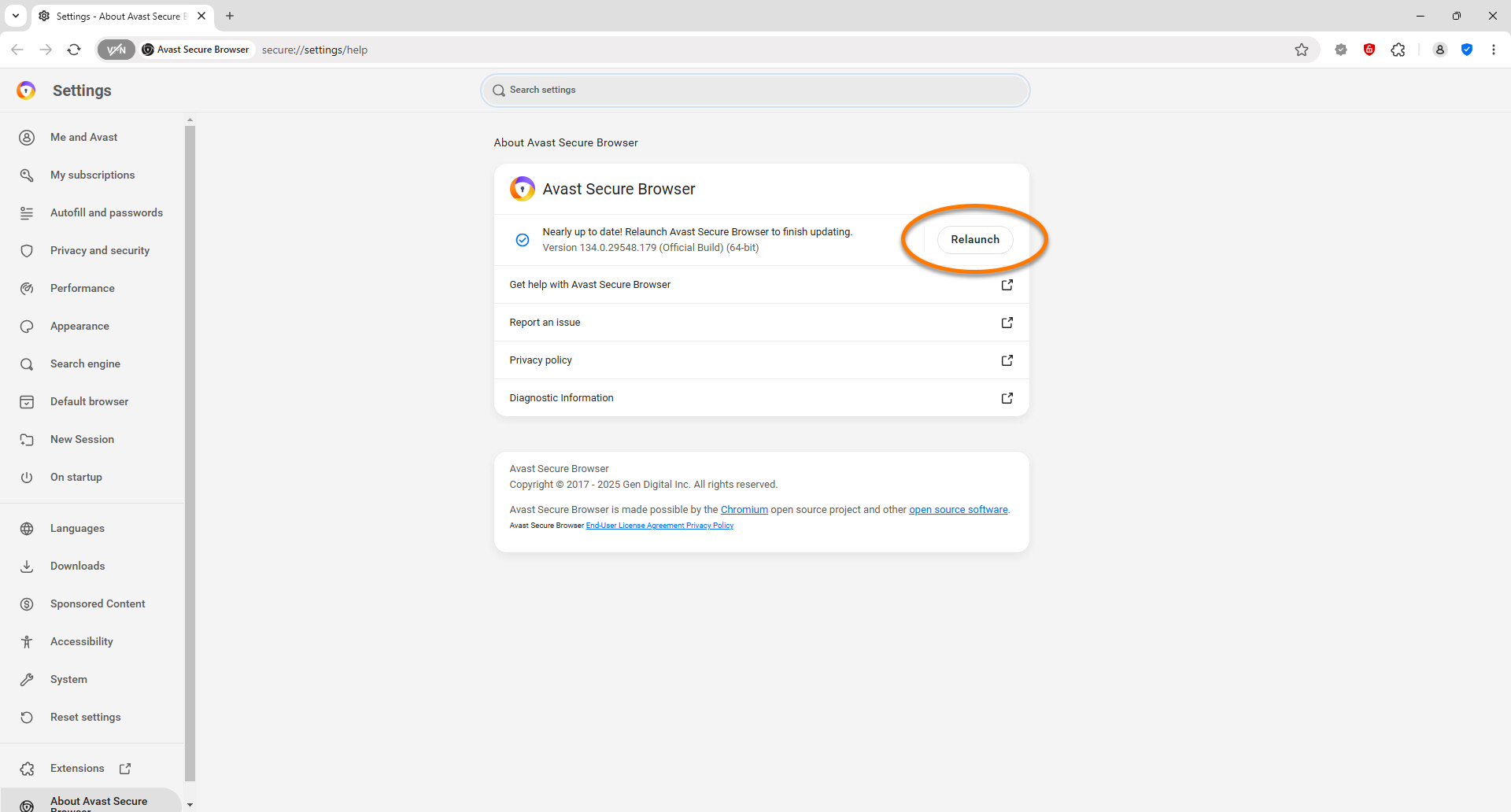
  3. Once the updates are installed, click Relaunch to restart the browser.
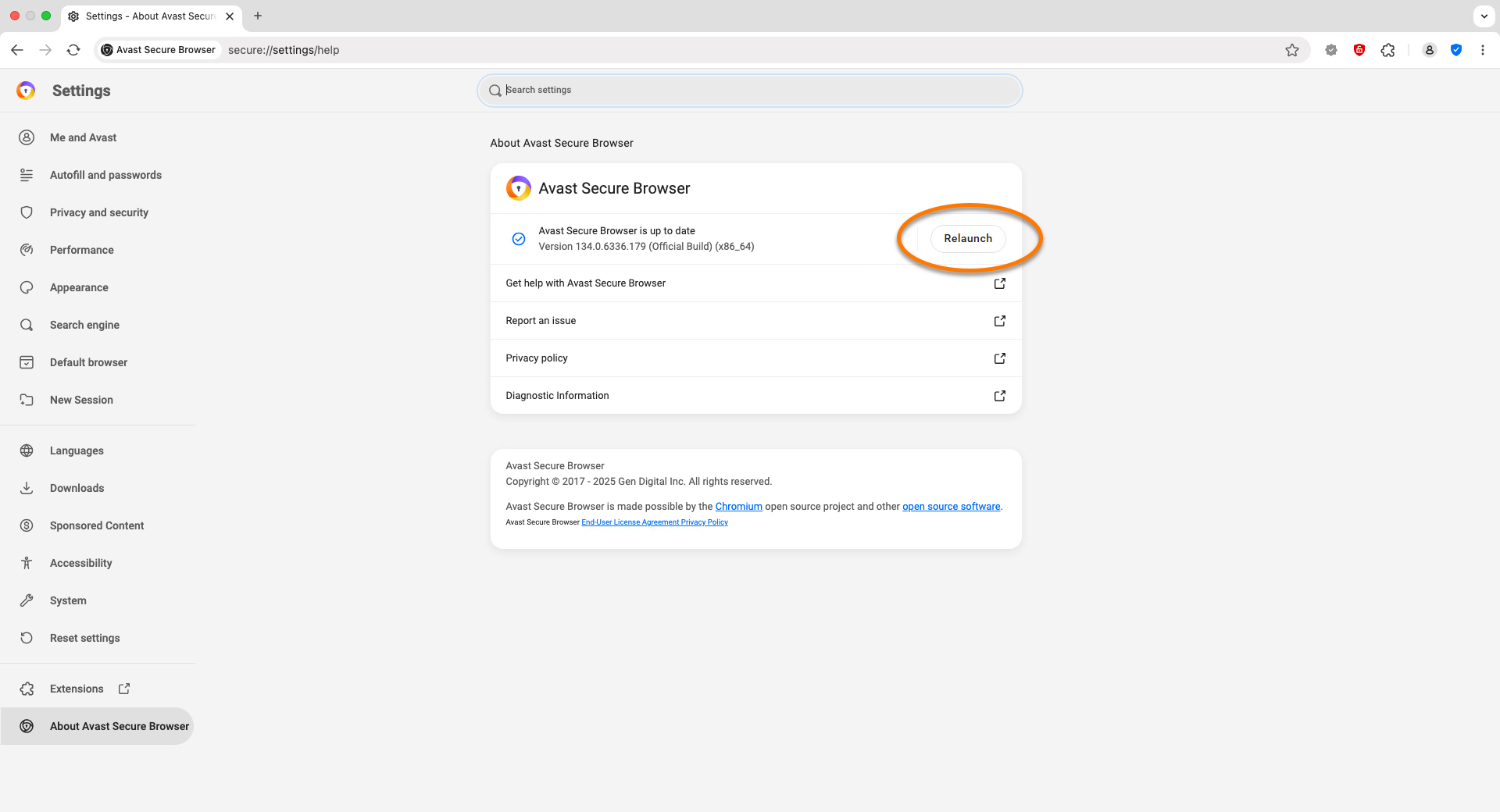
Avast Secure Browser is now up to date. If your Avast Secure Browser is unable to receive updates, refer to the following article:

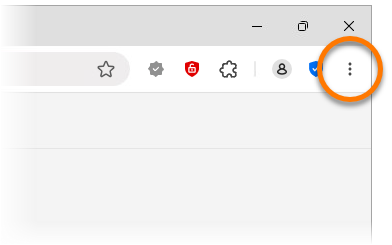
  1. In the top-right corner of Avast Secure Browser, click ⋮ Options (the three dots).
  2. Select Help and About Avast Secure Browser ▸ About Avast Secure Browser to manually check for updates.
  3. Once the updates are installed, click Relaunch to restart the browser.

Avast Secure Browser is now up to date. If your Avast Secure Browser is unable to receive updates, refer to the following article:

DocID: updating-avast-secure-browserLast modified: 09/03/2026

Was this article helpful?

Promotional banner image

Keep your online identity private!

Browse like no one’s watching with Avast anti-tracking software.

Need more help?

Contact us
Avast account
Visit our forums
Visit academy