
Avast Secure Browser automatically updates to protect your security and privacy online. To check that your Avast Secure Browser version is up to date, refer to the following article:
If Avast Secure Browser is having problems retrieving updates, you might see one of the following error messages:
-
Update failed: Updates are disabled by administrator.
-
Update failed (Error 3 or 11): An error occurred while checking for updates: Update server not available.
-
Update failed (Error 4 or 10): An error occurred while checking for updates: Update check failed to start.
-
Update failed (Error 7 or 12): An error occurred while checking for updates: Download failed.
-
This computer will no longer receive Avast Secure Browser updates because macOS 10.6, 10.7, and 10.8 are no longer supported: Avast Secure Browser may not be able to keep itself updated.
You might also see other error messages that mention Update failed.
To resolve the issue, follow the steps below:
Download Avast Secure Browser again
It's possible that some files are missing on your computer. To resolve this issue, follow the steps below:
-
Log in to your Mac as a user with administrator permissions.
-
Uninstall Avast Secure Browser.
-
Make sure your Mac meets the minimum system requirements for Avast Secure Browser.
-
Reinstall Avast Secure Browser.
Reboot your device
Avast Secure Browser may not have completed its update. Try rebooting your device, then check whether your Avast Secure Browser version is up to date by following the steps described at the start of this article.
Check for malware
Unwanted malware might stop Avast Secure Browser from updating correctly. Scan for harmful software using Avast AntivirusAvast Security.
For detailed information about scanning your Mac with Avast Security, refer to the following article:
If you don't have Avast Security installed on your Mac, click the button below to download it:
Ensure your device meets the system requirements for Avast Secure Browser
For information about system requirements for Avast Secure Browser, refer to the following article:
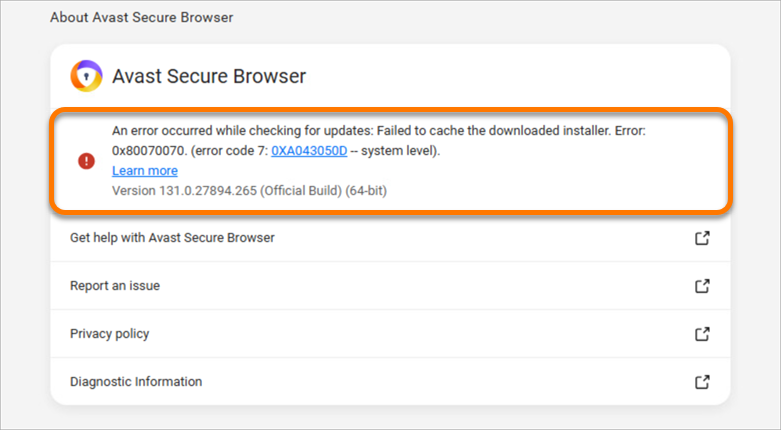
If there is insufficient space on your hard drive, you may encounter the following error:
Update failed (Error 7): An error occurred while checking for updates: Failed to cache the downloaded installer.
To avoid this error, it is recommended to always have at least 2 GB of free space on your hard drive.
