
IS YOUR COMPUTER SLOW? RUN LIKE NEW
If they are not maintained, computers lose performance over time. Avast Cleanup Premium can help significantly improve the performance of your computer.
Getting the setup log file if Avast Antivirus fails to install
Windows
When you contact Avast Support to report that Avast Antivirus failed to install on your PC, you may be requested to provide a setup log file for further analysis. You can access the setup log from the Avast Setup wizard when you are notified of the error, then copy it to Notepad and save it as a text file to send to Avast support so they can help you resolve the problem.
Get the setup log file
- When you are notified of a setup error in the Avast Setup wizard, click View setup log to open Log Viewer.
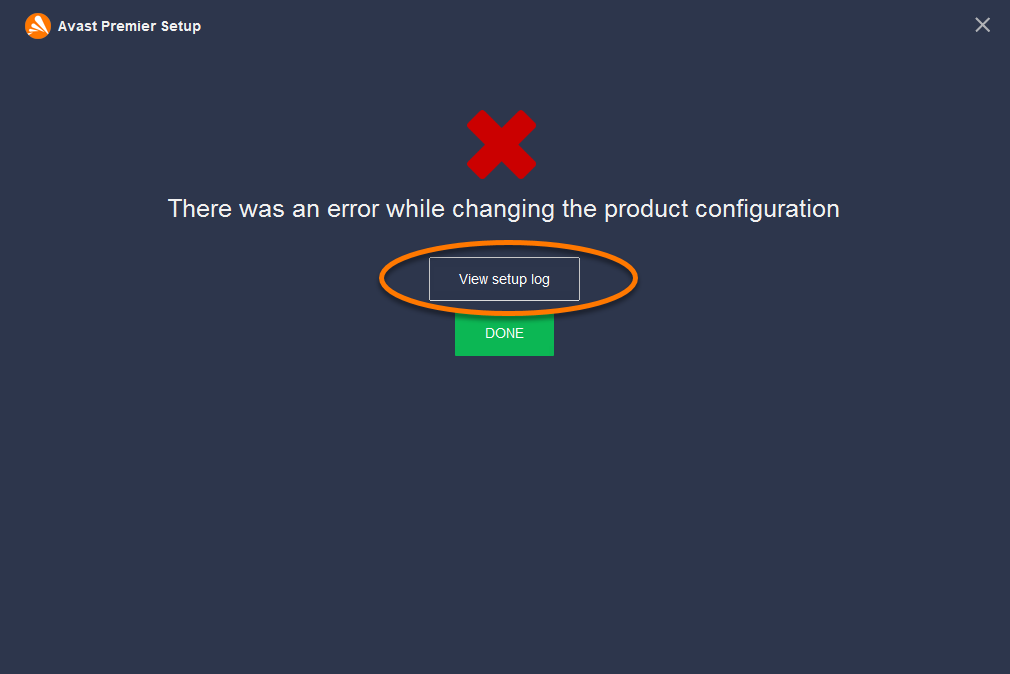
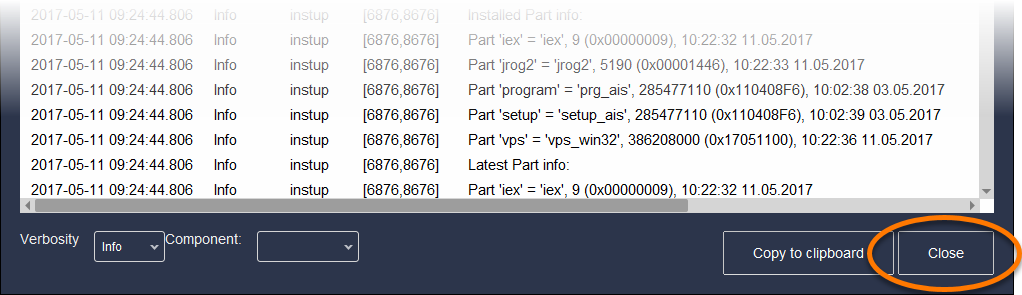
- Change the Verbosity setting in the bottom-left corner to Debug, then click Copy to clipboard.
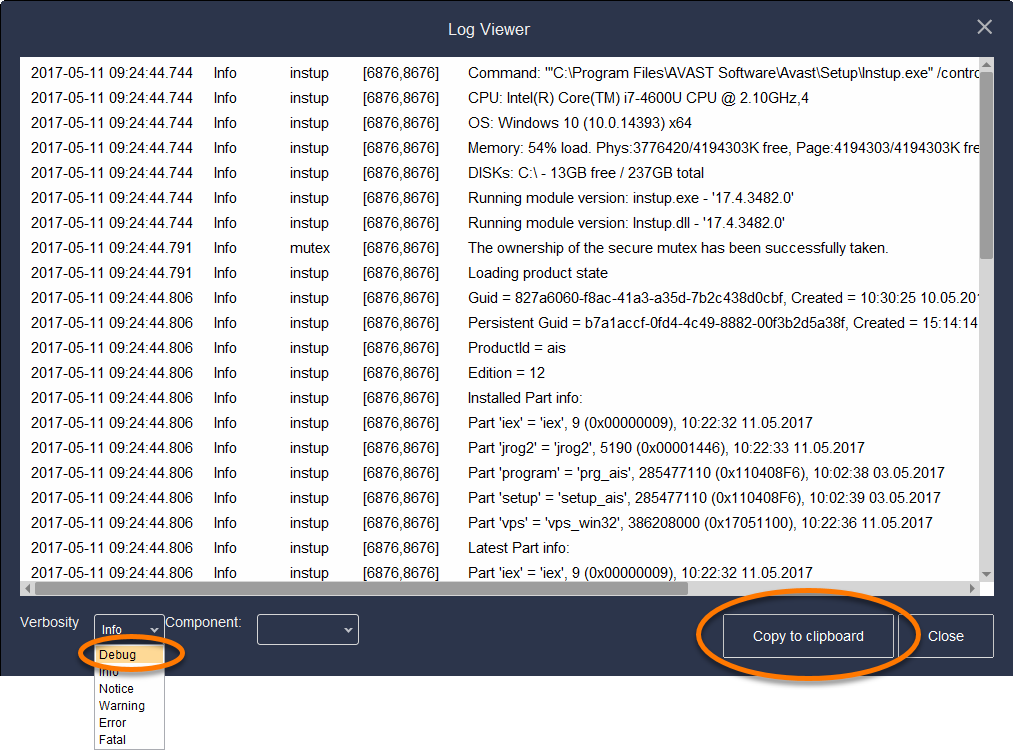
- Open Notepad, then click Edit and select Paste to insert the setup log data that you previously copied to your clipboard.
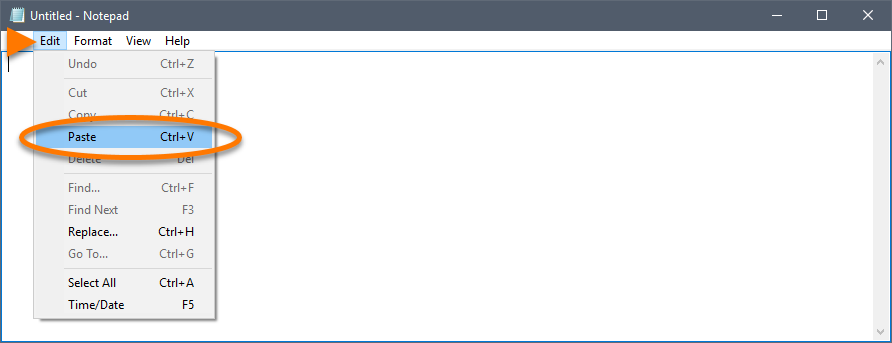
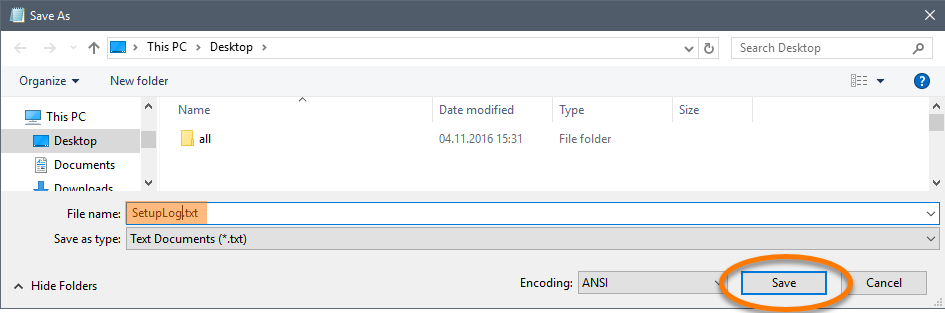
- Click File, then select Save As....
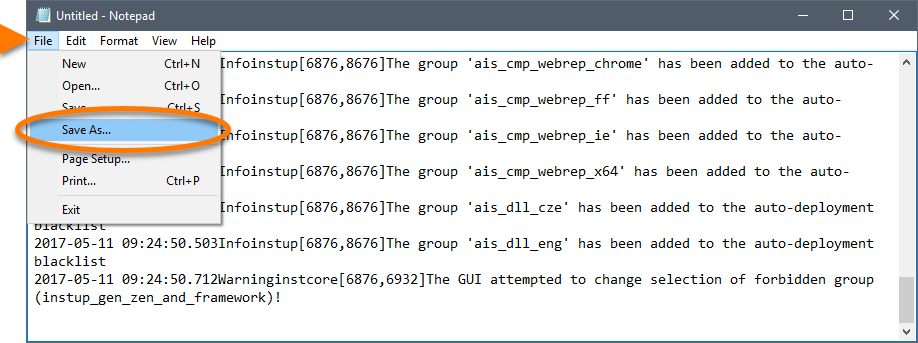
- Save the text file with the name SetupLog.txt somewhere you can easily locate it (such as your desktop), then exit Notepad.
- Return to the Log Viewer and click Close.
- Compress the setup log file using a file compression utility (*.zip), and send it as an attachment to Avast Support.
For more information, refer to the following article:
After analyzing the file, Avast Support advises you of the next steps to take.
DocID: antivirus-setup-log-fileLast modified: 09/03/2026
Was this article helpful?

Keep your online identity private!
Browse like no one’s watching with Avast anti-tracking software.
Need more help?
Contact us
Avast account
Visit our forums
Visit academy