
IS YOUR COMPUTER SLOW? RUN LIKE NEW
If they are not maintained, computers lose performance over time. Avast Cleanup Premium can help significantly improve the performance of your computer.
Real Site - Getting Started
Windows
Real Site is a feature in Avast Premium Security that helps protect you against DNS hijacking. We recommend always keeping Real Site enabled and only disabling it for troubleshooting purposes.
This article explains how to exclude a URL from Real Site protection, disable Real Site, and manage Real Site settings.
Exclude a website
You may want to exclude a trusted URL from Real Site protection if your network blocks or filters encrypted DNS requests. To exclude a website from Real Site protection:
- Open Avast Premium Security and go to
☰Menu ▸ Settings.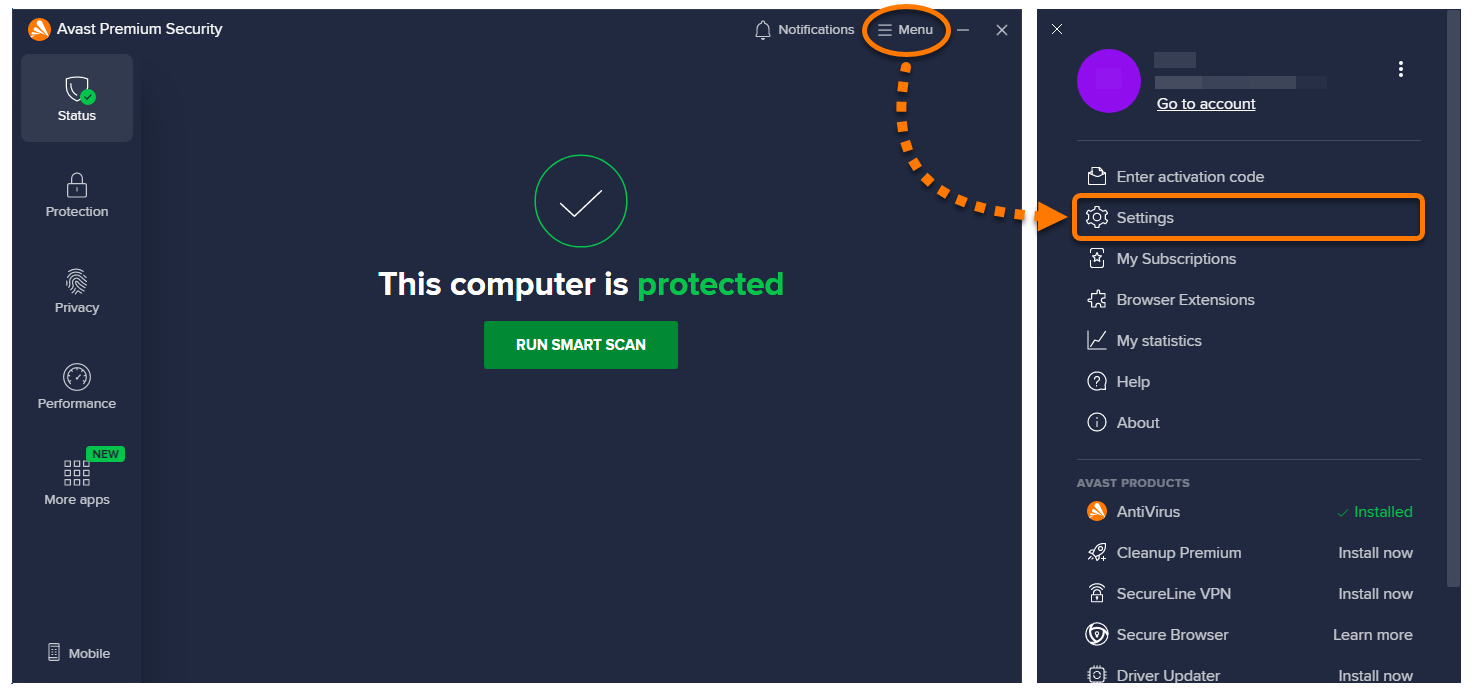
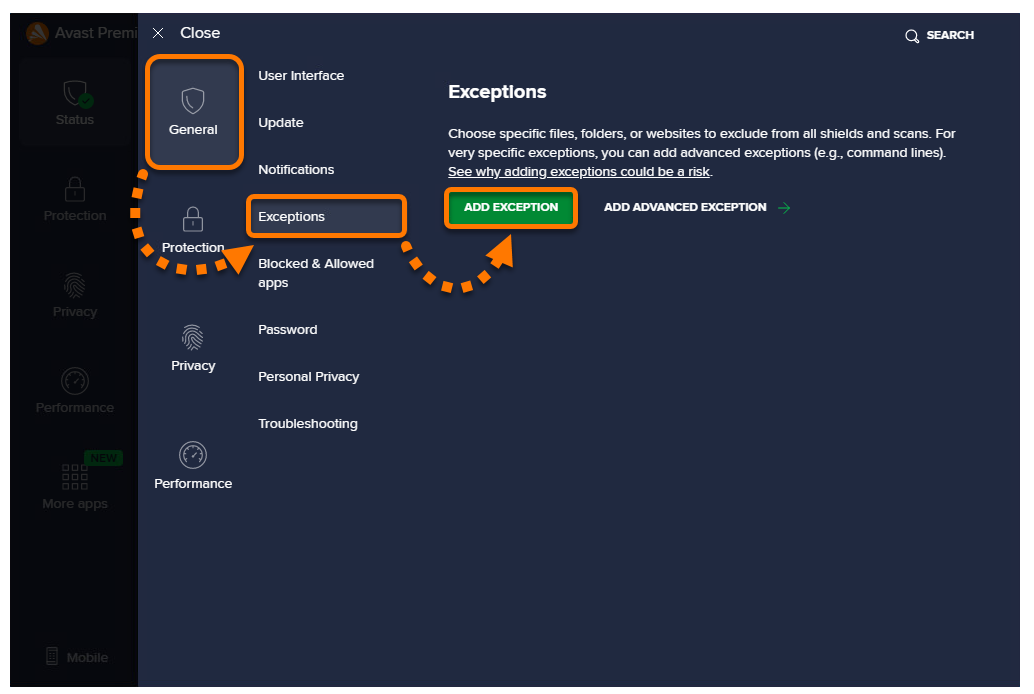
- Select General ▸ Exceptions, then click Add exception.
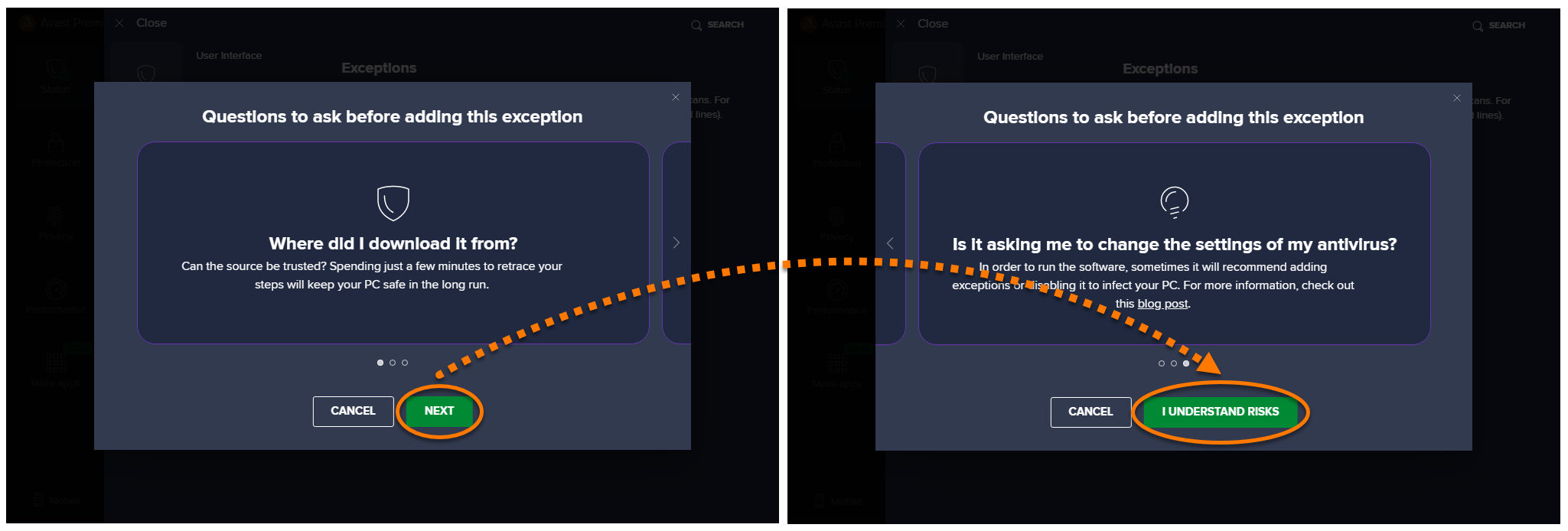
- Select Next ▸ I understand risks.
- Type the website URL into the text box using the following example as a reference:
dns://*.example.net*. Then click Add exception to save the exclusion.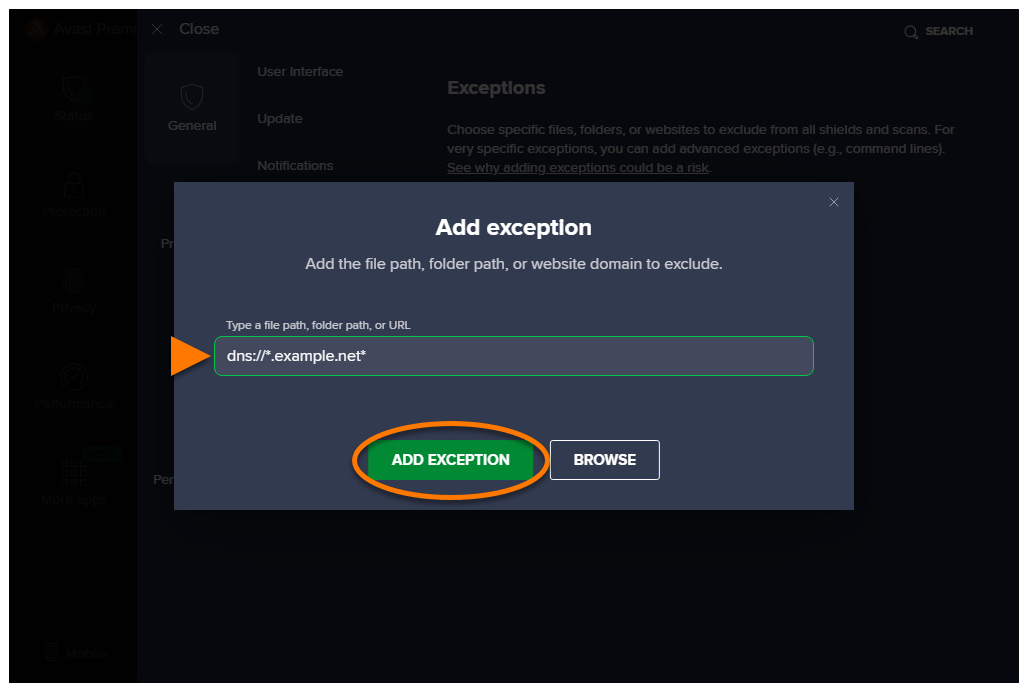
The URL is added to the exceptions list. For information on managing the exceptions list, refer to the following article:
Disable Real Site
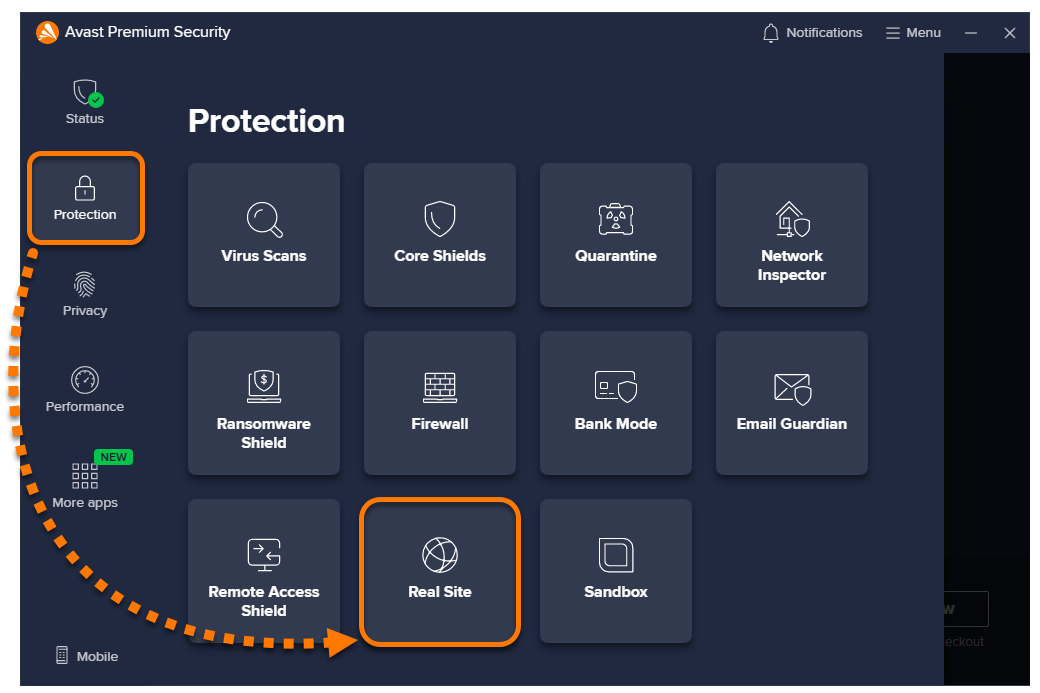
- Open Avast Premium Security, then select Protection ▸ Real Site.
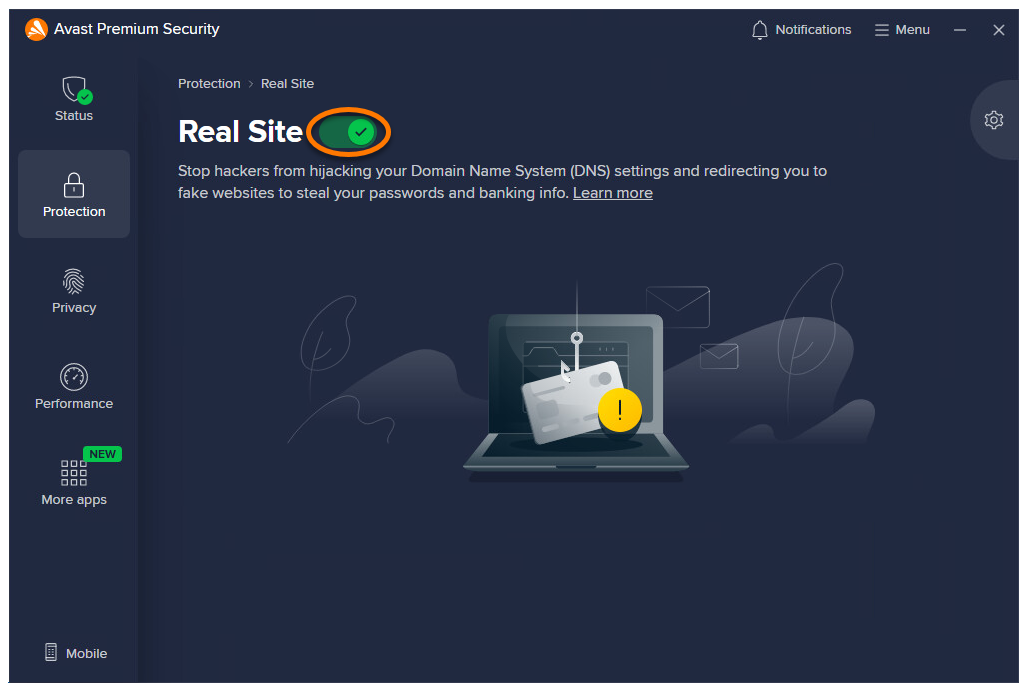
- Click the green (ON) slider.
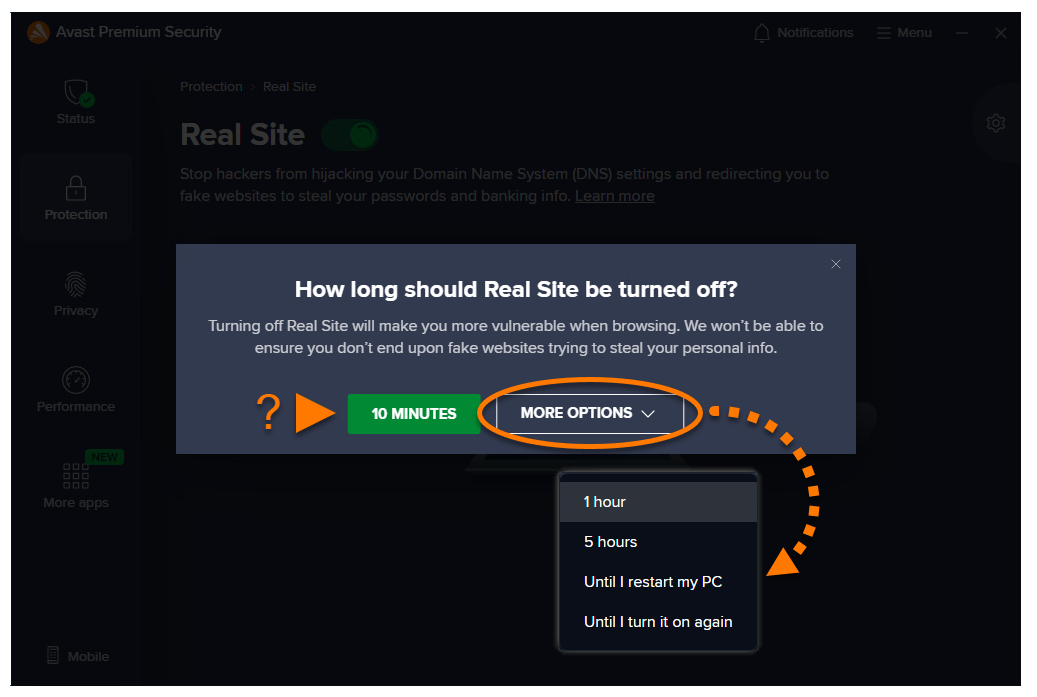
- Select a time duration by either clicking 10 minutes, or an option from the More options drop-down list.
- Click OK, stop to confirm that you are disabling Real Site intentionally.
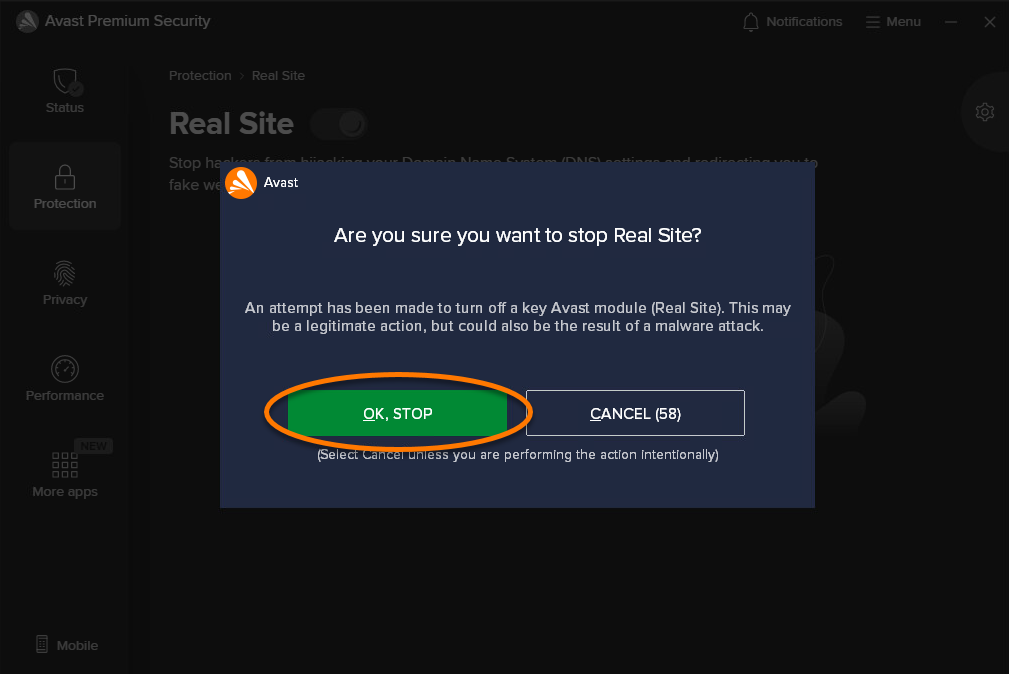
Real Site is disabled for the selected time duration and automatically enables again after this time passes. To manually enable Real Site, click the slider again so that it changes from red (OFF) to green (ON).
Manage Real Site settings
- Open Avast Premium Security, then select Protection ▸ Real Site.
- Click
 Settings (the gear icon) on the right side of the Real Site screen.
- Adjust the following options:
- How should Real Site treat untrusted networks?: Click the drop-down menu to choose how to protect your data traffic on networks you do not trust.
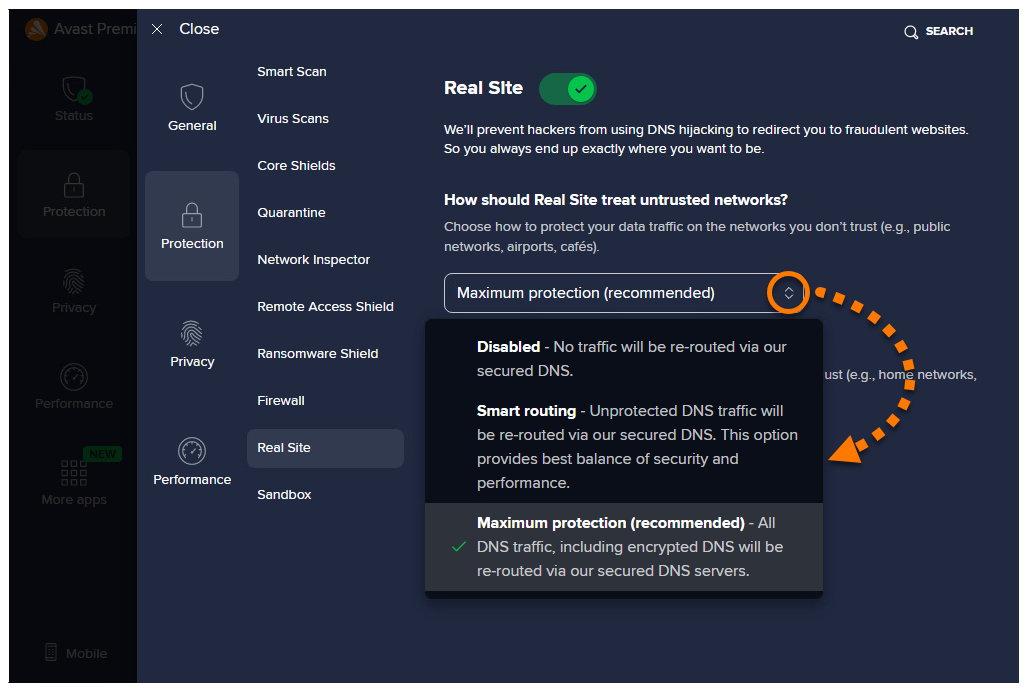
- How should Real Site treat trusted networks?: Click the drop-down menu to choose how to protect your data traffic on networks you trust.
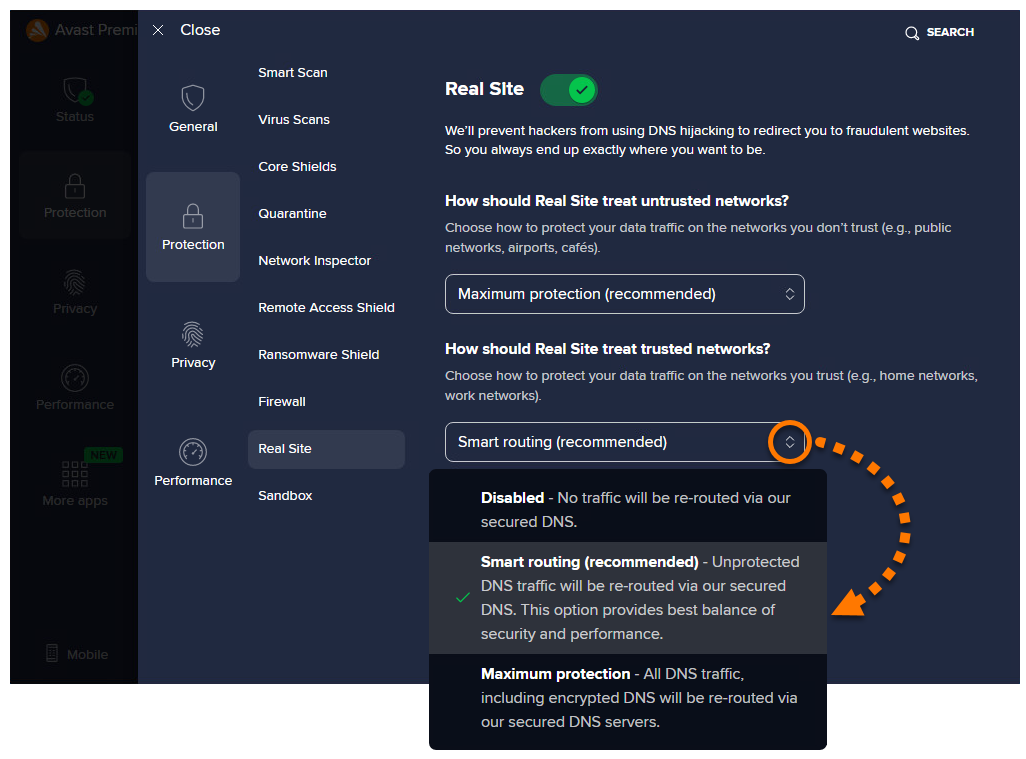
- How should Real Site treat untrusted networks?: Click the drop-down menu to choose how to protect your data traffic on networks you do not trust.
Further recommendations
For more information about Real Site and Avast Premium Security, refer to the following article:
Was this article helpful?

Keep your online identity private!
Browse like no one’s watching with Avast anti-tracking software.