Requesting a refund for an Avast subscription
Android, ChromeOS, iOS, Mac, Windows
We are introducing a new Avast account portal experience, designed to enhance usability and security. This phased release means you may see a different experience on the Avast portal. To support you during this transition, this article provides a solution to address your current experience. For the new portal experience, read Requesting a refund for an Avast subscription.

This article contains information about the Avast refund policy and instructions to request a refund for an Avast subscription.
Refer to the relevant section(s) below:
Refund eligibility
If you are not completely satisfied with your Avast subscription, contact us within 30 days of payment to receive a full refund. This 30-day-money-back guarantee applies to Avast subscriptions for consumers purchased from or billed through the following methods:
Our refund policy is independent of any statutory rights that you may have under the law. For detailed information depending on your country, refer to the full Avast refund policy on the following webpage:
The 30-day-money-back guarantee does not apply to Avast subscriptions purchased or billed through using the methods below:
Request a refund
You can request a refund for an Avast subscription either via the Avast Account that is linked to the email address you provided during the subscription purchase, or by contacting Avast Support.
If your credit card was stolen or you changed your bank account details, contact Avast Support to resolve the issue.
Your chosen method:
Your Avast Account login is the email address that you provided during the subscription purchase.
- To sign into your Avast Account for the first time, refer to the following article: Activating your Avast Account.
- If you do not know the password for your Avast Account, you can reset it.
- If you do not see your order in your Avast Account, it is possible that the order is associated with another account. Try using a different email address to sign in to your account.
- Sign in to your Avast Account using the link below:
Important! We are introducing a new Avast account portal experience, designed to enhance usability and security. This phased release means you may see a different experience on the Avast portal. To support you during this transition, this article provides a solution to address your current experience. For the new portal experience, read Requesting a refund for an Avast subscription.
- Click See your order history on the Order history tile.
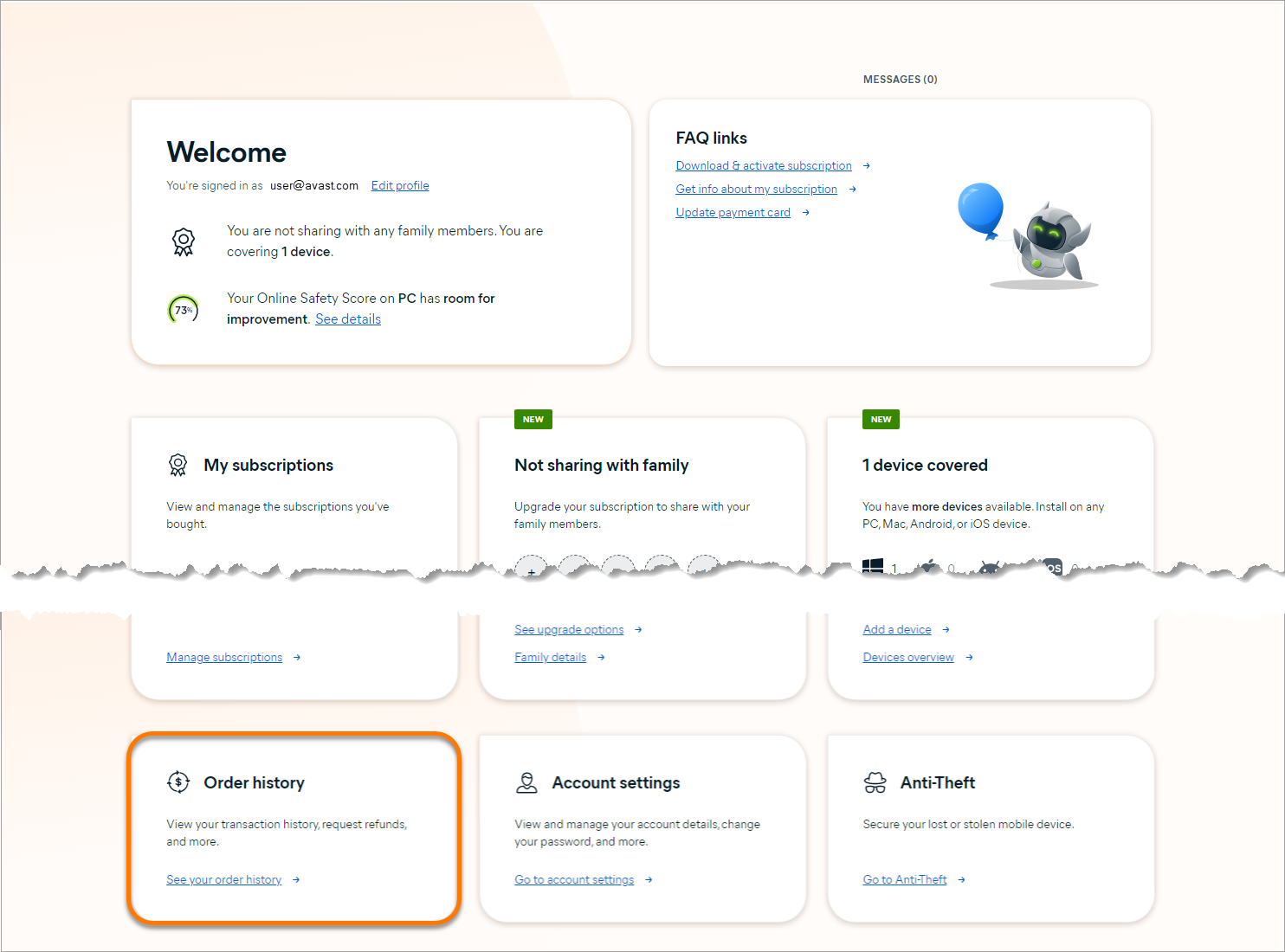
- Click Request a refund under the order that you want a refund for.

The Request a refund option only appears next to orders that are eligible for a refund. Refer to the Refund eligibility section for more information about Avast's refund policy.
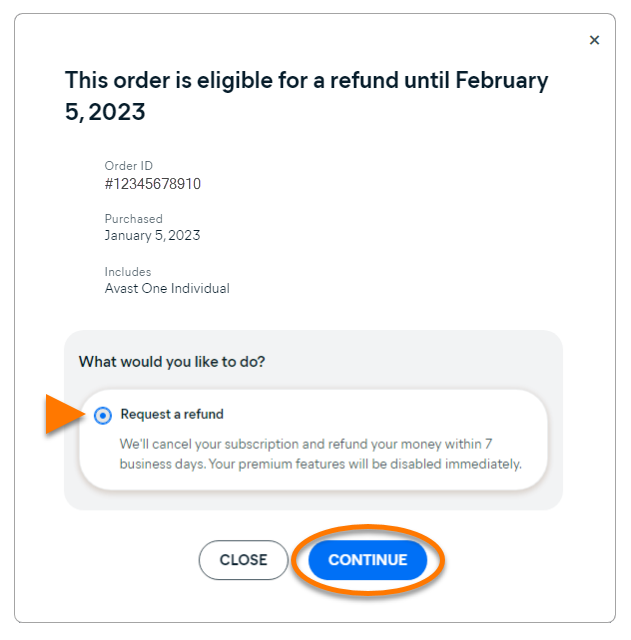
- Select Request a refund, then click Continue.
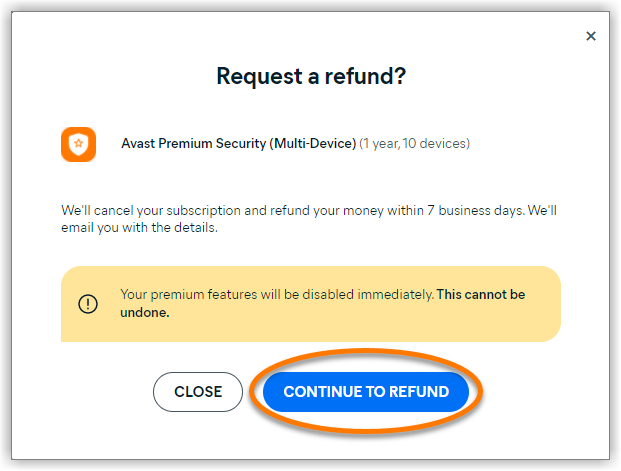
- If your order includes multiple subscriptions, tick the box next to each subscription that you want a refund for. Then click Continue to refund.
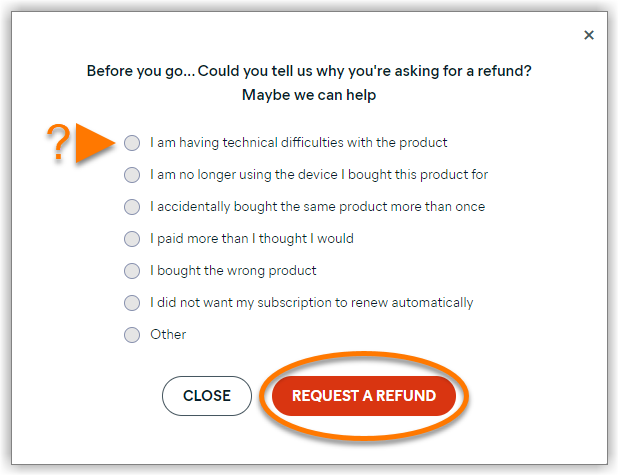
- Select your reason for requesting the refund, then click Request a refund.
- Depending on your location, different support options may be available. Click Start chat, call the provided phone number, or skip the live help and proceed directly with your refund.
The order shows on the Payments screen in your Avast Account with the message: Refund in progress.

When the request has been processed, you will be notified by email.
- Click the link below to open the Avast refund request form:
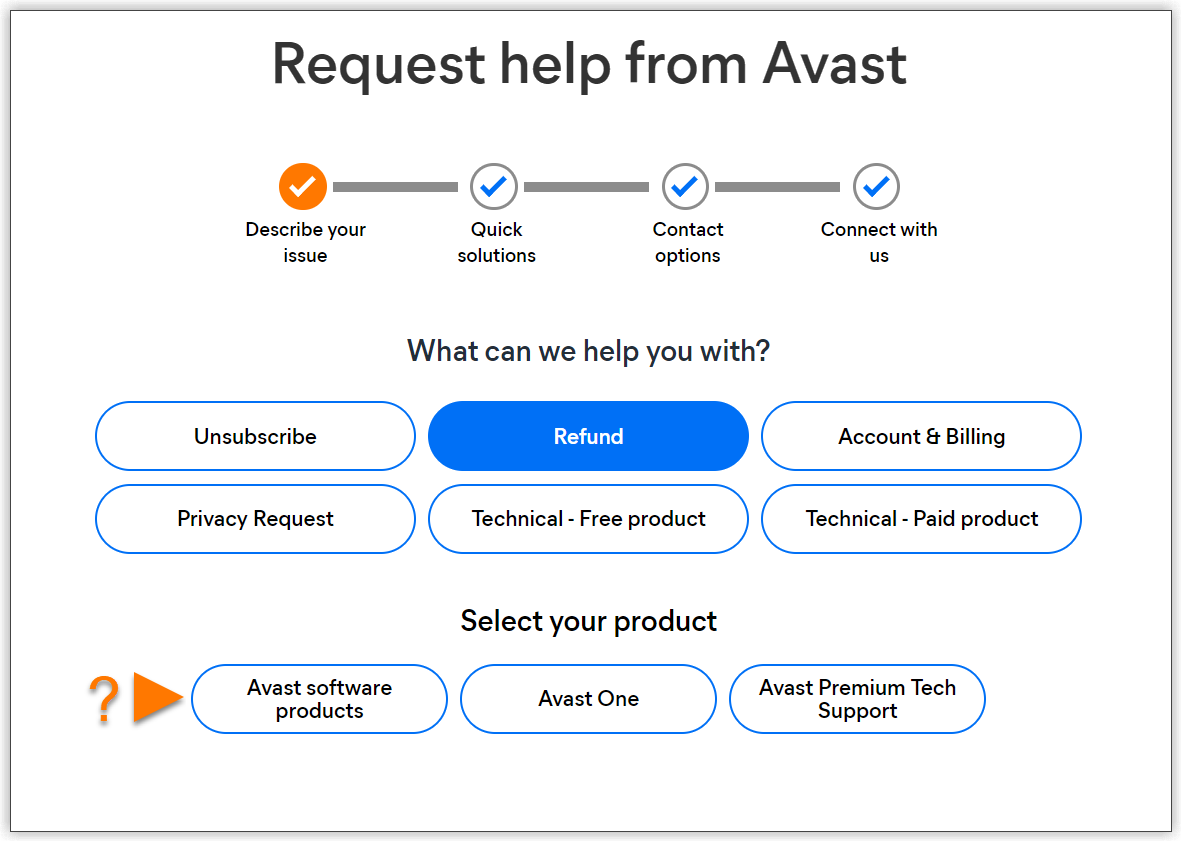
- Select your product type.
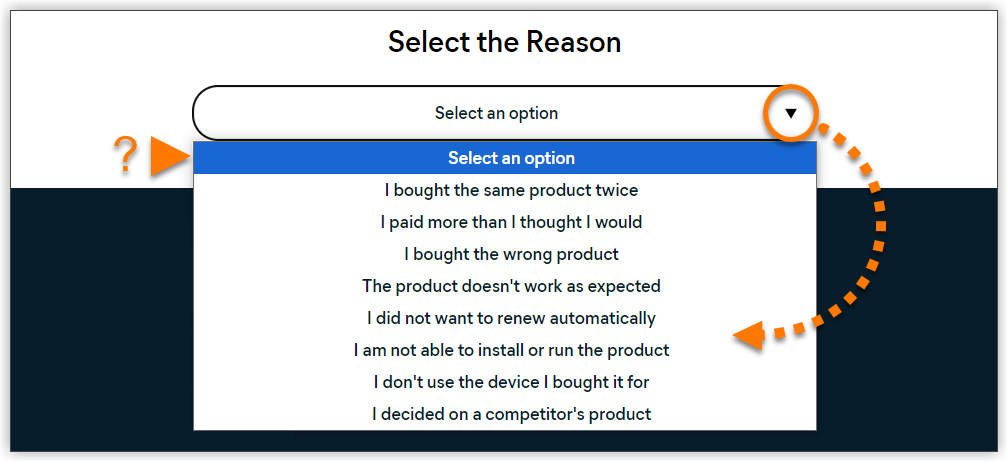
- Use the drop-down menu to select your reason for requesting a refund.
- Click Get support.
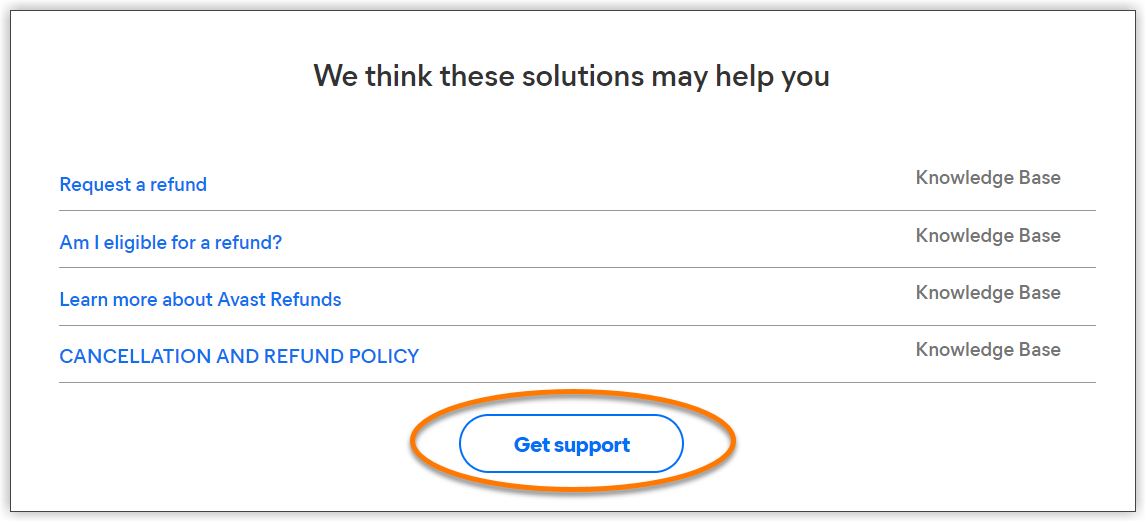
- The contact options available differ according to current availability, as well as your selected application and region. If more than one contact option is available, select your preferred option.
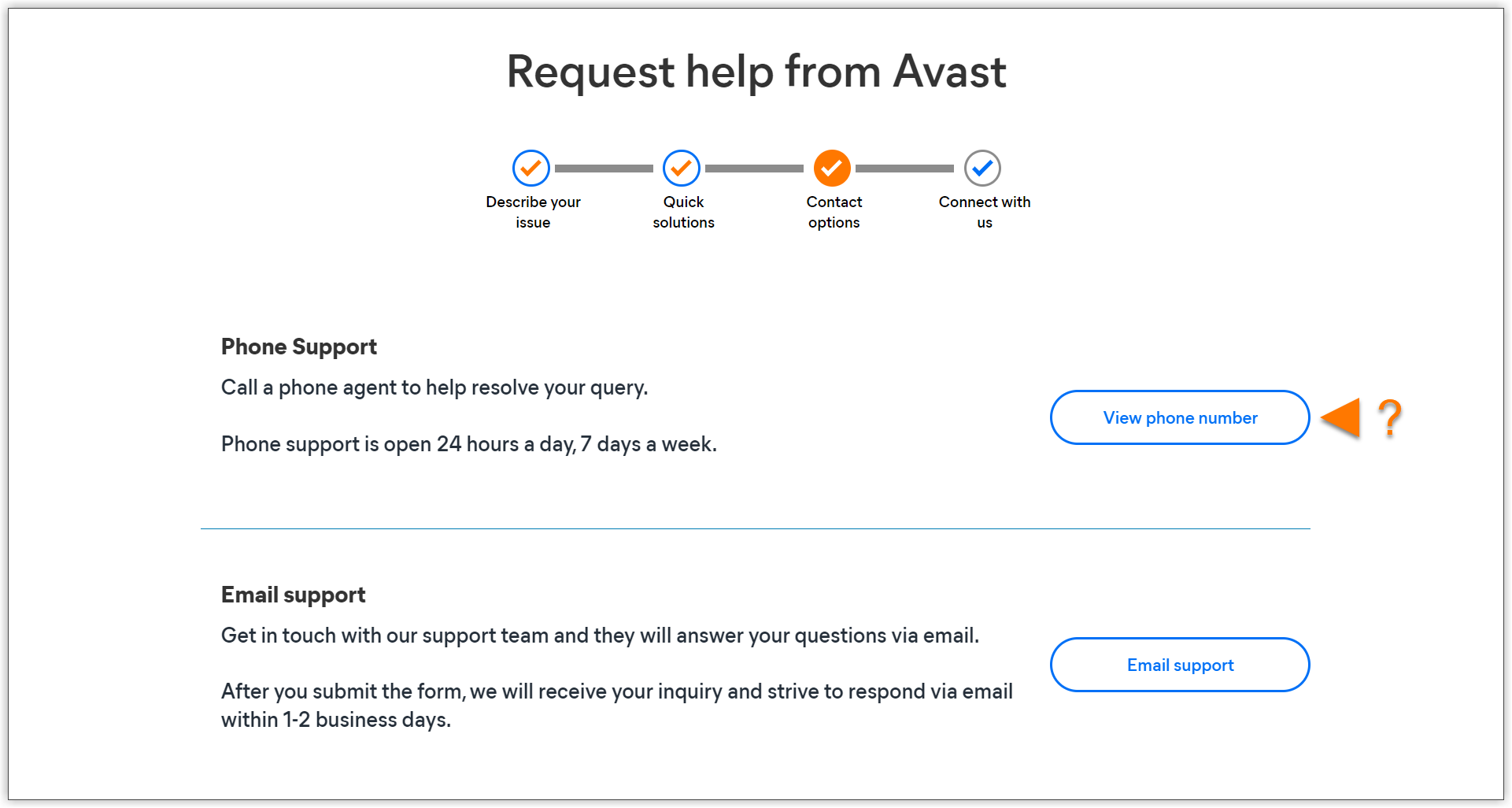
- Follow the on-screen instructions to contact Avast Support using the selected contact option.
If you need to locate your Order ID, refer to the following article for instructions on where to find it: Finding your Avast order ID number.
Your refund request has been submitted. An Avast Support agent will contact you to confirm when the request has been processed.
For payments made by credit/debit card or PayPal, the refund process can take up to 7 business days. For other payment methods, the refund process can take up to 14 business days.

