Find your Avast order number
Your Avast order number is in the order confirmation email you receive after completing the purchase. Avast has partnered with established eCommerce providers that manage online sales and distribution in certain regions. The exact location of the order number varies according to the distributor.
To locate your Avast order number in order confirmation emails from different Avast order distributors:
- Locate the order confirmation email about your Avast purchase from notification@emails.avast.com or no.reply@avast.com. If you cannot find it, check your spam or junk folder.
- Refer to the relevant step below according to your Avast order distributor:
|
Distributors
|
Instructions
|
|
Avast
|
Search for order # in the subject or Order ID in the body of the confirmation email. 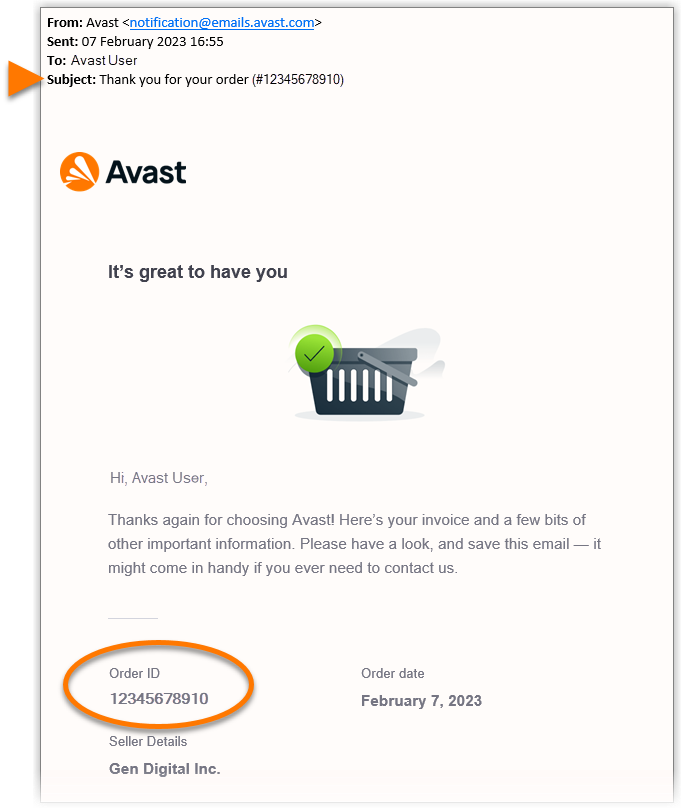
|
|
Cleverbridge
|
Search for Reference # in the subject or Your Avast reference ID in the body of the confirmation email. 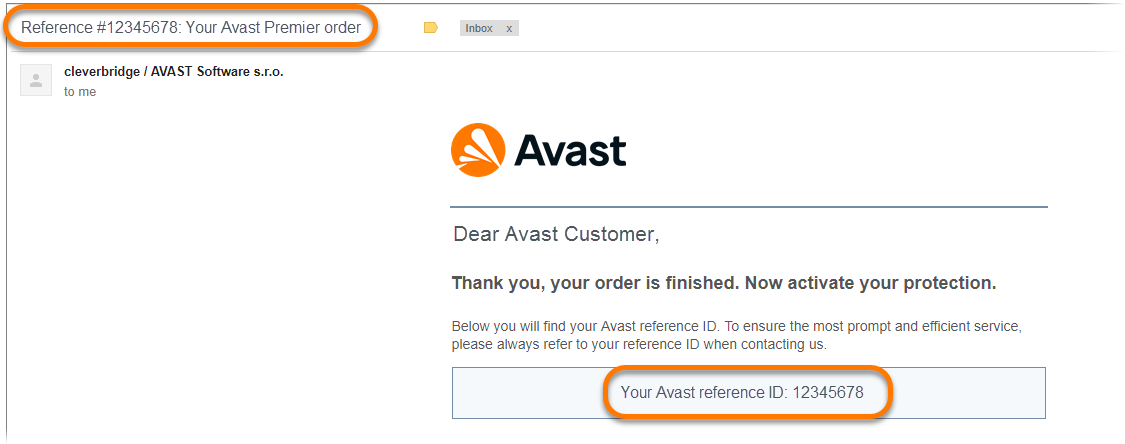
|
|
Nexway
|
Search for Nexway order number in the subject or Order Number in the body of the confirmation email. 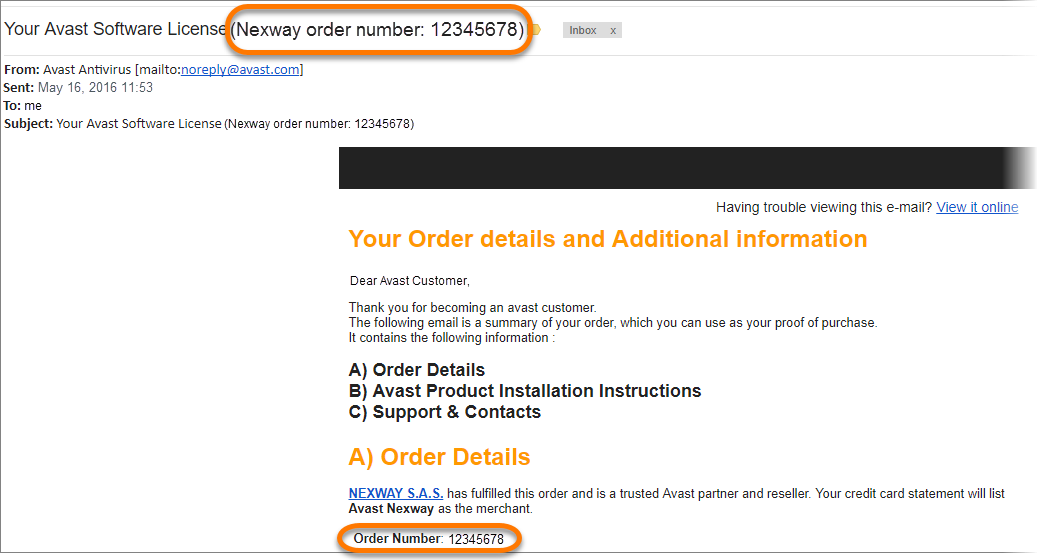
|
Find your Avast order number
You can find your Avast order number in the Avast Account linked to the email address you provided during the subscription purchase.
Your Avast Account login is the email address that you provided during the subscription purchase.
- To sign into your Avast Account for the first time, refer to the following article: Activating your Avast Account.
- If you do not know the password for your Avast Account, you can reset it.
To retrieve your order number via your Avast Account:
- Sign in to your Avast Account using the link: https://id.avast.com/sign-in.
- In the top-right corner of the page, click My account and then click Order history.
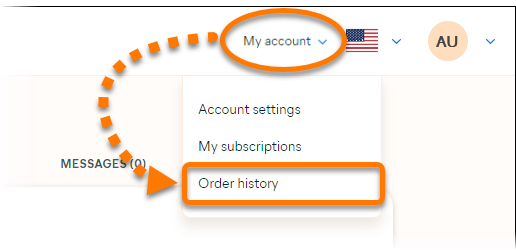
- The order number for each payment is shown next to Order ID...
 ...or under Order number.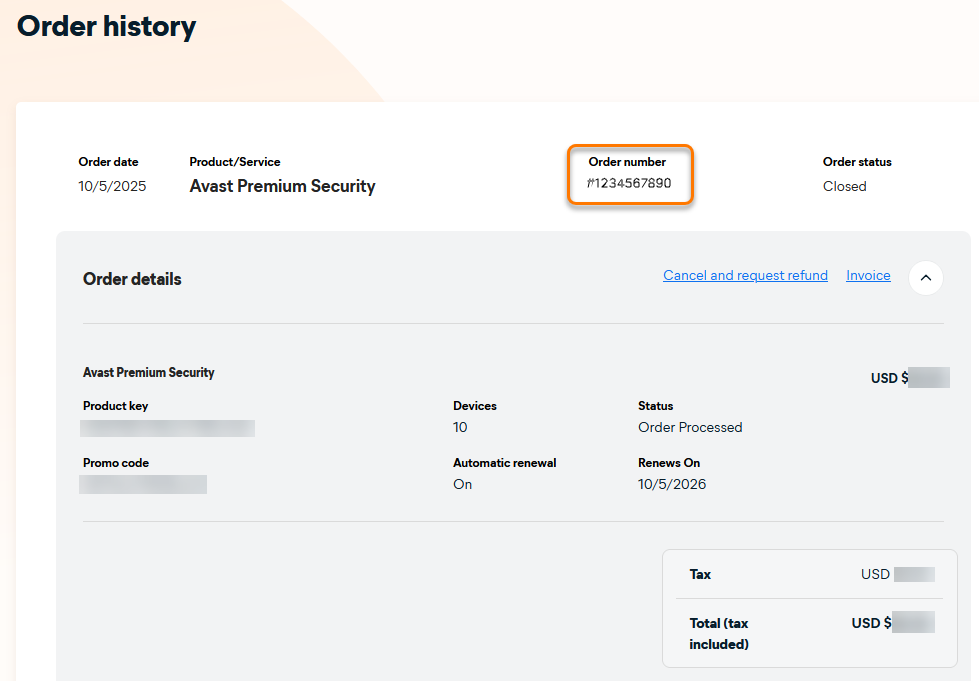
Find your Avast order number
To find your order number for purchases made via the Google Store, refer to the information in the following Google Store Help article:
Find your Avast order number
To find your order number for purchases made via the App Store, refer to the information in the following Apple Support article:

