
IS YOUR COMPUTER SLOW? RUN LIKE NEW
If they are not maintained, computers lose performance over time. Avast Cleanup Premium can help significantly improve the performance of your computer.
Review scan history in Avast Antivirus
Windows
Avast Antivirus provides a range of scans to help protect your PC from viruses and malware. After a scan completes, you can review the details in your scan history.
To view details of your previous scans:
- Go to Protection ▸ Virus Scans.
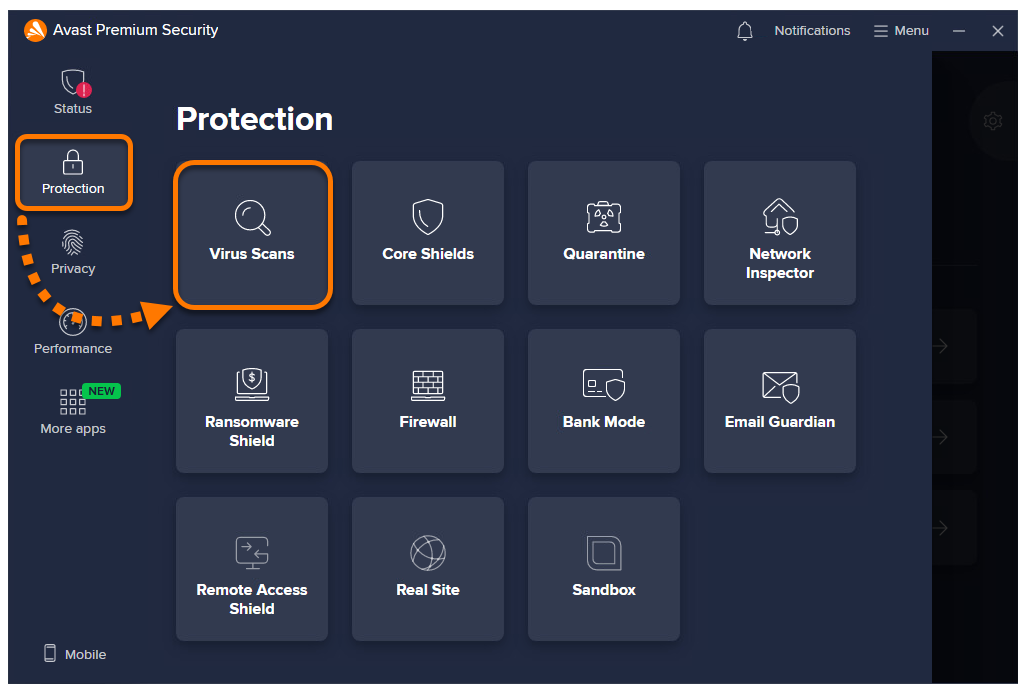
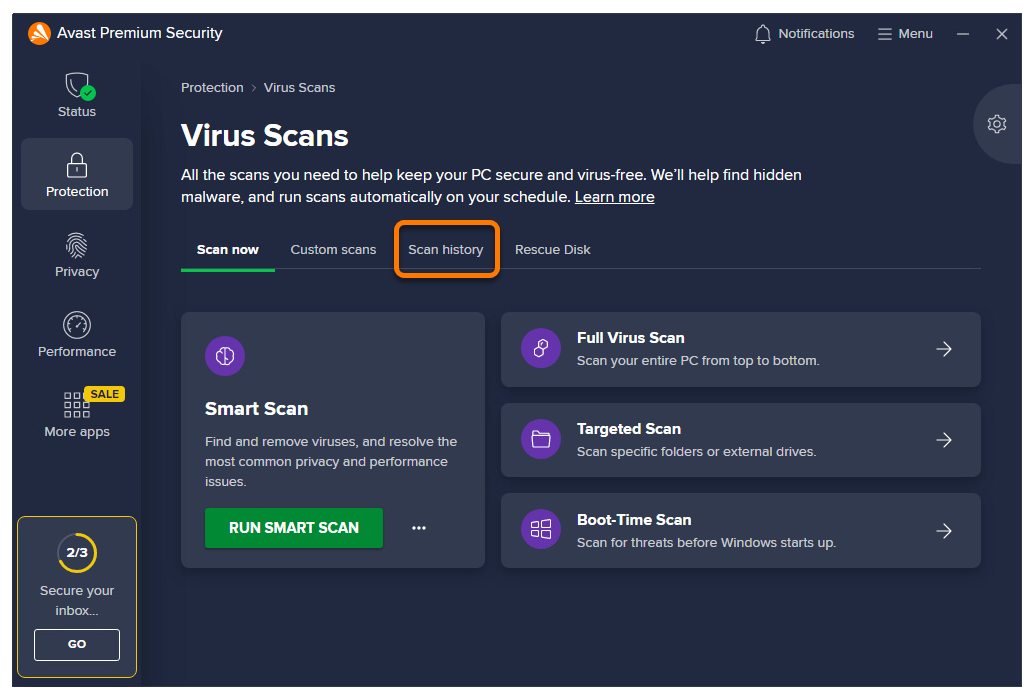
- Select the Scan history tab.
- The details of your completed scans are shown on the Scan history screen.
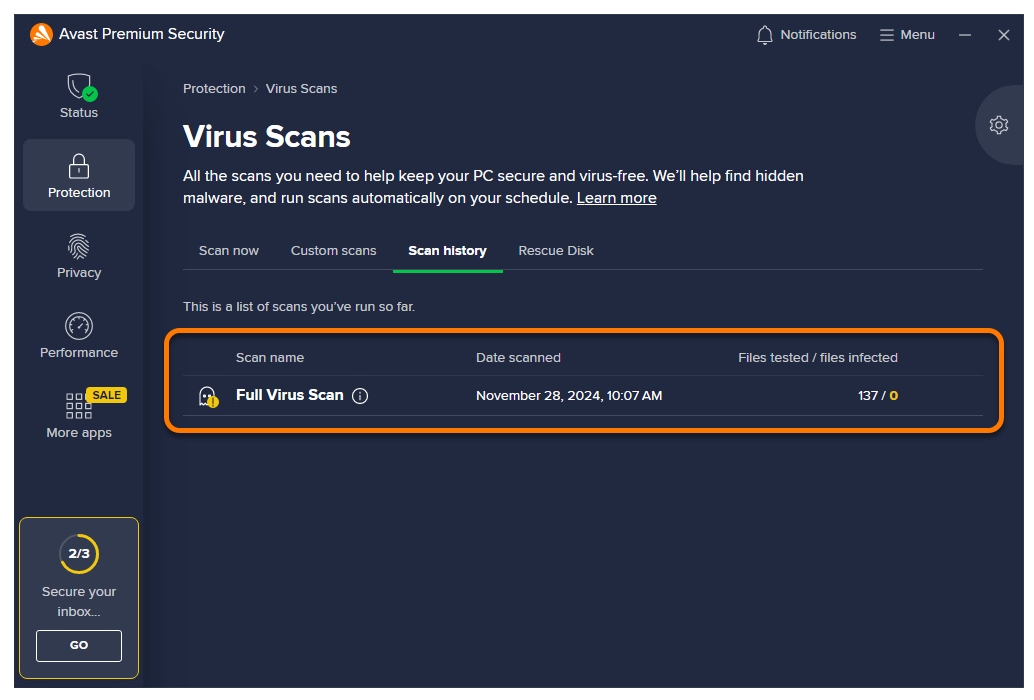
To view details about an individual scan, click the
iicon beside the scan name. To continue performing an incomplete scan, hover your cursor over the relevant scan panel, and click the play icon.
Further recommendations
For more information about virus scans, refer to the following articles:
DocID: antivirus-pc-review-scan-historyLast modified: 09/03/2026
Was this article helpful?

Keep your online identity private!
Browse like no one’s watching with Avast anti-tracking software.
Need more help?
Contact us
Avast account
Visit our forums
Visit academy