Promotional banner image

IS YOUR COMPUTER SLOW? RUN LIKE NEW

If they are not maintained, computers lose performance over time. Avast Cleanup Premium can help significantly improve the performance of your computer.

Alternative methods for canceling the renewal for an Avast subscription

We only recommend following the steps in this article if you cannot cancel the renewal for your Avast subscription using either of the articles linked below:

Stopping your subscription from automatically renewing before the next billing date ensures you will not be renewed nor charged for the renewal.

Cancel your renewal for a subscription using one of the following methods:

  1. Click the button below to open the Avast Support page: Request help from Avast
  2. Select your product type.
  3. Use the drop-down menu to select your reason for canceling the renewal.
  4. Click Get support.
  5. The contact options differ according to current availability and region. Select your preferred contact method from the available options.
  6. Follow the on-screen instructions to request cancellation of your subscription renewal.

Your cancellation request has been submitted. An Avast Support agent will be in contact with you soon.

If you have multiple Avast subscriptions, you need to repeat the steps above for each subscription that you want to cancel the renewal for. This is because each of your Avast orders is linked to a different Order ID number. Alternatively, you can provide the relevant Order ID numbers to the Avast Support agent who gets in touch with you.

To locate your Order ID, refer to the following article for instructions on where to find it: Finding your Avast order ID number.

When your subscription renewal is canceled, you can continue to use your paid Avast products until the subscription expires. After this date, you will either lose access to your Avast products, or your Avast products will switch to the free version.

This option only applies if your Avast subscription purchase was processed by Nexway. To verify if your order was processed by Nexway, check your order confirmation email or your billing statement. For more information, refer to the following article: Purchase and billing.

If you have already created a password to access the Avast Customer Portal, follow the steps below to cancel your subscription. If you have not yet created a password, follow the steps in both sections below to create a password before canceling your subscription.

Create a password

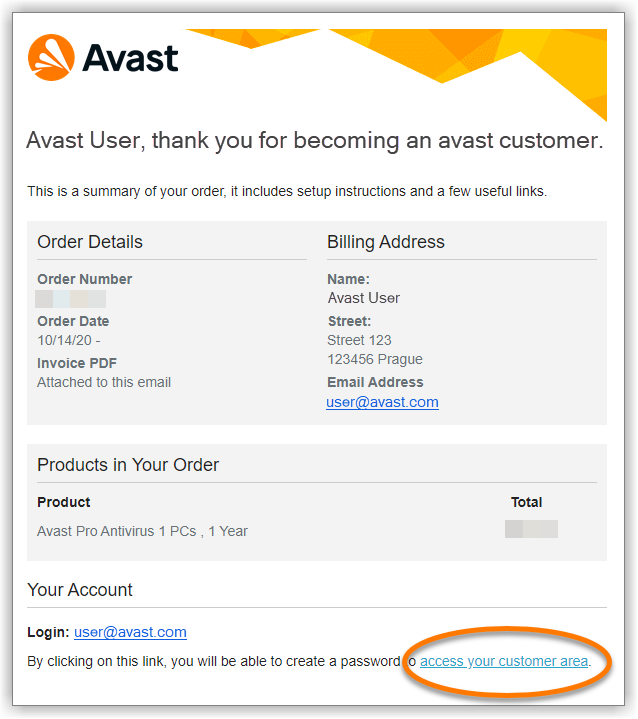
  1. Open the order confirmation email that you received after the subscription purchase from no.reply@avast.com.
  2. Click the access your customer area link at the bottom of the email.
  3. Create a password that meets the listed criteria, type your password again, then click Save changes.
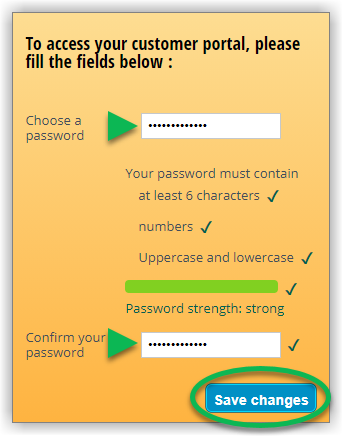
Your password is now created and you are directed to the Avast Customer Portal, where you can cancel your subscription.

Cancel your subscription

  1. Access the Avast Customer Portal by clicking the relevant link below according to region.
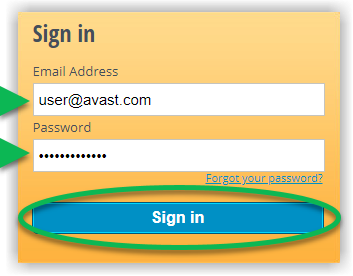
  2. Enter the email address you provided during the subscription purchase (this is also the email address where you received the order confirmation email). Additionally, enter your password, then click Sign in.
  3. Click the Change Auto-Renewal Settings tile under Quick Links.
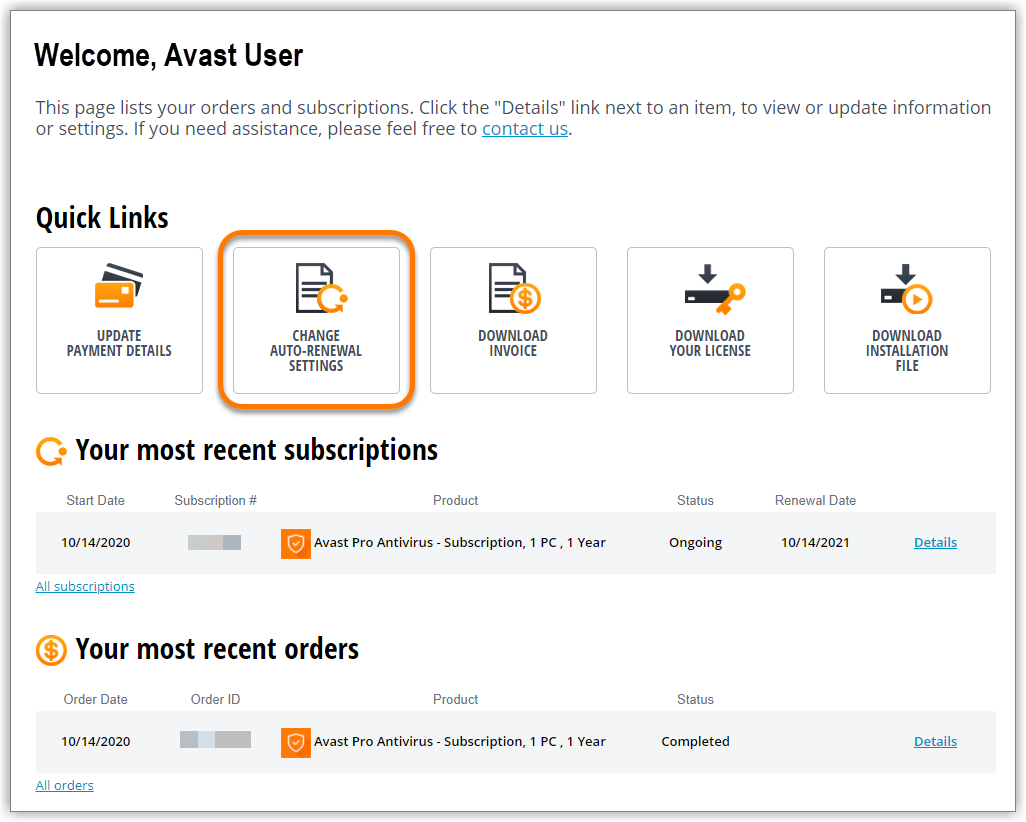
  4. Select the subscription that you want to cancel.
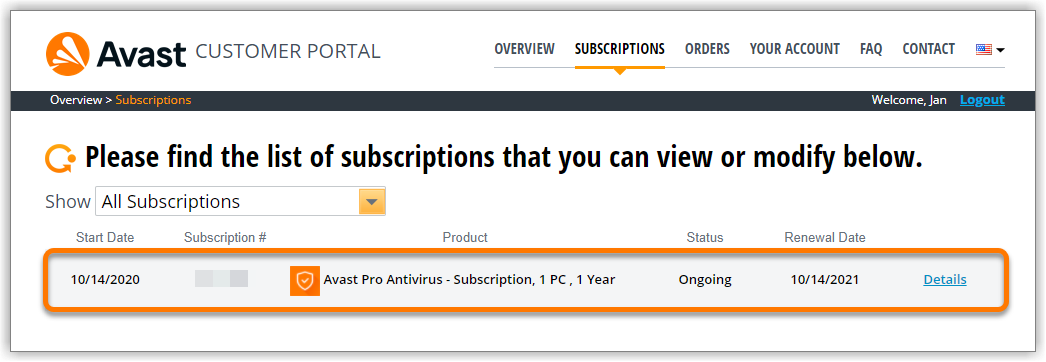
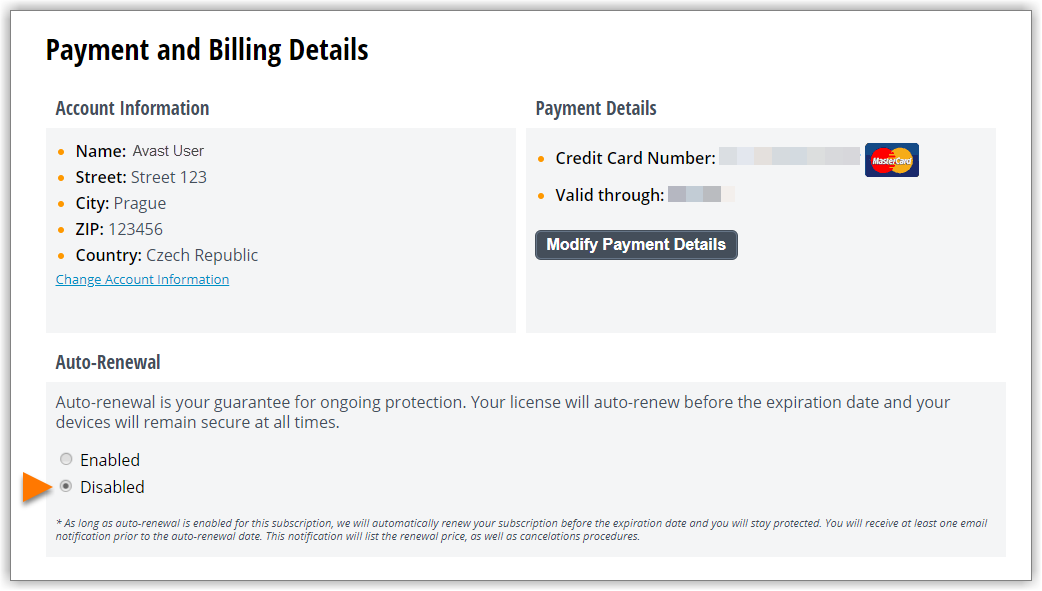
  5. Scroll to the Auto-Renewal section, and select Disabled.
  6. Click Disable automatic renewal to confirm that you want to cancel your subscription.
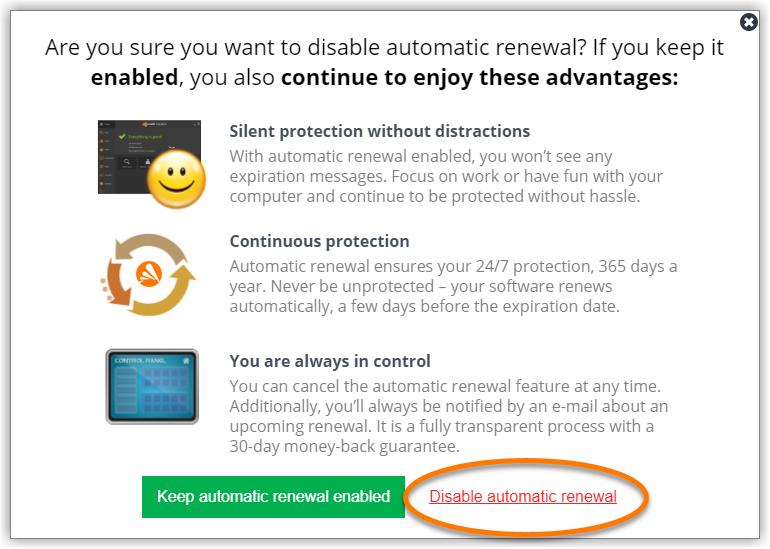
Your subscription is now canceled. You receive confirmation of the cancellation by email.

If you have multiple Avast subscriptions, you need to repeat the steps above for each subscription that you want to cancel.

When the subscription is canceled, the status changes to Auto-Renewal Disabled. You can continue to use your paid Avast products until the subscription expires. After this date, you will either lose access to your Avast products, or your Avast products will switch to the free version.


DocID: alternative-unsubscribeLast modified: 09/22/2026

Was this article helpful?

Promotional banner image

Keep your online identity private!

Browse like no one’s watching with Avast anti-tracking software.

Need more help?

Contact us
Avast account
Visit our forums
Visit academy