Troubleshooting when Avast Antivirus continues to report Java software as outdated
Software Updater in Avast Antivirus reports that Java 6 or Java 7 software is outdated and that your computer is vulnerable to risks. If you try to perform the update within Avast, you are directed to the Java webpage: Java ▸ 64-bit Java for Windows.
This issue is caused by obsolete Java 6 or Java 7 software. Oracle ended support for Java 6 in February 2013, and Java 7 in February 2016, therefore it is strongly recommended that you install the latest version of Java instead.
When you install a newer version of Java, the installer does not automatically remove the out of date Java 6 or Java 7 software files. This means that the Software Updater in Avast Antivirus continues reporting Java as outdated until the out of date files are either removed or updated to a supported version of Java.
Resolve Software Updater issues with outdated Java
We strongly recommend that you follow the preferred method. The alternative method is not recommended.
-
Uninstall Java 6 or Java 7. For more information, refer to the following Java article:
-
Install the latest version of Java from the Java webpage:
Some programs may depend on Java 6 (or 7) to function. If Java 6 (or 7) is removed, then the behavior of these programs may change.
If you must continue to use Java 6 or Java 7, and you do not want alerts that an update is recommended, you can set Software Updater to ignore Java 6 (or 7) updates at your own risk:
-
Open Avast Antivirus and go to Performance ▸ Software Updater. 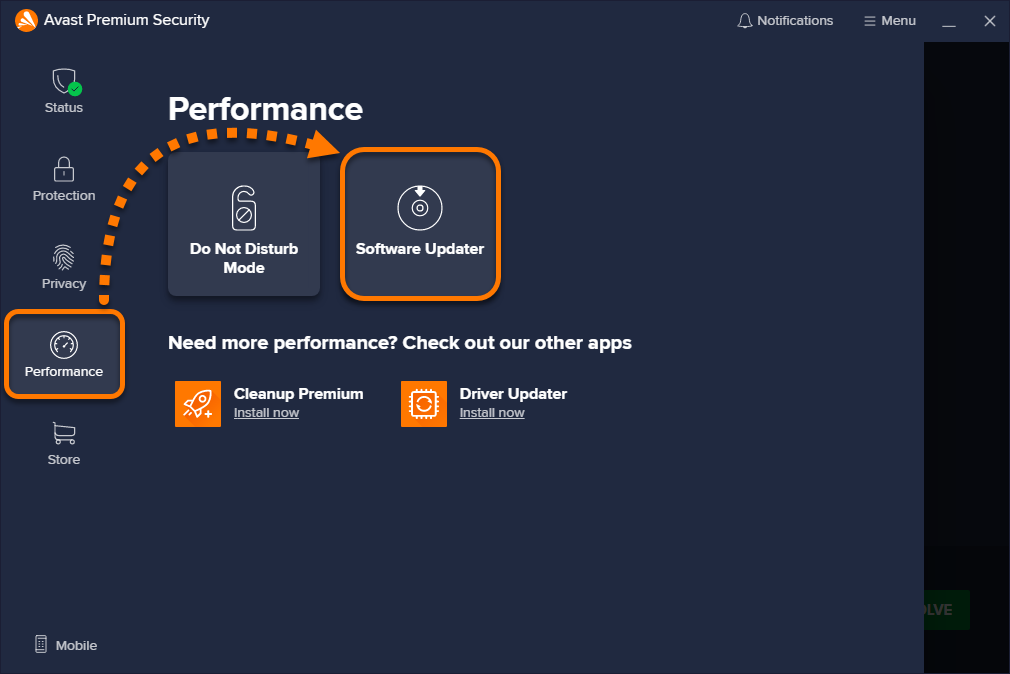
-
Hover your cursor over the Java Runtime Environment 6 (or 7) panel and click the ⦸ (Ignore updates) icon. 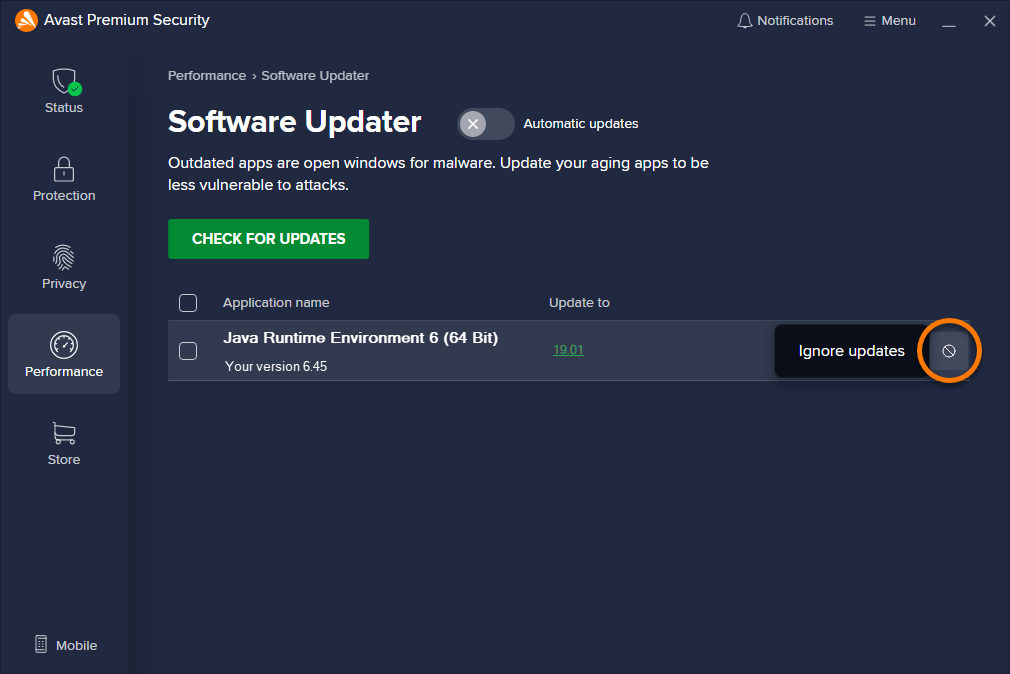
Software Updater discontinues warnings that your computer is vulnerable to risks because of outdated Java 6 or Java 7 software.

