Promotional banner image

IS YOUR COMPUTER SLOW? RUN LIKE NEW

If they are not maintained, computers lose performance over time. Avast Cleanup Premium can help significantly improve the performance of your computer.

Submitting a support file using the Avast Support Tool

The Avast Support Tool is a diagnostic tool that checks your Avast apps for common problems. It gathers the necessary files from your PC and sends them to Avast Support representatives and engineers for further analysis.

Avast Support does not automatically check for newly submitted support files. Before you send a support file via the Avast Support Tool, please notify Avast Support via the support portal.

Run the Avast Support Tool

There are two methods for running the Avast Support Tool:

  • Download: Installs and runs an executable file on your PC. This method is useful if you are unable to open your Avast product.
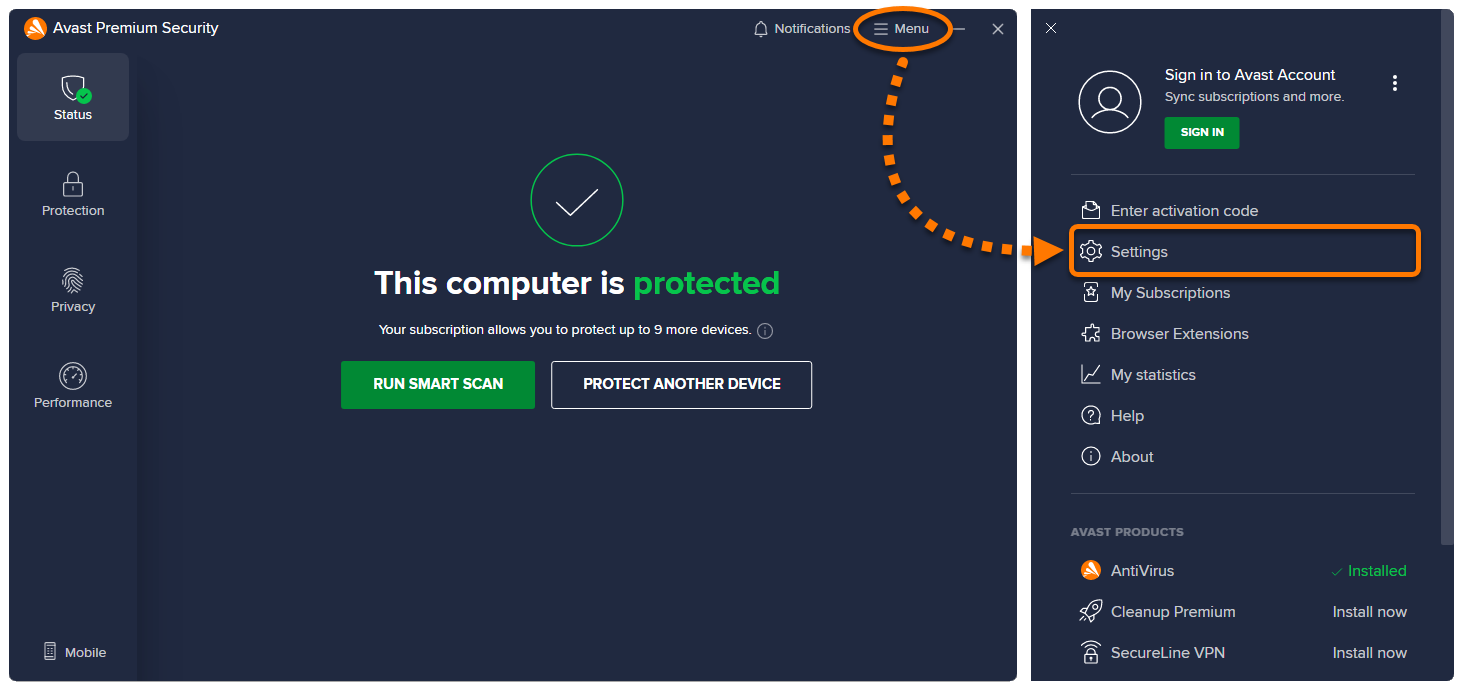
  • Settings: Runs the Avast Support Tool directly from Avast Premium Security. This method is not available for other Avast products.

Choose your preferred method:

  1. Click the button below to download the Avast Support Tool, and save it to a familiar location on your PC (by default, downloaded files are saved to your Downloads folder). Download the Avast Support Tool
  2. Right-click the downloaded file avastsupport.exe and select Run as administrator from the context menu.

    If you are unable to authorize installation of the Avast Support Tool, refer to the following article for advice: Managing administrative accounts on your Windows PC.

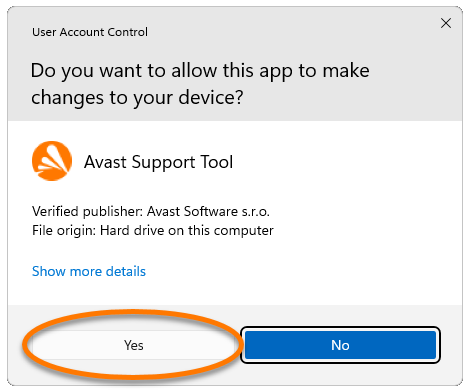
  3. If prompted for permission by the User Account Control dialog, click Yes.

Follow the instructions in the next section of this article to send a file log to Avast Support.

  1. Open Avast Premium Security and go to ☰ Menu ▸ Settings.
  2. Ensure General is selected in the left panel, then click Troubleshooting.
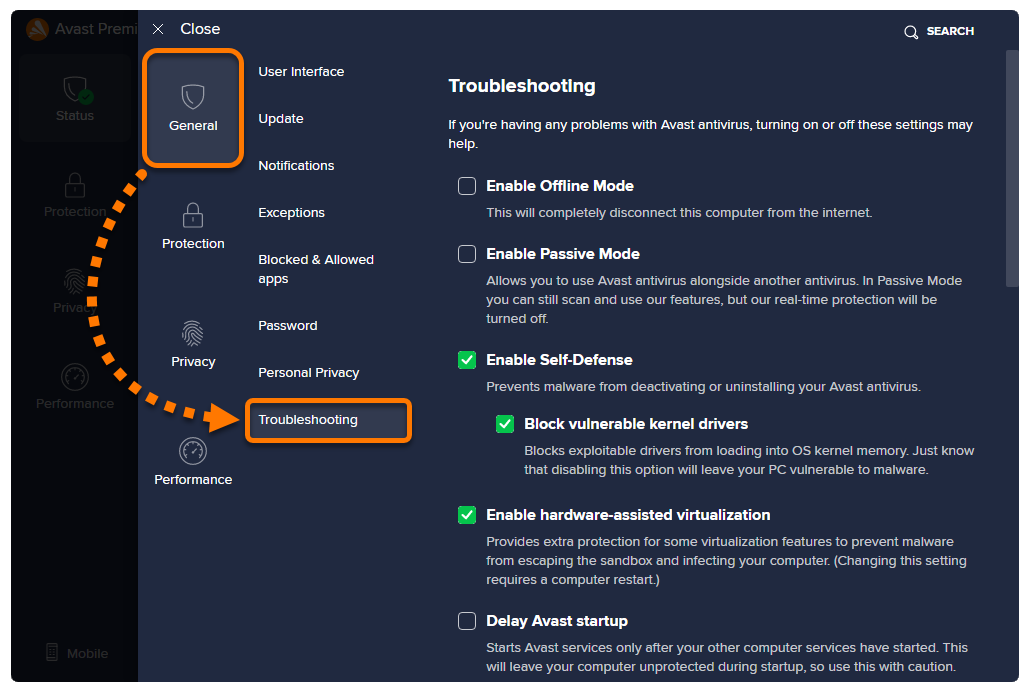
  3. Scroll to Send logs to our support team and click Send logs.
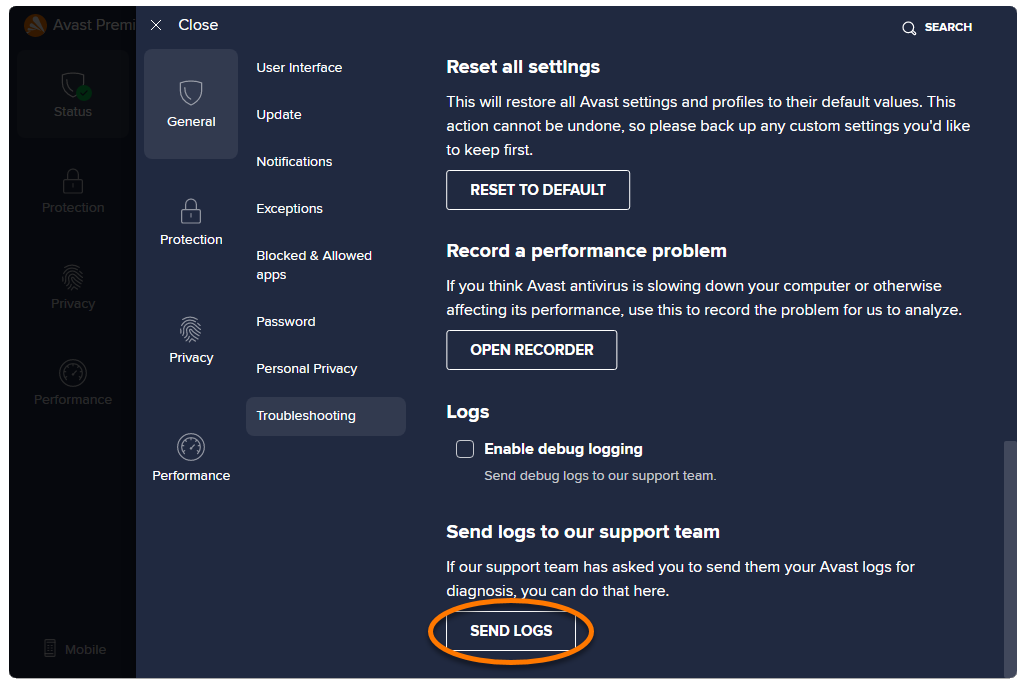
Follow the instructions in the next section of this article to send a file log to Avast Support.
Send a file log to Avast Support

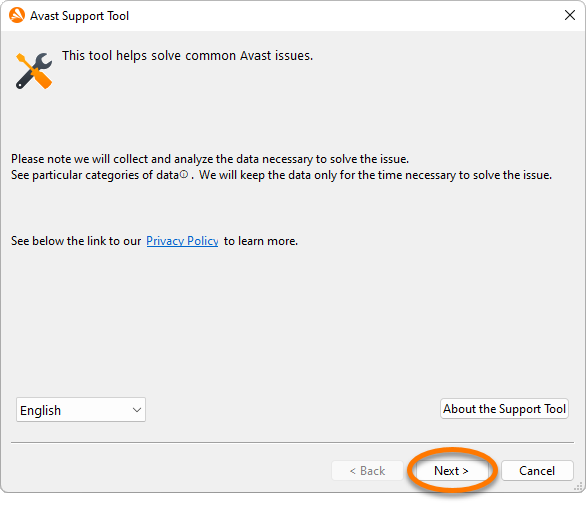
  1. After following the instructions above to run the Avast Support Tool, click Next to create a support file log.
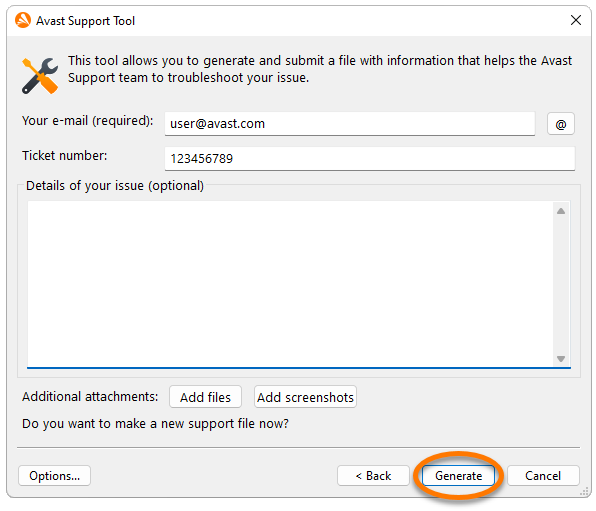
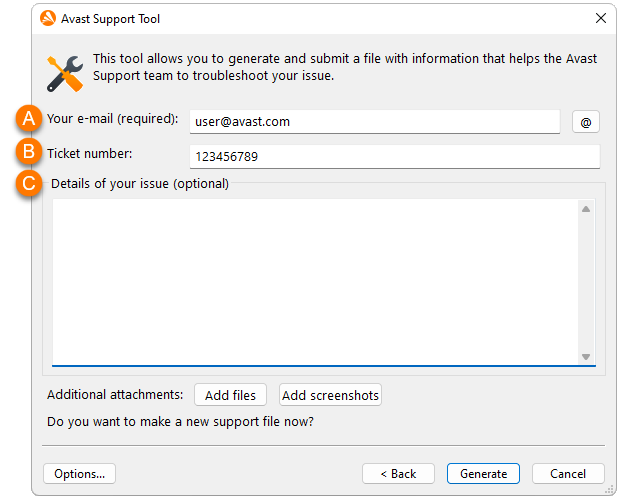
  2. On the new screen that appears, fill in the following information:
    1. The email address you provided to Avast Support when submitting a ticket via the support portal.
    2. The ticket number you received from Avast Support after submitting the ticket.
    3. Optionally, write additional details about your issue and/or add additional files and screenshots.
  3. Click Generate to allow the tool to gather the necessary files. This process may take several minutes.
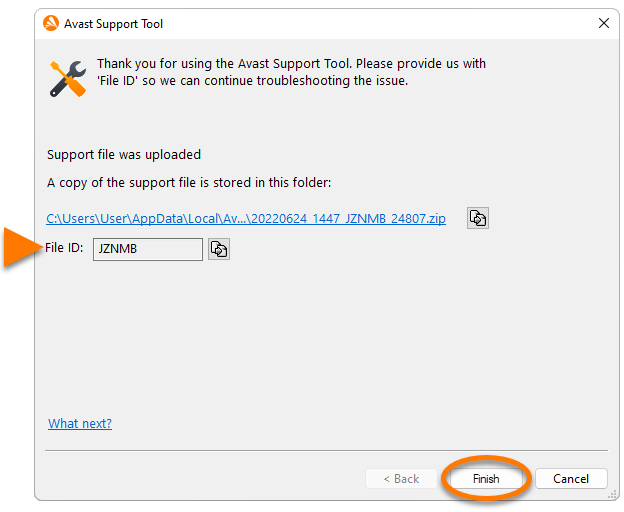
  4. The support file is automatically sent to Avast Support if you are connected to the internet. For future reference, note the File ID. In your next communication with Avast Support, you can provide the support File ID to our support representatives.

    Click Finish to complete the file submission to Avast Support.
DocID: submit-support-fileLast modified: 09/25/2026

Was this article helpful?

Promotional banner image

Keep your online identity private!

Browse like no one’s watching with Avast anti-tracking software.

Need more help?

Contact us
Avast account
Visit our forums
Visit academy