Avast BreachGuard is a paid app that requires a subscription to use. This article explains how to download and install the application.
Install Avast BreachGuard
- Click the button below to download the Avast BreachGuard setup file, and save it to a familiar location on your PC (by default, all downloaded files are saved to your Downloads folder). Download Avast BreachGuard for Windows
- Right-click the downloaded setup file
avast_breachguard_online_setup.exe and select Run as administrator from the context menu. 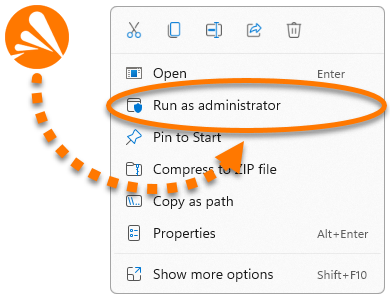
- If prompted for permission by the User Account Control dialog, click Yes.

If you are unable to authorize installation of Avast BreachGuard, refer to the following article: Manage administrative accounts on your Windows PC.
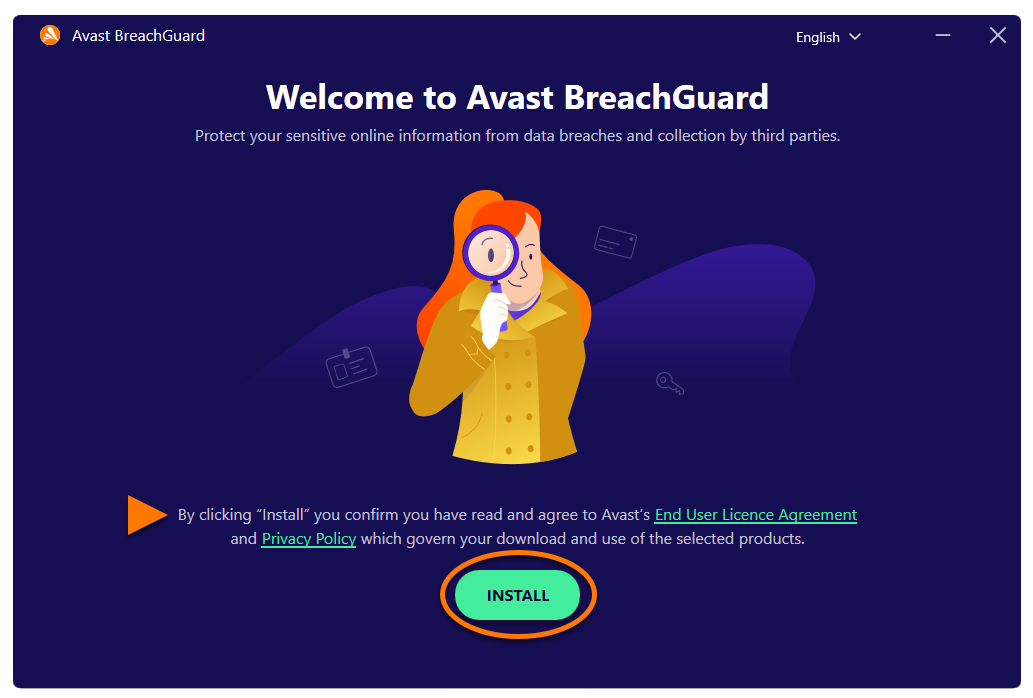
- When Avast BreachGuard opens, review the End User License Agreement and Privacy Policy, then click Install.
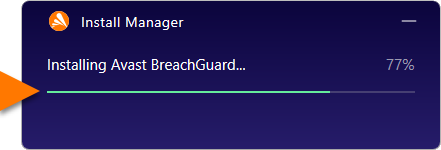
- Wait while the Install Manager installs Avast BreachGuard on your PC.
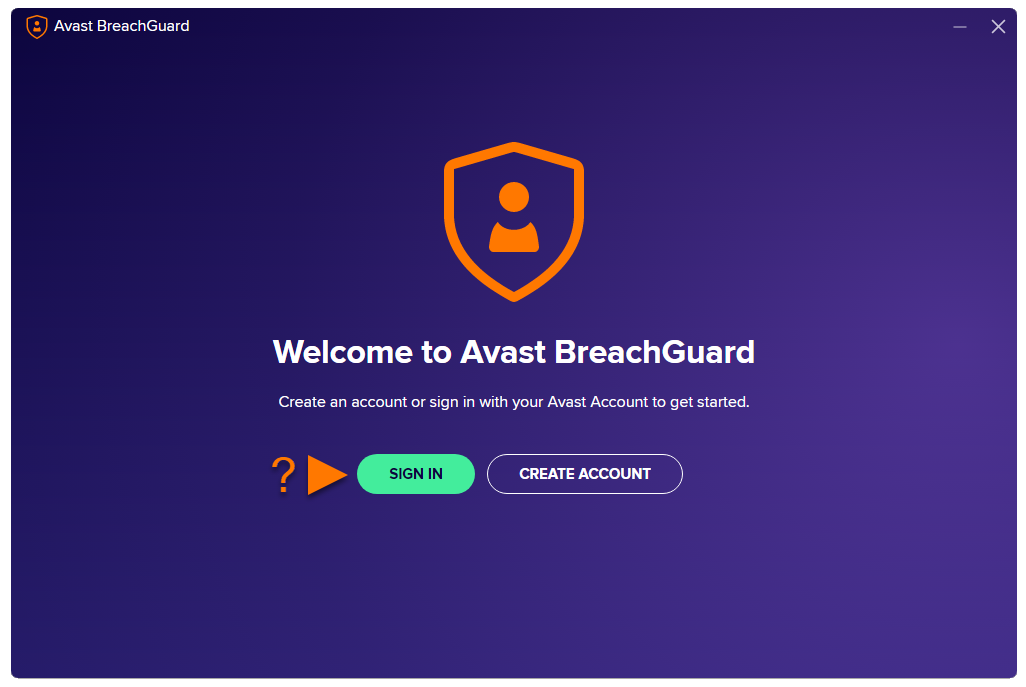
- Click Sign in or Create Account.
An Avast Account was created using the email address that you provided during the subscription purchase. To sign into your Avast Account for the first time, refer to the following article: Activate your Avast Account.
Avast BreachGuard is now installed. If your email address is associated with a valid Avast BreachGuard subscription, the application activates automatically.
For detailed activation instructions, refer to the following article:
Troubleshooting
If you experience any installation issues:
- Ensure your PC meets the minimum system requirements and your Windows is up to date. For information about the requirements for your device, refer to the following article:
- Check that the downloaded setup file is not corrupted. For instructions, refer to the following article:
- If you use third-party antivirus software, try temporarily disabling your protection (this applies only if you do not use Avast Antivirus). For more information, refer to the following article:
- Restart your PC, and try again to install Avast BreachGuard by following the exact steps in this article.
If the issue persists, contact Avast Support.
Further recommendations
To learn more about Avast BreachGuard, refer to the following articles:
Avast BreachGuard is a paid app that requires a subscription to use. This article explains how to download and install the application.
Install Avast BreachGuard
- Click the button below to download the Avast BreachGuard setup file, and save it to a familiar location on your Mac (by default, downloaded files are saved to your Downloads folder). Download Avast BreachGuard for Mac
- Double-click the downloaded setup file
avast-breachguard.dmg. 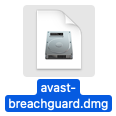
- Click the Avast BreachGuard icon and drag it to the Applications folder.
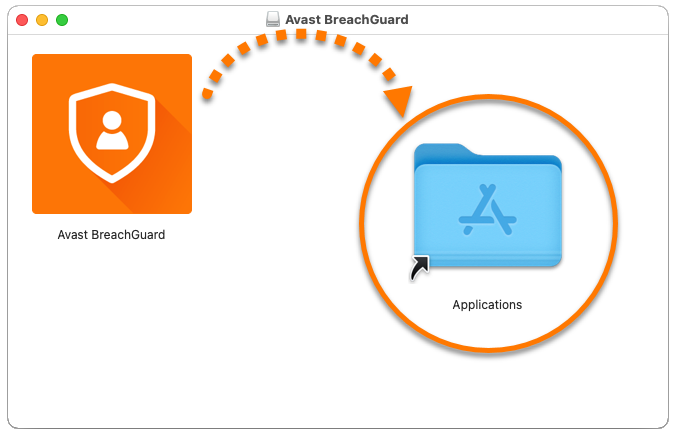
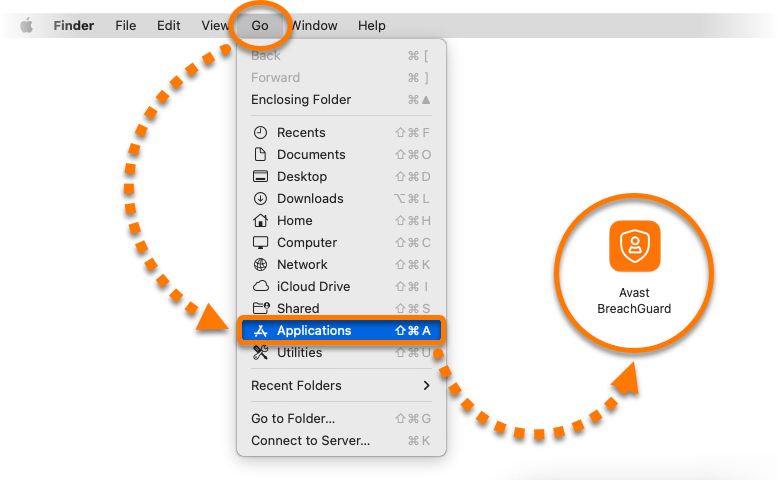
- Click Go ▸ Applications in the Apple menu bar, then double-click the Avast BreachGuard icon to open the application.
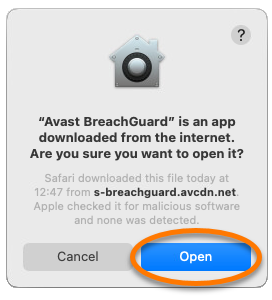
- Click Open.
- Click Sign in or Create Account.
An Avast Account was created using the email address that you provided during the subscription purchase. To sign into your Avast Account for the first time, refer to the following article: Activate your Avast Account.
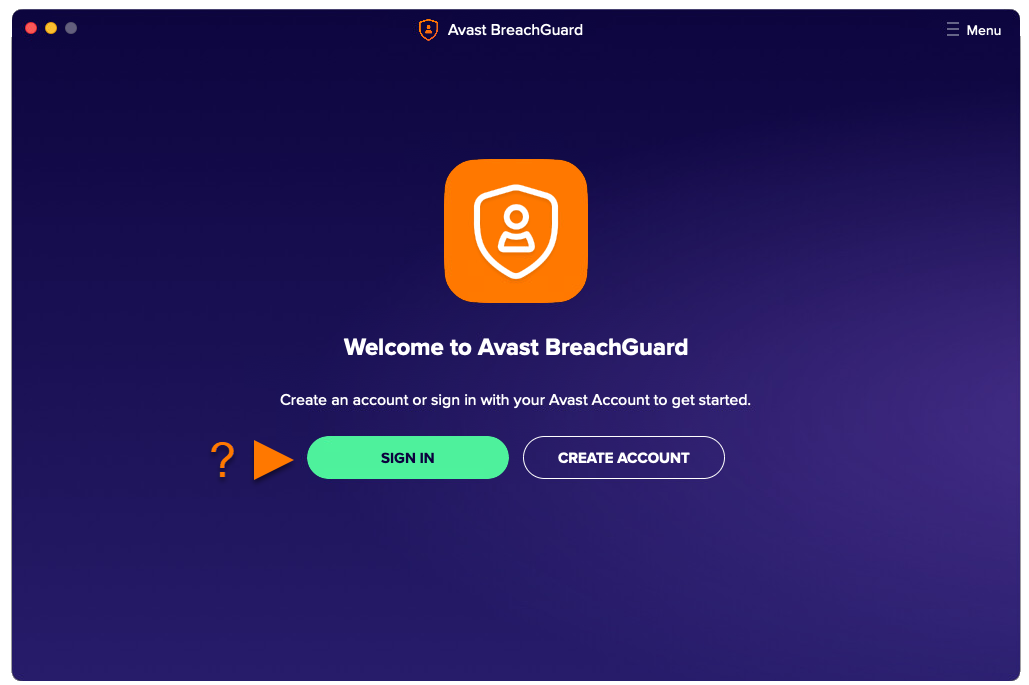
Avast BreachGuard is now installed. If your email address is associated with a valid Avast BreachGuard subscription, the application activates automatically.
For detailed activation instructions, refer to the following article:
Troubleshooting
If you experience any installation issues:
- Ensure your Mac meets the minimum system requirements and is up to date. For information about the requirements for your device, refer to the following article:
- Restart your Mac, and try again to install Avast BreachGuard by following the exact steps in this article.
If the issue persists, contact Avast Support.
Further recommendations
To learn more about Avast BreachGuard, refer to the following articles:

