

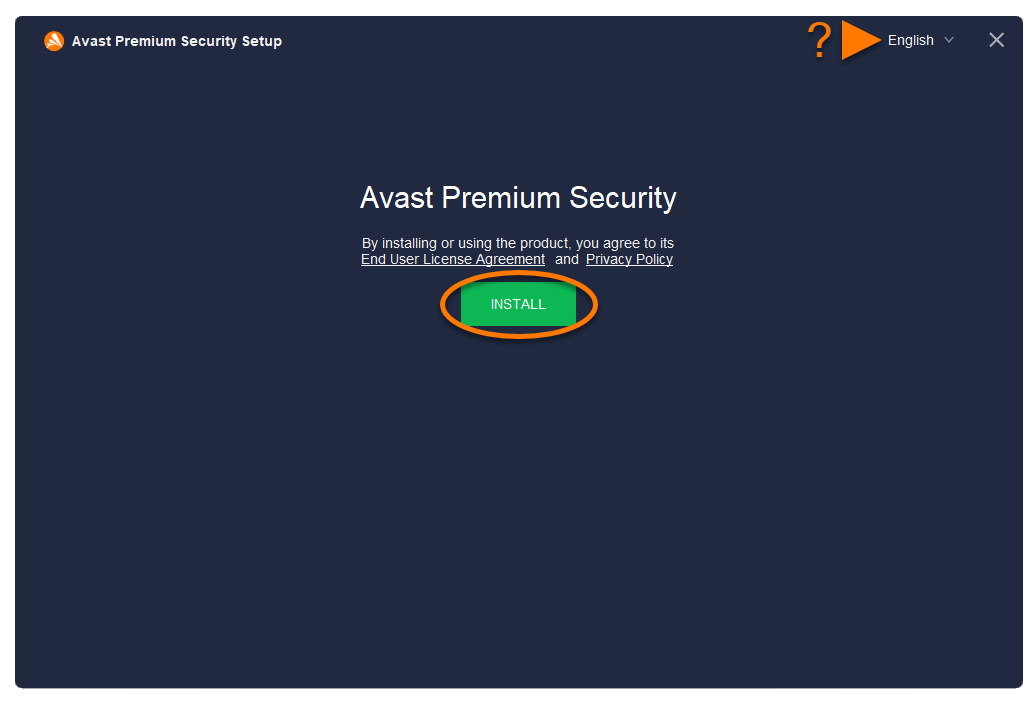
These instructions apply if you purchased Avast Ultimate (Multi-Device) or Avast Mac Ultimate.
To install and activate your Avast Ultimate subscription on Mac:
- Click the button below to download the latest version of Avast Security Premium from the official Avast website. Download Avast Security Premium
- Double-click the downloaded setup file
avast_security_online.dmg.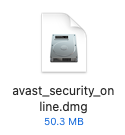
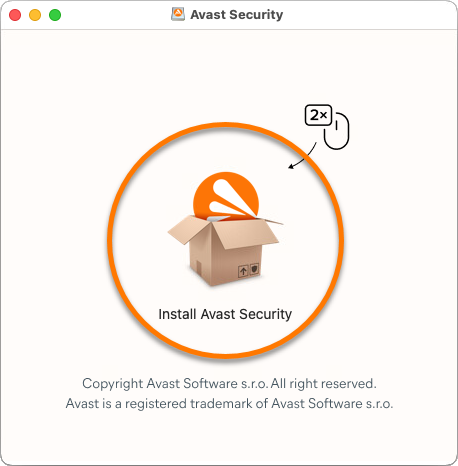
- Double-click the Install Avast Security icon.
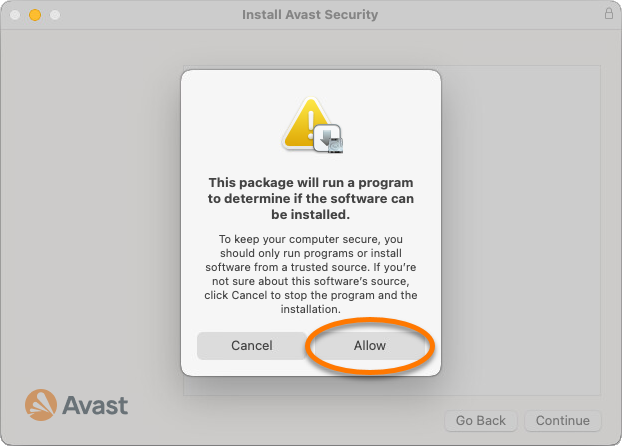
- Click Allow.
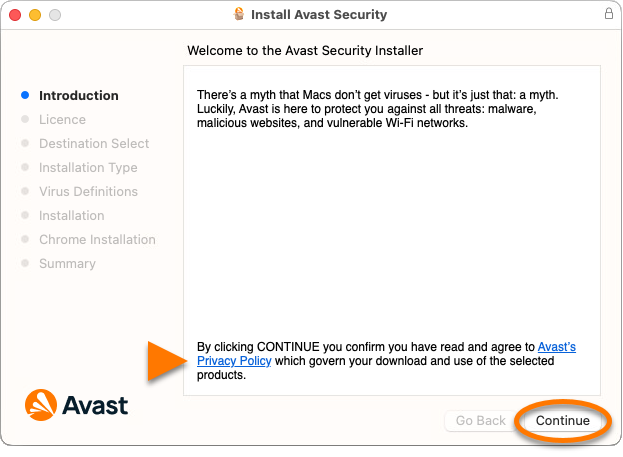
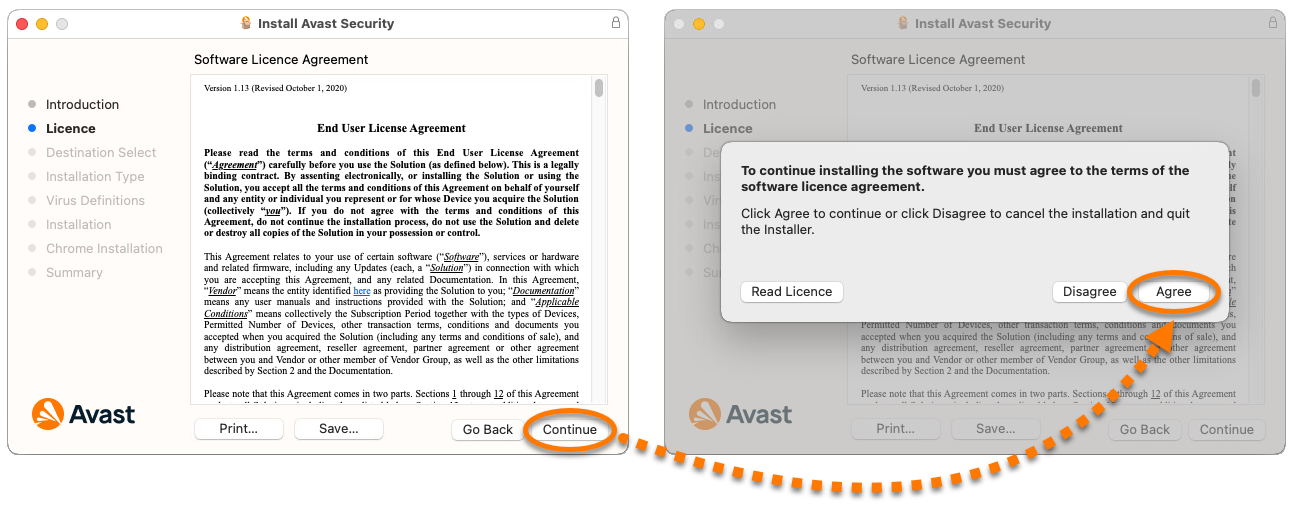
- Review the Avast Privacy Policy, then click Continue.
- Click Continue to confirm that you have read the End User License Agreement, then click Agree to confirm that you accept the terms.
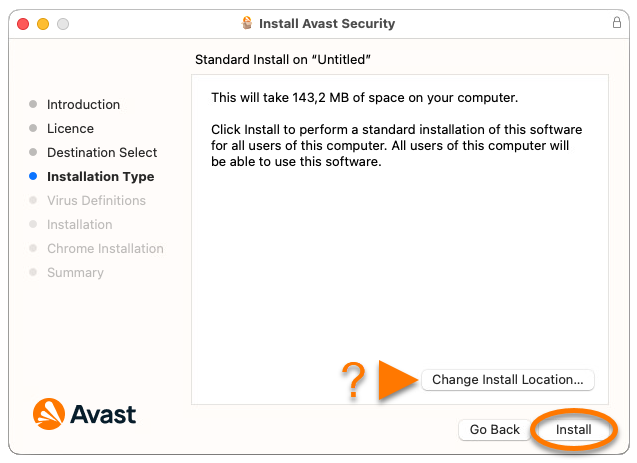
- Click Install to proceed with default installation, or click Change install location... if you want to make changes to the default setup. Follow the on-screen instructions to complete the installation.
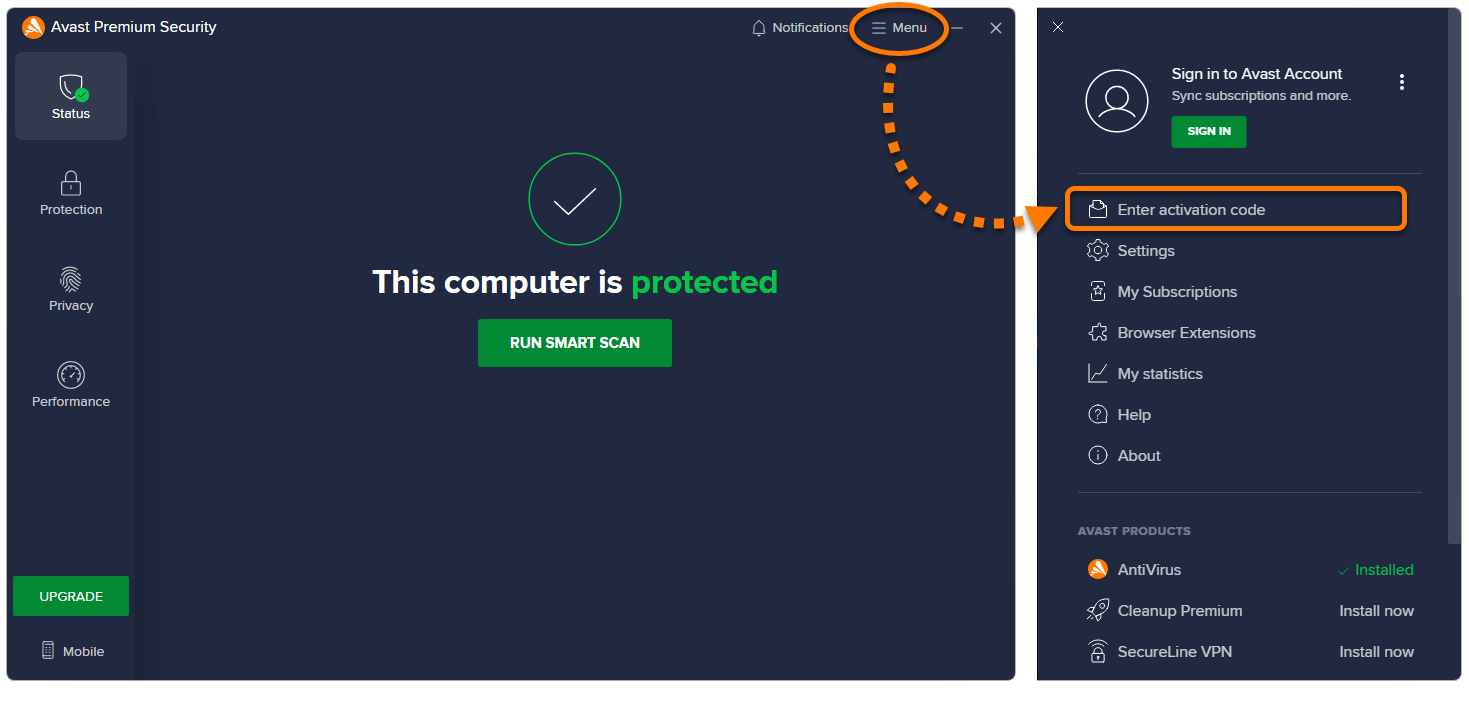
- After Avast Premium Security is installed, go to
☰Menu ▸ My subscriptions from the main application screen.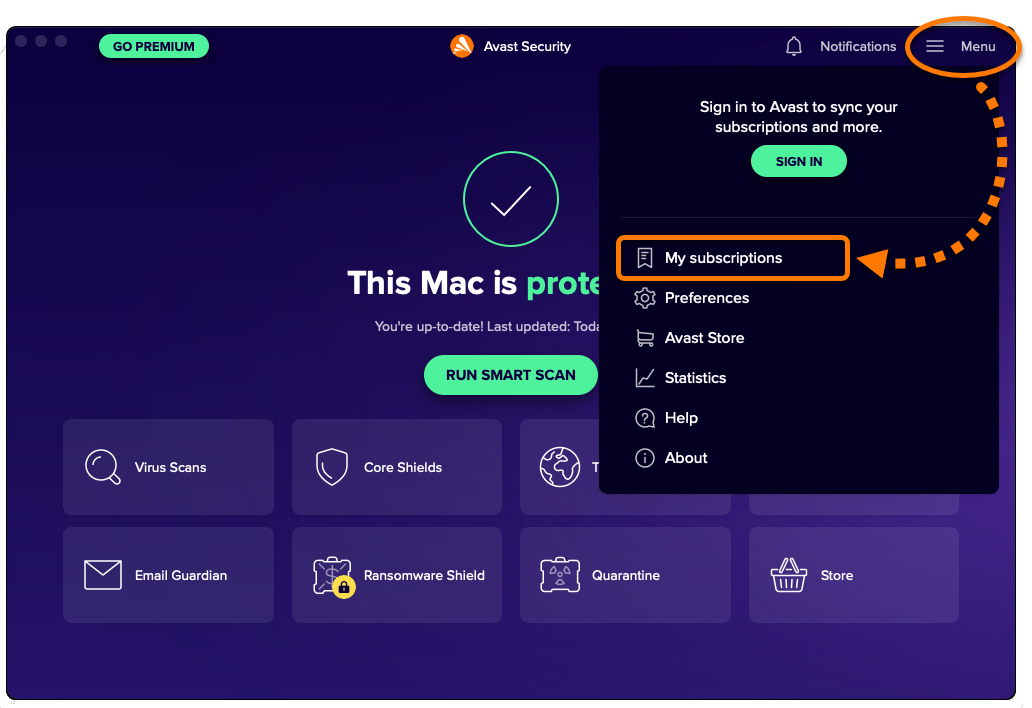
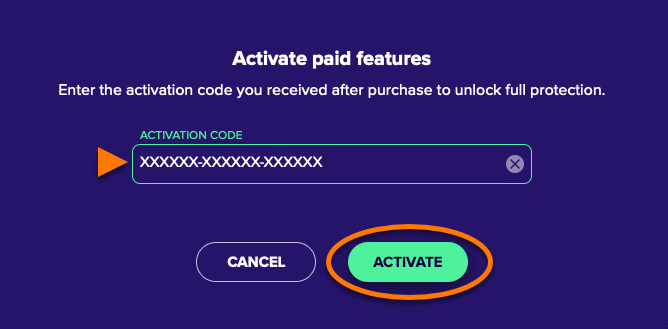
- Click Activate paid features.
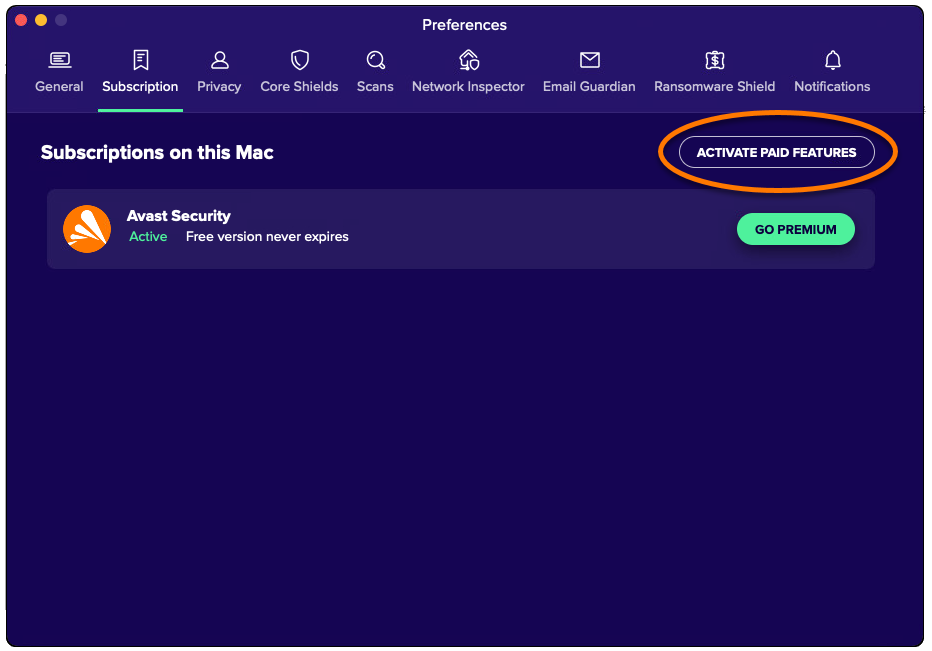
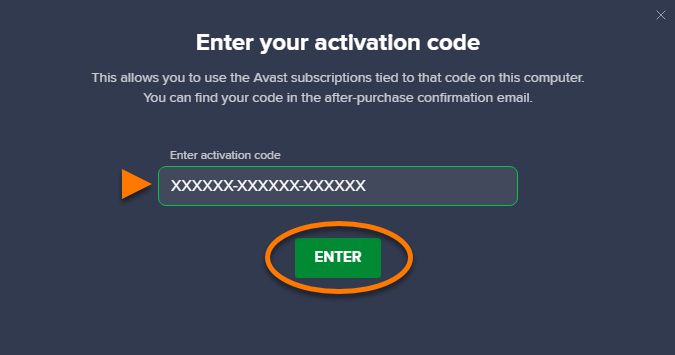
- Enter your activation code (including hyphens), then click Activate.
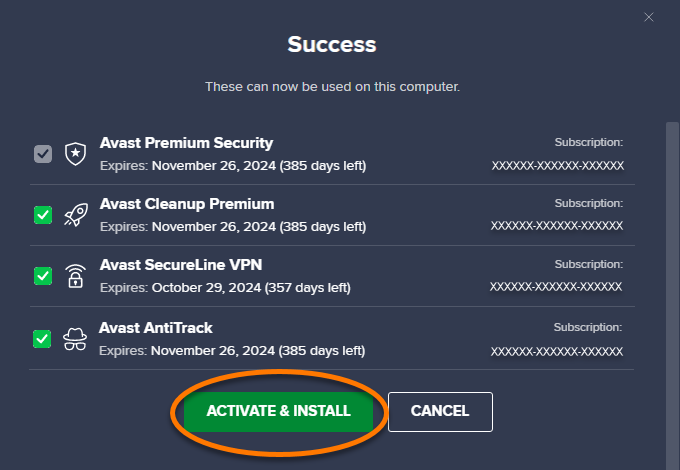
- Click See my apps in the dialog that appears,
 ...or go to
 ☰Menu ▸ My subscriptions. - Click Install next to Avast Cleanup Premium, Avast SecureLine VPN, and Avast AntiTrack to install and activate all of the apps included in your Avast Ultimate subscription.
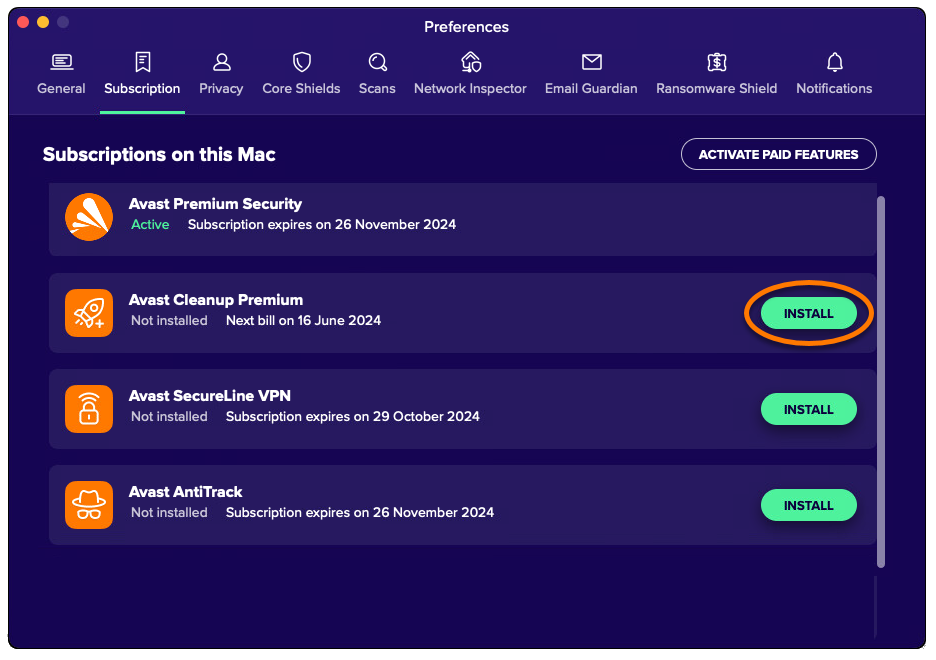
Your Avast Ultimate subscription is now active on your Mac.
Troubleshoot activation issues
To resolve some of the most common activation issues, review the information below:
- Ensure that you are using the correct activation code from your Avast Account. For instructions, refer to the following article: Retrieving an activation code from your Avast Account.
- If you see an error message during activation, refer to the following article for advice: Troubleshooting common activation error messages.
- If automatic installation and activation of the other apps via Avast Security is unsuccessful, try to install and activate each app individually. For instructions, refer to the following articles:
- If activation using an activation code is unsuccessful, try activating your subscription by signing in to Avast Security with your Avast Account credentials. For instructions, refer to the following article: Activating an Avast Premium Security subscription.
- If you are trying to activate a mobile app, refer to the following article for advice: Troubleshooting activation issues in Avast mobile apps.
If you are still unable to activate your subscription, contact Avast Support.
