

Avast Privacy Control is a privacy solution in Avast One that helps you find and remove personal information exposed on data broker websites, review risky passwords saved in your browser, send advertising opt-out requests, and follow step-by-step privacy guides for supported online services.
This article explains how to download, install, and activate Avast Privacy Control in Avast One.
Install Avast One
To install Avast One, follow the steps below:
- Use the download option in your confirmation email or on your Avast Account to download the Avast One setup file, then save it to a familiar location on your Windows device (by default, downloaded files are saved to the Downloads folder). Alternatively, click the button below to download the Avast One setup file.
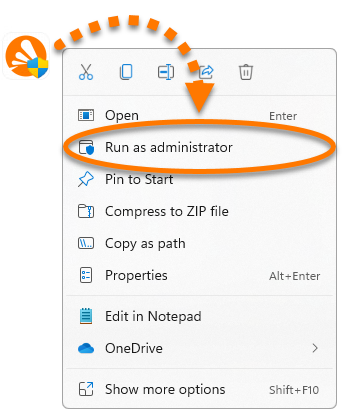
Download Avast One Privacy Control for Windows - Right-click the downloaded setup file
avast_one_privacy_control.exeand select Run as administrator from the context menu. If you are unable to authorize the installation of Avast One, refer to the following article for advice: Managing administrative accounts on your Windows device.
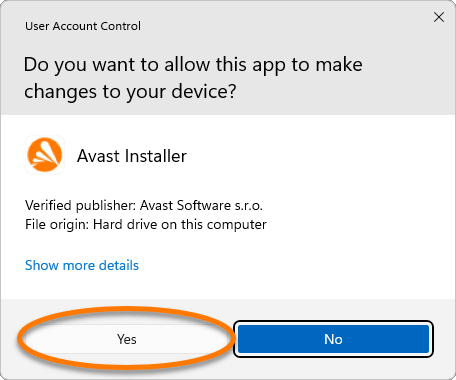
 - If prompted for permission by the User Account Control dialog, click Yes.
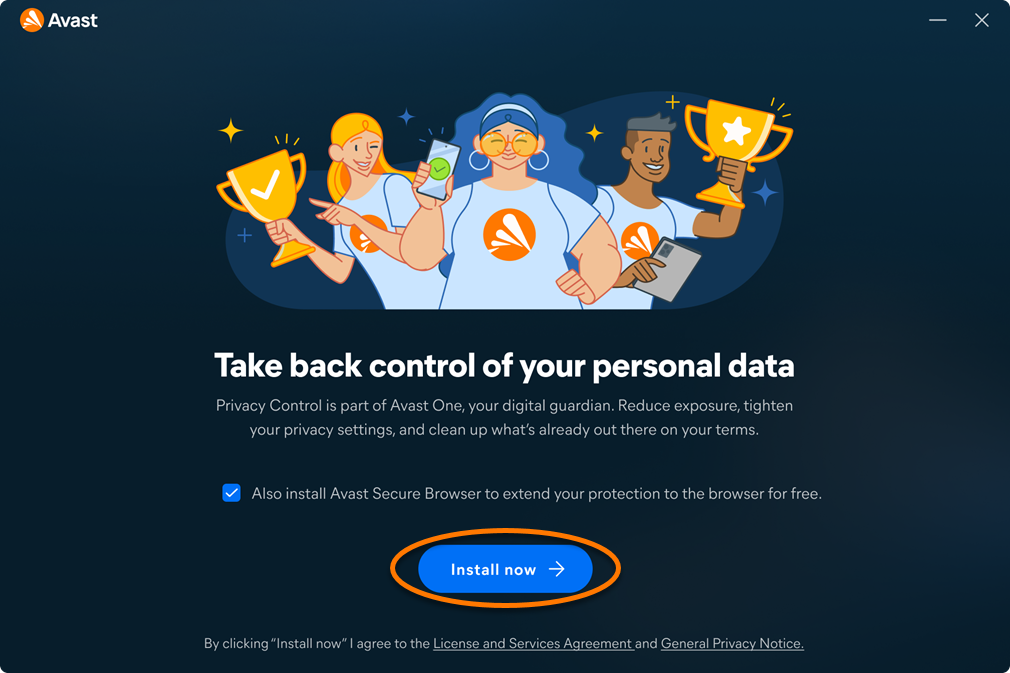
- Click Install now.
At this step, you may be prompted to move installed standalone Avast apps into Avast One.
- Wait while setup installs Avast One on your Windows device, then click Get started.
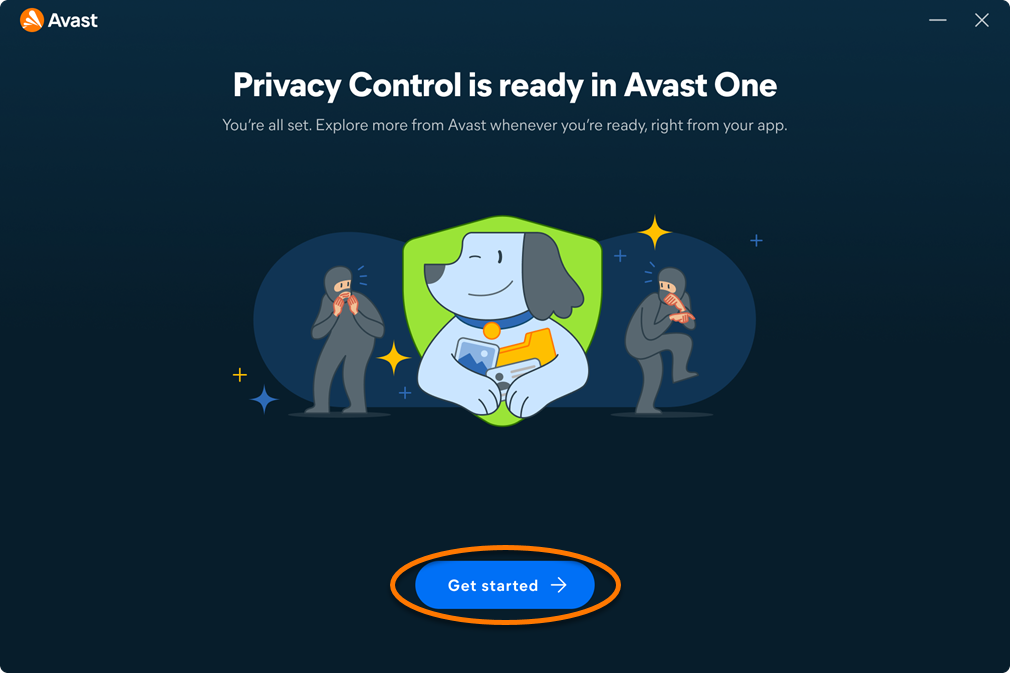
Avast One is installed. To verify whether your Avast Premium subscription is active, or to activate it manually if needed, refer to the section below.
Activating Avast Privacy Control
Automatic Activation
If you downloaded the installer file from your Avast Account or a confirmation email, Avast One Privacy Control is usually activated automatically after installation.
To confirm that Privacy Control is active, follow the steps below:
- Open Avast One, then go to
•••Menu ▸ My Account. - Check whether Privacy Control is listed under Active subscriptions.
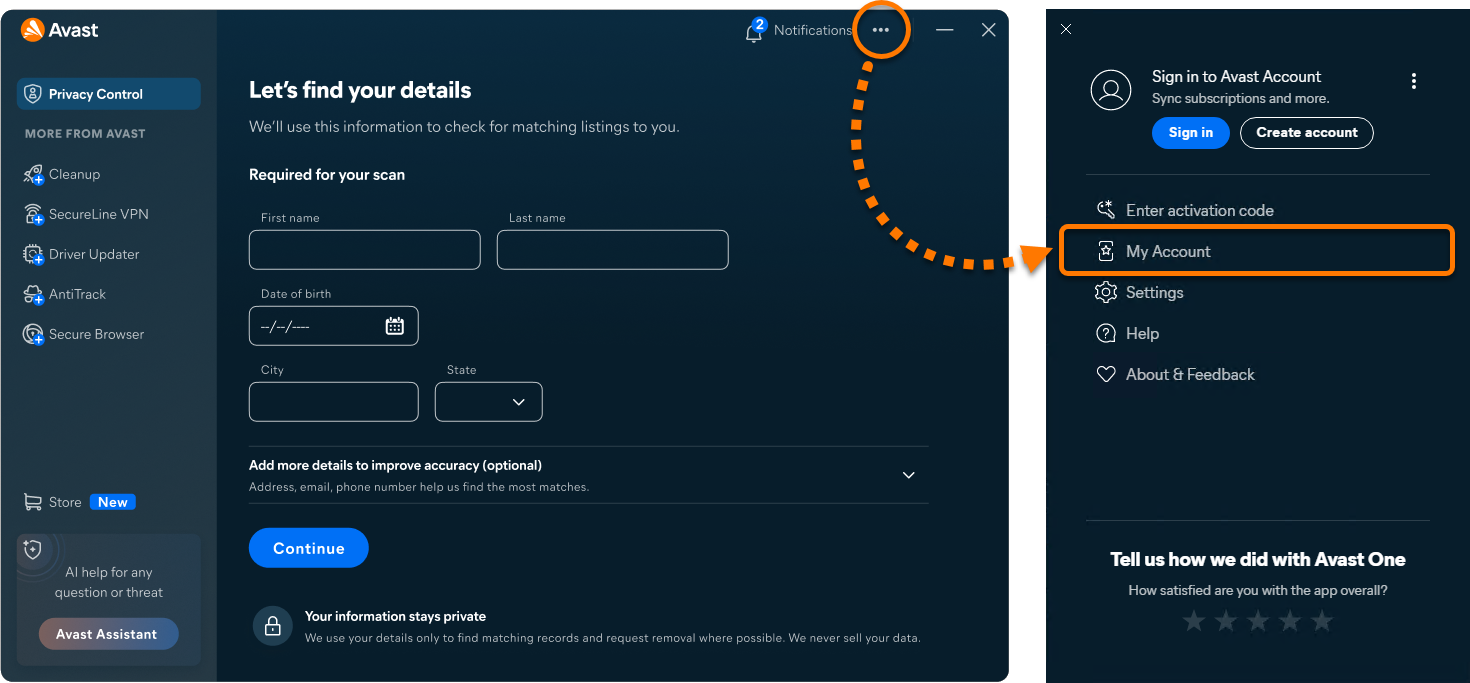
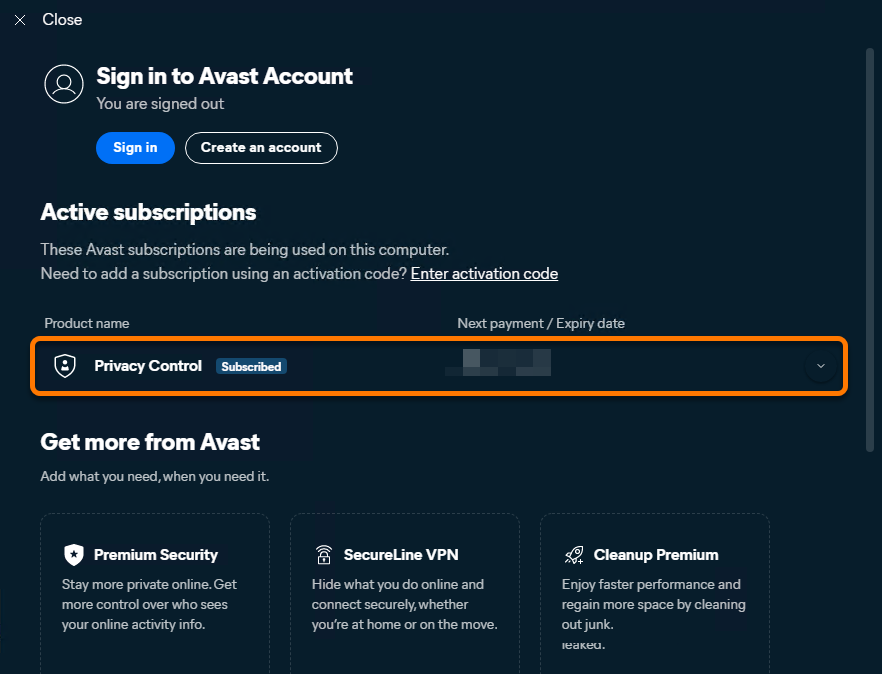
If Avast Privacy Control is listed as active, no further action is required. If Free Cleanup is still shown, follow the steps to sign in to an Avast Account associated with a valid subscription.
Activate via Avast Account
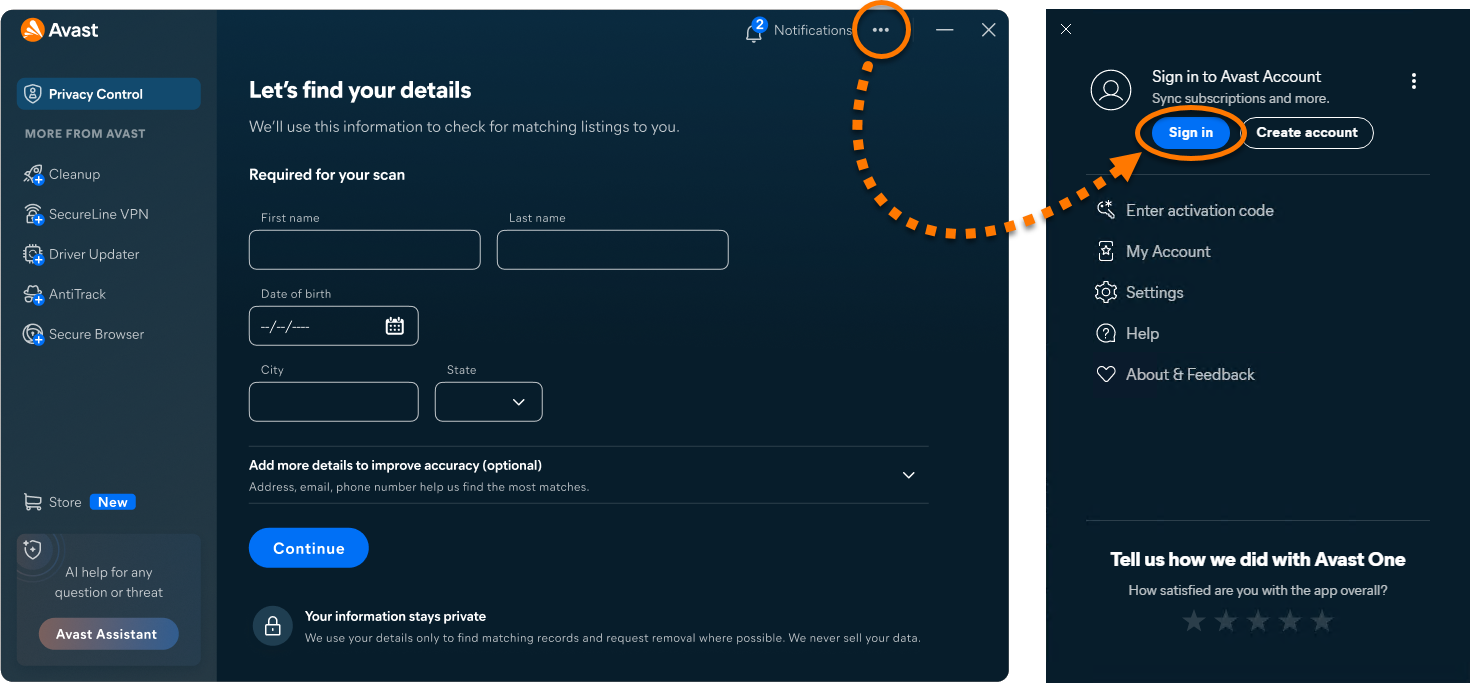
To activate Avast Privacy Control in Avast One using an Avast Account:
- Open Avast One, then go to
•••Menu ▸ Sign in. - Enter the email address associated with your Avast Account, then click Continue.
- Enter the password associated with your Avast Account, then click Sign In.
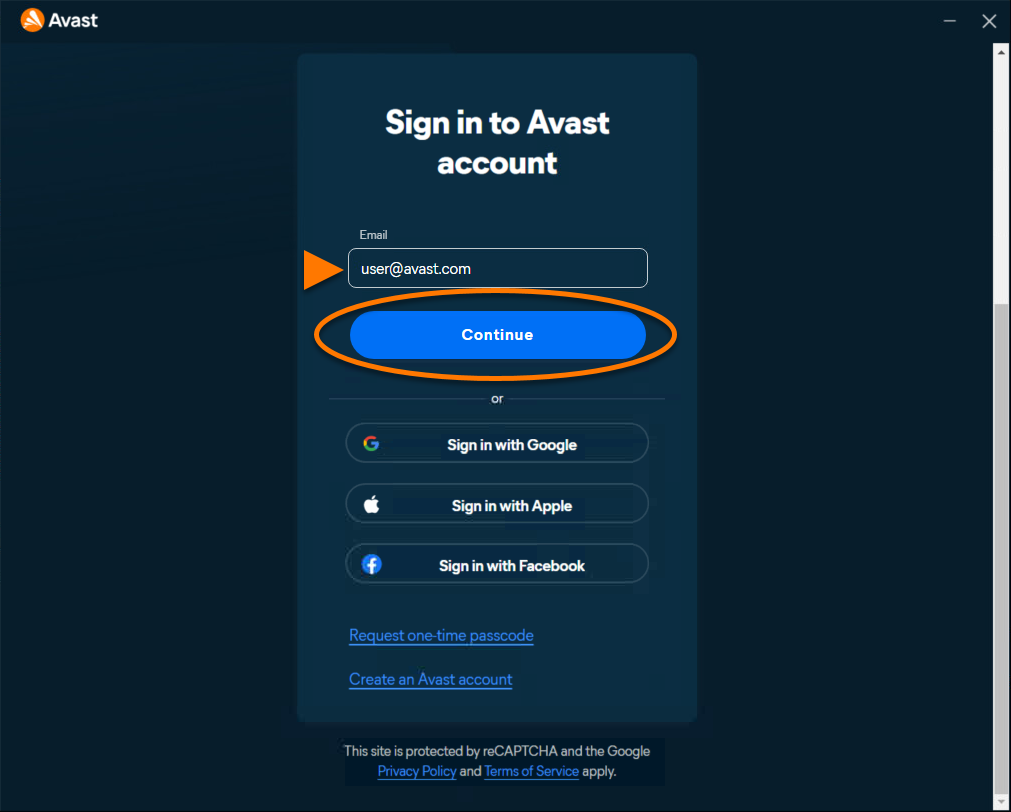
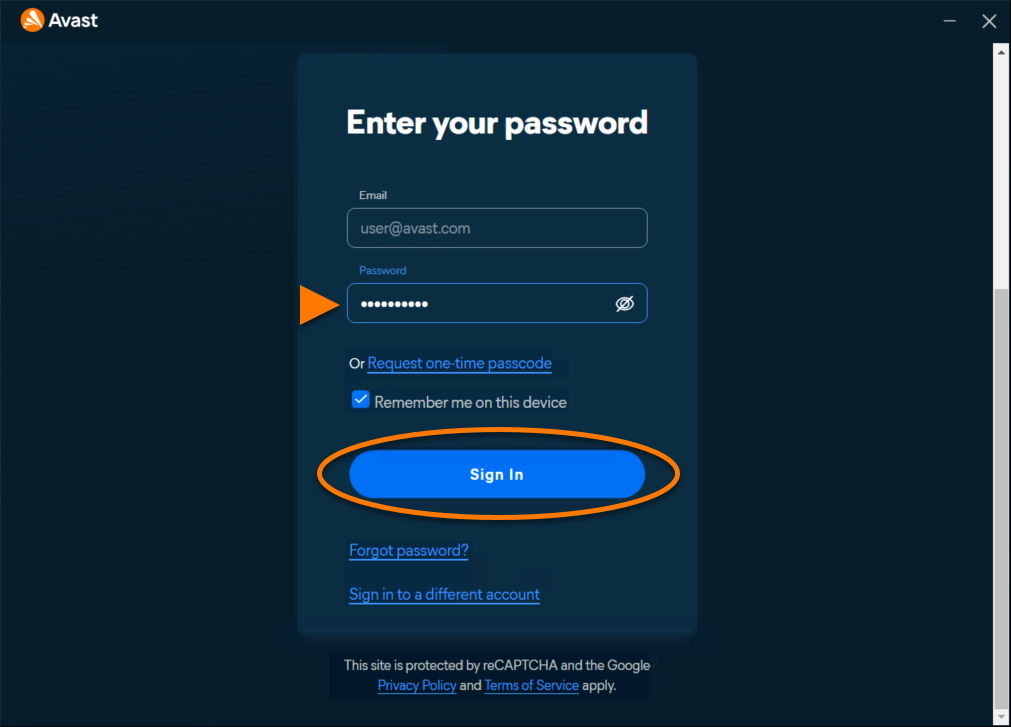
Avast Privacy Control is now active. To view your subscription details, go to ••• Menu ▸ My Account. The renewal date or the expiration date of your subscription appear under Active subscriptions. You can activate your app on the number of devices you specified when making the purchase.
If activation is unsuccessful, refer to the Troubleshoot activation issues section below.
Troubleshoot activation issues
If you experience activation issues, review the information below, which explains how to resolve some of the most common activation issues.
- Ensure that you are entering the credentials for the Avast Account that is linked to your Avast subscriptions. To verify this, sign in to your Avast Account in your web browser and click Manage subscriptions on the My subscriptions tile to see a list of the linked subscriptions.
- If your Avast subscriptions are not visible in your Avast Account, refer to the following article to manually link the subscription to your Avast Account:
- Refer to the following article for solutions to some common activation issues: Troubleshooting activation issues in Avast apps.
- Completely uninstall and then reinstall Avast One. This can resolve issues caused by incorrect configuration or corrupted files. We recommend following the exact steps in the articles linked below:
- Avast One: Uninstallation | Installation
If you are still unable to activate your subscription, contact Avast Support.
- Avast One
- Avast Privacy Control
- Windows
Updated on: 7/9/26


 © 2025 Gen Digital Inc.