Promotional banner image

IS YOUR COMPUTER SLOW? RUN LIKE NEW

If they are not maintained, computers lose performance over time. Avast Cleanup Premium can help significantly improve the performance of your computer.

Troubleshooting Avast Account login issues

Android, ChromeOS, iOS, Mac, Windows

This article contains instructions for troubleshooting issues when trying to sign in to your Avast Account. Refer to the relevant section below according to the error message or issue:

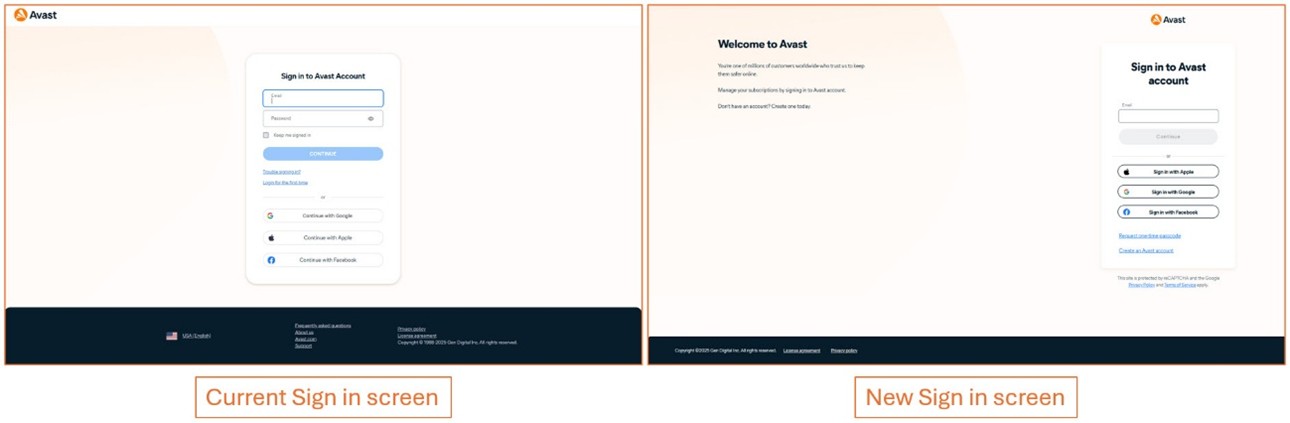
We are introducing a new Avast account portal experience, designed to enhance usability and security. This phased release means you may see a different experience on the sign in screen. To support you during this transition, this article now includes tabs comparing the current and new sign-in screens.

Refer to the information in the relevant tab below according to your sign in screen:

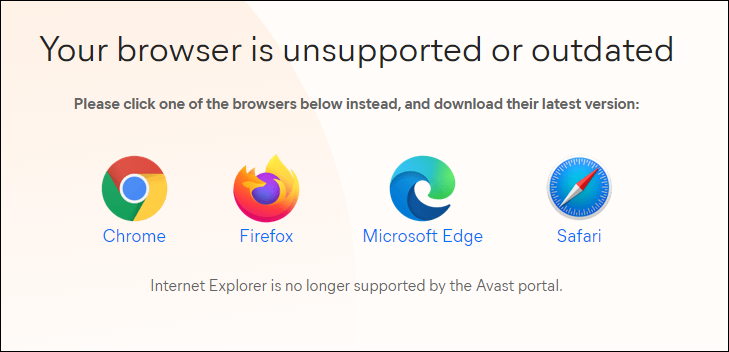
Your browser is unsupported or outdated

You see the message Your browser is unsupported or outdated if you are using a browser that we don't currently support. You may need to update your browser or install one of our supported browsers to access the Avast website.

Depending on your browser, select one of the following:

If you want to download the protection that you have subscribed for, after you update your browser, do the following:

  1. Sign in to your Avast Account.

  2. Go to My subscriptions, then click Download for the relevant app.

  3. Follow the on-screen instructions to install the protection.

Username or password you have entered is incorrect

Your Avast Account login is the email address that you provided during the subscription purchase. To sign into your Avast Account for the first time, refer to the following article: Activating your Avast Account.

This error is usually caused by one of the following issues:

  • Entering an email address that is not registered: Ensure that you are correctly entering an email address that is already registered as your Avast Account username.

  • Entering an incorrect or old password: Ensure that the password you are entering consists of at least 7 characters. Check if Caps Lock is turned on.

If you are still unable to log in, try resetting your Avast Account password. While resetting your password, you can also find out if your email address is registered in the Avast Account database. For detailed instructions, refer to the following article:

MyAvast servers are temporarily down

The usual cause of this error is that the service is temporarily unavailable due to maintenance. Please wait a few minutes and try again.

If the same message is displayed after several attempts, contact Avast Support to alert them to the problem and ask for help. We do our best to make the service available at all times, but occasionally problems can arise.

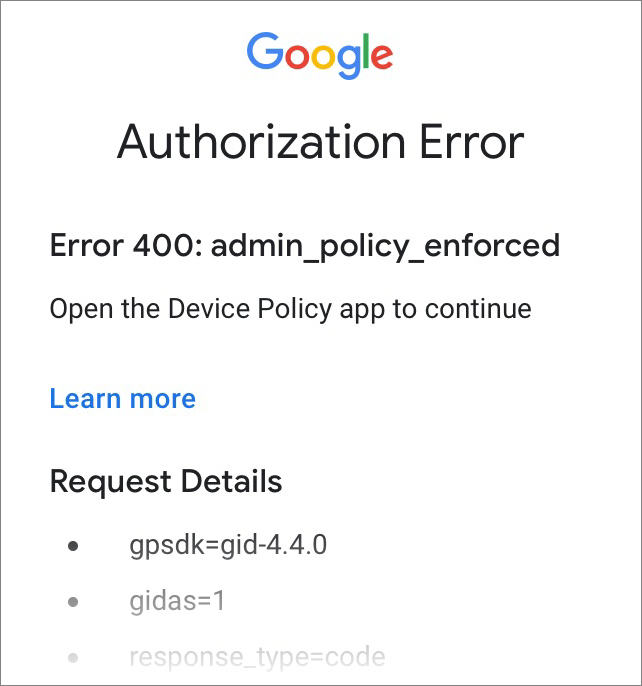
Authorization Error 400: admin_policy_enforced

This error message appears when you try to log in to your Avast Account using the Continue with Google option while you are signed in to a corporate Google Account managed via Google Apps Device Policy. To resolve this issue, try one of the options below:

  • Return to the Avast Account login page. Rather than using the Continue with Google option, manually enter your Avast Account credentials, then click Continue.

  • Return to the Avast Account login page and select Continue with Google. From the list of Google Accounts that appears, select a non-corporate Google Account (for example, your personal Google Account). If prompted, enter your Google Account credentials.

You are now logged in to your Avast Account.

When logging in to your Avast Account via Continue with Google, you must choose a Google Account with an email address that is connected to your Avast Account. However, it does not need to be the primary email for your Avast Account.

Username or password you have entered is incorrect

This error is usually caused by one of the following issues:

  • Entering an email address that is not registered: Ensure that you are correctly entering an email address that is already registered as your Avast Account username.

  • Entering an incorrect or old password: Ensure that the password you are entering consists of at least 7 characters. Check if Caps Lock is turned on.

If you are still unable to log in, try resetting your Avast Account password. While resetting your password, you can also find out if your email address is registered in the Avast Account database. For detailed instructions, refer to the New Sign in Screen tab in the following article:

Message: Server is not available at this time

You may see this error message if there is a temporary issue with our servers. Wait about an hour, then try signing in to your Avast account again.

If the same message is displayed after several attempts, contact Avast Support to alert them to the problem and ask for help. We do our best to make the service available at all times, but occasionally problems can arise.

DocID: troubleshoot-account-loginLast modified: 07/28/2026

Was this article helpful?

Promotional banner image

Keep your online identity private!

Browse like no one’s watching with Avast anti-tracking software.

Need more help?

Contact us
Avast account
Visit our forums
Visit academy