
IS YOUR COMPUTER SLOW? RUN LIKE NEW
If they are not maintained, computers lose performance over time. Avast Cleanup Premium can help significantly improve the performance of your computer.
Submitting Data Subject Rights and Privacy Requests
Android, ChromeOS, iOS, Mac, Windows
This article explains how to submit Data Subject Rights (DSR) or Privacy Requests for Avast, such as requesting the deletion of your data (Right to Erasure) or requesting a copy of your data (Right to Access).
Right to Erasure / Deletion
We are currently updating our Avast account pages, so the steps for deleting your account may look slightly different depending on your version. Follow the instructions below to find the correct option for you.
Old Avast account pages
Follow the steps below to delete your Avast account:
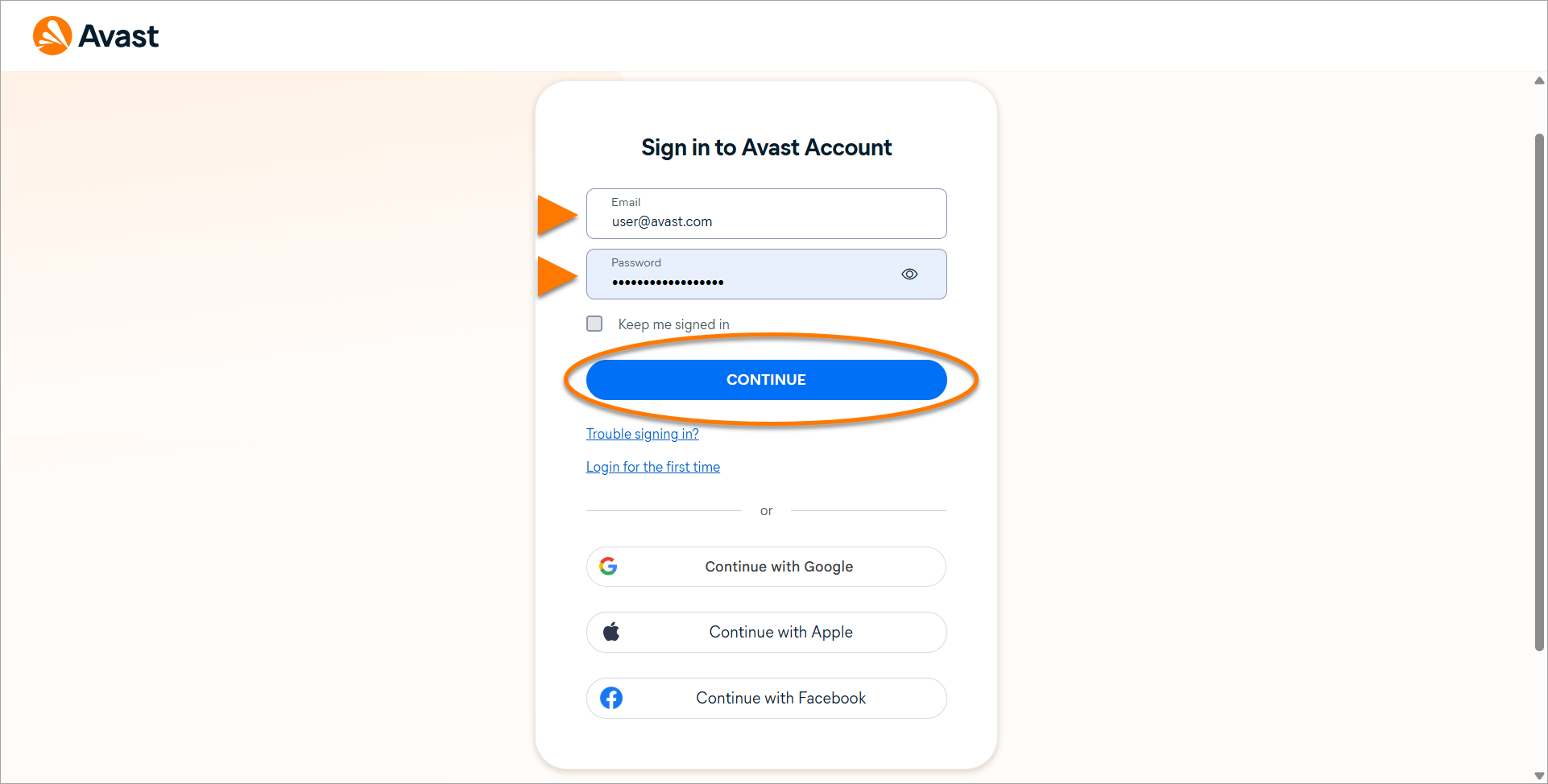
- Open your preferred browser and log in to your Avast account.
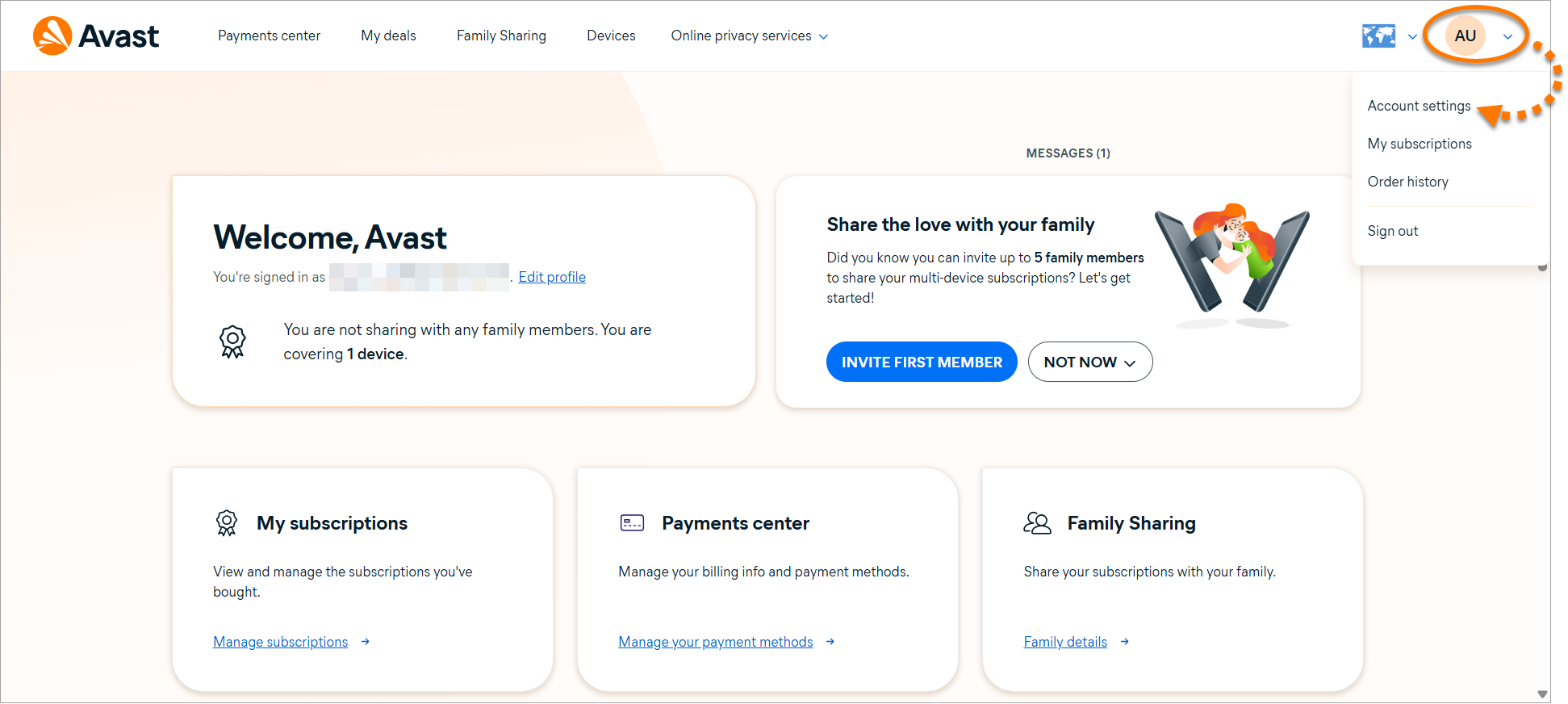
- In the top-right corner, click your profile name/picture and select Account settings.
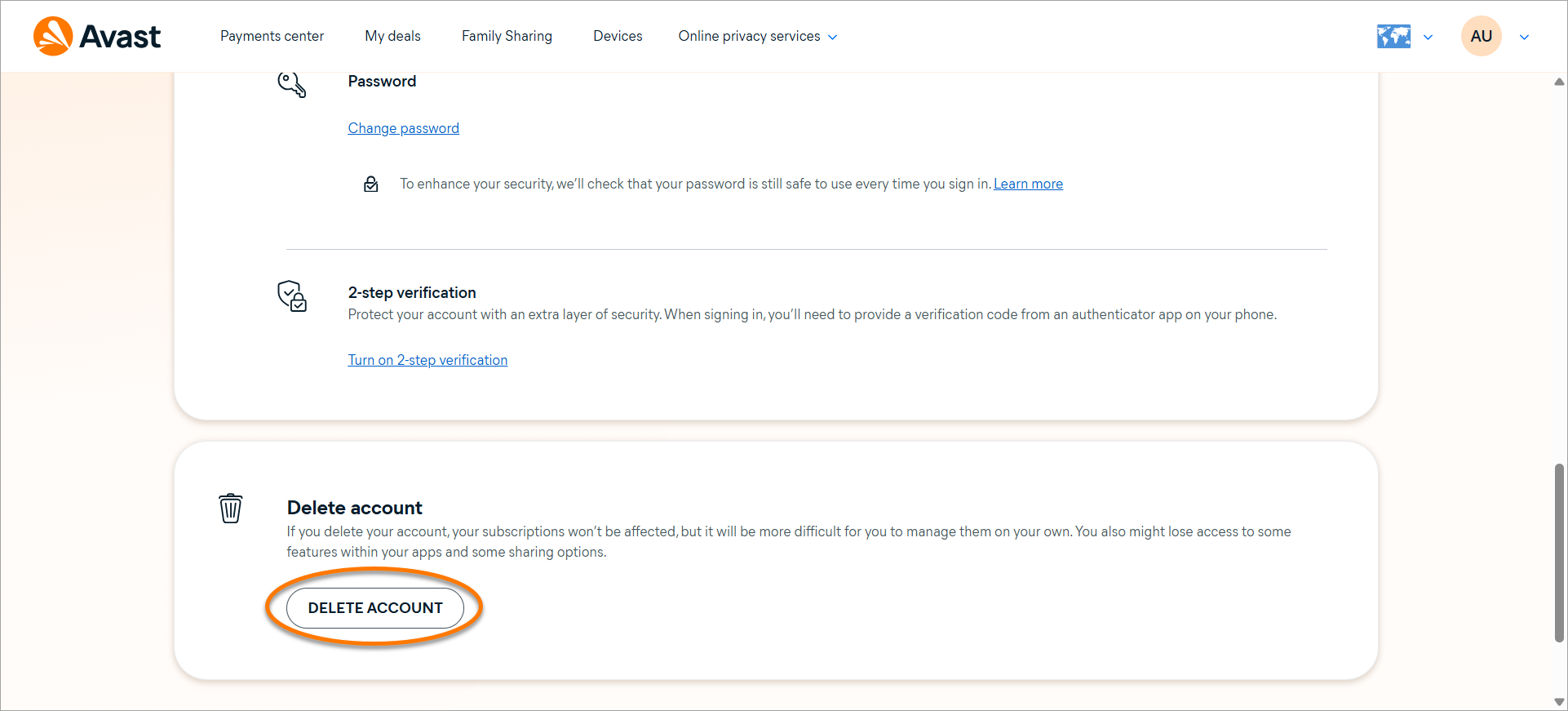
- Under the Delete account section, click Delete account.
Your Avast account is deleted.
New Avast account pages
If you do not see the options outlined above, it is likely that your account has been migrated to the new Avast version. Follow the steps below to delete your Avast account.
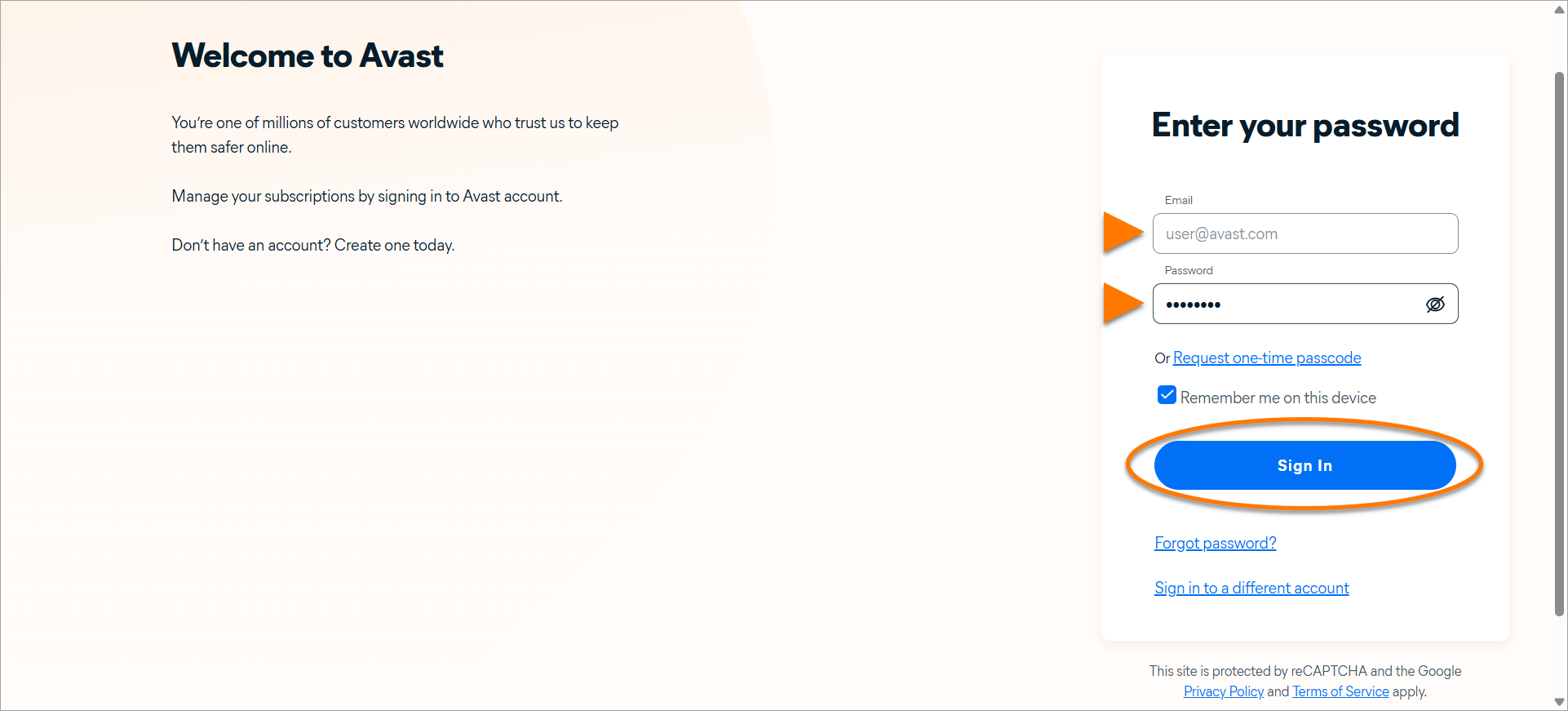
- Open your preferred browser and log in to your Avast account.
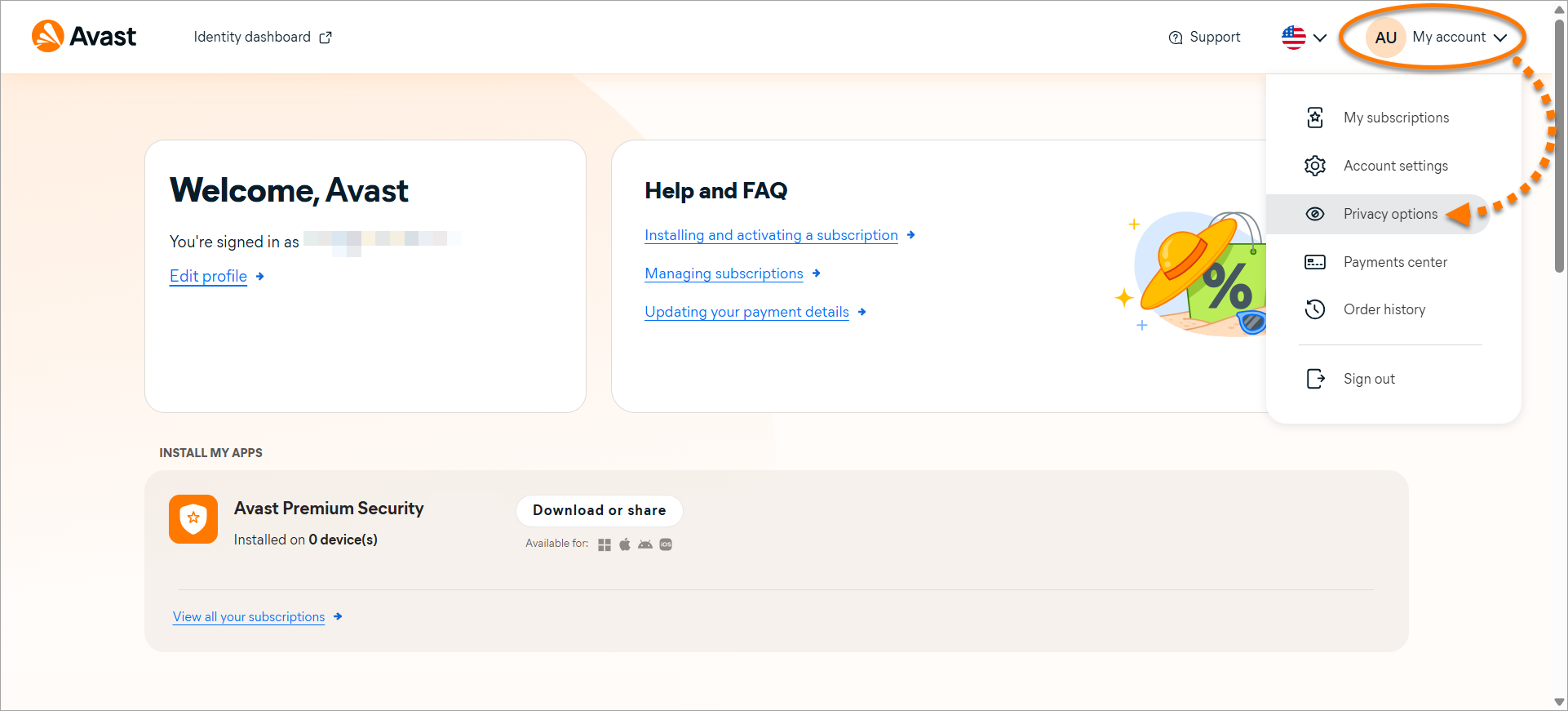
- In the top-right corner, click My account and select Privacy options.
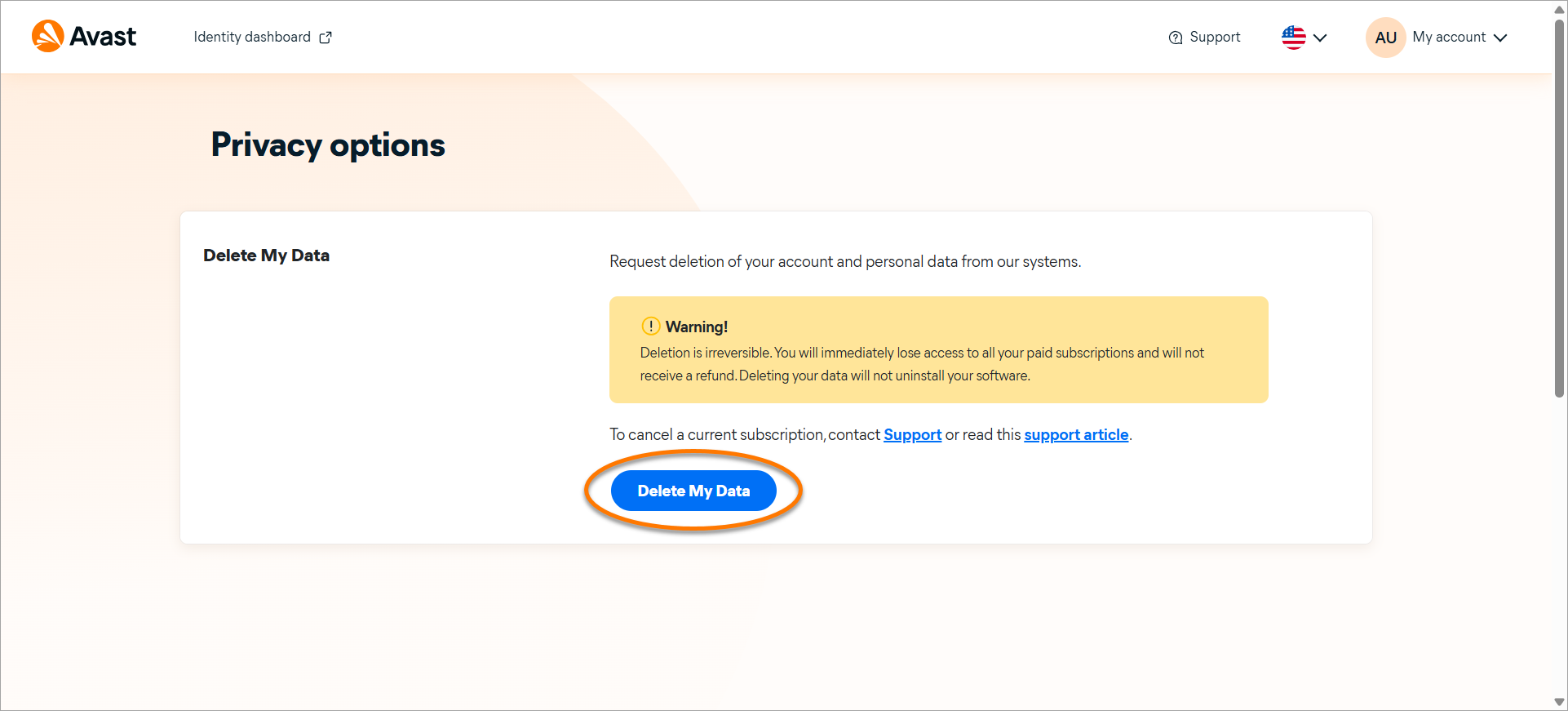
- Click Delete My Data.
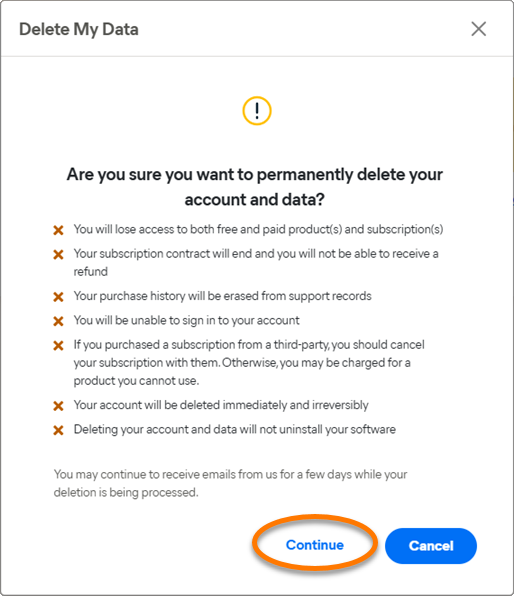
- Review and accept the warning message. If you have any concerns, do not proceed with deletion until they have been resolved.
- You will receive a one-time passcode (OTP) sent to your registered Avast email address for verification. Enter the passcode in the provided field and click Confirm.

An account cannot be deleted if it has an active subscription. You must cancel and disable all active subscriptions before the deletion can be processed. For account-related queries, refer to our Support webpages.
Your Avast account will begin the deletion process. Your account login will be deleted immediately.
You can also create an erasure request to have your personal data deleted by creating a Privacy Request through the Delete My Data form. Once you submit the details, we will review the request and process it accordingly.
Request a copy of your data (Right to Access)
To receive a copy of your personal data, you can create a request through the Provide a Copy of My Data form. Once you submit the details, we will review the request and process it accordingly.
Other Privacy Rights
For inquiries regarding other privacy rights or any privacy-related questions, contact our Support team. We are available to assist you.
Further recommendations
If you want to continue using Avast apps, but would like to remove your billing information from your account, you can submit a Privacy Request using our online form. We will review and process your request once received.
Avast Privacy Policy is available at the following link: General Privacy Policy.
Was this article helpful?

Keep your online identity private!
Browse like no one’s watching with Avast anti-tracking software.