

 Account, then select the Subscription panel.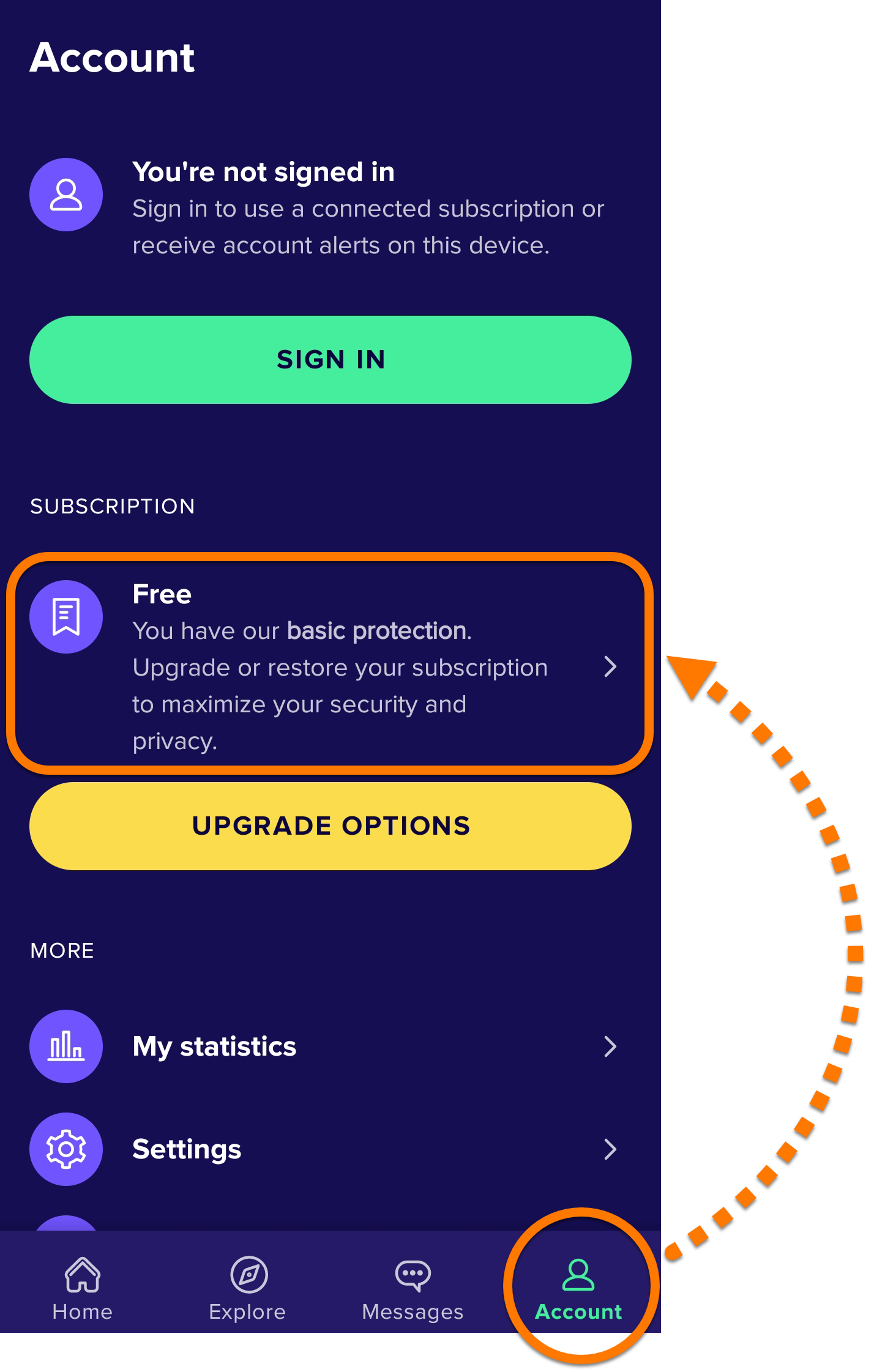
This article is valid for activation of both Avast Mobile Security Premium and Avast Mobile Security Ultimate for iOS.
Your activation options:
Activation Code
Enter activation code
To activate Avast Mobile Security using an activation code:
- Locate your activation code. This is included in your order confirmation email. For detailed instructions, refer to the following article: Locating your Avast activation code.
- Tap the Avast Mobile Security icon on the Home screen of your device. The app opens.

- Tap
 Settings (the gear icon), then select the Subscription panel.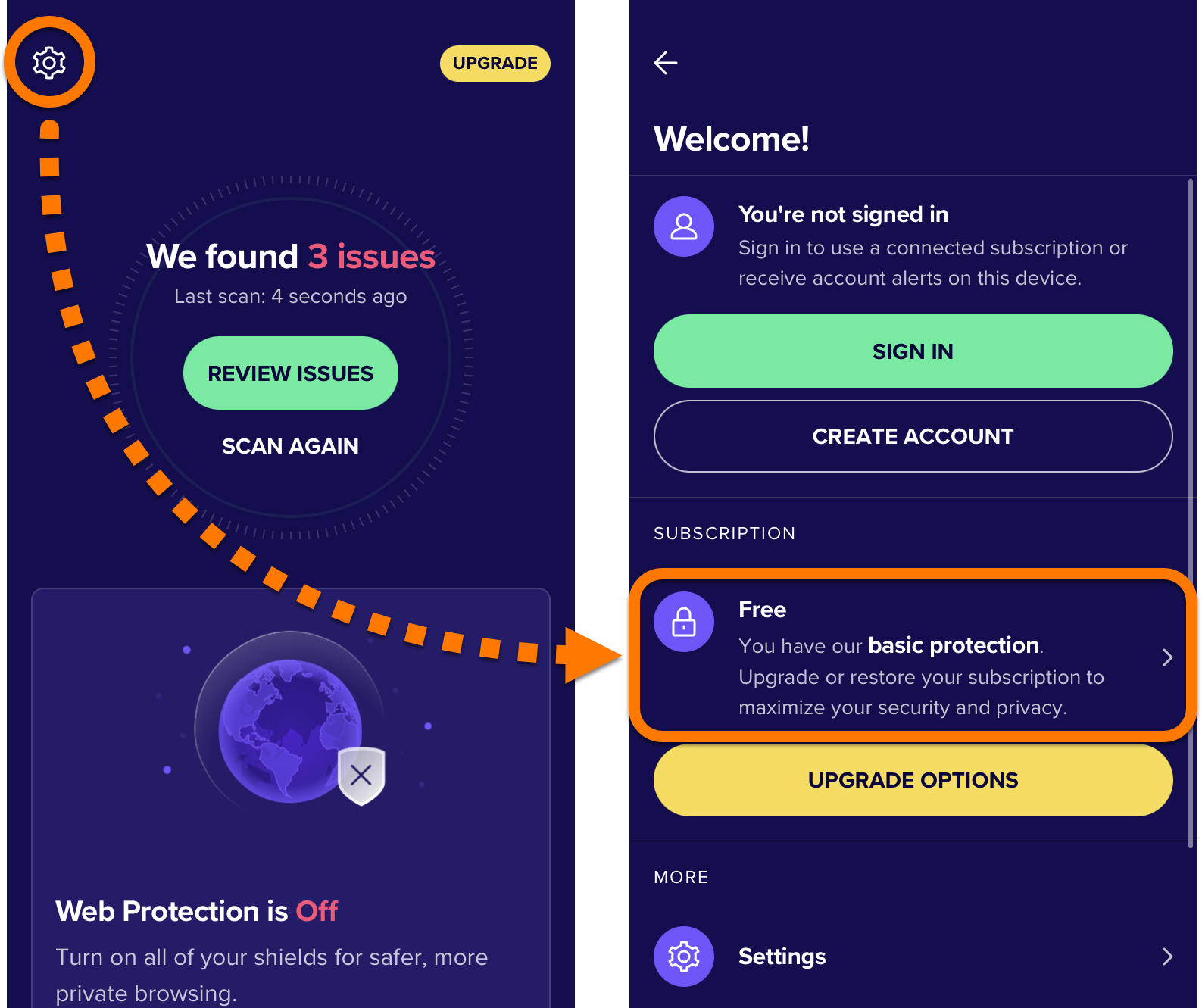
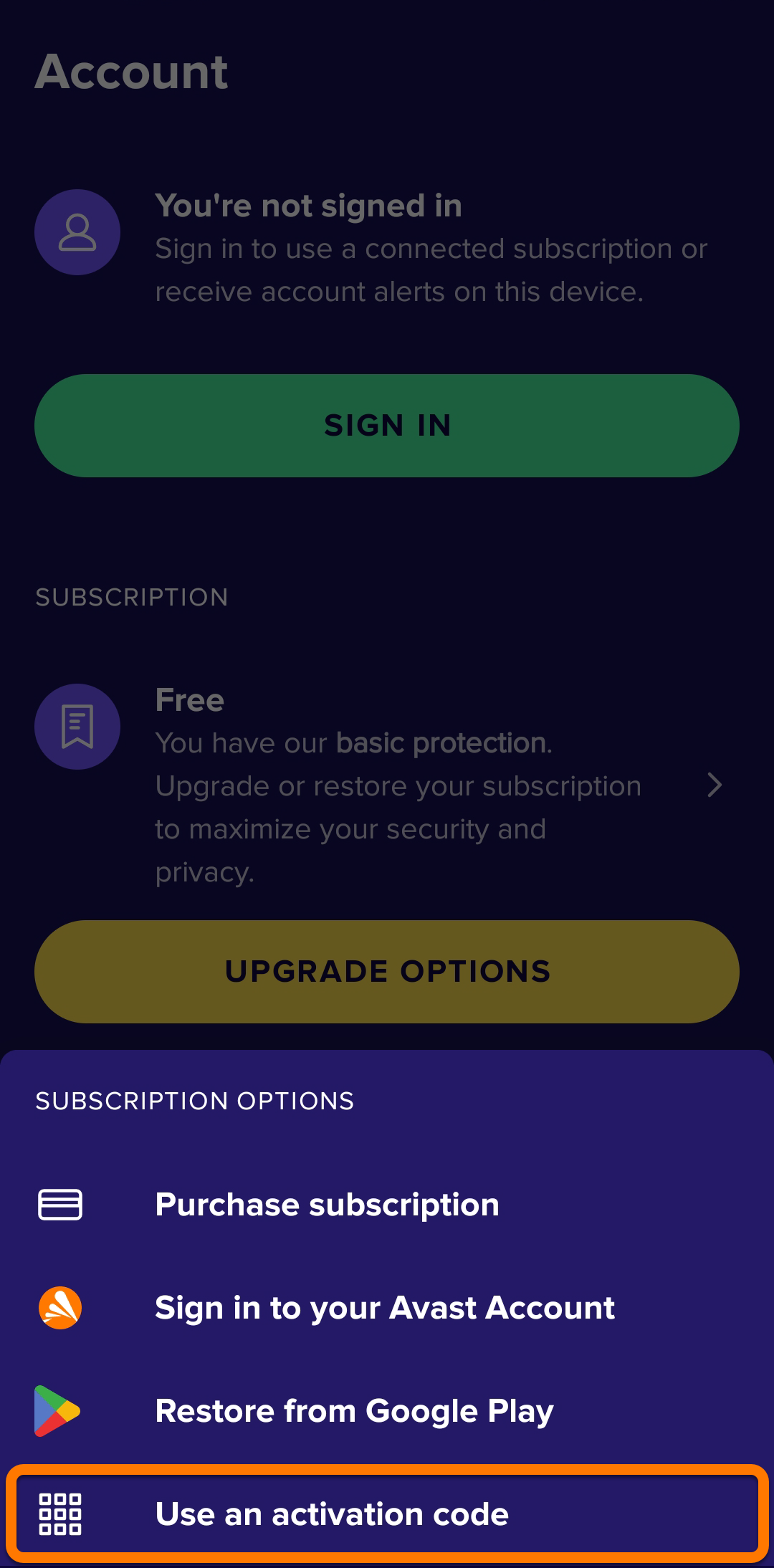
- Select Enter activation code.
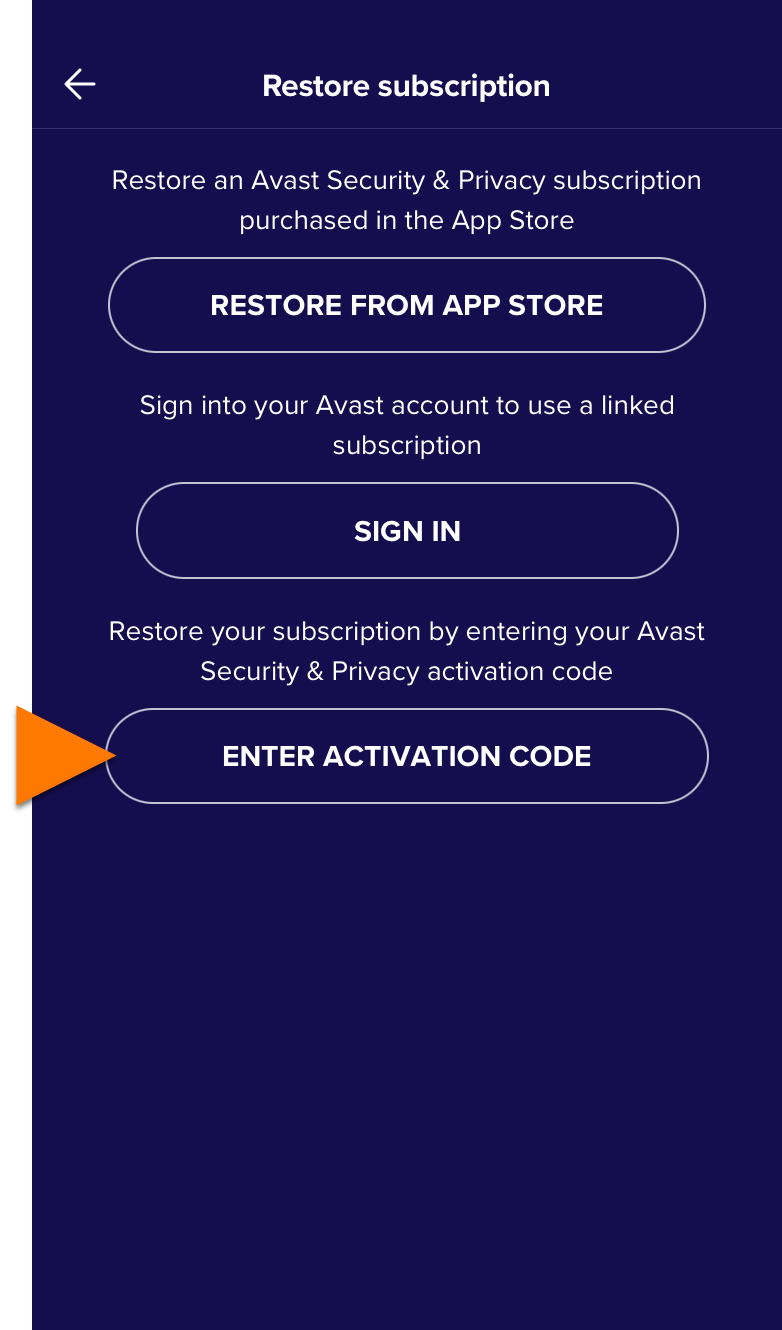
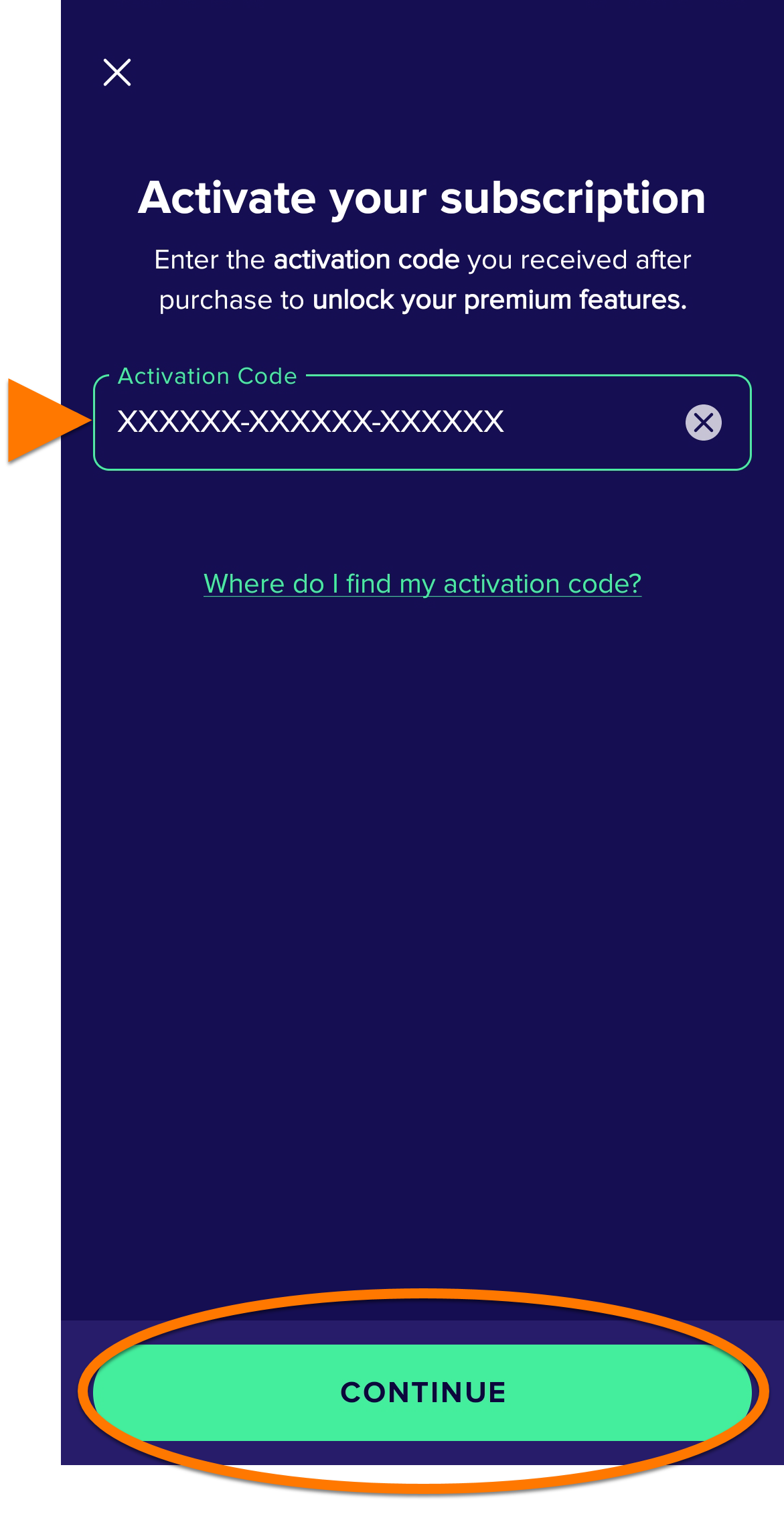
- Type or paste your activation code (including hyphens) into the text box, then tap OK.
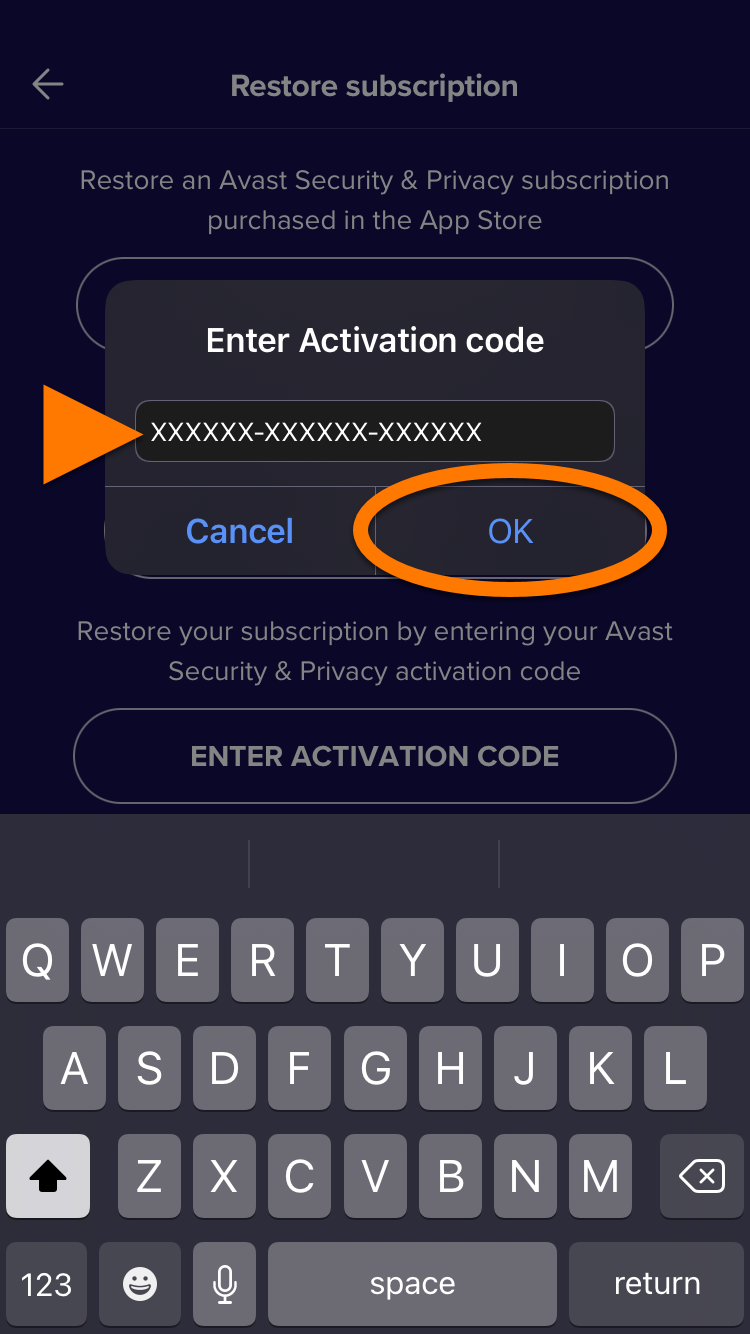
Avast Mobile Security is now activated. If activation is unsuccessful, refer to the Still need help? section below.
Still need help?
If you experience any activation issues:
- Ensure you have correctly entered your activation code correctly, including hyphens.
- If activation using your activation code still doesn't work, try following the instructions to activate using your Avast Account.
If your issues persist, refer to the following articles:
- Troubleshooting activation issues in Avast mobile apps
- Troubleshooting activation issues in Avast products
- Troubleshooting common activation error messages
If you are still unable to activate your application, contact Avast Support.
Avast Account
Sign in to Avast Account
An Avast Account was created using the email address that you provided during the subscription purchase. To sign into your Avast Account for the first time, refer to the following article: Activating your Avast Account.
To activate Avast Mobile Security using your Avast Account:
- Tap the Avast Mobile Security icon on the Home screen of your device. The app opens.
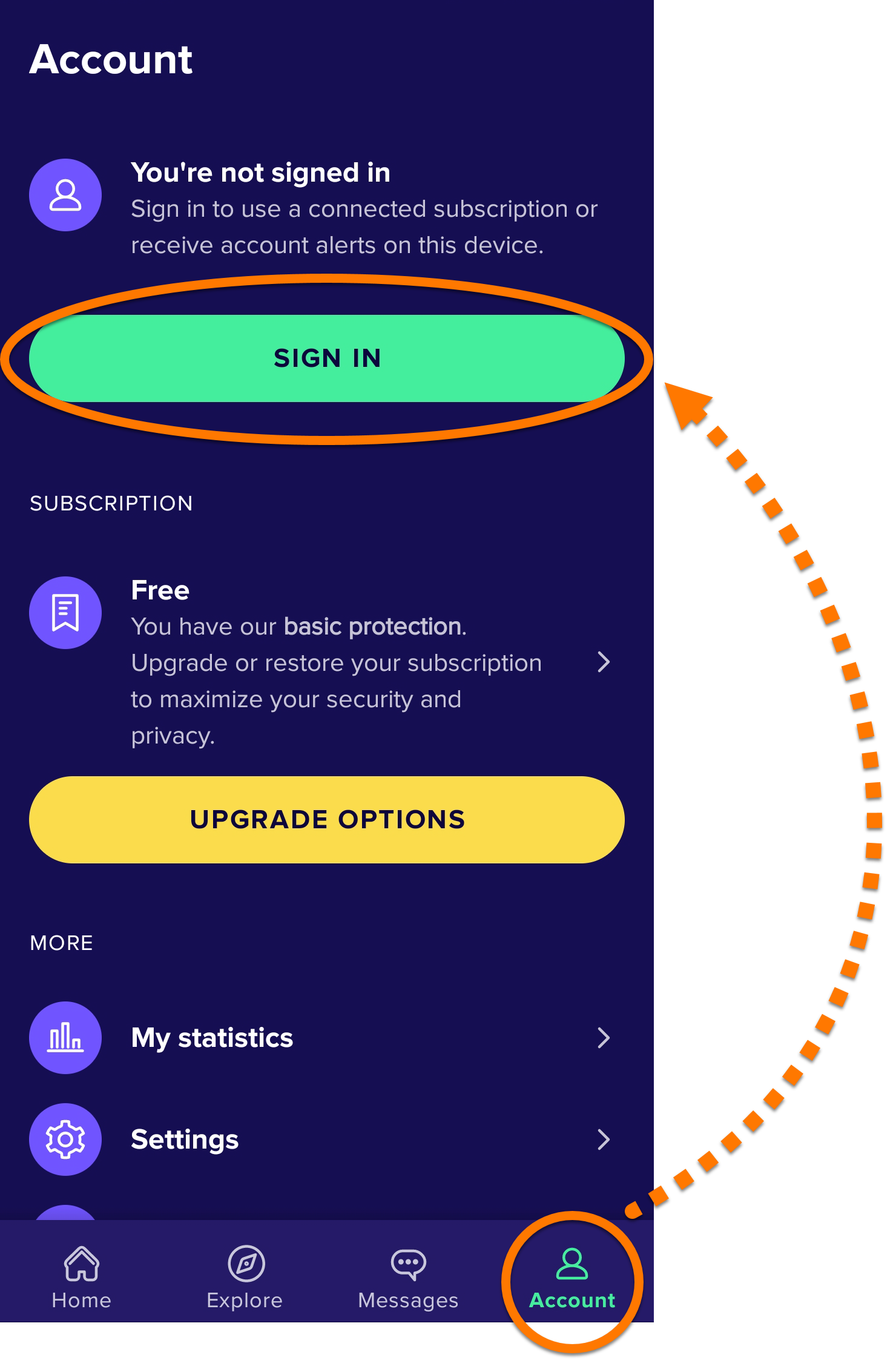
- Tap Settings (the gear icon), then select Sign in.
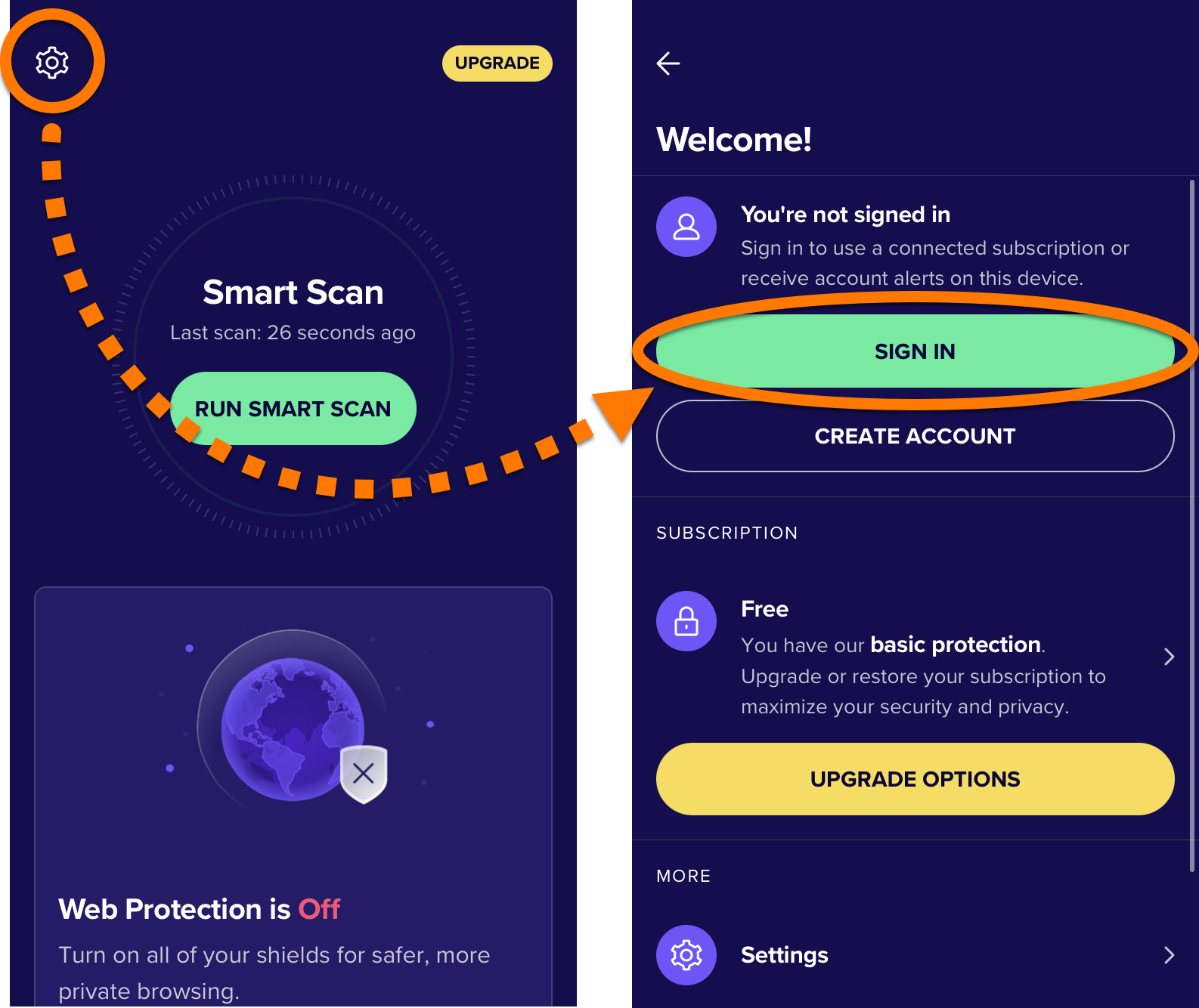
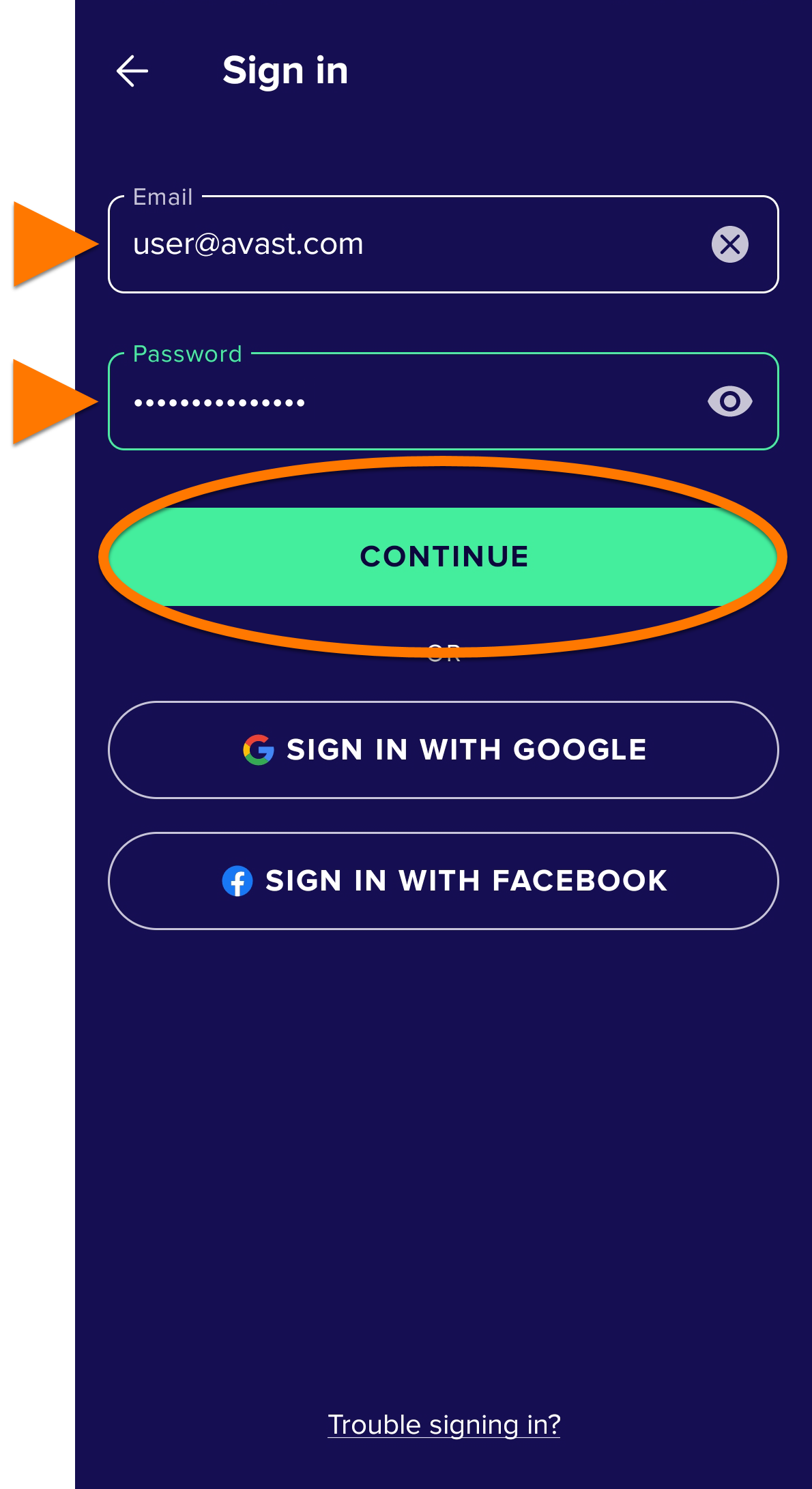
- Enter your Avast Account credentials, then tap Sign in.
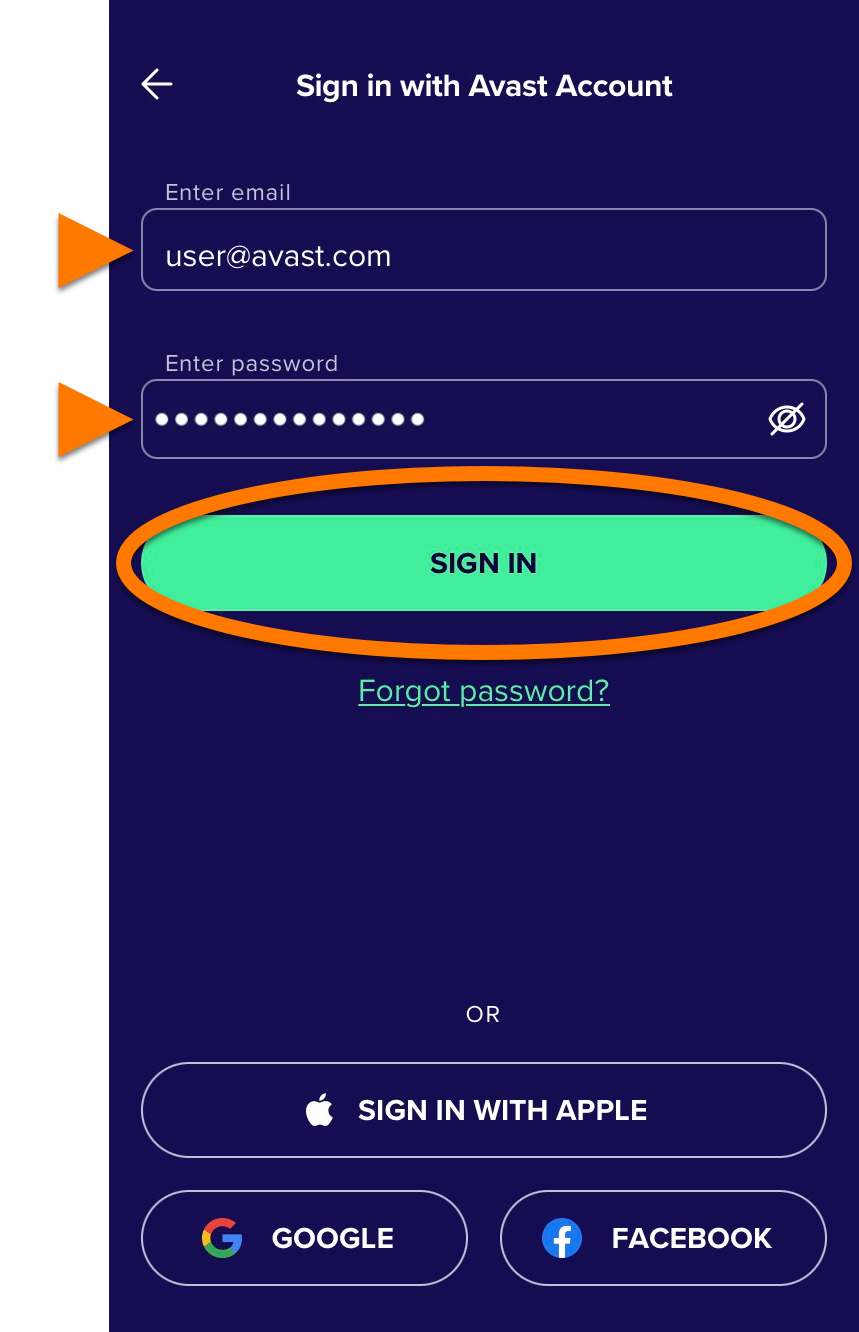
Avast Mobile Security is now activated. If activation is unsuccessful, refer to the Still need help? section below.
Still need help?
If you experience any activation issues, check that your Avast Account is registered to the email address that you used to purchase Avast Mobile Security. If you used a different email address for purchase, you can add this email address to your Avast Account. For detailed instructions, refer to the following article:
If your issues persist, refer to the following articles:
- Troubleshooting activation issues in Avast mobile apps
- Troubleshooting activation issues in Avast products
- Troubleshooting common activation error messages
If you are still unable to activate your application, contact Avast Support.
App Store
Restore via App Store
This option only applies if you purchased your Avast Mobile Security subscription through the App Store.
If you want to start using your subscription on a new device, or if you reset your existing device, you can restore your Avast Mobile Security subscription via the App Store:
- Ensure you are signed in to the App Store with the same Apple ID that you used to purchase your subscription. For instructions on how to verify this, refer to the following Apple Support article: Apple Support ▸ Sign in with your Apple ID.
- Tap the Avast Mobile Security icon on the Home screen of your device. The app opens.
- Tap Settings (the gear icon), then select the Subscription panel.
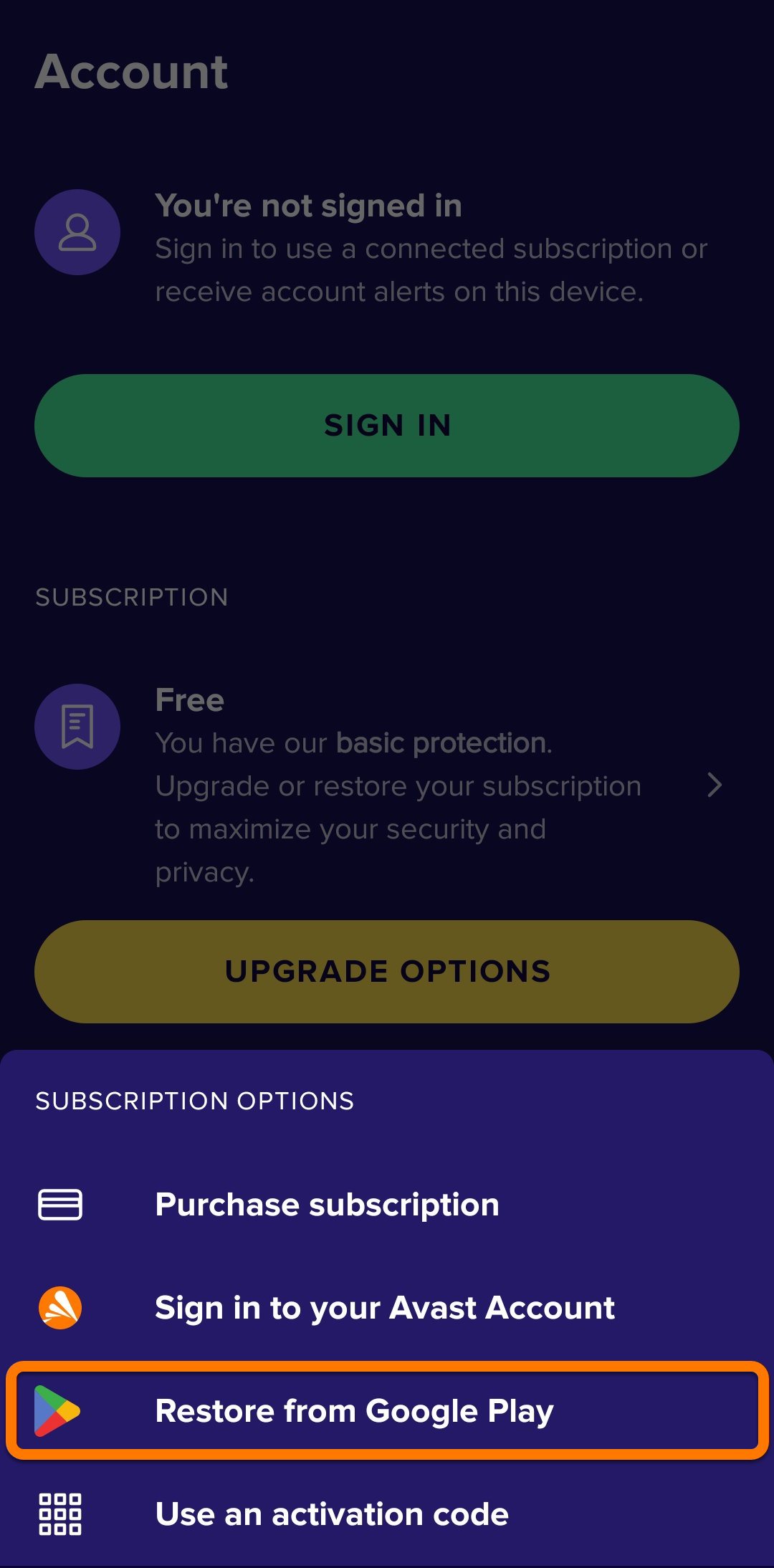
- Select Restore from App Store.
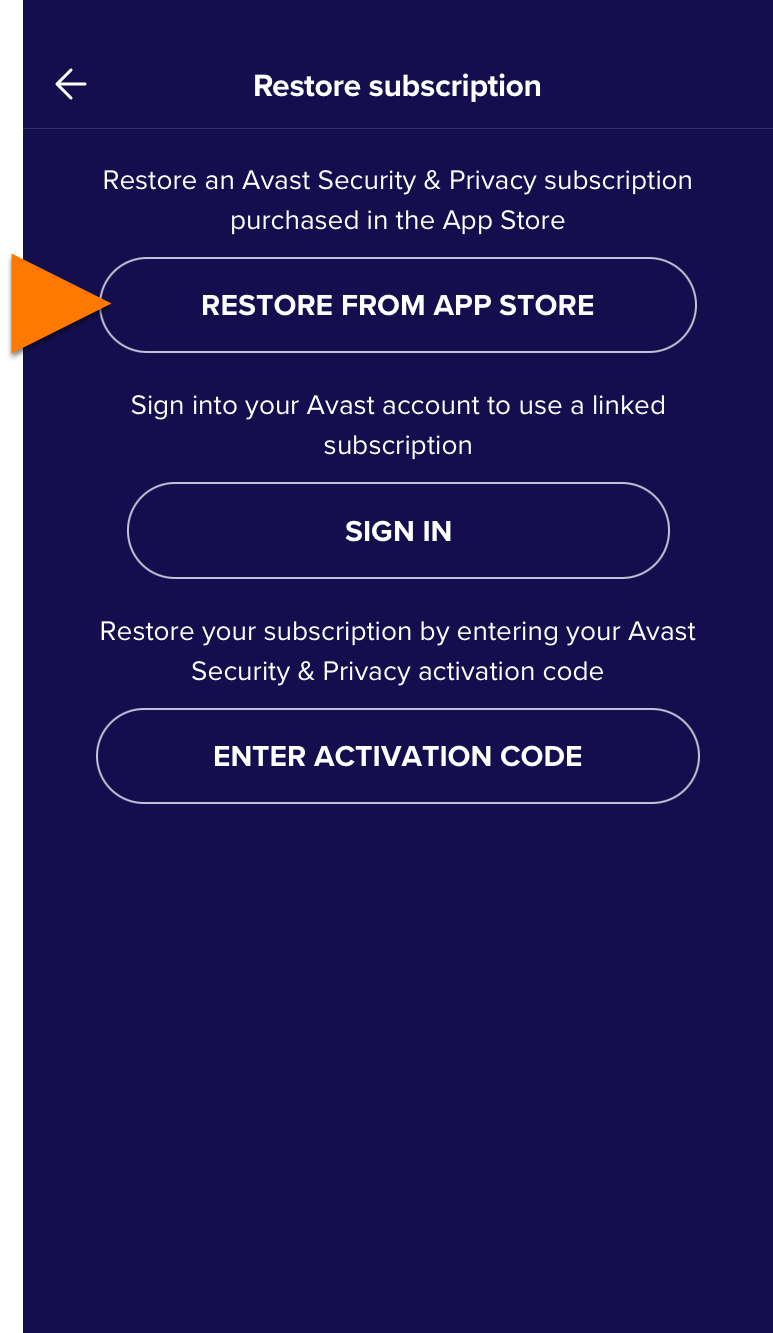
Avast Mobile Security is now activated. If activation is unsuccessful, refer to the Still need help? section below.
Still need help?
If you experience any activation issues, refer to the following articles:
- Troubleshooting activation issues in Avast mobile apps
- Troubleshooting activation issues in Avast products
- Troubleshooting common activation error messages
If you are still unable to activate your application, contact Avast Support.
Further recommendations
To learn more about how to use Avast Mobile Security, refer to the following articles:
For instructions on how to transfer your subscription from one device to another, refer to the following article:
