
IS YOUR COMPUTER SLOW? RUN LIKE NEW
If they are not maintained, computers lose performance over time. Avast Cleanup Premium can help significantly improve the performance of your computer.
Avast Online Security & Privacy - Getting Started
Windows, Mac
This article assumes that Avast Online Security & Privacy (version 21.0.68 and later) is already installed. For detailed installation instructions, refer to the article: Installing Avast Online Security & Privacy.
If your version of the browser extension does not match the screenshots in this article, refer to the Troubleshooting section below.
Avast Online Security & Privacy is a free browser extension that lets you control who has access to your private data, and warns you about malicious websites and phishing scams.
Block tracking systems
Most websites use tracking systems to monitor visitor behavior, which allows them to obtain statistics and other data for marketing purposes. The Anti-tracking feature in Avast Online Security & Privacy allows you to see which tracking systems are used by the websites you visit and stop them from tracking you.
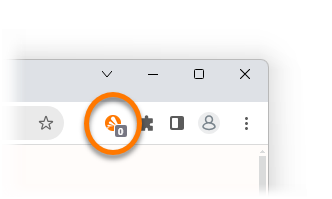
When you visit a website that uses tracking systems, the number of trackers is visible on the
Avast Online Security & Privacy icon to the right of your address bar.
To manage website tracking systems:
- Click the Avast Online Security & Privacy icon to the right of your address bar.
- Click the
 Anti-tracking icon in the left panel. The Anti-tracking screen lists the most common types of tracking system:
- Social networks
- Ad Tracking
- Web Analytics

- To block all types of tracking systems on every website you visit, click the red (OFF) slider next to Prevent tracking on all websites so that it changes to green (ON).
Alternatively, use the slider next to an individual tracking system category to enable or disable Anti-tracking for this category only. Your preferences apply for every website you visit.
Avast Online Security & Privacy is now blocking the selected tracking systems.
Opt out from advertisers
Online advertisers are companies that collect information about you by tracking your online activity. This information can be used to create a profile of you as an individual, and target you with ads that appear to match your interests and behavior.
The Ads opt out feature in Avast Online Security & Privacy lets you send opt-out requests to online advertisers. After receiving your opt-out requests, the online advertisers are legally obligated to stop collecting and selling your personal information.
To send your first opt-out requests:
- Click the Avast Online Security & Privacy icon to the right of your address bar.
- Click the
 Ads opt out icon in the left panel.
The Ads opt out screen lists each of the online advertisers that Avast Online Security & Privacy can contact on your behalf.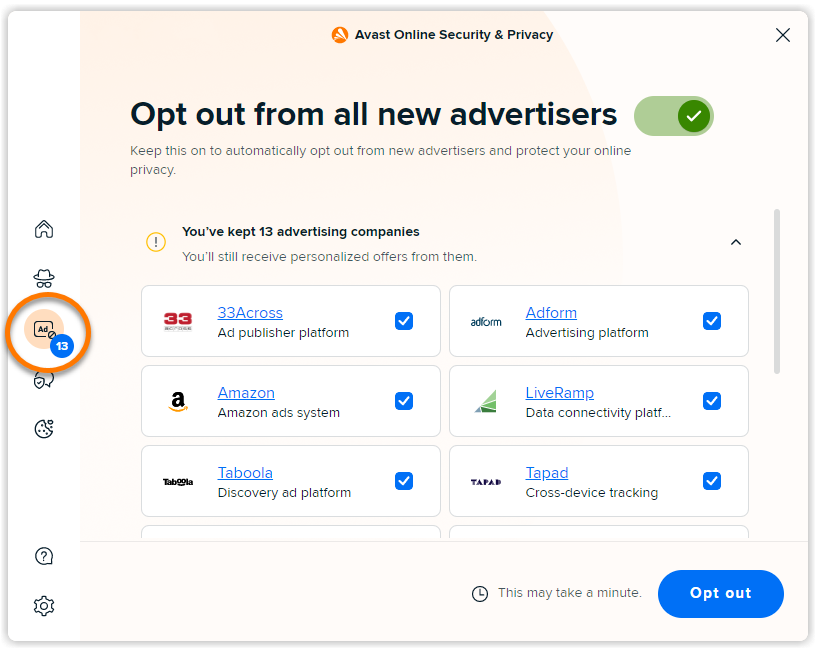
- Click Opt out to send opt-out requests to all of the listed online advertisers.
Optionally untick the box next to an individual online advertiser if you do not want to send an opt-out request to this company.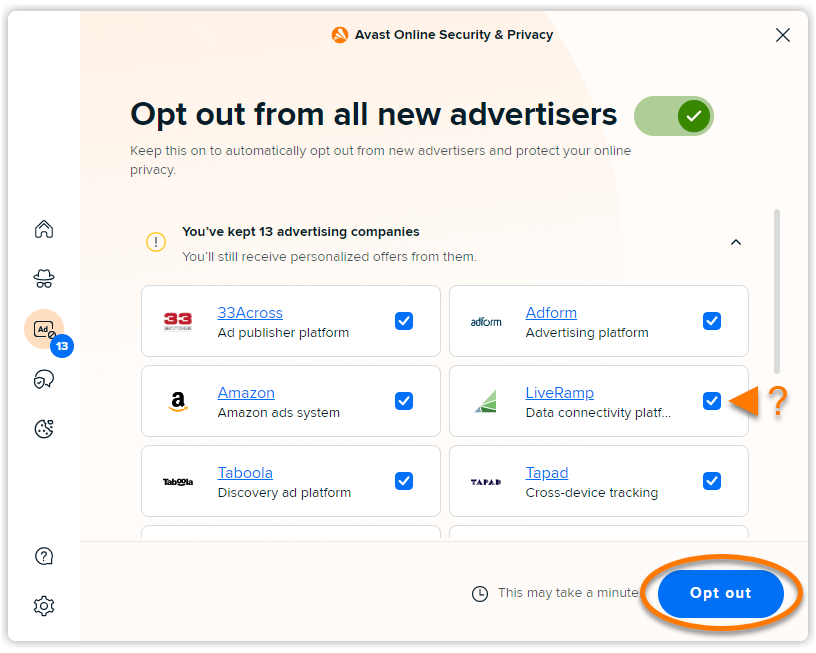
Avast Online Security & Privacy sends opt-out requests to each of the listed online advertisers.
Avast Online Security & Privacy continuously scans for new online advertisers. Ensure that the slider next to Opt out from all new advertisers is green (ON) if you want Avast Online Security & Privacy to automatically send opt-out requests to new online advertisers.

Optimize privacy settings
The Privacy Advisor feature in Avast Online Security & Privacy allows you to access and use our privacy guides. Privacy guides provide step-by-step instructions on how to adjust the privacy settings of your major online accounts to reduce the amount of personal information you share.
To improve the privacy of your online accounts:
- Click the Avast Online Security & Privacy icon to the right of your address bar.
- Click the
 Privacy Advisor icon in the left panel.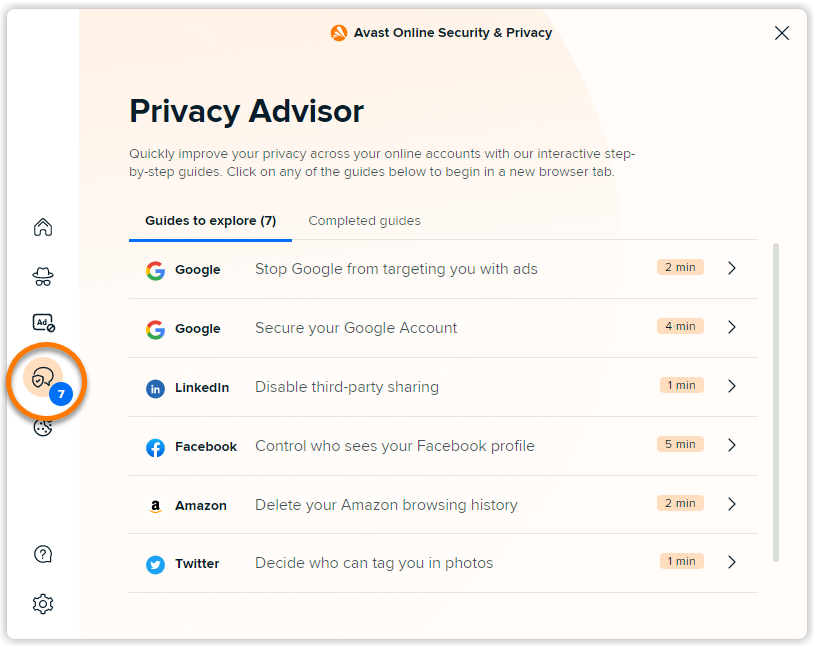
- In the Guides to explore tab, check the available privacy guides that you have not yet completed. The preview for each guide shows the following:
- The online account that the guide relates to
- A summary of what you can achieve by completing the guide
- An estimate for how long the guide takes to complete
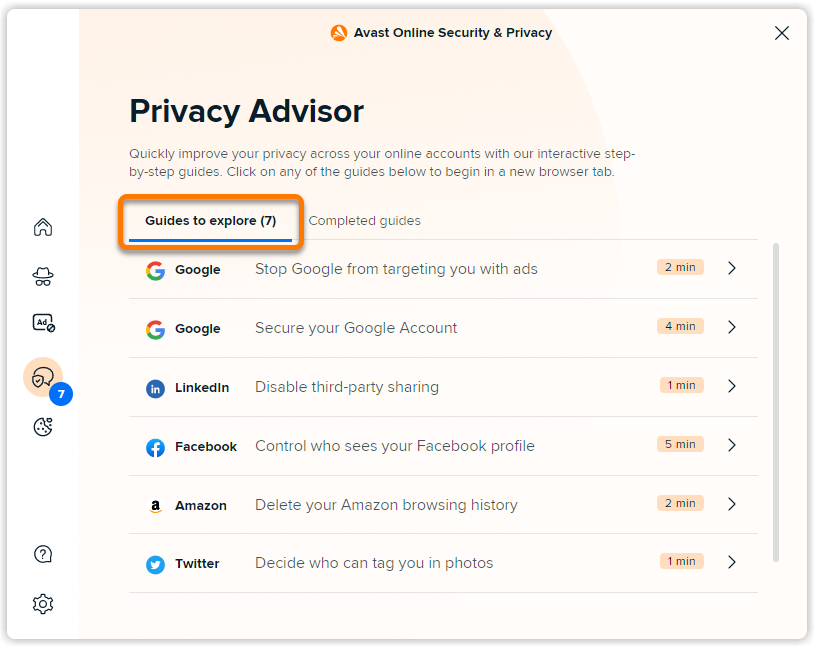
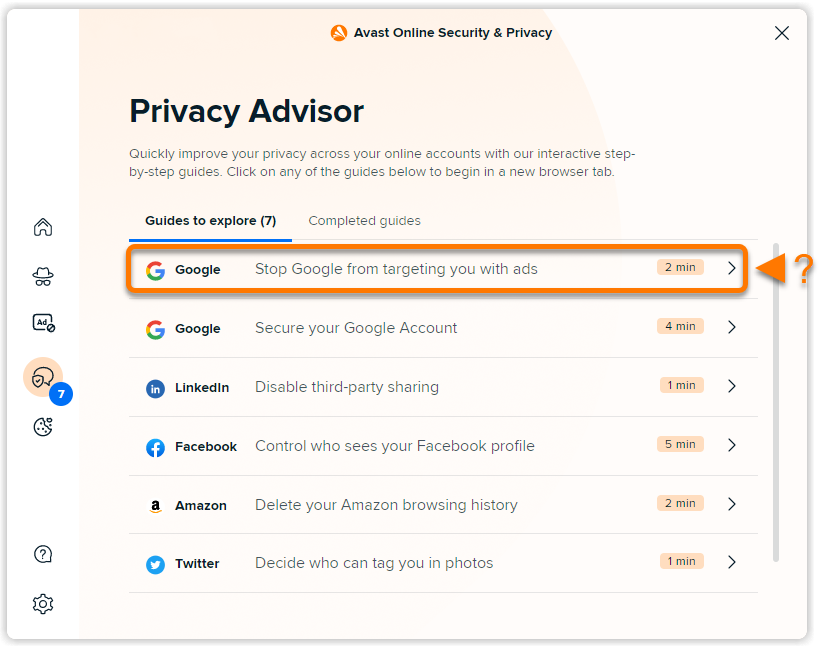
- Click the privacy guide that you want to complete. Settings for the relevant online account open automatically in a new tab.
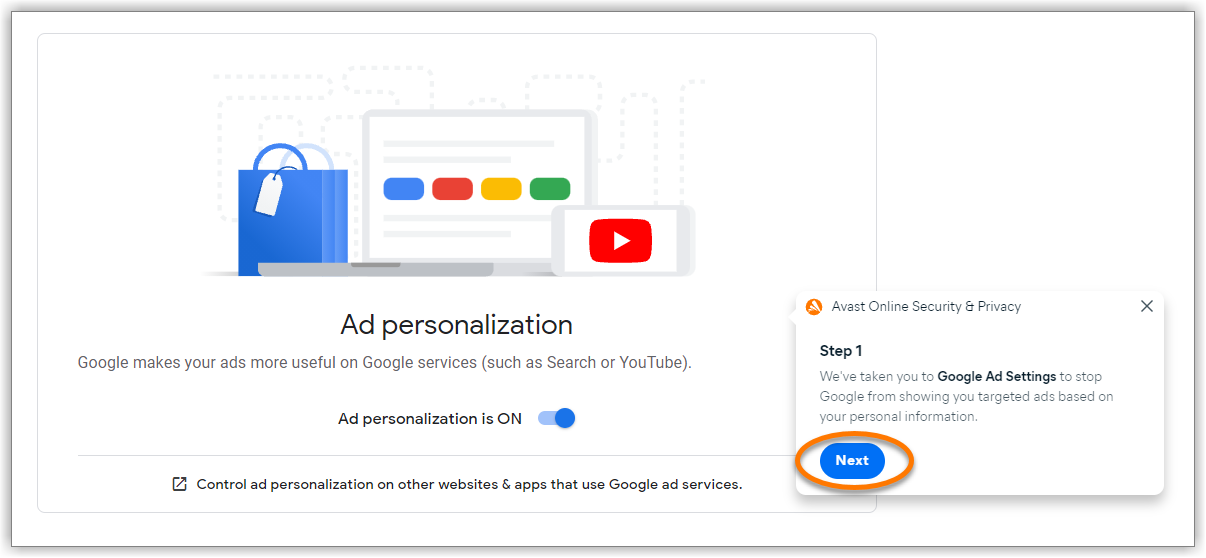
- Follow the on-screen instructions that appear in the Avast Online Security & Privacy dialog boxes to complete the privacy guide.
After you complete a privacy guide, it appears under the Completed guides tab on the main Privacy Advisor screen.

Hide cookie pop-ups
Cookie Consent Manager is only available if you have an Avast One or Avast Premium Security subscription.
Cookie Consent Manager allows you to automatically hide cookie pop-ups that appear on certain websites. You can also add trusted websites that are always allowed to store cookies and remember your login information. It is a premium feature in Avast Online Security & Privacy and is available with Google Chrome, Microsoft Edge, and Opera browsers.
To manage your cookie pop-up preferences:
- Click the Avast Online Security & Privacy icon to the right of your address bar.
- Click the
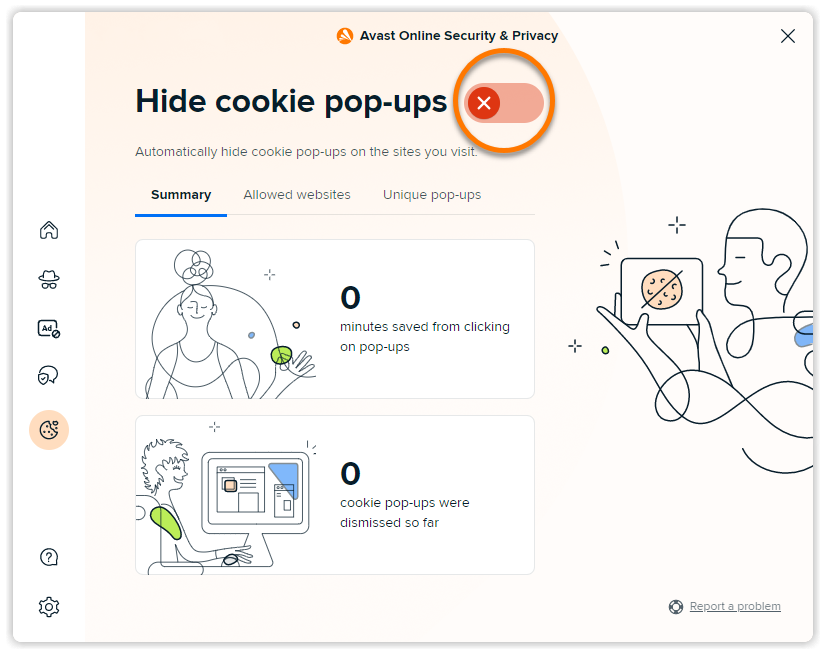
 Cookie Consent Manager icon in the left panel. The Summary tab shows your cookie pop-up statistics.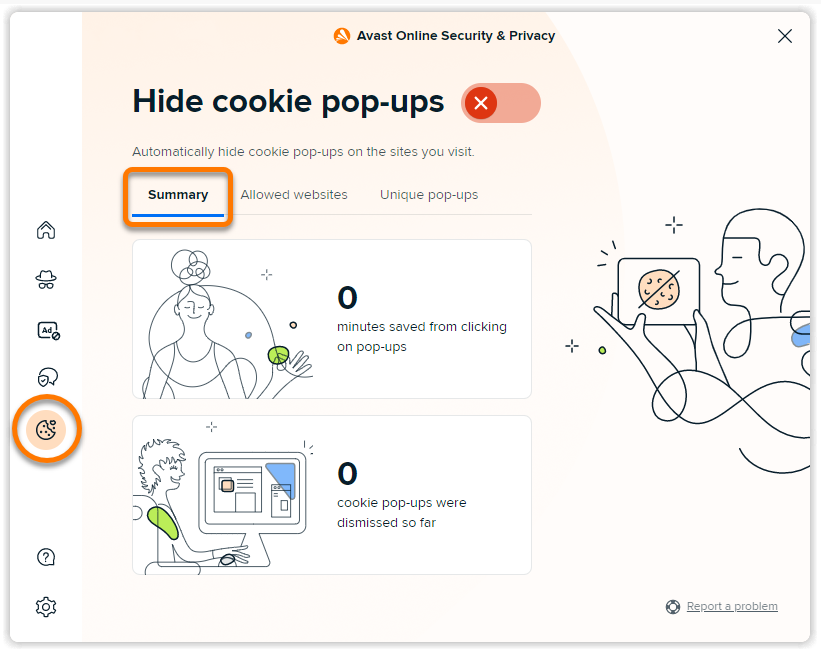
- To automatically hide all cookie pop-ups on websites, click the red (OFF) slider next to Hide cookie pop-ups so that it changes to green (ON).
- Select the relevant tab for the following options:

- Allowed websites: Click Add website, enter a URL for a trusted website that can use cookies, then press the
Enterkey on your keyboard.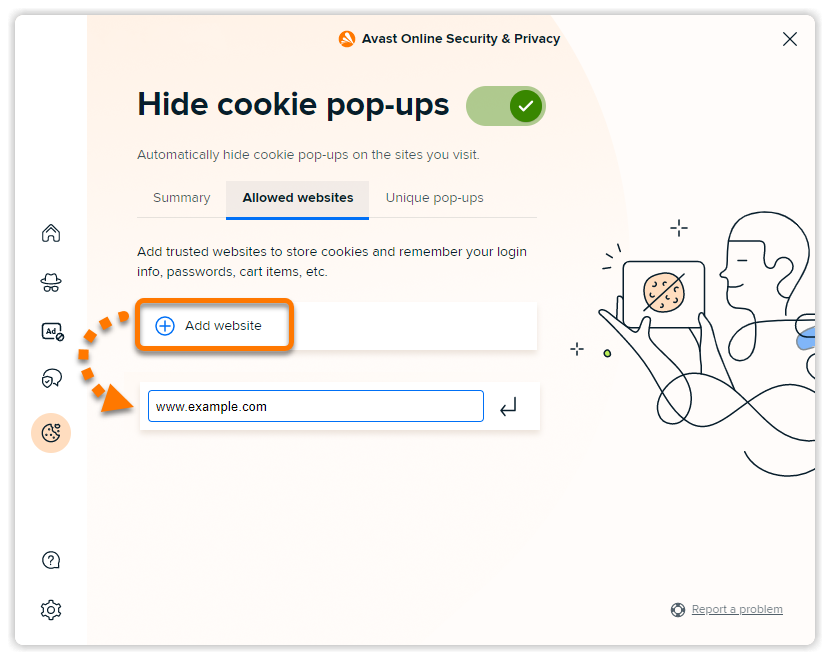
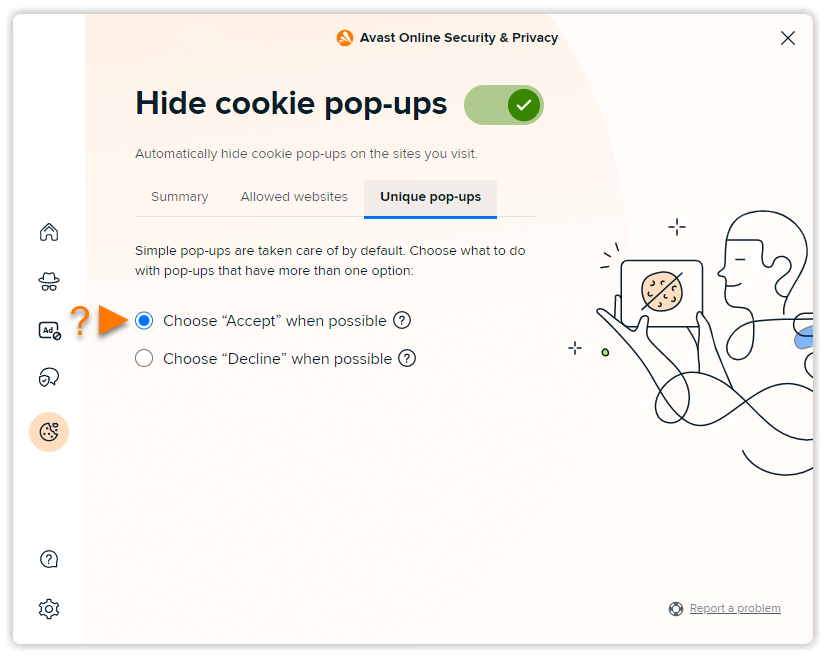
- Unique pop-ups: Select an option below for how to cookie pop-ups with additional options.
- Choose "Accept" when possible: Automatically selects the setting to allow cookies from the available options.
- Choose "Decline" when possible: Automatically selects the setting to block cookies from the available options.
- Allowed websites: Click Add website, enter a URL for a trusted website that can use cookies, then press the
Your cookie preferences are now saved.
Manage alerts
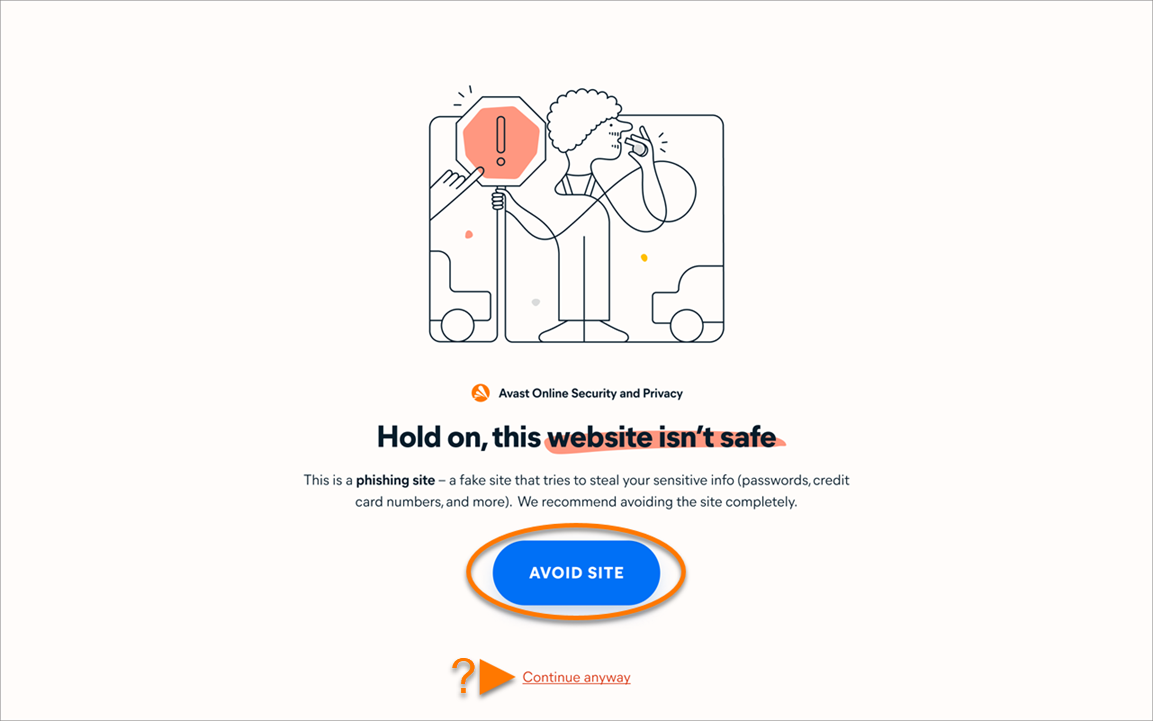
Avast Online Security & Privacy scans the URL for every website that you visit, and alerts you about dangerous websites that may try to steal your personal information or infect your PC with malware.
When you attempt to visit a dangerous website, you see the message Hold on, this website isn't safe, and connection to the website is blocked. The following options are available:
- Avoid site (recommended): Return safely to the previous webpage.
- Continue anyway: Proceed to the website if you are certain that it is safe.
For more information about how Avast Online Security & Privacy keeps you safe online, refer to the article: Avast Online Security & Privacy - FAQs.
Adjust settings
You can further adjust Avast Online Security & Privacy behavior to suit your preferences. To access the extension settings, follow these steps:
- Click the Avast Online Security & Privacy icon to the right of your address bar.
- Click
 Settings (the gear icon) in the bottom-left corner.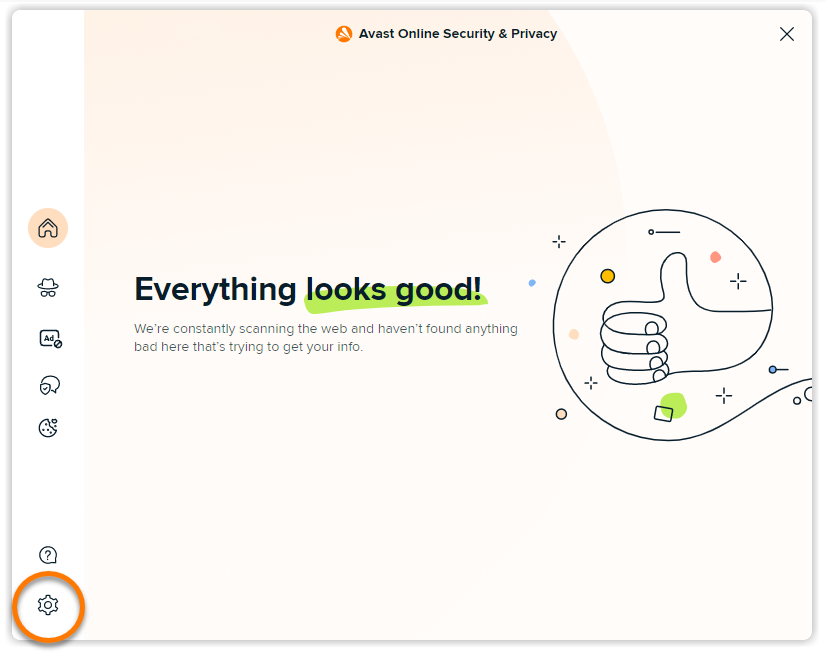
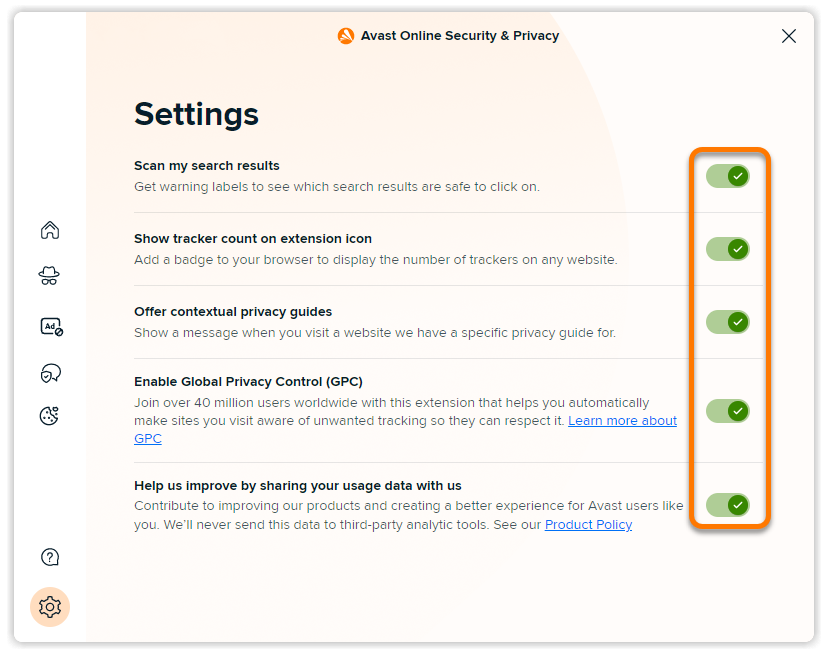
- Use the sliders to enable or disable the following options:
- Scan my search results: Add a colored shield icon to indicate the security status of search results when you use popular search engines like Google, Yahoo, and Bing.
- Show tracker counter on extension icon: Ensure that the Avast Online Security & Privacy icon displays the number of blocked or active tracking systems on each website you visit.
- Offer contextual privacy guides: Display a notification each time you visit a website with an available privacy guide.
- Enable Global Privacy Control (GPC): Ensure your browser sends a signal to every website you visit that communicates your preference for privacy. You can find more information about GPC on their website: Global Privacy Control.
- Help us improve by sharing your usage data with us: Share anonymous usage data with Avast to help us improve the Avast Online Security & Privacy extension.
Troubleshooting
We have developed a completely new version of the Avast Online Security browser extension, which is now called Avast Online Security & Privacy.
To check which version of the browser extension is installed in your browser, review the information below:
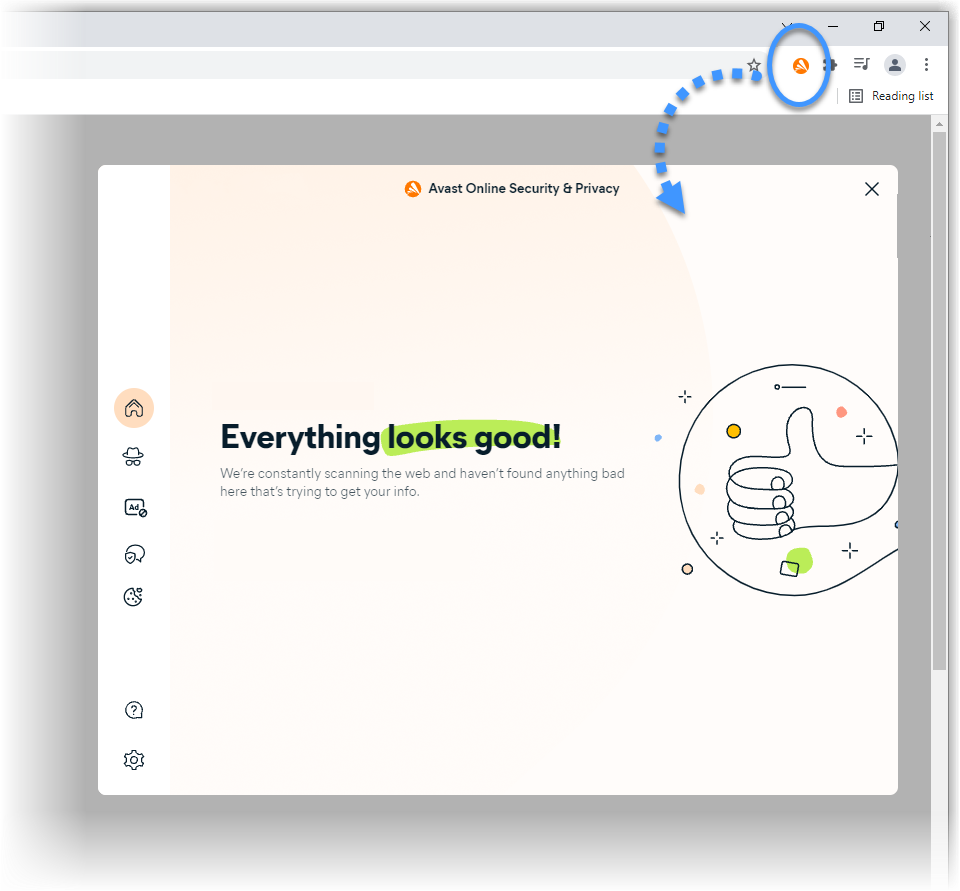
- The new version (version 21.0.68 and later): is called Avast Online Security & Privacy and uses an orange Avast icon with the main screen shown below:
- The classic version (version 21.0.67 and earlier): is called Avast Online Security and uses a colored
 Shield icon with the main screen shown below: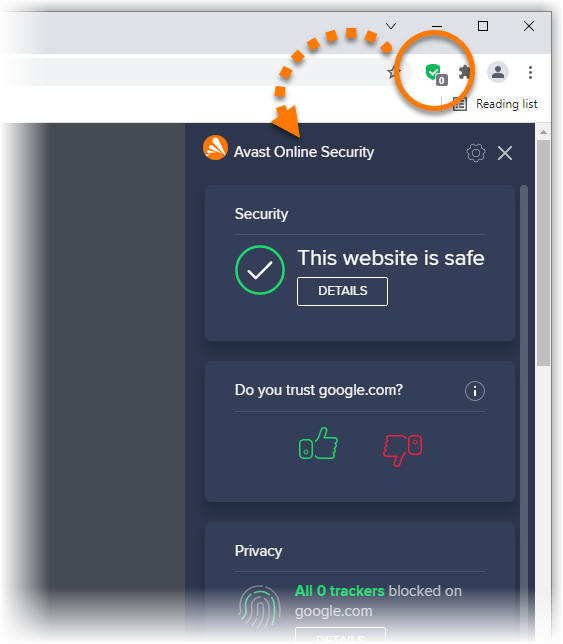
Because update releases for browser extensions are managed by individual web browsers, we cannot guarantee that the new version will immediately be available for all users.
If you still have the classic version of the browser extension, we recommend that you regularly check for available updates to ensure you can start using the new version as soon as possible.
Further recommendations
To learn more about Avast Online Security & Privacy, refer to the following article:
Was this article helpful?

Keep your online identity private!
Browse like no one’s watching with Avast anti-tracking software.