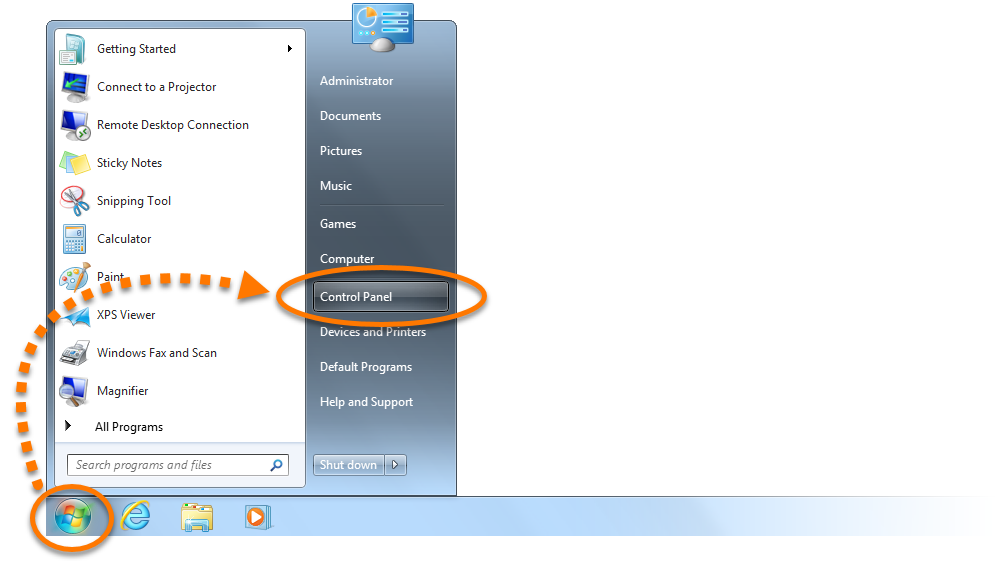
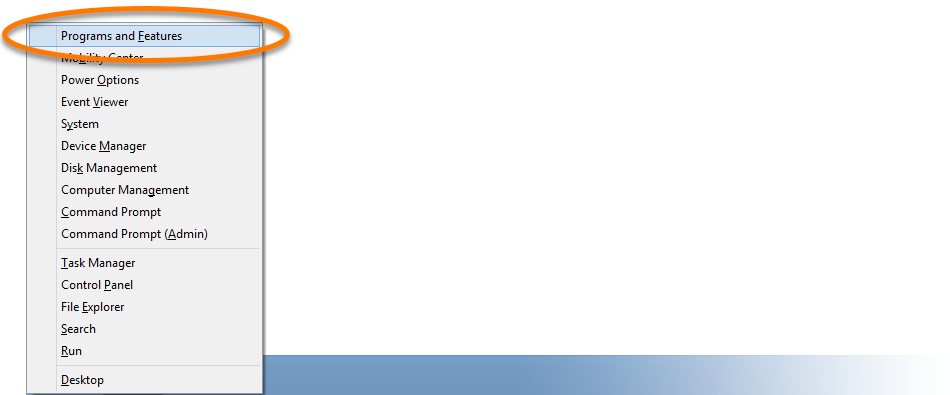
Start icon, then select Apps and Features from the menu that appears.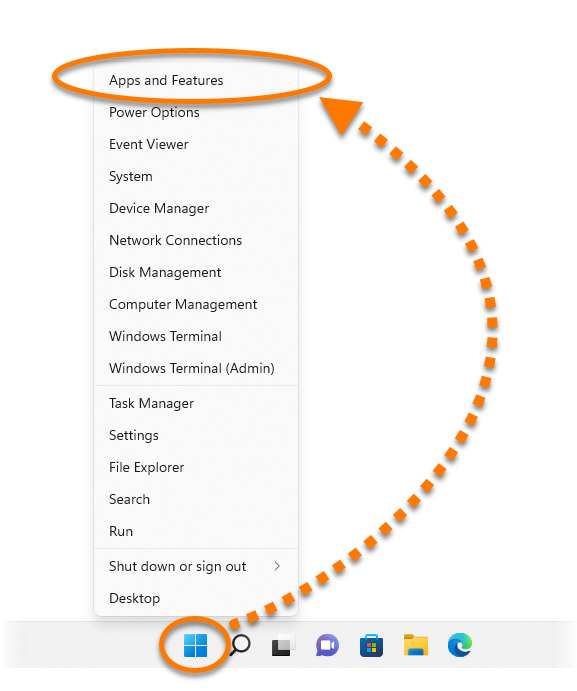
After you complete the steps below, your PC will no longer be protected by Avast Free Antivirus against malware and other threats.
Uninstall via Start menu
- Right-click the Windows
 Start icon, then select Apps and Features from the menu that appears.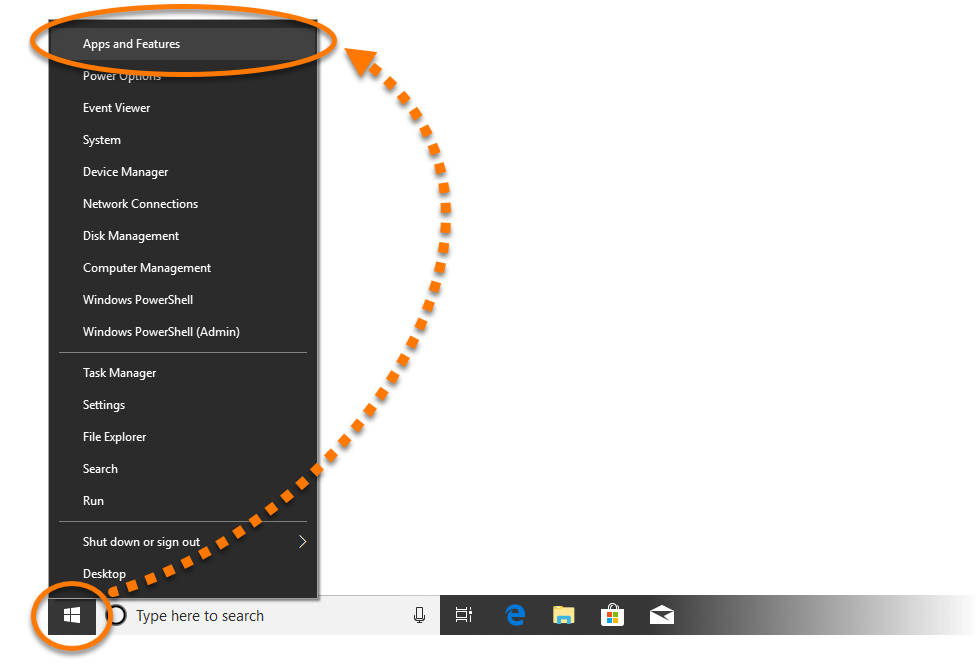
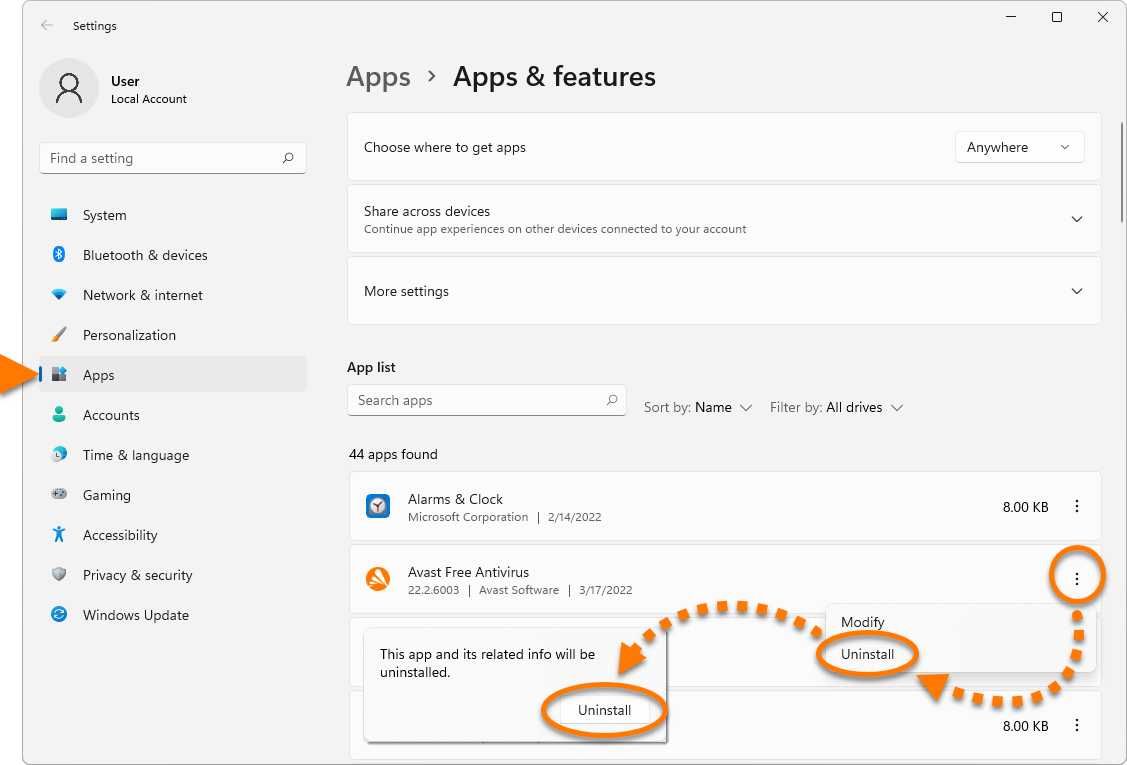
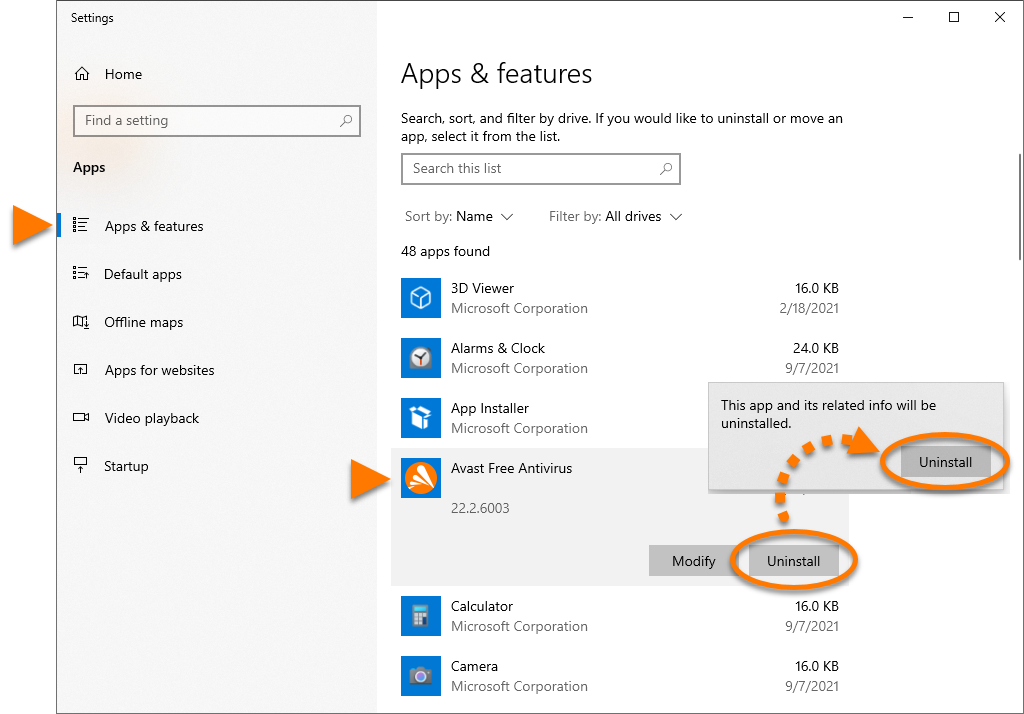
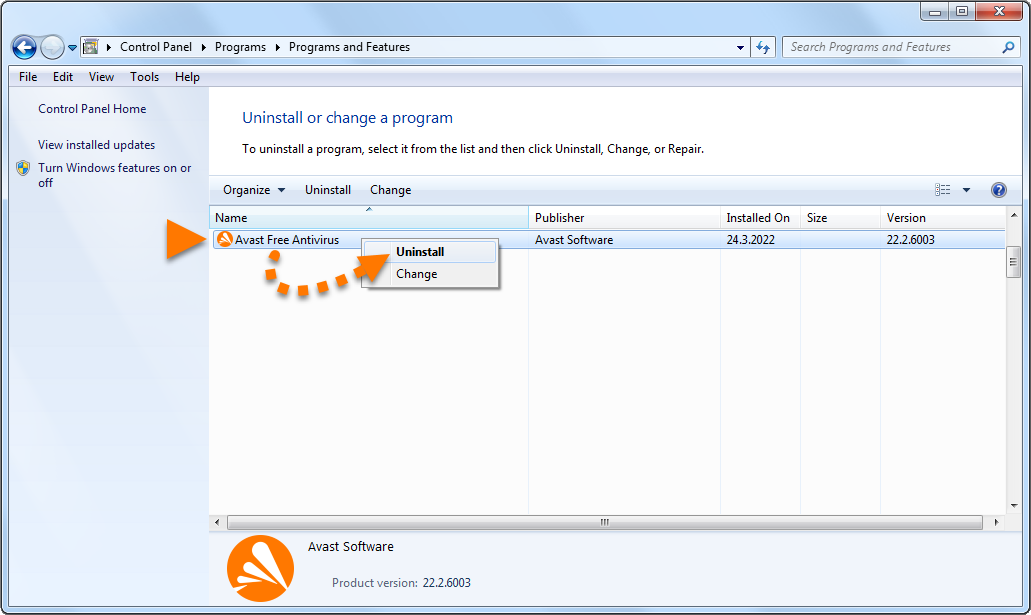
- Ensure that Apps & features is selected in the left panel, then click Avast Free Antivirus and select Uninstall twice.
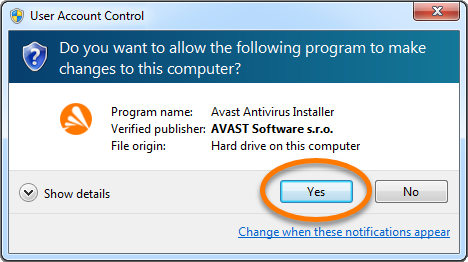
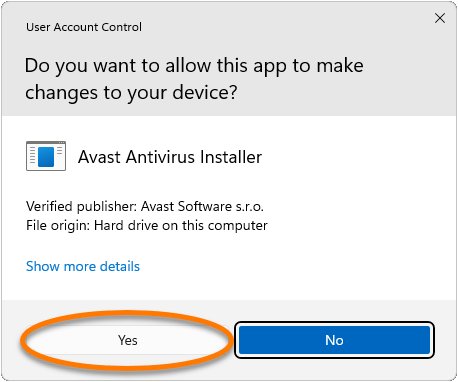
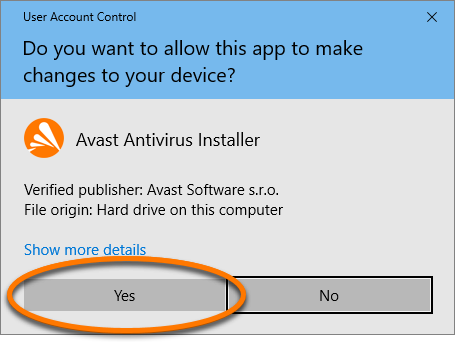
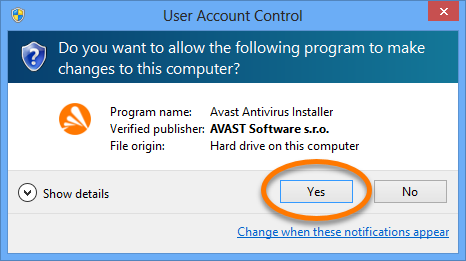
- If prompted for permission by the User Account Control dialog, click Yes.
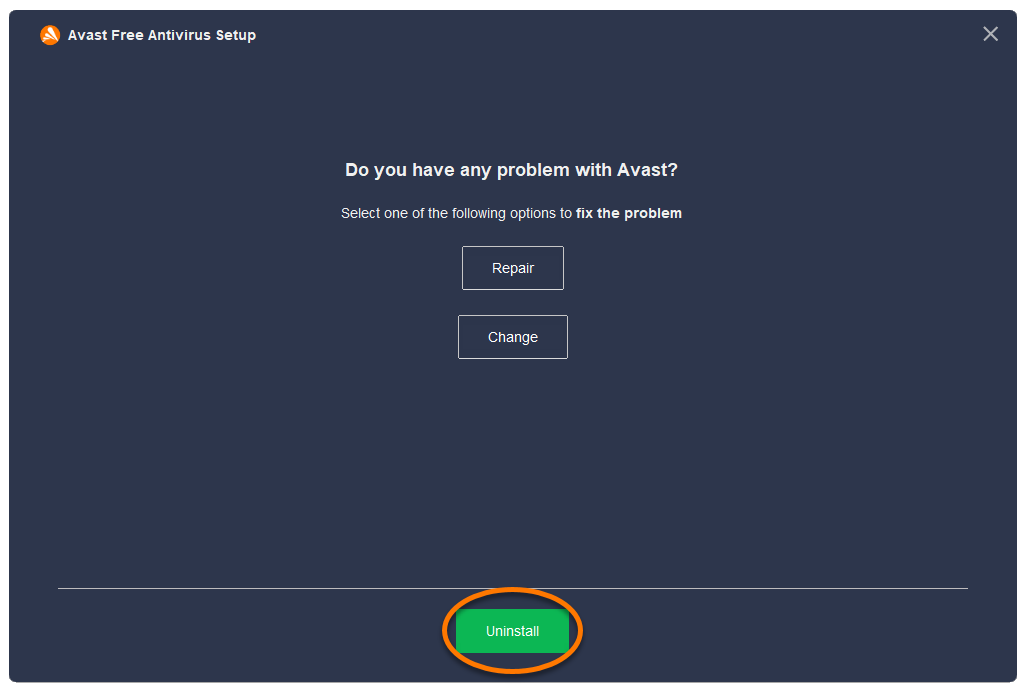
- When the Avast Free Antivirus Setup window appears, click Uninstall.
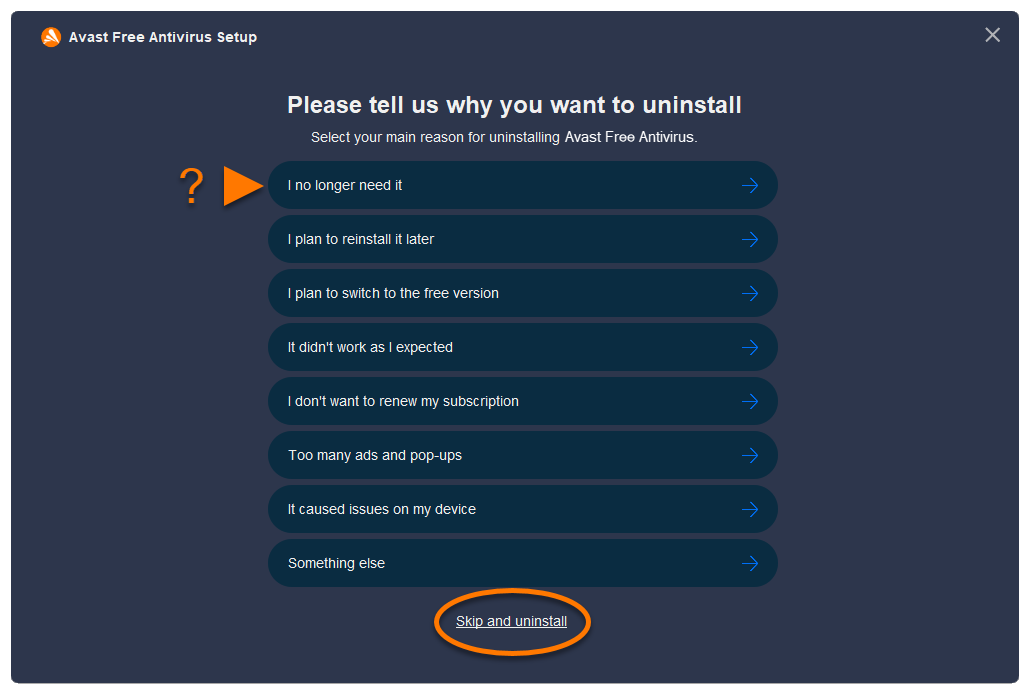
- Optionally, complete the customer survey, or select Skip and uninstall.
- Select Yes to confirm that you want to uninstall Avast Free Antivirus.
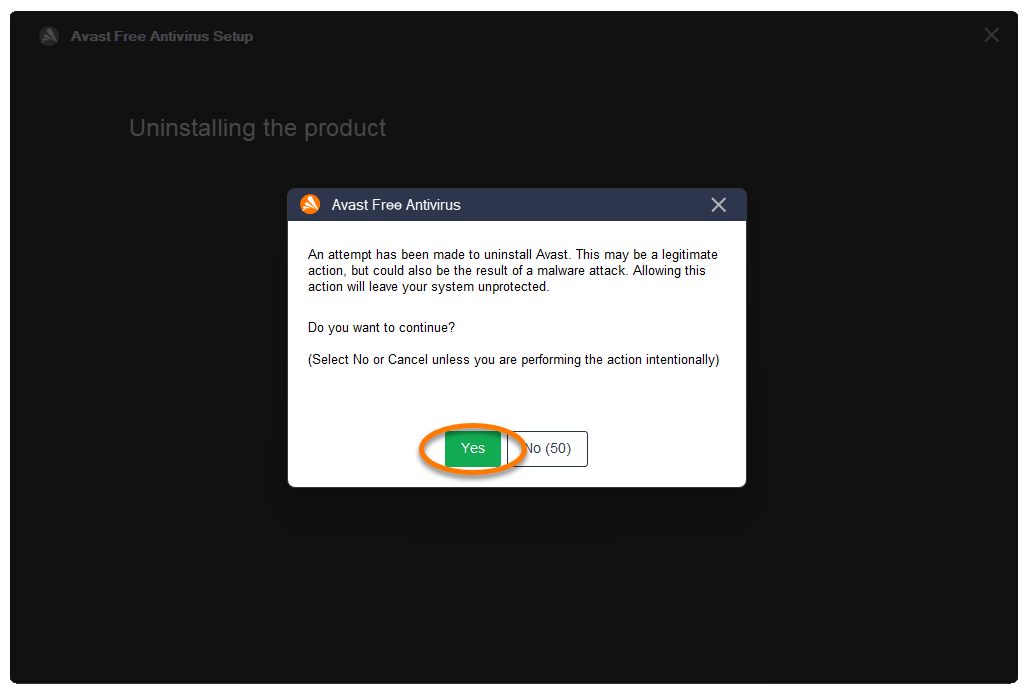
- Wait while the uninstaller removes Avast Free Antivirus from your PC.
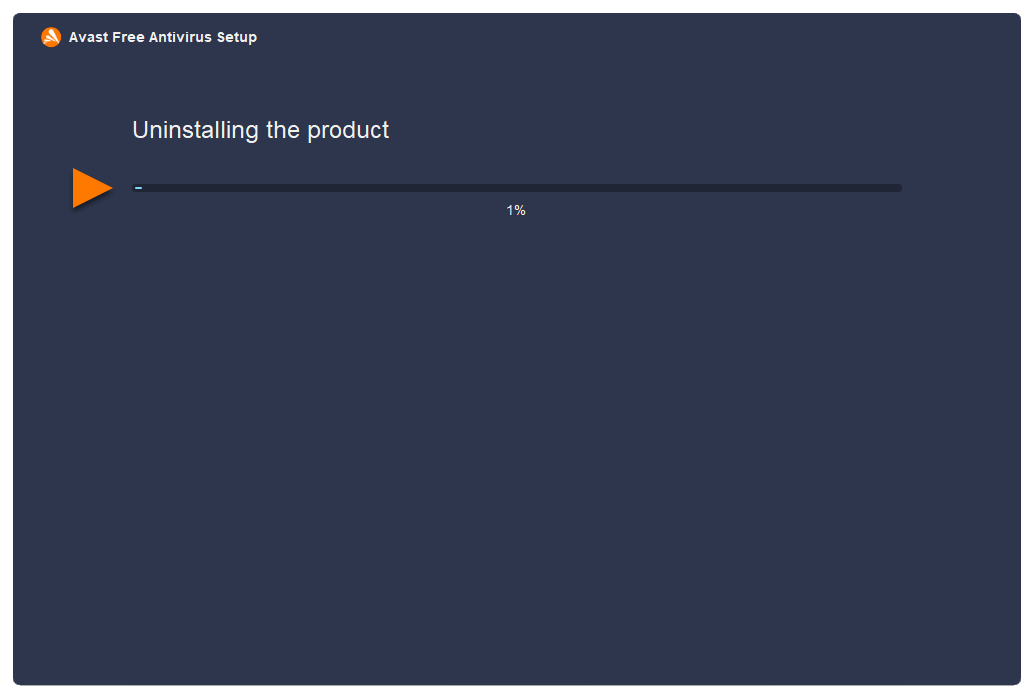
- When the confirmation message appears, click Restart computer to immediately reboot your PC and complete uninstallation.
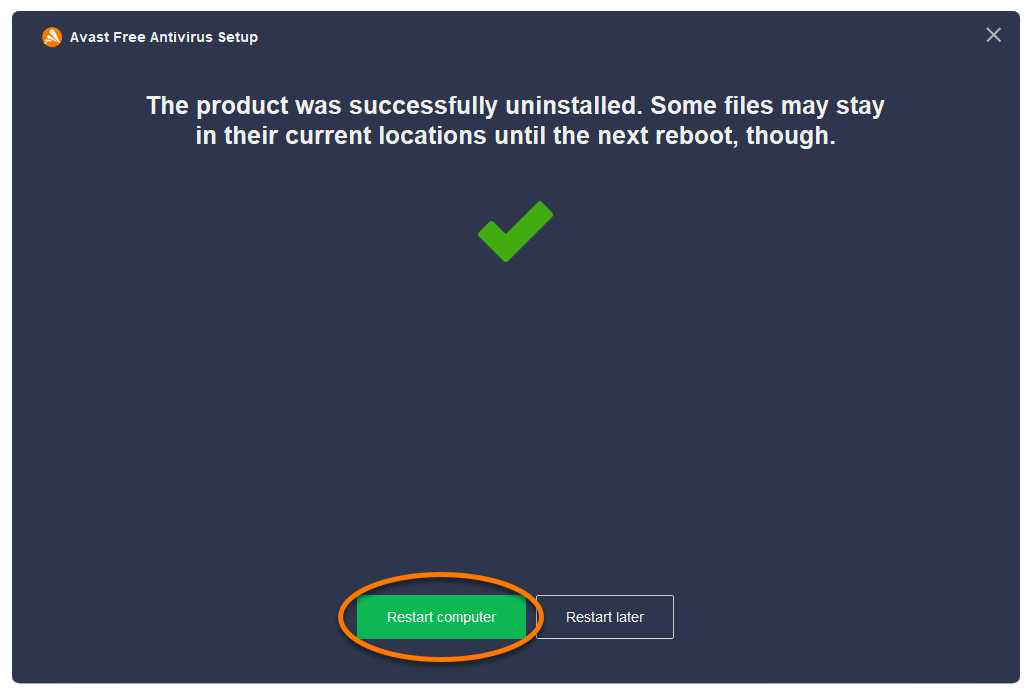
Avast Free Antivirus is now uninstalled from your PC. If you were unable to uninstall Avast Free Antivirus by following the steps above, refer to the Uninstall Tool section below.
 logo key and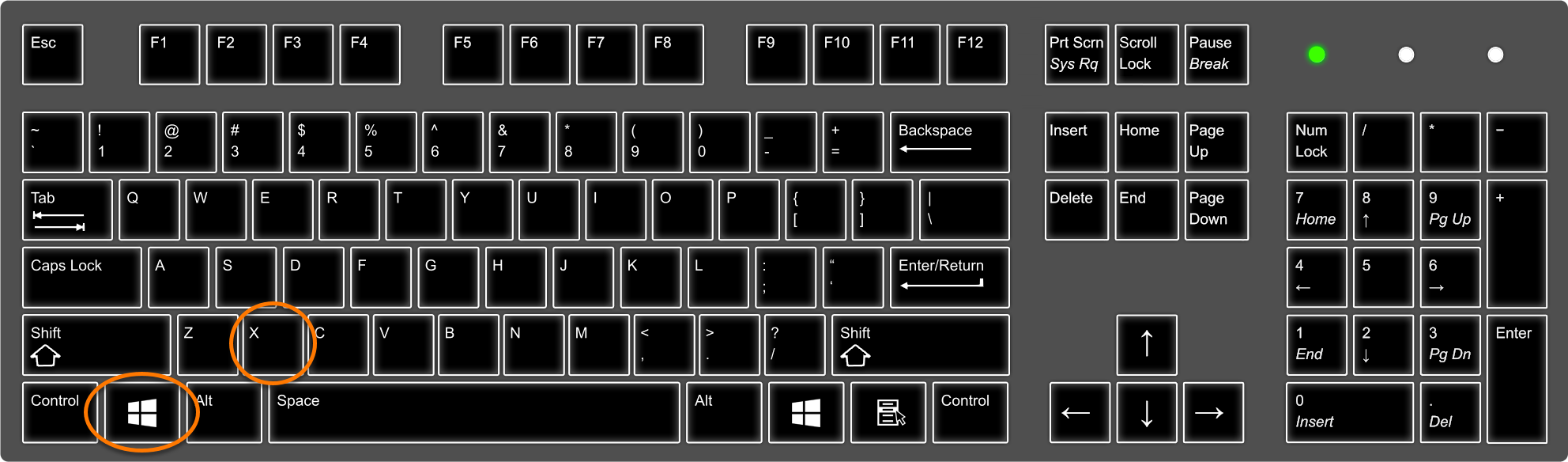
 Start icon, then select Control Panel.