
IS YOUR COMPUTER SLOW? RUN LIKE NEW
If they are not maintained, computers lose performance over time. Avast Cleanup Premium can help significantly improve the performance of your computer.
Troubleshooting an Unresponsive Program in Avast Cleanup Premium
Windows
Avast Cleanup Premium is an optimization tool that scans your PC to identify unnecessary items and performance issues, freeing up disk space and improving the speed of your system. After installing Avast Cleanup Premium, some users may have an issue with an unresponsive program. This may occur as a result of the program unintentionally being put to sleep during the initial Avast Cleanup Premium setup process.
Instructions
To resolve the issue:
-
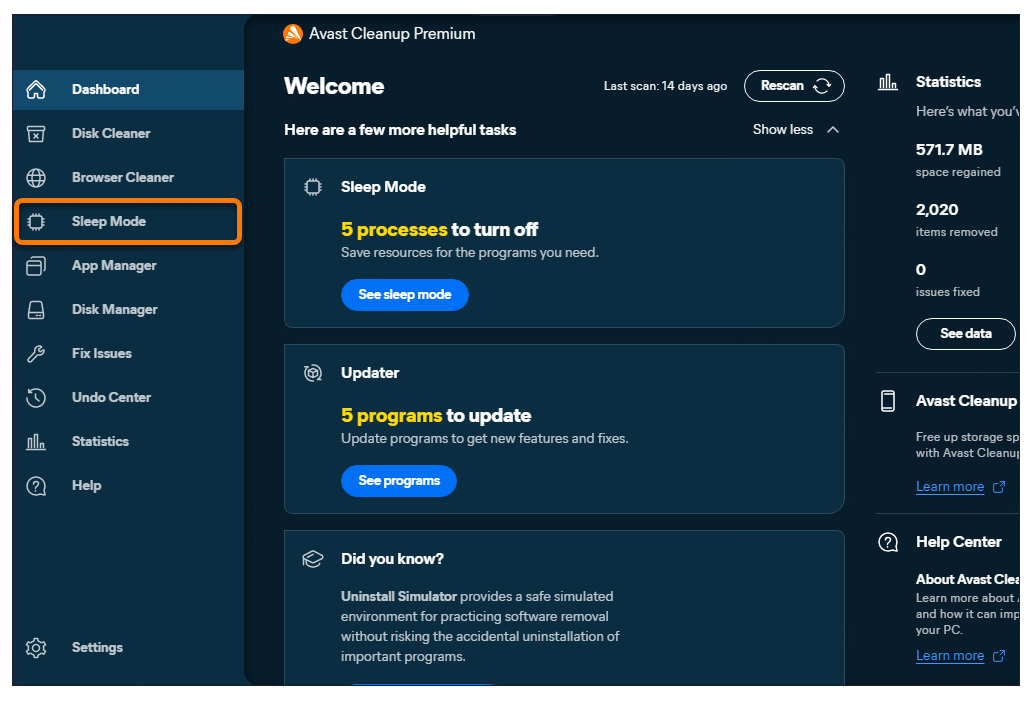
Open Avast Cleanup Premium, hover your mouse over the side menu, then select Sleep Mode.
-
Click the slider next to the program you want to use to turn it from gray (Off) to green (On).
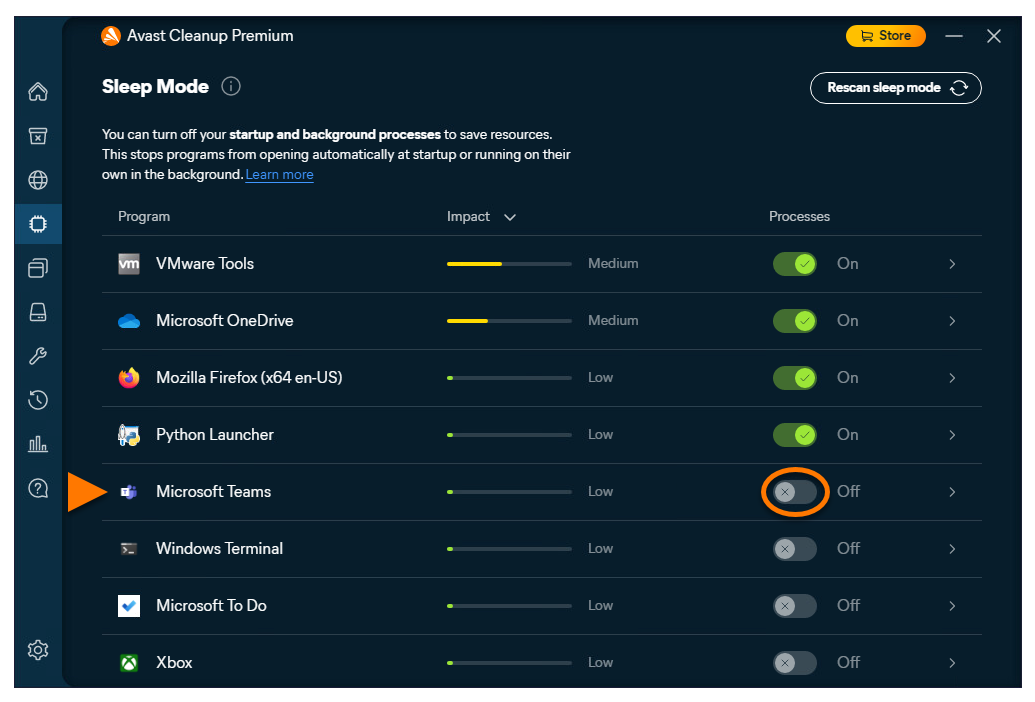
The issue should now be resolved. If the program you want to use still doesn't open, contact Avast Support for further assistance.
Further Recommendations
To learn more about Cleanup Premium, refer to the following articles:
Was this article helpful?

Keep your online identity private!
Browse like no one’s watching with Avast anti-tracking software.