
IS YOUR COMPUTER SLOW? RUN LIKE NEW
If they are not maintained, computers lose performance over time. Avast Cleanup Premium can help significantly improve the performance of your computer.
Generating a support package in Avast SecureLine VPN for Mac
Mac
If you report a technical issue related to Avast SecureLine VPN, our support representatives may ask you to create a support package. Avast SecureLine VPN for Mac has a built-in reporting tool that allows you to generate the necessary file. The support package may help us determine the cause of the issue and speed up its solution.
Generate a support package
- Open Avast SecureLine VPN and ensure the Avast SecureLine VPN window is active.
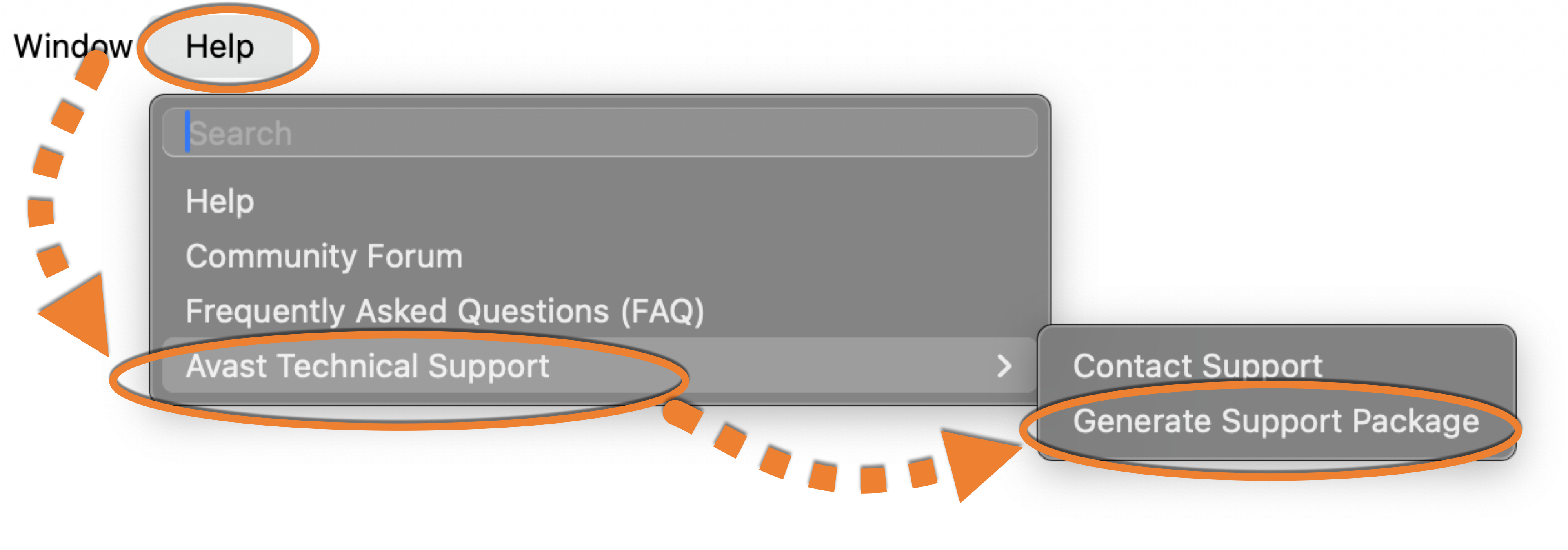
- In the menu bar, click Help, then select Avast Technical Support ▸ Generate Support package.
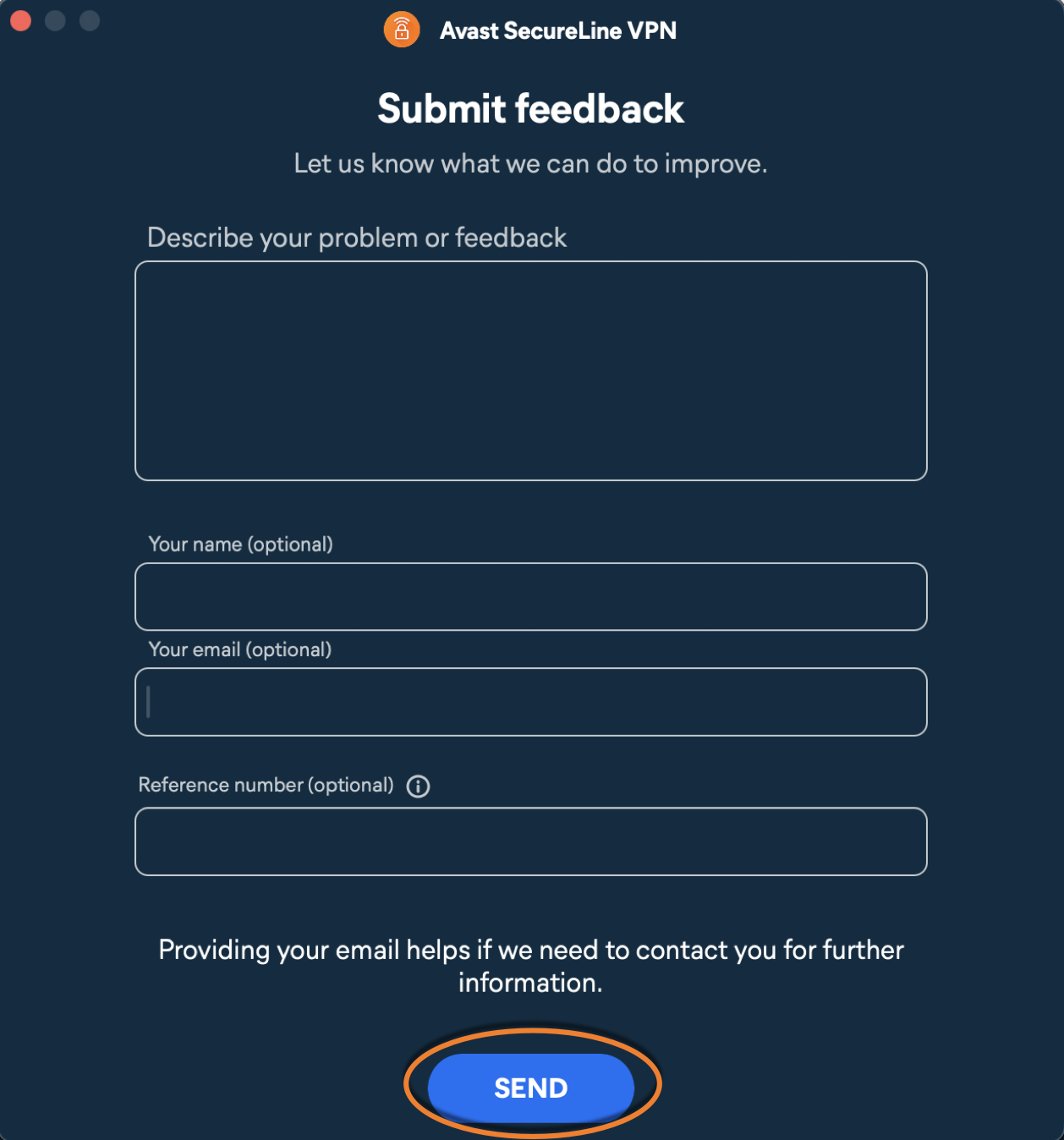
- In the feedback form, briefly describe your issue and make sure to enter the Support Case ID in the optional field Reference number. Click Send and keep the window open until the logs are sent.
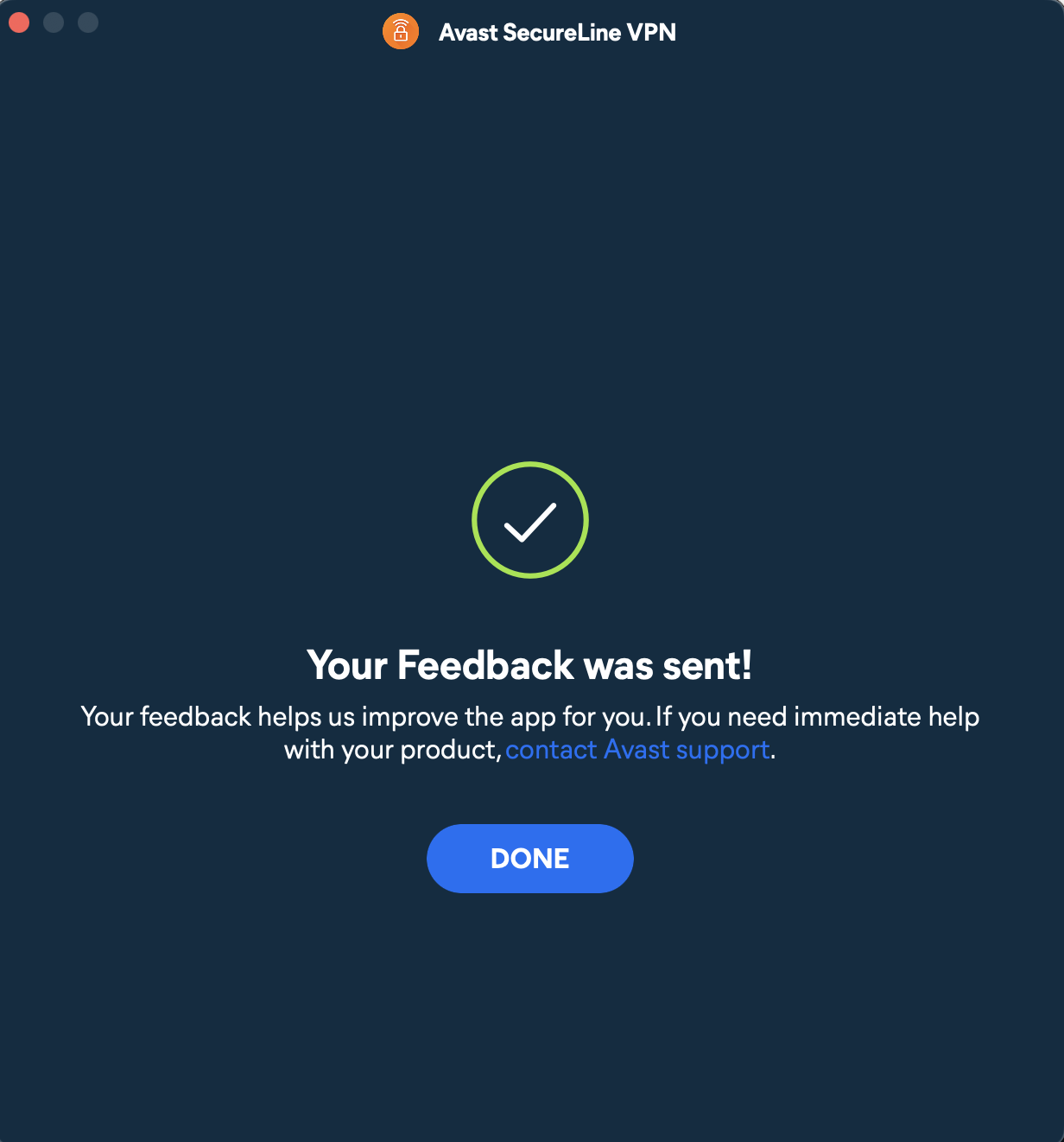
- To ensure the logs are sent, please wait until you see the message Your feedback was sent!.
- Contact our support representatives through the communication method you have been using and let us know you have submitted the logs.
The support package has been generated and shared with Avast Support.
DocID: submit-mac-secureline-vpn-support-fileLast modified: 07/28/2026
Was this article helpful?

Keep your online identity private!
Browse like no one’s watching with Avast anti-tracking software.
Need more help?
Contact us
Avast account
Visit our forums
Visit academy