
 Start icon and select Installed apps from the menu that appears.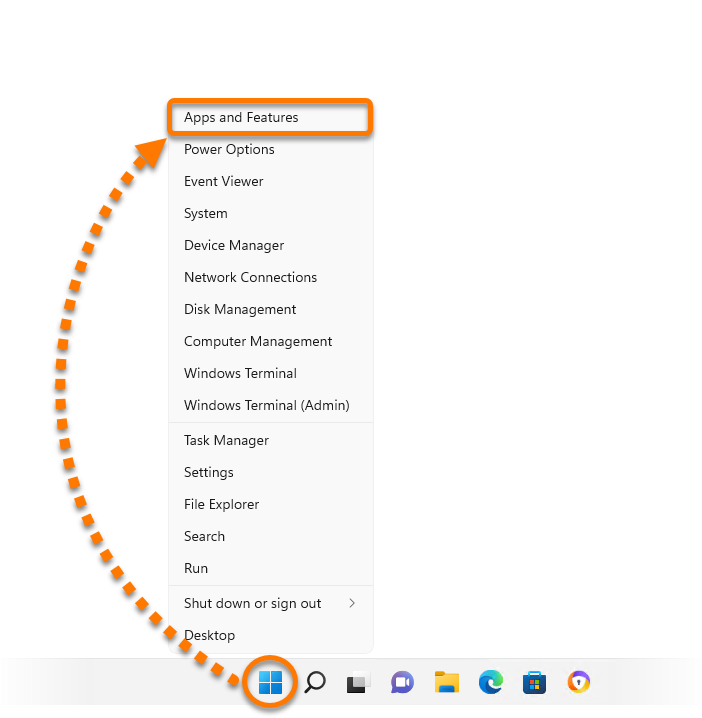
- Ensure that no other applications are running on your Windows device.
- Right-click the Windows
 Start icon and select Apps and Features from the menu that appears.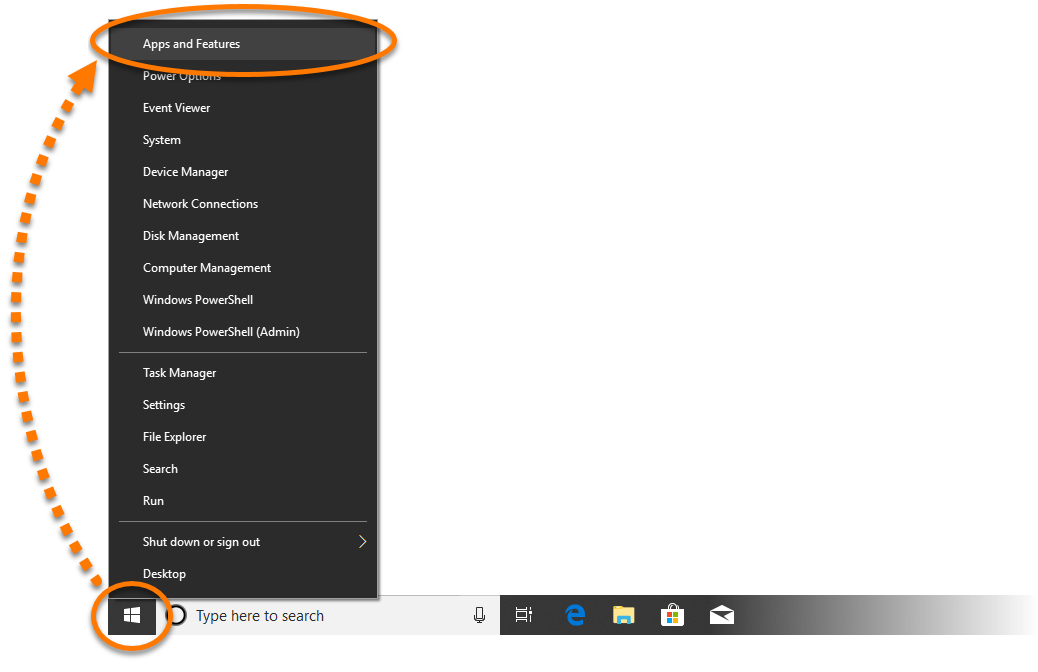
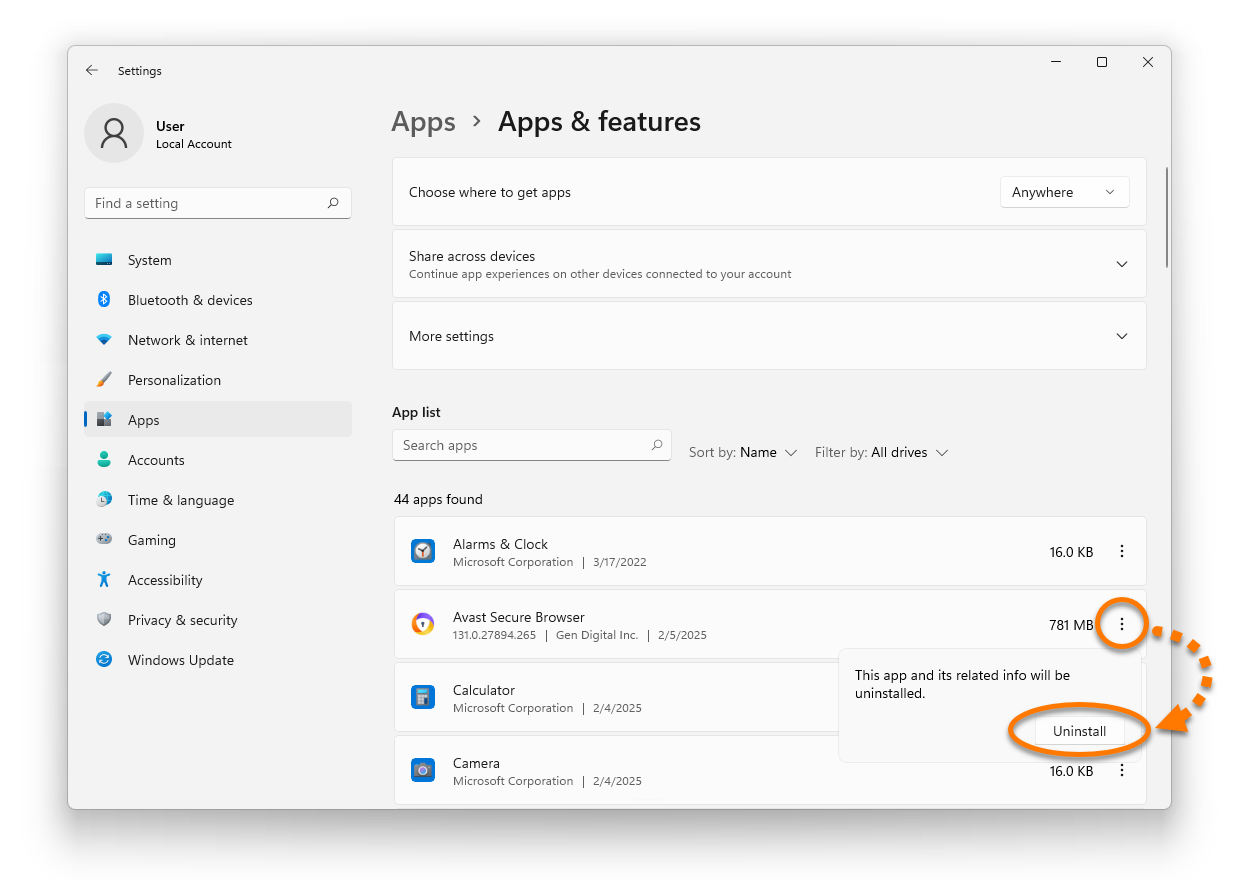
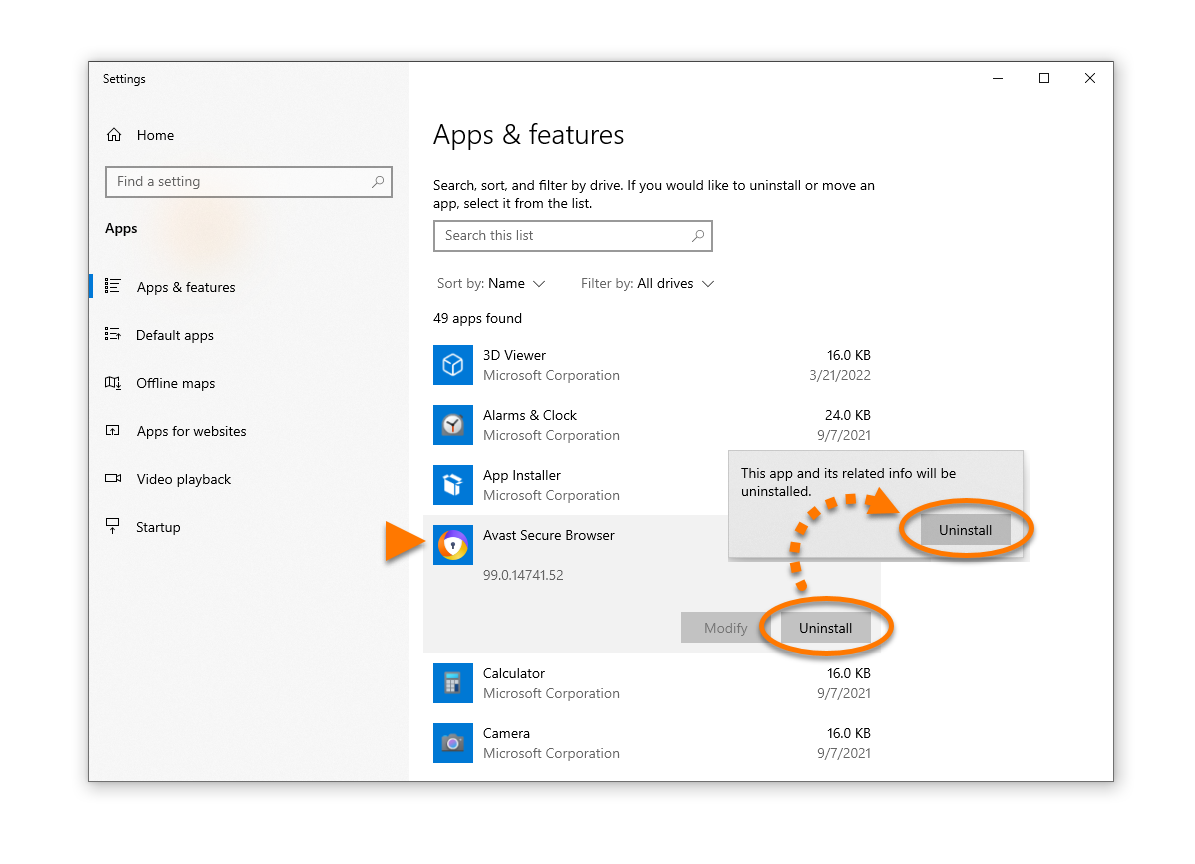
- Click Avast Secure Browser, and select Uninstall twice.
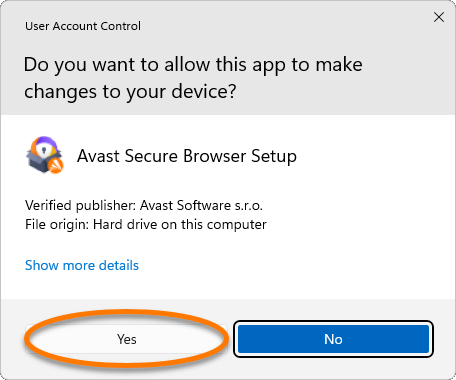
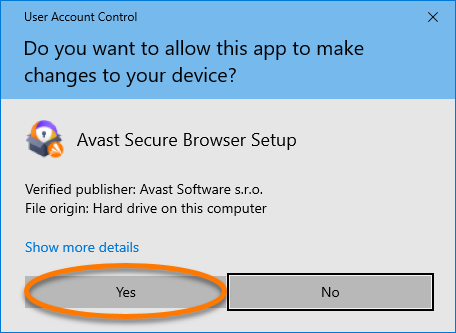
- If prompted for permission by the User Account Control dialog, click Yes.
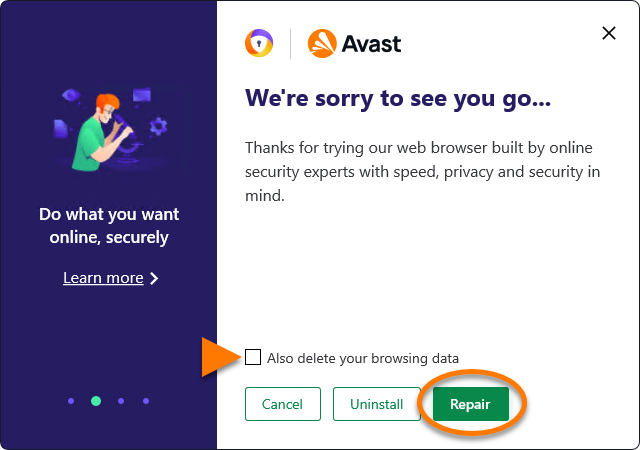
- Untick the box next to Also delete your browsing data, then click Repair.
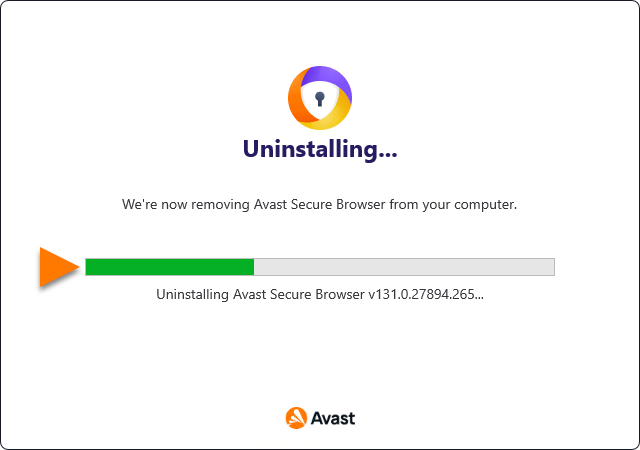
- Wait while setup repairs your Avast Secure Browser.
Your Avast Secure Browser is repaired.
