
IS YOUR COMPUTER SLOW? RUN LIKE NEW
If they are not maintained, computers lose performance over time. Avast Cleanup Premium can help significantly improve the performance of your computer.
Enabling auto-update in Google Play Store
Android
We recommend enabling auto-update in Google Play Store so your apps receive automatic updates. If you are enrolled in our beta program, you can enjoy new features and designs before everyone else, and optionally provide feedback to help shape future product development.
Enable auto-update in Google Play Store
-
Open Google Play Store on your Android device.

-
Tap
☰Menu (three lines) in the top-left corner, then select Settings.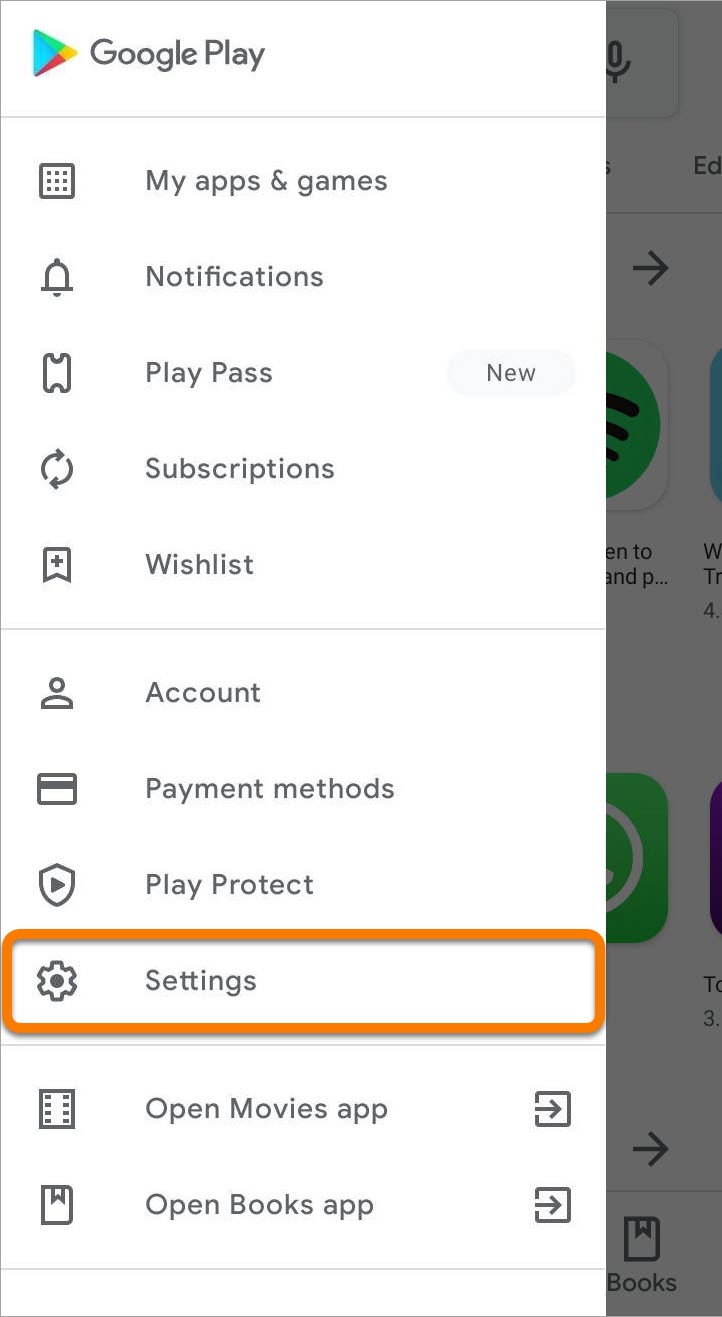
-
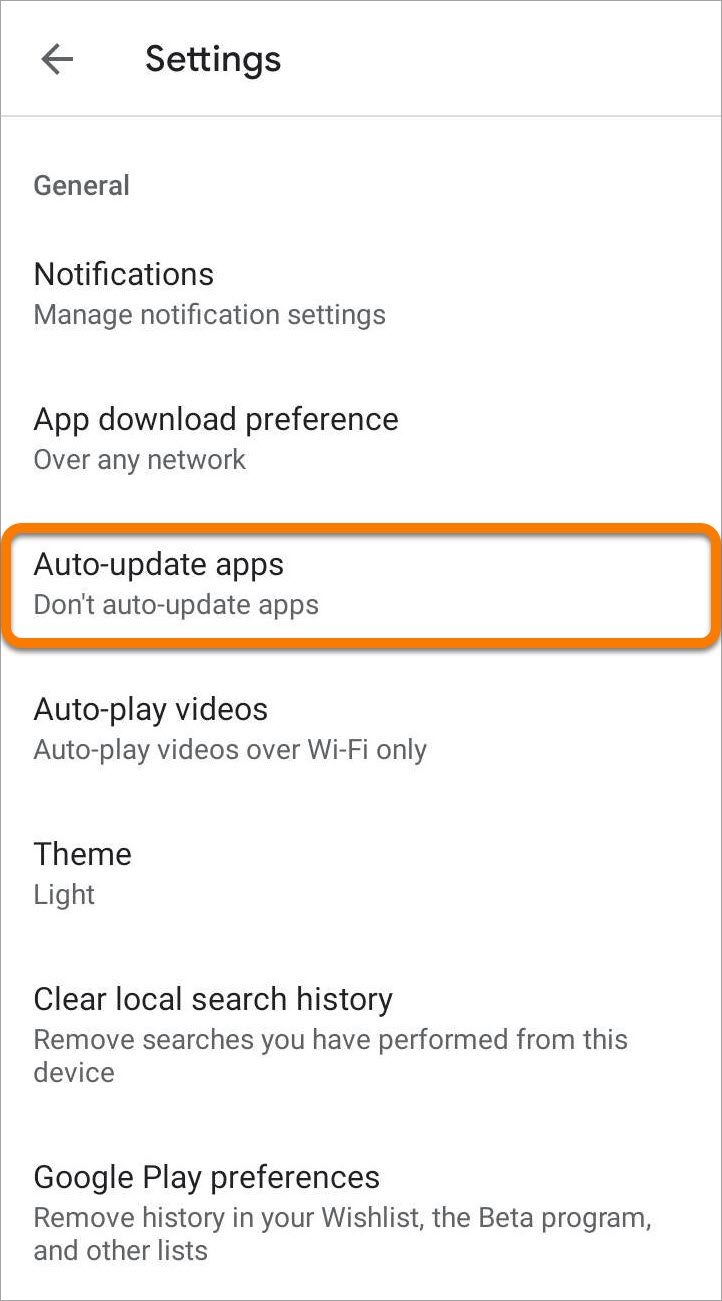
Tap Auto-update apps.
-
Select one of the update options, then tap Done. We recommend selecting Over Wi-Fi only to reduce mobile data consumption.
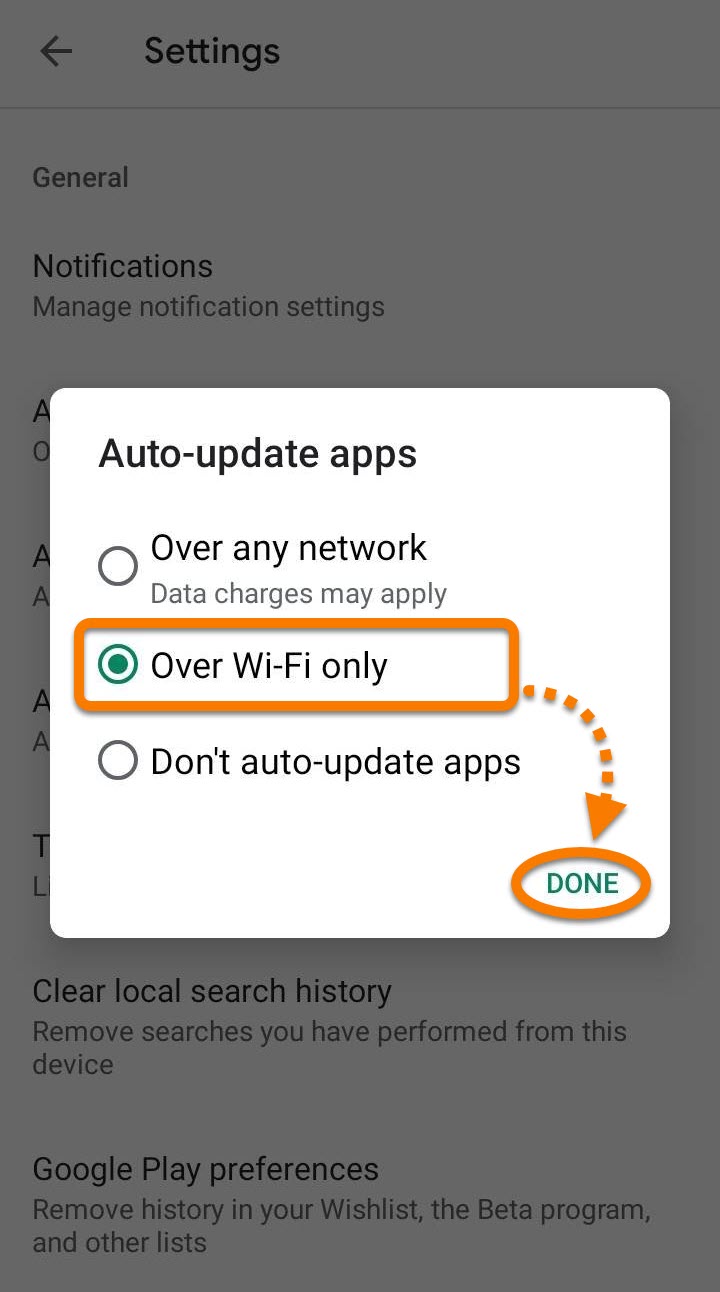
Your apps now update automatically each time a new version is released.
Was this article helpful?

Keep your online identity private!
Browse like no one’s watching with Avast anti-tracking software.