
IS YOUR COMPUTER SLOW? RUN LIKE NEW
If they are not maintained, computers lose performance over time. Avast Cleanup Premium can help significantly improve the performance of your computer.
Disabling Avast AntiTrack for a specific website
Windows
Avast AntiTrack protects your personal information, while blocking and notifying you of any tracking attempts made by the websites you visit. This article explains how to create an exception and allow tracking and profiling for a specific website.
Use lighter protection
Certain websites require tracker blockers to be turned off to function correctly. If you encounter issues with a website due to the tracker blockers, such as slow loading times, certain web pages not displaying, or difficulties downloading email attachments, follow the steps below:
- Open your browser and navigate to the website that is not working correctly.
- Click the Avast AntiTrack browser extension in the top-right corner of the browser, then click Use lighter protection for this site.
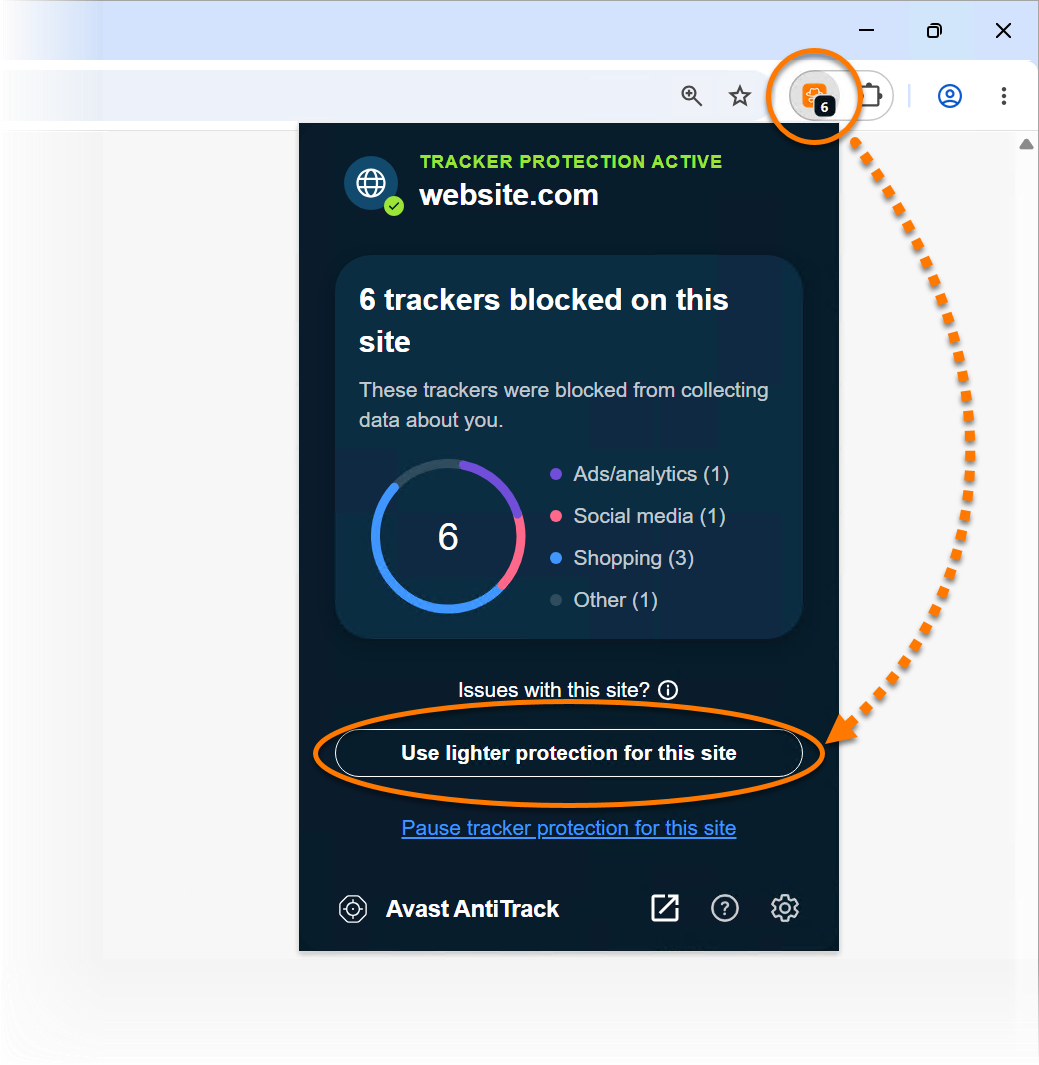
Lighter protection is now on. If issues continue, you can permit tracking and profiling specifically for that website by following the steps below:
Pause Avast AntiTrack
Pausing tracker protection may make your personal information vulnerable to cybercriminals.
- Open your browser and navigate to the website you want to add to the exception list.
- Click the Avast AntiTrack browser extension in the top-right corner of the browser, then click Pause tracker protection for this site.

The website is now added to the Exceptions List and tracking and profiling are enabled for it. If needed, you can resume tracker protection at any time by following the steps below:
Resume tracker protection
Choose one of the following methods:
- Method A:
- Click the Avast AntiTrack browser extension in the top-right corner of the browser, then click
 Settings (the gear icon).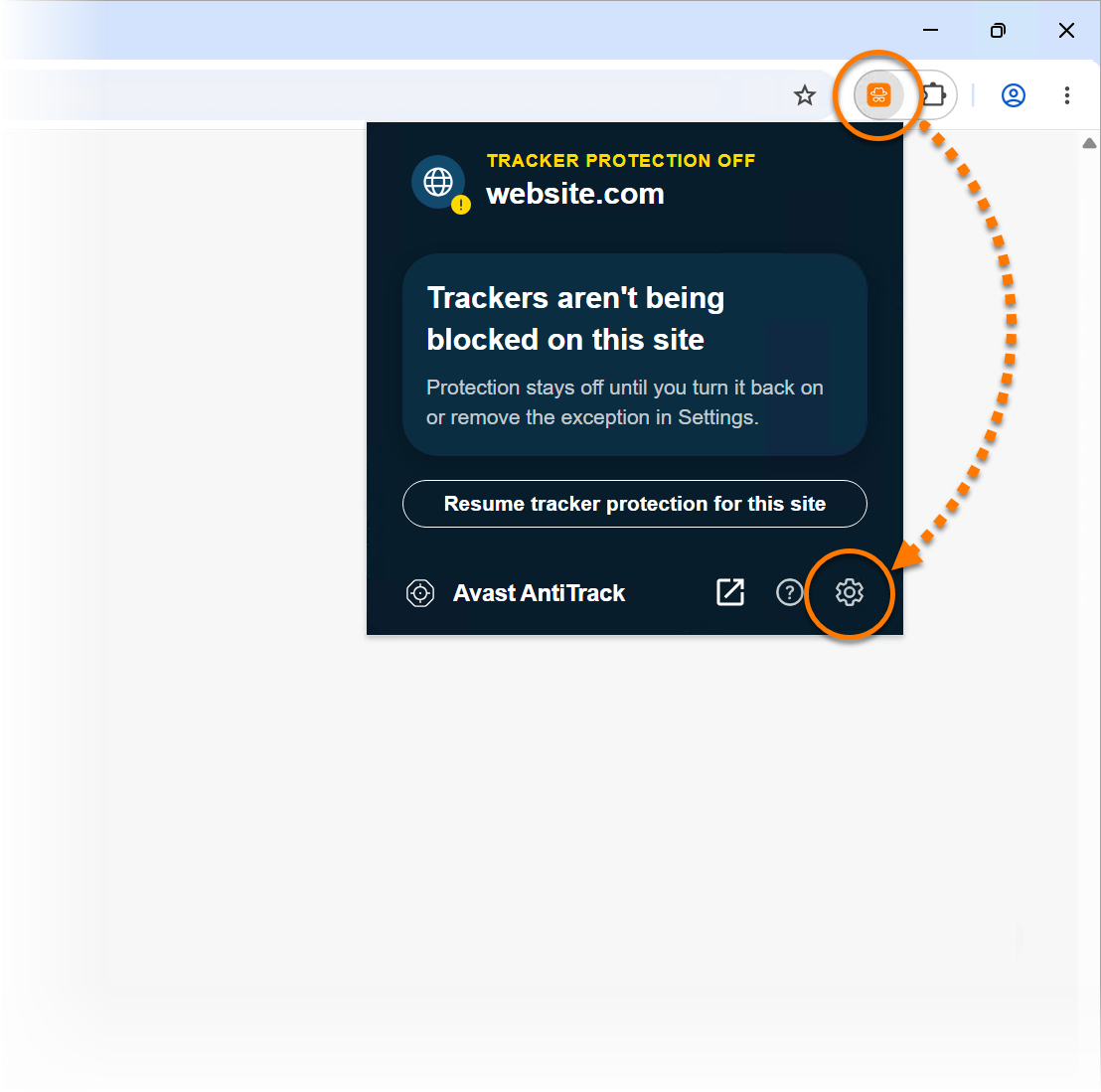
- On the Exceptions List, click
 (the trash icon) next to the chosen website.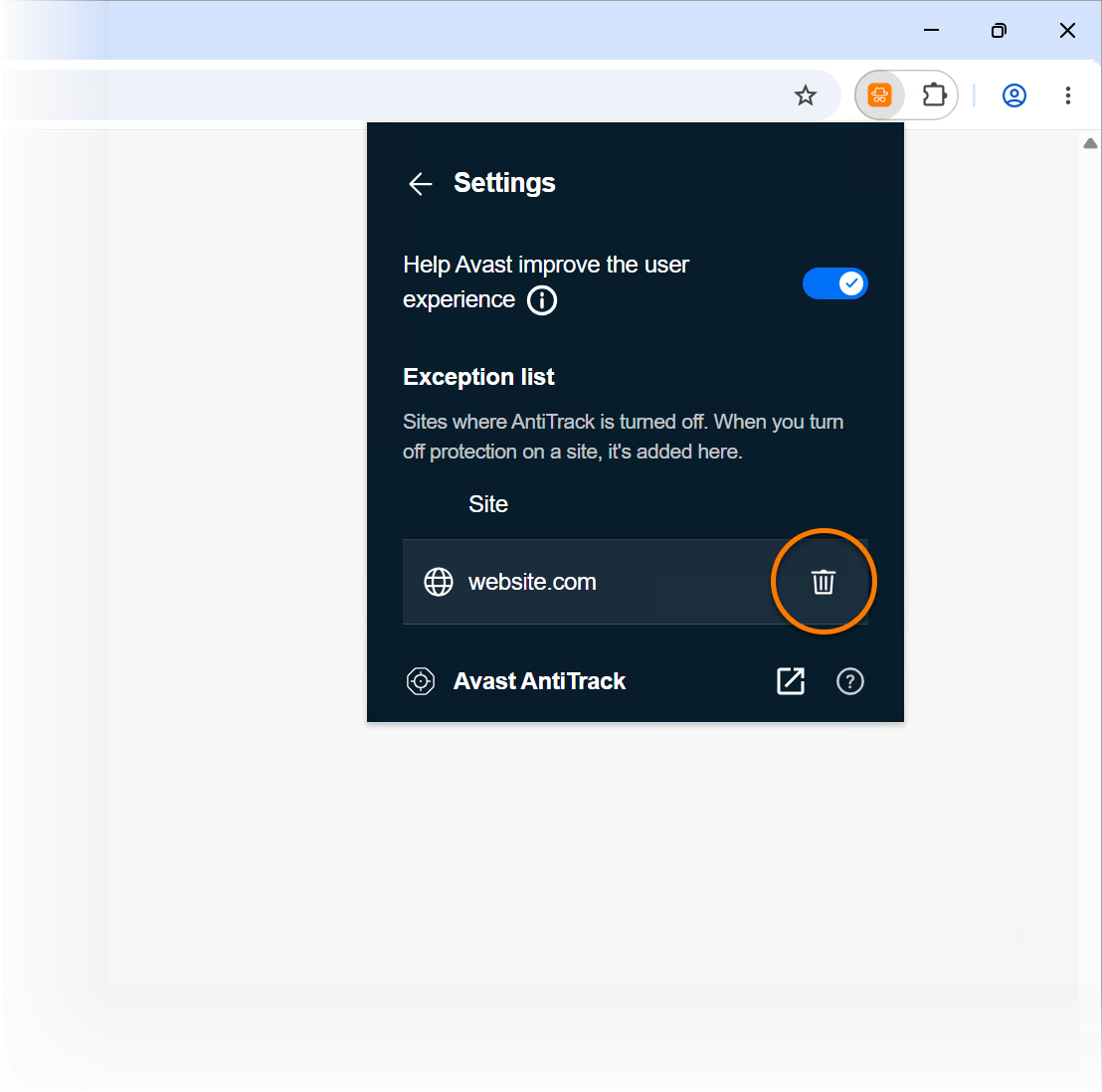
- Click the Avast AntiTrack browser extension in the top-right corner of the browser, then click
- Method B:
- Open your browser and navigate to the website you want to remove from the exception list.
- Click the Avast AntiTrack browser extension in the top-right corner of the browser, then click Resume tracker protection for this site.
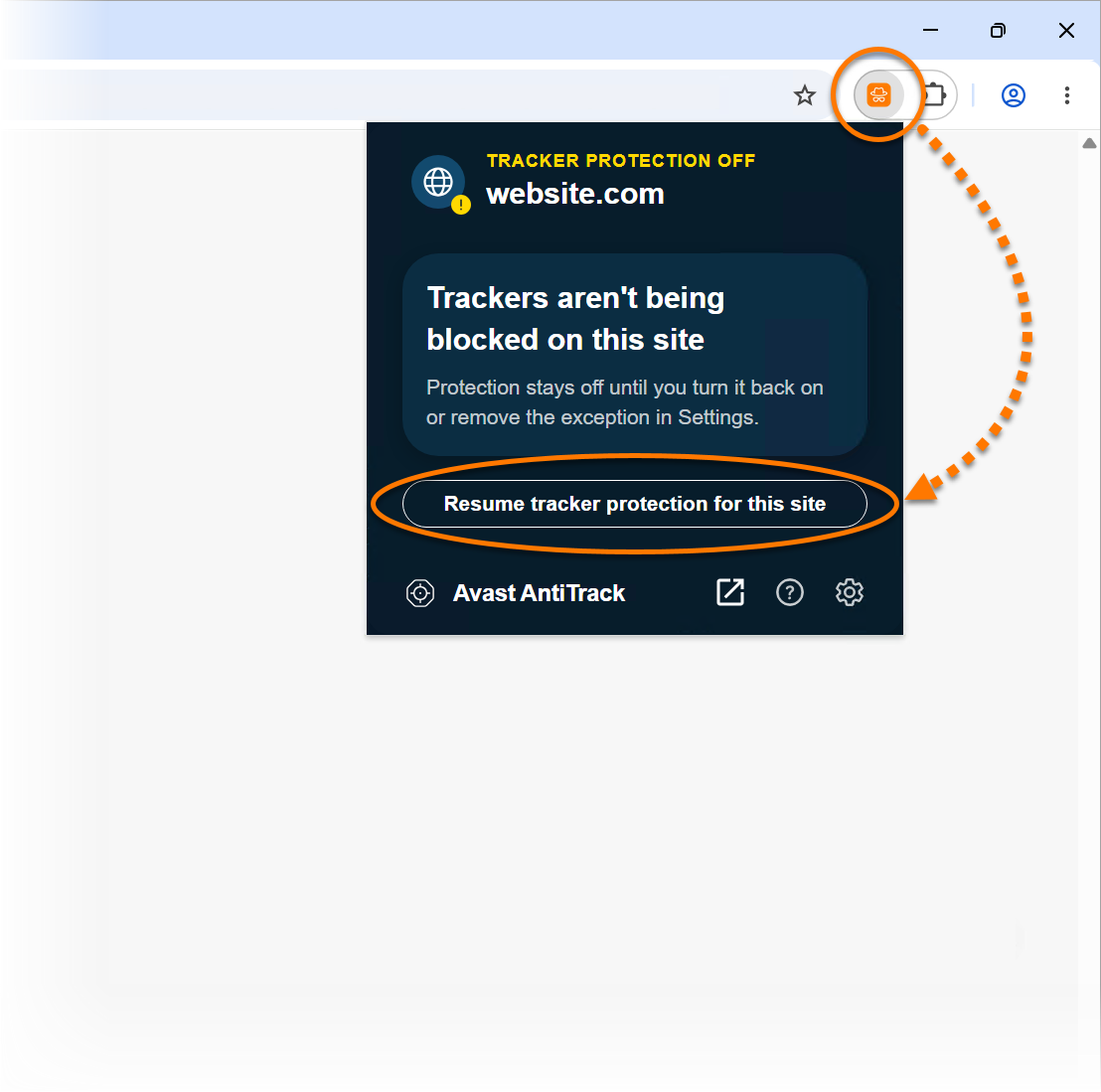
Avast AntiTrack resumes tracker protection for the chosen site.
Was this article helpful?

Keep your online identity private!
Browse like no one’s watching with Avast anti-tracking software.