
IS YOUR COMPUTER SLOW? RUN LIKE NEW
If they are not maintained, computers lose performance over time. Avast Cleanup Premium can help significantly improve the performance of your computer.
Enabling Full Disk Access in macOS Mojave (10.14) and higher
Mac
If you are running macOS Mojave (10.14) or higher and have installed Avast Premium Security, Avast Security, or Avast Cleanup Premium, you need to enable Full Disk Access on your Mac to ensure your Avast product works correctly.
Full Disk Access permission is a privacy feature introduced in macOS Mojave (10.14) that prevents some applications from accessing your important data, such as Mail, Messages, TimeMachine, and Safari files. This means you need to manually grant permission for certain applications to access these protected areas of your Mac. In earlier versions of macOS (10.13 and lower), this permission is automatically granted during installation of your Avast product. Follow the instructions below to enable full disk access on macOS Mojave (10.14) or higher for your Avast product(s) on your Mac.
If Full Disk Access is not enabled, your Avast product is unable to scan all areas of your Mac. This means Avast Premium Security and Avast Security cannot fully protect your Mac against malware and other network security threats, and Avast Cleanup Premium can only scan a limited portion of your system folders and hard drive, potentially resulting in unnecessary clutter remaining on your Mac.
Enable Full Disk Access
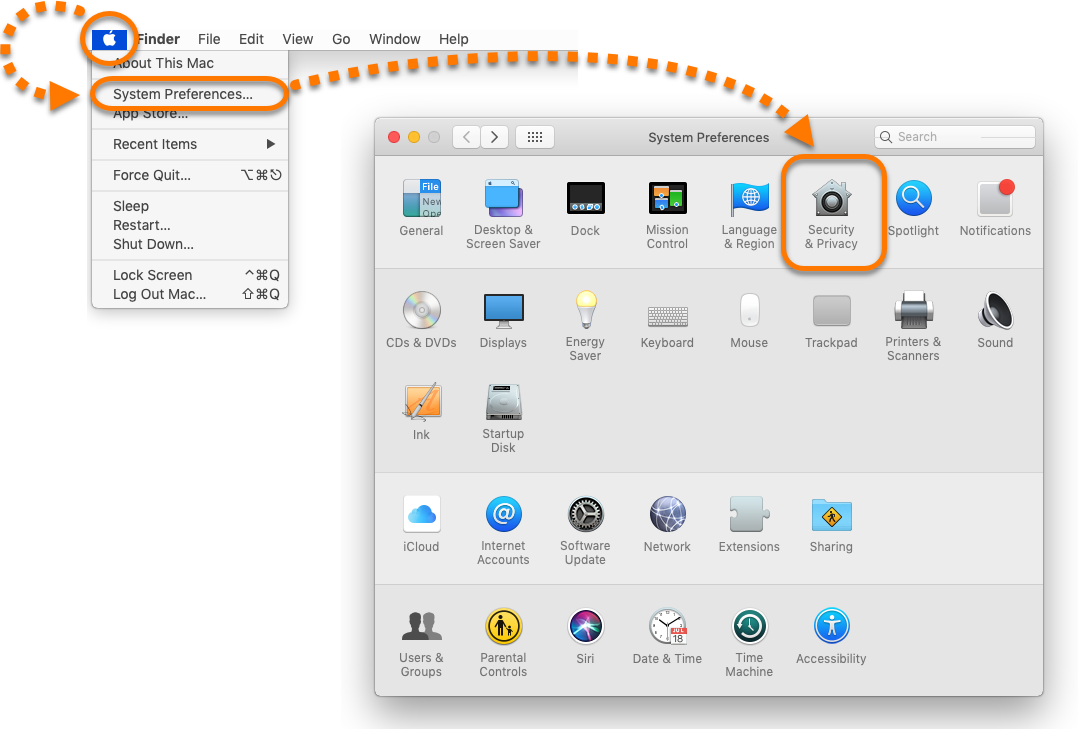
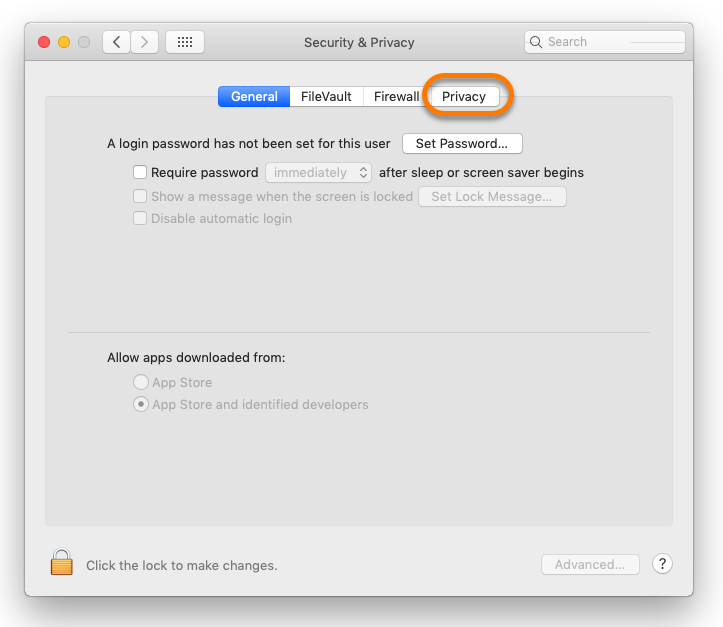
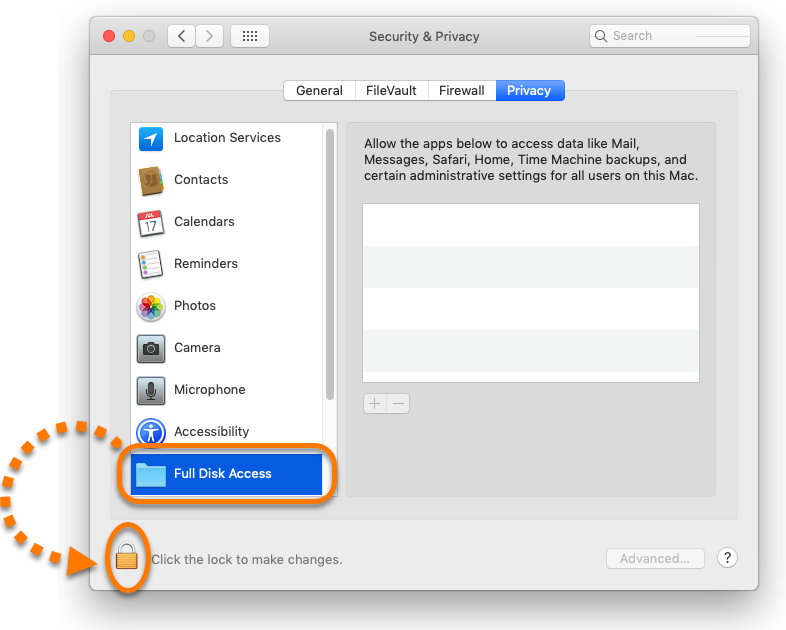
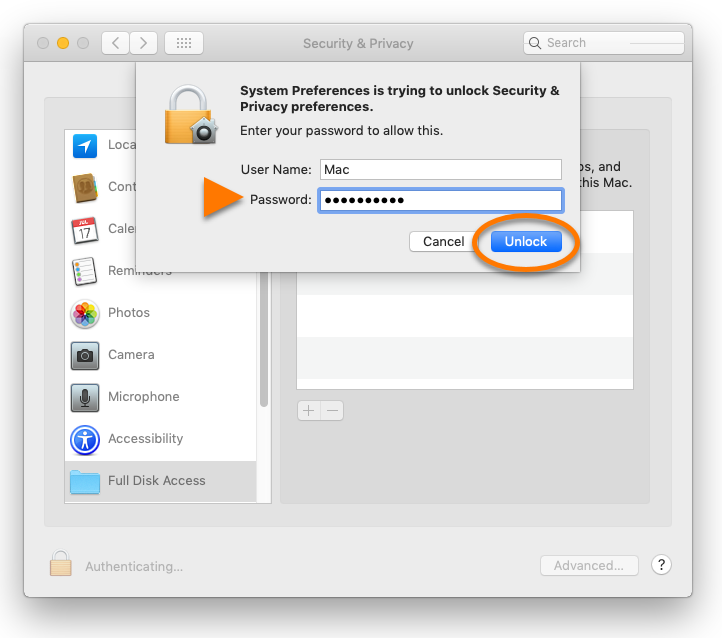
Follow the gif or steps below to enable Full Disk Access for your Avast product on your Mac:

- Open System Preferences ▸ Security & Privacy.
- Select the Privacy tab.
- Select Full Disk Access, then click the lock icon.
- Use your Touch ID or enter your system administrator credentials and click Unlock.
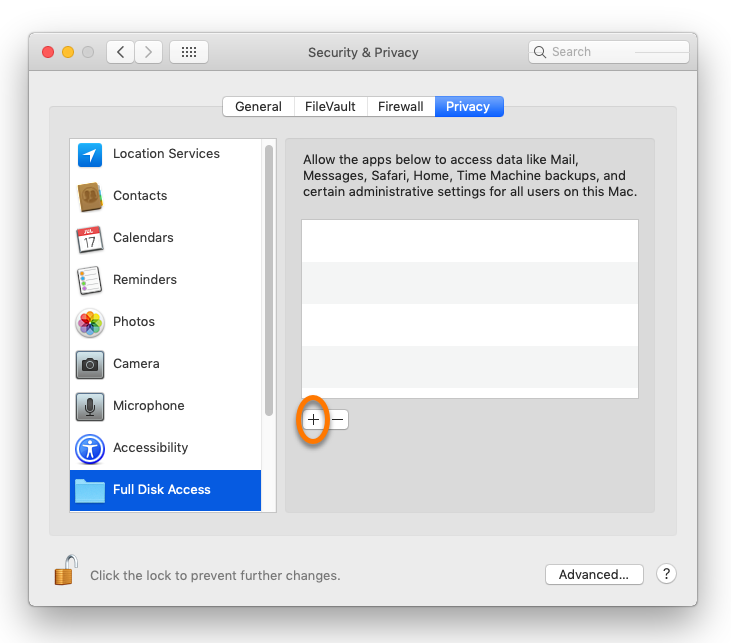
- Click
+.
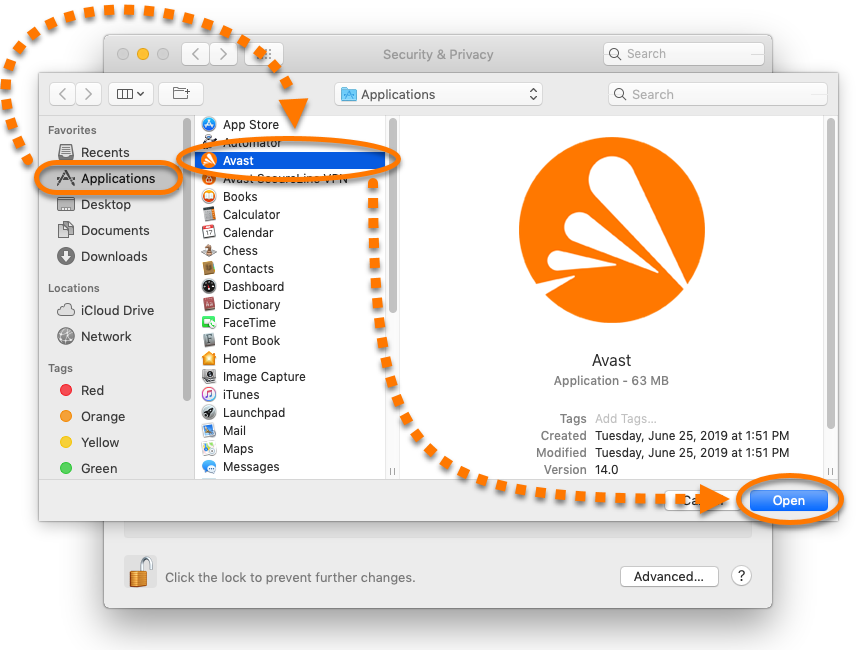
- Click Applications, then select your Avast product, and click Open.
- If prompted, click Quit Now.
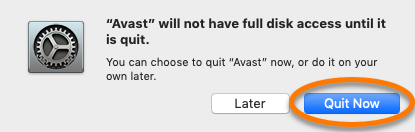
Your Avast product now has Full Disk Access to scan and protect your Mac.
Was this article helpful?

Keep your online identity private!
Browse like no one’s watching with Avast anti-tracking software.