
IS YOUR COMPUTER SLOW? RUN LIKE NEW
If they are not maintained, computers lose performance over time. Avast Cleanup Premium can help significantly improve the performance of your computer.
Adding or removing Avast Antivirus program components
Windows
In Avast Antivirus, various components contribute to the overall protection of your PC. Certain components are installed by default, while others can be added during customized installation. You can also manually add or remove components after installation. However, we do not recommend removing components unless it is necessary for troubleshooting purposes.
Add or remove components
Follow the GIF or steps below to add or remove a component in Avast Antivirus:

- Open Avast Antivirus and go to
☰Menu ▸ Settings.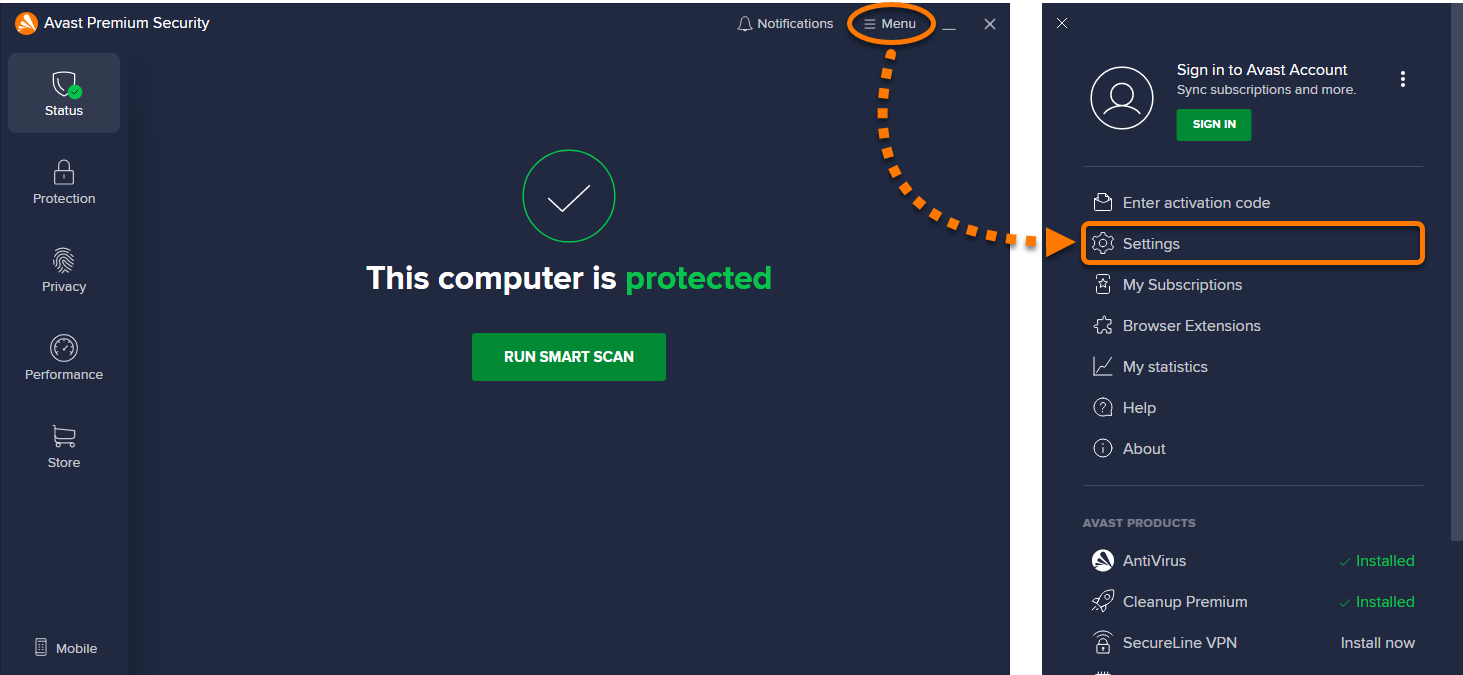
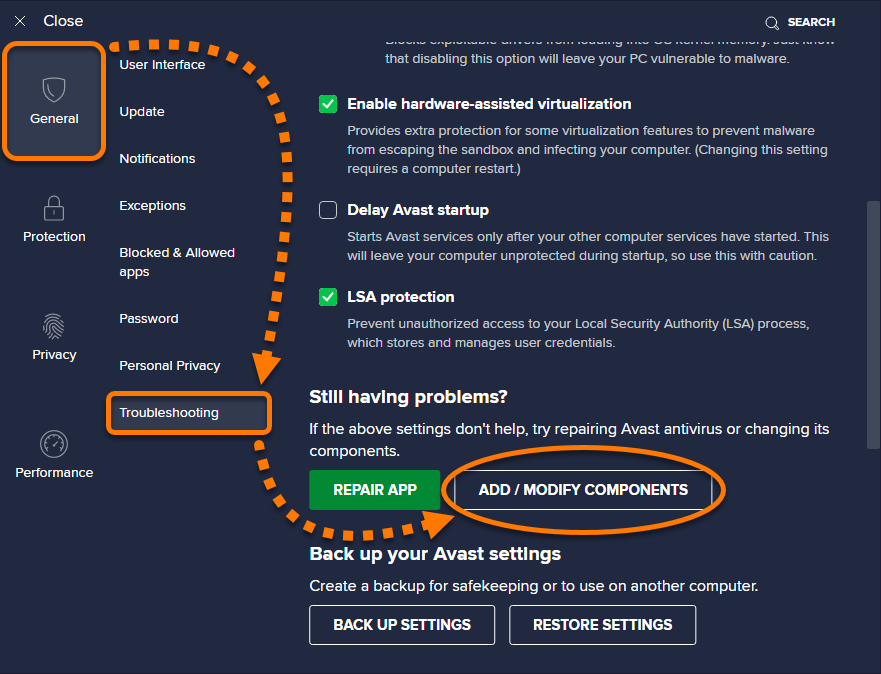
- Select General ▸ Troubleshooting ▸ Add / modify components.
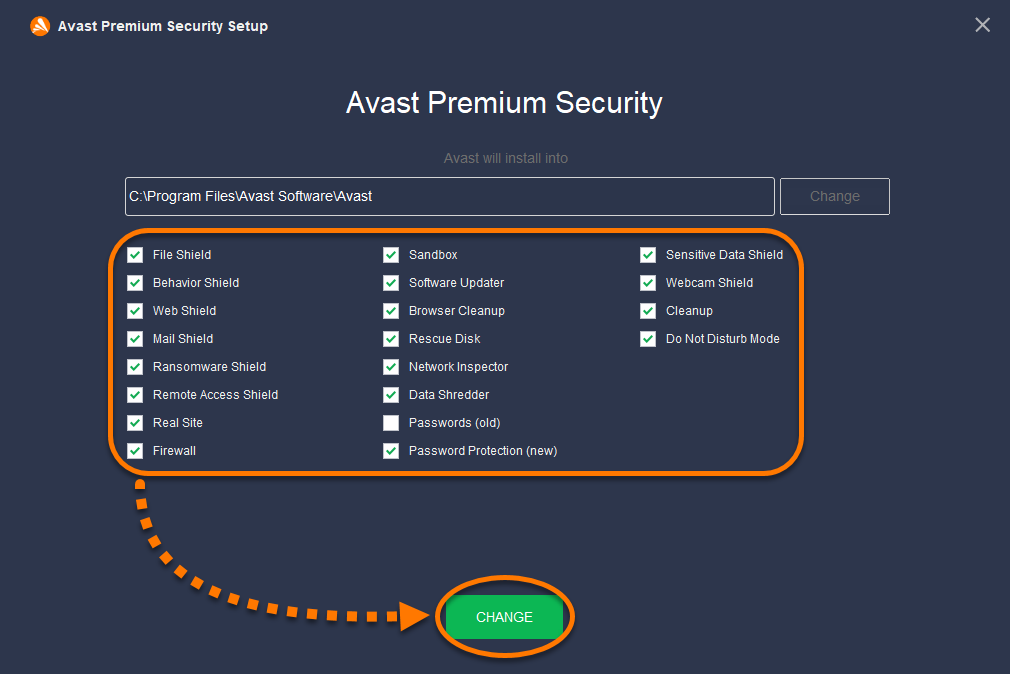
- Tick the box next to the components you want to add, or untick the box next to the components you want to remove. Then click Change.
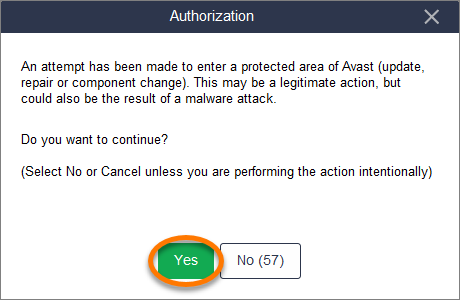
- Click Yes to confirm the change.
- If prompted, click Restart computer to immediately reboot your PC. If you are not prompted to restart your computer, click Done.
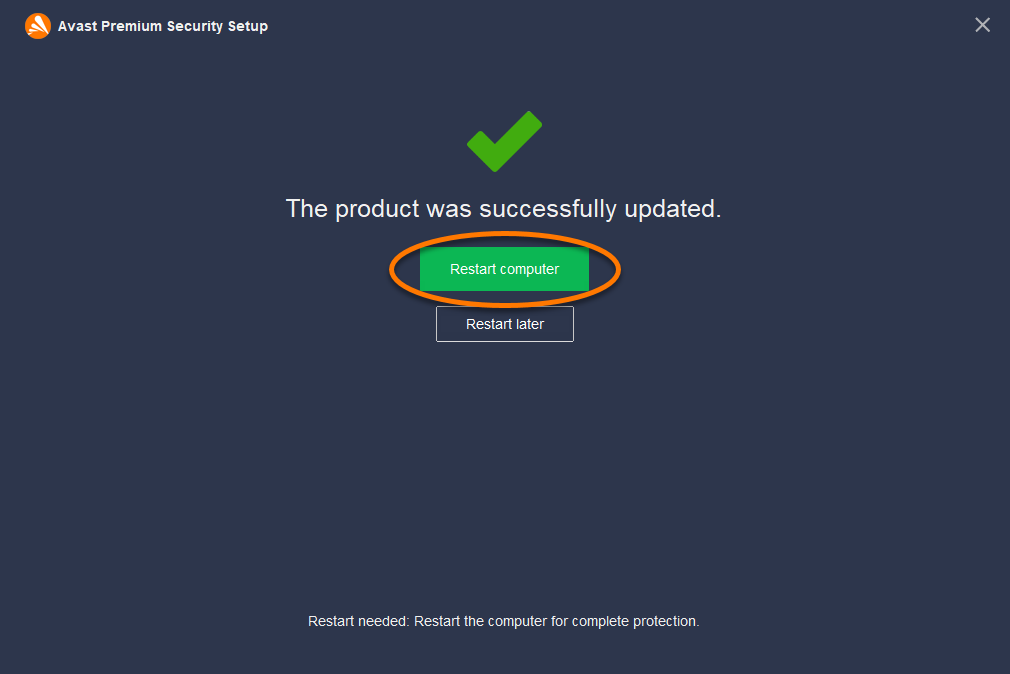
When the restart completes, your Avast Antivirus components are updated.
Was this article helpful?

Keep your online identity private!
Browse like no one’s watching with Avast anti-tracking software.