
IS YOUR COMPUTER SLOW? RUN LIKE NEW
If they are not maintained, computers lose performance over time. Avast Cleanup Premium can help significantly improve the performance of your computer.
Troubleshooting when Boot-Time Scan fails to load
Windows
Boot-Time Scan is a feature in Avast Free Antivirus and Avast Premium Security for Windows which scans for known types of malware and removes threats before the operating system and other services boot up.
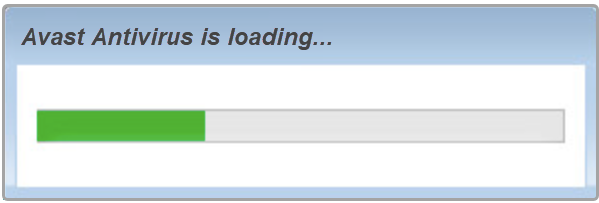
In rare cases, Boot-Time Scan user interface may fail to load. When this occurs, the Avast Antivirus is loading... progress-bar gets stuck mid-progress:
Follow the steps in this article to resolve the issue with Boot Time Scan.
Instructions
If the Avast Antivirus is loading... progress-bar is stuck, restart your PC, then follow the steps below:
-
Open Avast Antivirus, and go to
☰Menu ▸ Settings.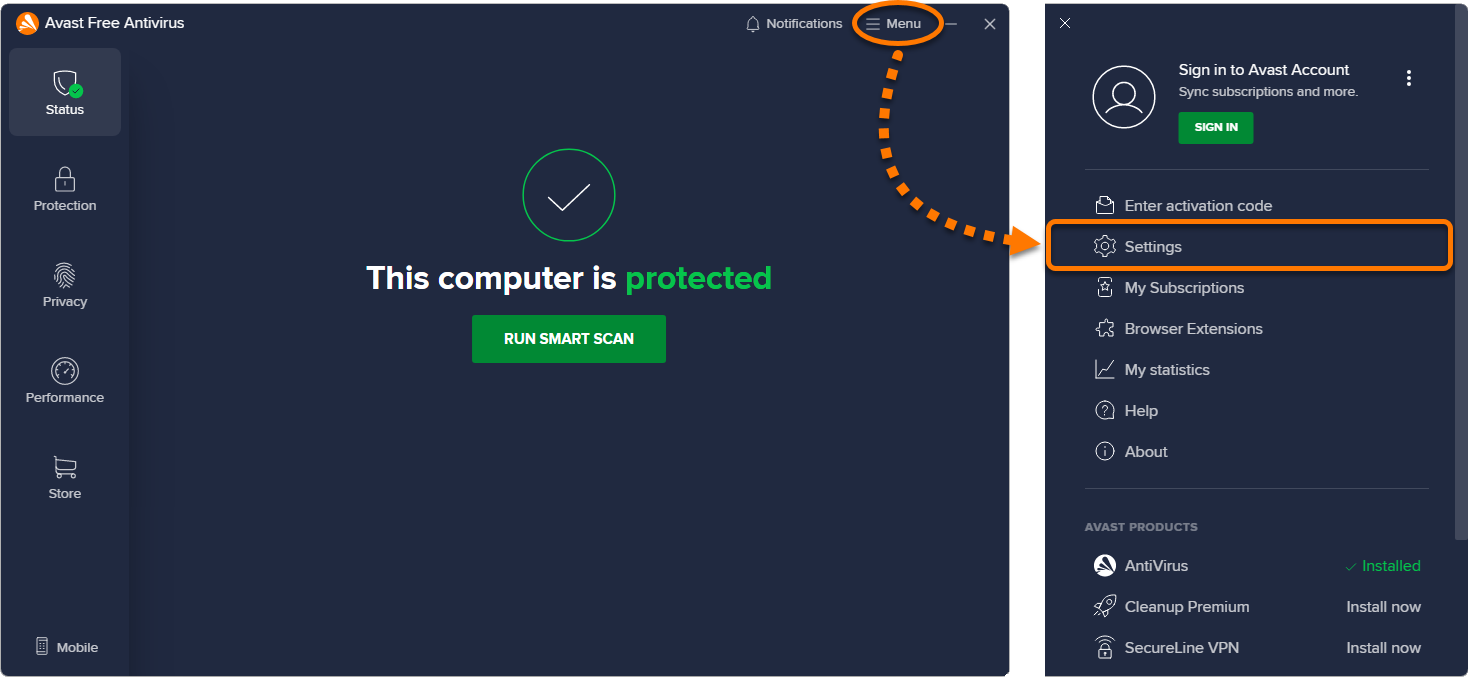
-
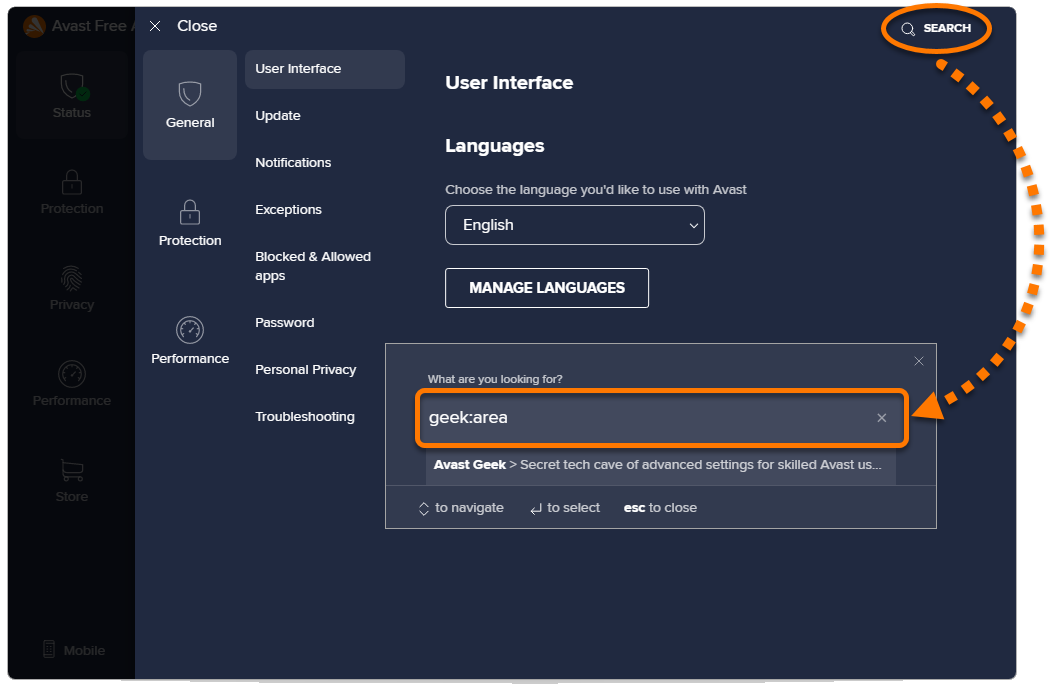
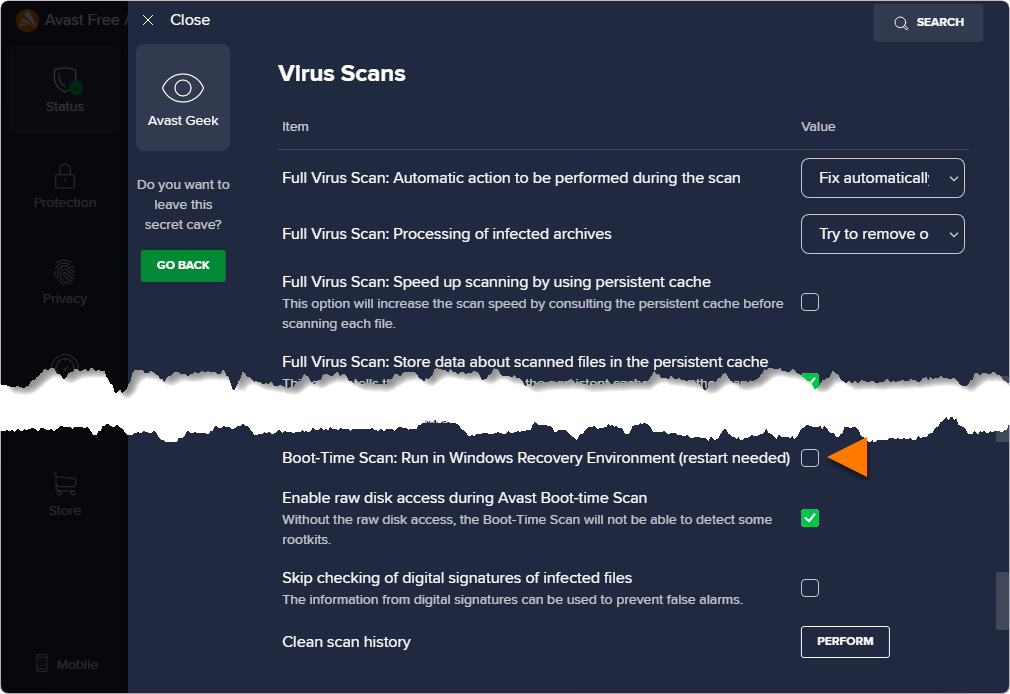
Click Search in the top-right corner and type geek:area into the text box that appears.
-
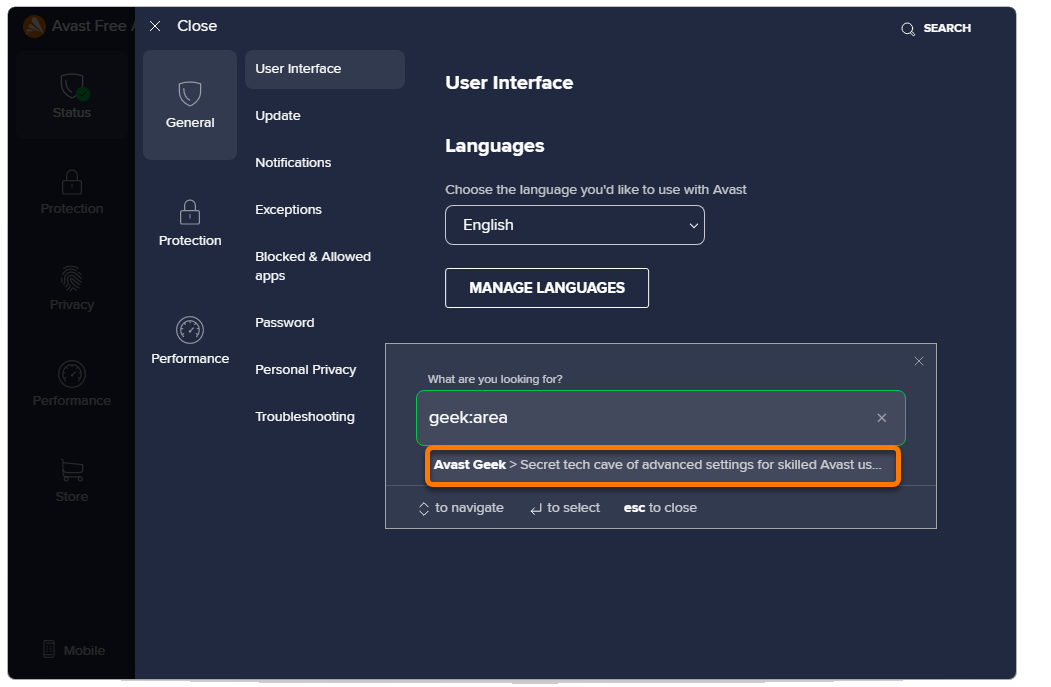
Select Avast Geek.
-
Scroll down to the Virus Scans section and untick the box beside Boot-Time Scan: Run in Windows Recovery Environment (restart needed).
-
Restart your computer.
The issue is resolved. You can now run a new Boot-Time Scan.
Further recommendations
For further information regarding Boot-Time Scan, refer to the following articles:
Was this article helpful?

Keep your online identity private!
Browse like no one’s watching with Avast anti-tracking software.