


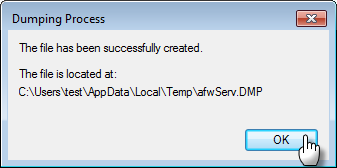
 By default, the file is stored here:
- Log in to Windows as an administrator or as a user with administrator permissions. To check which accounts have administrative privileges on your PC, refer to the following article section:
If you cannot remember your password, refer to the instructions on the Microsoft website to recover or reset it:
- Press
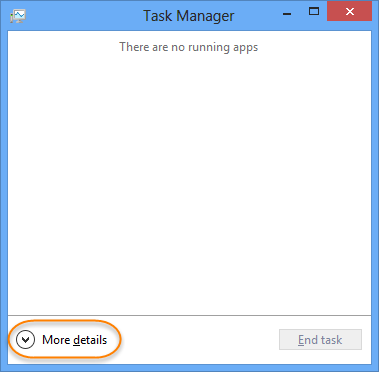
CTRL+SHIFT+ESCsimultaneously to open Task Manager. - Click the Processes tab.
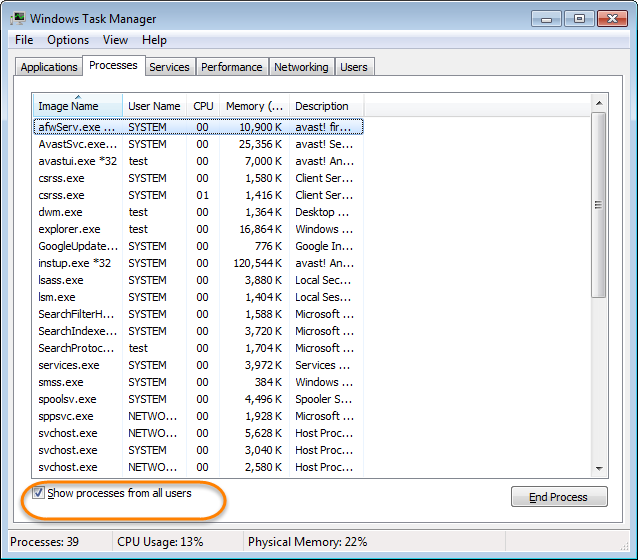
- Tick the Show processes from all users box located at the bottom of the Task Manager window.
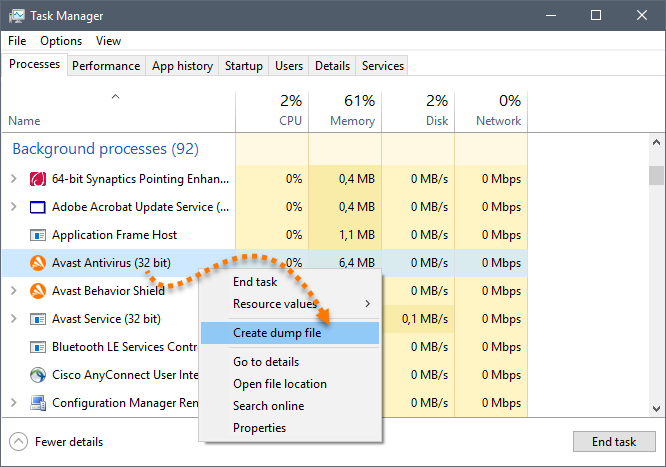
- Right-click the processes related to Avast, for example
afwServ.exe, and select Create Dump File from the list.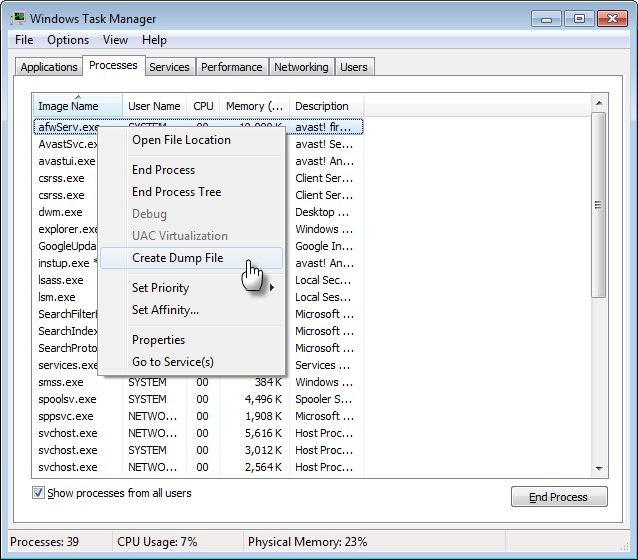
- Click OK in the success dialog.
- If Avast Support requests Avast file dumps, repeat the steps above for each of the following files:
AvastUI.exe- Avast Antivirus user interfaceAvastSvc.exe- Avast Antivirus serviceafwServ.exe- Avast Firewall service (for Avast Premium Security)avast.setup- Avast Antivirus setup service (only when Avast Setup or update is running)
Once the dump file is created, send it to Avast Support. You can submit it via support ticket if the dump file is 5 MB or less. For information on how to submit a ticket to Avast Support, refer to the following article:
If the dump file is larger than 5 MB, upload it to the Avast FTP server using the instructions in the following article:
