
You need to contact Noventiq directly to update your payment details. For more information, refer to the relevant link below according to your region:
IS YOUR COMPUTER SLOW? RUN LIKE NEW
If they are not maintained, computers lose performance over time. Avast Cleanup Premium can help significantly improve the performance of your computer.
Updating your payment details for Avast subscriptions
Android, ChromeOS, iOS, Mac, Windows
It is not always necessary to manually update your payment details for an Avast subscription. When you receive a new credit/debit card, most card companies use account updater services to automatically update your payment details. To verify if your credit/debit card company uses an account updater service, contact them directly or check their support pages.
This article explains how to manually update your payment information if you received an email notification from Avast that we were unable to renew your subscription. The method to manually update your payment information depends on if your purchase was processed by Avast or an authorized reseller:
- Avast: If your subscription purchase was processed by Avast, you can update your payment details using your Avast Account, or contact Avast Support for help.
- Resellers: If an authorized reseller processed your Avast subscription purchase, the method for updating your payment details varies according to the authorized reseller. To verify which authorized reseller processed your purchase, check your order confirmation email or your billing statement. For more information, refer to the following article: Purchase and Billing ▸ Identify the authorized reseller who processed your order.
Update your payment details
Select the tab below according to your purchase processor:
Use your Avast Account
Your Avast Account login is the email address that you provided during the subscription purchase.
- To sign into your Avast Account for the first time, refer to the following article: Activating your Avast Account.
- If you do not know the password for your Avast Account, you can reset it.
You can update the payment card details for a single subscription or for all of your Avast subscriptions via your Avast Account:
- Sign in to your Avast Account using the link: https://id.avast.com/sign-in
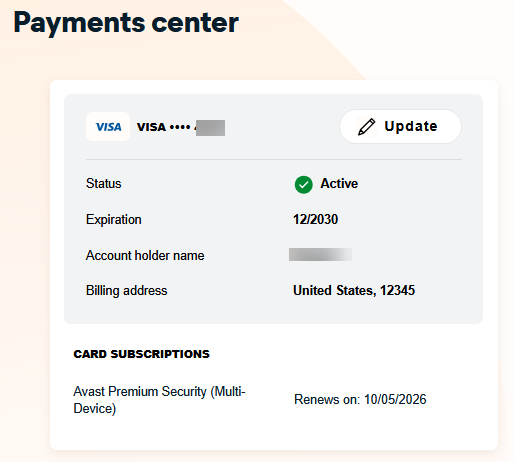
- On the top-right corner of the page, click My account and then click Payments center.
- In the Payments center page, click Update on the payment method you want to modify.
- In the Update your payment method page, provide the relevant information.
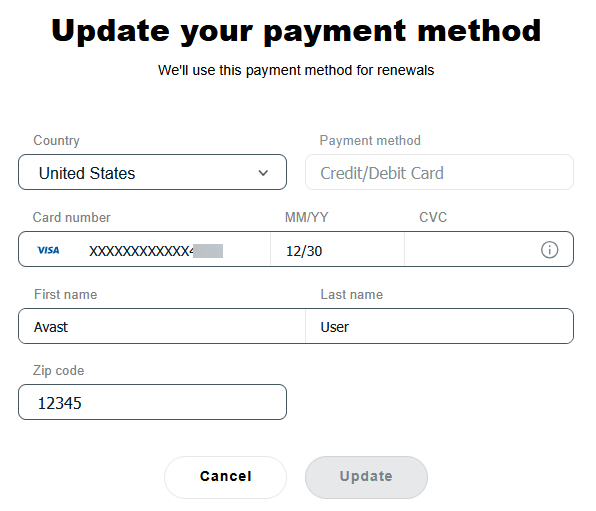
- Click Update.
Your new payment details are now saved.
You are not immediately charged when you enter new payment card details. The new details are saved and you will be charged on the date shown next to Next payment date.
Still need help?
If you are unable to change your payment details using your Avast Account, you can request help from Avast Support. Before contacting us, we recommend finding your Avast order ID number to allow us to easily identify your order.
Use the Avast Customer Portal
If you have already created a password to access the Avast Customer Portal, follow the steps below to update your payment details. If you have not yet created a password, follow the steps in both sections below to create a password before updating your payment details.
Create a password
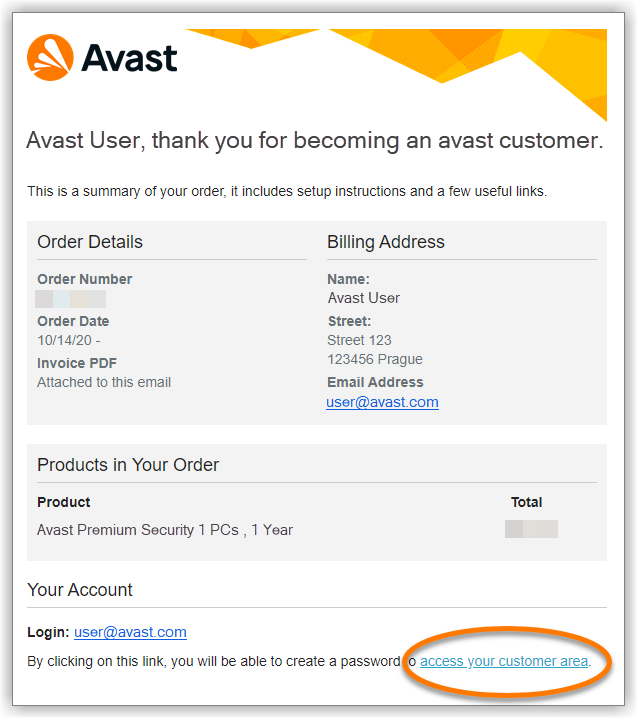
- Open the order confirmation email that you received after the subscription purchase from no.reply@avast.com.
- Click the access your customer area link at the bottom of the email.
- Create a password that meets the listed criteria, enter your password again, then click Save changes.
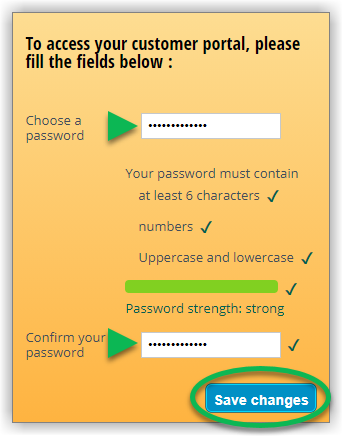
Your password is now created and you are directed to the Avast Customer Portal, where you can update your payment details.
Update your payment details
- Access the Avast Customer Portal by clicking the relevant link below according to region.
- Enter the email address that you provided during the subscription purchase (this is also the email address where you received the order confirmation email). Additionally, enter your password, then click Sign in.
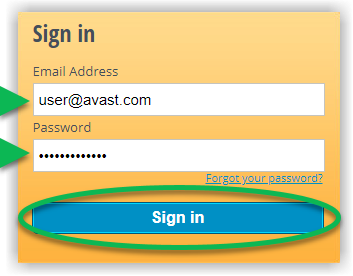
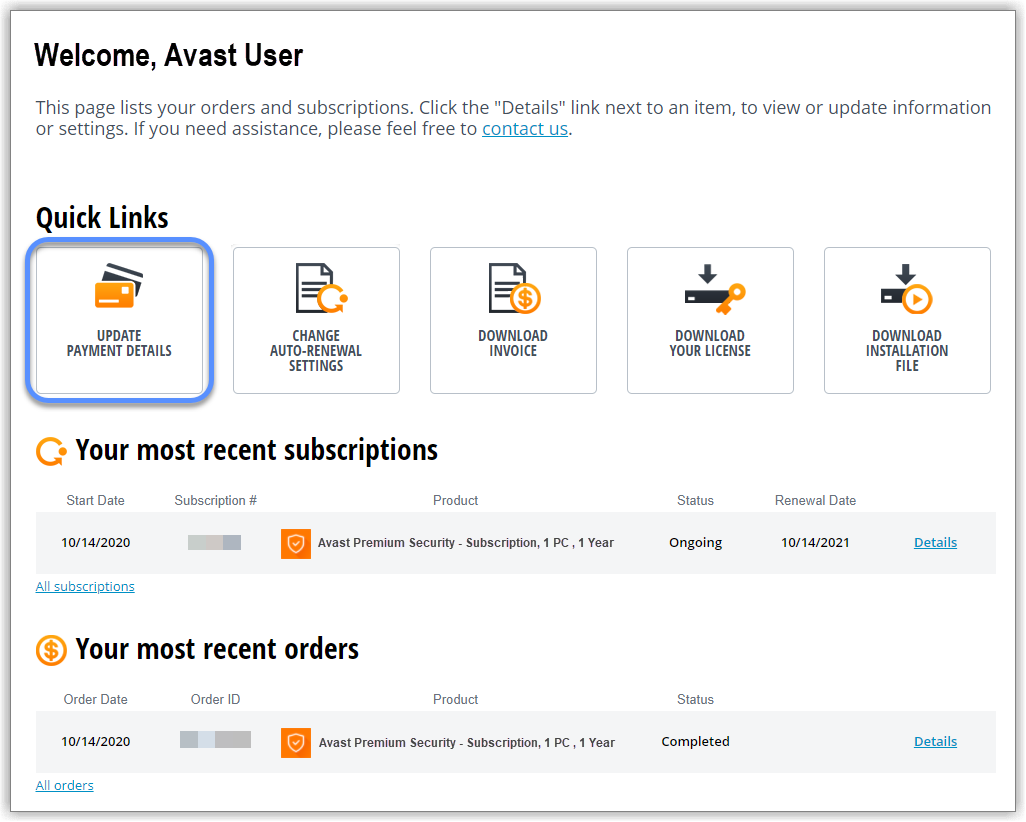
- Click Update payment details under Quick Links.
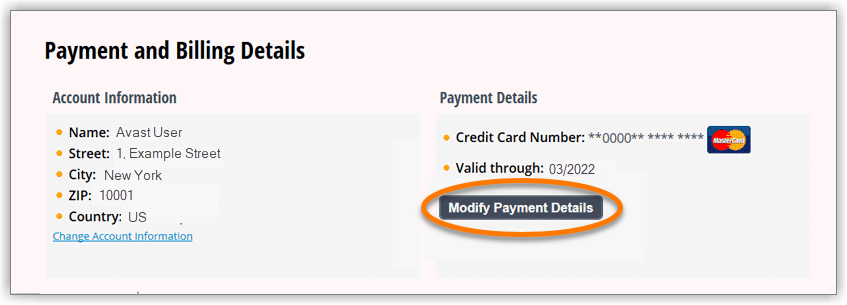
- In the Payment and Billing Details section, click Modify Payment Details.
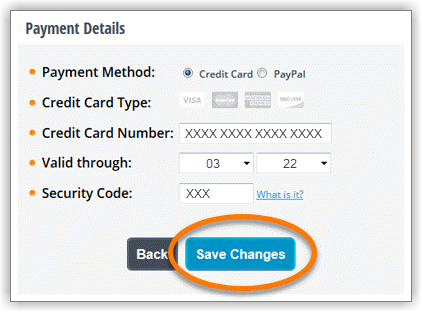
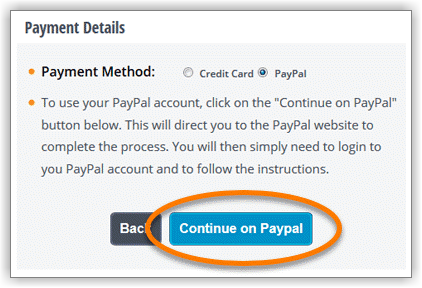
- Select your preferred payment method, then follow the relevant instructions below:
- Credit Card: Provide your updated payment card details and click Save Changes.
- PayPal: Click Continue on Paypal to provide updated payment card details via the PayPal website.
- Credit Card: Provide your updated payment card details and click Save Changes.
Your new payment details are now saved. Your updated payment details are valid for all of your Avast subscriptions that appear in the Avast Customer Portal.
You are not immediately charged when you enter new payment card details. The new details are saved and you will be charged on the next billing date for your subscription.
Still need help?
If you are unable to change your payment details using your Avast Account, you can request help from Avast Support. Before contacting us, we recommend finding your Avast order ID number to allow us to easily identify your order.
You need to contact Cleverbridge directly to update your payment details:
DocID: updating-your-payment-details-newLast modified: 09/03/2026
Was this article helpful?

Keep your online identity private!
Browse like no one’s watching with Avast anti-tracking software.
Need more help?
Contact us
Avast account
Visit our forums
Visit academy