Promotional banner image

IS YOUR COMPUTER SLOW? RUN LIKE NEW

If they are not maintained, computers lose performance over time. Avast Cleanup Premium can help significantly improve the performance of your computer.

Uninstalling Avast Mobile Security

Android, iOS

This article applies to the legacy Avast Mobile Security app, which is being replaced by the new Avast One app. As part of this transition, Avast Mobile Security is being removed from the Google Play Store and the App Store and will soon no longer be available for download.

All new installations on Android and iOS now install the new Avast One app. Once uninstalled, the legacy app cannot be reinstalled.

If you uninstall legacy Avast Mobile Security, any photos you have stored in the Photo Vault will be deleted along with the app and there is no option to restore them. We recommend exporting your files from Photo Vault before uninstalling the app.

For information about the new Avast One app, see the following articles:

If you have a paid Avast Mobile Security subscription, uninstalling the application does not automatically cancel your subscription. For information about canceling your subscription, refer to the following article:

Uninstall Avast Mobile Security

To uninstall Avast Mobile Security from Android, follow the steps below according to your preferred method:

Uninstall via device settings

These steps can differ slightly depending on your device model, Android version, and vendor customizations.

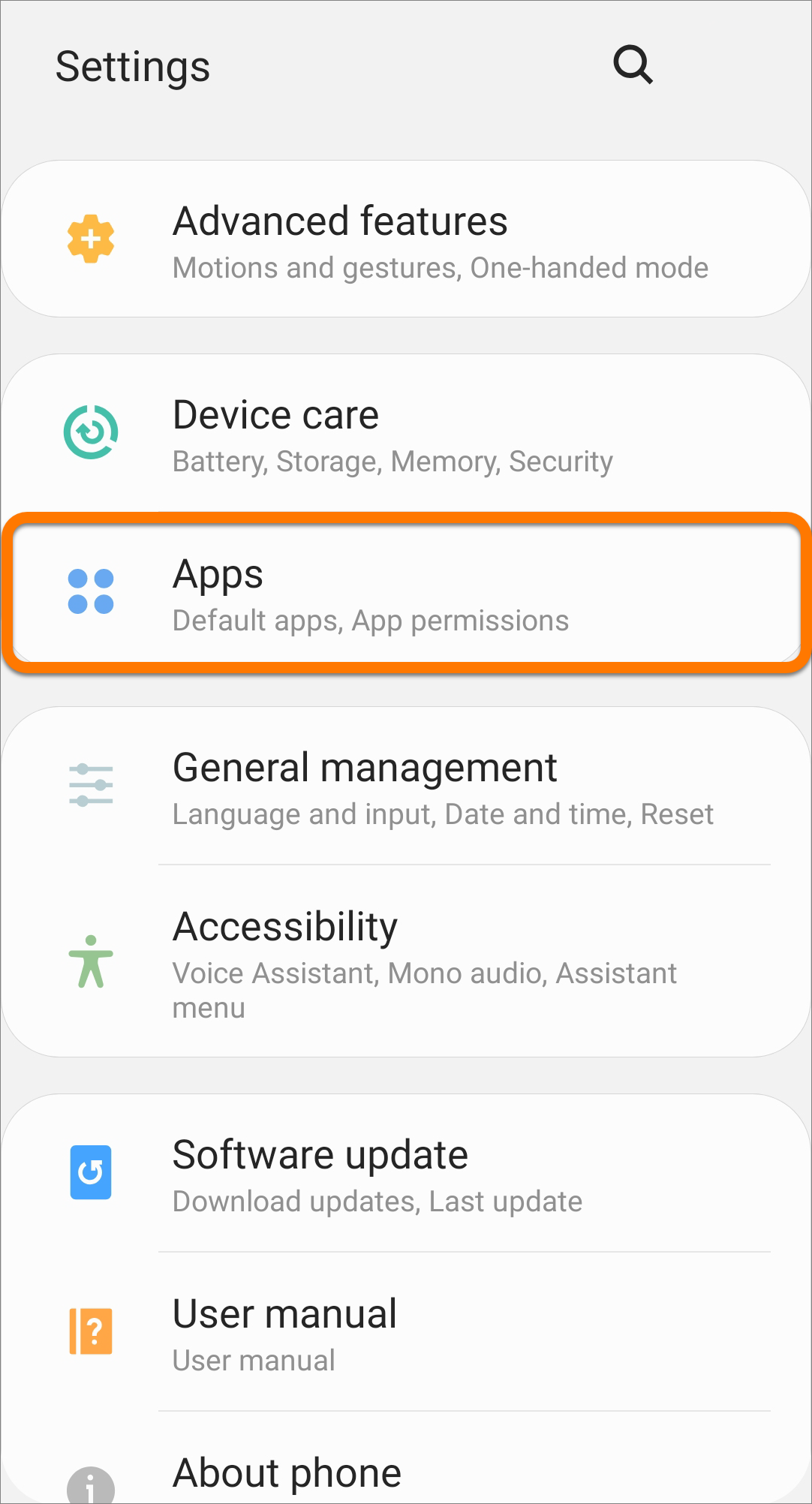
  1. Open your device Settings and go to Apps.
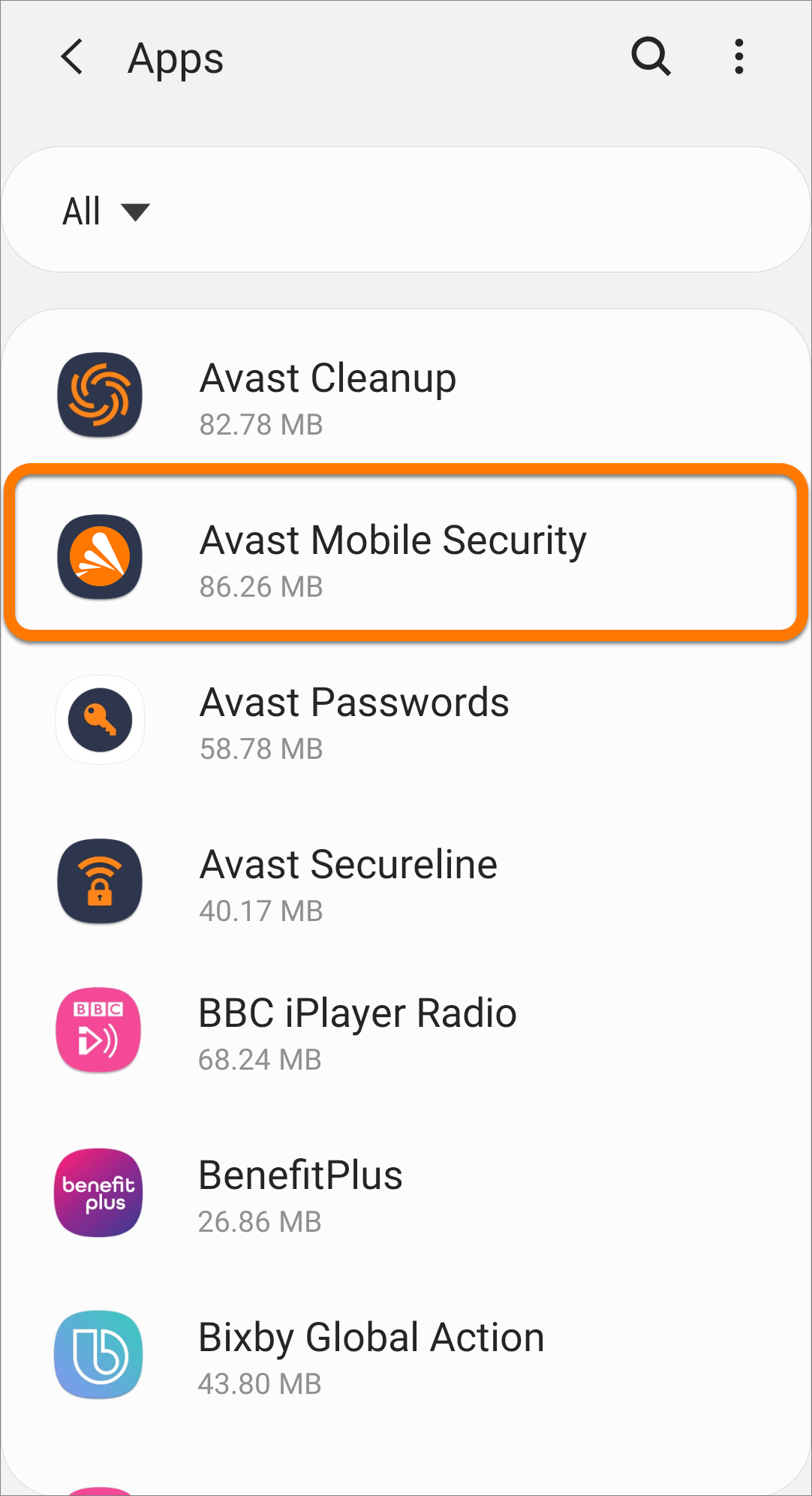
  2. Select Avast Mobile Security.
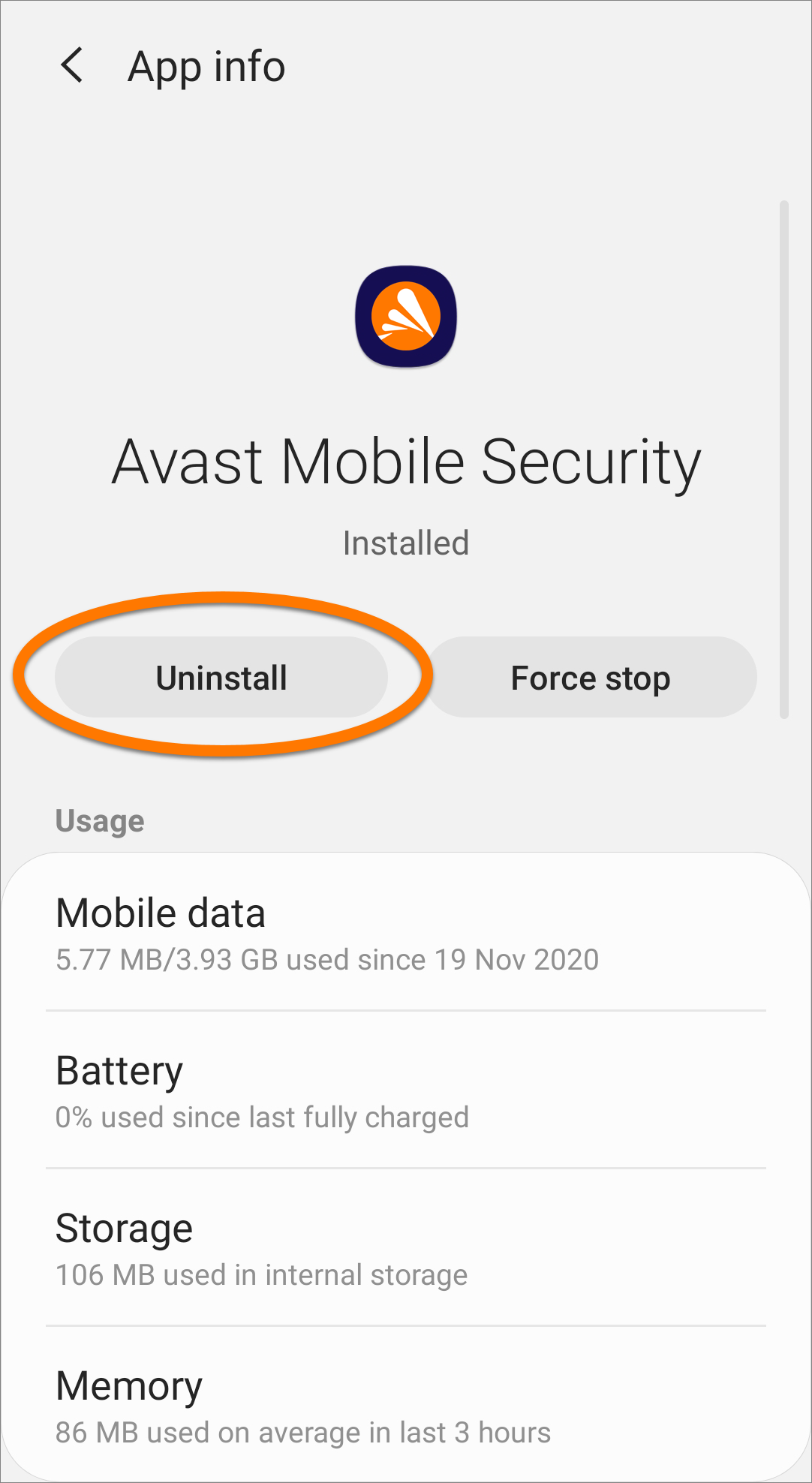
  3. Select Uninstall.
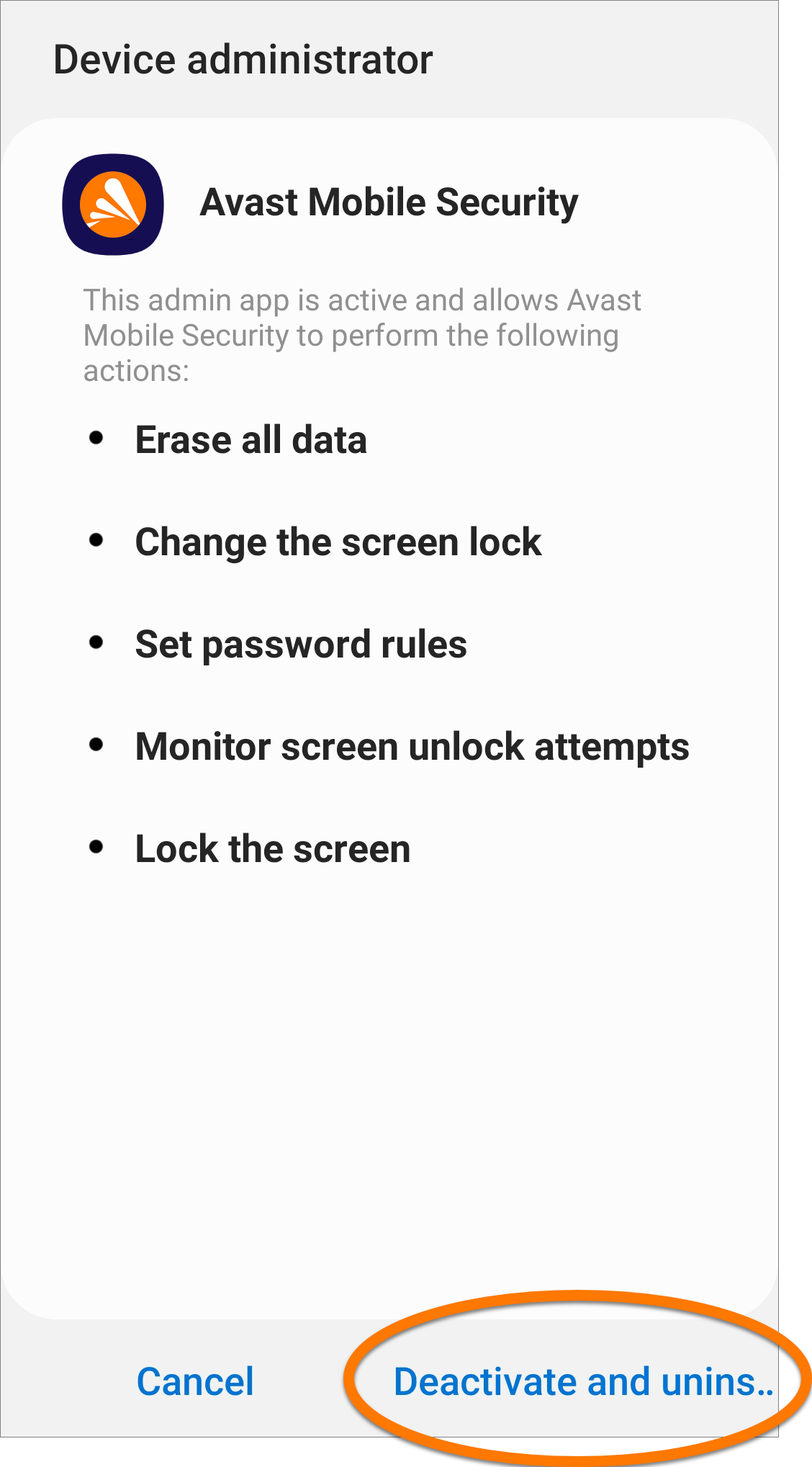
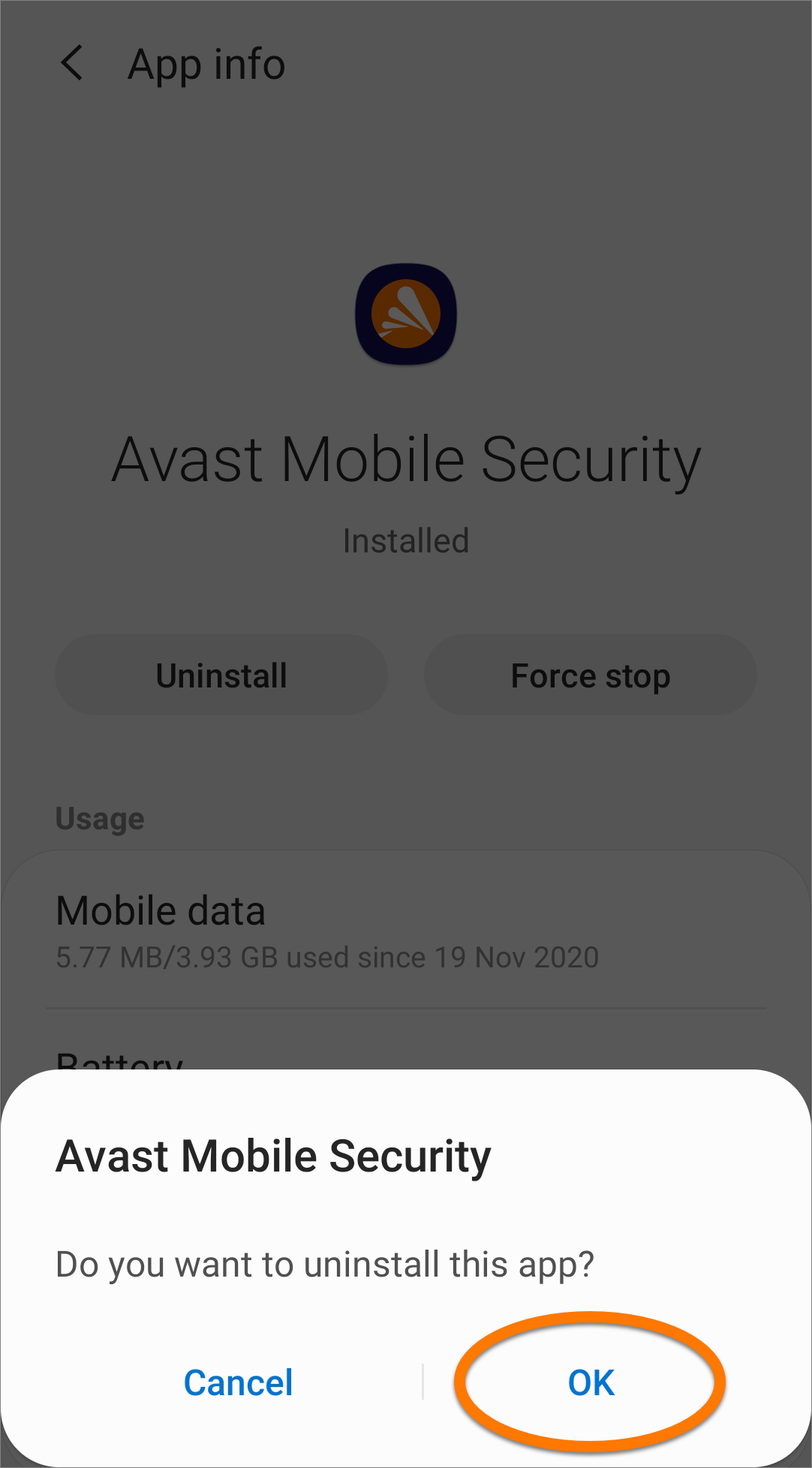
  4. If prompted, tap Deactivate and uninstall.
  5. Tap OK to confirm uninstallation.

Avast Mobile Security is now uninstalled from your device.

Uninstall via Google Play Store

Uninstallation via Google Play Store is not possible if the Device administrator permission for Avast Mobile Security is activated.

  1. On the Home screen of your device, tap the Play Store icon to open Google Play Store.
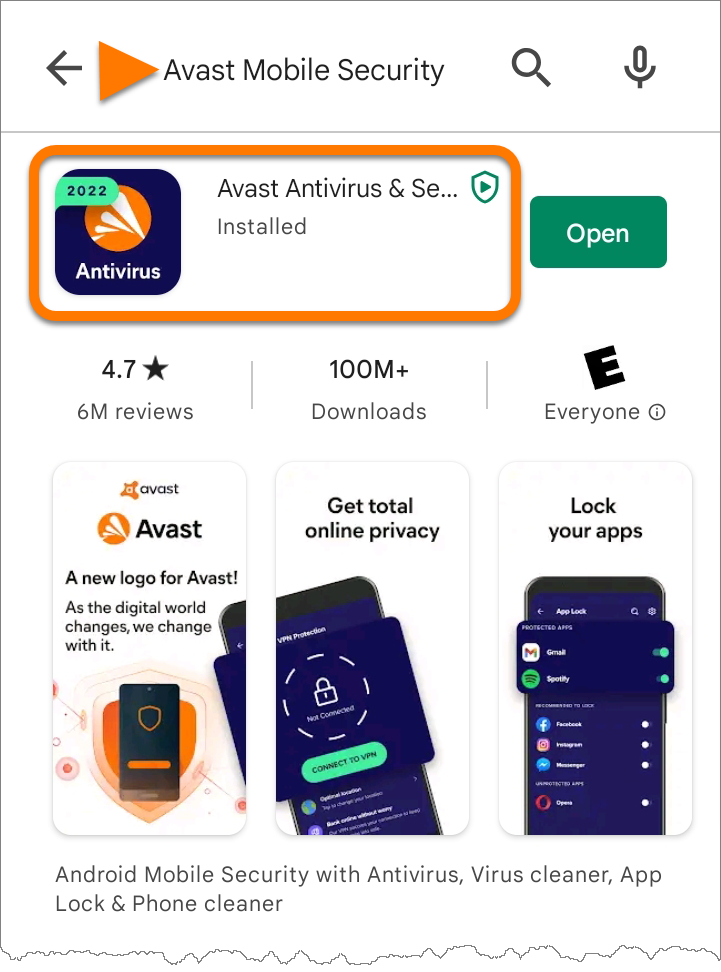
  2. In the search bar, type Avast Mobile Security, then select Avast Mobile Security from the search results.
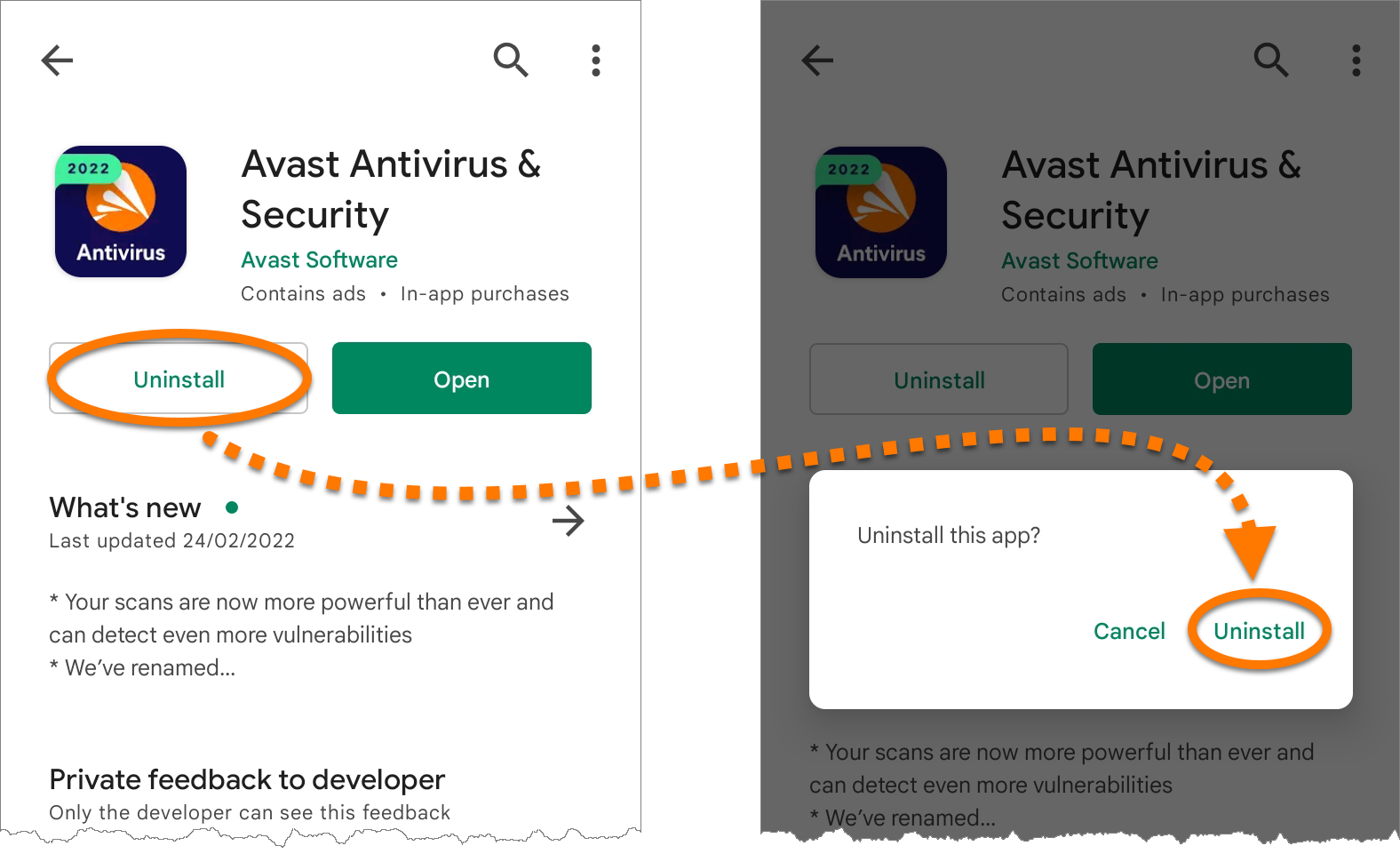
  3. Tap Uninstall, then Uninstall again to confirm uninstallation.

Avast Mobile Security is now uninstalled from your device.

Reinstall Avast Mobile Security

If you need to reinstall Avast Mobile Security, refer to the following article for installation instructions:

Troubleshoot without uninstalling

If you are experiencing problems with Avast Mobile Security, we recommend referring to the following information before uninstalling:

To uninstall Avast Mobile Security from iOS, select the relevant tab below according to your iOS version:

Uninstall via Home screen

iOS 13 and later

If you uninstall Avast Mobile Security, any photos you have stored in the Photo Vault will be deleted along with the app and there is no option to restore them. We recommend exporting your files from Photo Vault before uninstalling the app. Refer to the following article for help on exporting your photos:

  1. On the Home screen of your device, touch and hold the Avast Security icon, then select Remove App from the menu that appears.
  2. Select Delete App to remove Avast Mobile Security and all of your app data.
  3. Select Delete to confirm removal.

iOS 12 and earlier

If you uninstall Avast Mobile Security, any photos you have stored in the Photo Vault will be deleted along with the app and there is no option to restore them. We recommend exporting your files from Photo Vault before uninstalling the app. Refer to the following article for help on exporting your photos:

  1. On the Home screen of your device, touch and hold the Avast Security icon until it starts to wiggle.
  2. Tap the small x that appears in the top-left corner of the icon.
  3. Select Delete to confirm removal.

Avast Mobile Security is now uninstalled from your device.

Reinstall Avast Mobile Security

If you need to reinstall Avast Mobile Security, refer to the following article for installation instructions:

DocID: uninstall-mobile-securityLast modified: 09/03/2026

Was this article helpful?

Promotional banner image

Keep your online identity private!

Browse like no one’s watching with Avast anti-tracking software.

Need more help?

Contact us
Avast account
Visit our forums
Visit academy