Promotional banner image

IS YOUR COMPUTER SLOW? RUN LIKE NEW

If they are not maintained, computers lose performance over time. Avast Cleanup Premium can help significantly improve the performance of your computer.

Repairing Avast Secure Browser

Windows

If certain application components and features are not working properly in Avast Secure Browser on your Windows device, we recommend you repair your installation using the Avast uninstall window. Installation repair is recommended to resolve the following issues with your Avast Secure Browser:

  • Certain features are not working.
  • Application does not open.
  • An application update fails.

When you repair your Avast Secure Browser, some customized settings may return to their default configurations.

Instructions

  1. Ensure that no other applications are running on your Windows device.
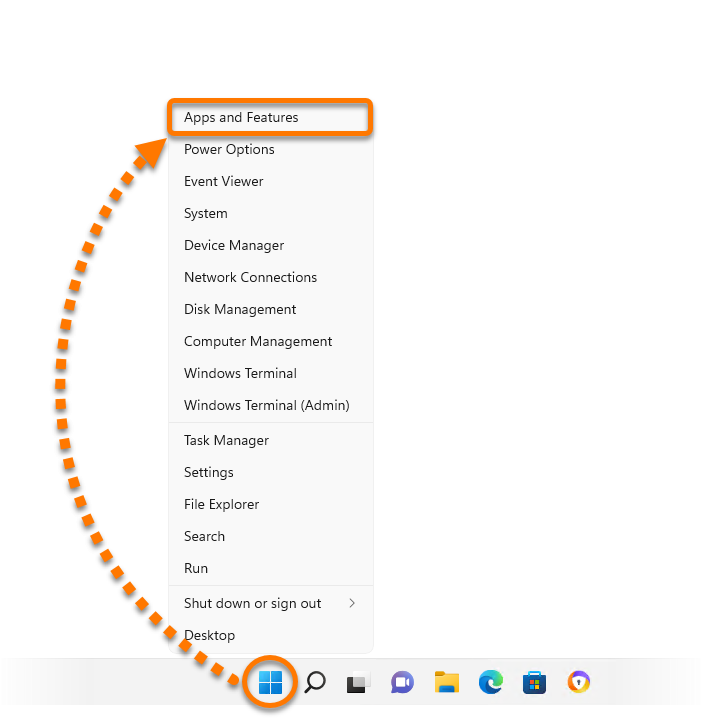
  2. Right-click the Windows Start icon and select Installed apps from the menu that appears.
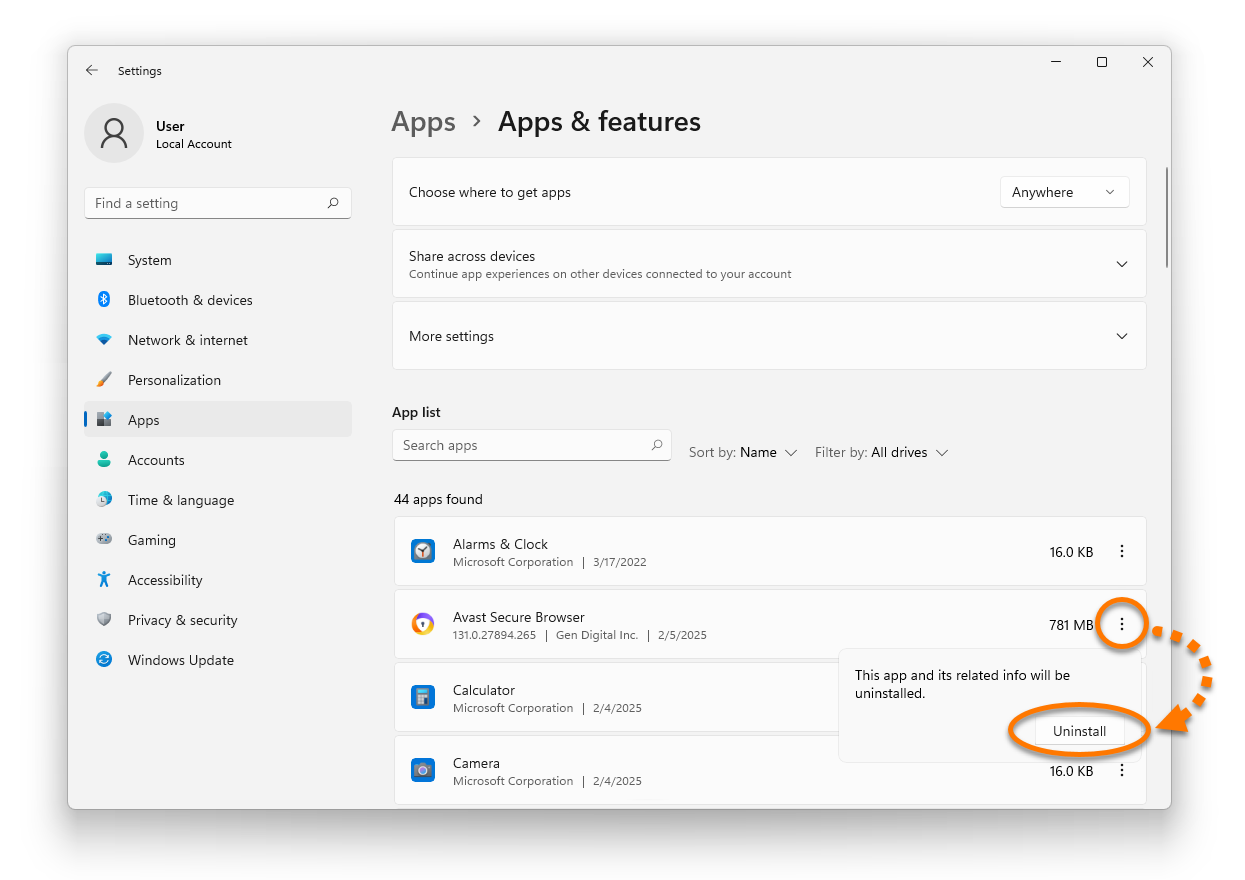
  3. Beside Avast Secure Browser, click ⋮ Options (the three dots) and select Uninstall twice.
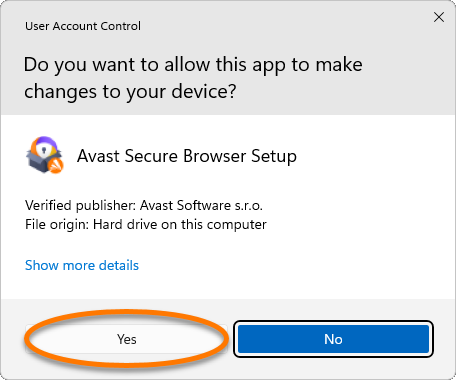
  4. If prompted for permission by the User Account Control dialog, click Yes.
  5. Untick the box next to Also delete your browsing data, then click Repair.
  6. Wait while setup repairs your Avast Secure Browser.

Your Avast Secure Browser is repaired.

  1. Ensure that no other applications are running on your Windows device.
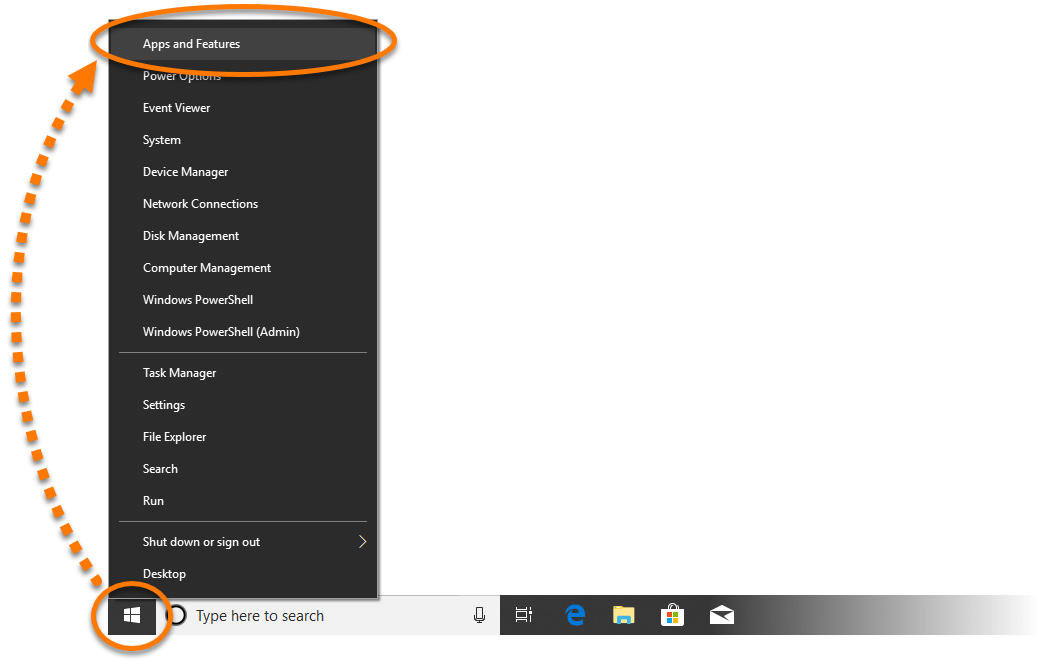
  2. Right-click the Windows Start icon and select Apps and Features from the menu that appears.
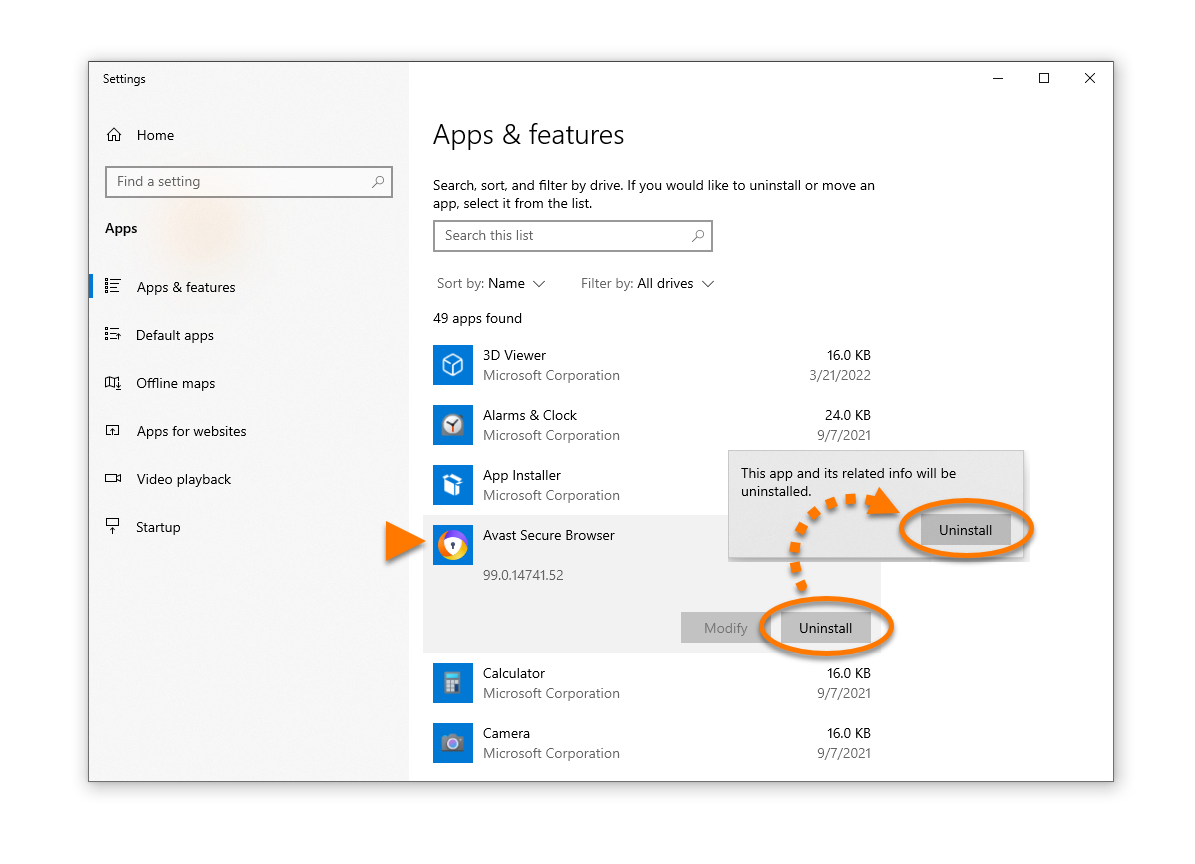
  3. Click Avast Secure Browser, and select Uninstall twice.
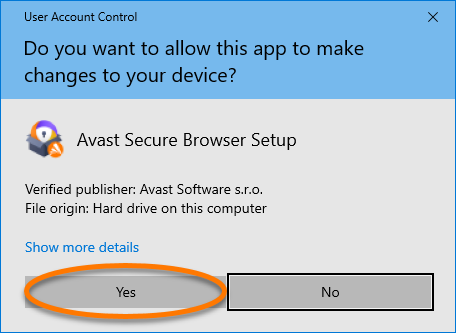
  4. If prompted for permission by the User Account Control dialog, click Yes.
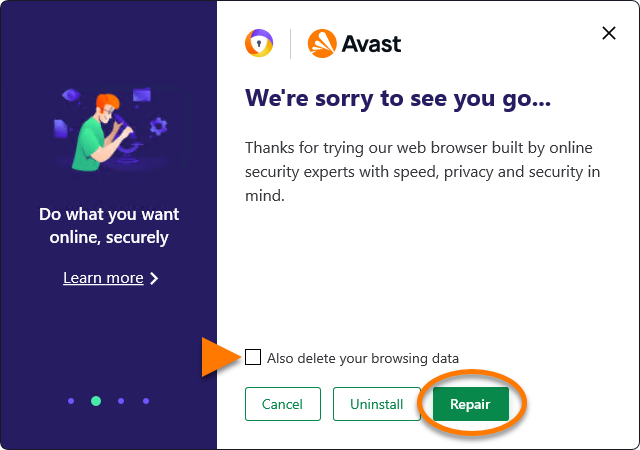
  5. Untick the box next to Also delete your browsing data, then click Repair.
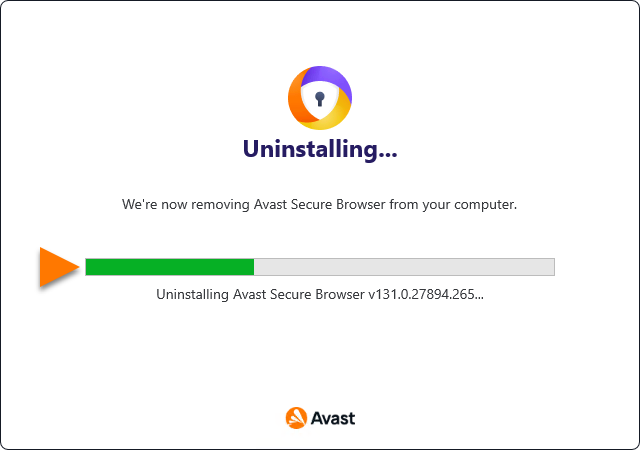
  6. Wait while setup repairs your Avast Secure Browser.
Your Avast Secure Browser is repaired.

DocID: repairing-avast-secure-browserLast modified: 10/07/2026

Was this article helpful?

Promotional banner image

Keep your online identity private!

Browse like no one’s watching with Avast anti-tracking software.

Need more help?

Contact us
Avast account
Visit our forums
Visit academy