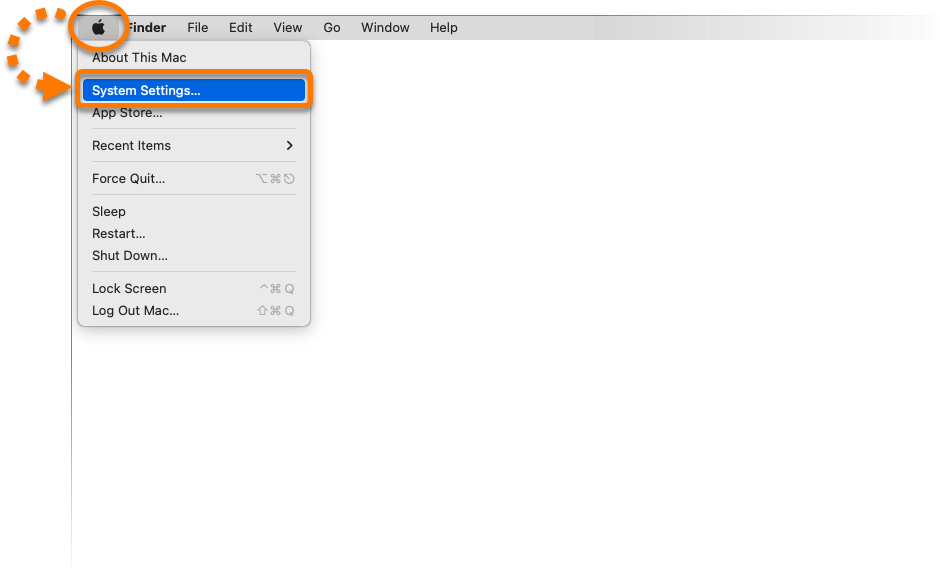
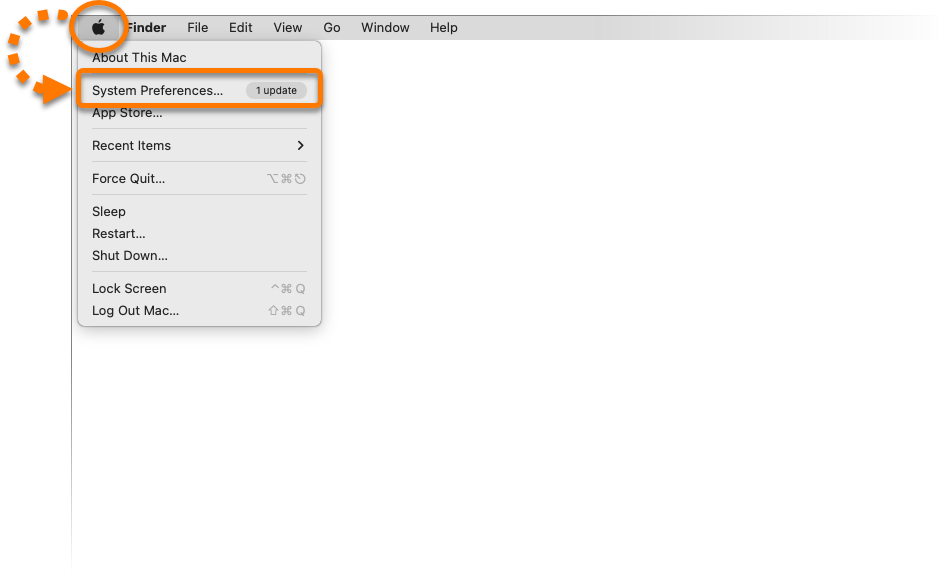
- In the Apple menu, click the Apple icon, then select System Preferences....
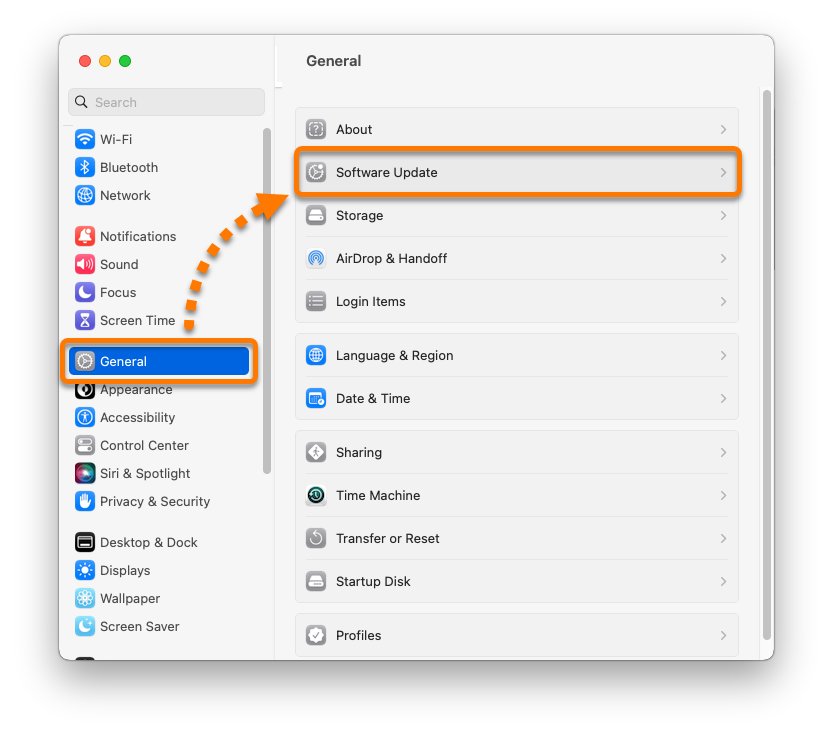
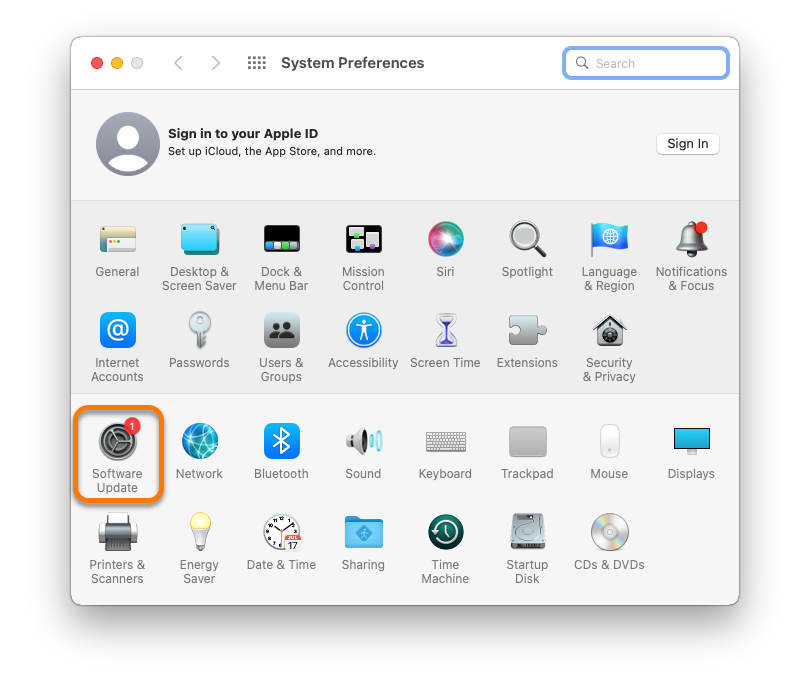
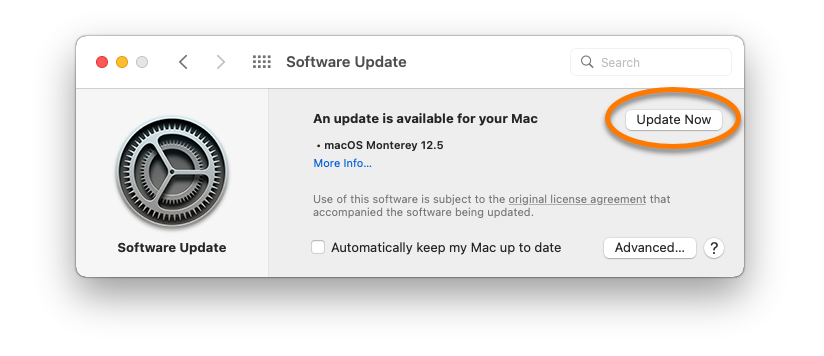
- Click Software Update.
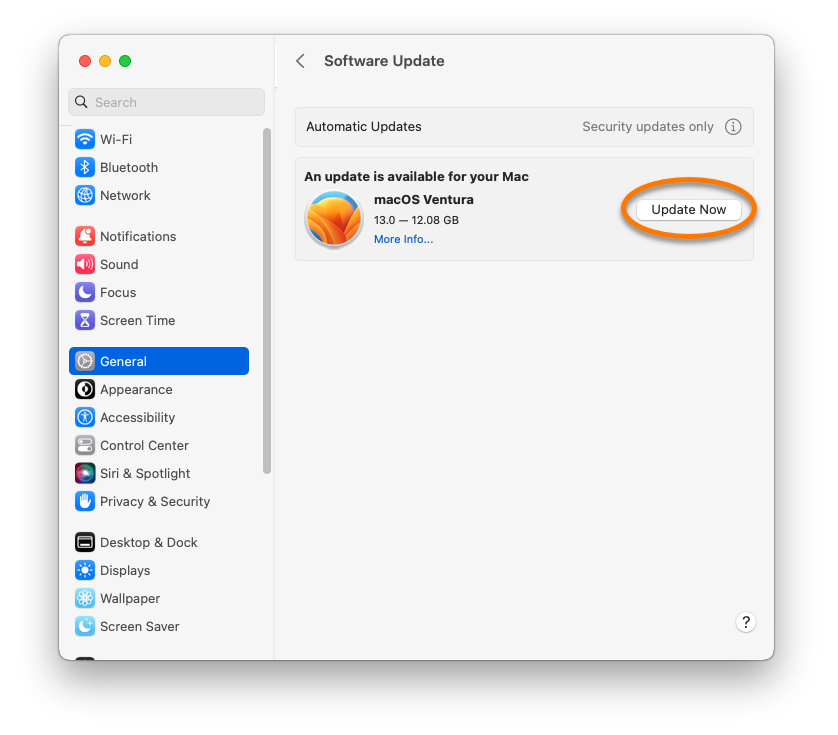
- Select Update Now to install the latest updates for your currently installed macOS version (for example, Monterey 12.4 to 12.5) or Upgrade Now to install a new macOS version (for example, Monterey 12.x to Ventura 13.x).
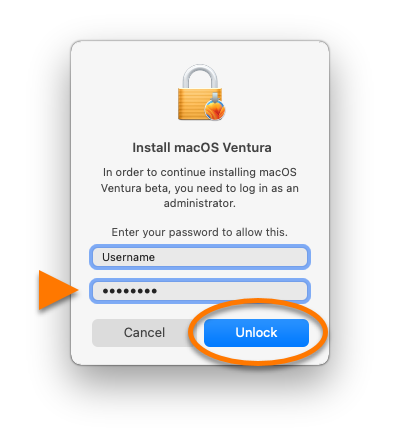
- If prompted, enter the password that you use when you start your Mac, then click Unlock.
- Wait while your Mac restarts and installs the update.
Your macOS is now up to date.
Turn on Gatekeeper
- In the Apple menu, click the Apple icon, then select System Preferences....
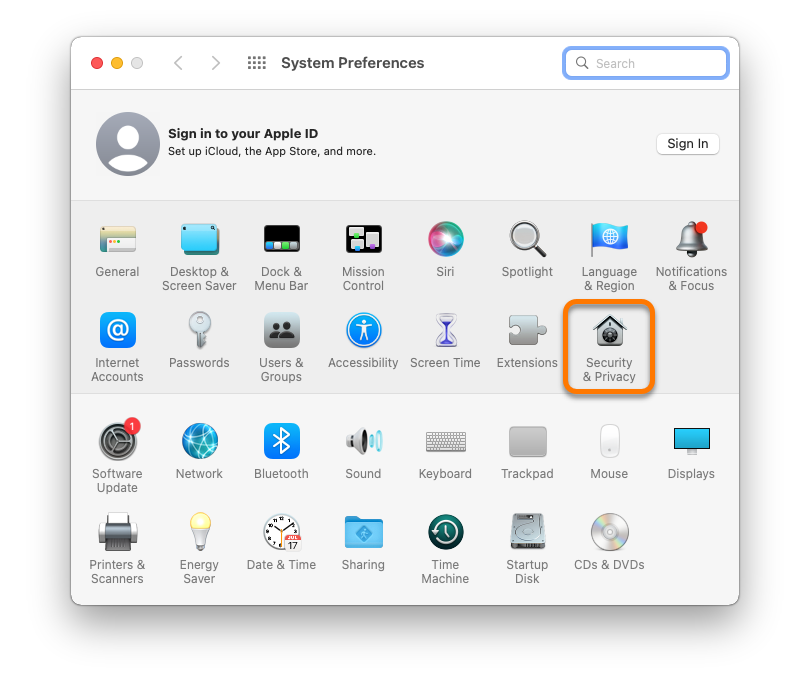
- Click Security & Privacy.
- Click the
 lock icon in the bottom-left corner, then enter the password that you use when you start your Mac, and click Unlock.
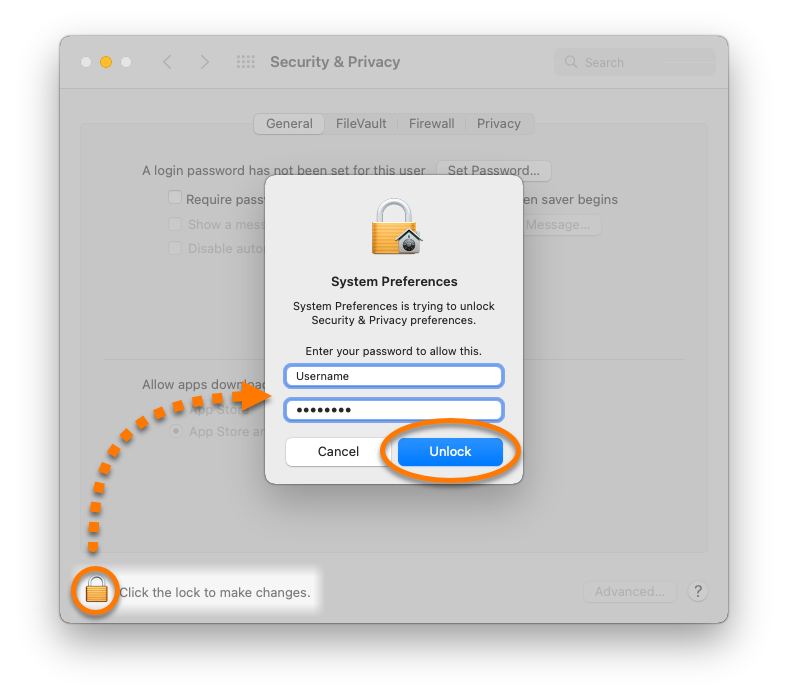
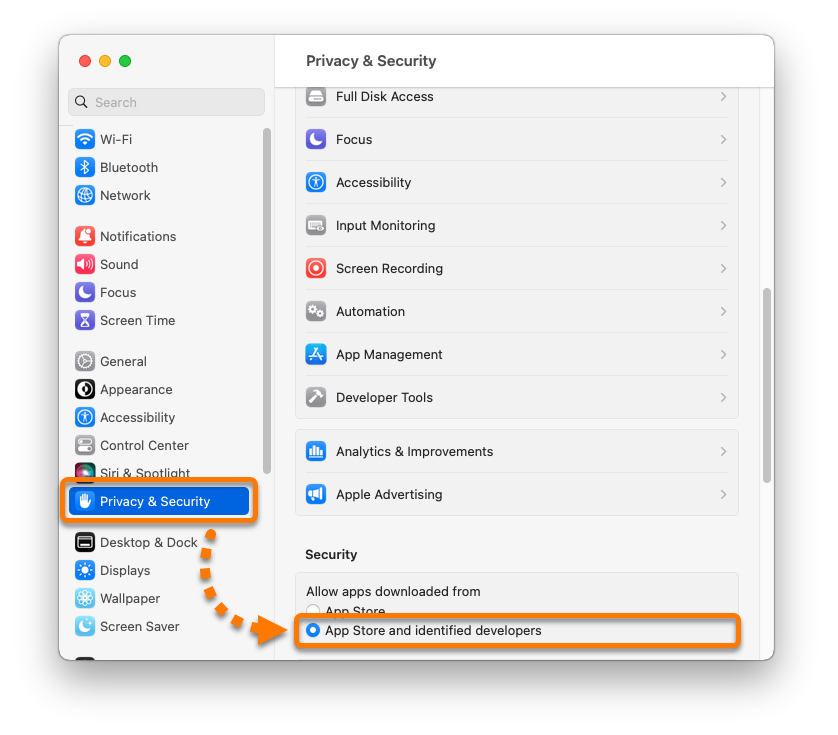
- Ensure the General tab is selected, then under Allow apps downloaded from select the option App Store and identified developers.
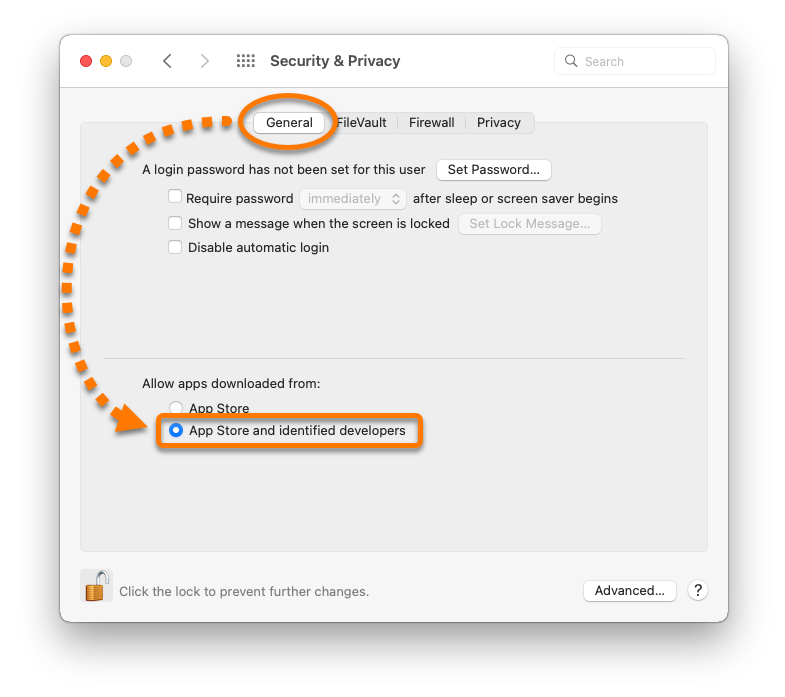
Gatekeeper is now enabled.