
IS YOUR COMPUTER SLOW? RUN LIKE NEW
If they are not maintained, computers lose performance over time. Avast Cleanup Premium can help significantly improve the performance of your computer.
Avast Safe Search and Home Page - Getting Started
Windows, Mac
Avast Safe Search and Avast Home Page are free browser extensions designed to enhance your online safety and browsing experience. These tools help protect you from potentially dangerous websites, online scams, and identity theft by alerting you before you access suspicious pages. Additionally, Avast Home Page offers a secure and reliable starting point for your browsing, helping you begin each session from a trusted source.
Avast Safe Search and Avast Home Page are currently only compatible with Google Chrome.
Install the extensions
To install the Avast Safe Search and Avast Home Page browser extensions:
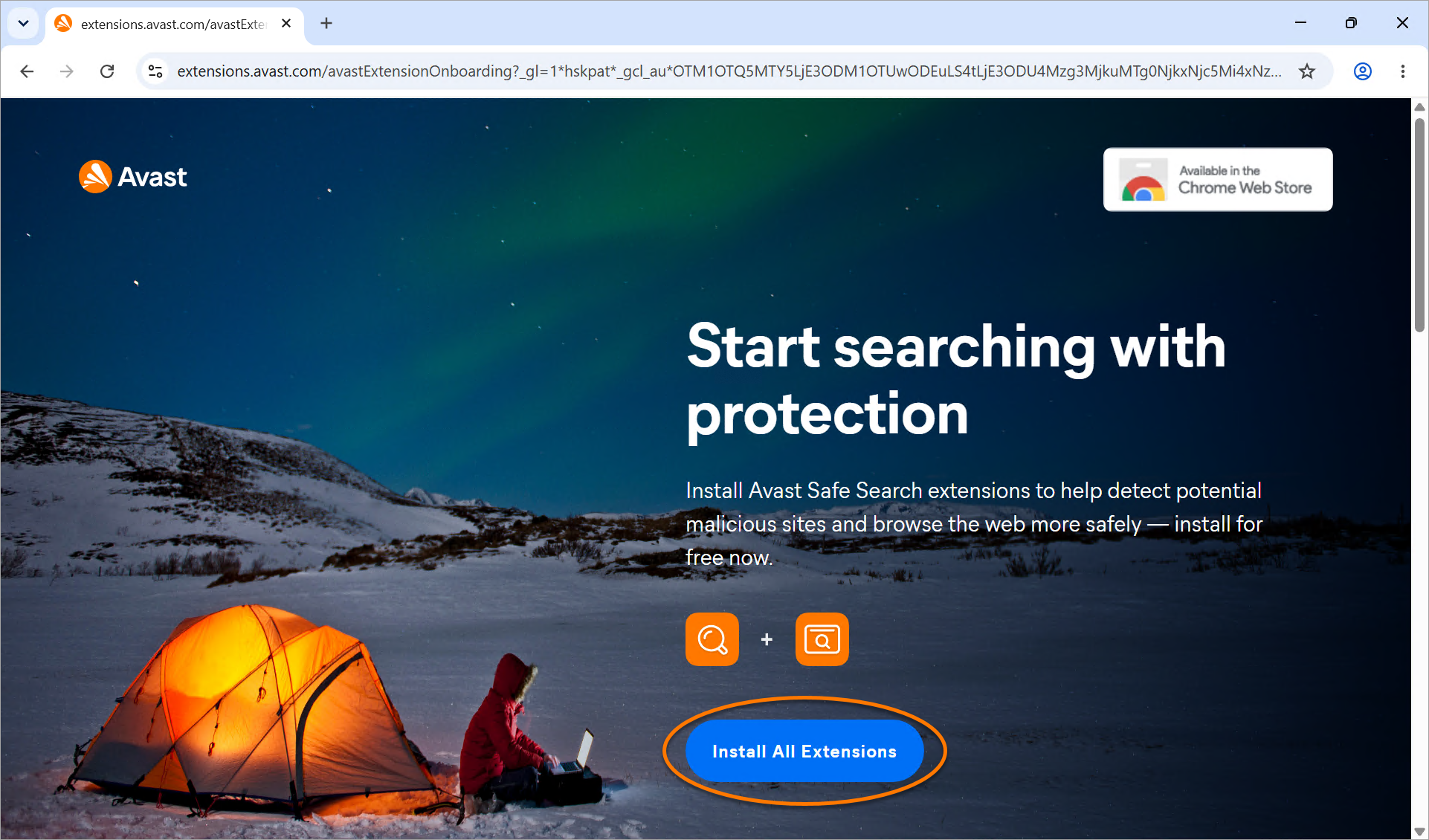
- In Google Chrome, go to the Avast Safe Search extensions page and click Install All Extensions.
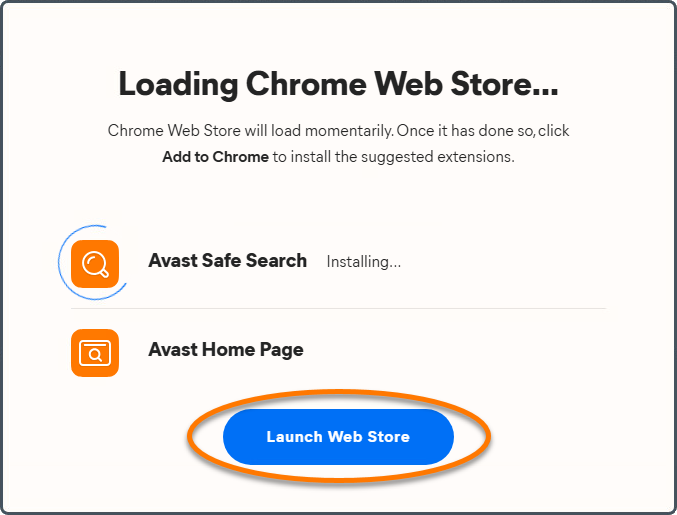
- On the screen that appears, click Launch Web Store to go to the Avast Safe Search Google Web Store page.
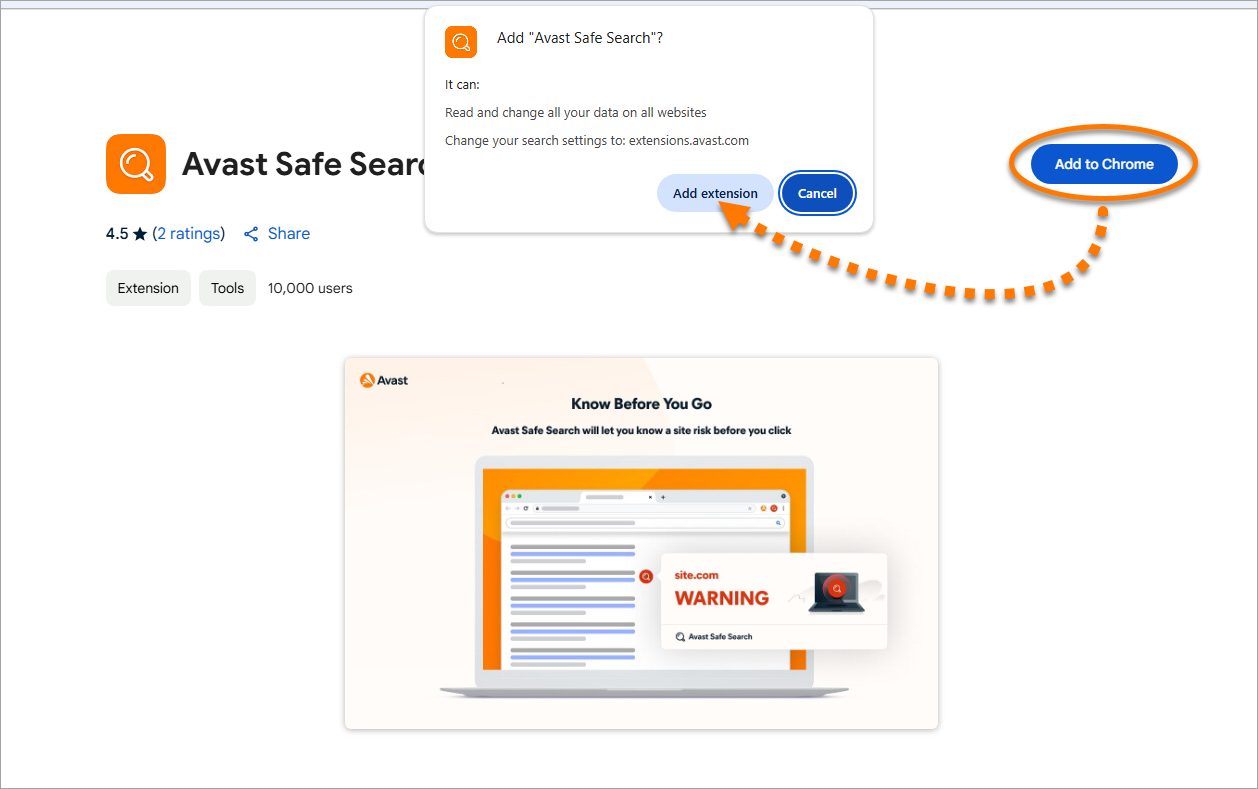
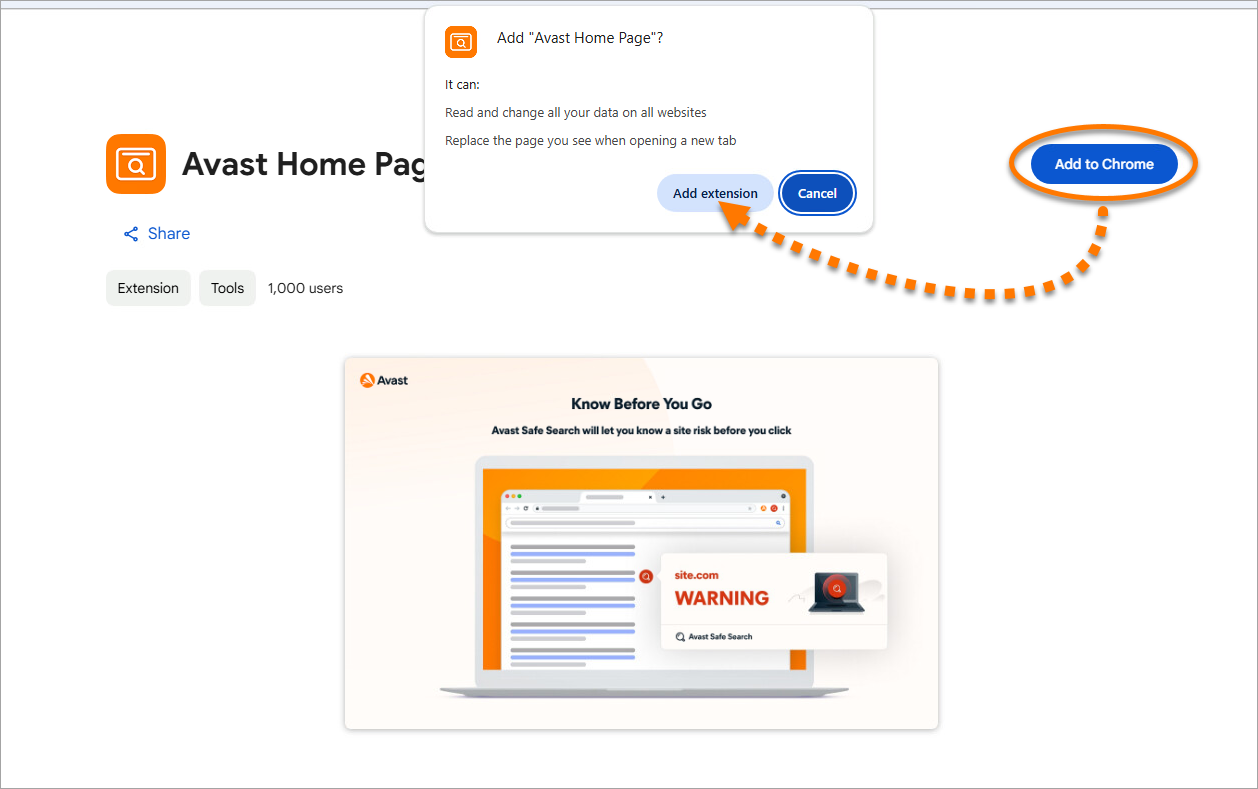
- Click Add to Chrome ▸ Add extension.
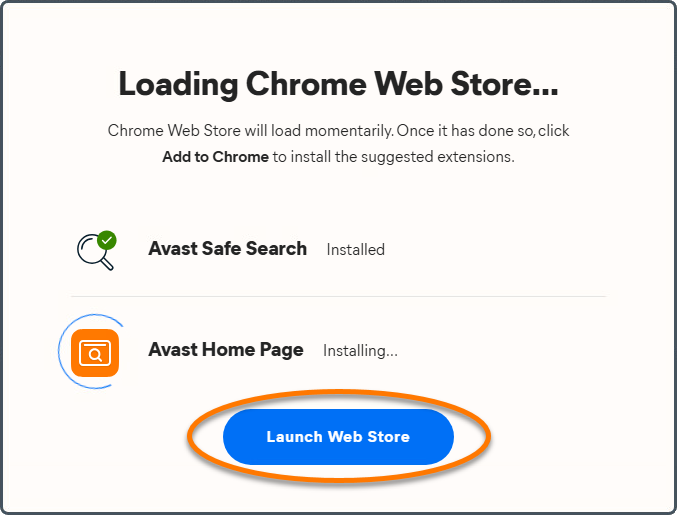
- On the screen that appears, click Launch Web Store to go to the Avast Home Page Google Web Store page.
- Click Add to Chrome ▸ Add extension.
- Click
 Extensions ▸
 Pin next to Avast Safe Search and Avast Home Page to pin the extensions to your browser toolbar.
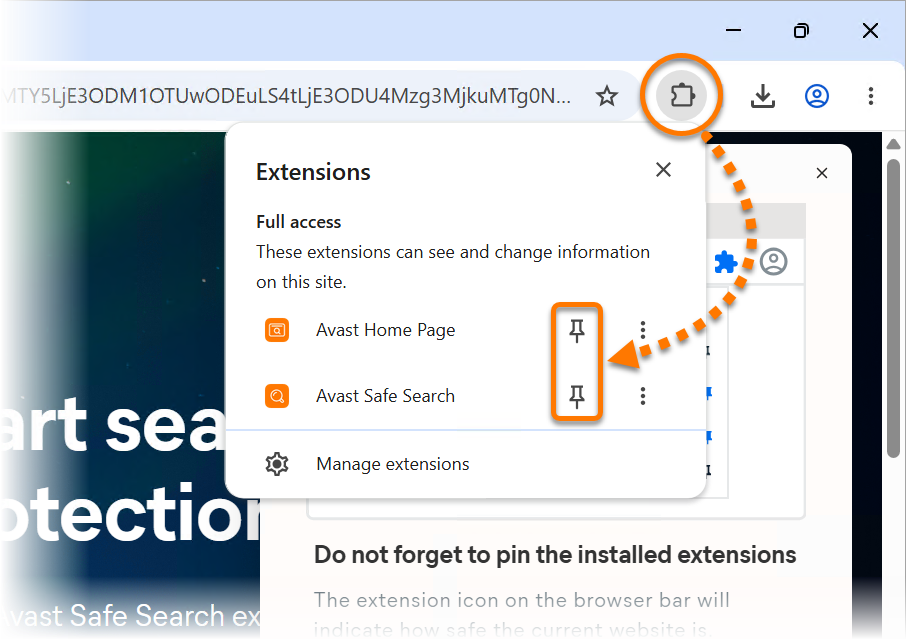
Avast Safe Search and Avast Home Page are installed in your Google Chrome browser.
Using Avast Safe Search and Home Page in Google Chrome
When you open Google Chrome, you are directed to the Avast Home Page. To begin searching the web safely, type your query into the search bar. Your search is processed using Avast Safe Search, which helps filter out potentially harmful websites. Optionally, click Settings (the gear icon) in the top-right corner to configure your Home Page settings.

To customize the widgets that appear on the Avast Home Page, click Widgets  (the widgets icon) in the top-right corner. Use the sliders next to each widget to show or hide it on the Home Page.

Available widgets may vary by region. As a result, some widgets may not be available on your Avast Home Page.
After performing a search, Avast Safe Search automatically scans the results for threats. If any potentially dangerous websites are detected, they are marked with a  warning icon, and a banner appears at the top of the results page to alert you.

You can manually check the safety of your search results at any time by clicking the Avast Safe Search extension icon in your browser toolbar.

Was this article helpful?

Keep your online identity private!
Browse like no one’s watching with Avast anti-tracking software.