Promotional banner image

IS YOUR COMPUTER SLOW? RUN LIKE NEW

If they are not maintained, computers lose performance over time. Avast Cleanup Premium can help significantly improve the performance of your computer.

Activating an Avast Cleanup Premium Plus subscription on Android

Android

Avast Cleanup Premium Plus is a subscription bundle that includes Avast Cleanup Premium and Avast Mobile Security Premium for up to 5 Android devices. When you subscribe to an Avast Cleanup Premium Plus bundle, the installed applications are automatically activated on that device. This article explains how to activate Avast Cleanup Premium and Avast Mobile Security Premium with an Avast Cleanup Premium Plus subscription on different Android devices.

Avast Cleanup Premium Plus is only available as an upgrade from Avast Cleanup Premium for Android. To purchase Avast Cleanup Premium Plus, install Avast Cleanup, select Pro Plus on the offer screen and follow the on-screen instructions to complete the purchase. Avast Mobile Security Premium must be manually installed and may need to be manually activated.

Your application:

Find your activation code

To find your activation code:

  1. On your primary Android device, ensure you are logged in to the Google Play Store with the Google account you used to subscribe to Avast Cleanup Premium Plus.

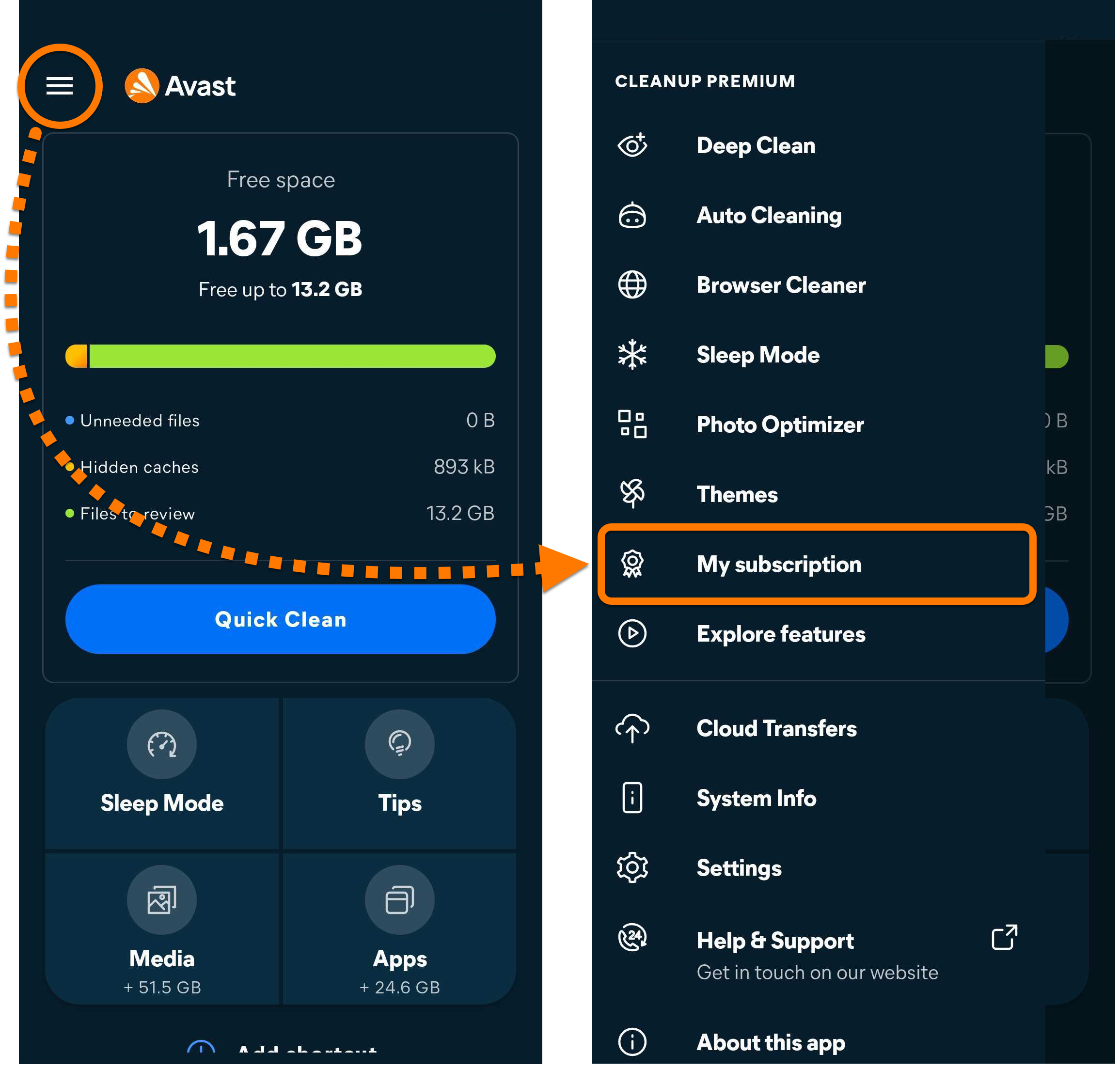
  2. Open Avast Cleanup Premium, and go to ☰ Menu (the three lines) ▸ My subscription.  

  3. Make note of your activation code as you will need it to activate the application on your secondary device. You can tap ⋮ (the three dots) ▸ Copy to clipboard to copy the activation code.  

Activate Avast Cleanup Premium on your secondary device

To activate Avast Cleanup Premium on your secondary device:

  1. Download and install the latest version of Avast Cleanup from the Google Play Store.

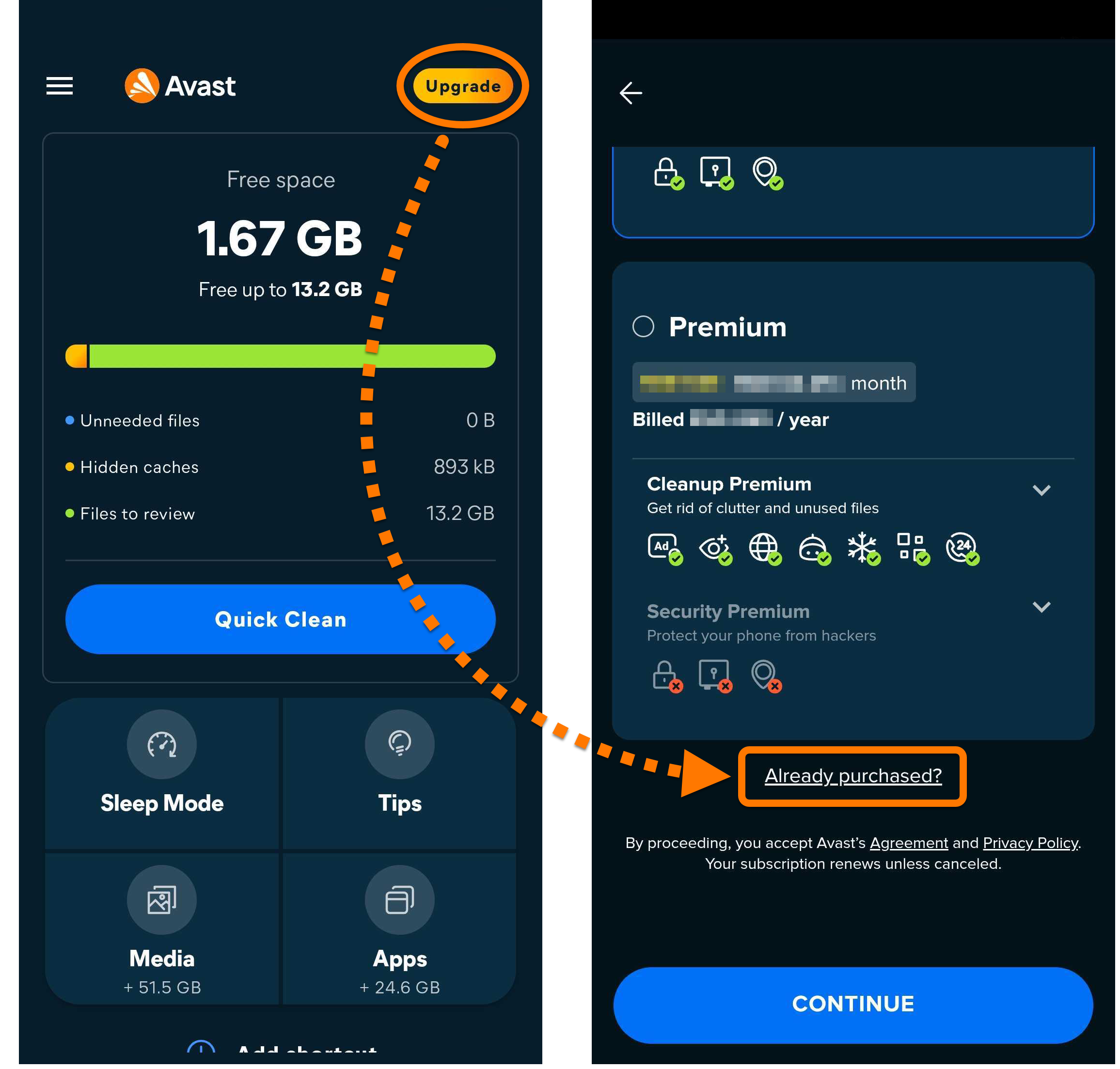
  2. Open Avast Cleanup and tap Upgrade ▸ Already purchased?.  

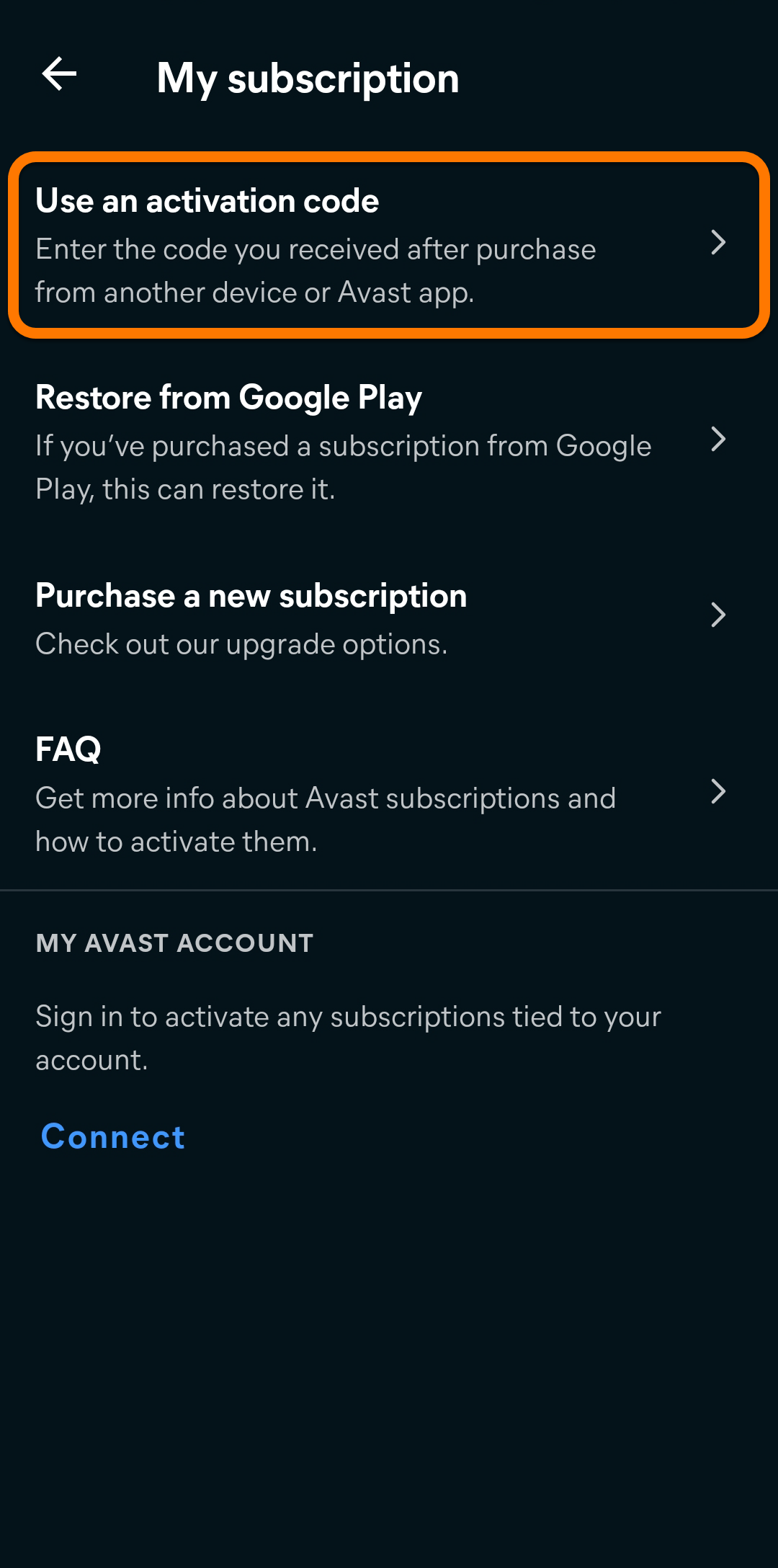
  3. Select Use an activation code.  

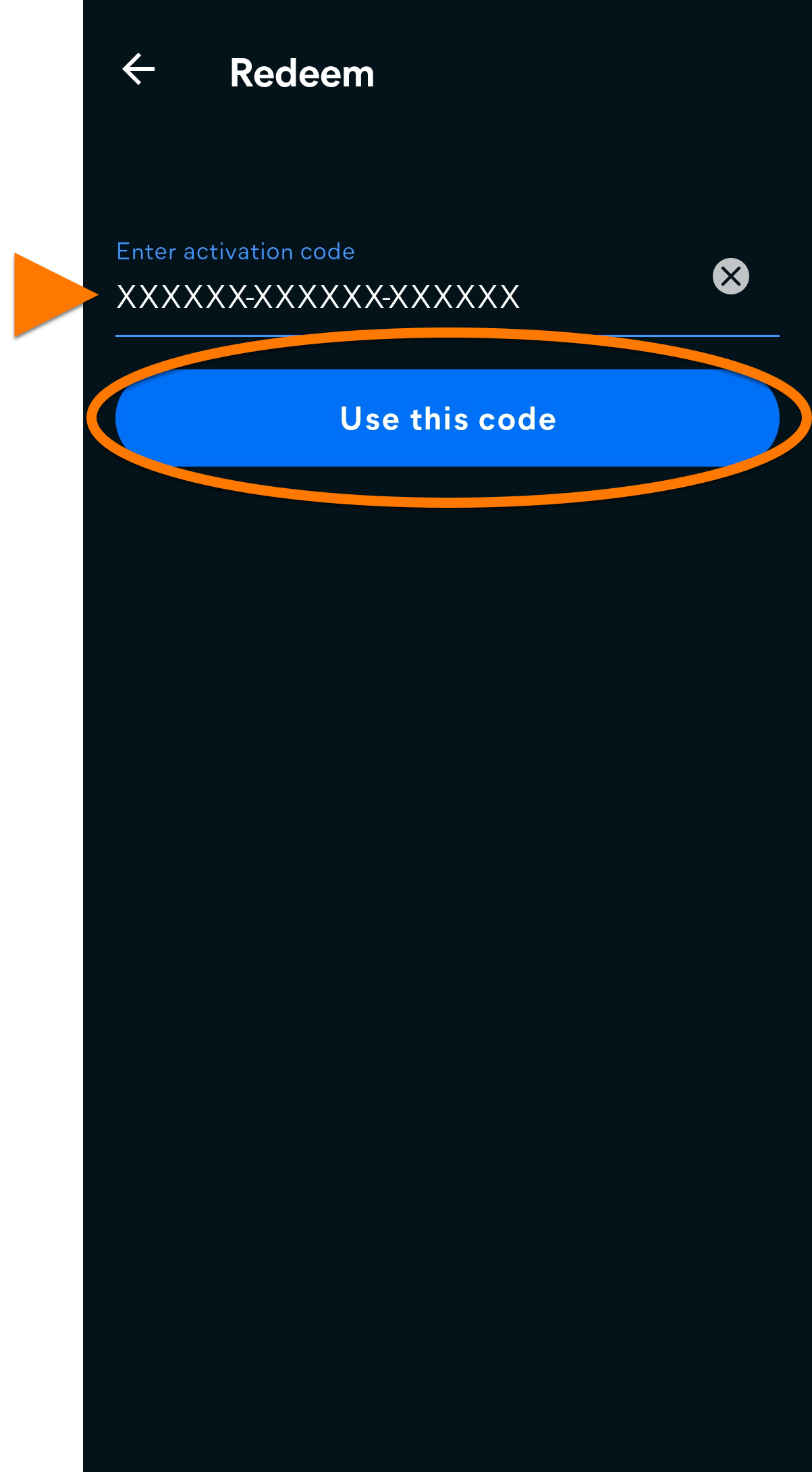
  4. Enter your activation code, including the hyphens, and tap Use this code.  

Avast Cleanup Premium is now activated on your secondary device.

Troubleshoot activation issues

If you experience any activation issues:

  • Ensure you have correctly entered your activation code correctly, including hyphens.

  • Ensure you are logged in to the Google Play Store with the Google account you used to subscribe to Avast Cleanup Premium Plus.

If you still cannot activate the app, refer to the following article:

Further recommendations

For more information regarding Avast Cleanup and Avast Mobile Security, refer to the following articles:

Find your activation code

To find your activation code:

  1. On your primary Android device, ensure you are logged in to the Google Play Store with the Google account you used to subscribe to Avast Cleanup Premium Plus.

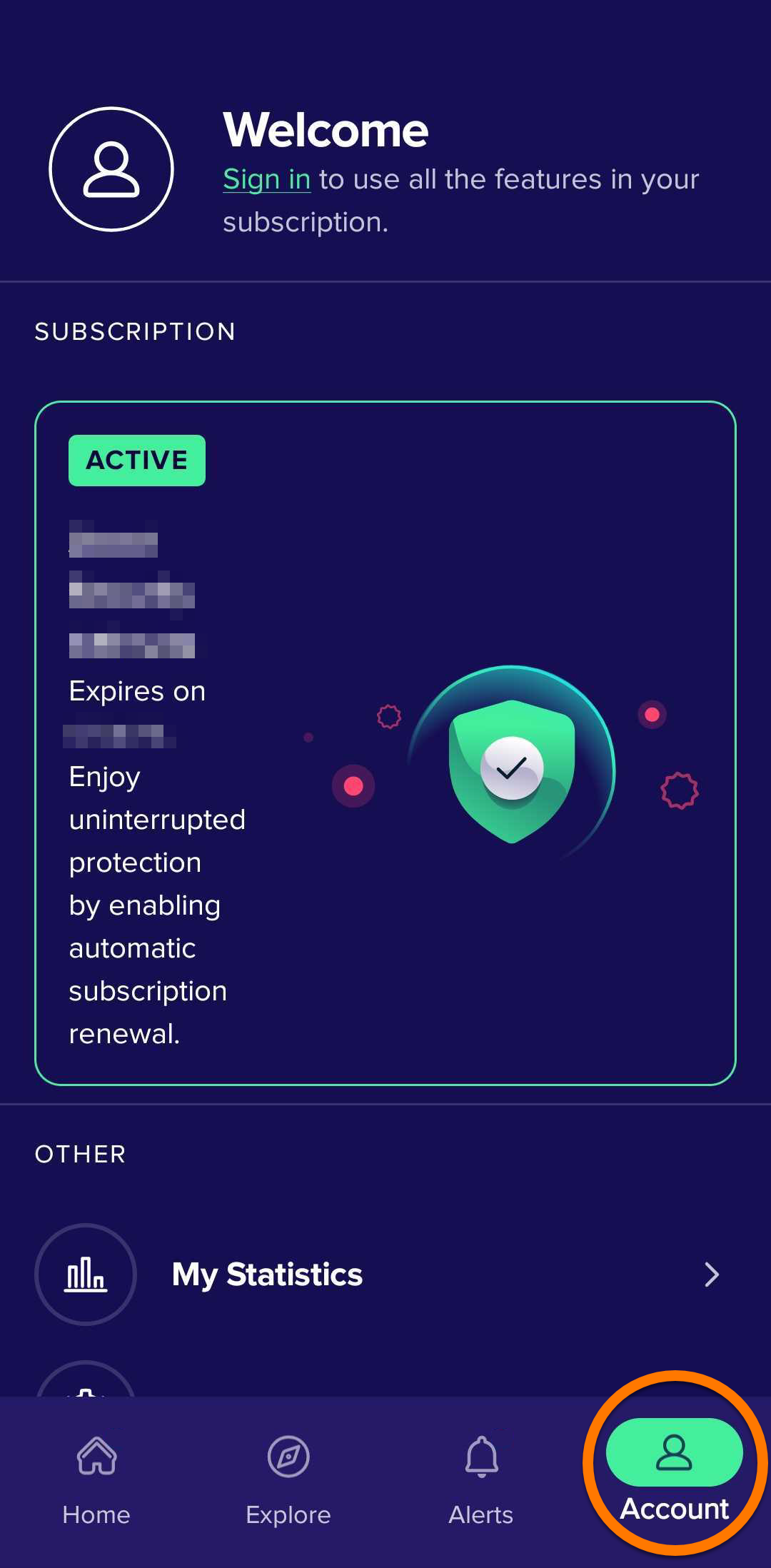
  2. Open Avast Mobile Security Premium, and tap   Account.  

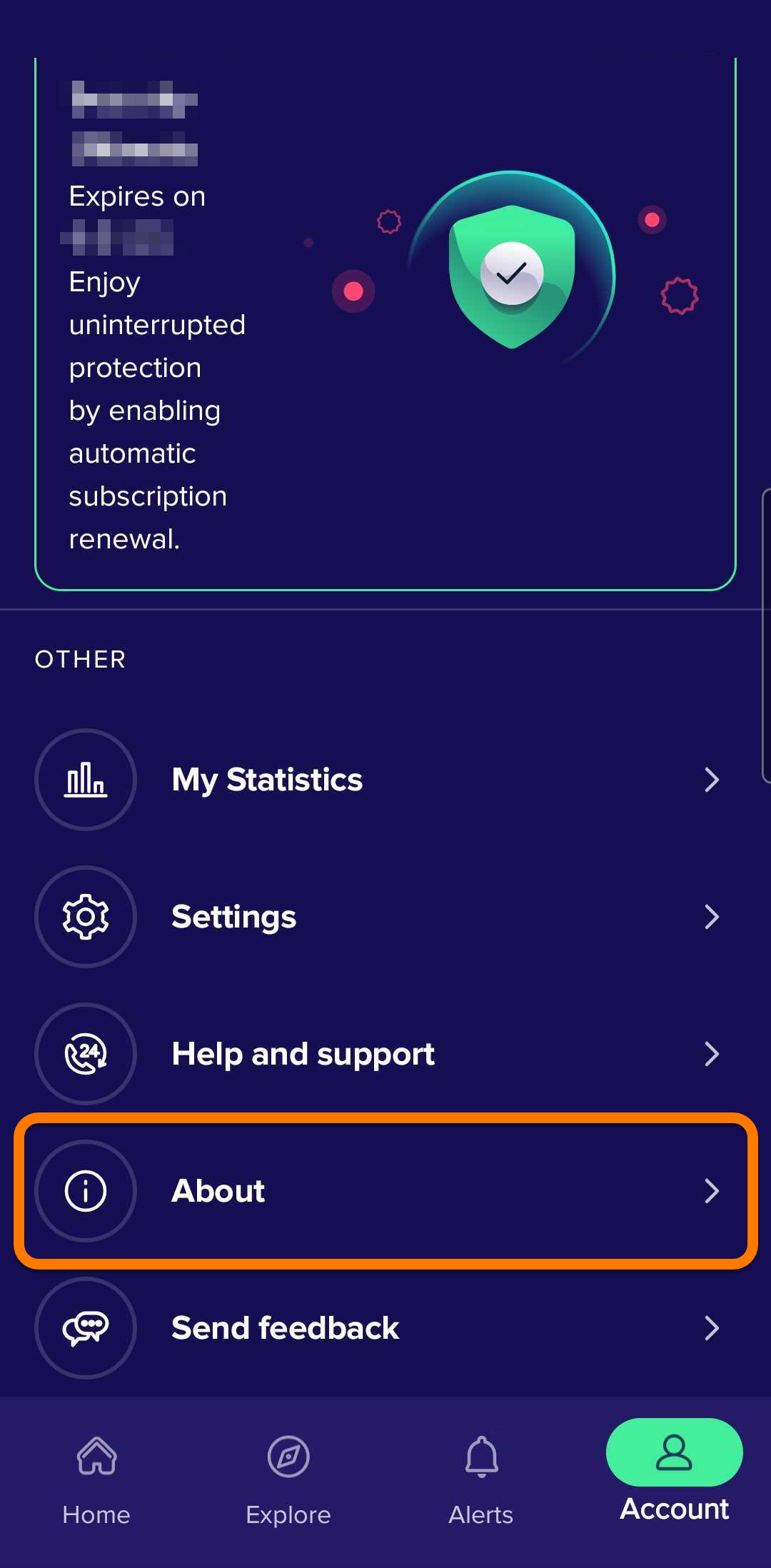
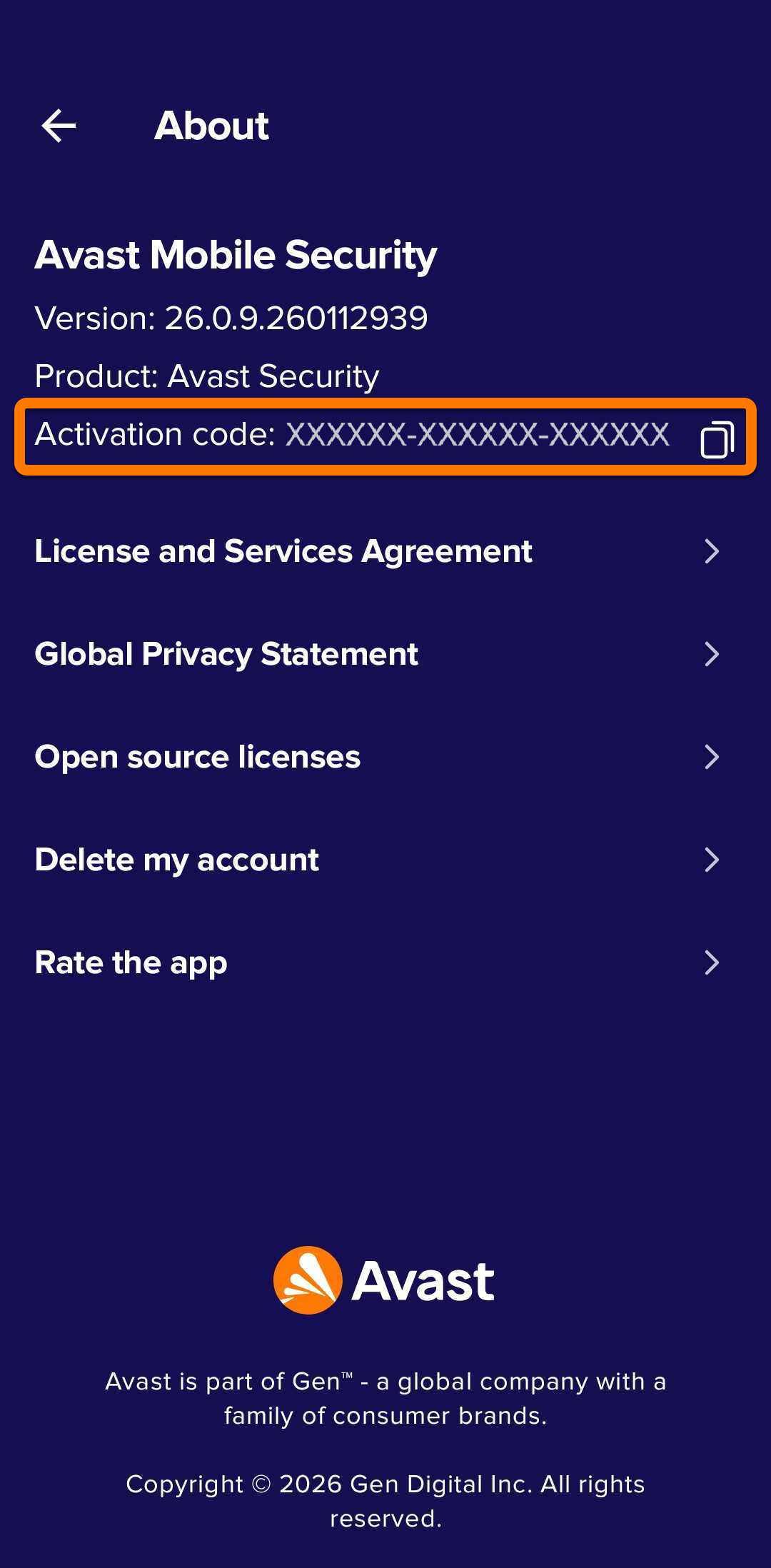
  3. Tap About.  

  4. Make note of your activation code as you will need it to activate the application on your secondary device. You can tap your subscription and select Copy license code to copy the activation code.  
Activate Avast Mobile Security Premium on your secondary device

To activate Avast Mobile Security Premium on your secondary device:

  1. Download and install the latest version of Avast Mobile Security from the Google Play Store.

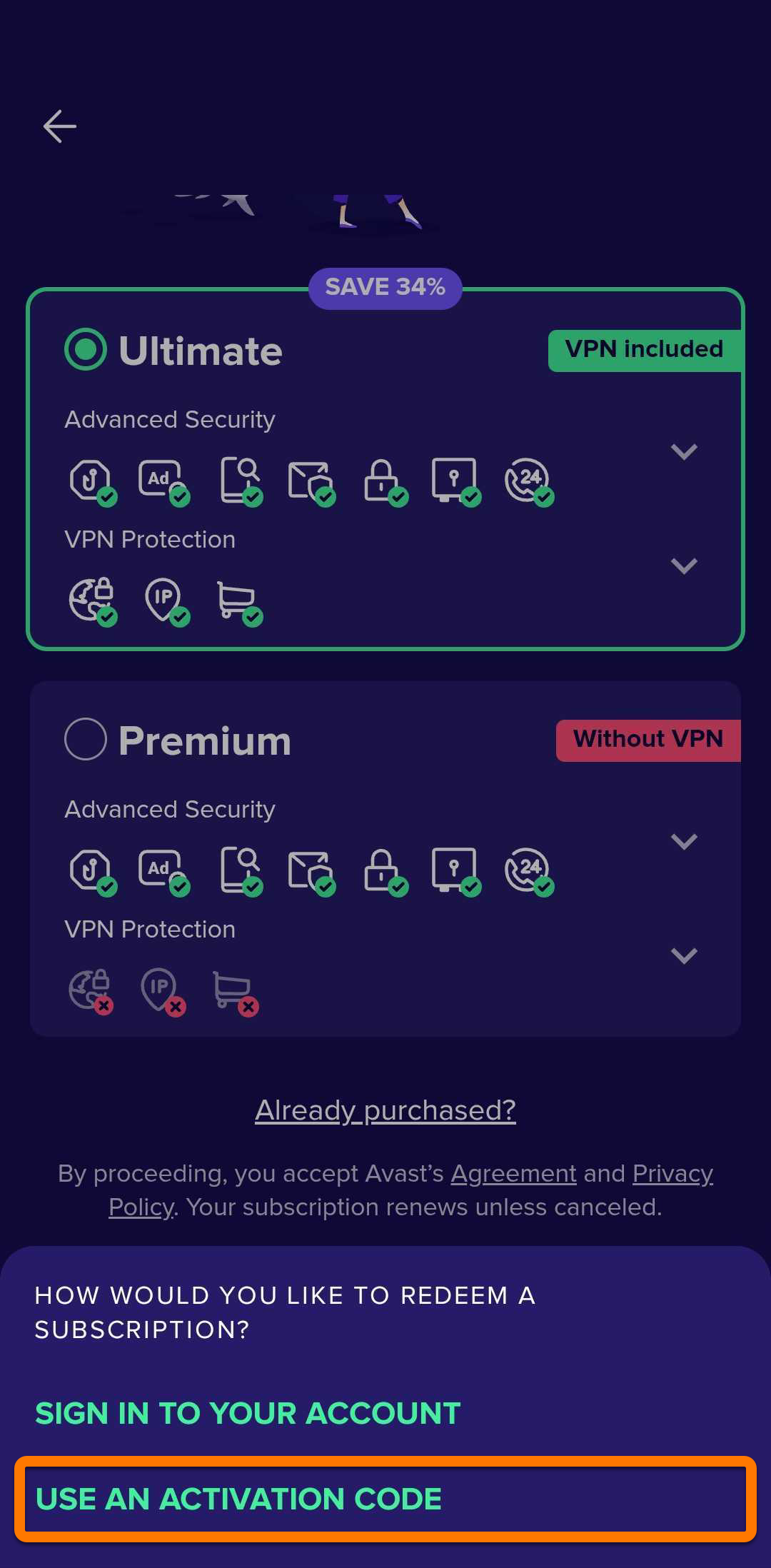
  2. Open Avast Mobile Security and tap Upgrade ▸ Already purchased?.  
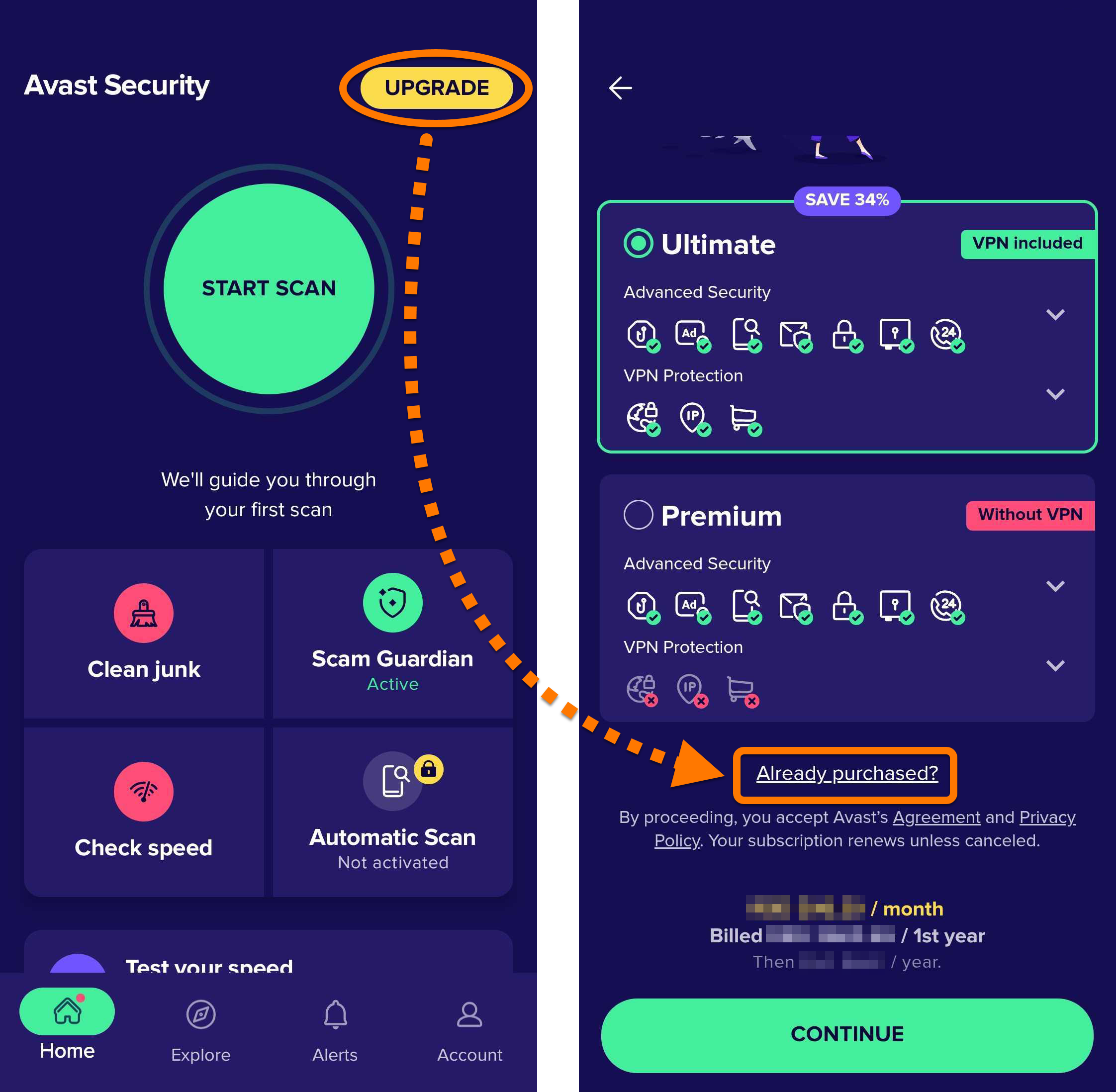
  3. Select Use an activation code.  

  4. Enter your activation code, including the hyphens, and tap Continue.  
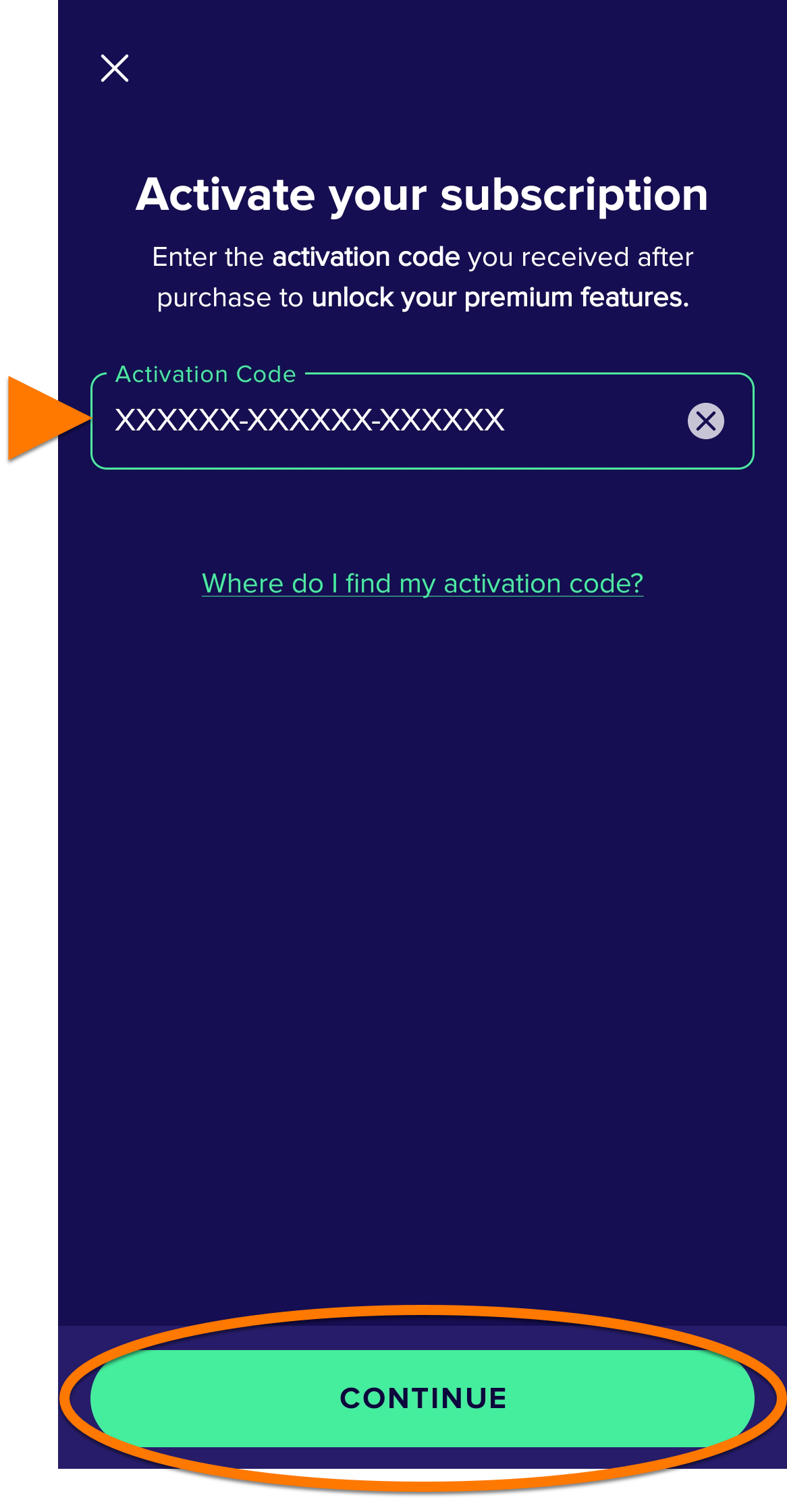
Avast Mobile Security Premium is now activated on your secondary device.

Troubleshoot activation issues

If you experience any activation issues:

  • Ensure you have correctly entered your activation code correctly, including hyphens.

  • Ensure you are logged in to the Google Play Store with the Google account you used to subscribe to Avast Cleanup Premium Plus.

If you still cannot activate the app, refer to the following article:

Further recommendations

For more information regarding Avast Cleanup and Avast Mobile Security, refer to the following articles:

DocID: activate-cleanup-premium-plusLast modified: 09/03/2026

Was this article helpful?

Promotional banner image

Keep your online identity private!

Browse like no one’s watching with Avast anti-tracking software.

Need more help?

Contact us
Avast account
Visit our forums
Visit academy