

Avast Premium Security for Mac is a comprehensive security application that helps block viruses, spyware, and other malicious threats. Additionally, it helps protect you and your data against dangerous fake websites, ransomware, and hackers while you are online. This article explains how to download and install the application.
Install Avast Premium Security
- Click the button below to download the Avast Security setup file, and save it to a familiar location on your Mac (by default, downloaded files are saved to your Downloads folder).
Download Avast Premium Security for Mac - Double-click the downloaded setup file
avast_security_online.dmg.
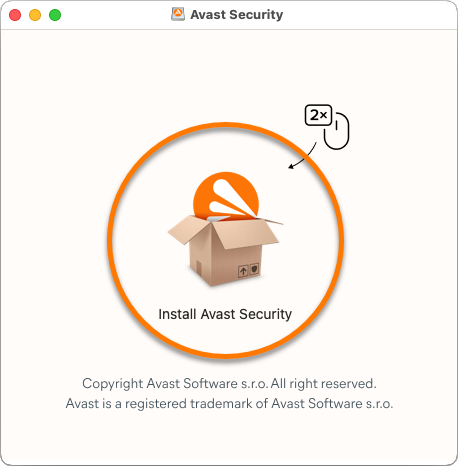
- Double-click the Install Avast Security icon.
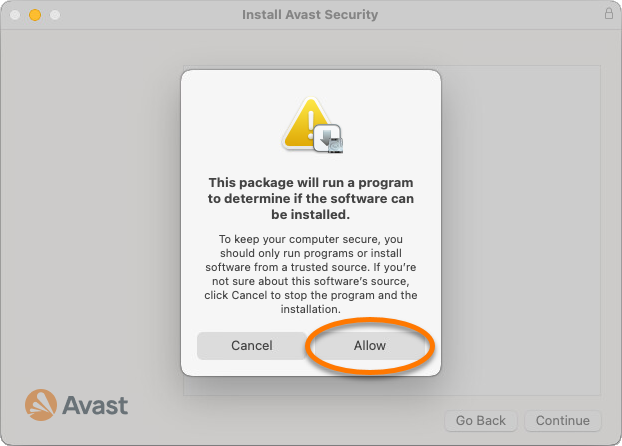
- Click Allow.
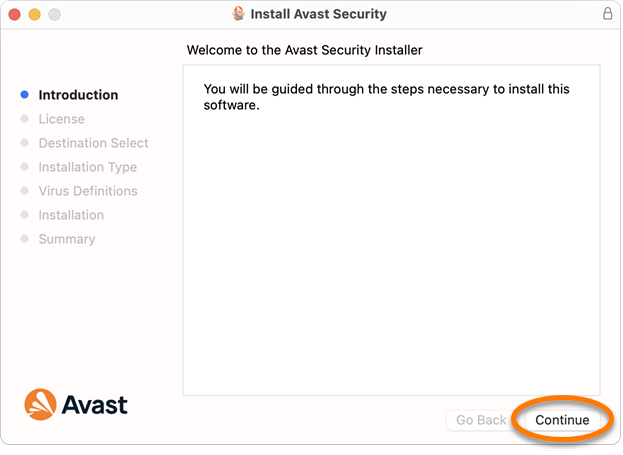
- Click Continue.
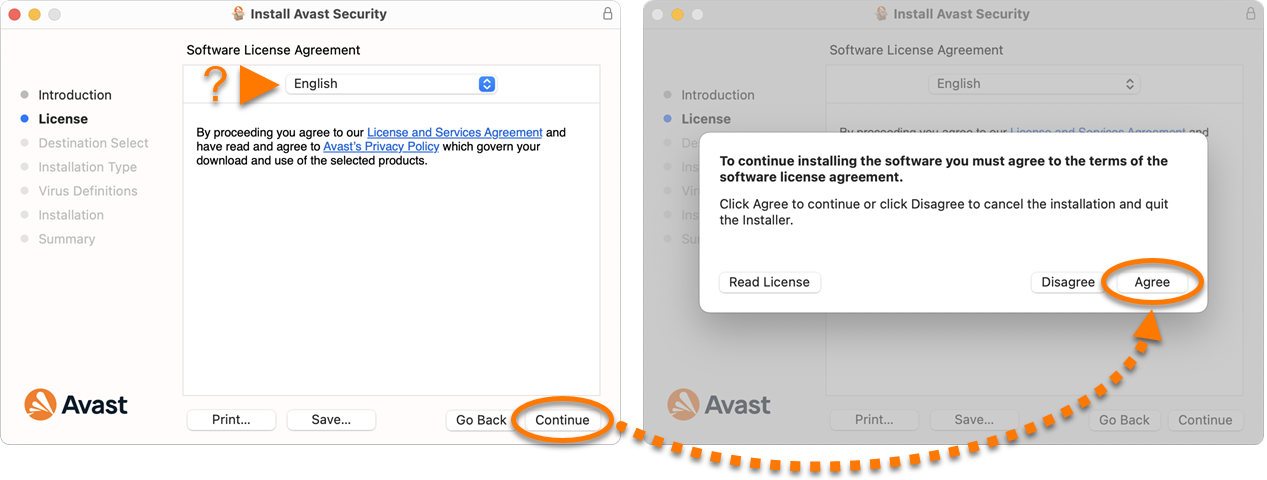
- To change the default setup language, choose your preferred language in the top of the screen. Review the License and Services Agreement and Avast Privacy Policy, then click Continue ▸ Agree to confirm that you accept the terms.
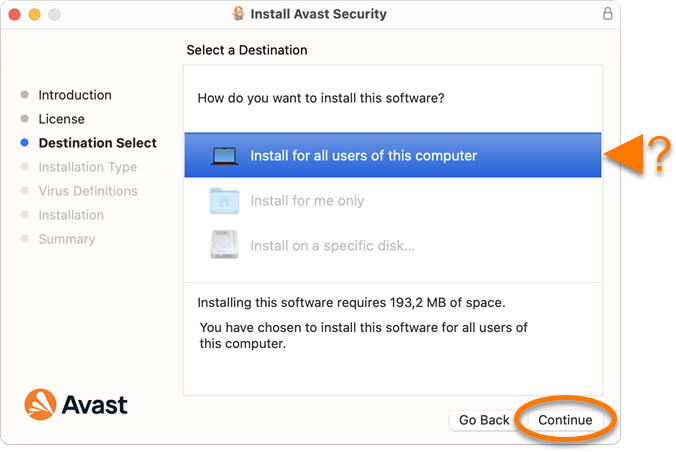
- If prompted, select the users who should have access to Avast Security, then click Continue.
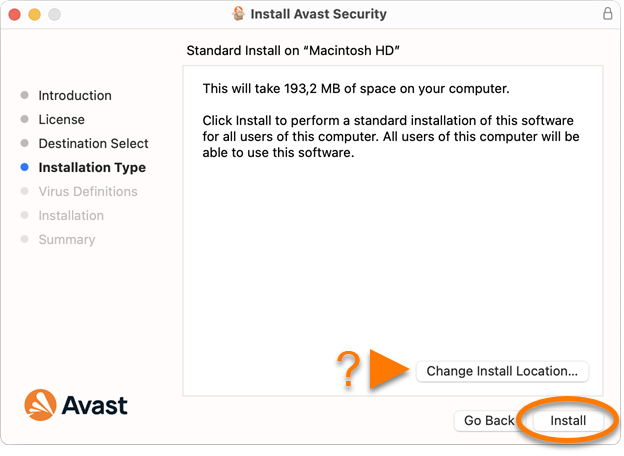
- Click Install to proceed with default installation, or click Change install location... if you want to make changes to the default setup.
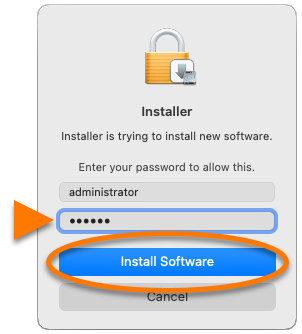
- If prompted, use your Touch ID to grant permission for the installation, or click Use Password..., then enter the password that you use when you start your Mac and click Install Software.
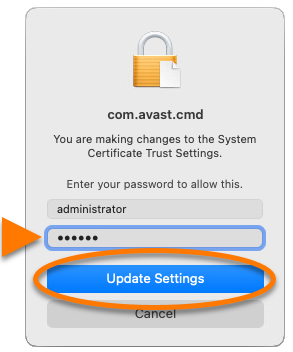
- If prompted, use your Touch ID to allow Avast Security to make changes to the System Certificate Trust Settings, or enter the password that you use when you start your Mac and click Update Settings.
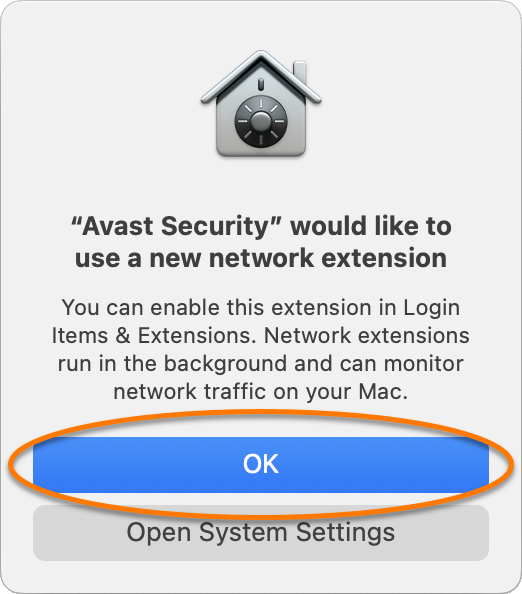
- When the "Avast Security" would like to use a new network extension notification appears, click OK.
- Click Close ▸ Move to Bin.
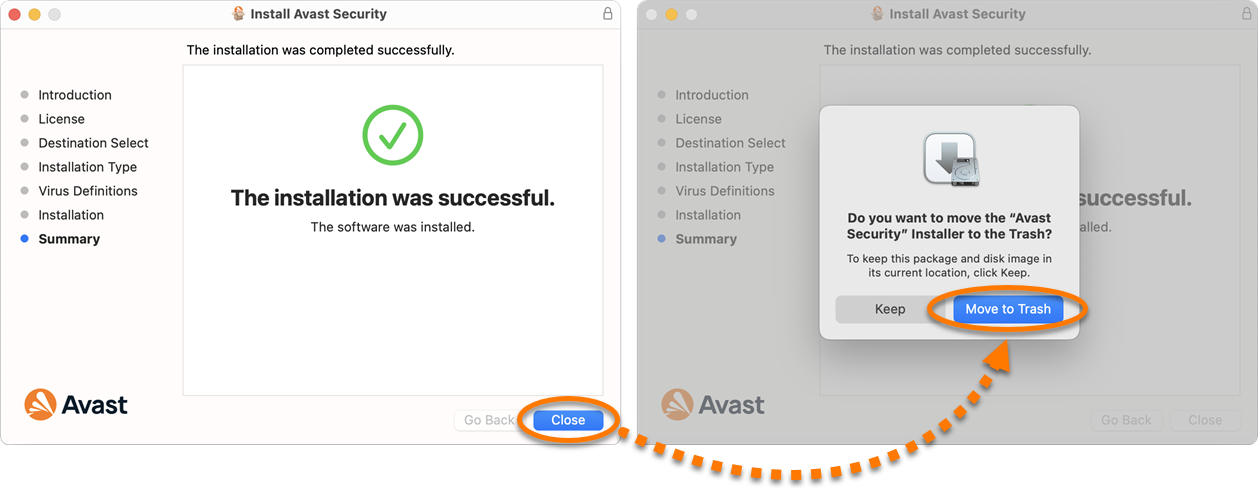
Avast Premium Security is now installed, but some components may not fully function until you restart your Mac. To complete the initial setup, follow the on-screen instructions to allow permissions for the app. For detailed instructions, refer to the following article:
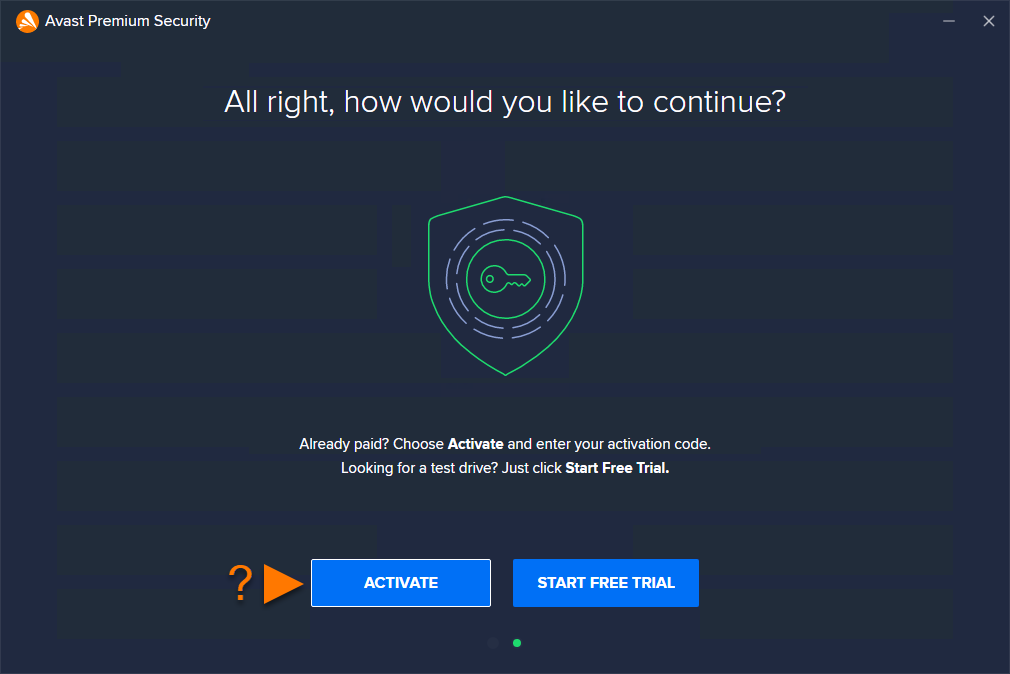
If you have a paid subscription to Avast Premium Security, you need to manually activate it. Refer to the following article for detailed instructions: Activate Avast Premium Security.
Still need help?
If you experience any installation issues:
- Ensure your Mac meets the minimum system requirements and your macOS is up to date: System requirements for Avast applications.
- Uninstall Avast Premium Security and any other antivirus software from your Mac. For instructions, refer to the following articles:
- Restart your Mac, then try to install Avast Premium Security again by following the exact steps in this article.
If the issue persists, contact Avast Support.
Further recommendations
For more information about Avast Premium Security, refer to the following article:
