
IS YOUR COMPUTER SLOW? RUN LIKE NEW
If they are not maintained, computers lose performance over time. Avast Cleanup Premium can help significantly improve the performance of your computer.
How to grant Full Disk Access to Avast Coordinator
Mac
In some cases, after installing Avast Premium Security or Avast Security, you may see a pop-up notification requesting permission for the Avast Coordinator component to access files upon rebooting your Mac. Follow the steps below to grant Full Disk Access to Avast Coordinator, and solve this issue:
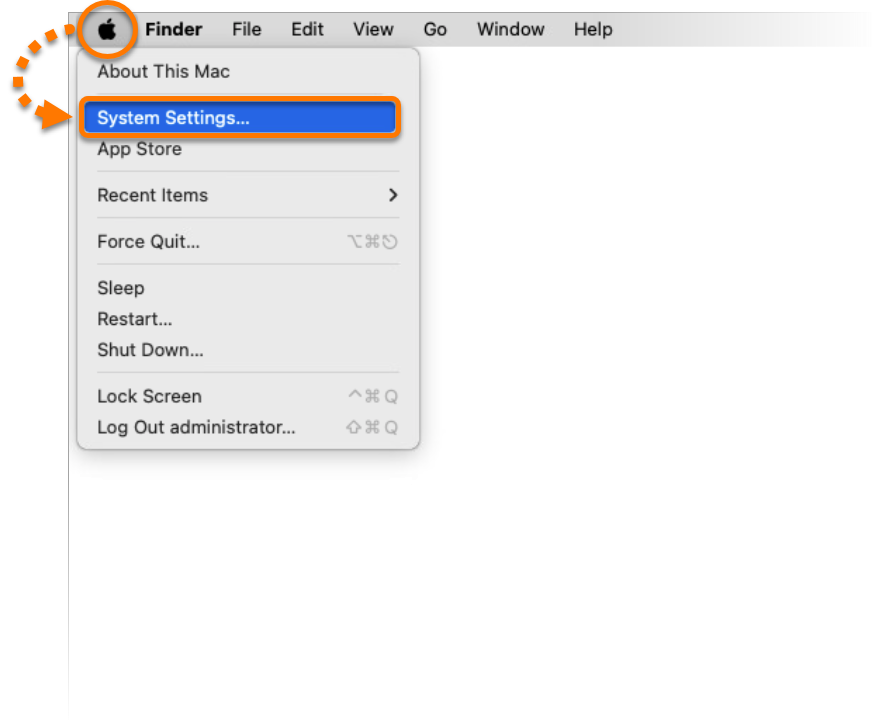
- In the Apple menu, click the Apple icon, then select System Settings....
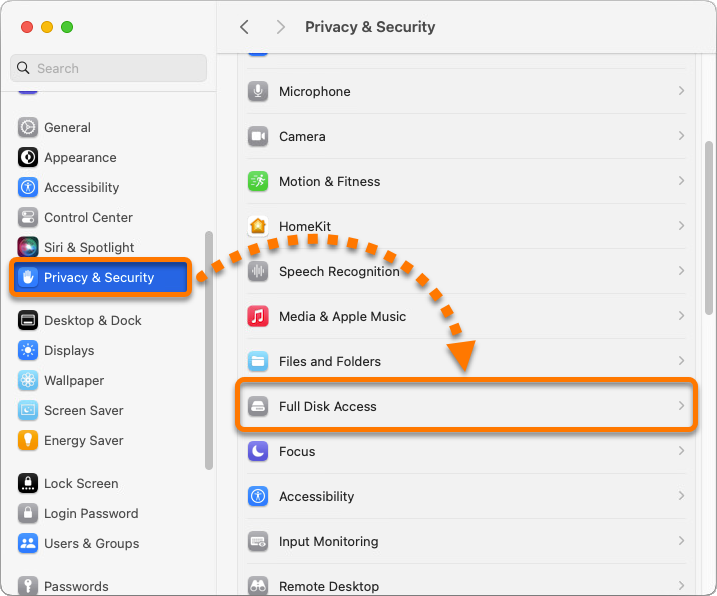
- Click Privacy & Security, then select Full Disk Access.
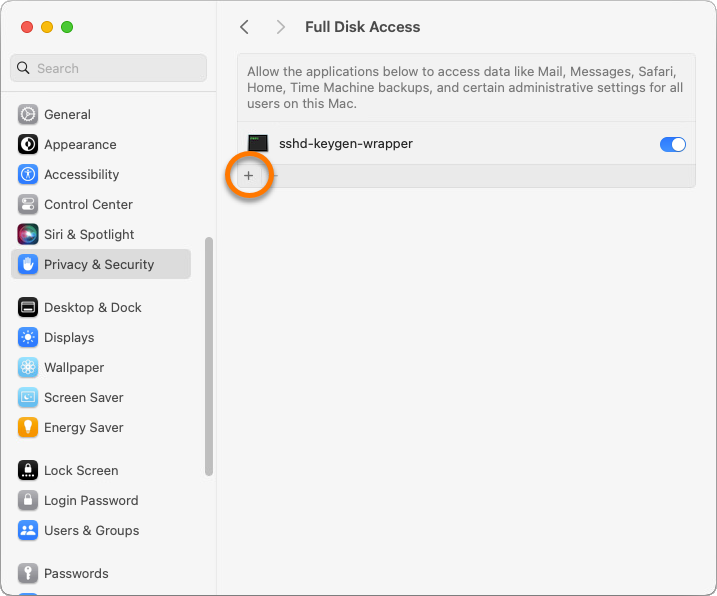
- Click
+.
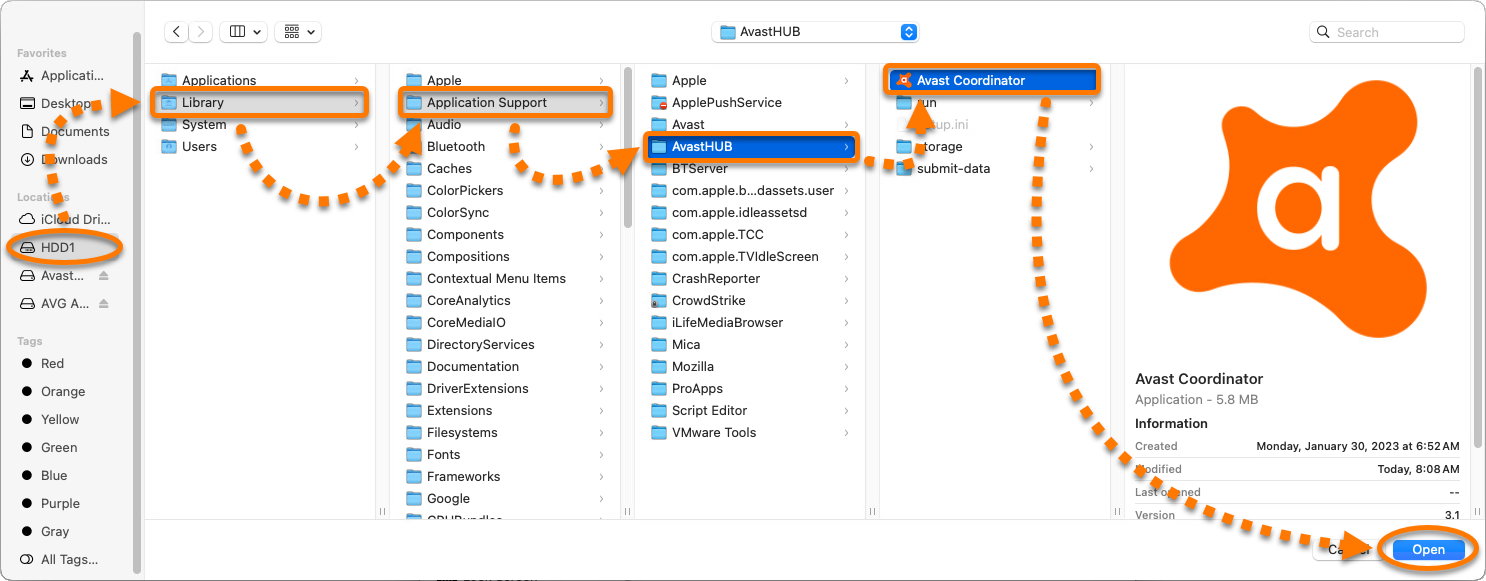
- Select your system disk, then select Library ▸ Application Support ▸ AvastHUB ▸ Avast Coordinator ▸ Open.
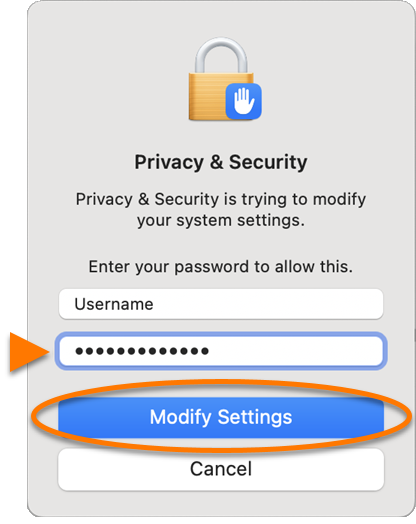
- If prompted, enter the password that you use when you start your Mac, and click Modify Settings.
- Ensure that the slider next to Avast Coordinator on the Full Disk Access page is ON.
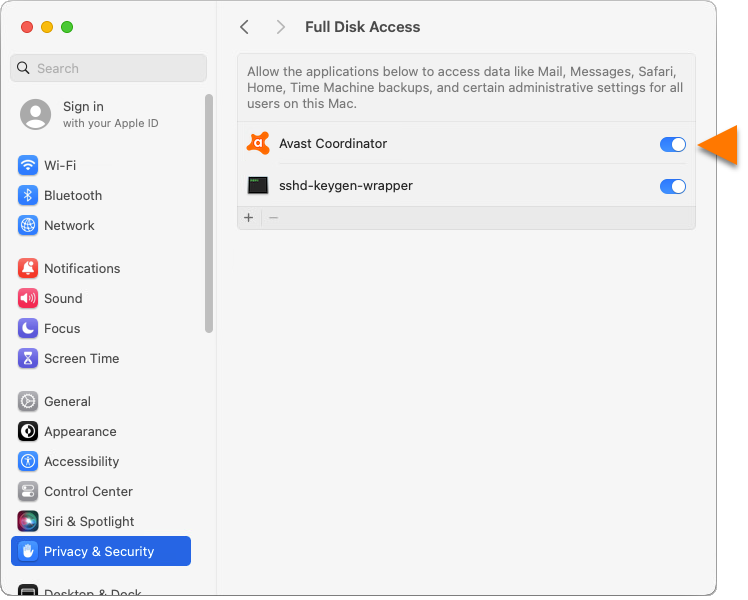
Avast Coordinator has Full Disk Access now, and the pop-up notification stops appearing.
DocID: avast-coordinator-permissionsLast modified: 09/04/2026
Was this article helpful?

Keep your online identity private!
Browse like no one’s watching with Avast anti-tracking software.
Need more help?
Contact us
Avast account
Visit our forums
Visit academy