
IS YOUR COMPUTER SLOW? RUN LIKE NEW
If they are not maintained, computers lose performance over time. Avast Cleanup Premium can help significantly improve the performance of your computer.
Managing emails from Avast
Android, ChromeOS, iOS, Mac, Windows
This article contains instructions to manage emails you receive from Avast. Refer to the instructions in the relevant section below to either opt out of receiving non-essential emails from Avast or change the language of emails you receive from Avast.
Opt-out of receiving non-essential emails from Avast
You can opt-out of receiving the following non-essential information from Avast via email:
- The latest security news and tips to stay safe online.
- Information about new products or updates to existing products.
- Discounts and special offers that might interest you.
- **Customers may opt-out of Qualtrics survey emails, but need to click on the "unsubscribe" link at the bottom of the email received**
It is not possible to opt-out of receiving the following essential emails from Avast:
- Subscription expiration warnings: Information about a subscription that will soon expire, with instructions to renew the subscription.
- Billing reminders: A notification that we will soon take payment for a continuous Avast subscription, with instructions to cancel the subscription before payment is taken.
- Order confirmation emails: Confirmation that you purchased an Avast subscription, with instructions to install and activate your purchased application(s).
To specify which emails you receive from Avast:
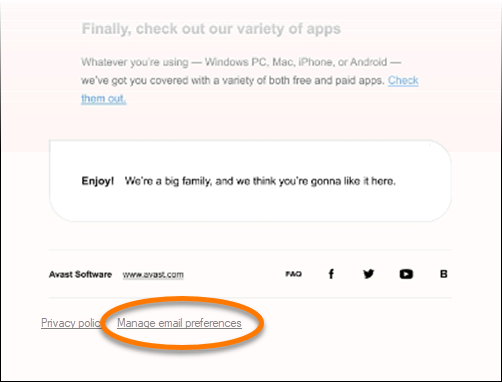
- Scroll to the bottom of any email from Avast and click Manage email preferences.
- Uncheck the email categories that you do not want to receive, then click Save preferences.
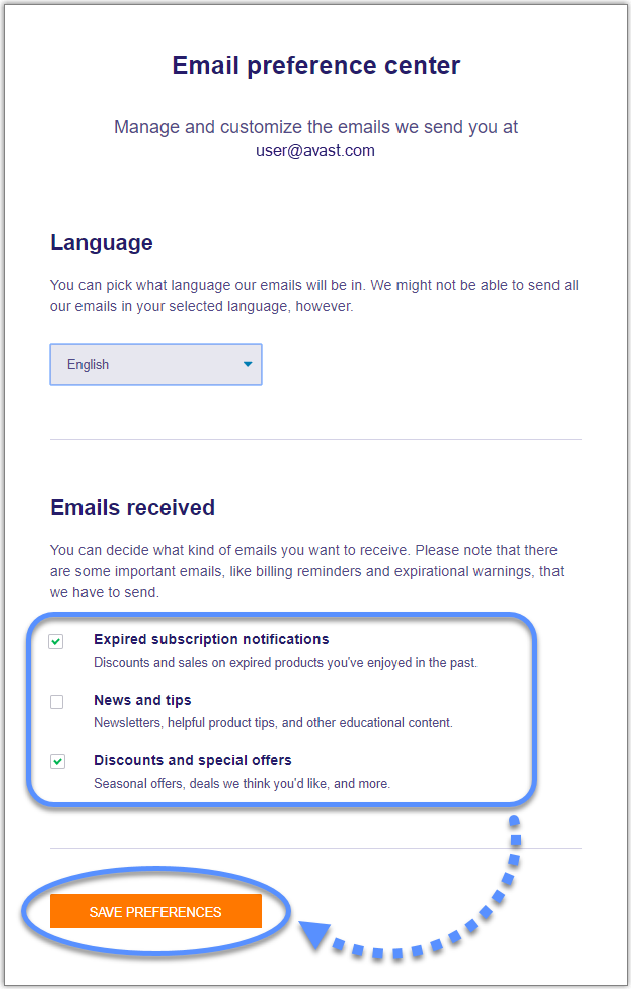
You will receive emails from Avast according to your saved preferences.
Change the language of emails you receive from Avast
Certain emails you receive from Avast may not be available in your chosen language.
Follow the steps below to specify your preferred language for receiving emails from Avast:
- Scroll to the bottom of any email from Avast and click Manage email preferences.
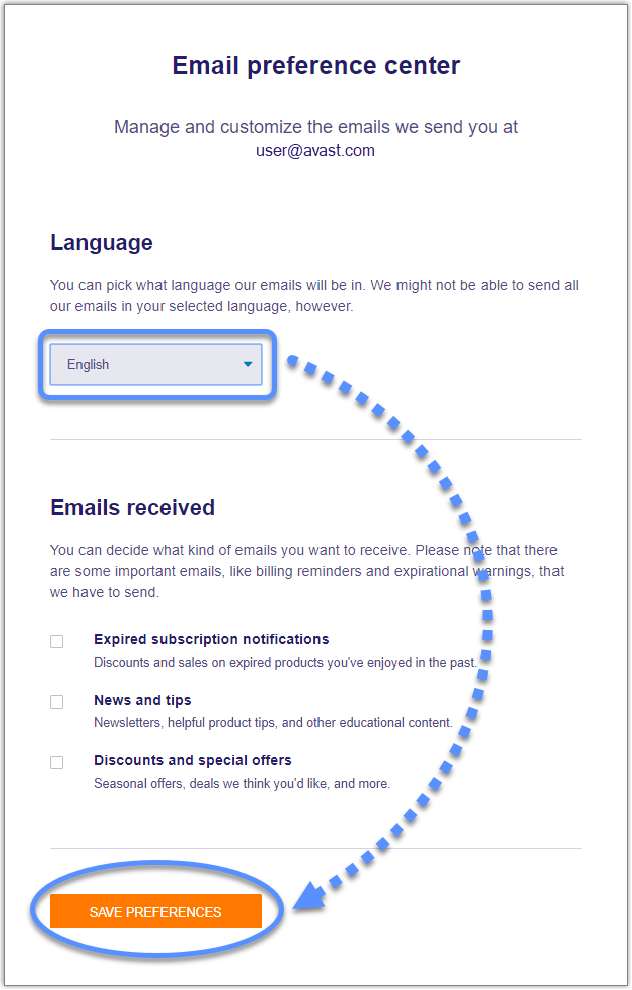
- Under Language, use the drop-down menu to select your chosen language, then click Save preferences.
Change your email preferences via your Avast account
This feature is currently being implemented in a phased manner in a limited number of regions.
- Sign in to your Avast account: https://id.avast.com/sign-in
- In the top-right corner, click My account, then click Account settings.
- In the Account settings page, scroll down to Email preferences.
- Select the types of emails you would like to receive from Avast.

Critical emails or essential emails consist of Service Functionality emails, such as one-time passcodes, password reset notifications, and service-related messaging.
Where possible, you will receive emails from Avast in your preferred language.
Was this article helpful?

Keep your online identity private!
Browse like no one’s watching with Avast anti-tracking software.