Promotional banner image

IS YOUR COMPUTER SLOW? RUN LIKE NEW

If they are not maintained, computers lose performance over time. Avast Cleanup Premium can help significantly improve the performance of your computer.

Checking which Avast product you have

Android, ChromeOS, iOS, Mac, Windows

If you don't know the name of your Avast product, you can check your Avast Account or search for Avast applications installed on your device to find out which Avast products you have.

Check your Avast Account

To view a list of your paid Avast subscriptions, click the button below and sign in to your Avast Account, then select the My Subscriptions tile.

Sign in to your Avast Account

For more information, refer to the following article: Managing subscriptions via your Avast Account

Check your device

To find out which Avast applications are installed on your PC, select the relevant tab below according to your Windows version.

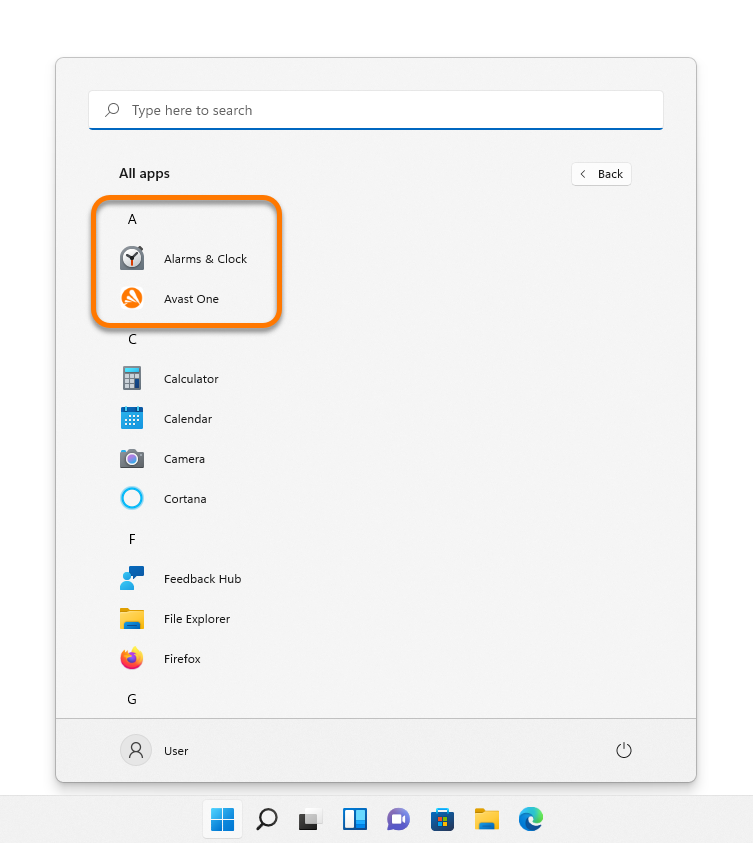
  1. Click the Windows Start icon, then select All apps.
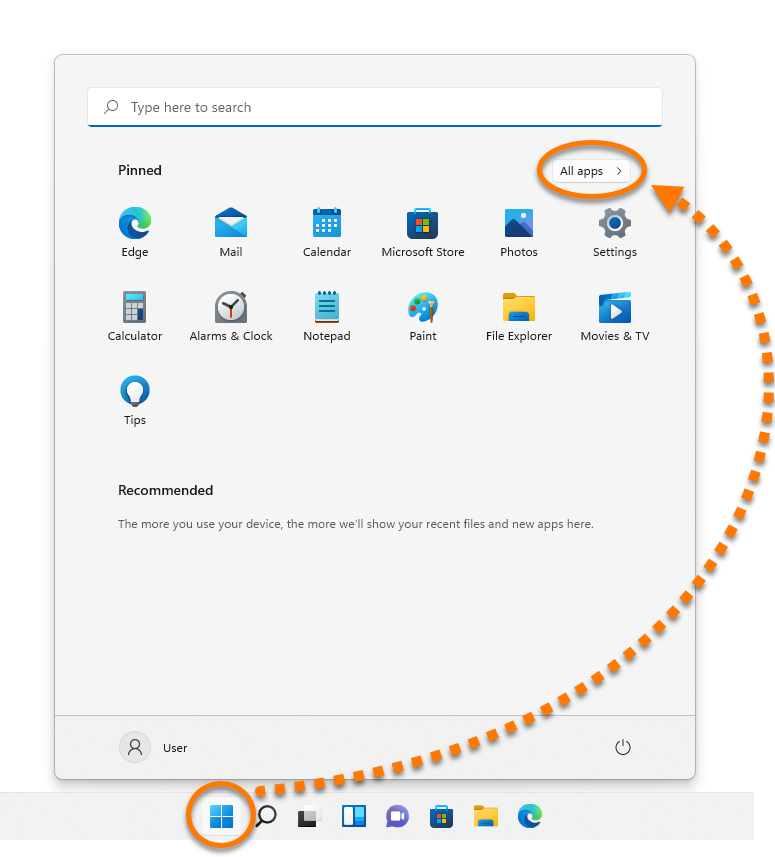
  2. An alphabetical list of your installed applications appears. All your installed Avast applications are listed under letter A.
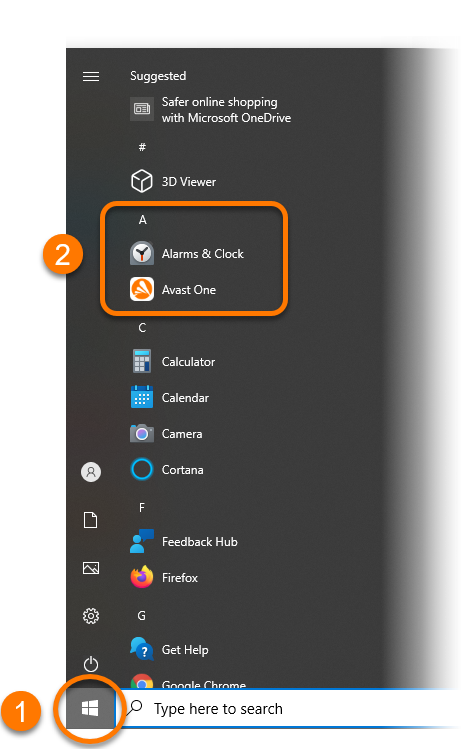
  1. Click the Windows Start icon.
  2. A list of your installed applications appears. The most used apps are at the top, followed by an alphabetical list. All your installed Avast applications are listed under letter A.
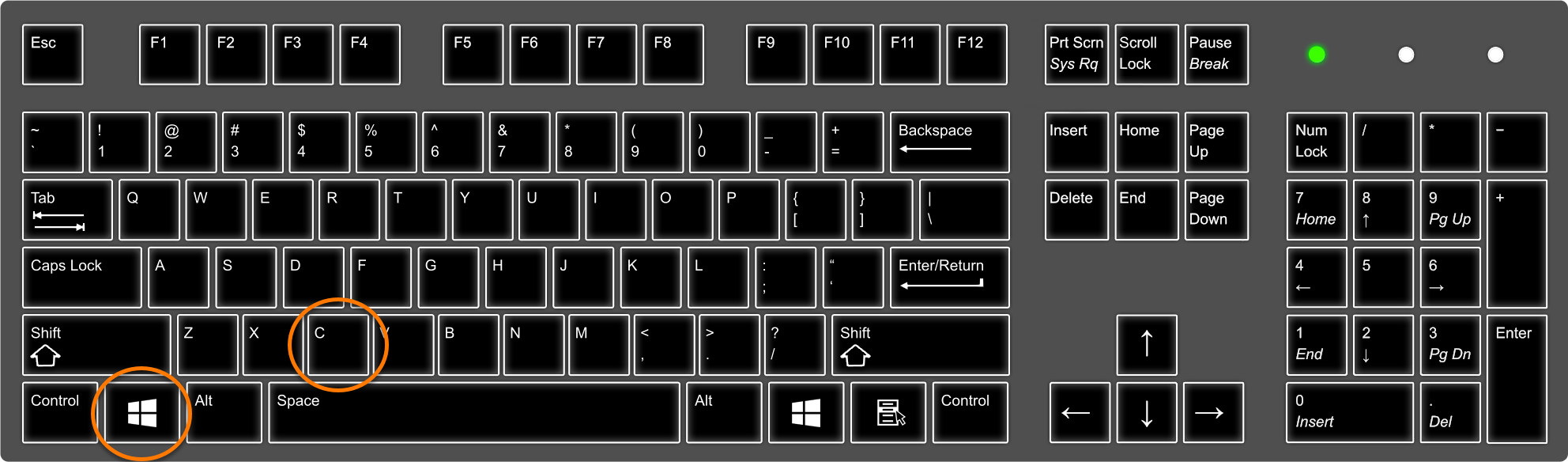
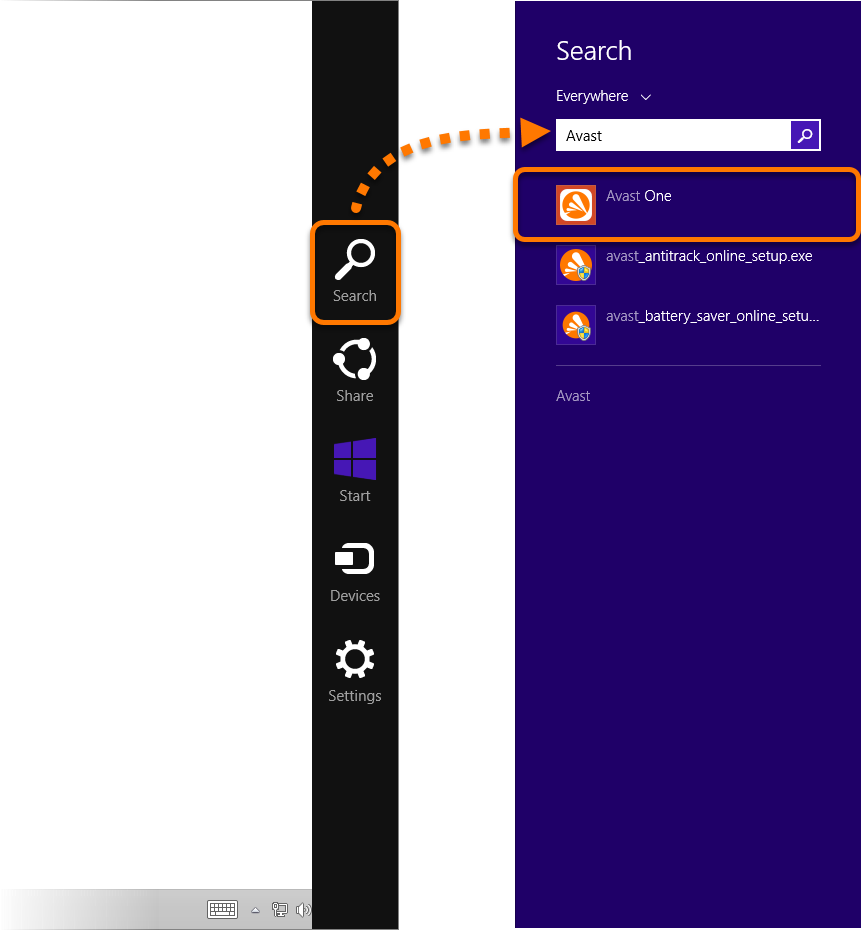
  1. On your keyboard, press the Windows logo key and C key simultaneously to open the Charms bar.
  2. Click Search, then type Avast into the search field. Your installed Avast applications are displayed.
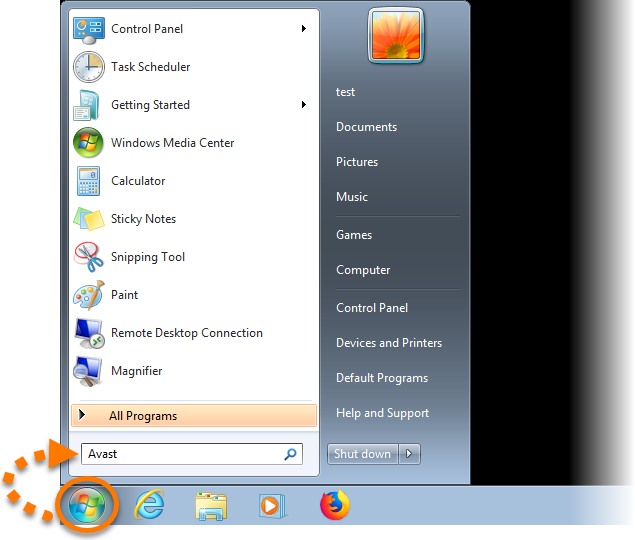
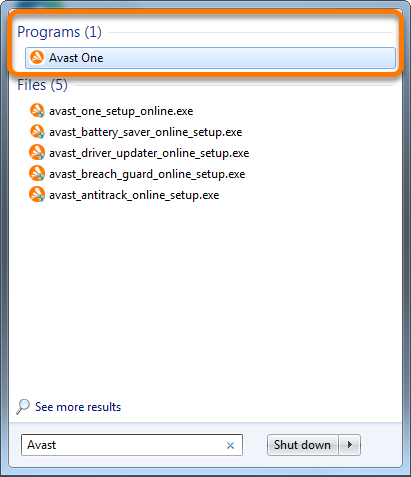
  1. Click the Windows Start icon, then type Avast into the search field.
  2. Your installed Avast applications are listed under Programs.

For information on how to open your Avast applications, refer to the following article: Opening Avast applications

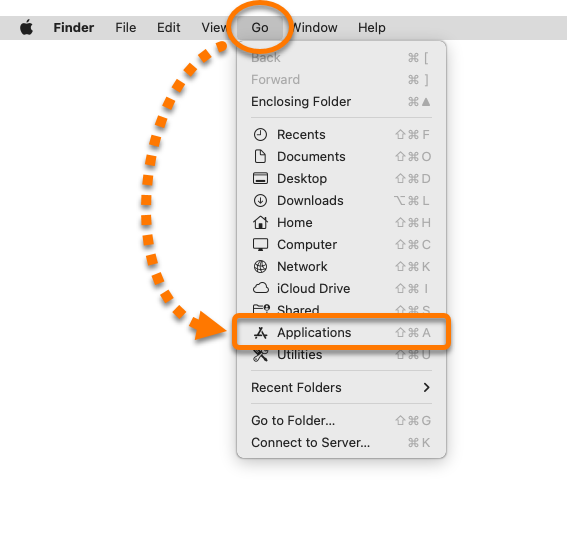
  1. Click Go in the Apple menu bar, then select Applications from the context menu.
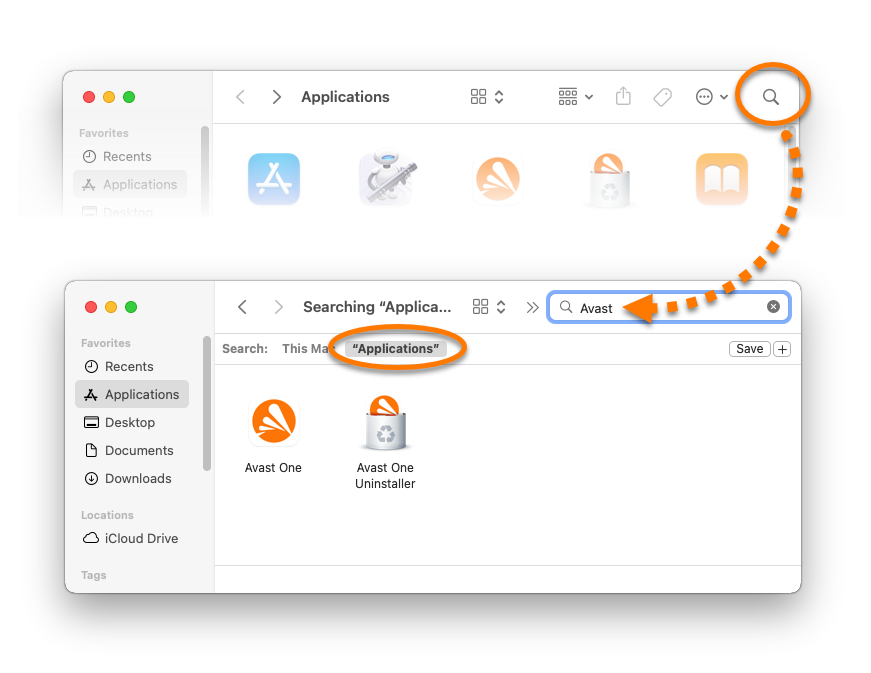
  2. Click the search icon in the top-right corner of the Applications window, then type Avast into the search field.
  3. Select "Applications". Your installed Avast applications are now displayed in the Applications window.
For information on how to open your Avast applications, refer to the following article: Opening Avast applications
These steps can differ slightly depending on your device model, Android version, and vendor customizations.

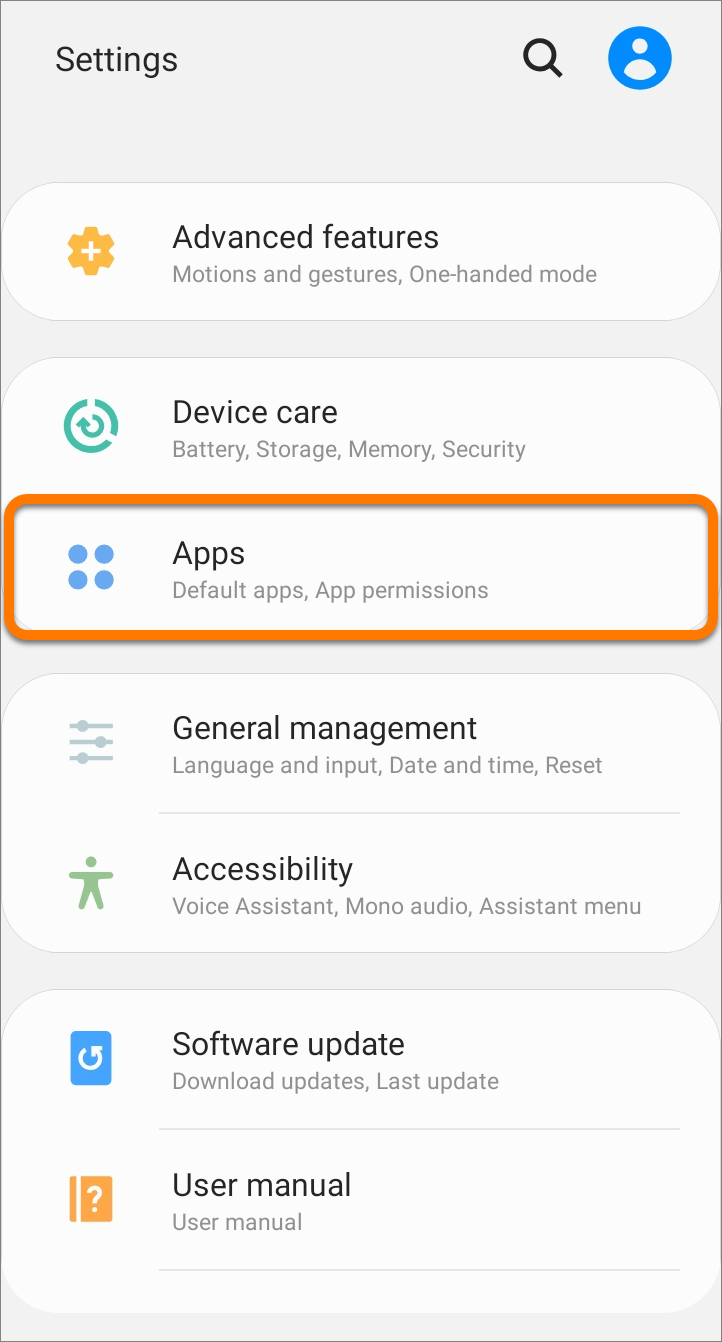
  1. Open your device Settings and select Apps.
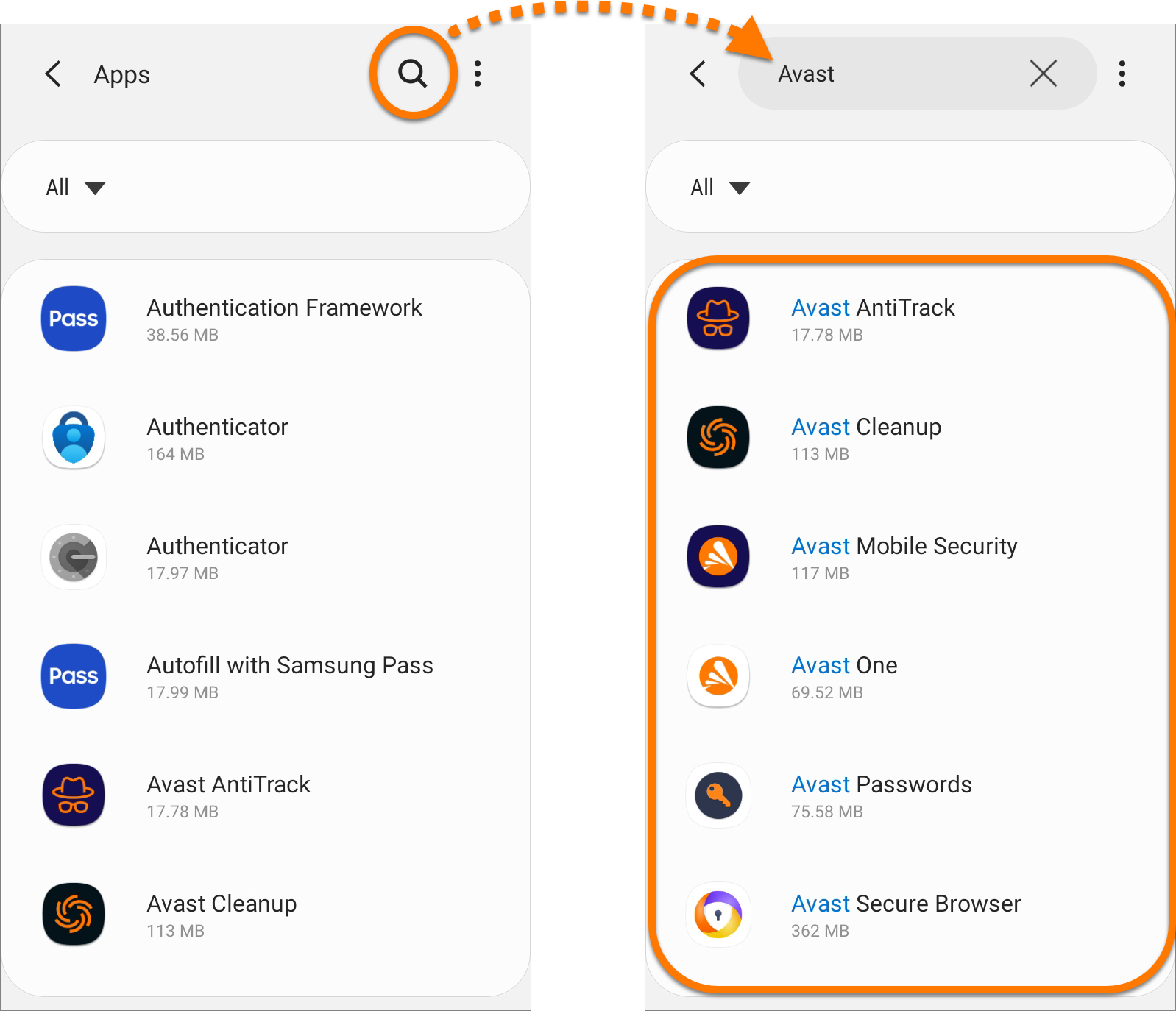
  2. Tap the search icon, then type Avast into the search field. A list of your installed Avast applications is displayed.
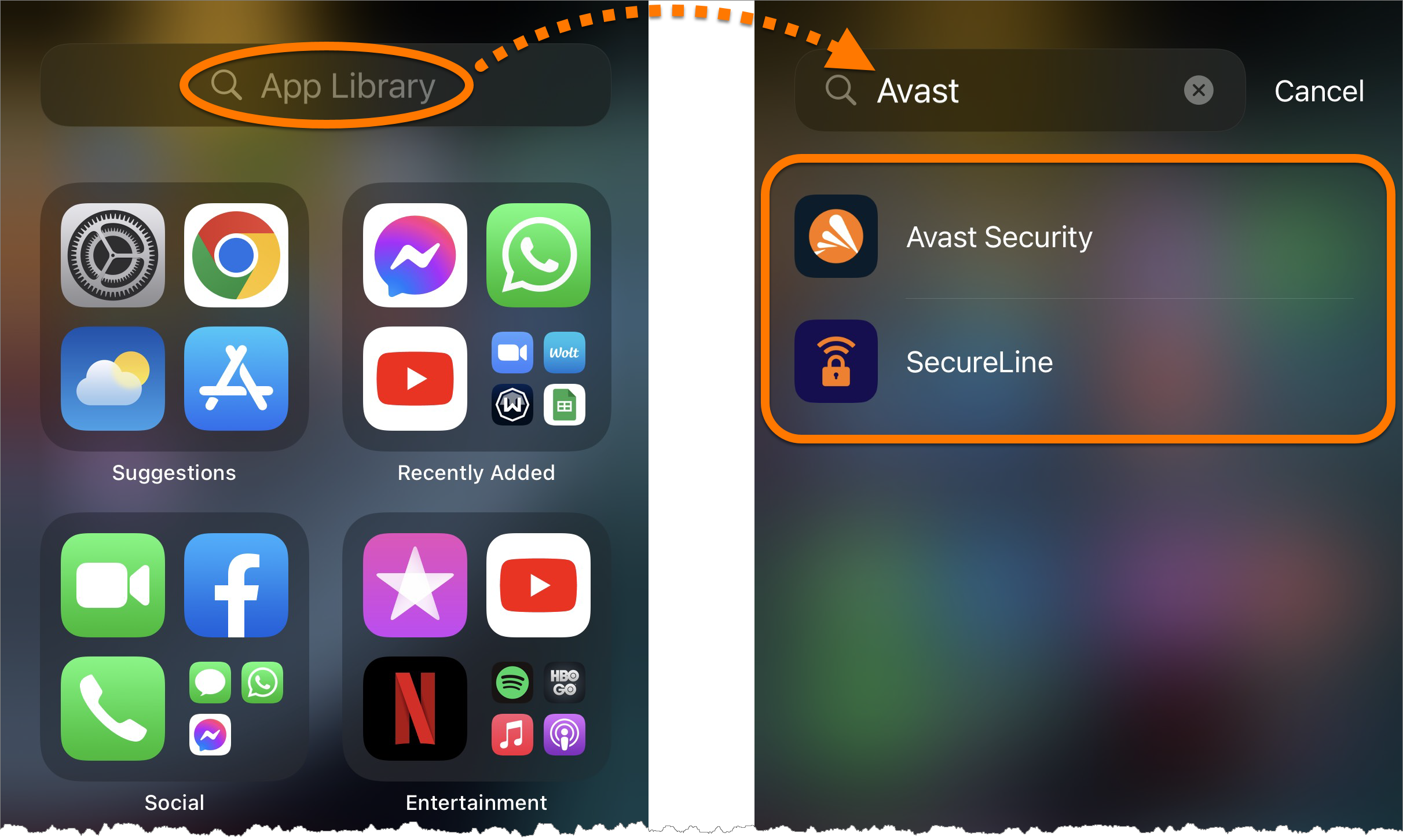
  1. Go to the Home Screen, then swipe left past all your Home Screen pages until you reach the App Library.
  2. Tap the App Library search field at the top of the screen, then type Avast into the search field. A list of your installed Avast applications is displayed.
DocID: check-productLast modified: 09/03/2026

Was this article helpful?

Promotional banner image

Keep your online identity private!

Browse like no one’s watching with Avast anti-tracking software.

Need more help?

Contact us
Avast account
Visit our forums
Visit academy